Article Summary: This tutorial explains how to apply specific pricing offers exclusively for walk-in customers using your Reservit Accommodation platform. You will learn how to configure specialized rates and seamlessly assign them to the dedicated walk-in channel for guests arriving without a prior booking. Implementing these unique, front-desk-only rates helps you maximize last-minute occupancy and capture immediate revenue without affecting your public online pricing.
The 4 Key Steps to Apply Pricing for Walk-in Customers:
-
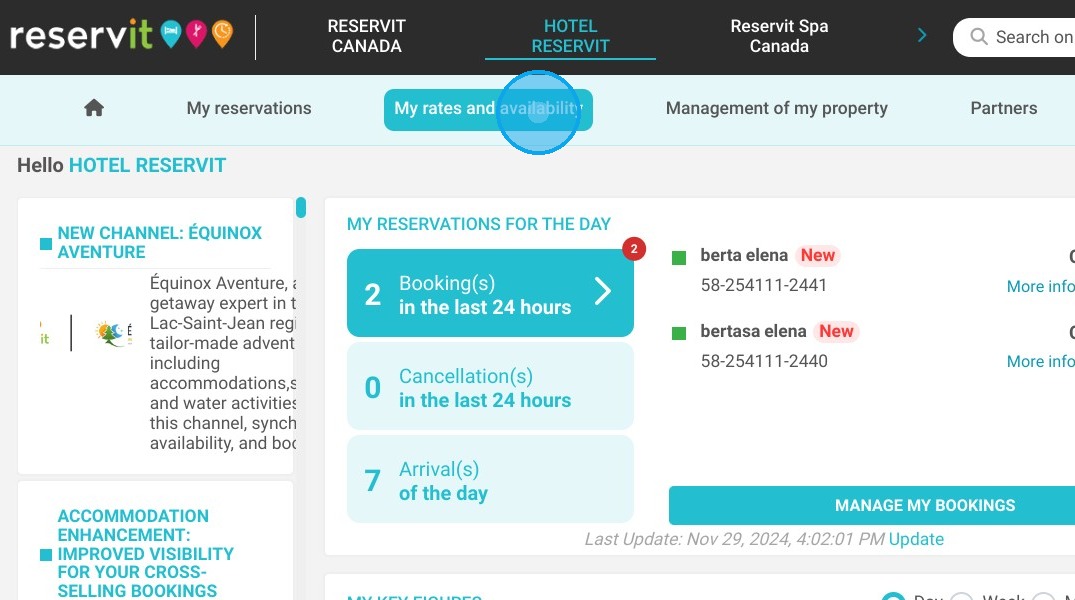
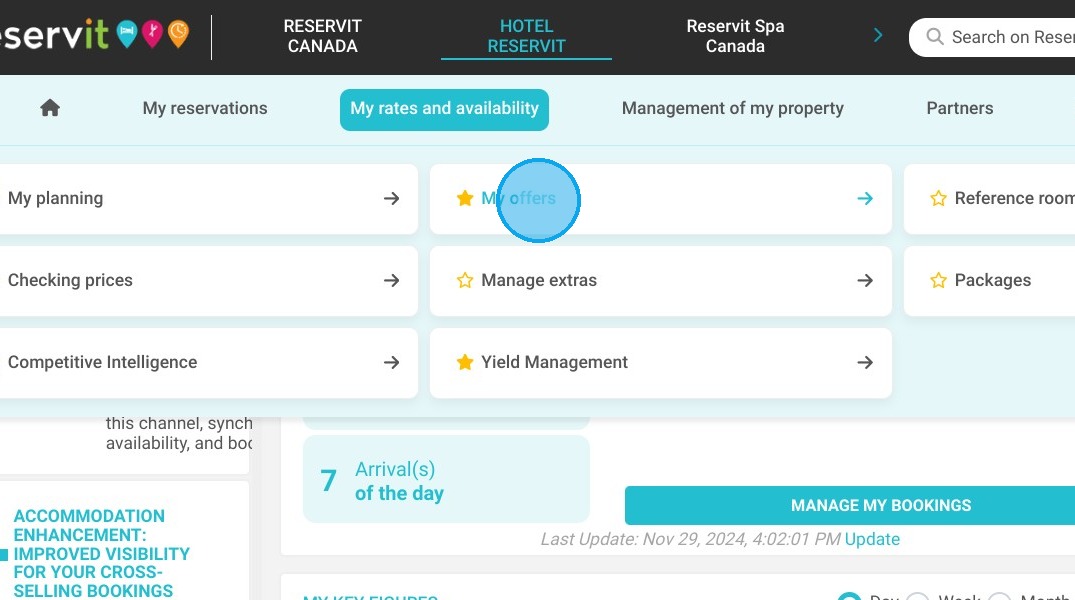
Access Your Offers: Navigate to the "My rates and availability" tab, select "My offers," and choose the specific promotion or rate plan you wish to edit.
-
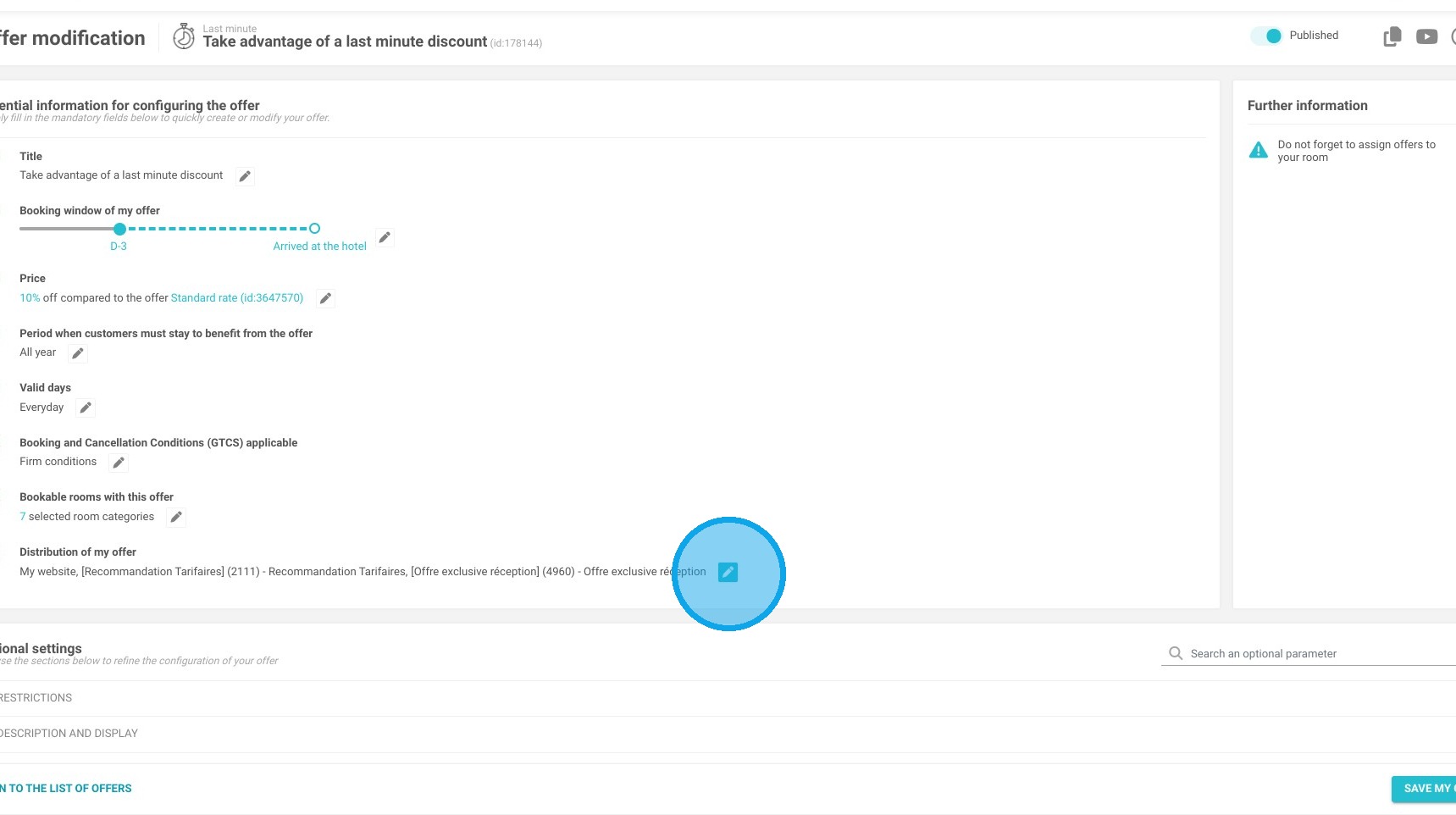
Edit Offer Distribution: After configuring your base rate details, scroll down and click the pencil icon located in the "Distribution of My Offer" section.
-
Assign the Walk-in Channel: Search for and select the "Clients sans reservation - Walk-in" option from your list of available distribution channels, then click "Apply."
-
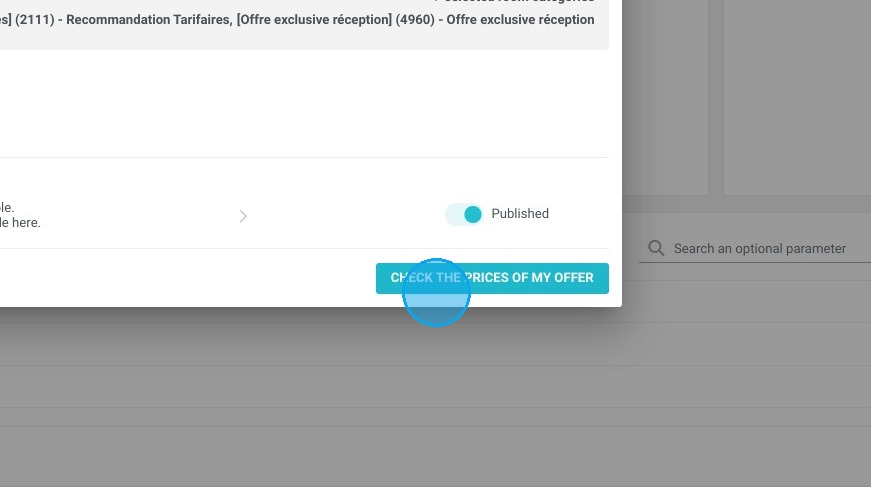
Save and Verify: Click "SAVE MY OFFER" to lock in your settings, then use the "CHECK MY OFFER PRICES" tool to confirm that your walk-in rates are accurately applied and ready for use.
Why follow this guide? Setting up dedicated walk-in pricing equips your front desk staff with clear, pre-approved rates for spontaneous arrivals, completely eliminating pricing guesswork or manual calculation errors during check-in. This streamlined configuration ensures accurate revenue tracking for offline bookings while securely isolating these specific rates from your online booking engine and third-party OTAs.
1. Click "My rates and availability" then "My offers" and select the one that you wish to edit.
2. Configure the offer of your choice. To configure an offer, follow this tutorial: https://help.reservit.com/EN/offers-setup-and-management-reservit-accommodation
Once you have configured your offer, click on the pencil in ''Distribution of My Offer''.
3. Choose the channel ''Clients sans reservation - Walk-in'' from the list of available channels. Then click ''Apply''.
4. Click "SAVE MY OFFER"
5. Don't forget to click on “CHECK MY OFFER PRICES” to confirm that your offer has been set up correctly.