Article Summary: This step-by-step tutorial explains how to establish a fixed sales limit for specific promotional offers in Reservit Accommodation. You will learn how to transition from an unlimited sales model to a fixed booking quota, allowing you to assign exact maximum reservation numbers per unit type. Mastering this configuration ensures your offers close automatically once your targeted threshold is reached, giving you total control over your inventory and revenue strategy.
The 5 key steps to set a fixed sales limit:
-
Access the sales limit settings: Open your desired offer and click directly on the "SALES LIMITS" configuration tab.
-
Enable fixed limits: Switch the default setting from "No limit of sale" by checking the "Fixed sales limit" option instead.
-
Open the limits grid: Click on the "SALES LIMITS GRID" button to access the detailed matrix for your room types.
-
Define your maximum quotas: Enter the exact maximum number of reservations allowed (e.g., 10 bookings) for each specific unit category tied to this offer.
-
Validate and save: Apply your new numeric limits, validate your configuration, and save the offer to immediately activate your automatic booking caps.
Why follow this guide? Following this guide prevents costly overbooking on highly discounted or exclusive packages by automatically shutting down the offer the moment your threshold is reached. Configuring precise sales quotas per room type eliminates the need for manual monitoring, saving you time while keeping your inventory distribution strategy flawless and secure.
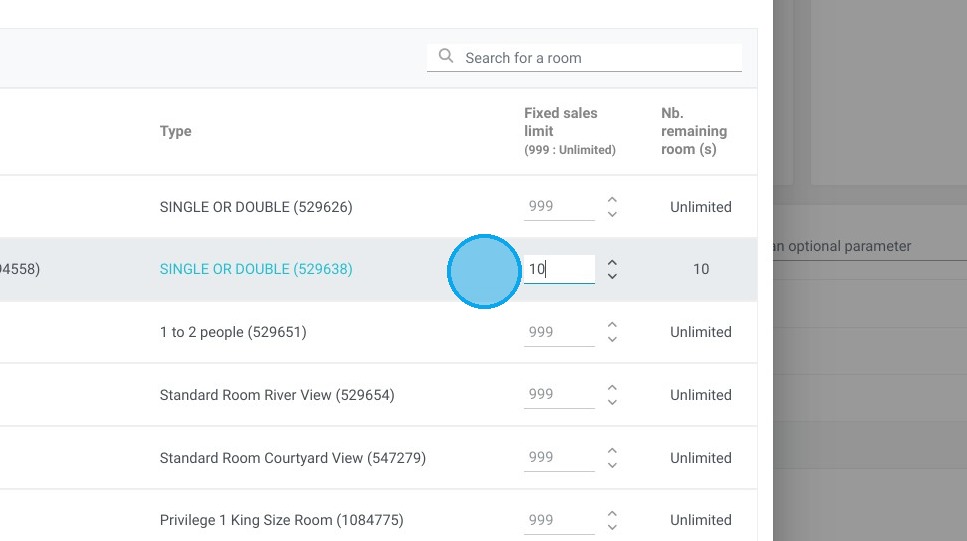
Tip: With our fixed sales limit feature, you have complete control over the availability of your offers, whatever the time of stay or booking date. Simply set a limit - for example, 10 bookings - and as soon as this threshold is reached, the offer closes automatically.
Alert: ⚠️ Sales limit management is specific to each unit type and offer. It is not possible to apply a global sales limit for an offer to the entire establishment. Be sure to configure your limits precisely for each category of units and offers, to optimize your management and maximize your bookings.
Distributors such as Booking.com, Expedia, Airbnb and Google cannot manage sales limits per offer. On the other hand, local distributors (such as Toundra, Tuango, GVQ, etc.) are very often able to manage them.
Tip: If you'd like to apply sales limits for Booking.com and Expedia, it's possible! Contact us to find out more.
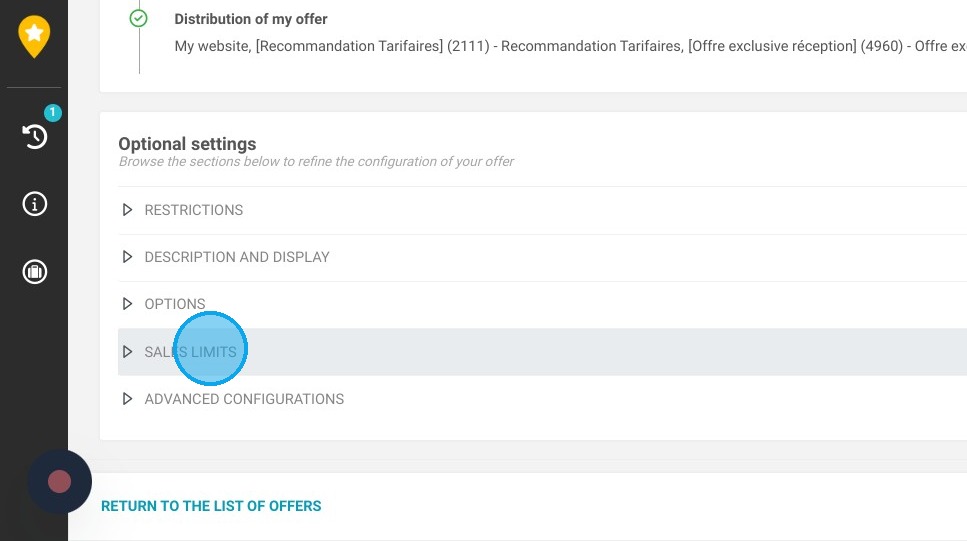
1. Click "SALES LIMITS"
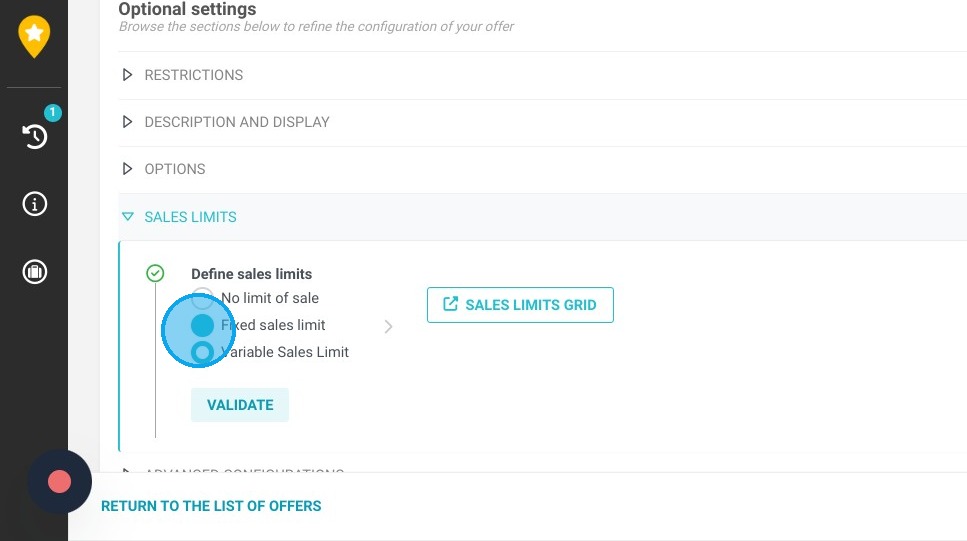
2. By default, the "No limit of sale" field is checked. Then select the ''Fixed sales limit'' field.
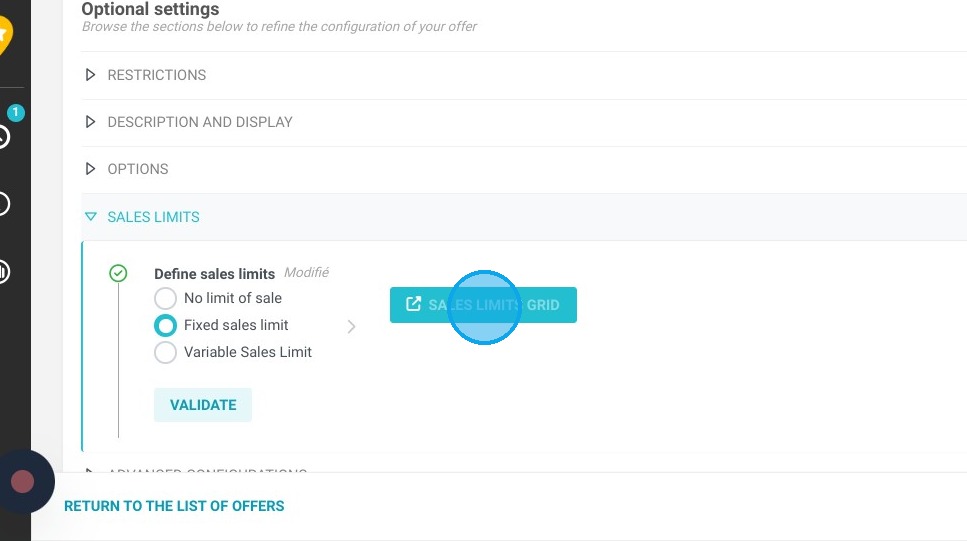
3. Click "SALES LIMITS GRID"
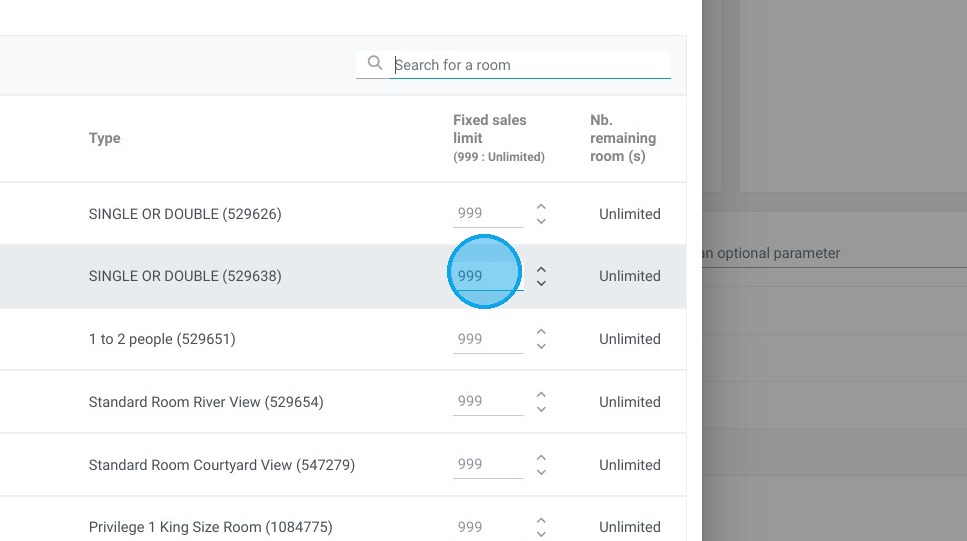
Tip: Sales limits are defined by unit type. Apply the desired sales limit.
4. In this example, we limit the number of reservations to 10 for this offer and this room type.
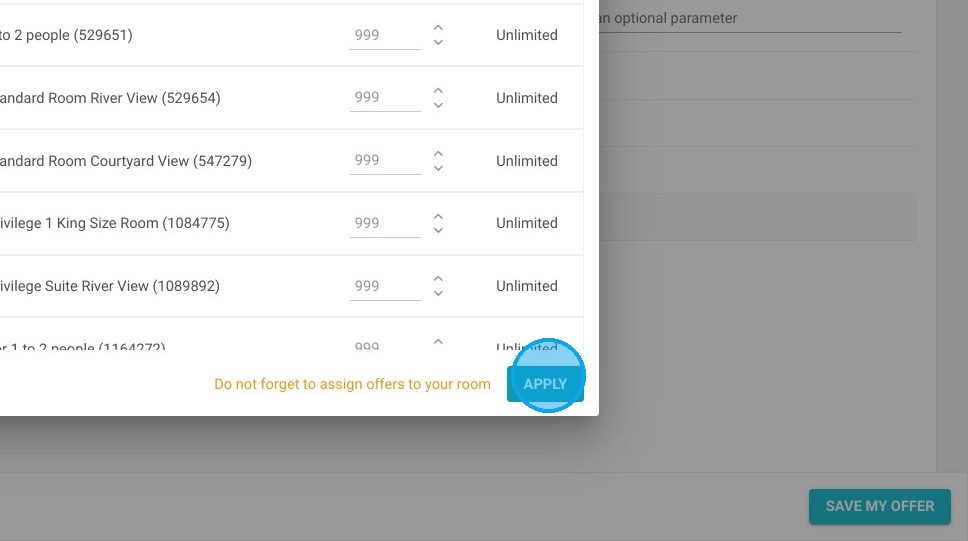
5. Click "APPLY"
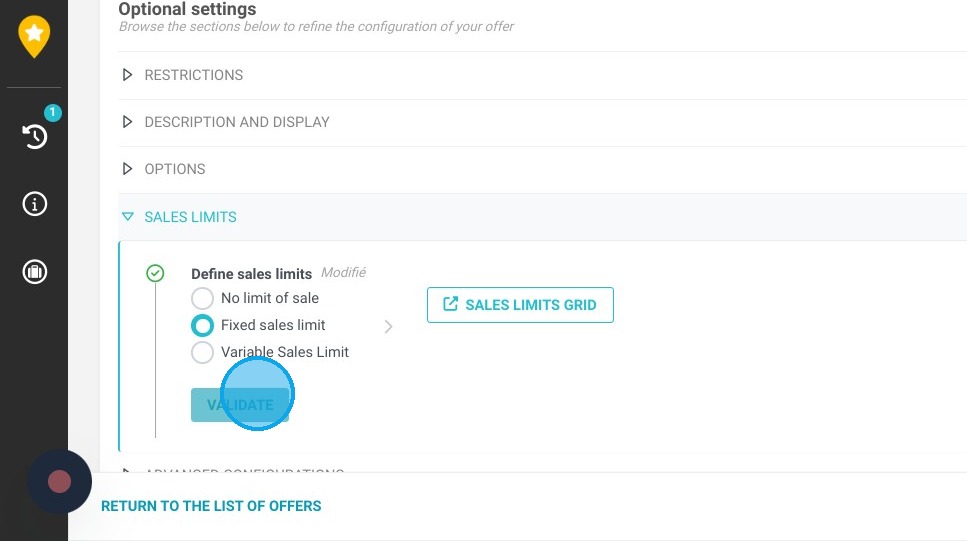
6. Click "VALIDATE"
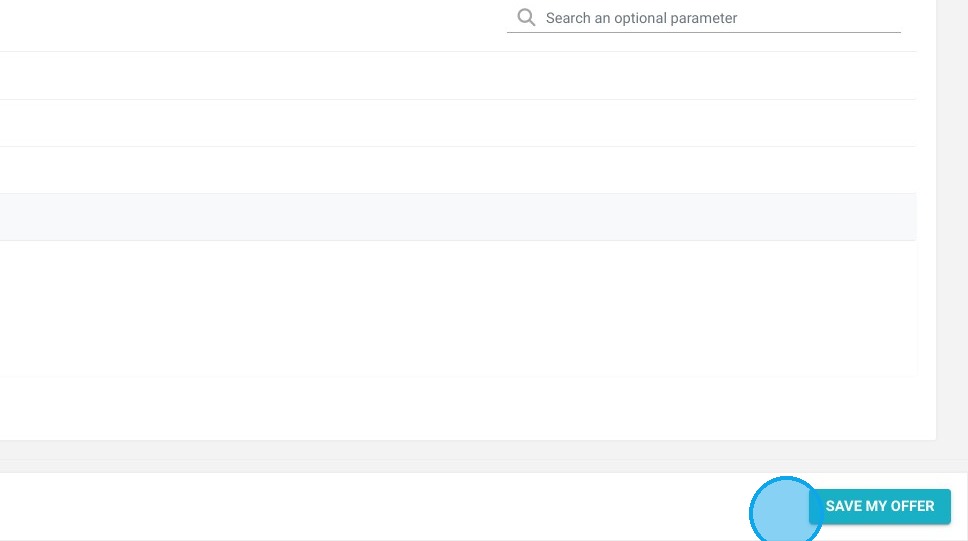
7. Click here to Save your offer