Help for use

How to Manage Guest Profiles and Cardex in Reservit Accommodation

Article Summary: This comprehensive tutorial provides step-by-step instructions on how to effectively manage your guest database using the Reservit Accommodation system. You will learn how to navigate the Pax management dashboard to accurately search, filter, edit, and merge client profiles. Mastering these guest management features will streamline your daily front-desk operations, improve data accuracy, and allow you to create new bookings directly from an existing customer file.

The 5 Key Steps to Manage Guest Profiles:

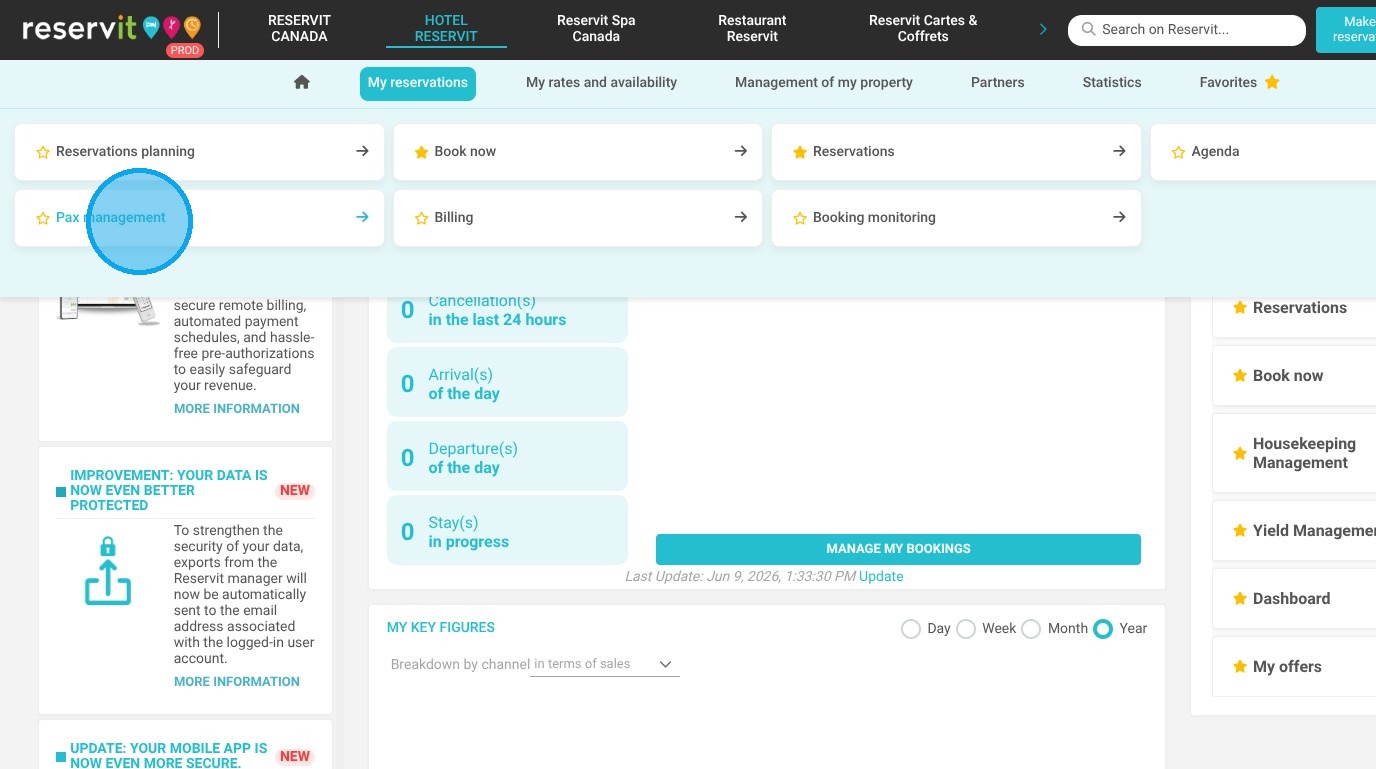
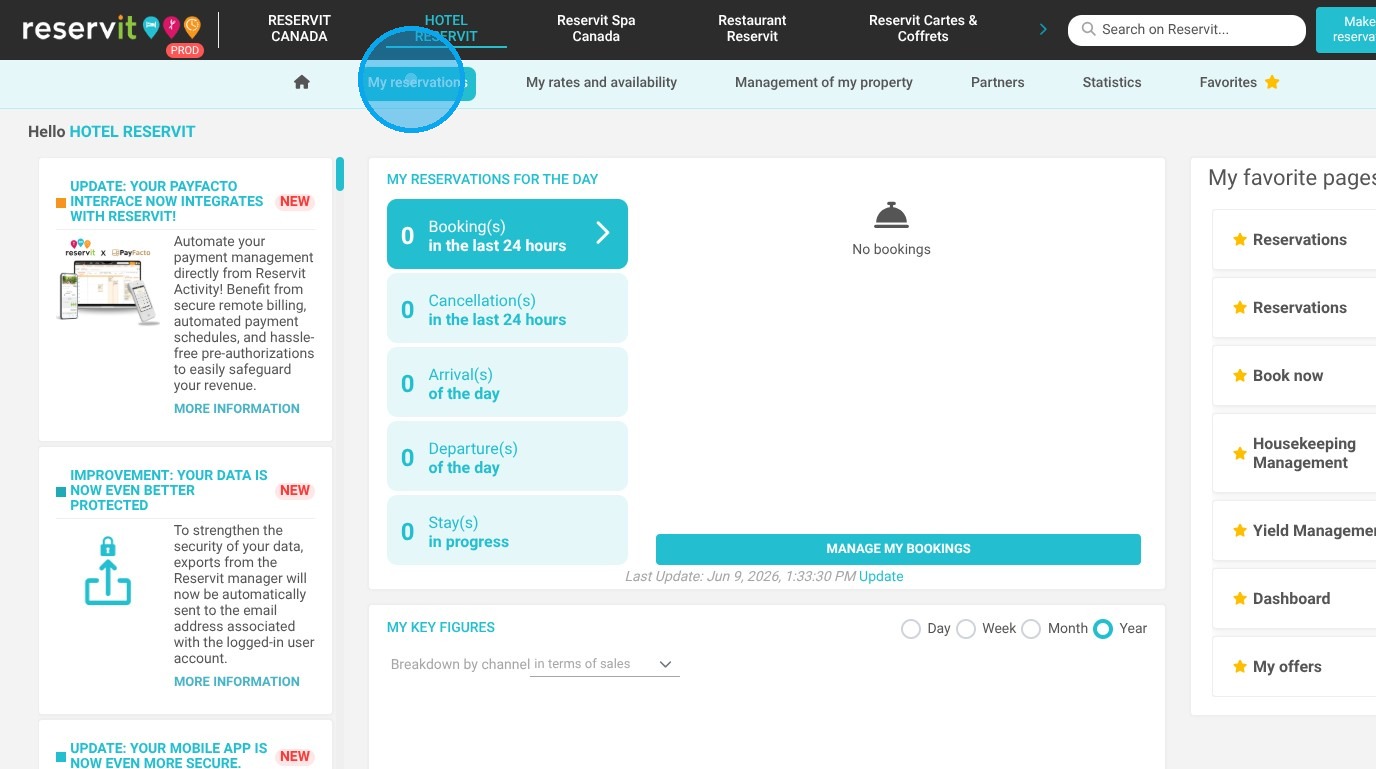
  • Access the Guest Database: Navigate to the "My reservations" menu and select "Pax management" to view all of your guest profiles.

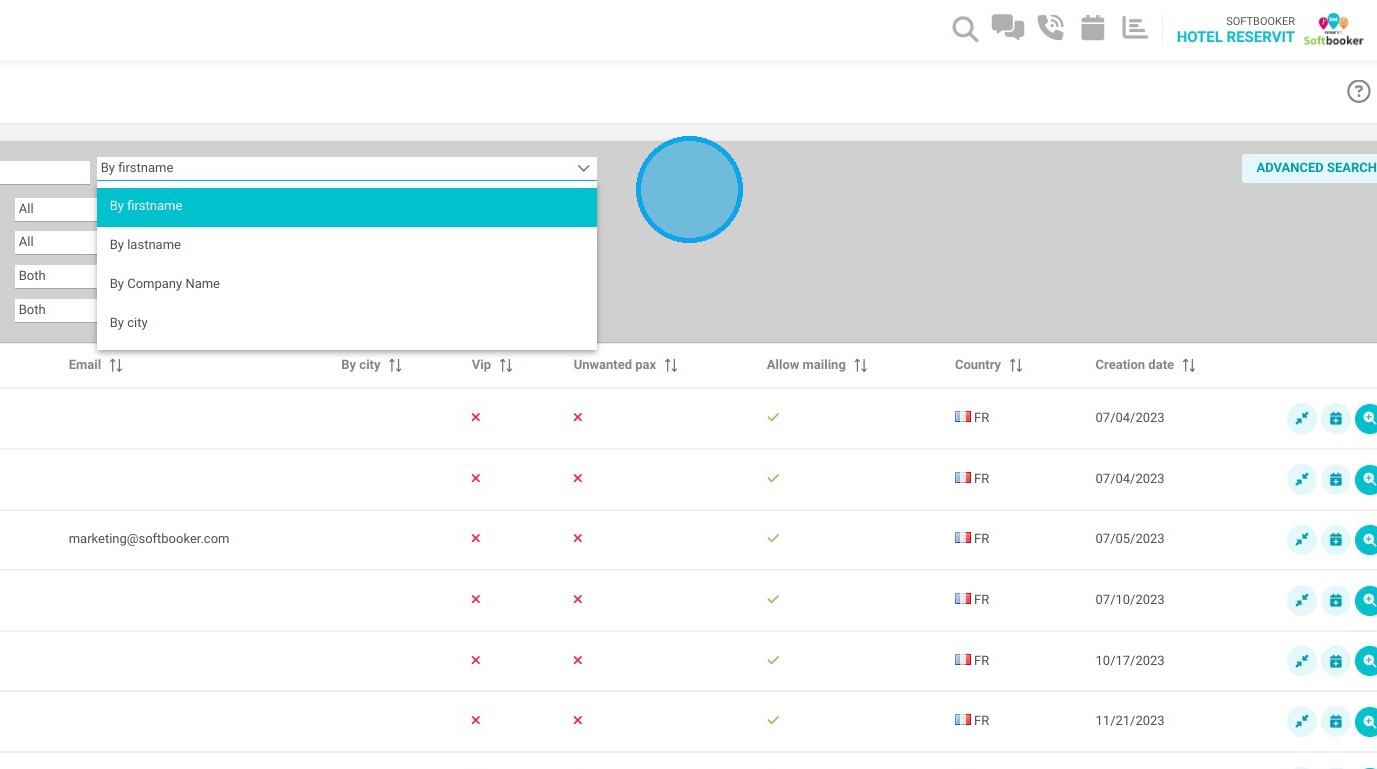
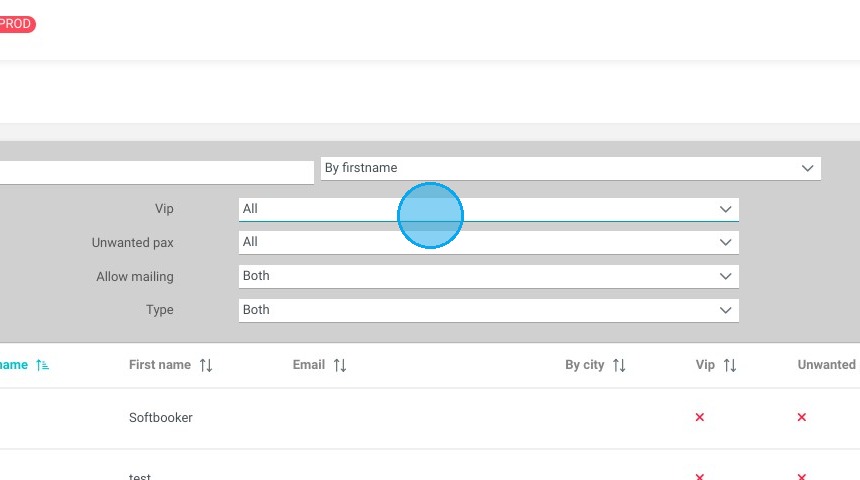
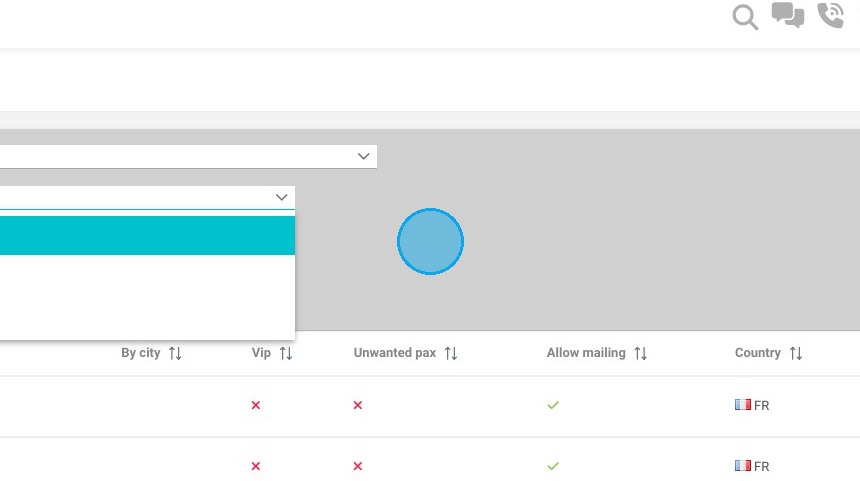
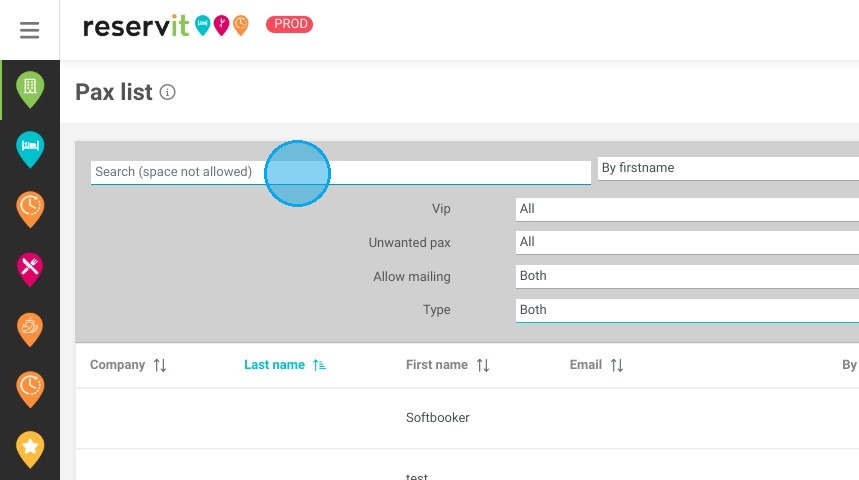
  • Search and Filter Clients: Use the dedicated search field (remembering not to use spaces) or apply advanced filters to quickly locate a specific guest.

  • Merge Duplicate Records: Keep your database clean by easily merging multiple cardex entries belonging to the same guest.

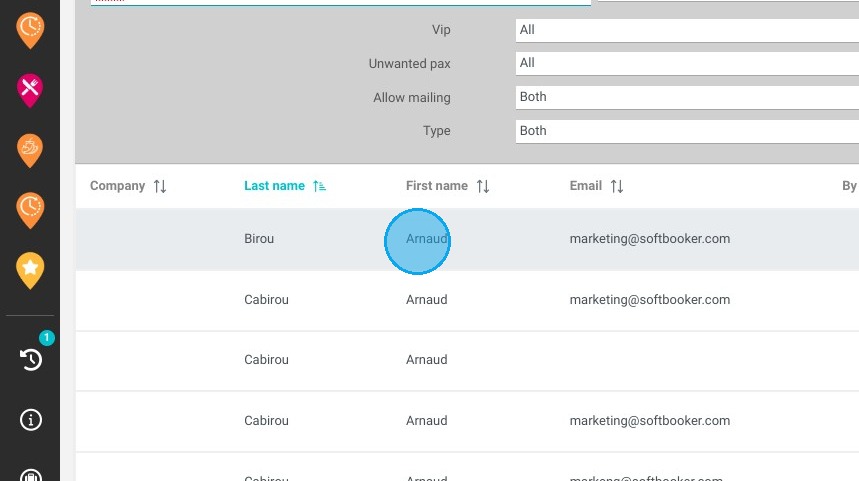
  • Edit Client Information: Click on any guest profile and select "Modify" to update their personal details or contact information.

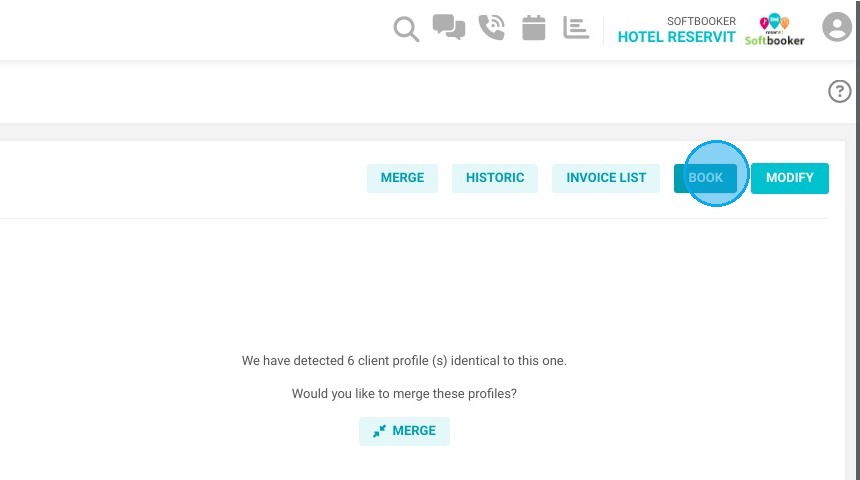
  • Create Direct Bookings: Save time by initiating a new reservation directly from the guest's profile page, bypassing the standard booking search.

Why follow this guide? Following this guide will help you maintain a clean, centralized customer database, preventing duplicate entries and saving your staff valuable administrative time. Efficient guest management directly enhances personalized customer service and significantly accelerates the reservation process.

1. Click "My reservations" then "Pax management"
https://colony-recorder.s3.amazonaws.com/files/2026-06-09/c9691330-676e-42ce-98de-f8511ada42fc/ascreenshot_a1eb4689dd854854bae0d5e5605efd21_text_export.jpeg
https://colony-recorder.s3.amazonaws.com/files/2026-06-09/db35b3cd-f263-4352-952d-1ec0cb53c64f/ascreenshot_5b383232dc884f26808e1ae4c356327c_text_export.jpeg

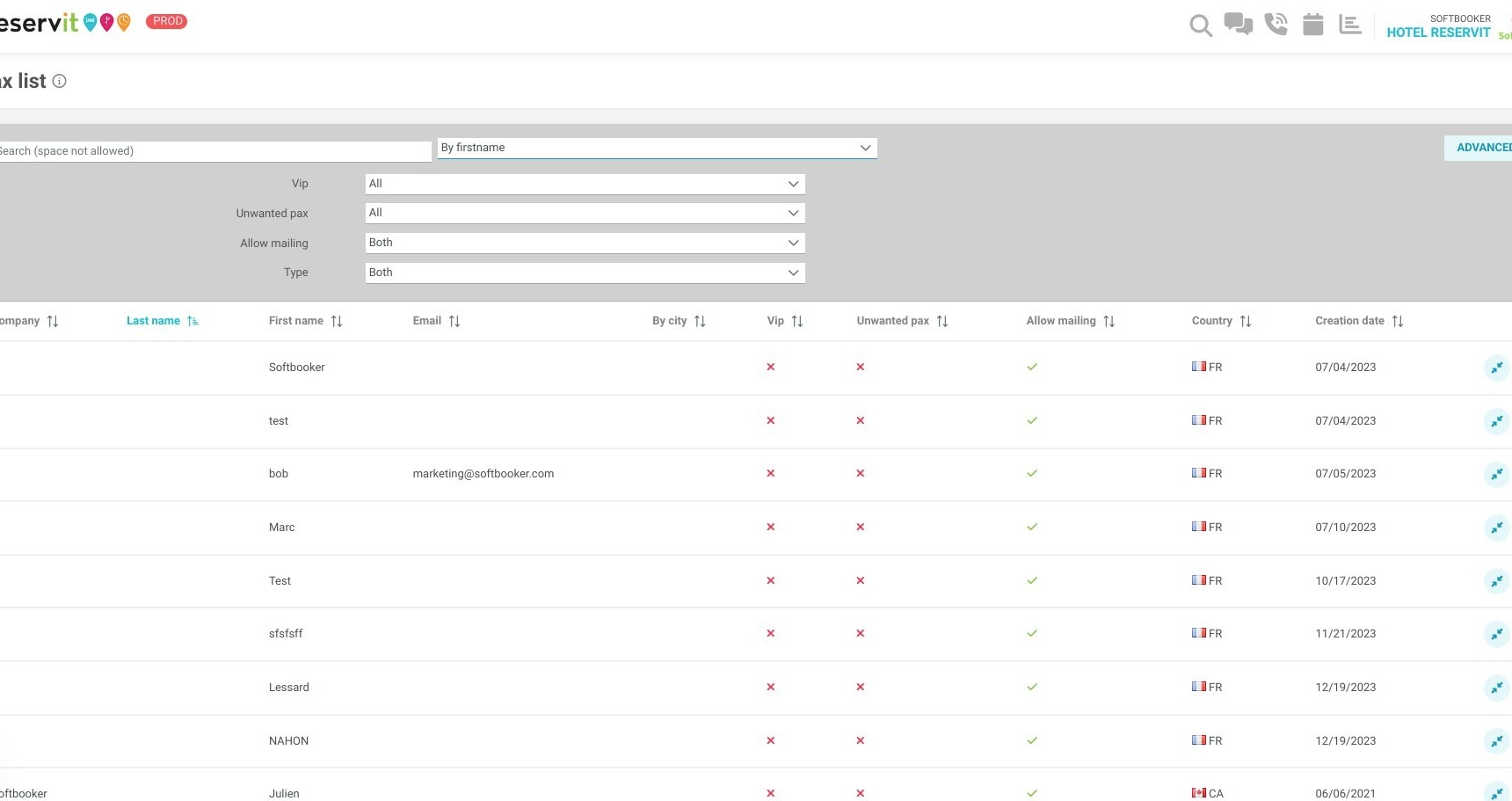
2. You will then be directed to a screen where you can access to your guest's profiles.

https://colony-recorder.s3.amazonaws.com/files/2024-01-03/4186a9e9-8c97-4ade-a3e8-77510ede9eaa/user_cropped_screenshot_6bdacf57ddb14c259a7609a80e4c66e0_text_export.jpeg

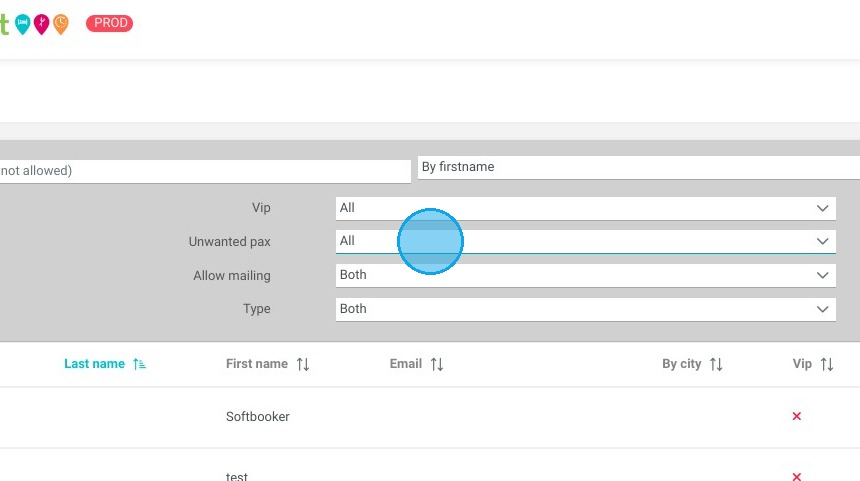
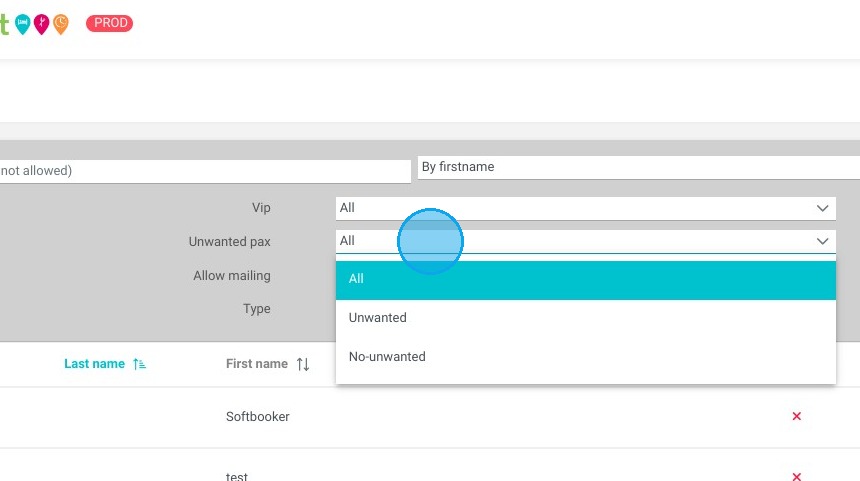
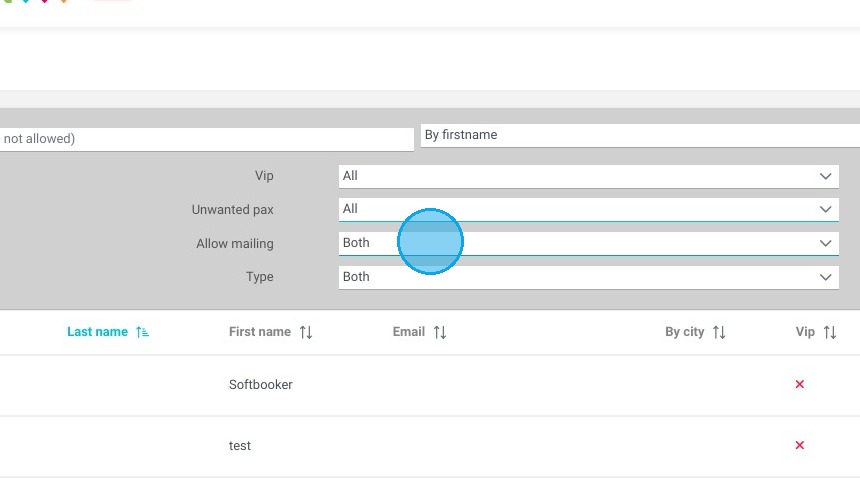
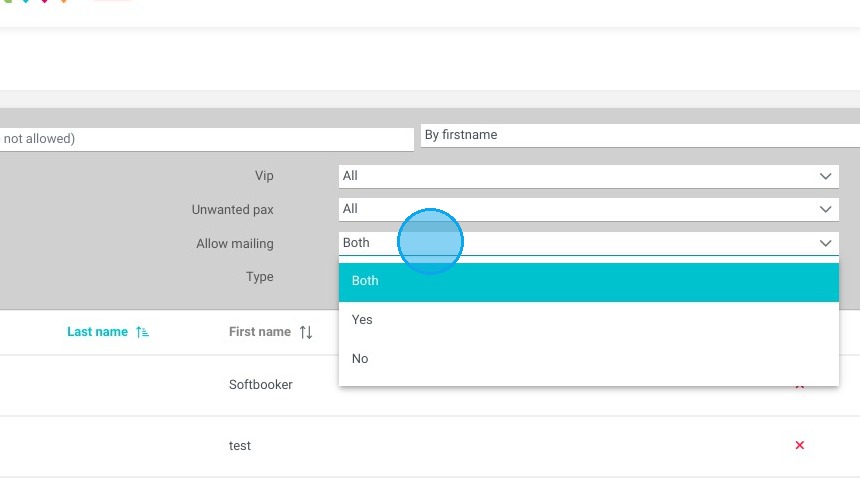
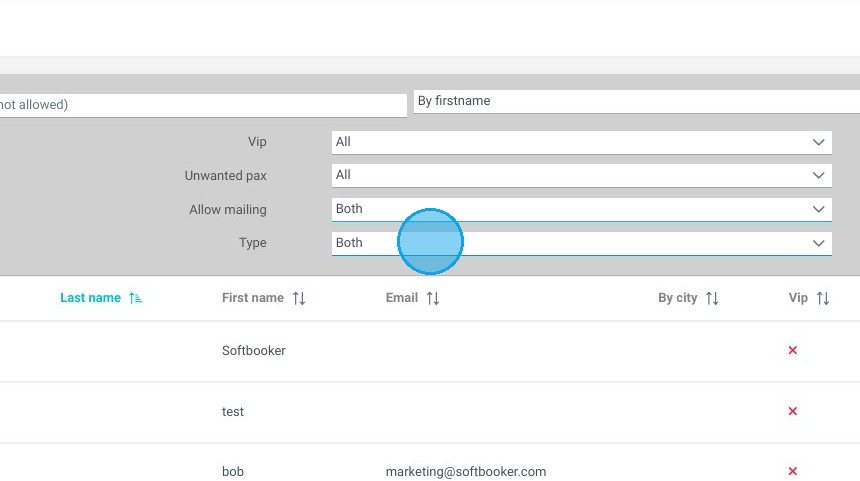
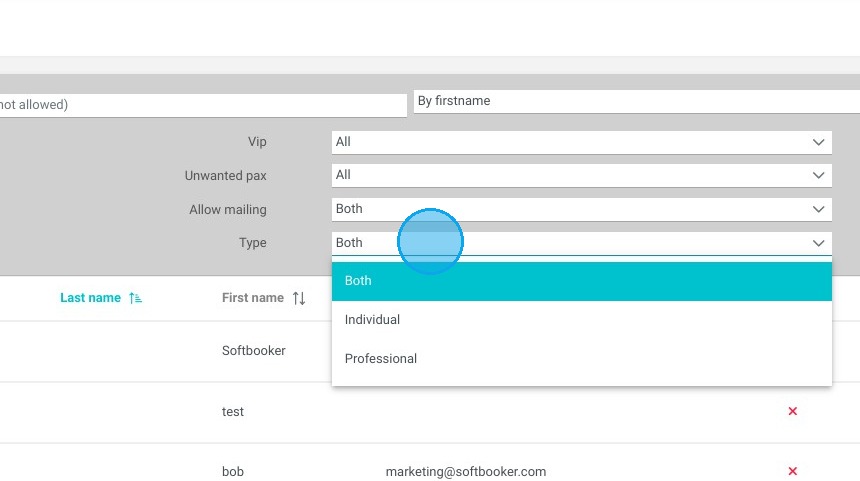
3. You can then filter the results.
https://colony-recorder.s3.amazonaws.com/files/2024-01-03/487b0a59-ebbb-4b9f-90a6-95d311e916ac/ascreenshot_805c9b0264394d89ae3a63b0d3cc4fa0_text_export.jpeg
https://colony-recorder.s3.amazonaws.com/files/2024-01-03/1d1dd8a5-8f14-41a4-8e81-5d595842141b/ascreenshot_f0dc4f2250a541a4ab50053d3f550383_text_export.jpeg
https://colony-recorder.s3.amazonaws.com/files/2024-01-03/76ec0203-7f02-409a-ab46-f7fca456fbf0/ascreenshot_8f0bb2c2404c4471ac2962d64e88f1b8_text_export.jpeg
https://colony-recorder.s3.amazonaws.com/files/2024-01-03/6a64a861-bfe8-4ad4-99af-d37f8b2bc28c/ascreenshot_4f8a78cf898c4bc5ac3541e2d73ad196_text_export.jpeg
https://colony-recorder.s3.amazonaws.com/files/2024-01-03/f3643f84-ef0a-440e-9b45-2ba2077ab86d/ascreenshot_9d2b278b06d149818dbdeeaa71b7927d_text_export.jpeg
https://colony-recorder.s3.amazonaws.com/files/2024-01-03/b0c9e5ad-05f8-4c4e-b215-cb936bd9da7a/ascreenshot_50355b6d7ebc4556b9b75ea7200d52b5_text_export.jpeg
https://colony-recorder.s3.amazonaws.com/files/2024-01-03/0acb2270-7655-41f1-9a46-d0ac3db0b05e/ascreenshot_c5bfcc19c5e046dd83ea99cd359986ba_text_export.jpeg
https://colony-recorder.s3.amazonaws.com/files/2024-01-03/ac2a0905-75ca-410f-9077-0da8766e1b60/ascreenshot_a4c247725fc04974a7d88a71e8a2a481_text_export.jpeg
https://colony-recorder.s3.amazonaws.com/files/2024-01-03/a9247cca-6fd3-43cf-baf4-9977a14516d3/ascreenshot_eef6a32983d14d19ba8a978c356d5edb_text_export.jpeg

4. Click the "Search (space not allowed)" field to find a specific guest.
https://colony-recorder.s3.amazonaws.com/files/2024-01-03/a8bda5ec-f93c-4ea8-9766-98752edff2e5/ascreenshot_fbf6aa224609422b997a0a0d202de31f_text_export.jpeg

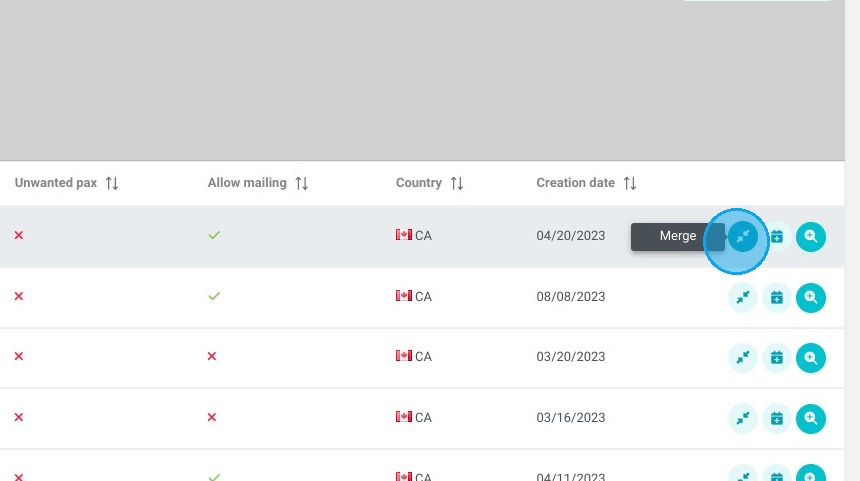
5. If the guest as more than one guest cardex, you are able to merge them together.

https://colony-recorder.s3.amazonaws.com/files/2024-01-03/1a9e8722-cc29-411e-a26e-2a935ff7168f/ascreenshot_8199a4b0a7a84e44a9b1c535faa7c19c_text_export.jpeg

6. You can edit the guest profile by clicking on it.
https://colony-recorder.s3.amazonaws.com/files/2024-01-03/46d19ec3-27c5-4aff-adb7-1fbabc28f189/ascreenshot_4d730612f88a42608a82523229c3896a_text_export.jpeg

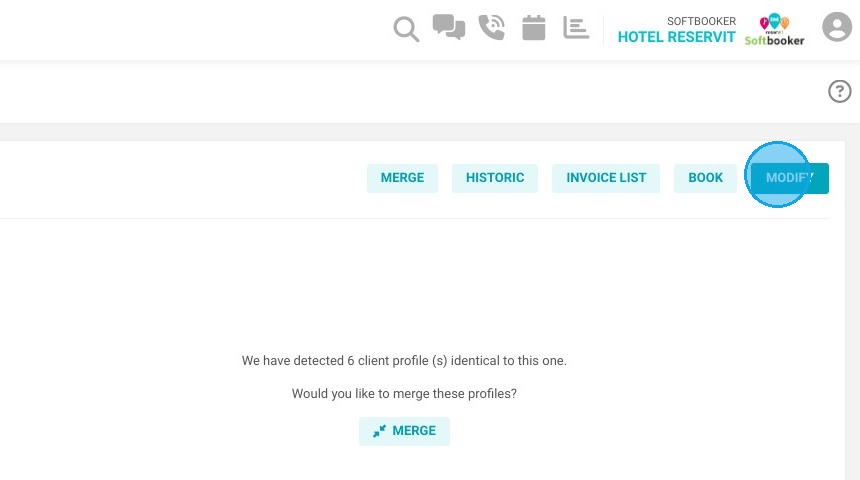
7. Click "MODIFY"

https://colony-recorder.s3.amazonaws.com/files/2024-01-03/60f4ff0c-76f9-44a5-b2a2-ccd4c2f74ecd/ascreenshot_ca4e2f402d4f4d0580119713de1da8fe_text_export.jpeg

8. You can make a booking for a specific guest directly from this page.
https://colony-recorder.s3.amazonaws.com/files/2024-01-03/5c047b9c-fb2a-4381-9f02-f07f28352e09/ascreenshot_71dee6b1a1d94afe9137e0a8468c0bd3_text_export.jpeg