

Article summary: Learn how to easily manage your online inventory by closing or suspending sales directly on your hotel's website using Reservit Accommodation. This tutorial will teach you how to unpublish specific rate plans in just a few clicks, giving you complete control over your direct booking availability. Master your distribution channels to ensure your online offerings perfectly match your business needs.
The 5 key steps to suspend sales on your website:
-
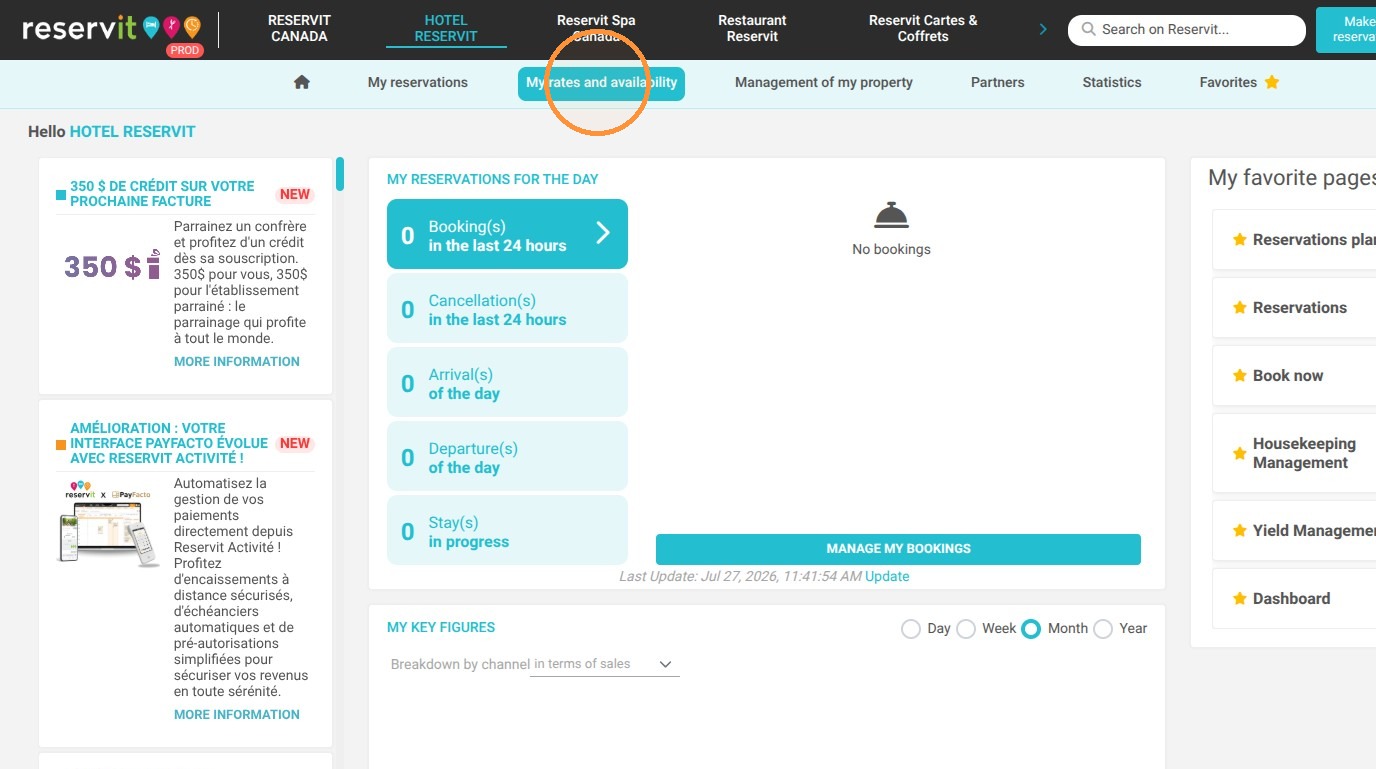
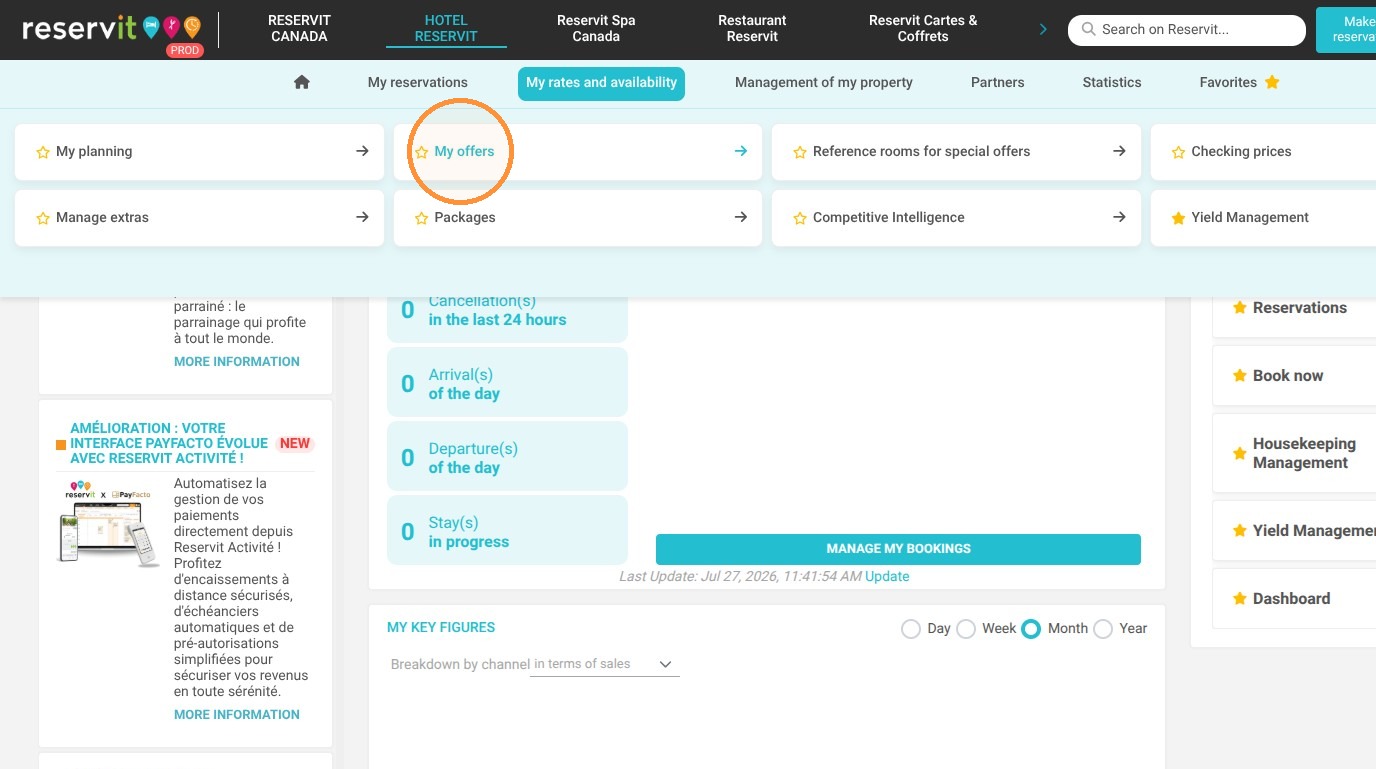
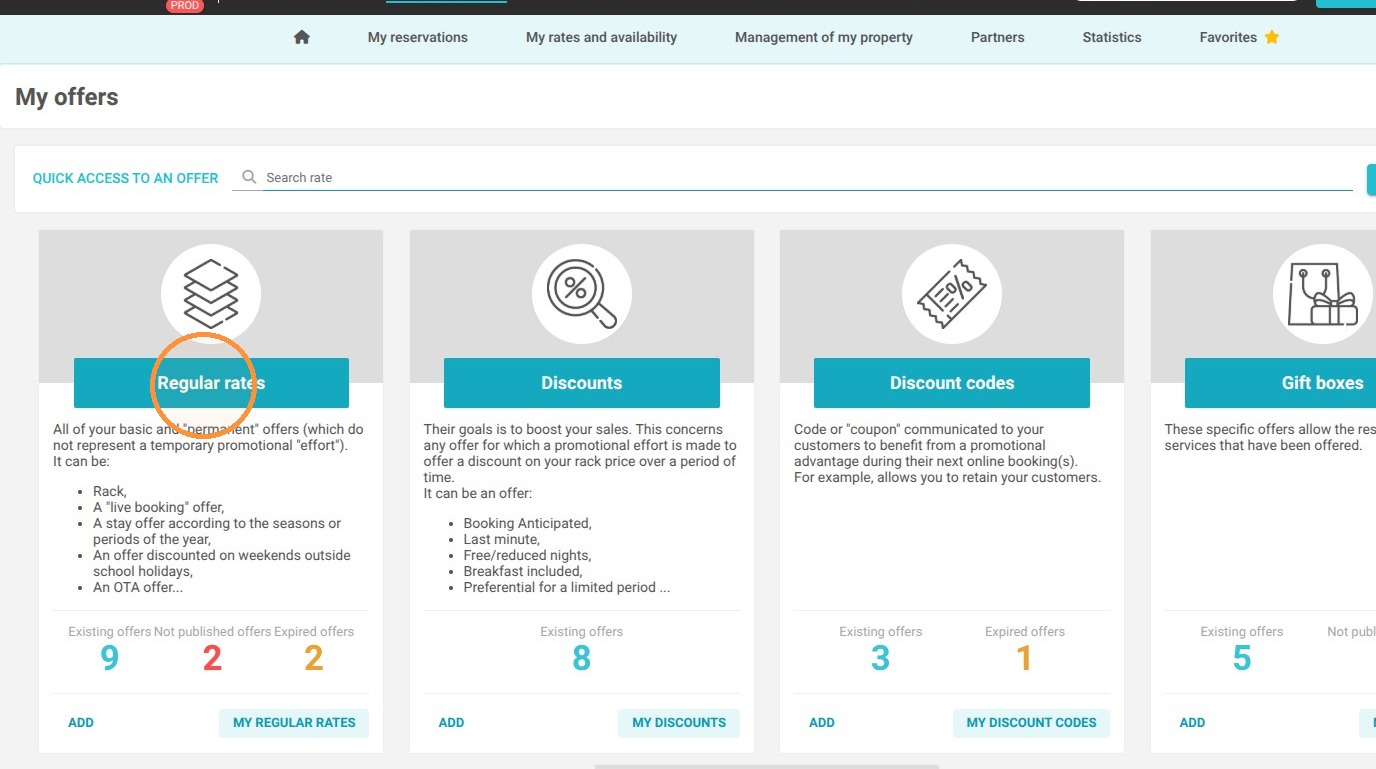
Access your rate plans: Navigate to the "My rates and availability" tab, select "My offers," and open "My rate plans."
-
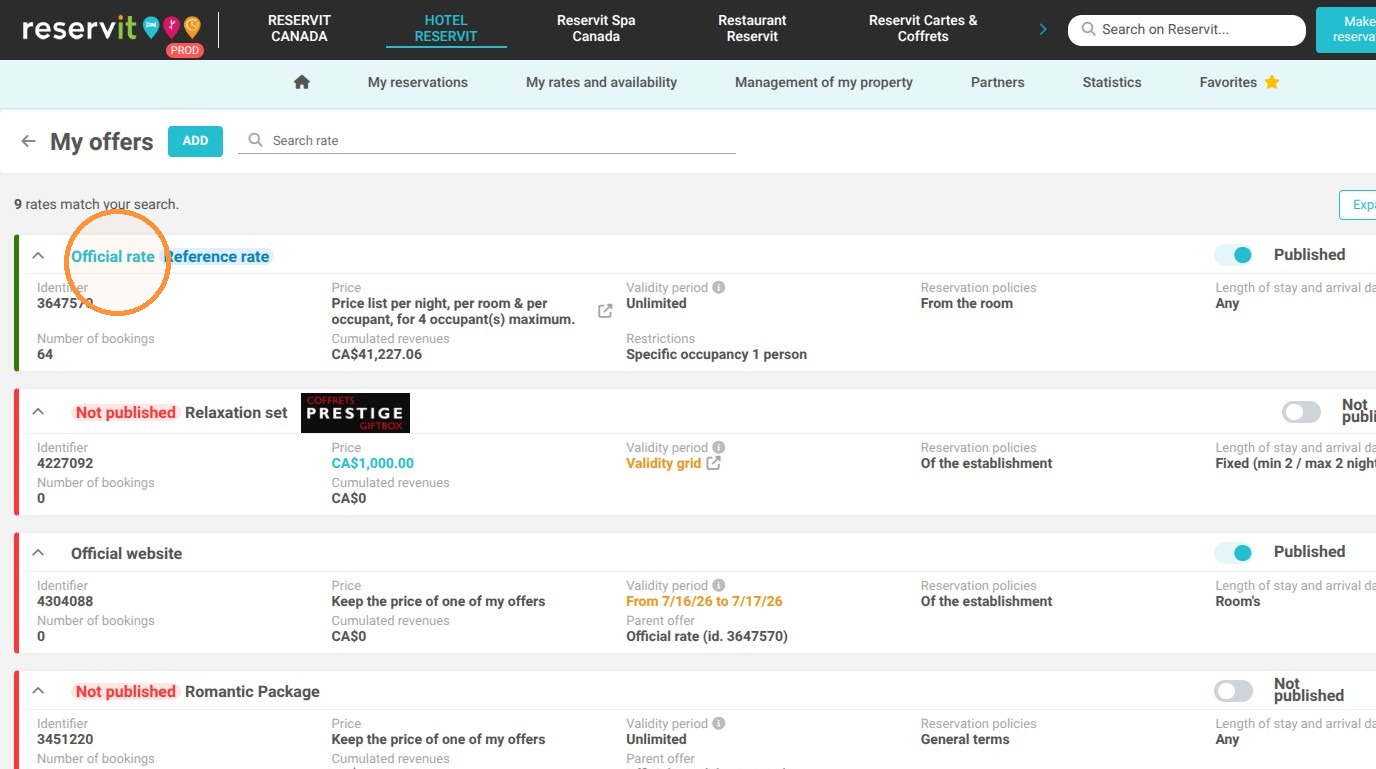
Select the target rate: Choose the specific pricing offer or rate plan that you want to unpublish from your direct website.
-
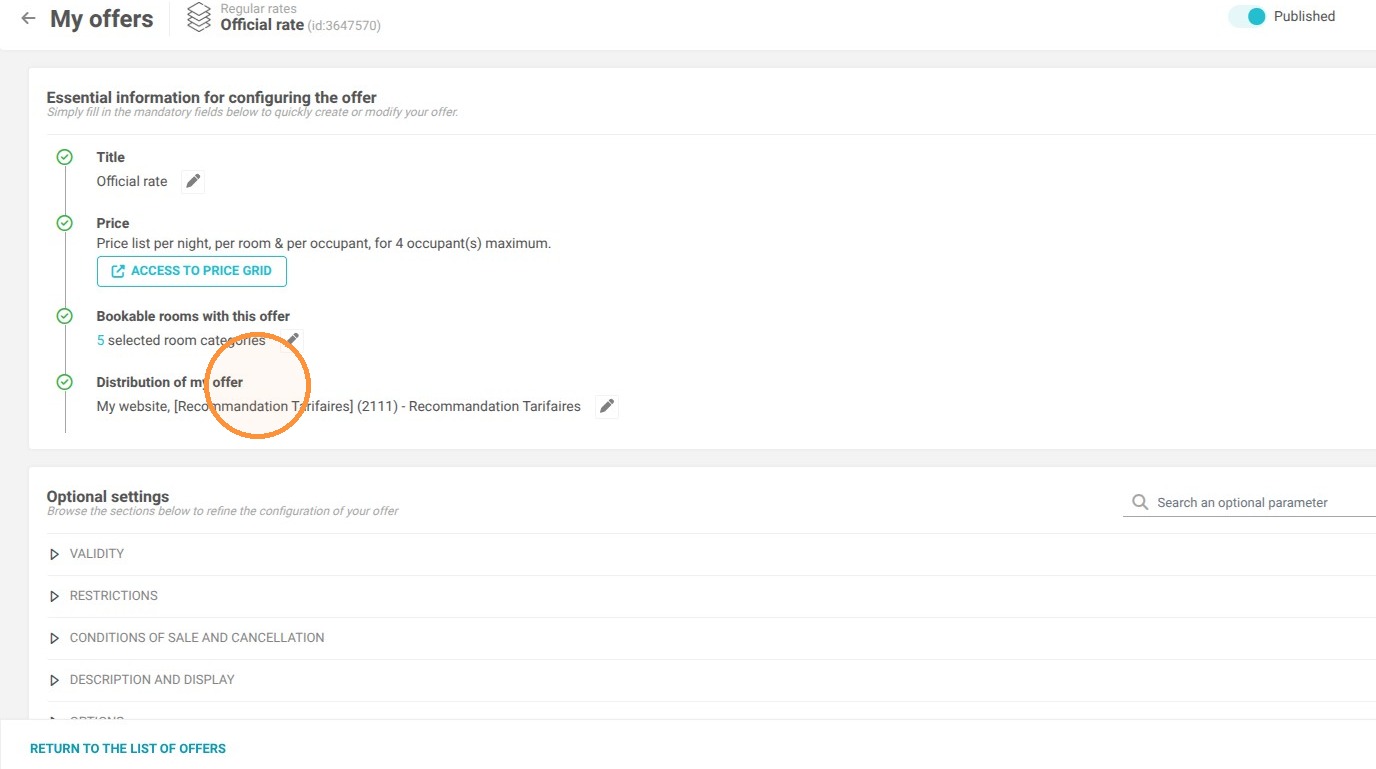
Open distribution settings: Locate and go to the "Distribution of my offer" section for that specific rate.
-
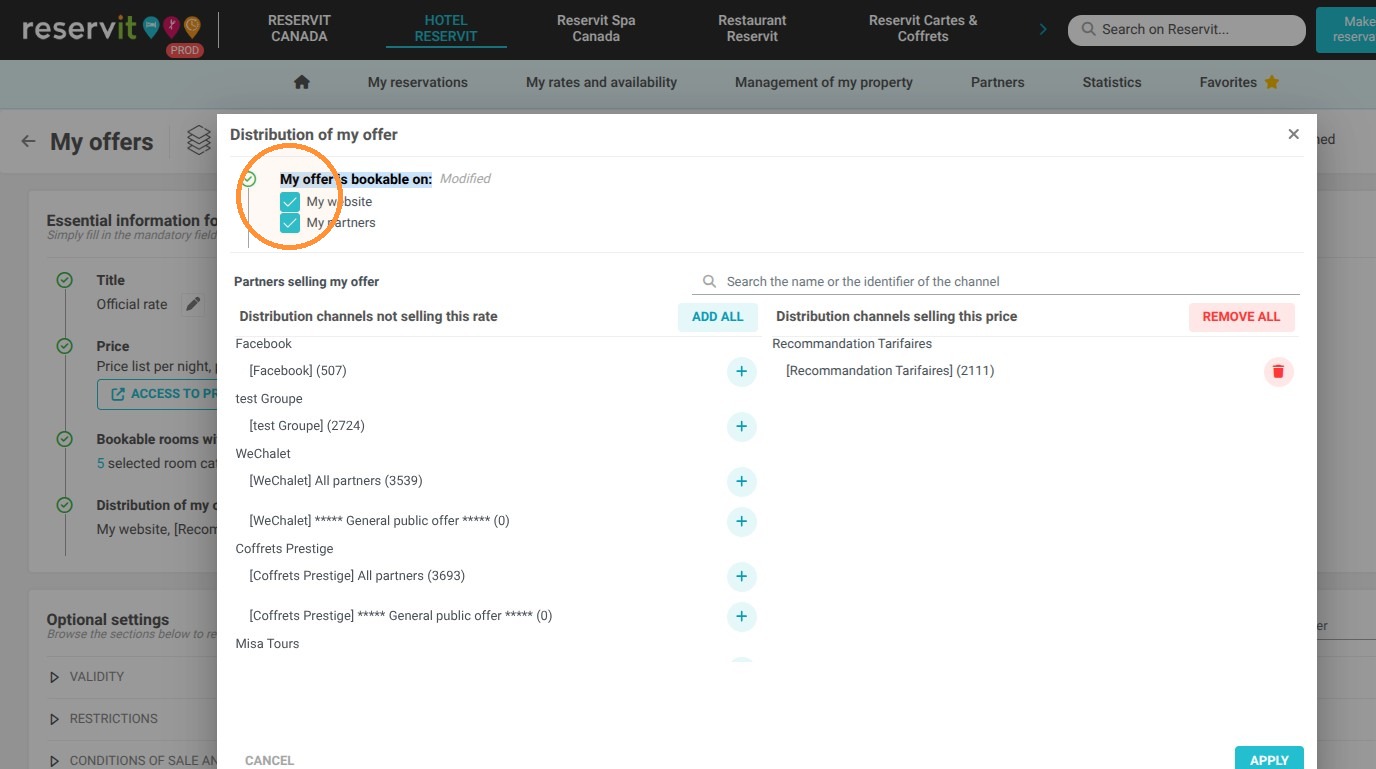
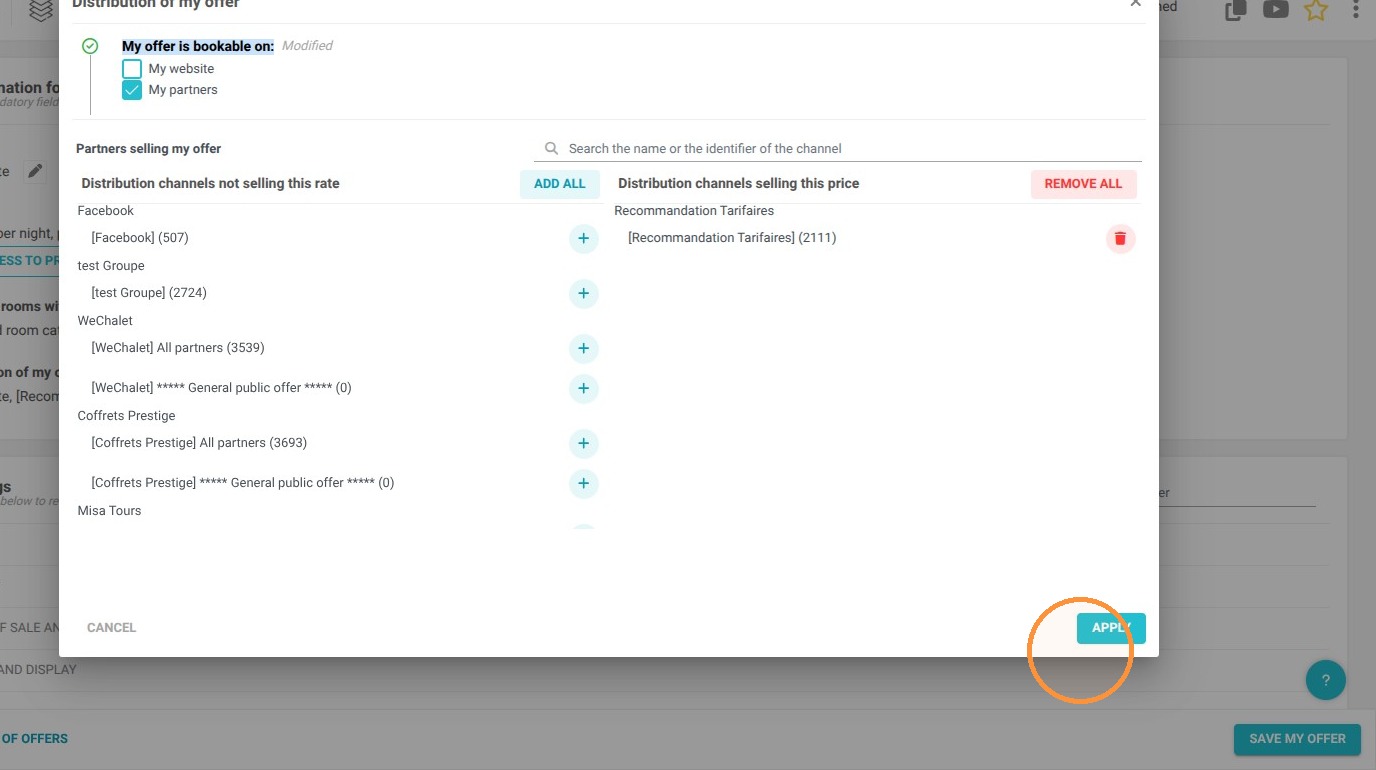
Disable website bookings: Uncheck the "Website" option located under the "My offer is bookable on" section, then click "Apply."
-
Save your modifications: Finalize the process by saving your offer to apply the changes immediately (tip: repeat this procedure for any other offers you wish to close).
Why follow this guide? Following this guide allows you to safely and quickly pause direct reservations without completely deleting your existing rate configurations. It ensures you avoid costly overbookings during off-seasons, private events, or maintenance periods, ultimately optimizing your daily property management.
1. Go to "My rates and availability", then "My offers" and "My rate plans"
2. Choose the rate to unpublish from your website
3. Go to the "Distribution of my offer" section
4. Then uncheck "Website" in the "My offer is bookable on" section
5. Click on "Apply"
6. Finish by saving your offer.
Tip: Repeat this procedure for any other offers present on your website