Article summary: This step-by-step tutorial explains how to easily change the language of communication for individual bookings within Reservit Activities. You will learn how to manually adjust the customer's preferred language during the reservation process to ensure they receive their booking confirmation in their native tongue. Mastering this simple setting significantly enhances the overall guest experience and prevents miscommunications with international clients.
The 3 key steps to change the communication language:
-
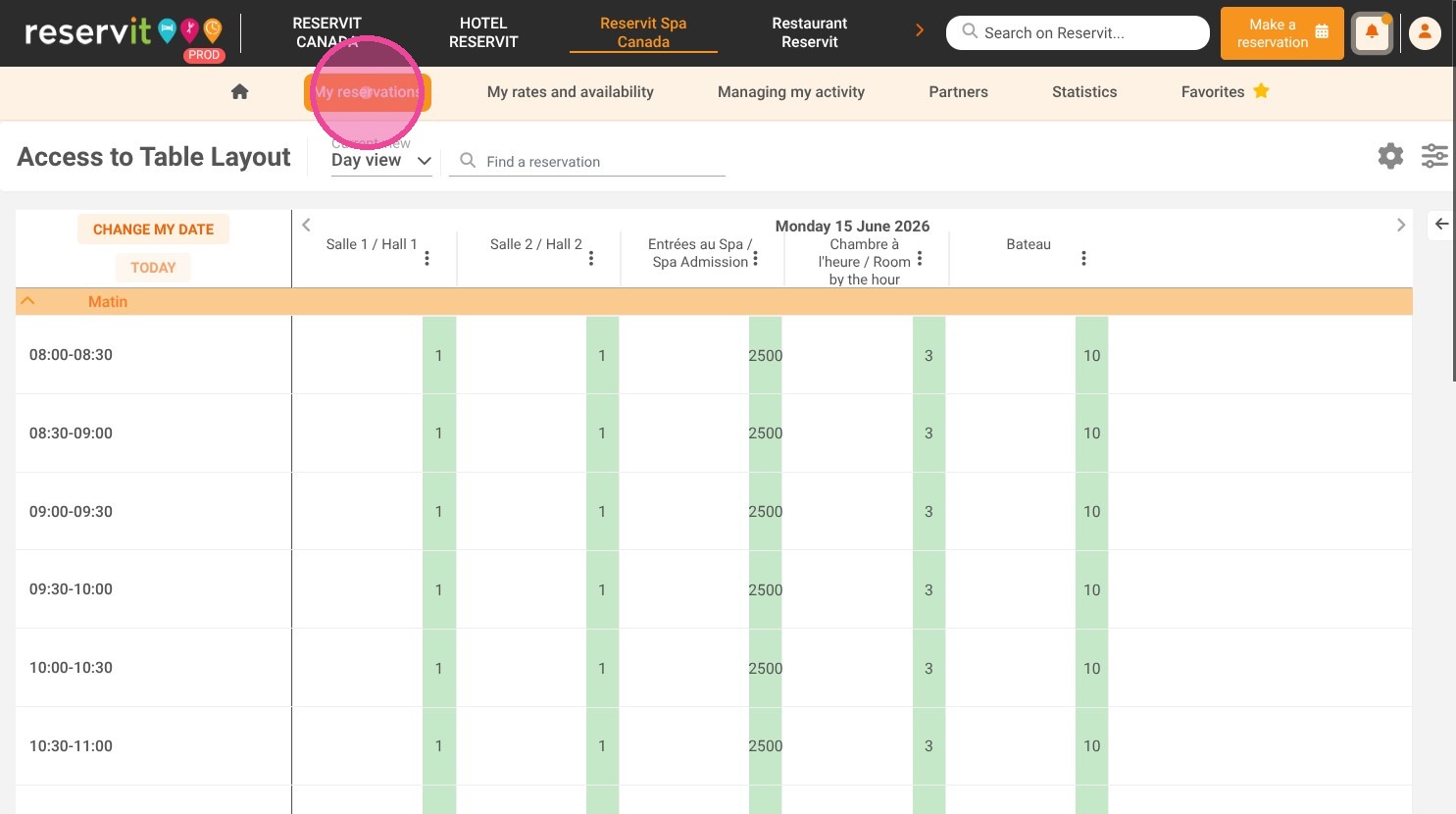
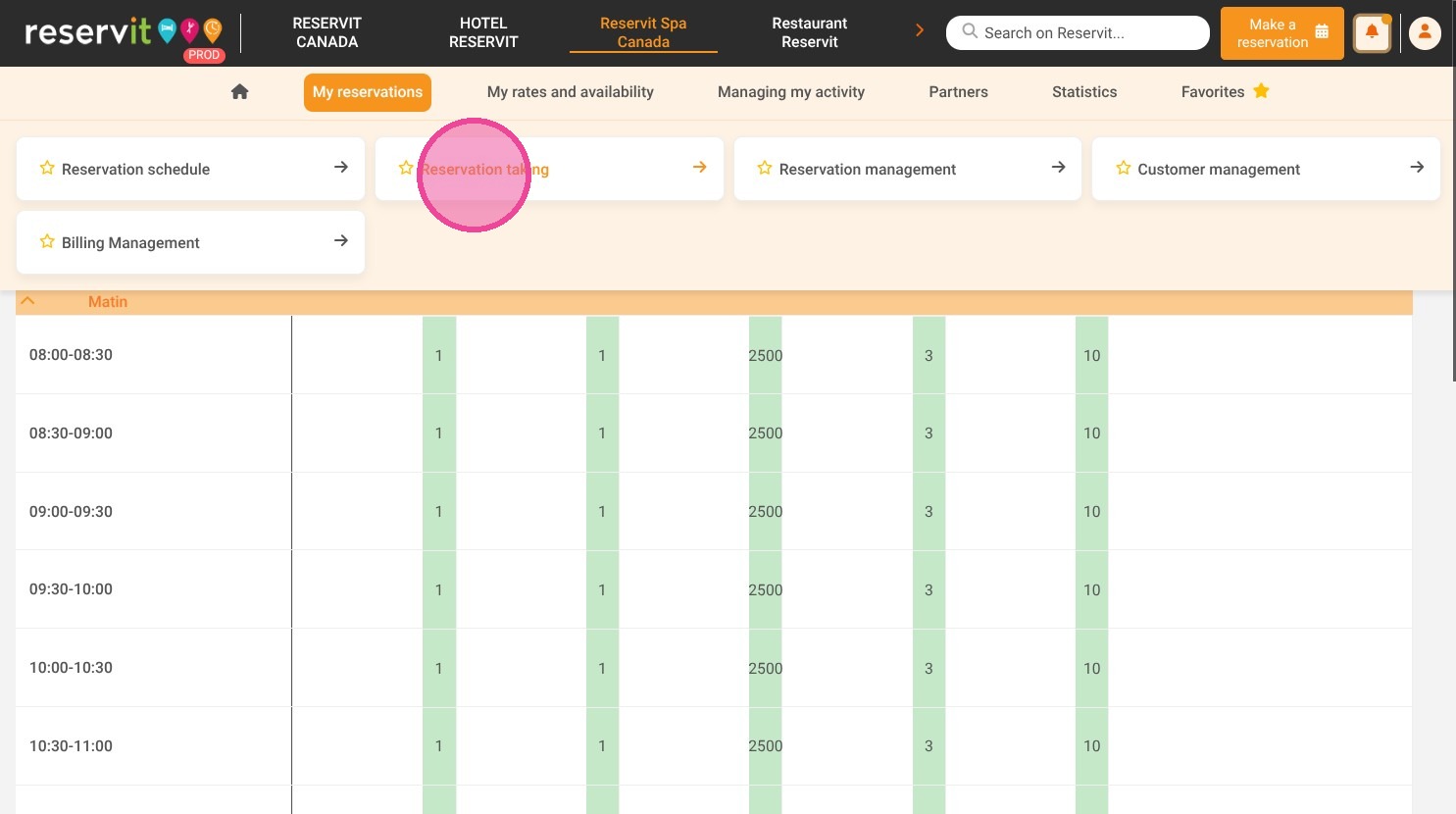
Access the reservation tool: Navigate to the "My reservations" menu on your dashboard and select "Reservation taking" to initiate a new booking.
-
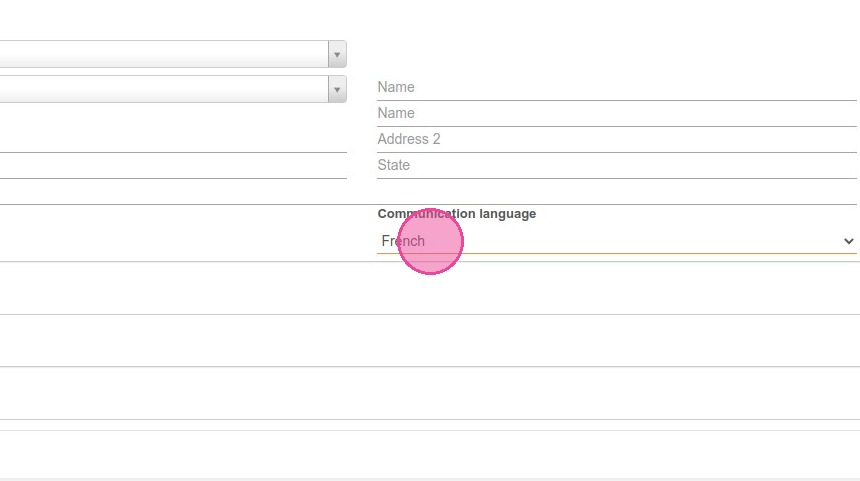
Select the preferred language: Locate the language field within the customer information section and switch it from the default setting to the guest's requested language.
-
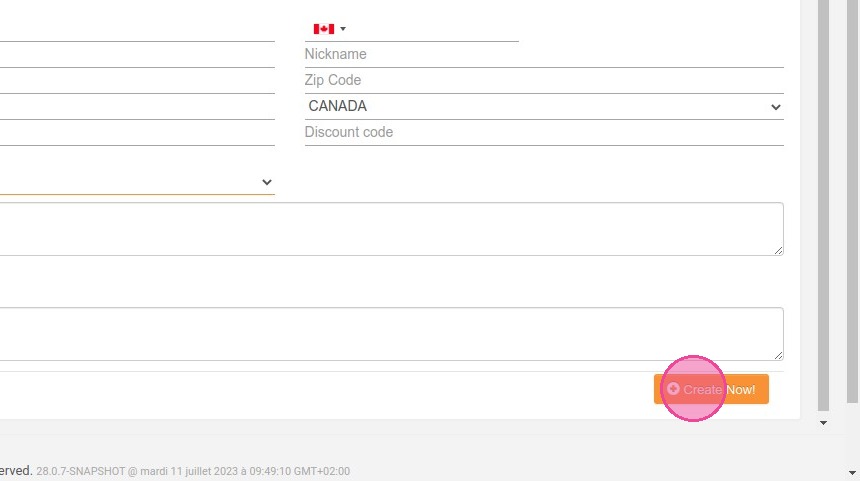
Finalize the booking: Click the "Create Now" button to complete the reservation, which automatically triggers the confirmation email and future communications in the newly selected language.
Why follow this guide? Following this quick process guarantees your international customers receive crucial booking details and policies in a language they fully understand. It actively prevents costly check-in confusion and immediately elevates your professional image by delivering a highly personalized customer service experience.
1. Click "My reservations" then "Reservation taking"
2. In the customer information, change the language field. The default language has been configured in French.
3. Click on "Create Now" to finalise the booking. Your customer will receive confirmation in the language selected.