Article Summary: This tutorial explains which language your Reservit PMS invoices and proforma invoices are issued in, and how to issue them in another language, for example in French for a French-speaking guest. The structure of the document follows the language of your back office; its content stays in the language of your property.
The 3 Key Steps to Issue an Invoice in Another Language:
-
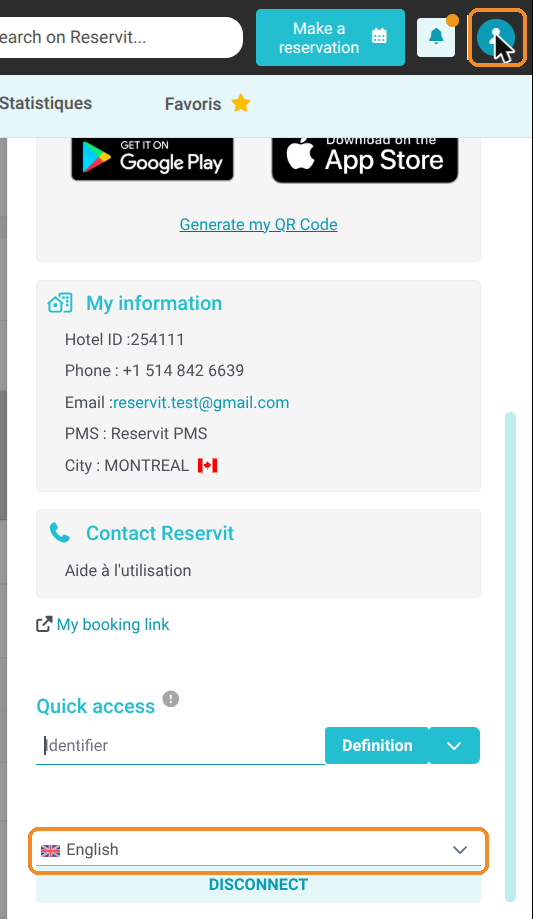
Change the language of your back office: click your avatar at the top right, then choose the language you need (for example "Français") at the bottom of the panel.
-
Open the document: from the billing account, open the proforma or the invoice, then print it, download it or send it by email.
-
Switch back to your language: once the document is issued, set your back office back to "English".
Why follow this guide? The language selected on the guest's record is used for their emails (confirmation, pre-stay and post-stay), but not for their invoices. This guide lets you give your foreign guests documents they understand, without changing any of your settings.
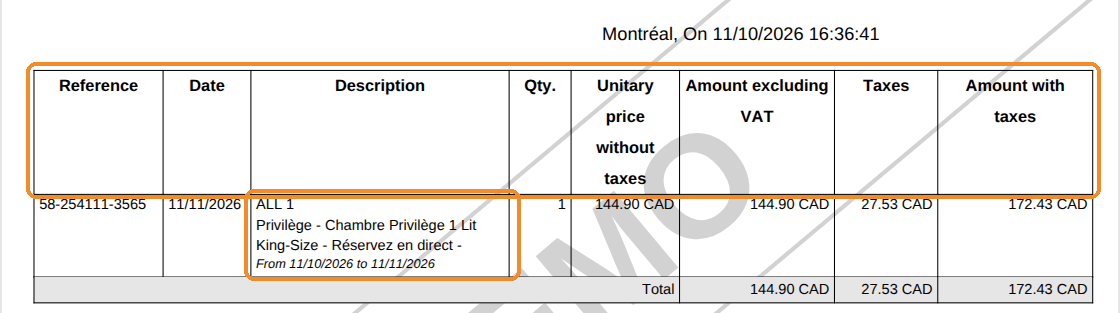
Good to know: the invoice language does not depend on the guest's language. The structure of the document (title, column headers, totals, outstanding balance, payment deadline, date format) follows the back-office language of the person who issues it. The content (room and offer names, tax names, property information) stays in the language of your property: in English for a property set up in English, in French for a property set up in French.
Change the language of your back office
1. Click your avatar at the top right. Your account panel opens: the language of your back office is shown at the bottom, above "DISCONNECT".
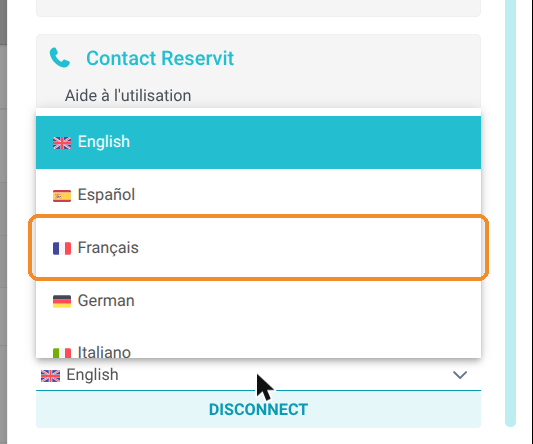
2. Click the language, then choose "Français". The back office switches to French.
Issue the proforma or the invoice
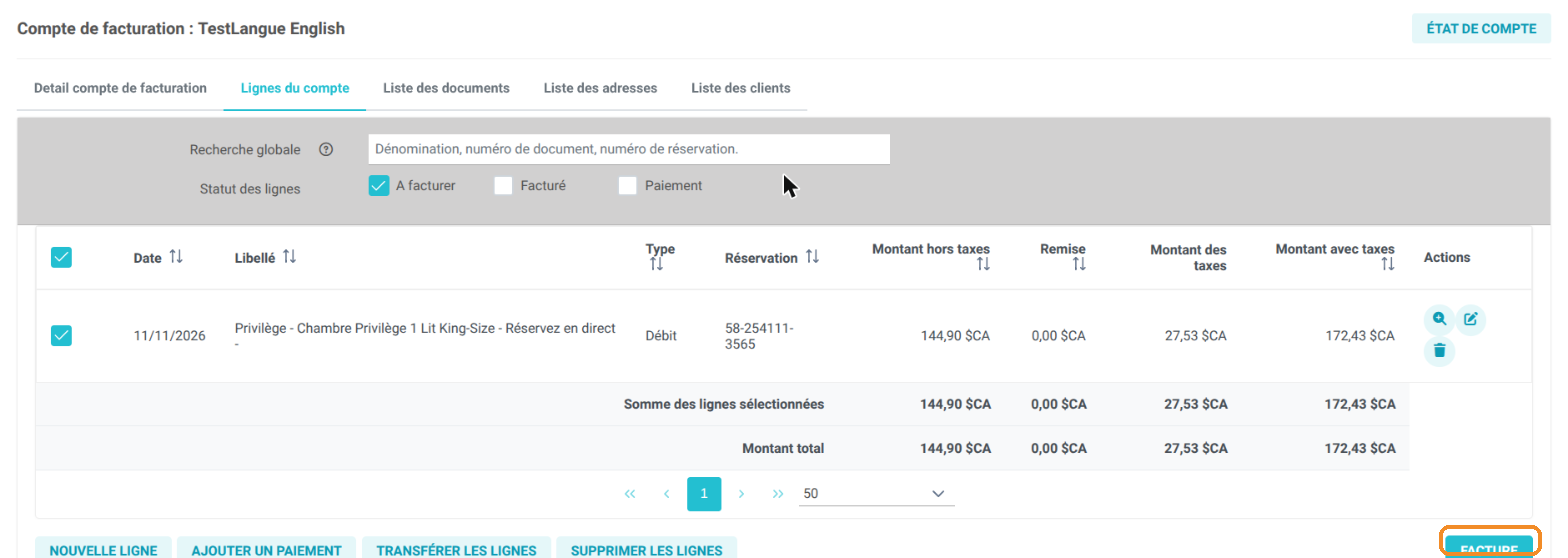
3. Open the guest's billing account (for example from the booking, "Invoice(s)" tab > "Access the billing account"). In the account lines tab, select the lines, then click the billing button at the bottom right ("FACTURE" in French).
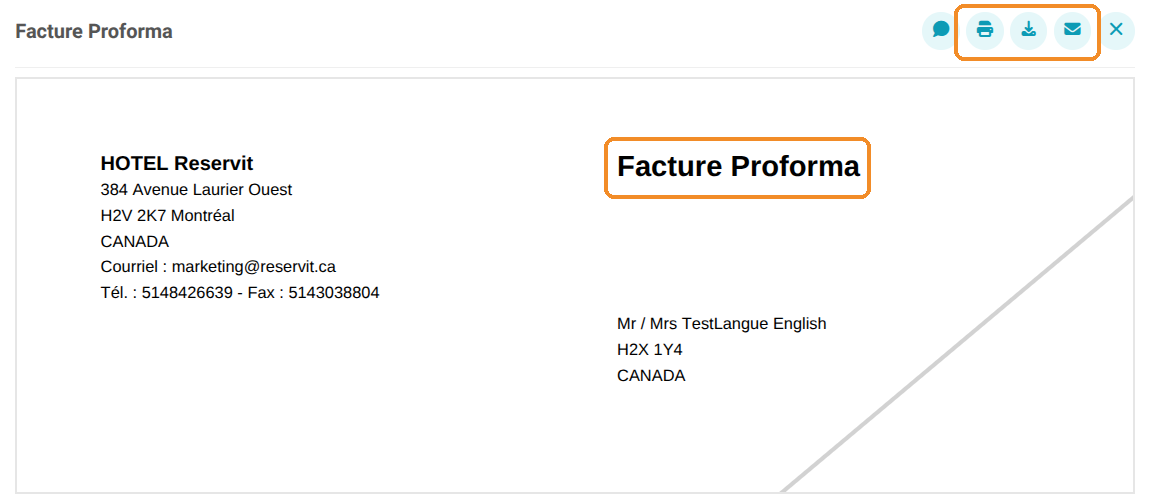
4. The proforma is displayed in French ("Facture Proforma"). Use the icons at the top right to print it, download it or send it by email.
The column headers and totals follow the language of your back office, while the room and offer labels stay in the language of your property. For example, for a property set up in French with the back office in English, the headers are in English and the room and offer label stays in French:
Tip: an invoice that has already been issued is also displayed in the language of your back office when you open it. You can therefore reprint or resend in French an invoice issued in English, from "My reservations" > "Billing" > "Invoices".
Switch back to your language
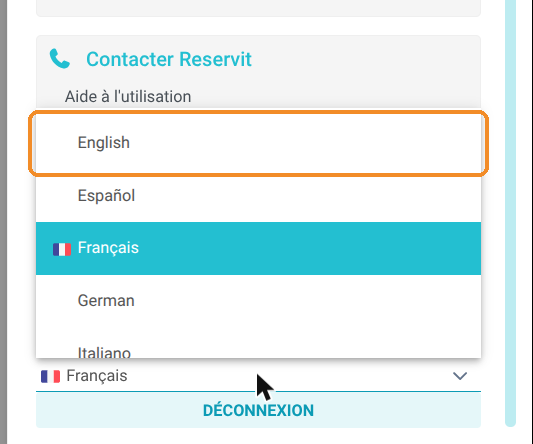
5. Once the document is issued, click your avatar again, then choose "English" in the list of languages.