

Article Summary: This tutorial explains how user profiles (login templates) are structured in Reservit Accommodation so that you can give each team member the right access rights. You will discover the permissions granted by default for each role in your property (management, front desk, accounting, housekeeping) to secure and streamline the daily use of your software.
The 5 Key Steps to Set Up Your Team's Access Rights:
-
Select the user profile template: In "Access code", click "Create Now!" and choose the login template that matches your team member's position (Manager, Receptionist manager, Receptionist, Service Agent, Accountant or Consultant).
-
Set accommodation and reservation access: Define the permissions for the reservations planning, inventory, price adjustments and extras.
-
Set billing and accounting rights: Control access to billing accounts, invoice history and financial extractions (day book, revenue reports) according to each employee's level of responsibility.
-
Manage operational access: Restrict or open access to specific daily modules, such as housekeeping for cleaning staff or the statistics dashboard for management.
-
Customize access: Use the customized or Favorites profiles to adjust permissions manually if the default templates do not perfectly match your organization.
Why Follow This Guide? Controlling access rights protects the confidentiality of your financial and strategic data and prevents handling errors on your planning or rates. It also saves your employees time by giving them a clean interface focused only on the tools they need for their job.
Choosing a login template
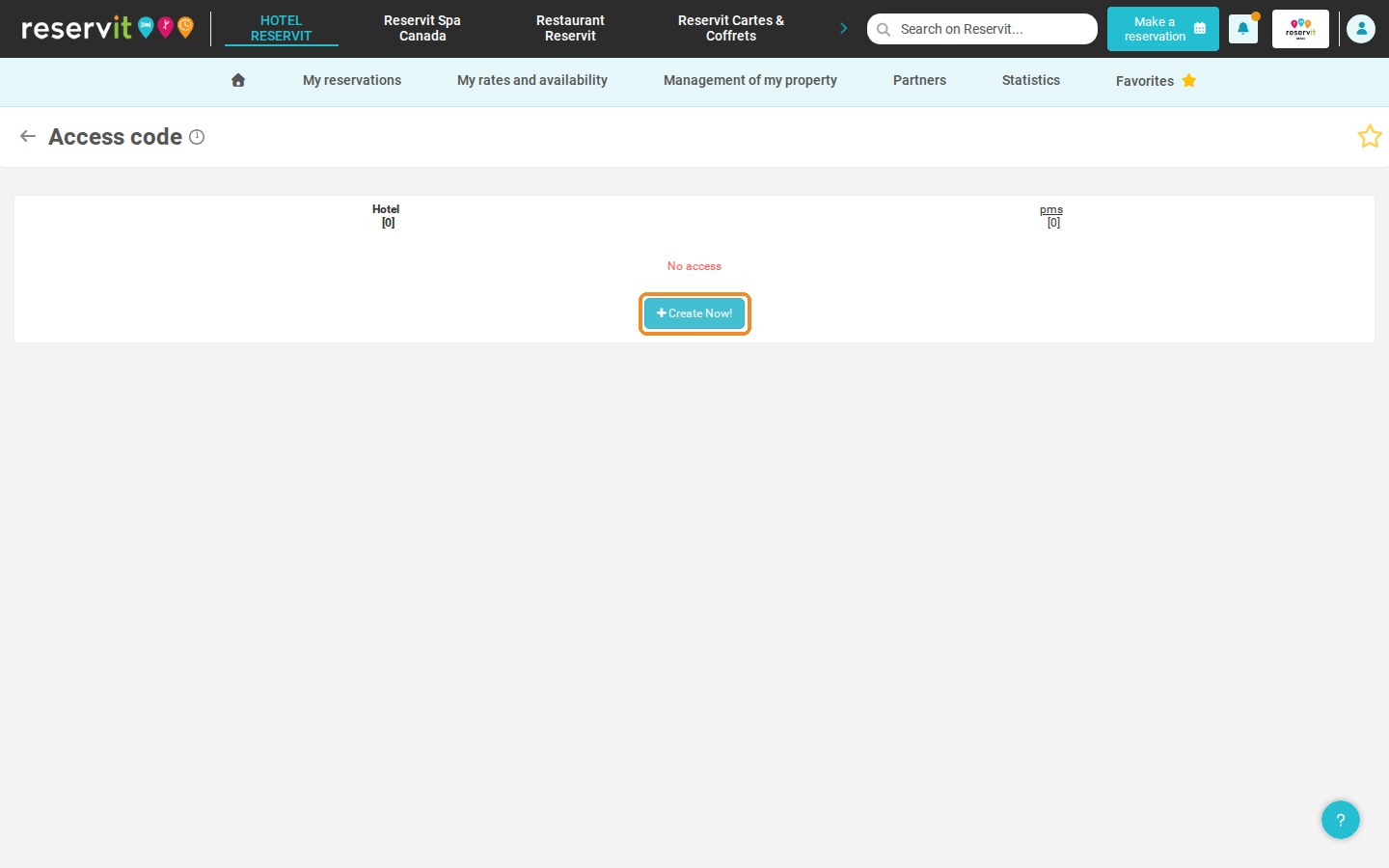
1. To create a login from a template, go to "Management of my property" > "Property Setup" and click "GO TO PAGE" on the "ACCESS CODE" tile. For security, enter your Reservit account password on the "Identity check" screen, then click "Create Now!".
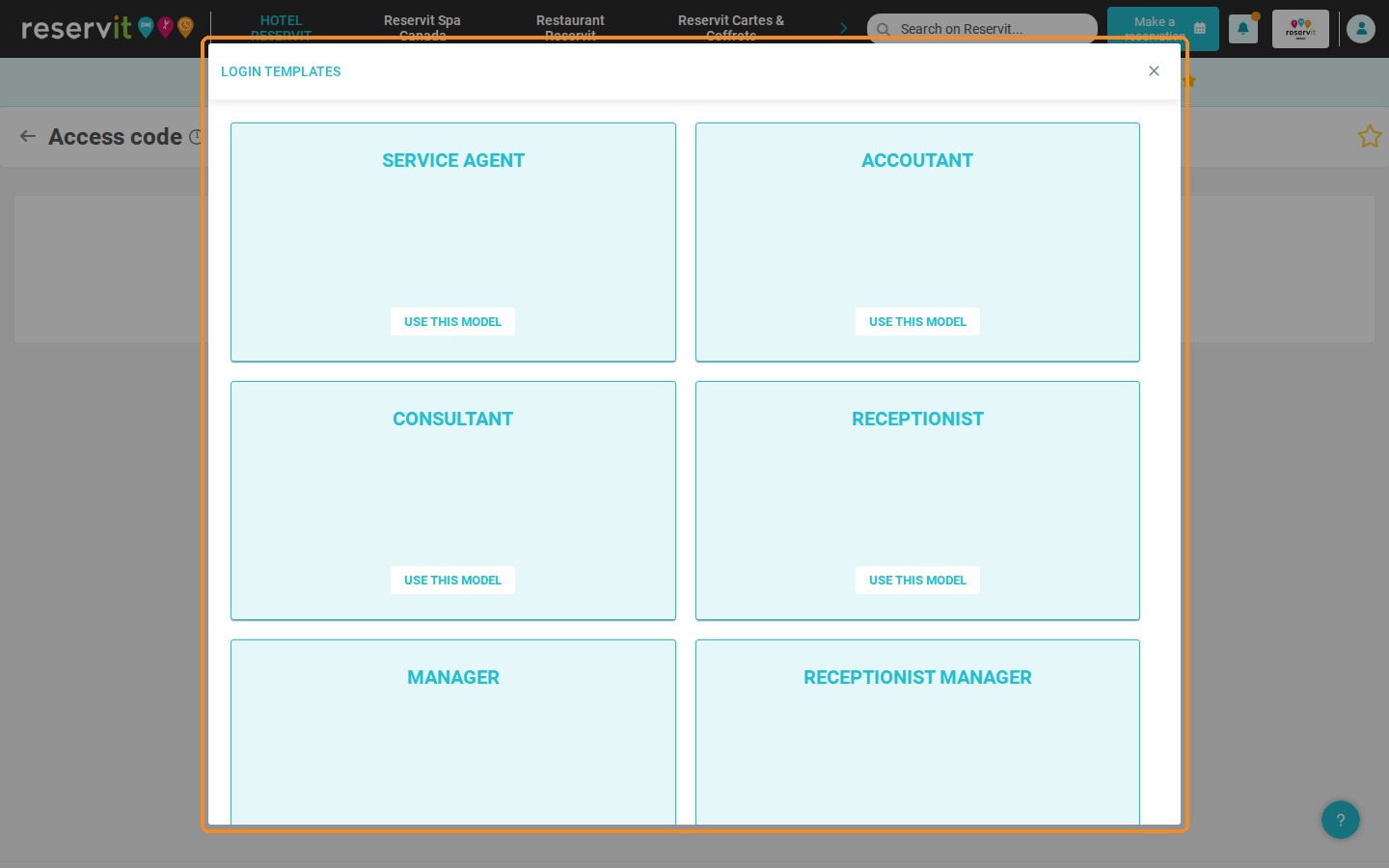
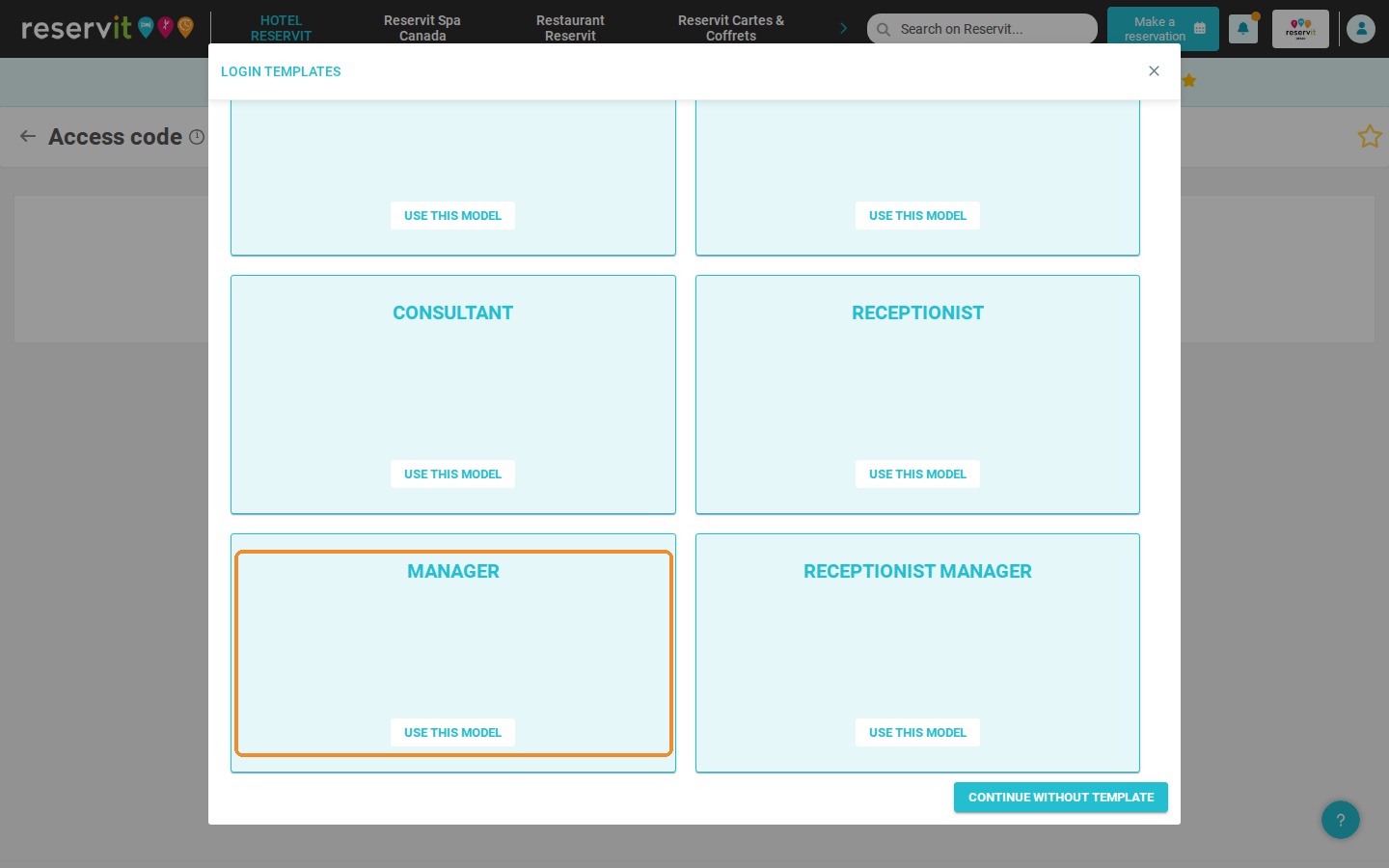
2. The "LOGIN TEMPLATES" window lists the available templates: "SERVICE AGENT", "ACCOUTANT" (Accountant), "CONSULTANT", "RECEPTIONIST", "MANAGER" and "RECEPTIONIST MANAGER". Click "USE THIS MODEL" under the template of your choice, or "CONTINUE WITHOUT TEMPLATE" to tick the pages yourself.
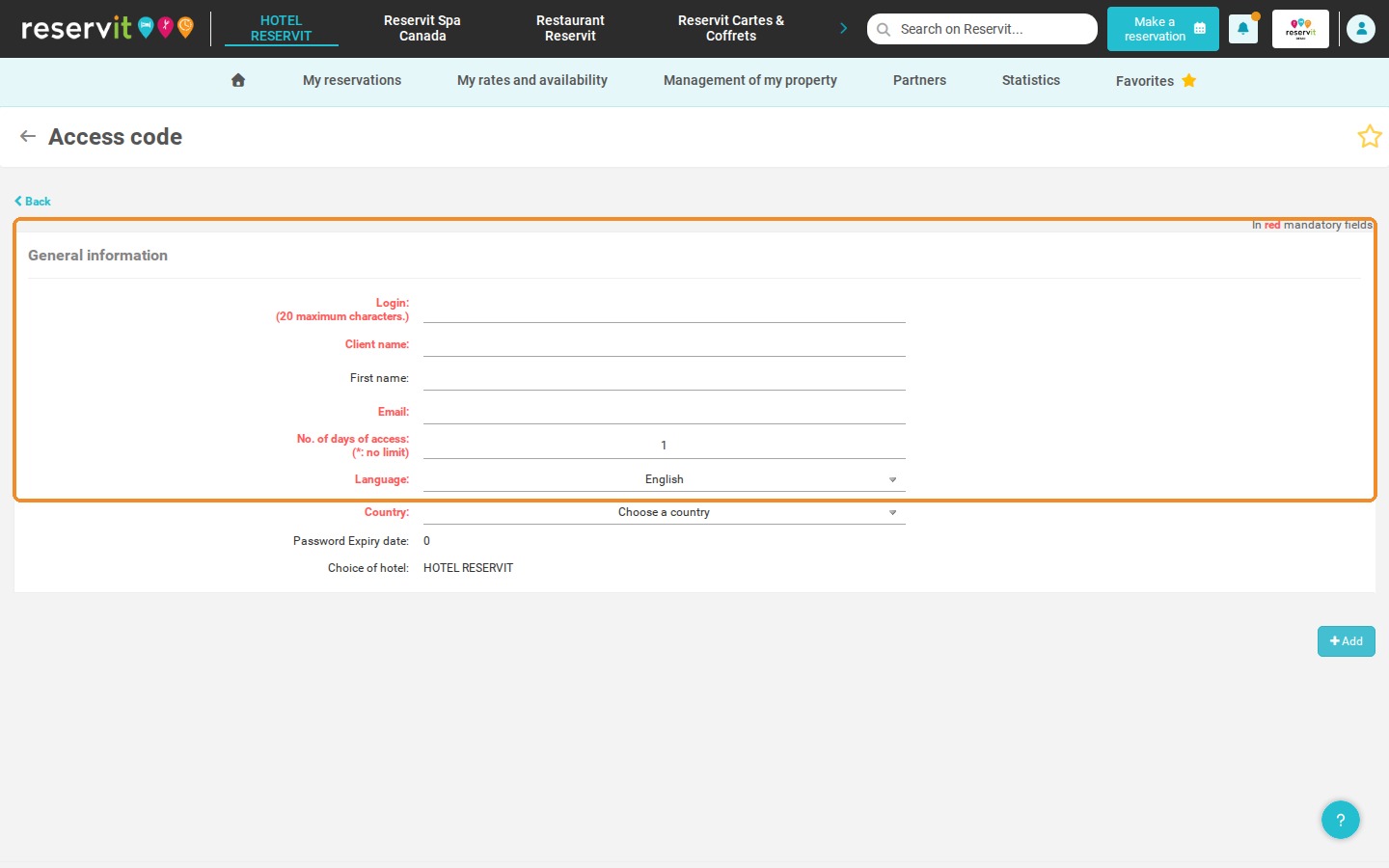
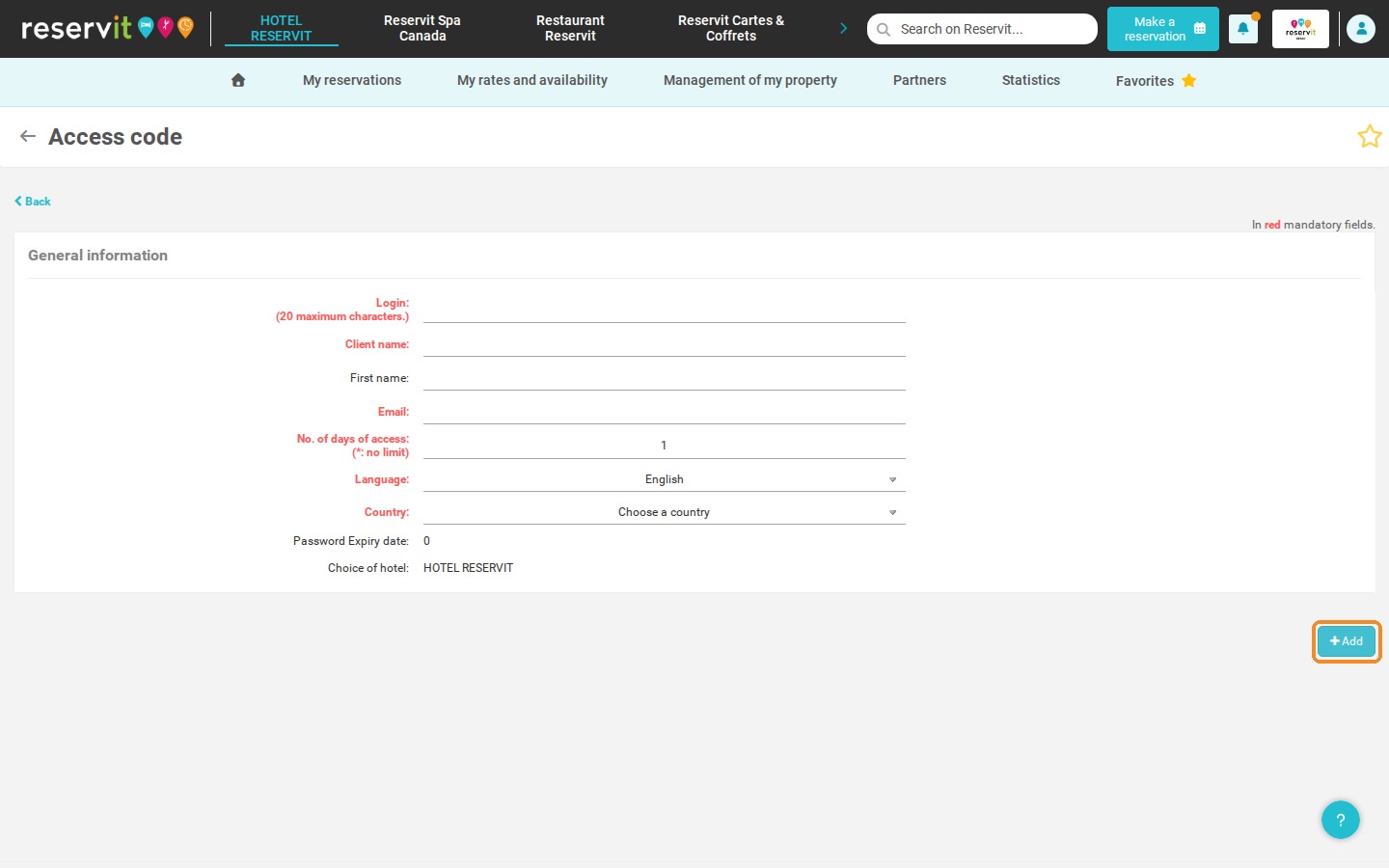
3. Fill in the "General information" of the user (fields in red are mandatory; each login must be unique), then click "Add". The list of Reservit pages is then displayed, with the pages of the template ticked by default: you can still add or remove pages. The tables below show the pages granted by default for each template.
Manager profile
4. Manager — pages granted by default in Reservit Accommodation:
-
Reservations planning
-
Book now
-
Manage reservations
-
Agenda
-
Customer management
-
Billing (billing accounts, document list, billing history)
-
My planning
-
My offers
-
Price check
-
Extras management (definition, assignment, categories)
-
My units (online units + physical units)
-
Property information (general and specific)
-
Tax management + Tourist tax
-
Access code
-
My pictures
-
Property services + My equipment and services
-
Housekeeping management and setup
-
General setup
-
Configuring delays
-
My events
-
Terms and conditions of sale
-
Booking engine customization
-
Personal data protection
-
Channel closing
-
Distributor mappings
-
Dashboard
-
Extractions (reservations, tourist tax, INSEE statistics, customers)
-
Billing extractions (day book, payment tracking, money owed, outstanding balances, revenue report, key figures summary)
-
Reports
5. Manager — pages granted by default in Reservit Activities:
-
Manage reservations
-
Book now
-
Customer management
-
Billing management (billing accounts, invoices, invoice history, access)
-
Planning
-
My services (definition and categories)
-
My extras
-
My products
-
My resources (definition, quantity, location, team management)
-
My table plan
-
My property services
-
Access code
-
Sort order
-
General property information
-
My terms and conditions of sale
-
Personal data protection
-
Tax management
-
Campaign setup
-
Dashboard
-
Reservation extraction
-
Billing statistics
6. Manager — other specifics: Chart on the home page.
Receptionist manager profile
7. Receptionist manager — pages granted by default in Reservit Accommodation:
-
Reservations planning
-
Book now
-
Manage reservations
-
Agenda
-
Customer management
-
Billing (billing accounts, document list, billing history)
-
My planning
-
My offers
-
Price check
-
Extras management (definition, assignment, categories)
-
My units (online units + physical units)
-
Property information (general and specific)
-
Tax management + Tourist tax
-
Access code
-
My pictures
-
Property services + My equipment and services
-
Housekeeping management and setup
-
Configuring delays
-
My events
-
Terms and conditions of sale
-
Booking engine customization
-
Personal data protection
-
Channel closing
-
Distributor mappings
-
Dashboard
-
Extractions (reservations, tourist tax, INSEE statistics, customers)
-
Billing extractions (day book, payment tracking, money owed, outstanding balances, revenue report, key figures summary)
-
Reports
8. Receptionist manager — pages granted by default in Reservit Activities:
-
Manage reservations
-
Book now
-
Customer management
-
Billing management (billing accounts, invoices, invoice history, access)
-
Planning
-
My services (definition and categories)
-
My extras
-
My products
-
My resources (definition, quantity, location, team management)
-
My table plan
-
My property services
-
Access code
-
Sort order
-
General property information
-
My terms and conditions of sale
-
Personal data protection
-
Tax management
-
Campaign setup
-
Dashboard
-
Reservation extraction
-
Billing statistics
9. Receptionist manager — other specifics: Chart on the home page; Statistics.
Receptionist profile
10. Receptionist — pages granted by default in Reservit Accommodation:
-
Reservations planning
-
Book now
-
Manage reservations
-
Agenda
-
Customer management
-
Billing (billing accounts, document list, invoice history)
-
My planning
-
My offers
-
Price check
-
Extras management (definition, assignment, categories)
-
My units (online units + physical units)
-
Housekeeping management and setup
-
My events
-
Channel closing
-
Distributor mappings
-
Reports
11. Receptionist — pages granted by default in Reservit Activities:
-
Manage reservations
-
Book now
-
Planning
-
My services (definition and categories)
-
My extras
-
My products
-
My table plan
12. Receptionist — other specifics: No chart on the home page.
Service Agent profile
13. Service Agent — pages granted by default in Reservit Accommodation:
-
Reservations planning
-
Agenda
-
Housekeeping
14. Service Agent — pages granted by default in Reservit Activities: no access specified.
15. Service Agent — other specifics: No chart on the home page.
Accountant profile
16. Accountant — pages granted by default in Reservit Accommodation:
-
Reservations planning
-
Billing (billing accounts, document list, invoice history)
-
My offers
-
Extras management (definition, assignment, categories)
-
My units (online units + physical units)
-
Tax management + Tourist tax
-
Extractions (reservations, tourist tax, INSEE statistics, customers)
-
Billing extractions (day book, payment tracking, money owed, outstanding balances, revenue report, key figures summary)
17. Accountant — pages granted by default in Reservit Activities:
-
Manage reservations
-
Billing management (billing accounts, invoices, invoice history)
-
My services (definition and categories)
-
My extras
-
My products
-
My table plan
-
My terms and conditions of sale
-
Tax management
-
Reservation extraction
-
Billing statistics
18. Accountant — other specifics: No chart on the home page.
Consultant profile
19. Consultant — pages granted by default in Reservit Accommodation:
-
Reservations planning
-
Manage reservations
-
Agenda
-
My planning
-
My offers
-
Price check
-
Extras management (definition, assignment, categories)
-
My units (online units + physical units)
-
Property information (general and specific)
-
My pictures
-
Property services + My equipment and services
-
General setup
-
Configuring delays
-
My events
-
Booking engine customization
-
Channel closing
-
Distributor mappings
-
Dashboard
-
Extractions (reservations, tourist tax, INSEE statistics, customers)
20. Consultant — pages granted by default in Reservit Activities:
-
Manage reservations
-
Planning
-
My services (definition and categories)
-
My extras
-
My products
-
My resources (definition, quantity, location, team management)
-
My table plan
-
My property services
-
Sort order
-
General property information
-
My terms and conditions of sale
-
Personal data protection
-
Tax management
-
Campaign setup
-
Dashboard
-
Reservation extraction
21. Consultant — other specifics: Chart on the home page.
Customized profile (no template selected)
22. If you click "CONTINUE WITHOUT TEMPLATE":
-
Default: nothing is checked, in Reservit Accommodation and in Reservit Activities.
-
Favorites (Reservit Accommodation): same pages as the Receptionist profile, plus the Dashboard and Channel closing.
23. Customized profile — other specifics: Chart on the home page.
Which pages are granted by default for each user template? Every user can be fully customized. To create a user, see How to Create a New Login and Add User Accounts.