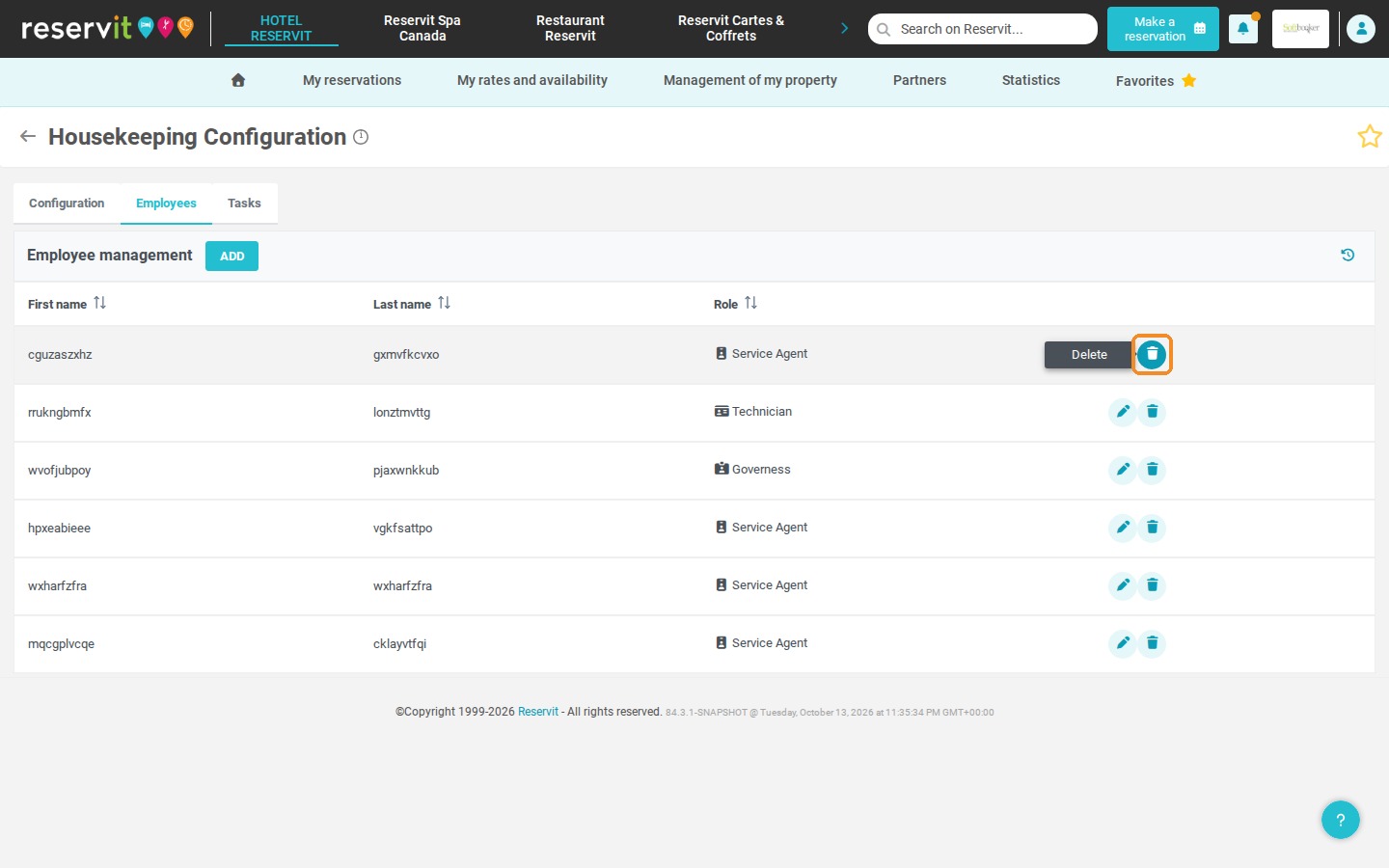
Article Summary: This tutorial explains how to set up and manage the profiles of your housekeeping team in the Reservit housekeeping module. You will learn how to add new profiles, assign them an operational role (Service Agent, Governess or Technician) and edit or delete existing profiles. Mastering this setup helps you organize your staff efficiently and optimize the assignment of daily cleaning and maintenance tasks.
The 5 Key Steps to Set Up Your Housekeeping Employees:
-
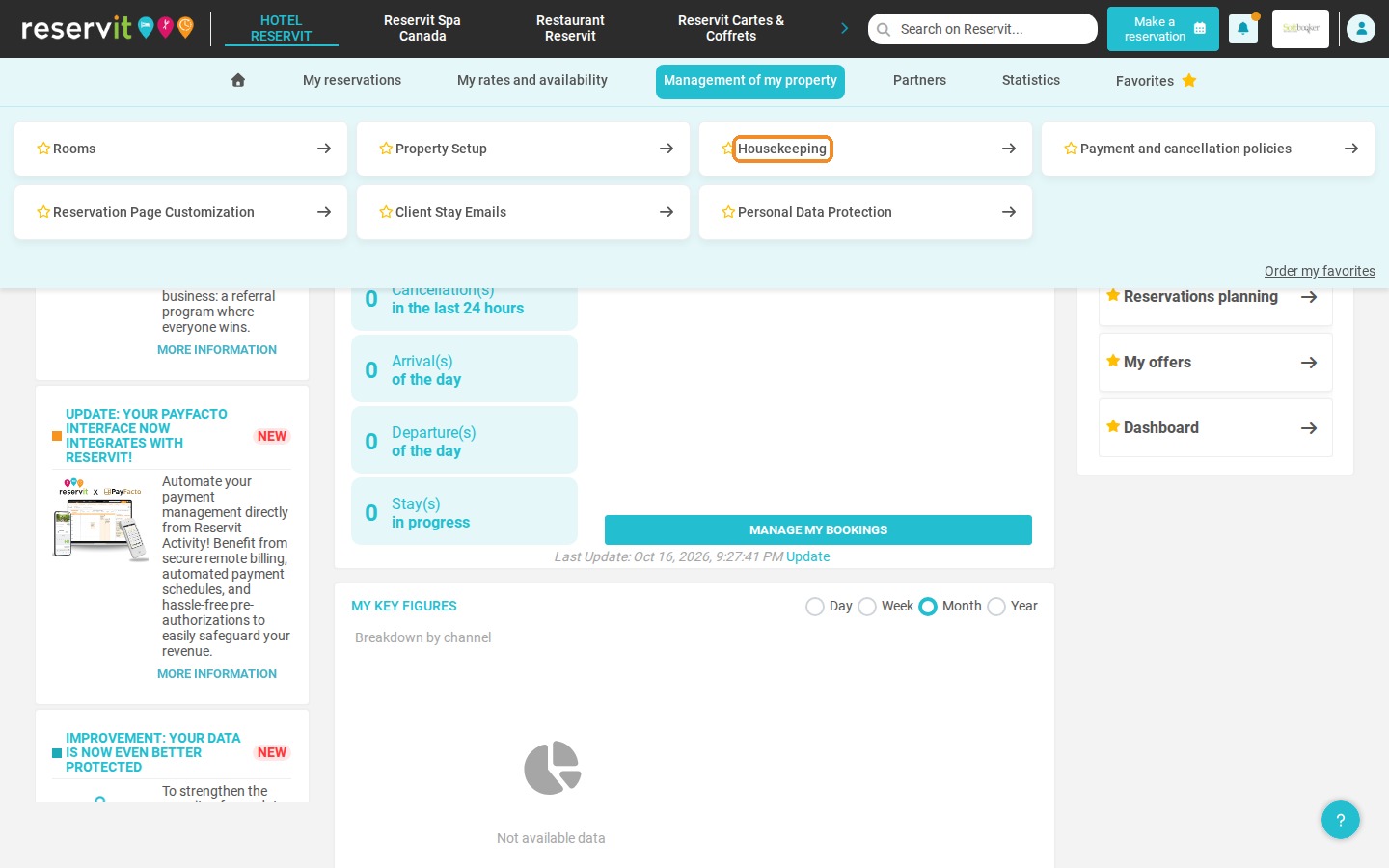
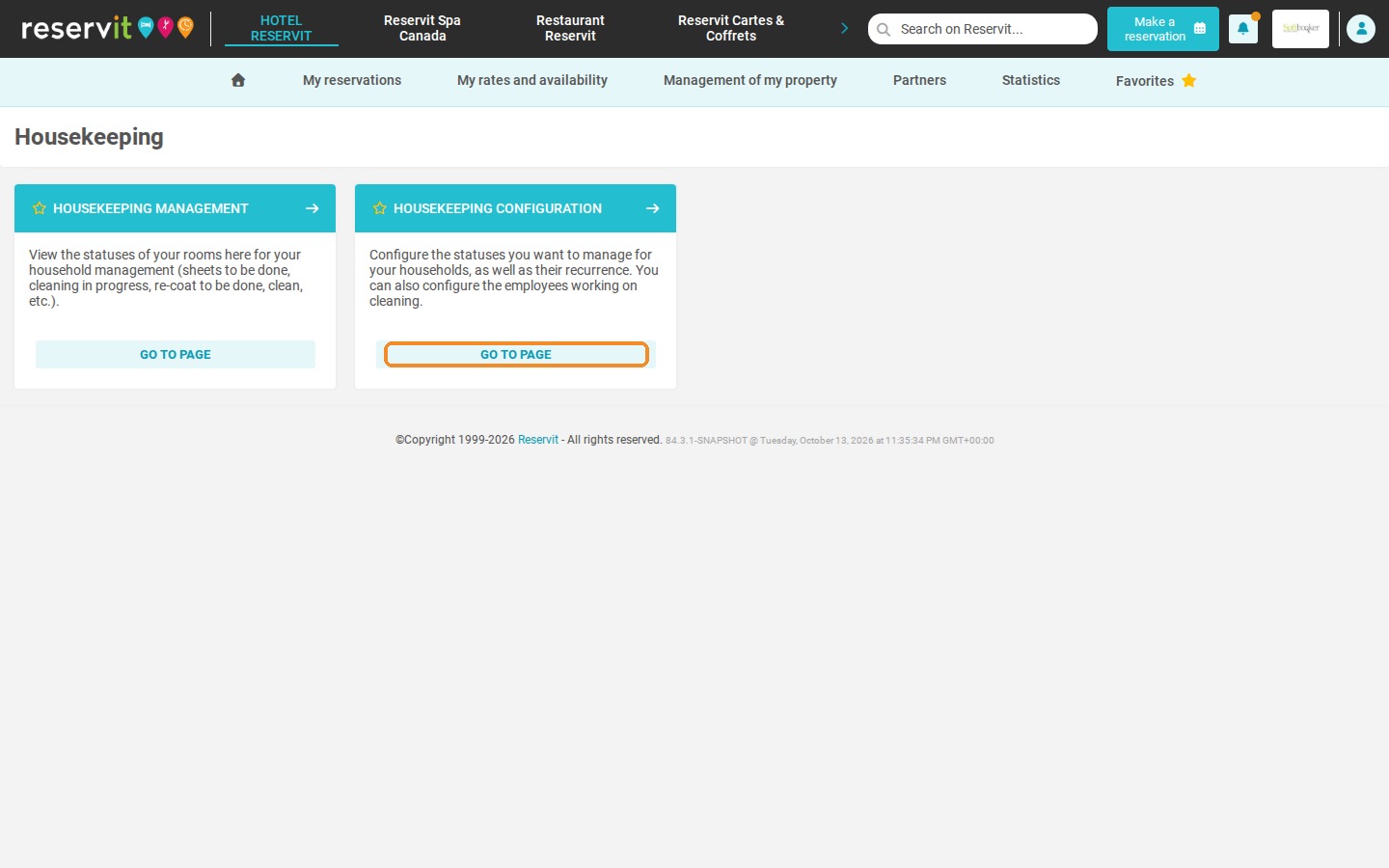
Open the housekeeping module: Click "Management of my property" > "Housekeeping", then "GO TO PAGE" on the "HOUSEKEEPING CONFIGURATION" tile.
-
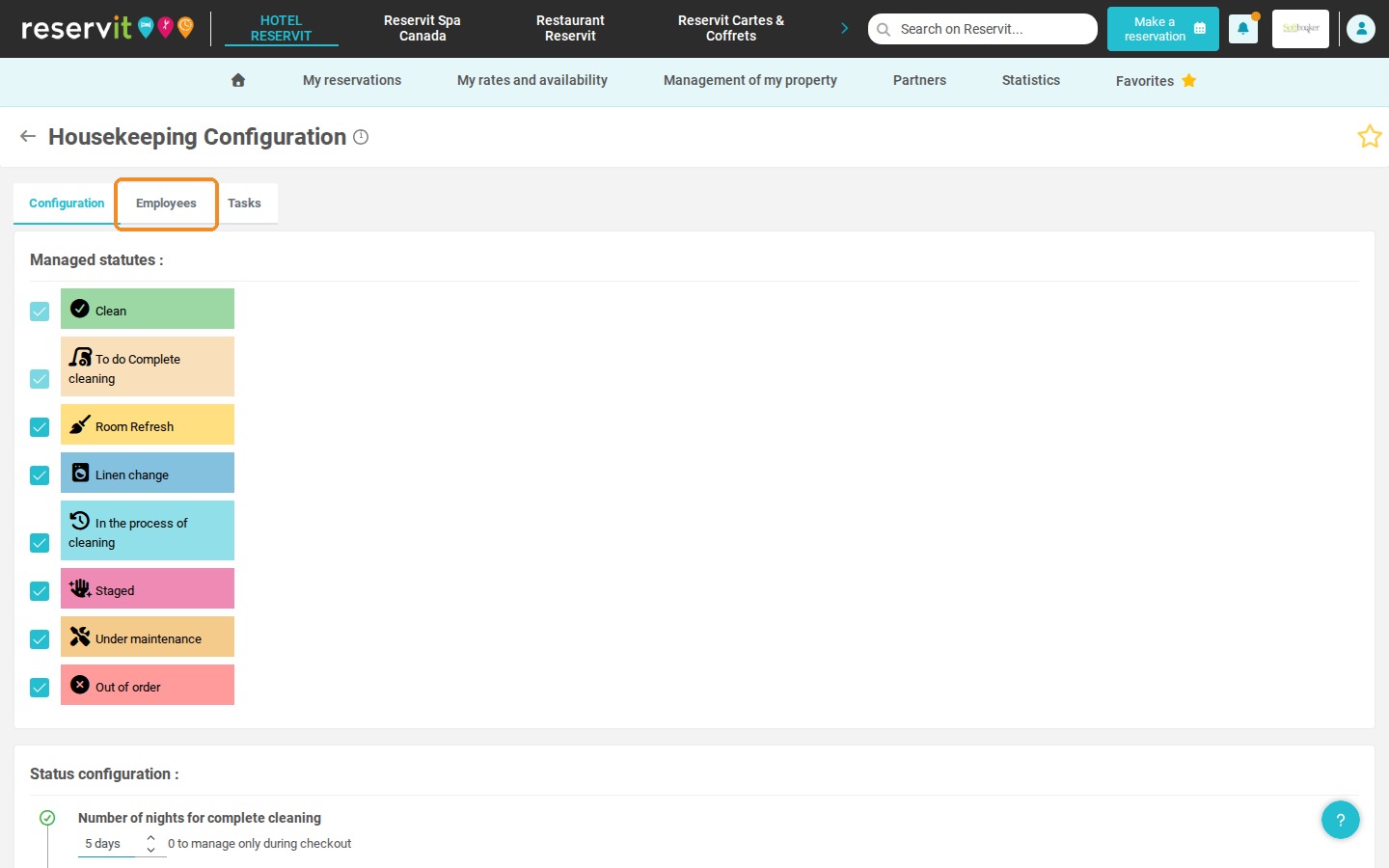
Open the staff list: Click the "Employees" tab to see the staff members already registered.
-
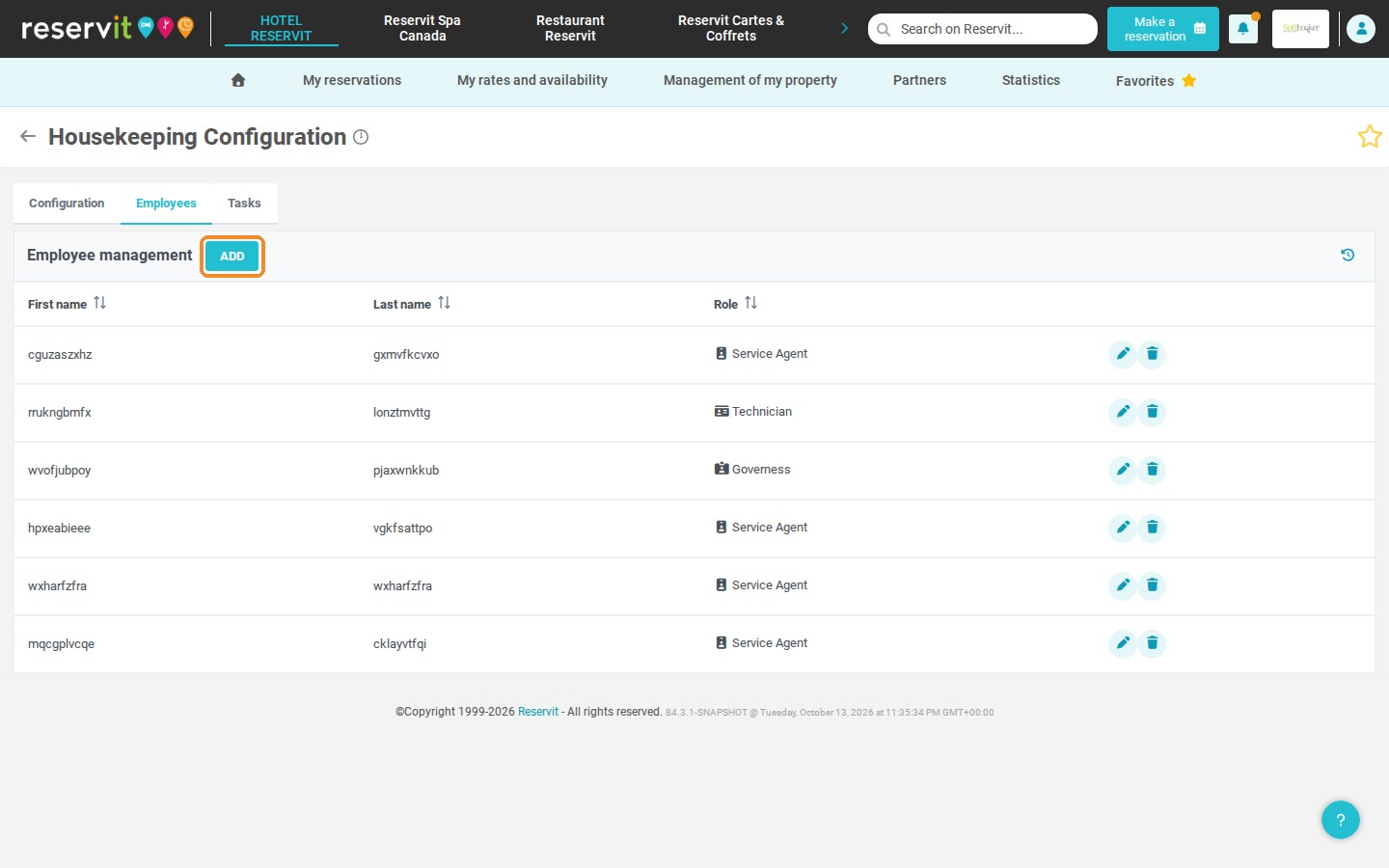
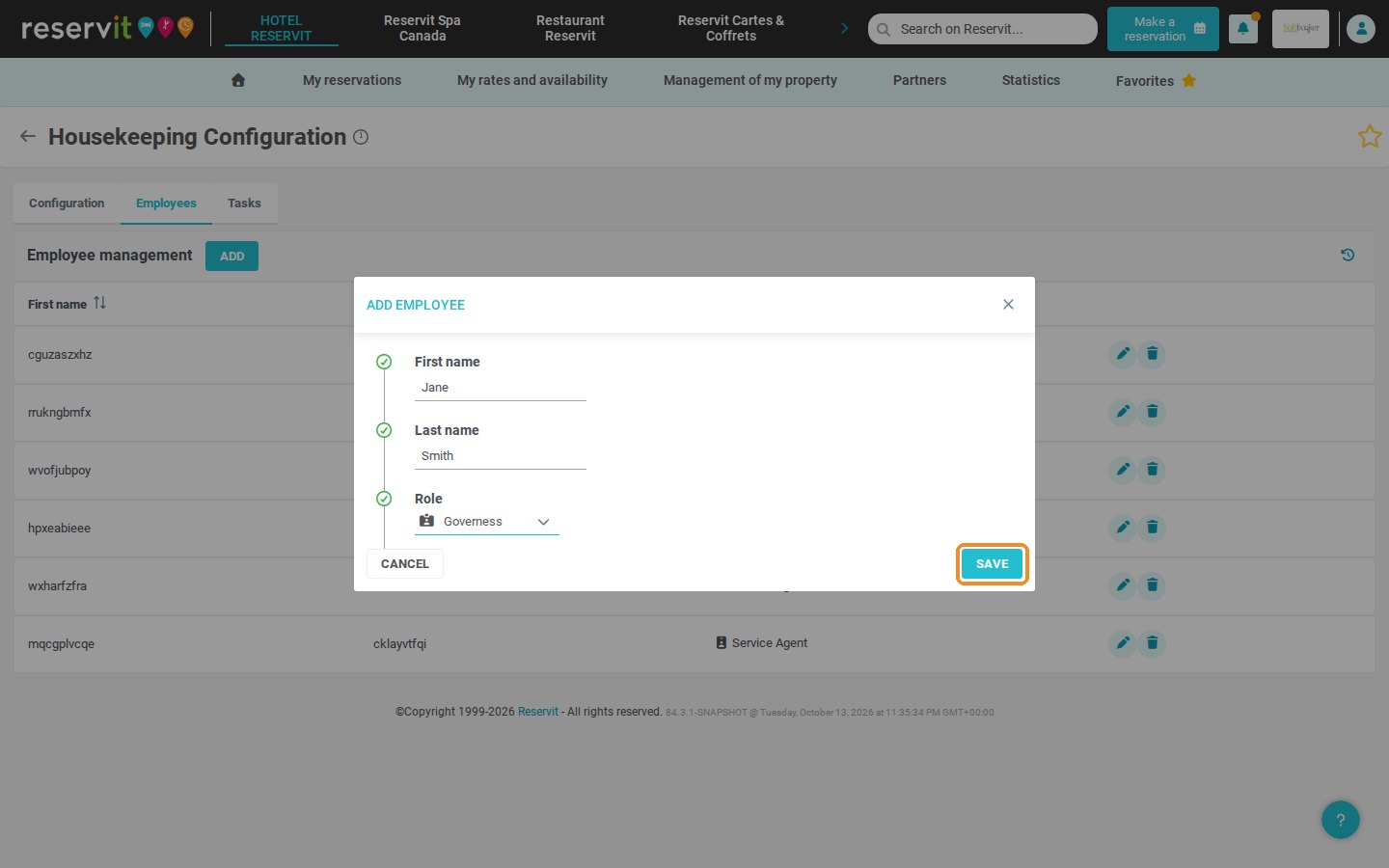
Create a new profile: Click "ADD" and enter the employee's first name and last name.
-
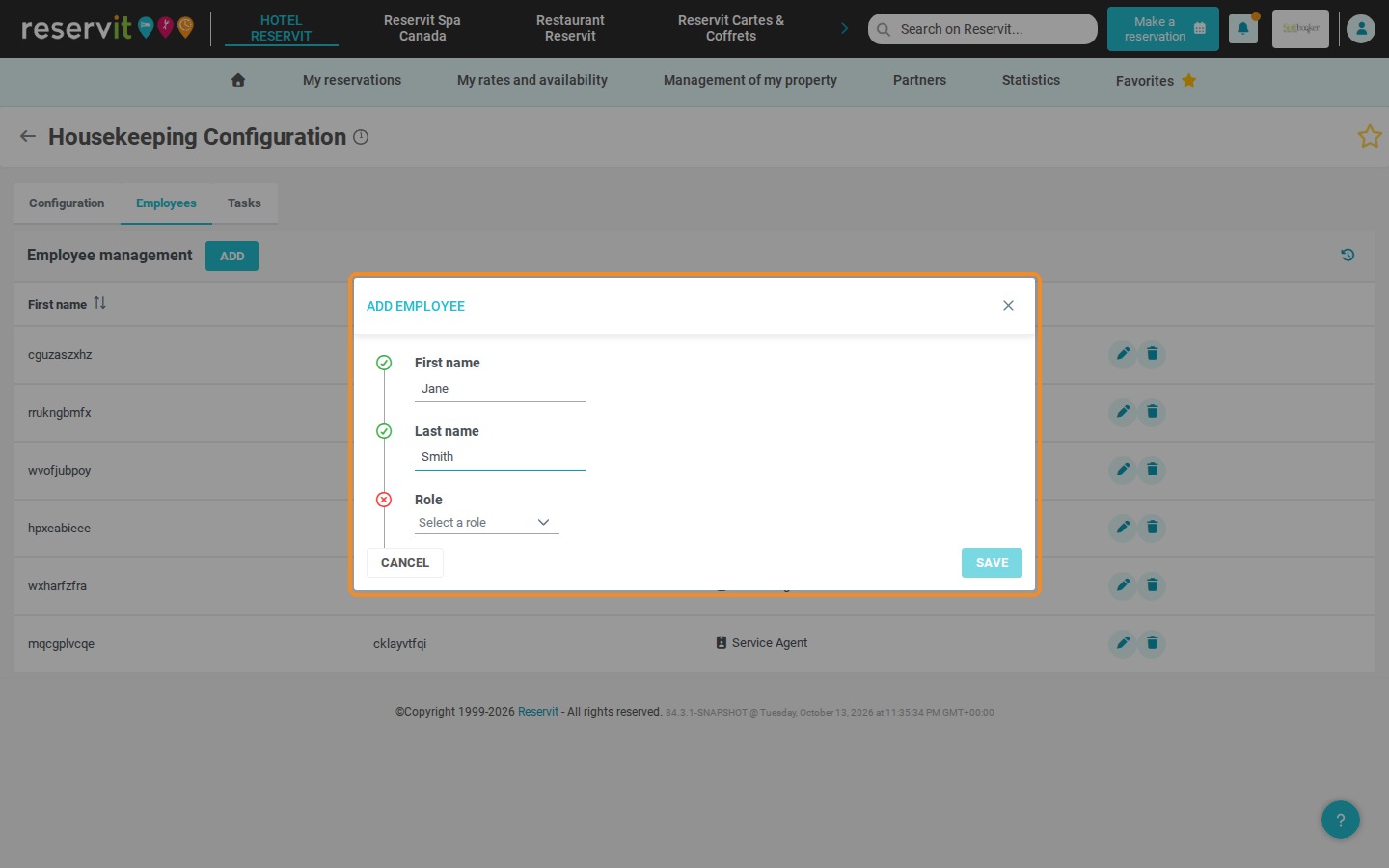
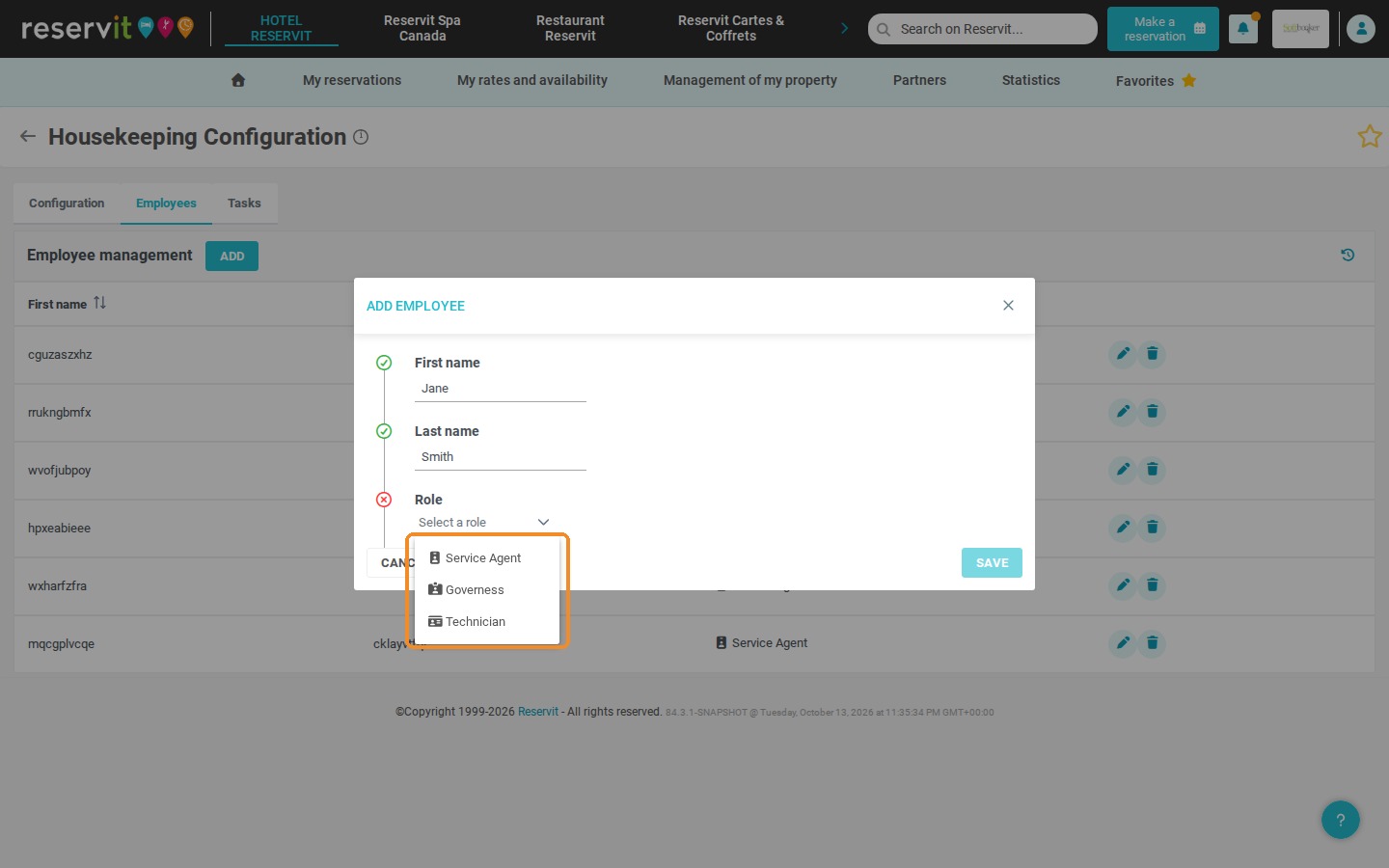
Assign a role: Select the employee's role in the drop-down list (Service Agent, Governess or Technician), then click "SAVE".
-
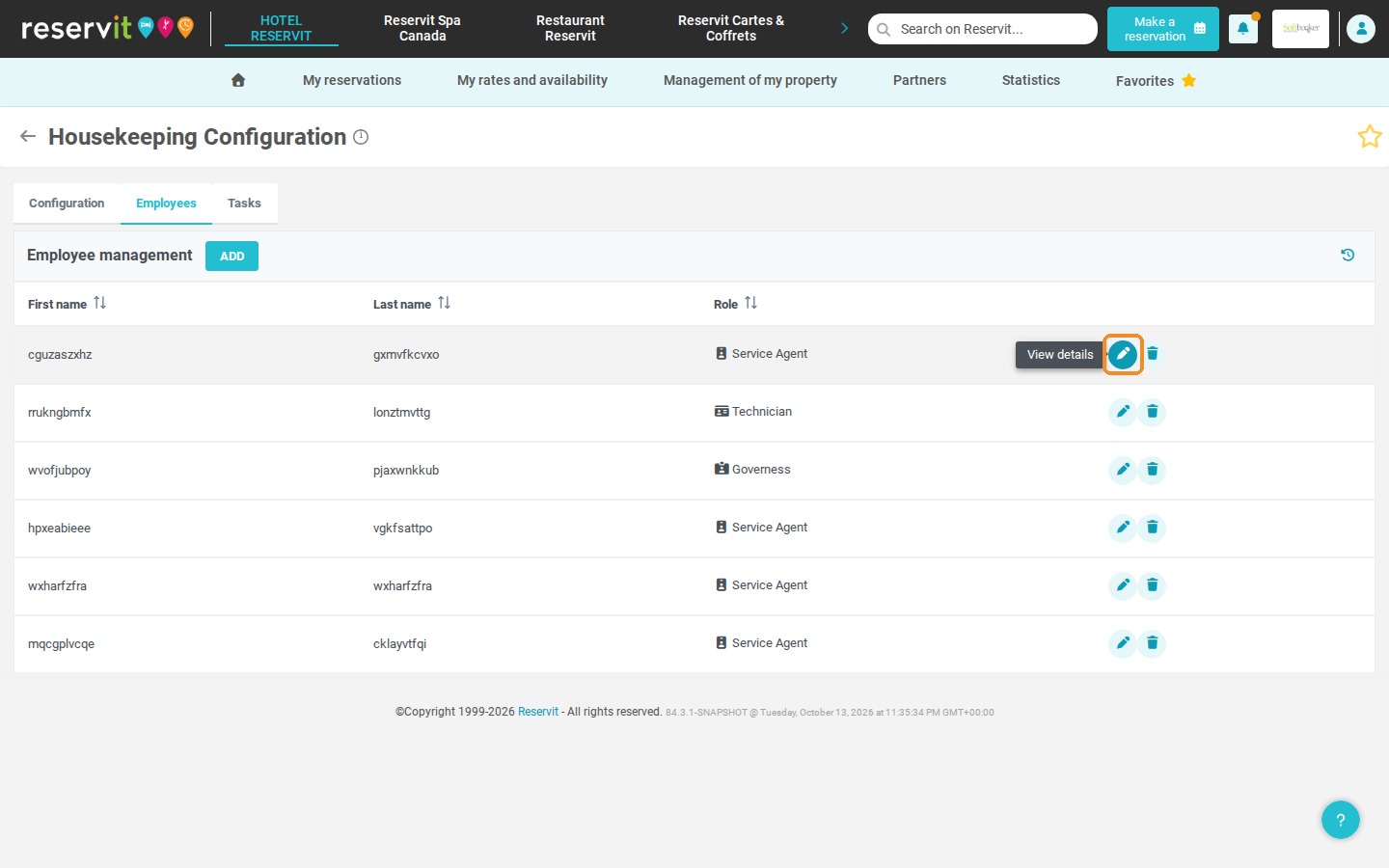
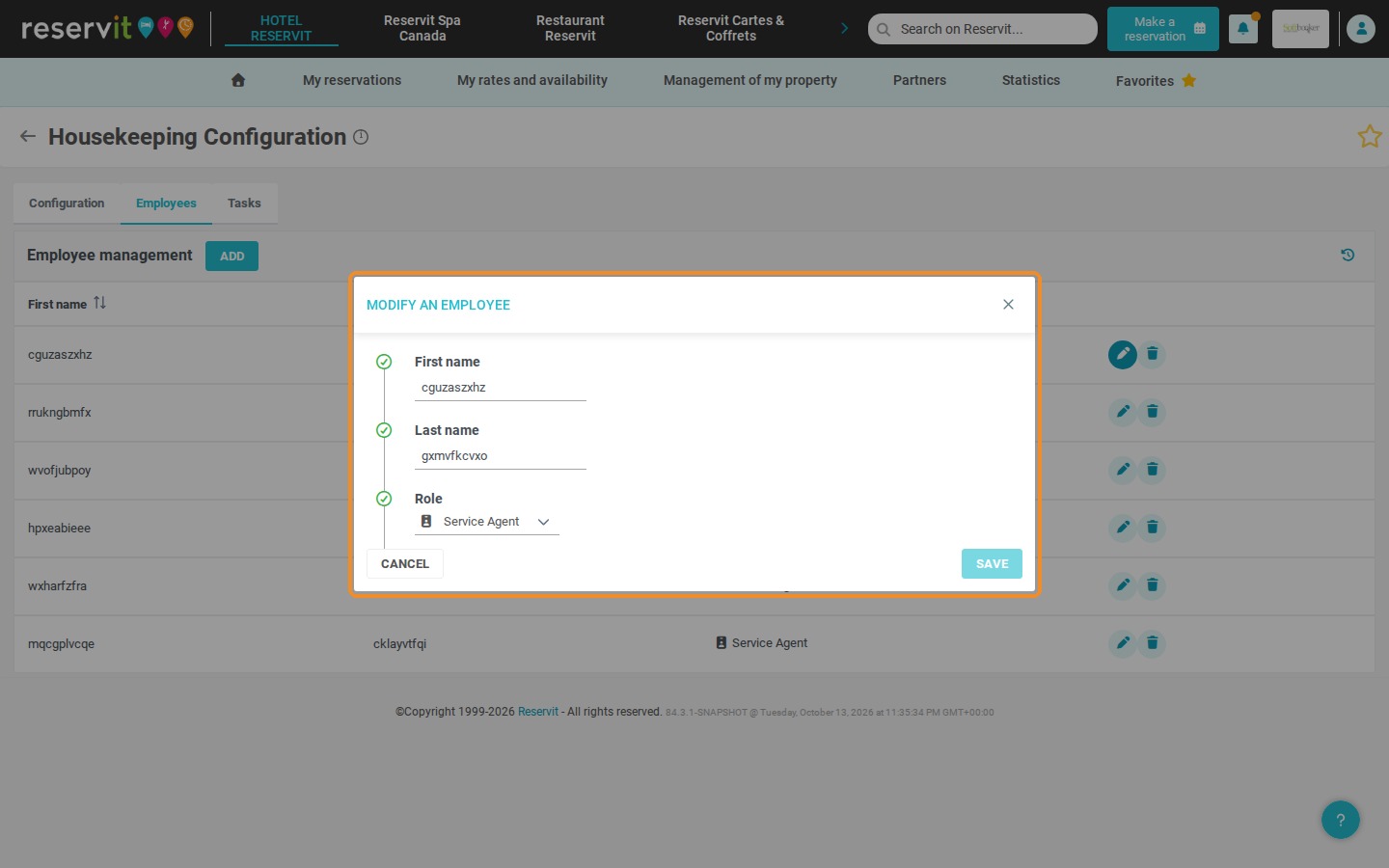
Manage existing profiles: Use the pencil icon to edit an employee's details, or the trash can icon followed by a confirmation to delete a profile.
Why Follow This Guide? Accurate employee profiles let you assign cleaning and repair tasks according to each person's role, which avoids scheduling errors. It is an essential step to structure communication within your housekeeping team, save time during rotations and keep close track of the readiness of your units.
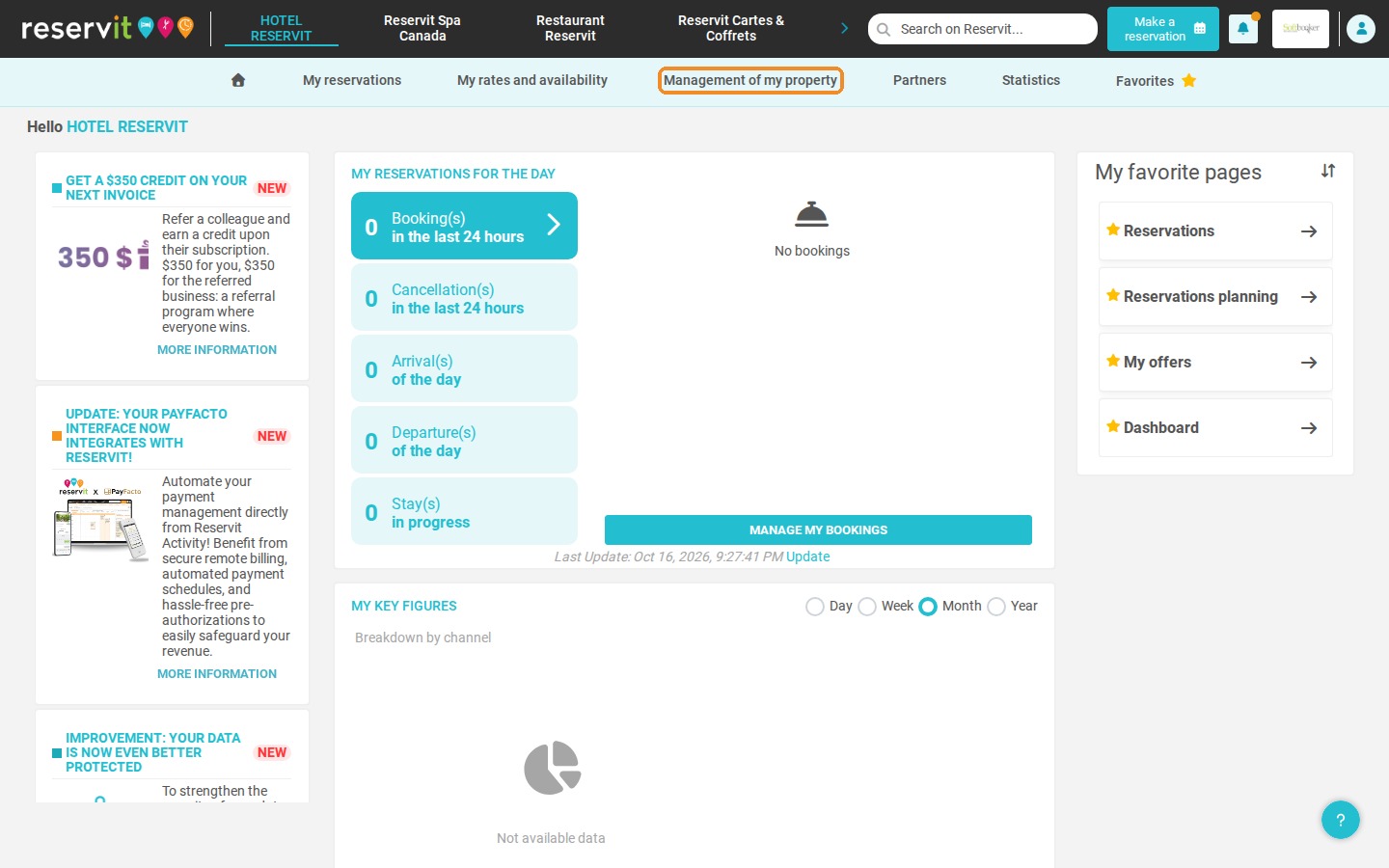
1. Make sure your property is selected at the top of the screen, then click "Management of my property" > "Housekeeping".
2. On the "HOUSEKEEPING CONFIGURATION" tile, click "GO TO PAGE".
3. Click the "Employees" tab.
4. Click "ADD" to create a profile for one of your employees.
5. Enter the employee's information: "First name", "Last name" and "Role".
6. You can choose one of three roles: "Service Agent", "Governess" or "Technician".
7. Click "SAVE" to finish creating the employee profile.
8. To edit an employee's details, click the pencil icon ("View details"). Make your changes in the "MODIFY AN EMPLOYEE" window, then click "SAVE".
9. To delete a profile, click the trash can icon ("Delete"), then confirm the deletion.