

Article Summary: This tutorial guides you step by step through assigning your staff members to the housekeeping of your units in Reservit Accommodation. You will learn how to quickly choose who is responsible for each unit and adjust these assignments in a few clicks. This organization ensures a clear distribution of cleaning tasks and close tracking of the cleanliness of your units.
The 3 Key Steps to Assign Employees to Housekeeping:
-
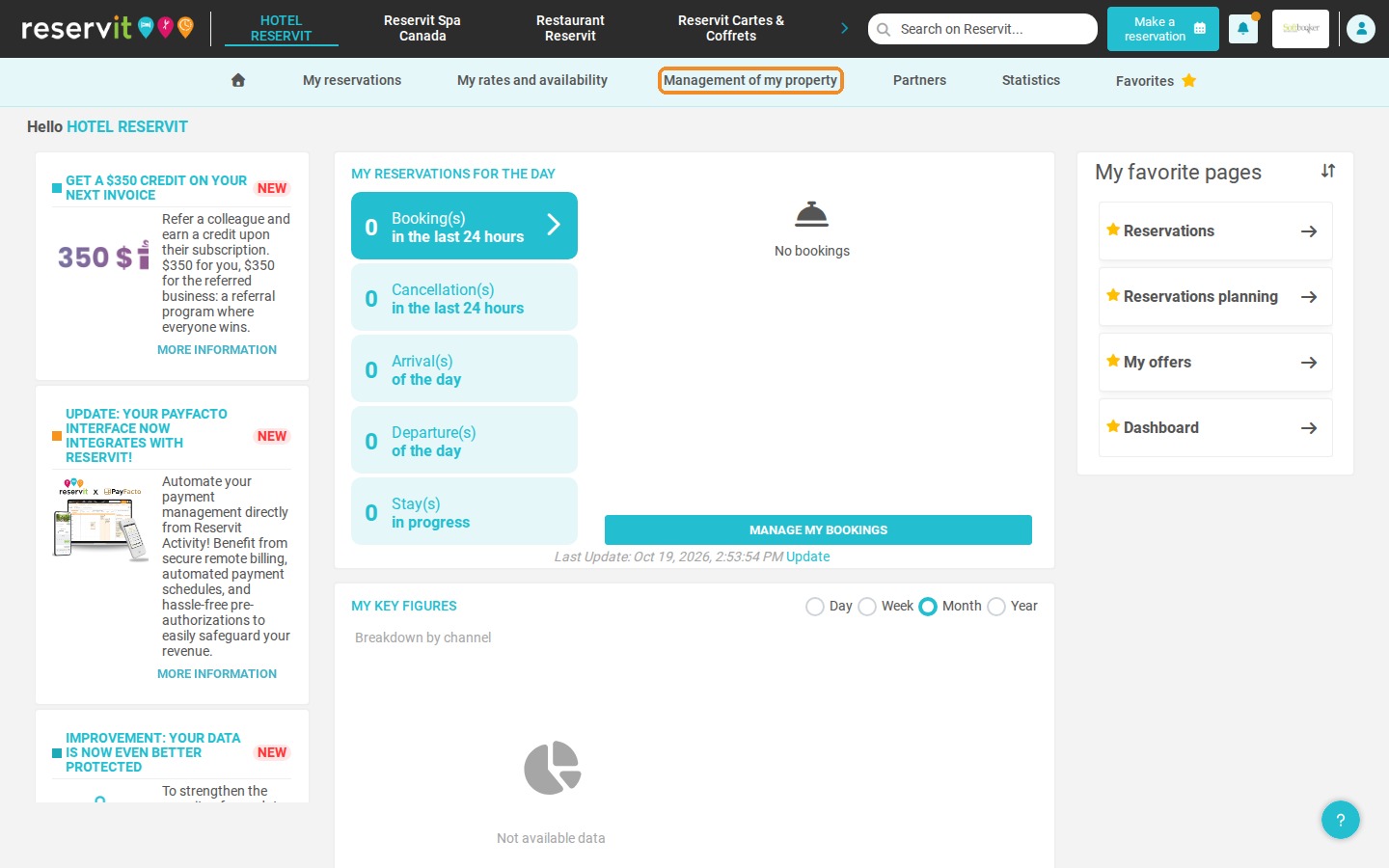
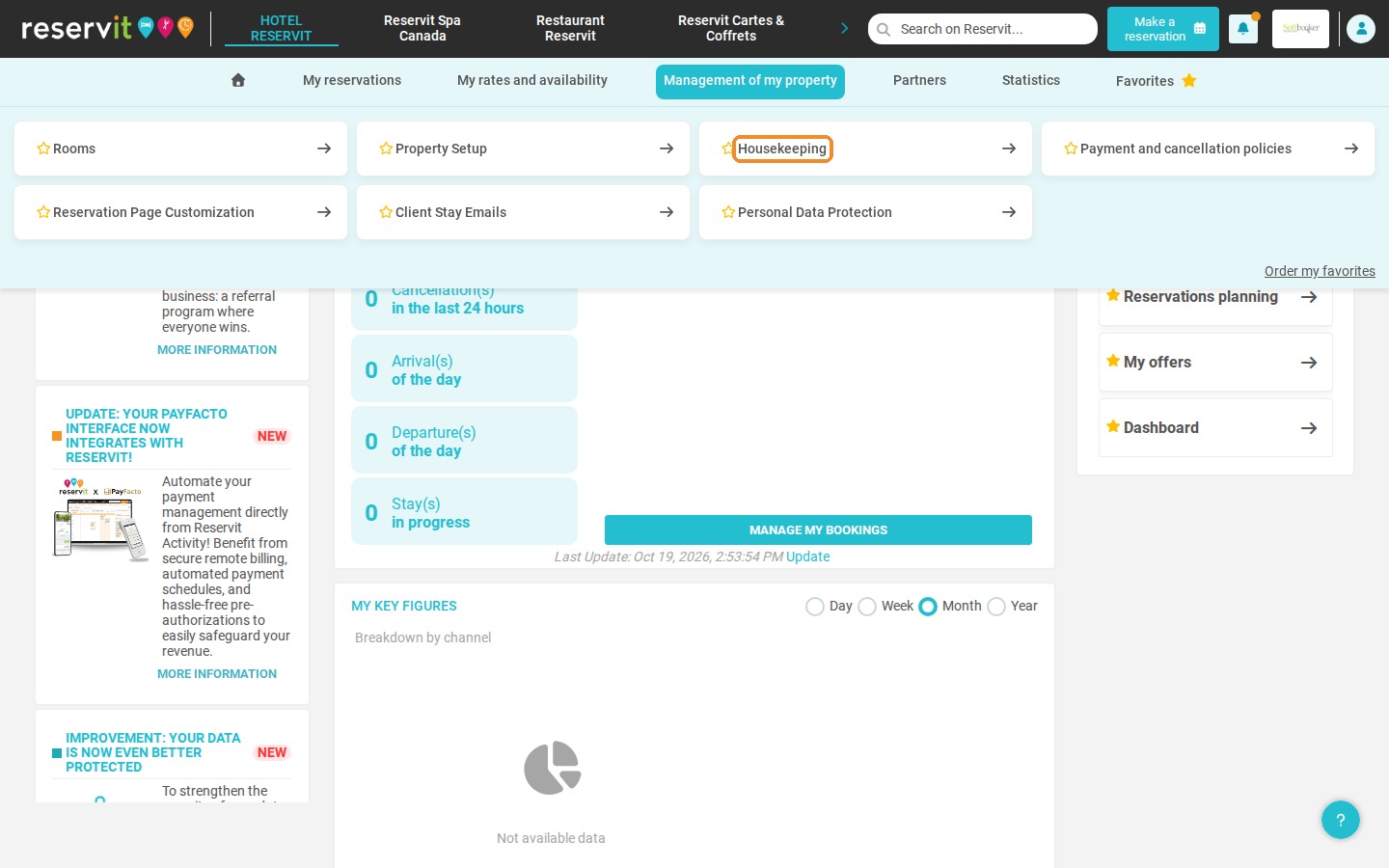
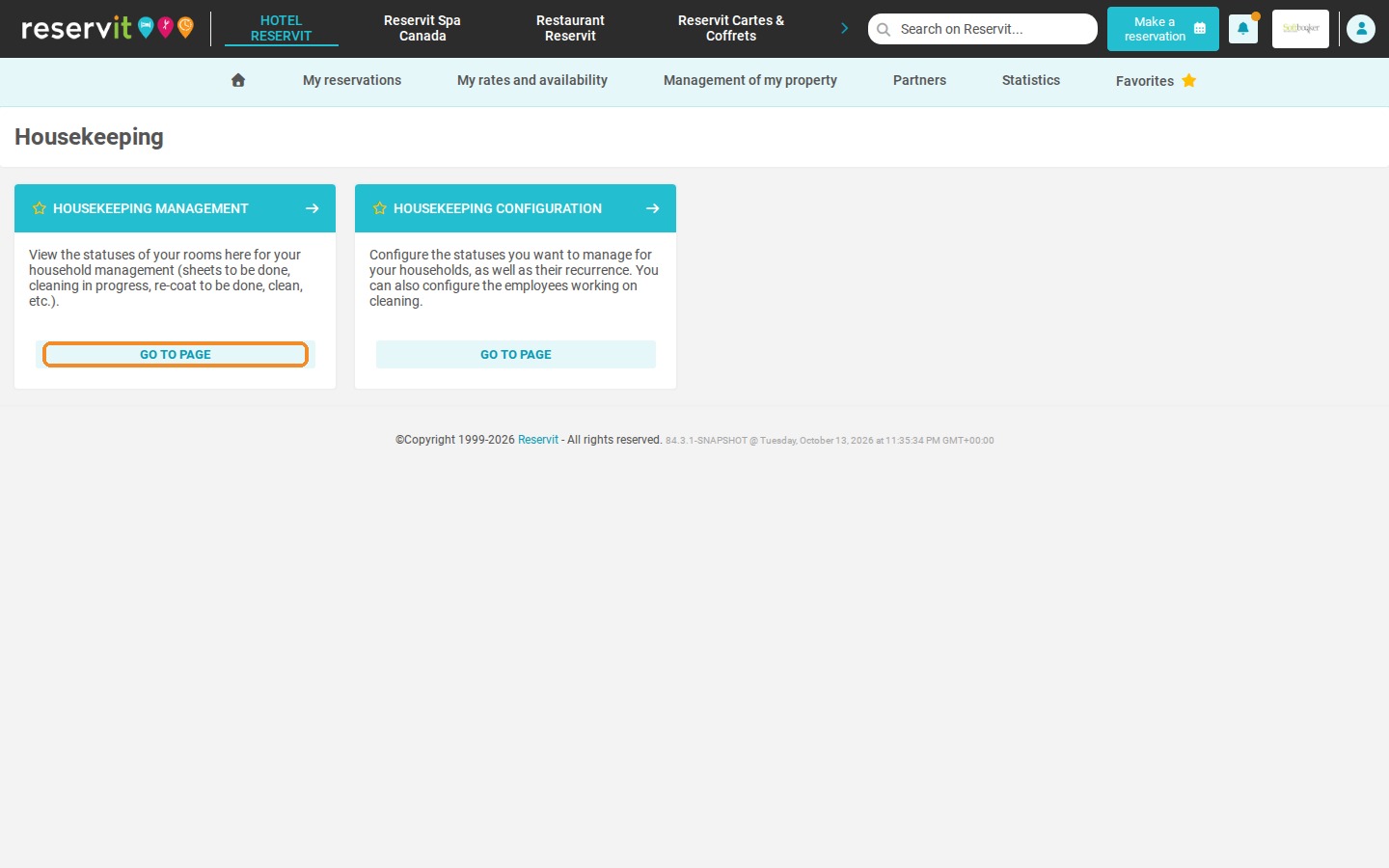
Open the housekeeping management: Click "Management of my property" > "Housekeeping", then "GO TO PAGE" on the "HOUSEKEEPING MANAGEMENT" tile.
-
Find the unit: Locate the unit in the list; the "Employee" column shows who is currently assigned to it.
-
Assign the employee: Open the drop-down list in the "Employee" column and select the employee(s) responsible for the unit.
Why Follow This Guide? Assigning a clear owner to each unit avoids forgotten rooms and duplicated work within your housekeeping team. It also lets your governesses follow the progress of cleaning unit by unit and react quickly when a room is not ready.
1. Click "Management of my property" > "Housekeeping", then click "GO TO PAGE" on the "HOUSEKEEPING MANAGEMENT" tile.
2. The "Employee" column shows the employee currently assigned to each unit.
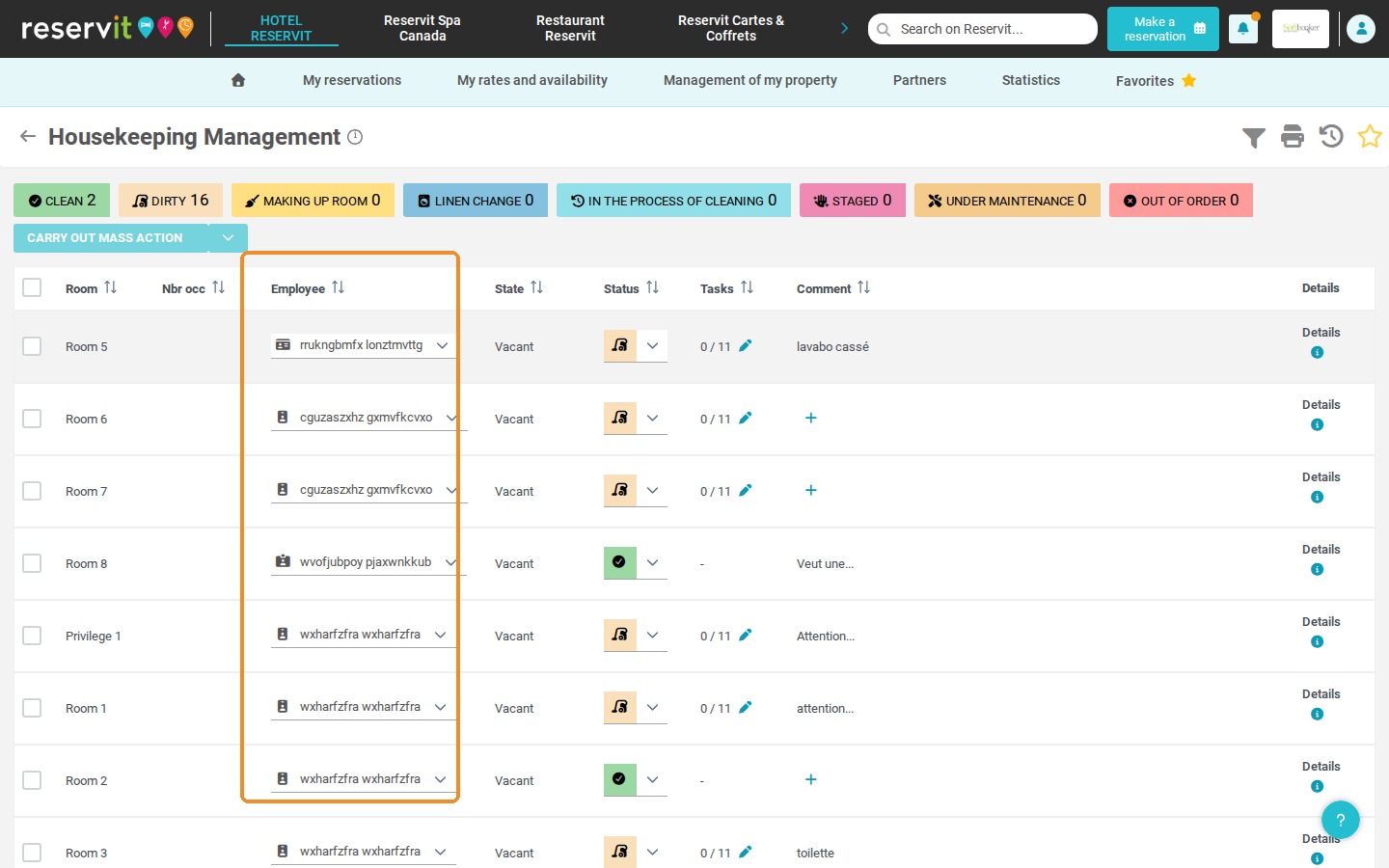
3. To assign or change the employee(s) responsible for a unit, click the drop-down list in the "Employee" column of that unit and select the employee of your choice.
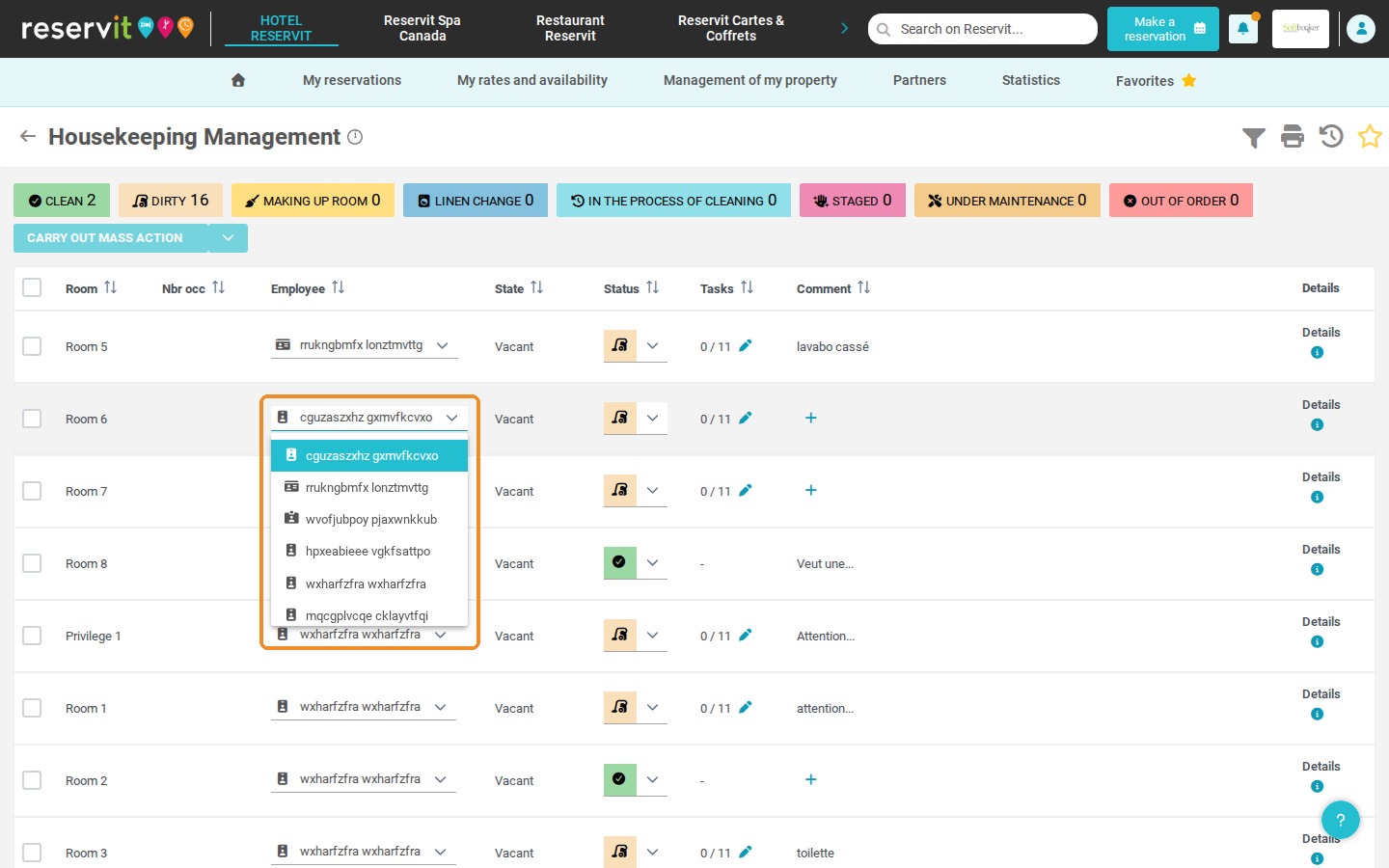
4. Tip: you can also leave a unit without any assigned employee.