Article Summary: This step-by-step tutorial explains how to streamline your booking process by automatically filling in restaurant customer details based on their existing hotel room reservation. You will learn how to search for an in-house guest and instantly link their room to a dining table, automatically transferring personal data like their name, phone number, and email. Mastering this auto-completion feature allows your staff to manage cross-departmental reservations effortlessly while providing a seamless guest experience.
The 4 key steps to auto-fill guest details for restaurant bookings:
-
Start a new booking: Log into Reservit Restaurant and click on the "New booking" button to open the table reservation module.
-
Access the room search: Click the magnifying glass icon located next to the "room" field to search for your current or upcoming hotel guests.
-
Locate the guest's reservation: Search for the customer using either their full name or their specific room reservation date, then select the correct booking from the results.
-
Validate and auto-populate: Click "VALIDATE" and then "Confirmation" to link the room to the table; the system will instantly pre-fill all the guest's contact information into the restaurant booking.
Why follow this guide? Utilizing the room-to-table auto-completion feature eliminates redundant manual data entry, saving your front-of-house staff valuable time during busy shifts and drastically reducing the risk of typing errors. By seamlessly connecting hotel stays with restaurant bookings, you optimize your operational workflow and guarantee a highly personalized, efficient service for your in-house guests.
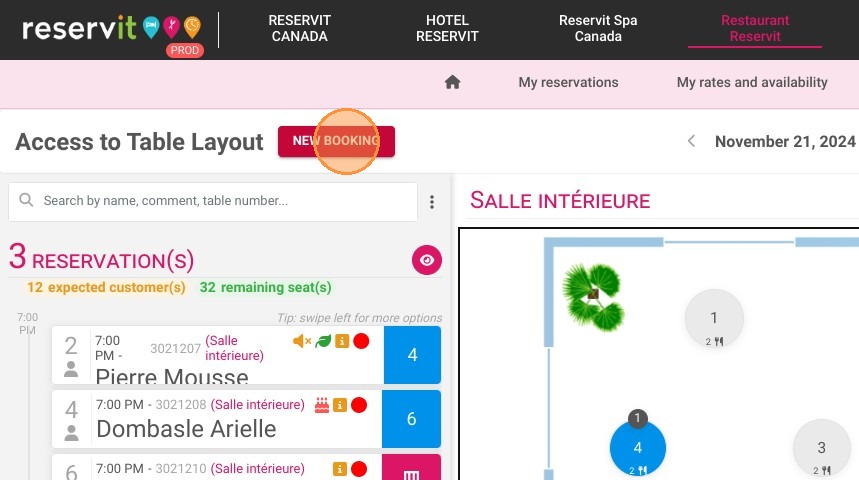
1. Connect to Reservit Restaurant and click on "New booking"
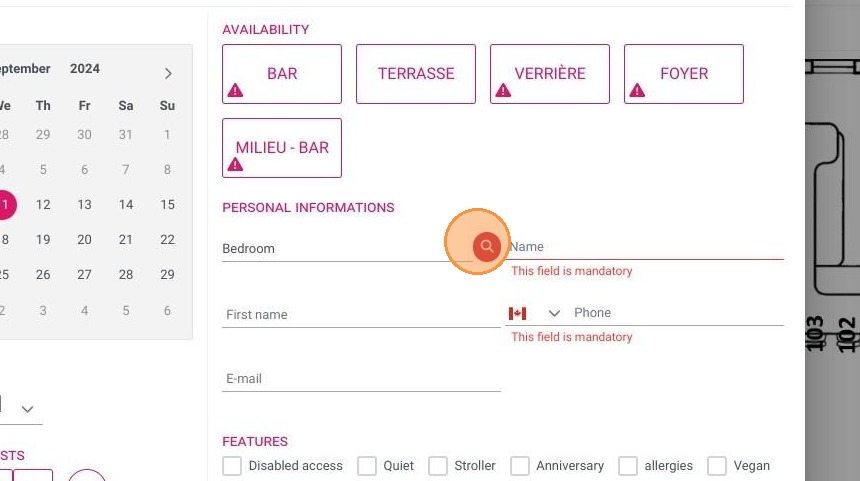
2. Click the magnifying glass to the right of "Room".
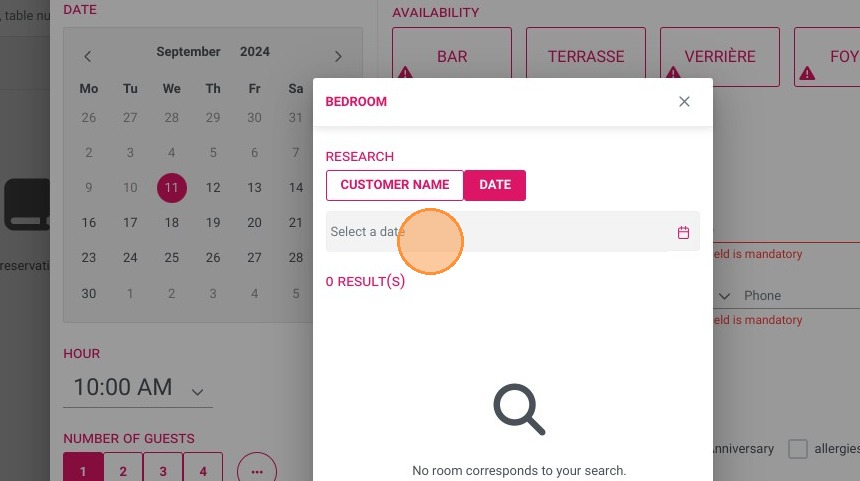
3. You can start your search either from the customer's name or their room reservation date
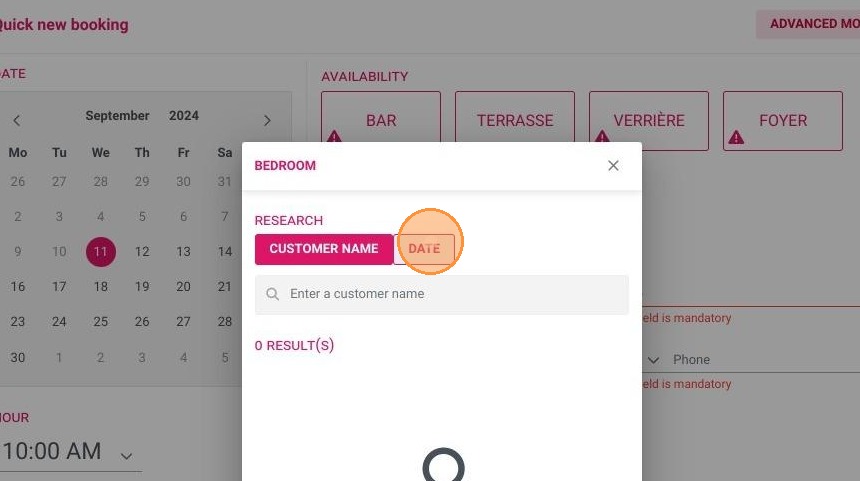
4. Let's try with the date:
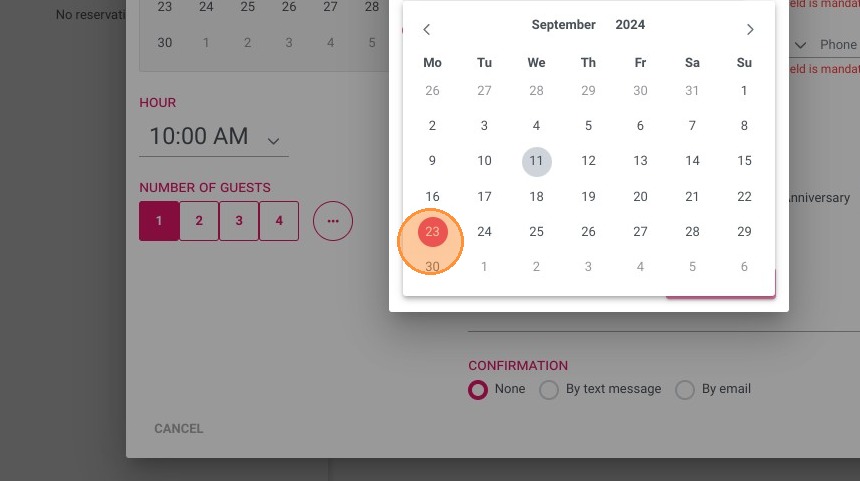
Example: a guest staying on September 23
Click "23".
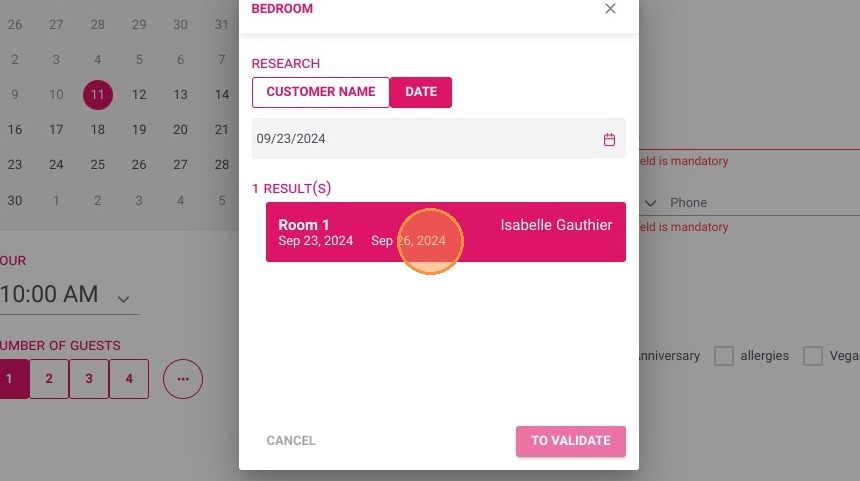
5. Click on “VALIDATE” to establish the link between the reserved room and the restaurant table reservation.
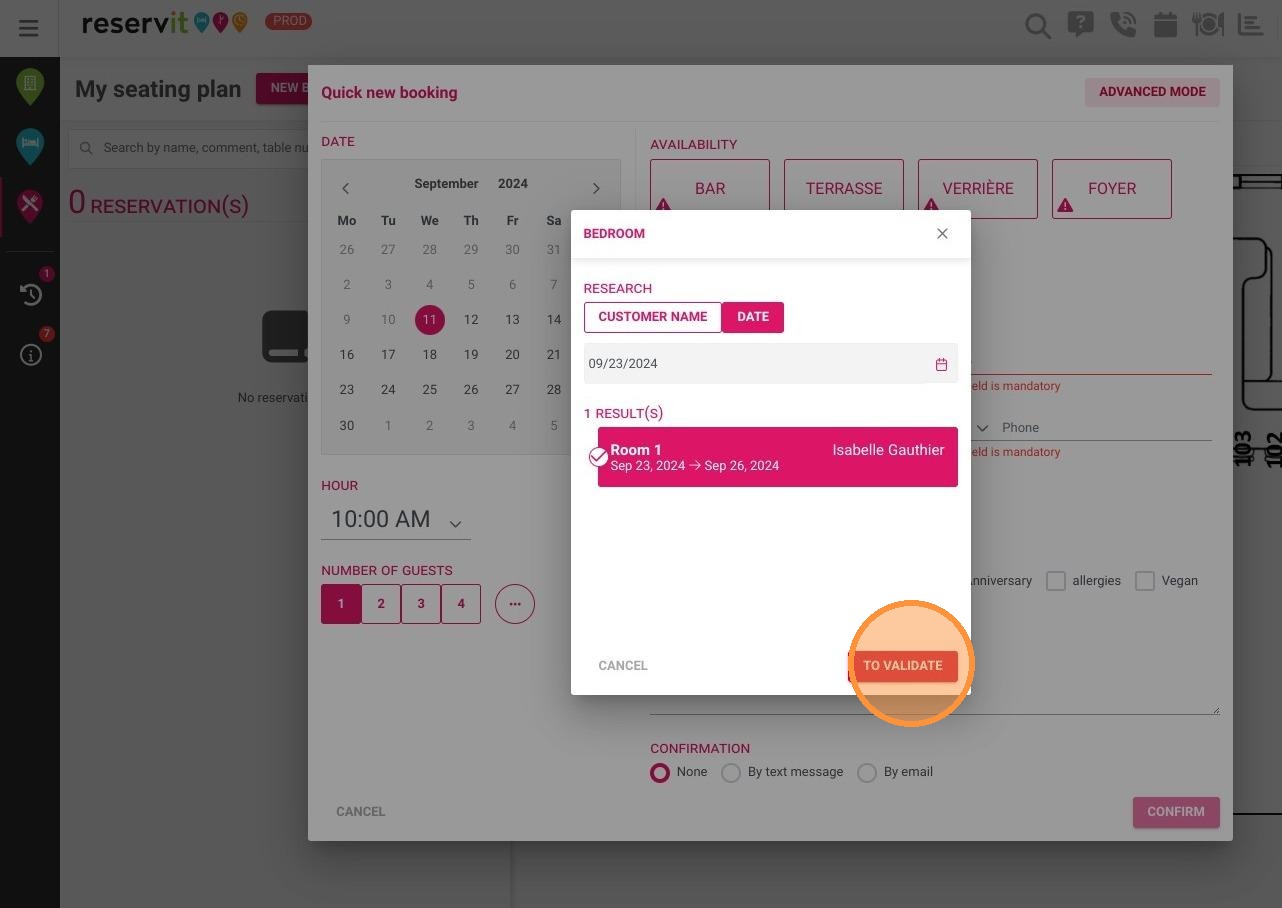
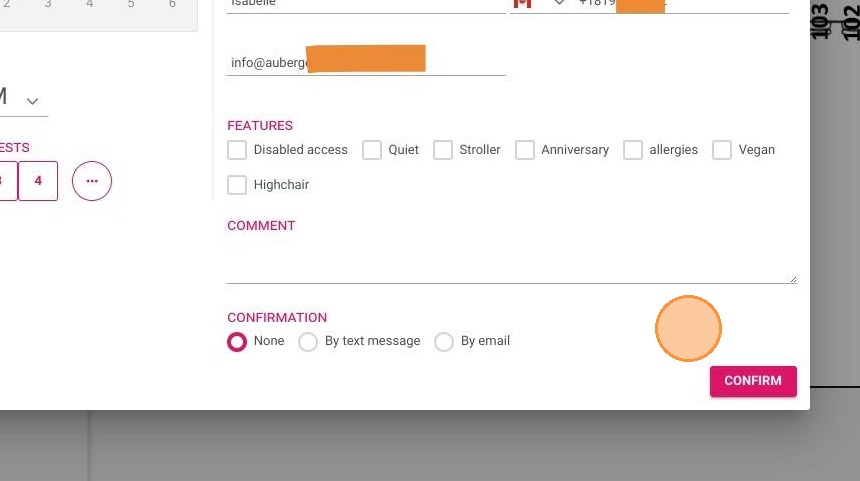
6. Click "Confirmation"
Your room is thus associated with the restaurant table reservation! As soon as the customer's room is identified, their personal data (last name, first name, telephone number, email) are automatically transferred and pre-filled in the table reservation module (voluntarily hidden here due to data confidentiality)