Help for use

How to Create a Manual Booking in Reservit Restaurant (Reservation Entry)

Article summary: This guide provides step-by-step instructions on how to manually enter a restaurant reservation directly through your Reservit interface. You will learn how to accurately configure booking details, record customer information, and seamlessly link dining charges to a hotel room. Mastering this manual reservation feature ensures a smooth, highly personalized customer experience for both phone inquiries and walk-in guests.

The 5 key steps to manually create a reservation:

  • Initiate the booking: From your home page, click on "New booking" and select the desired date, arrival time, and total number of guests.

  • Select the dining area: Choose the specific dining room and the appropriate service period for the reservation.

  • Enter guest details: Input the customer's contact information. If you operate a hotel, you can also search for their room to easily connect the billing account.

  • Customize and confirm: Specify any special characteristics (such as a quiet table or gluten-free requirements), opt to send a confirmation email to the customer, and validate the booking.

  • Assign a table: Locate the newly created reservation in your recent bookings list to immediately attribute the party to a specific table on your floor plan.

Why follow this guide? Following this standardized workflow helps you securely centralize billing between your accommodation and dining systems, saving your staff valuable time while ensuring no special guest requests are overlooked during busy service periods.

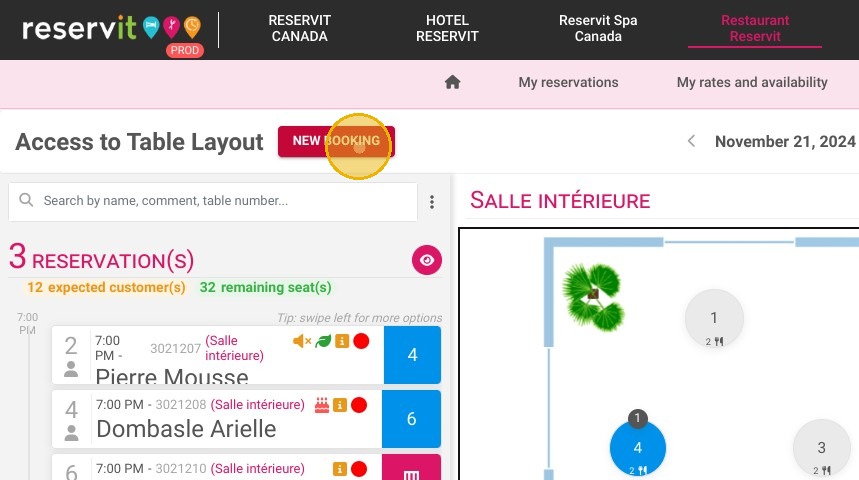
1. On your Home page, click on "New booking"
https://colony-recorder.s3.amazonaws.com/files/2024-11-21/24b5a08b-a972-4f1b-bd3c-d7925e7b2b32/ascreenshot_ad1f279af62c4e5695ad71d552208ec6_text_export.jpeg

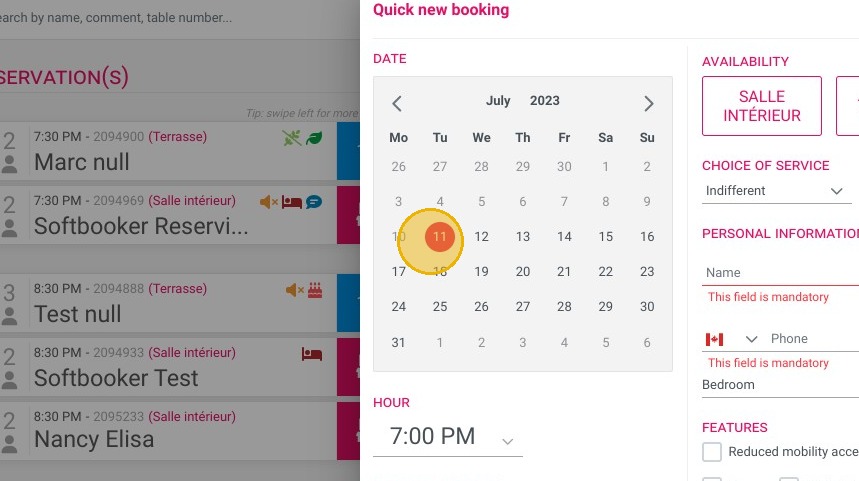
2. Select your dates

https://colony-recorder.s3.amazonaws.com/files/2023-07-11/bd166cb7-af8c-4aa0-8085-b4f42410b0ea/ascreenshot_6968f397e66d459fb4d50a7faacf9433_text_export.jpeg

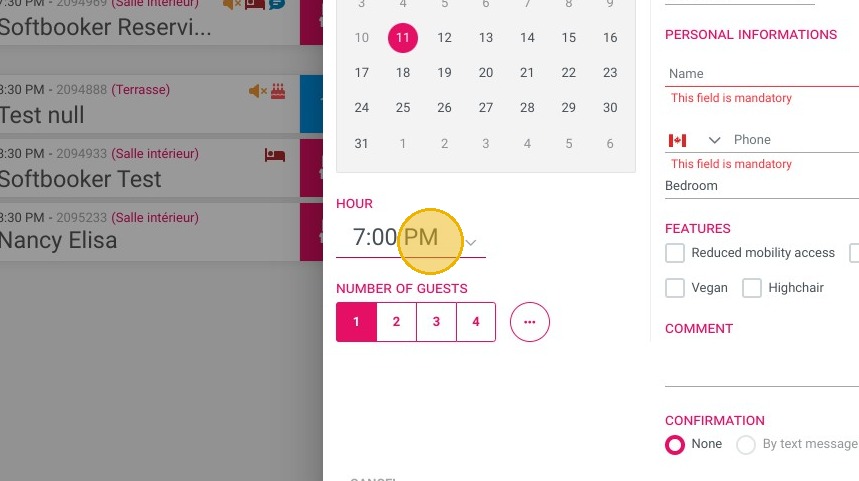
3. Chose the arrival time

https://colony-recorder.s3.amazonaws.com/files/2023-07-11/895cee87-814d-4ed4-ae7a-f165558bfe1e/ascreenshot_6970b02f375a4d5b8dfcf9d8371e1552_text_export.jpeg

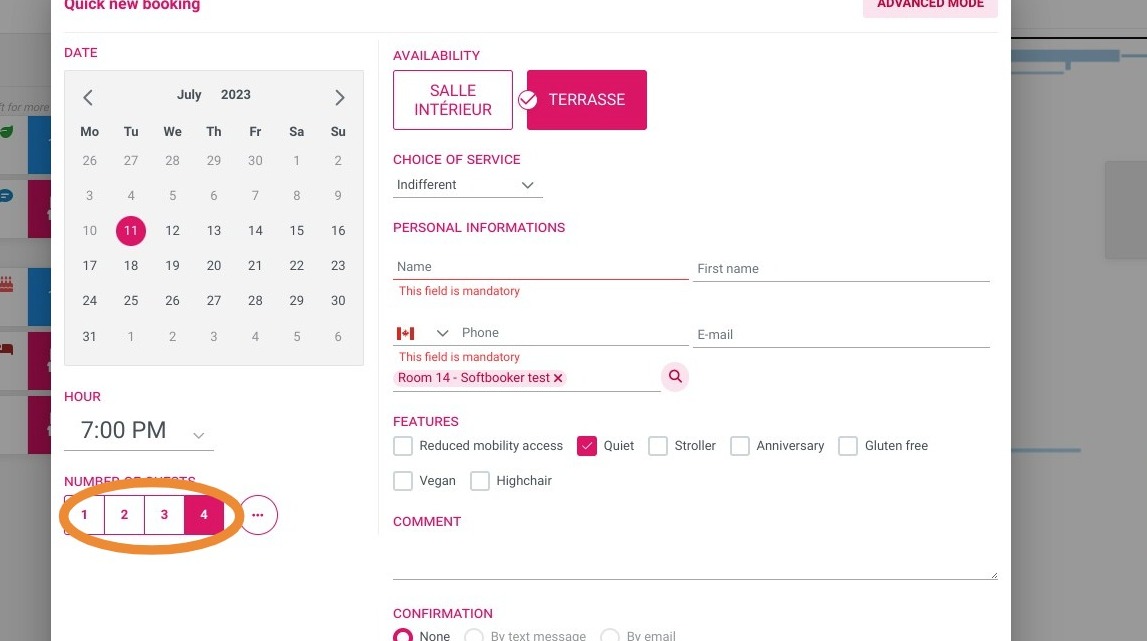
4. Chose the number of persons

https://colony-recorder.s3.amazonaws.com/files/2023-07-11/201ccc8f-a562-4520-9469-da516a6bf9b3/user_cropped_screenshot_48febf3a986244dcb9e7ae73d466f118_text_export.jpeg

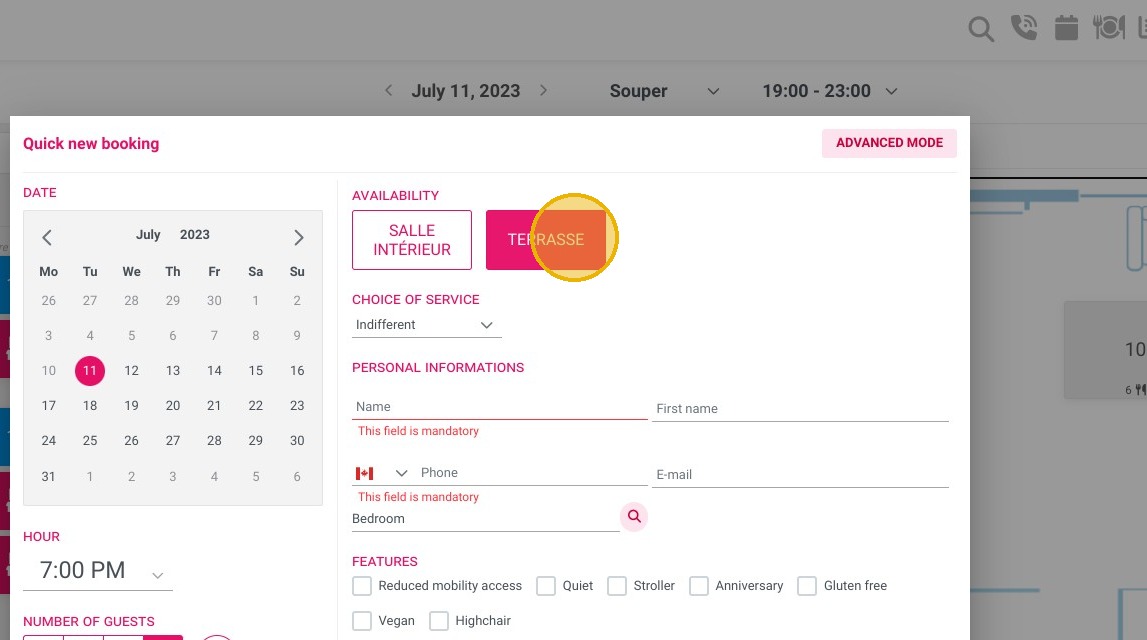
5. Chose your room, if you have several ones

https://colony-recorder.s3.amazonaws.com/files/2023-07-11/601c8f0a-c7a5-44c5-a53c-3765a158499d/ascreenshot_147fbeae76e9486a84fa1df504f17941_text_export.jpeg

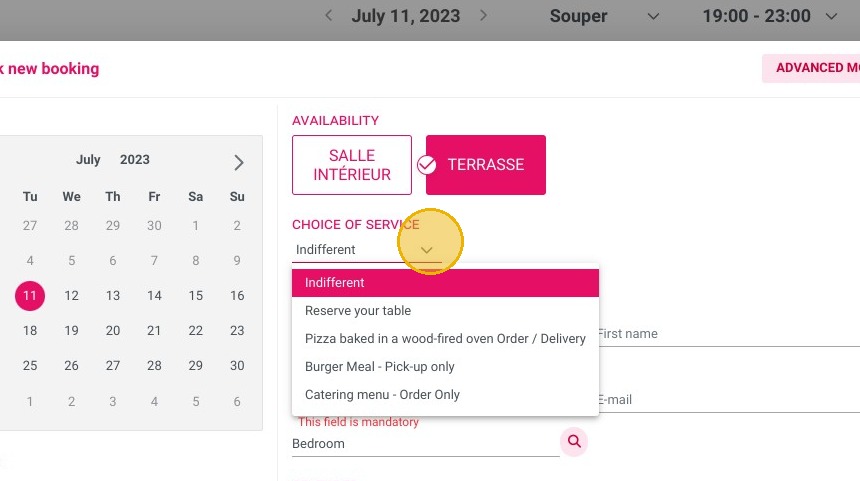
6. Chose a service if applicable

https://colony-recorder.s3.amazonaws.com/files/2023-07-11/9ccfee2b-47cc-4c0e-9aee-c7f80091a82d/ascreenshot_f2fefee2cf6d4e94a56611a4d91c0786_text_export.jpeg

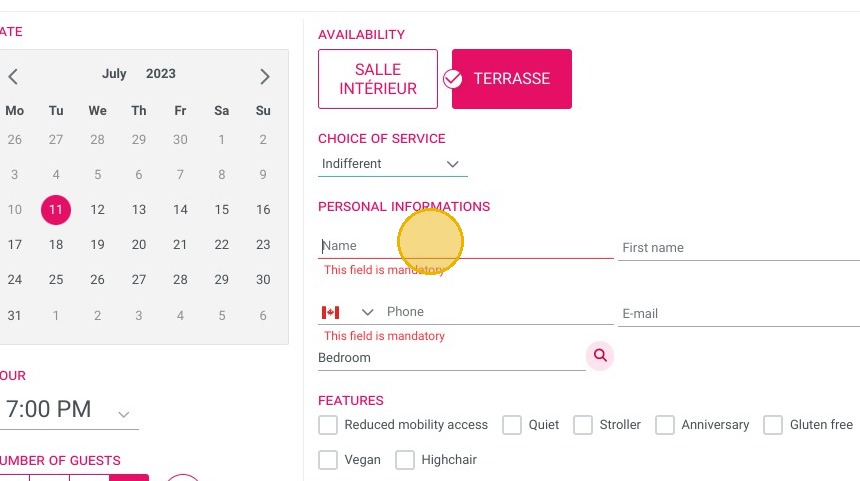
7. Enter the coodinates of the customer

https://colony-recorder.s3.amazonaws.com/files/2023-07-11/6a724900-03d3-4b05-8a8f-379da852326f/ascreenshot_ca6d4bcb7cd8405ebcb9245df2e69325_text_export.jpeg

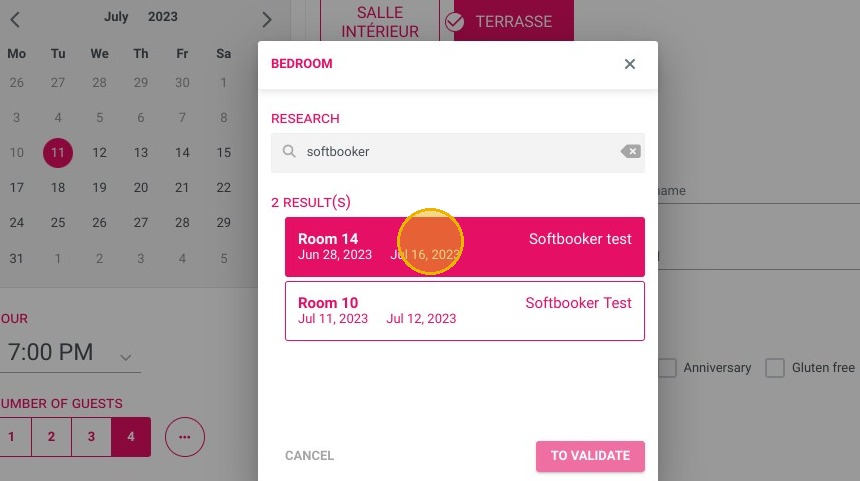
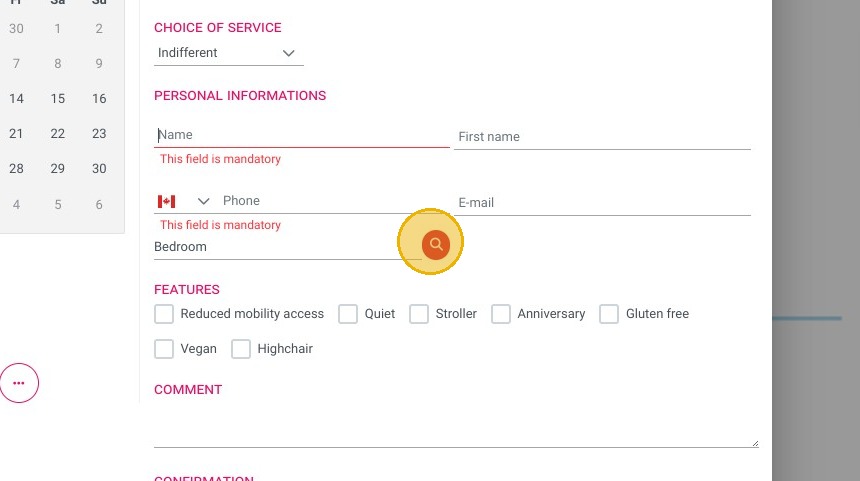
8. You can also search a room of your hotel if you have, to connect the billing account.
https://colony-recorder.s3.amazonaws.com/files/2023-07-11/69eb82fa-1bf5-4924-8e80-42a7717dcd53/ascreenshot_1210c106dc0444e182e7dde3d90199a5_text_export.jpeg
https://colony-recorder.s3.amazonaws.com/files/2023-07-11/2d8fa0f5-6c57-4863-a8f5-19148c2aa241/ascreenshot_b75c372e07084475a0bb4b9a47ab05ec_text_export.jpeg

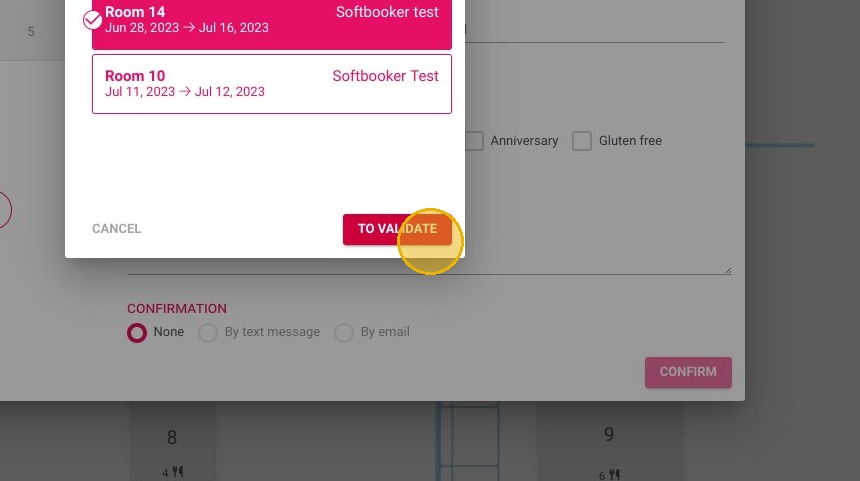
9. Click "TO VALIDATE"

https://colony-recorder.s3.amazonaws.com/files/2023-07-11/b7dbf5ff-c66e-406e-9904-f307792f8a2d/ascreenshot_6ebdfeb17c2d40fcb97ed0f2aadd50d2_text_export.jpeg

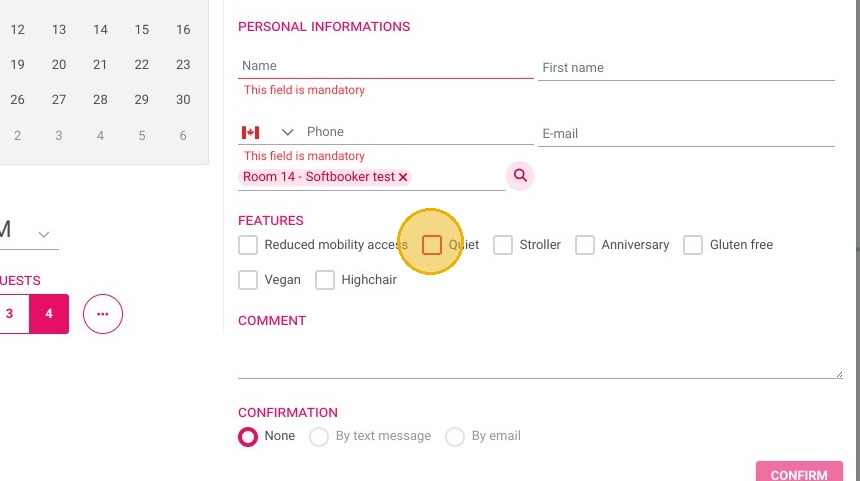
10. You can precise different caracteristics of the booking (quiet, gluten free etc...)

https://colony-recorder.s3.amazonaws.com/files/2023-07-11/6cbdd1cf-8196-44b2-9461-265b2077fb91/ascreenshot_464e0667f1b3443db91f0e98e3317223_text_export.jpeg

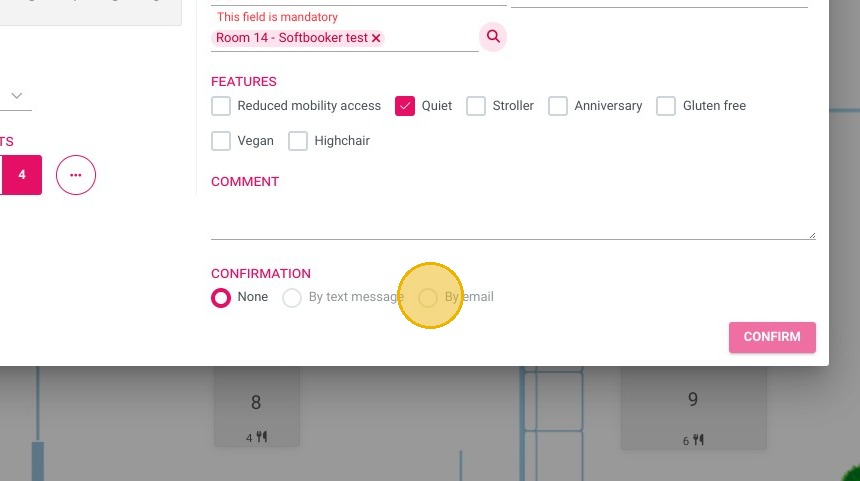
11. You can choose to send confirmation to the customer here.
https://colony-recorder.s3.amazonaws.com/files/2023-07-11/9f4e7d4c-7634-463b-bae8-122936917a4a/ascreenshot_f5d46e9bf3c54a3dbefdbd80c4c38c29_text_export.jpeg

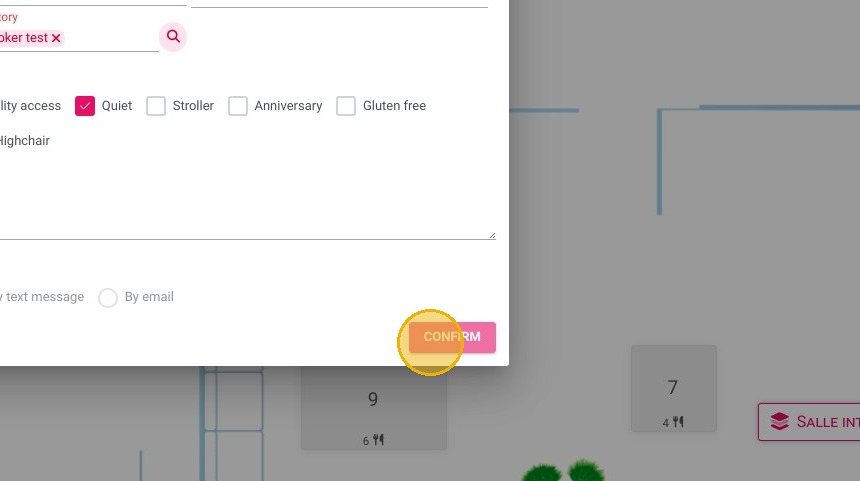
12. Then confirm

https://colony-recorder.s3.amazonaws.com/files/2023-07-11/88a7d3b6-4203-4cd1-b5e6-e7148f674792/ascreenshot_306c7e27d1654ab1bd721b6bdec9cbf6_text_export.jpeg

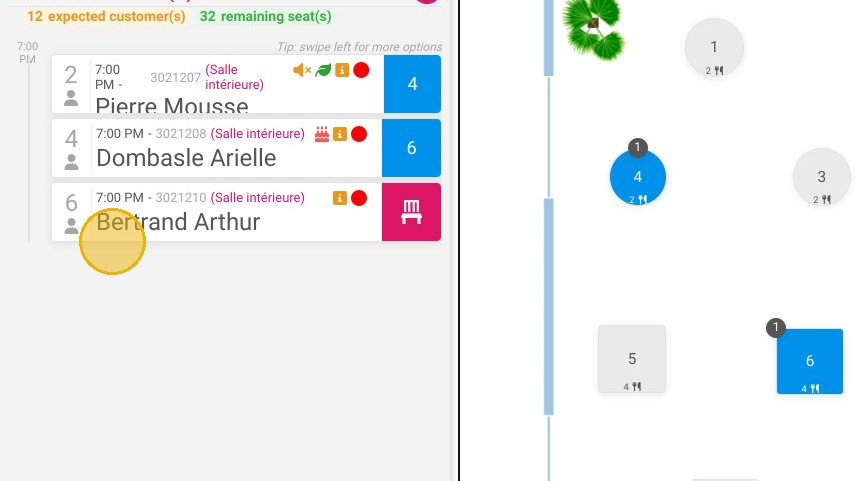
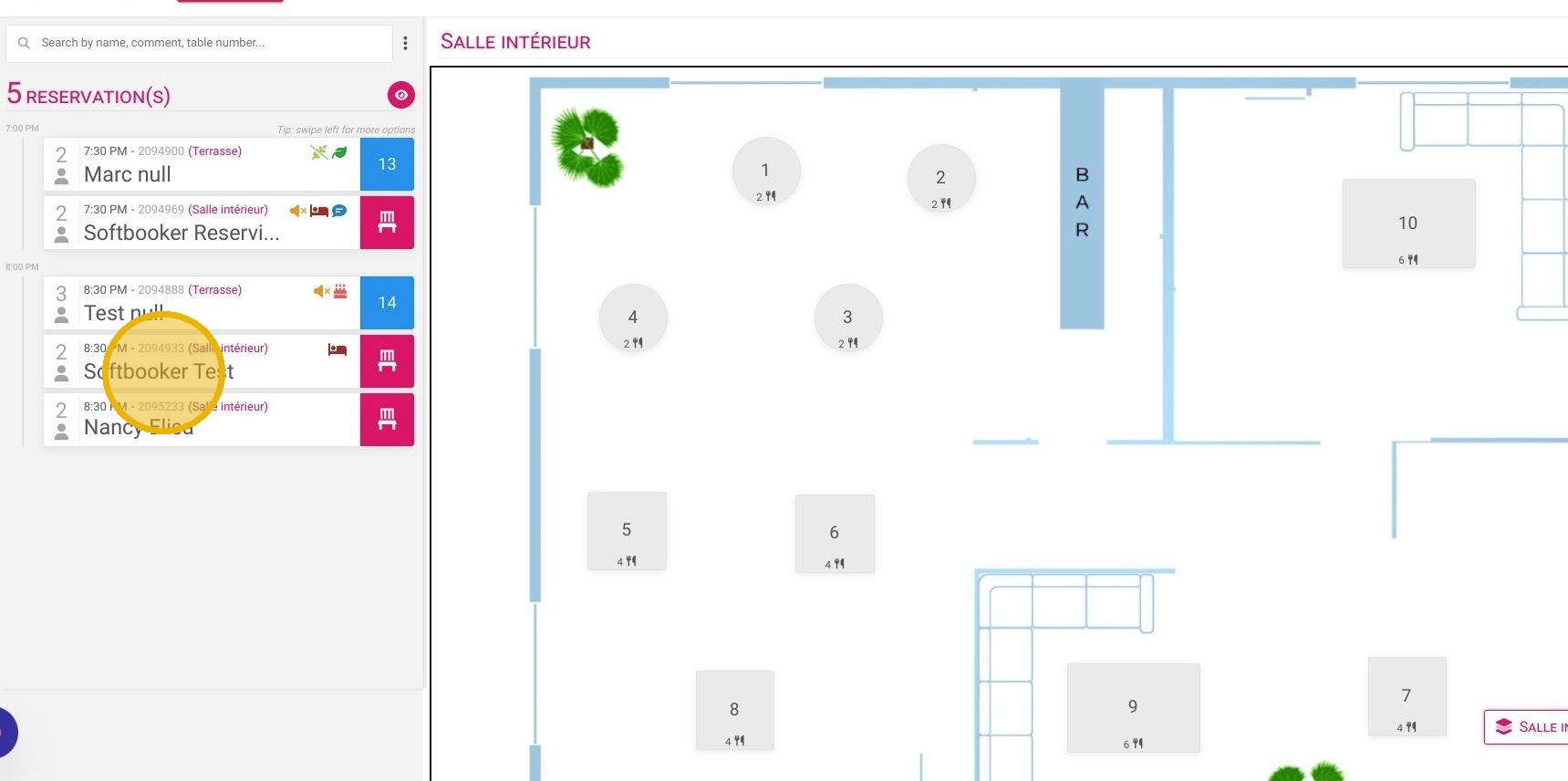
13. You can see your recently made booking and attribute it to a table here
https://colony-recorder.s3.amazonaws.com/files/2024-11-21/5a80636f-f15a-435e-a198-2bdfb3ace65b/user_cropped_screenshot_b24e389634b2483f98b2819eded425f8_text_export.jpeg

14. Click here.

https://colony-recorder.s3.amazonaws.com/files/2024-11-21/52179816-c97b-43d8-8a39-922c6ee4cefc/ascreenshot_62a1364127d146ad86f2a9caaa592c32_text_export.jpeg