Help for use
Breadcrumbs

How to Create a Reference Room for Special Offers in Reservit (Chain-Level Room Mapping)

Article summary: This step-by-step guide explains how hotel chains can create and manage reference rooms for centralized special offers within the Reservit reservation system. You will learn how to establish a master room category at the chain level and properly map it to individual hotel-level rooms. Mastering this feature ensures a highly efficient promotional strategy, allowing you to seamlessly deploy global offers across multiple properties without manual duplication.

The 5 key steps to create and map a reference room:

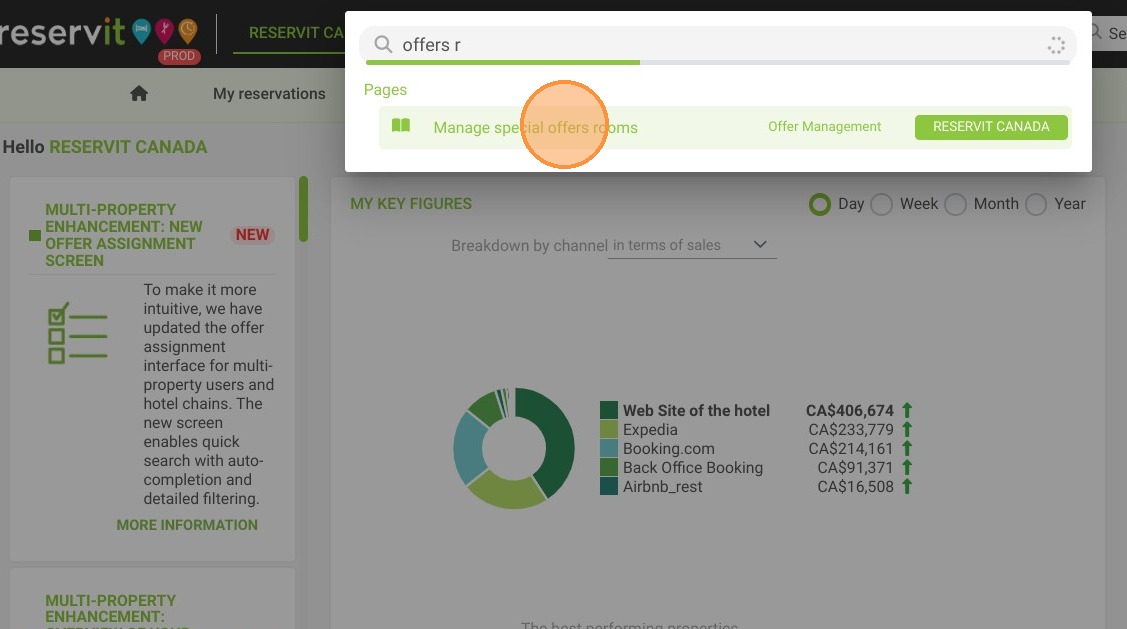
  • Access room management: Use the main search bar to find and click on the "Manage special offers rooms" module.

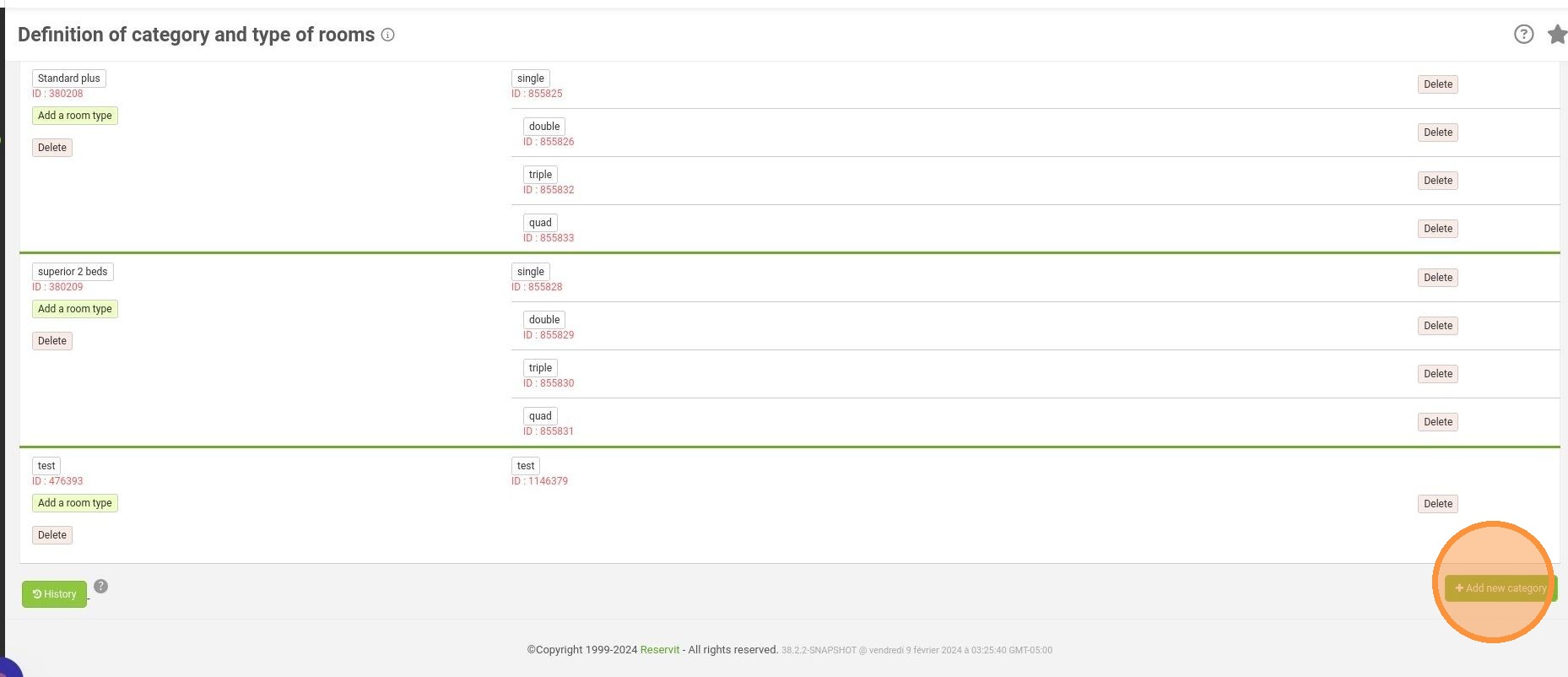
  • Create a new category: Click "Add new category" to establish your chain-level reference room, entering and translating its display name.

  • Define the room type: Input the specific type name for your new reference room, apply the necessary translations, and save your progress.

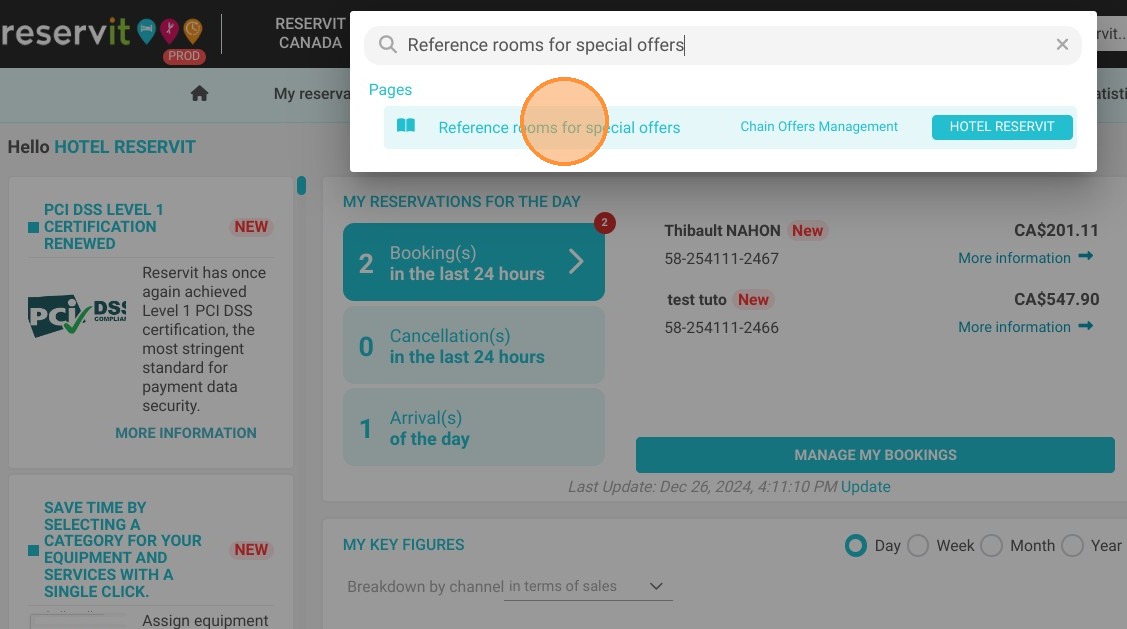
  • Open the mapping tool: Return to the search bar and navigate to the "Reference rooms for special offers" page to link your properties.

  • Map to hotel-level rooms: Use the dropdown menus to accurately match your newly created chain-level reference room to the corresponding physical room types at your individual hotels, then save your configuration.

Why follow this guide? By standardizing reference rooms across your chain, you eliminate the tedious task of configuring special offers property by property. This centralized approach saves your revenue management team hours of setup time and prevents mapping errors, ensuring perfectly consistent marketing campaigns and a seamless booking experience for your guests.

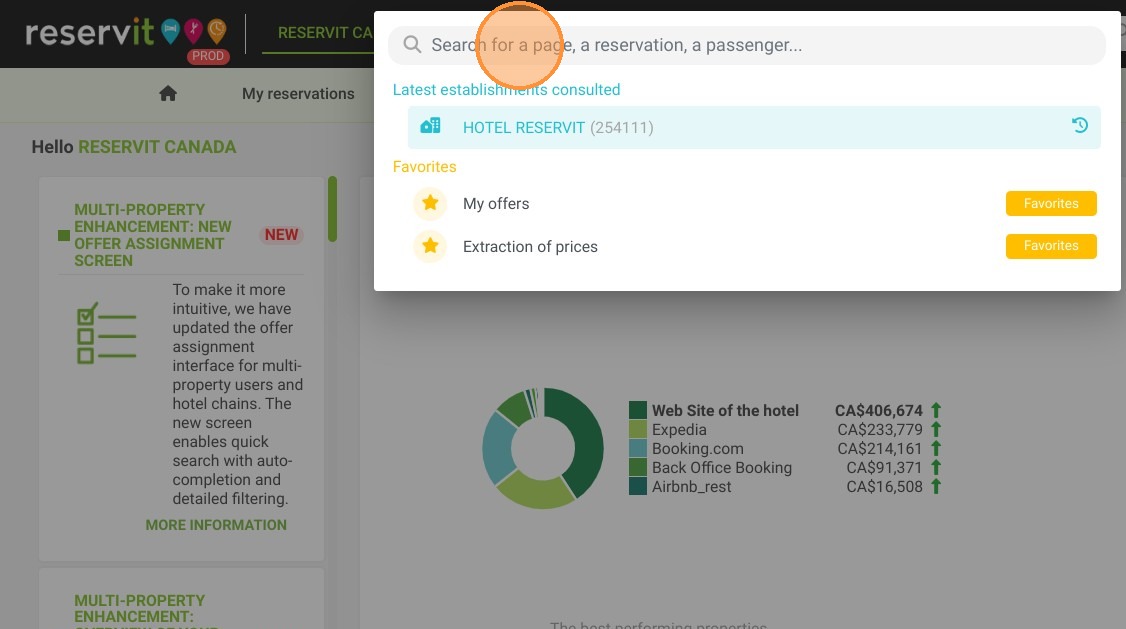
1. Click the "Search for a page, a reservation, a passenger..." field.
https://colony-recorder.s3.amazonaws.com/files/2024-12-26/4242430c-a65a-4a14-80bf-9be5baabf27a/ascreenshot_27cbd343463f44dfb7fcec9e9f487528_text_export.jpeg

2. Click "Manage special offers rooms"
https://colony-recorder.s3.amazonaws.com/files/2024-12-26/82472b18-c0c1-489b-9b49-7d19dc29ed7a/ascreenshot_e078dbf4ee1d49e3be68c132dead7ab4_text_export.jpeg

3. Click "Add new category"

https://colony-recorder.s3.amazonaws.com/files/2024-12-26/515756f9-24d8-4214-8c8b-d2bbd328172f/user_cropped_screenshot_7266a8bc05d640229b40b6095015381a_text_export.jpeg

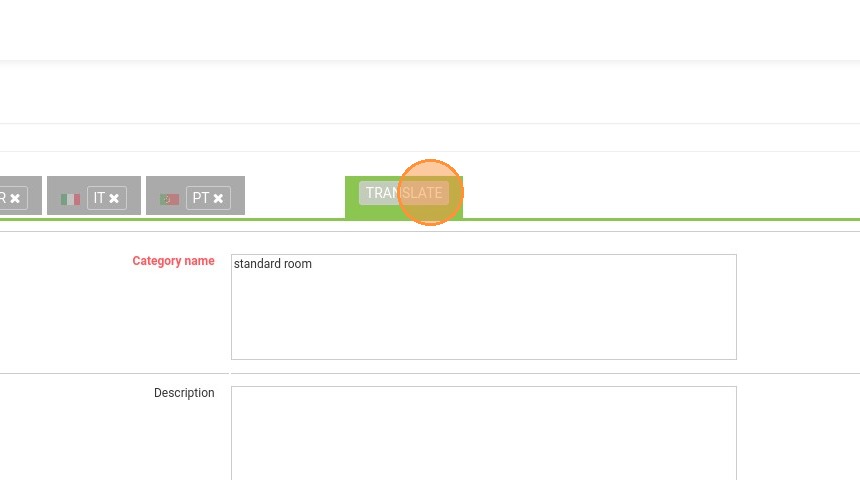
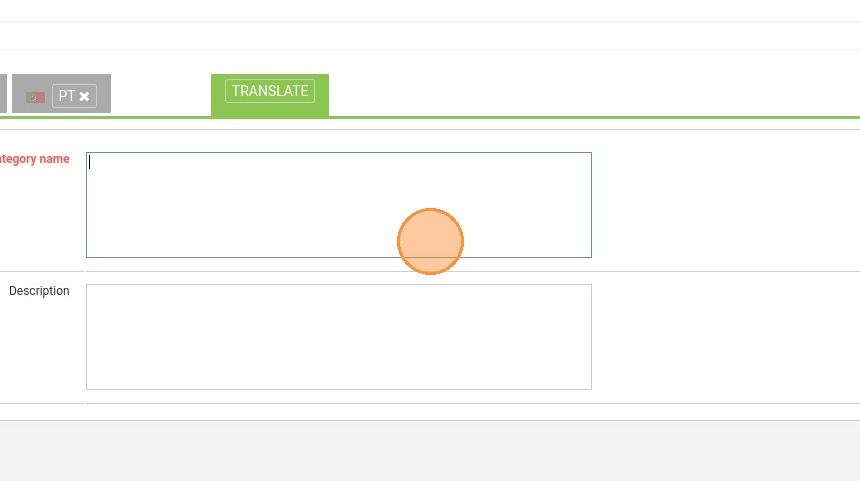
4. Fill the name of your reference room
https://colony-recorder.s3.amazonaws.com/files/2024-02-13/6c1ba1f8-101b-483b-af81-5d616c509142/ascreenshot_a0696cb31a4549478c897db8b8763a31_text_export.jpeg

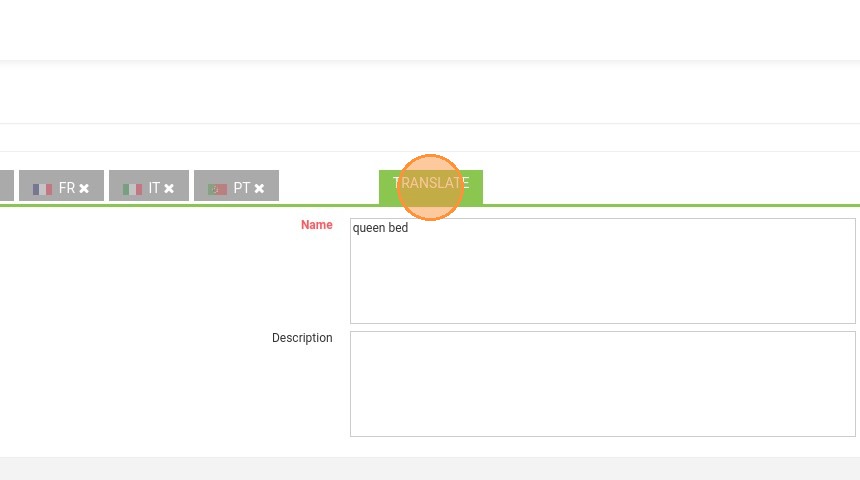
5. Click "TRANSLATE"

https://colony-recorder.s3.amazonaws.com/files/2024-02-13/e76f381f-0951-48ca-a4e6-1e88c2e7a3d5/ascreenshot_866f9593c7a448e4bf77d19b38cb0727_text_export.jpeg

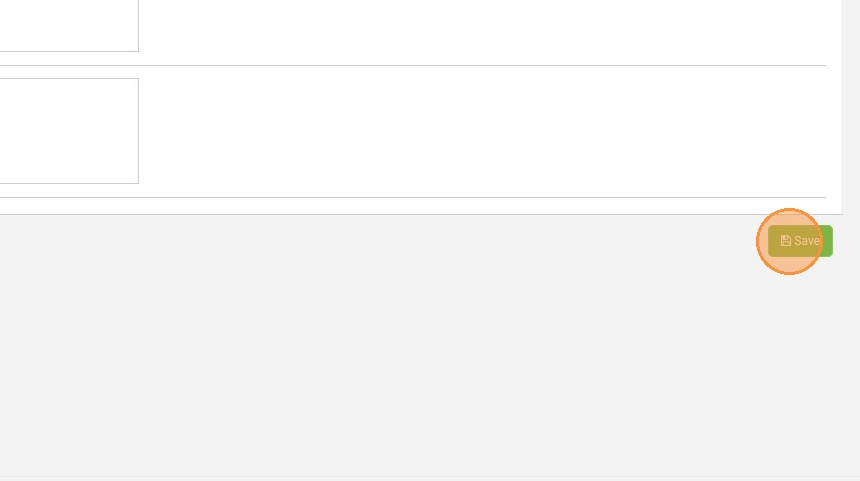
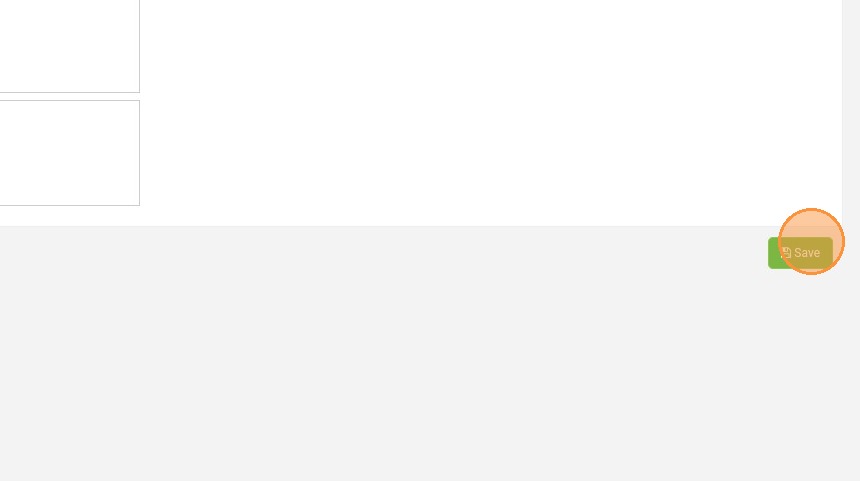
6. Click here to save

https://colony-recorder.s3.amazonaws.com/files/2024-02-13/b40beeef-a8bf-452c-8924-76c6f542c5d4/ascreenshot_d0a5e81c53784ace92f4a9fdc4821d29_text_export.jpeg

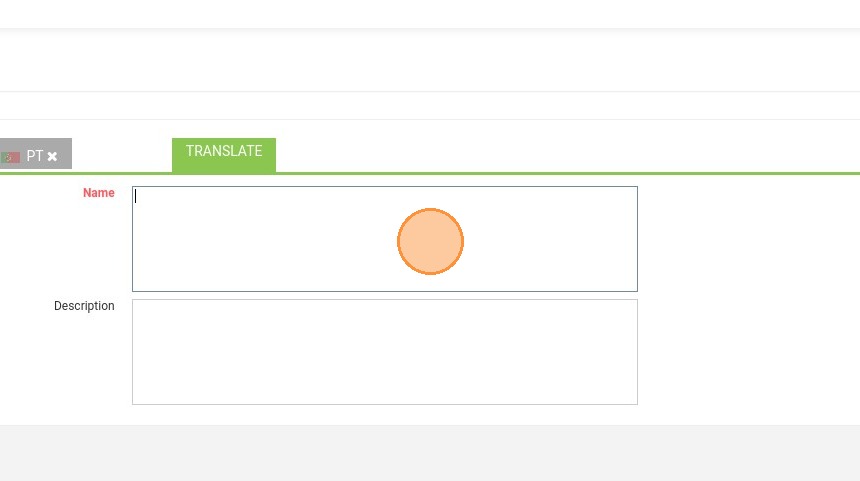
7. Enter the type name

https://colony-recorder.s3.amazonaws.com/files/2024-02-13/13ffb6df-1cd9-4797-b7e0-6609084d2b53/ascreenshot_9d5bb2a751d24fd899aba249fddeb6d3_text_export.jpeg

8. Click "TRANSLATE"

https://colony-recorder.s3.amazonaws.com/files/2024-02-13/07f4db27-69f0-4cf6-a684-44bb7425f20f/ascreenshot_2ac74ceec4554fecac329c28ef6cb488_text_export.jpeg

9. Click "Save"

https://colony-recorder.s3.amazonaws.com/files/2024-02-13/7bd14418-5efe-4a18-bbba-0fde1604a78b/ascreenshot_de7c6b10bcf649c8961aee73e33d98c3_text_export.jpeg

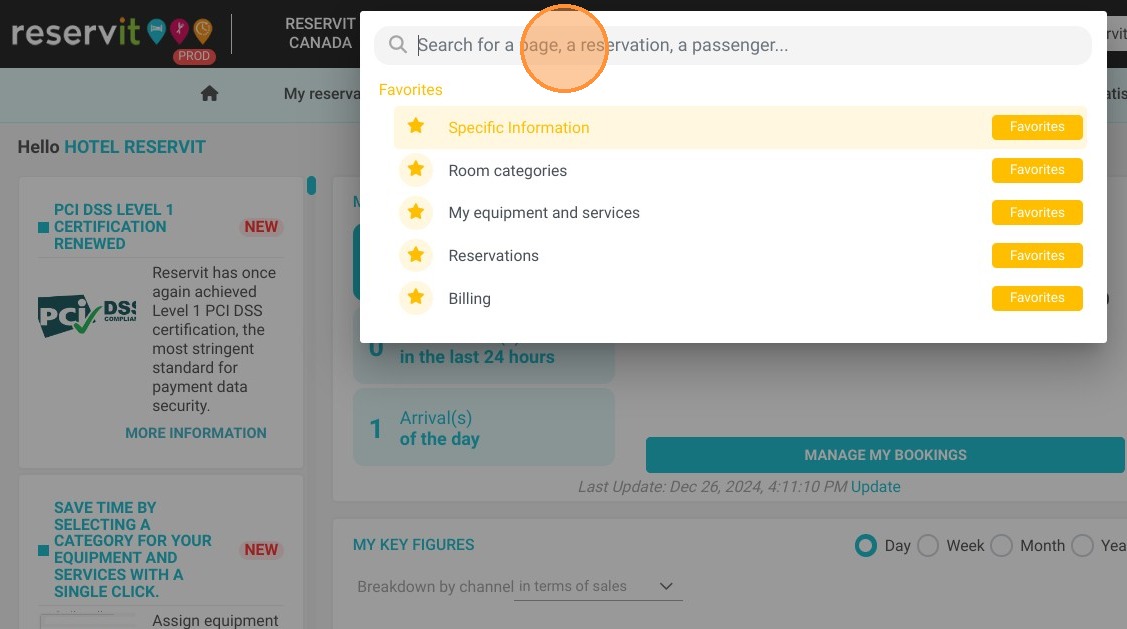
10. Now, click again on the "Search for a page, a reservation, a passenger..." field.
https://colony-recorder.s3.amazonaws.com/files/2024-12-26/73f9ebe9-6844-4a1a-a2b2-183f3f04672e/ascreenshot_6720bc535b2e4d118e559044ec1df436_text_export.jpeg

11. Click "Reference rooms for special offers"
https://colony-recorder.s3.amazonaws.com/files/2024-12-26/7915c8c6-aa38-43ad-a23b-b8c9e82b2643/ascreenshot_22f03ad468ba4af884677ef06dbce9f4_text_export.jpeg

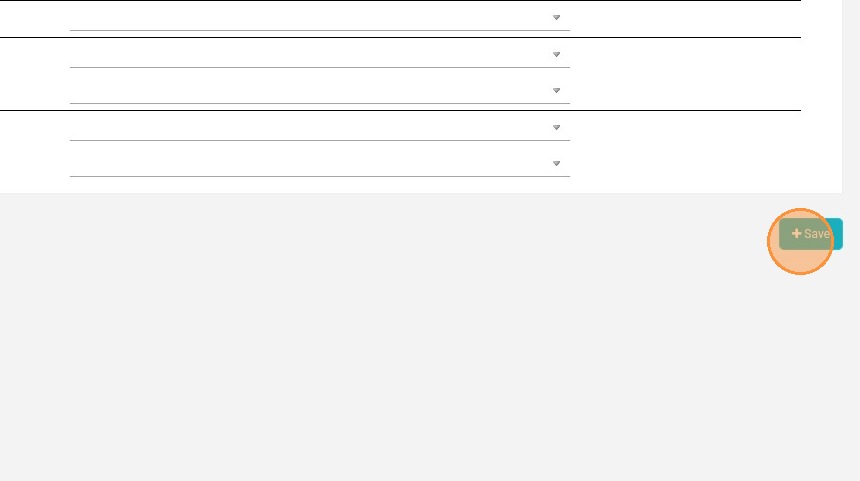
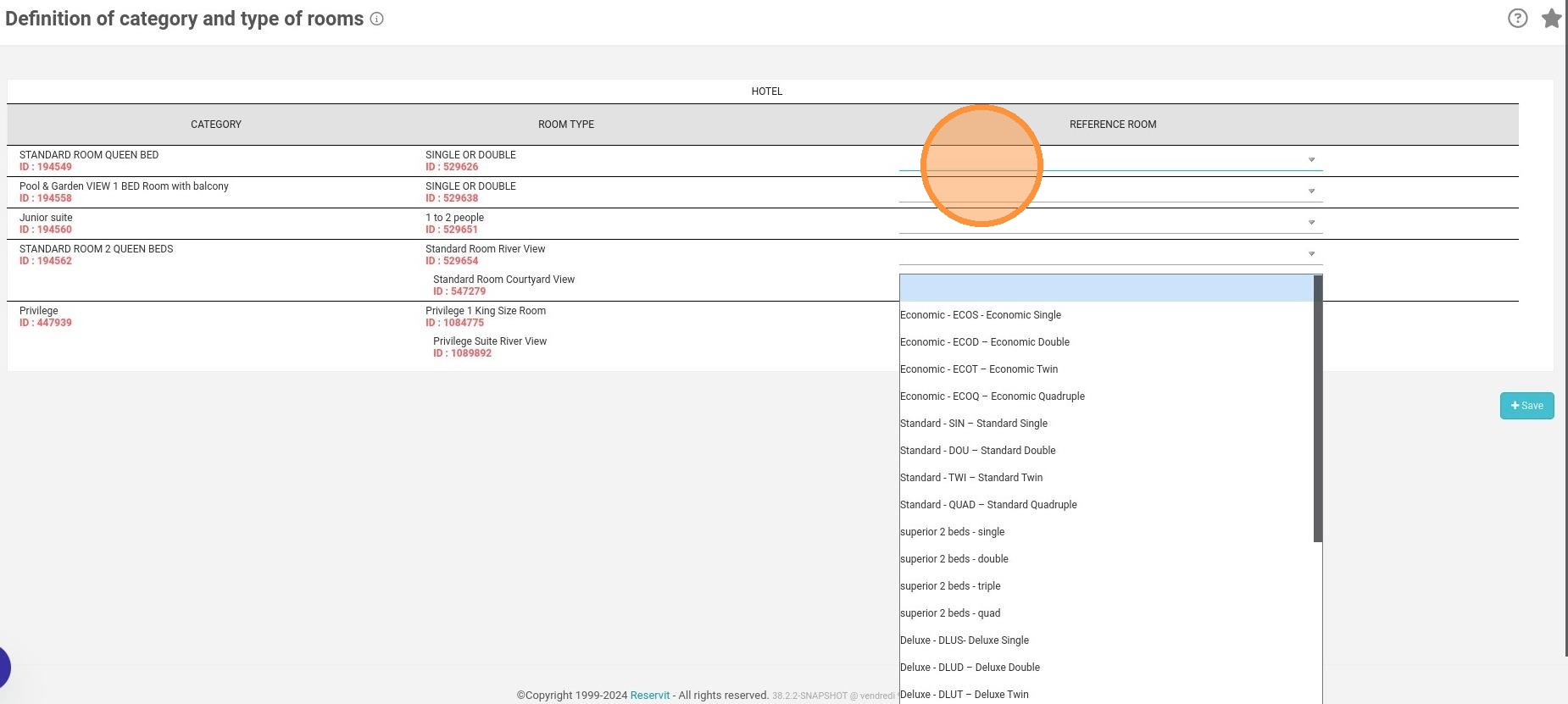
12. In the dropdown menu match your reference room to your hotel-level room
https://colony-recorder.s3.amazonaws.com/files/2024-12-26/5341b0bf-b044-4cc4-b0ec-8671a4c342ff/user_cropped_screenshot_31996bf0c3c44313a22296bfef1f6722_text_export.jpeg

13. Click "Save"

https://colony-recorder.s3.amazonaws.com/files/2024-02-13/024c7aab-57e0-48ce-b1df-bcc9e22b0a5e/ascreenshot_0db9d25b09314c009215164eacbfa242_text_export.jpeg