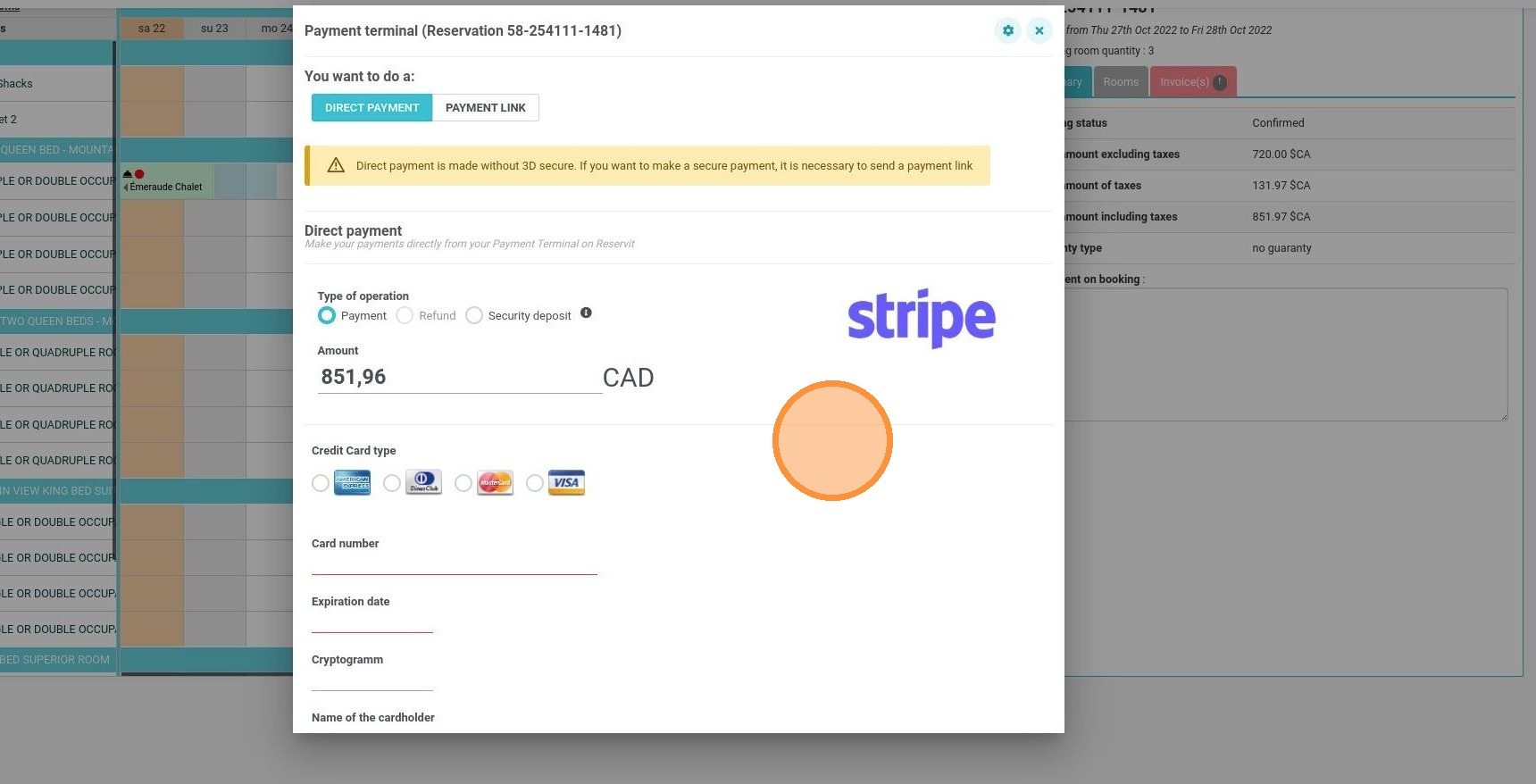
Article summary: This guide explains how to select the correct payment processor when processing a transaction through your Reservit virtual terminal. If your property operates with multiple connected Stripe accounts, you will learn how to easily identify and choose the appropriate gateway for each specific booking. Mastering this step ensures that all guest payments are securely and accurately routed to the correct merchant bank account.
The 4 key steps to select a payment processor:
-
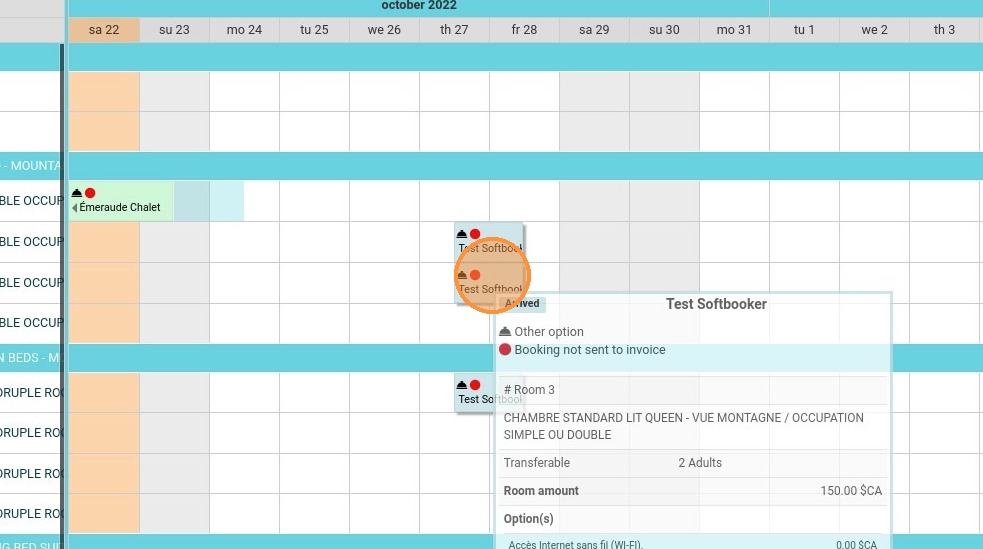
Access the reservation: Locate and click on the specific guest booking for which you need to process a payment.
-
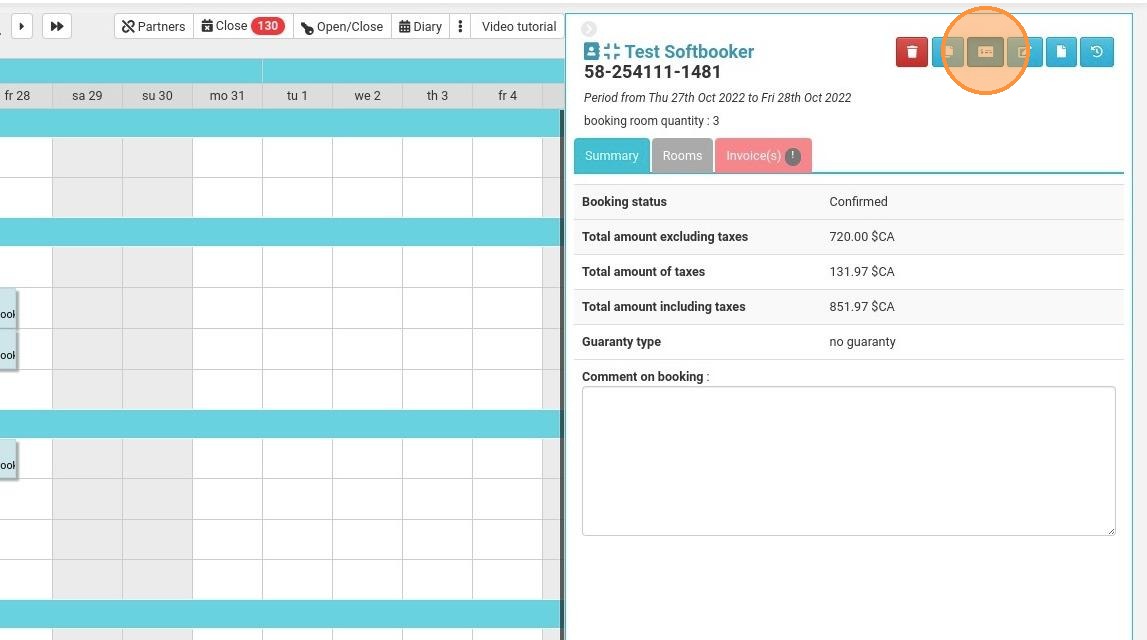
Open the payment terminal: Click the payment terminal icon within the reservation details to initiate the transaction workflow.
-
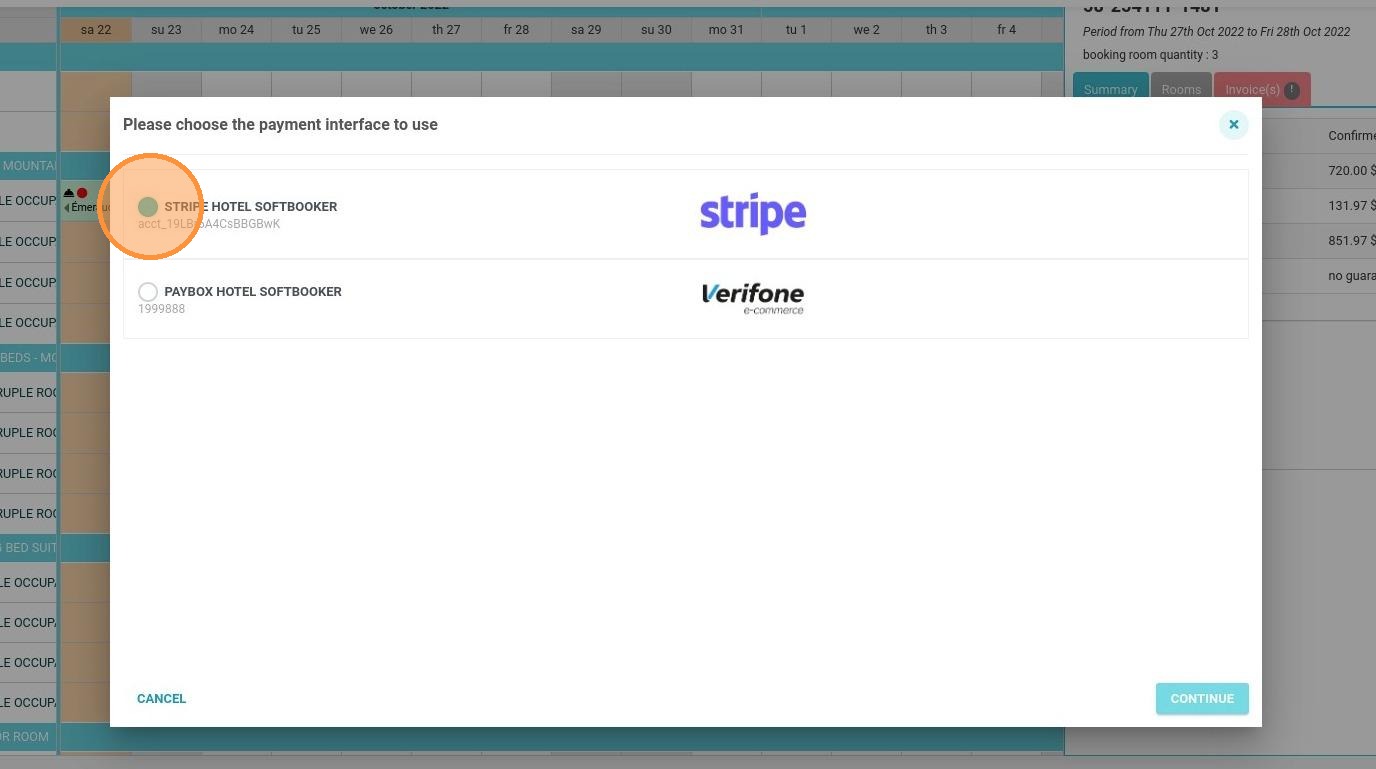
Choose your processor: Select the appropriate Stripe account from the available options and click "Continue" to proceed.
-
Process the payment: Complete the transaction securely using the Reservit virtual payment terminal interface.
Why follow this guide? Following this quick verification process prevents costly accounting and reconciliation errors by ensuring funds are instantly directed to the correct internal account. It streamlines your front desk checkout operations, allowing your staff to confidently process payments even when managing multiple business units or property entities.
Alert: This tutorial only applies if several payment processors are connected to your Reservit.
1. Click on the reservation for which you want to make a payment.
2. Click the payment terminal icon.
3. Select the Stripe account you want to use and click on "Continue".
4. You can now take the payment with the virtual payment terminal.