

Article summary: On your booking page, guests must accept the collection of their personal data before completing their booking. This tutorial explains where this message is and how to replace it with your own text, in French and in English.
The 3 key steps:
-
Open the setting: in your property setup, open Personal data protection.
-
Choose your text: set Use the default text to No and write your message.
-
Check: look at the message on your booking page.
Why follow this guide? A clear message, stating who processes the data and how your guests can access it, builds their trust when they book.
What your guests see
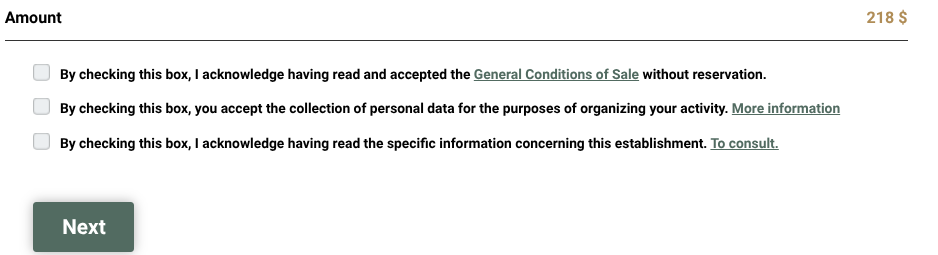
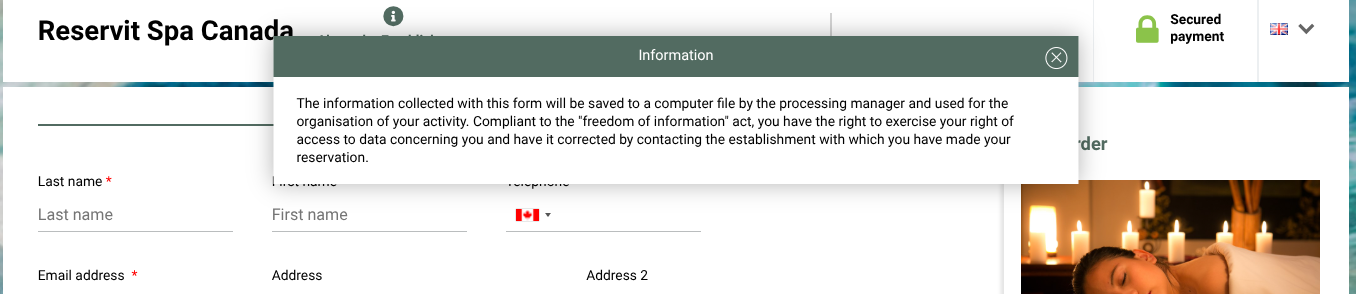
At the last booking step, guests tick the box By checking this box, you accept the collection of personal data for the purposes of organizing your activity. The More information link opens a window with the text of your message.
Customize the message
1. Go to Managing my activity > Property Setup > Property information.
2. Open the Personal data protection section. On Yes, the text provided by Reservit is shown in grey and cannot be changed.

3. Set Use the default text to No: two editable boxes appear.
4. Enter your text in French (French flag) and in English (English flag).

5. Click Edit at the bottom of the page to save.
In your text, include the name of your property and the email address where your guests can ask to access or correct their data.
Write both languages: guests see the text in the language they book in.