Article Summary: This step-by-step tutorial explains how to quickly export your invoices from the Reservit Activities accounting system. You will learn how to navigate your billing management dashboard, select specific financial records, and generate a comprehensive export file for your bookkeeping needs. Mastering this straightforward process streamlines your financial management and ensures your accounting data is easily accessible.
The 3 key steps to export your accounting invoices:
-
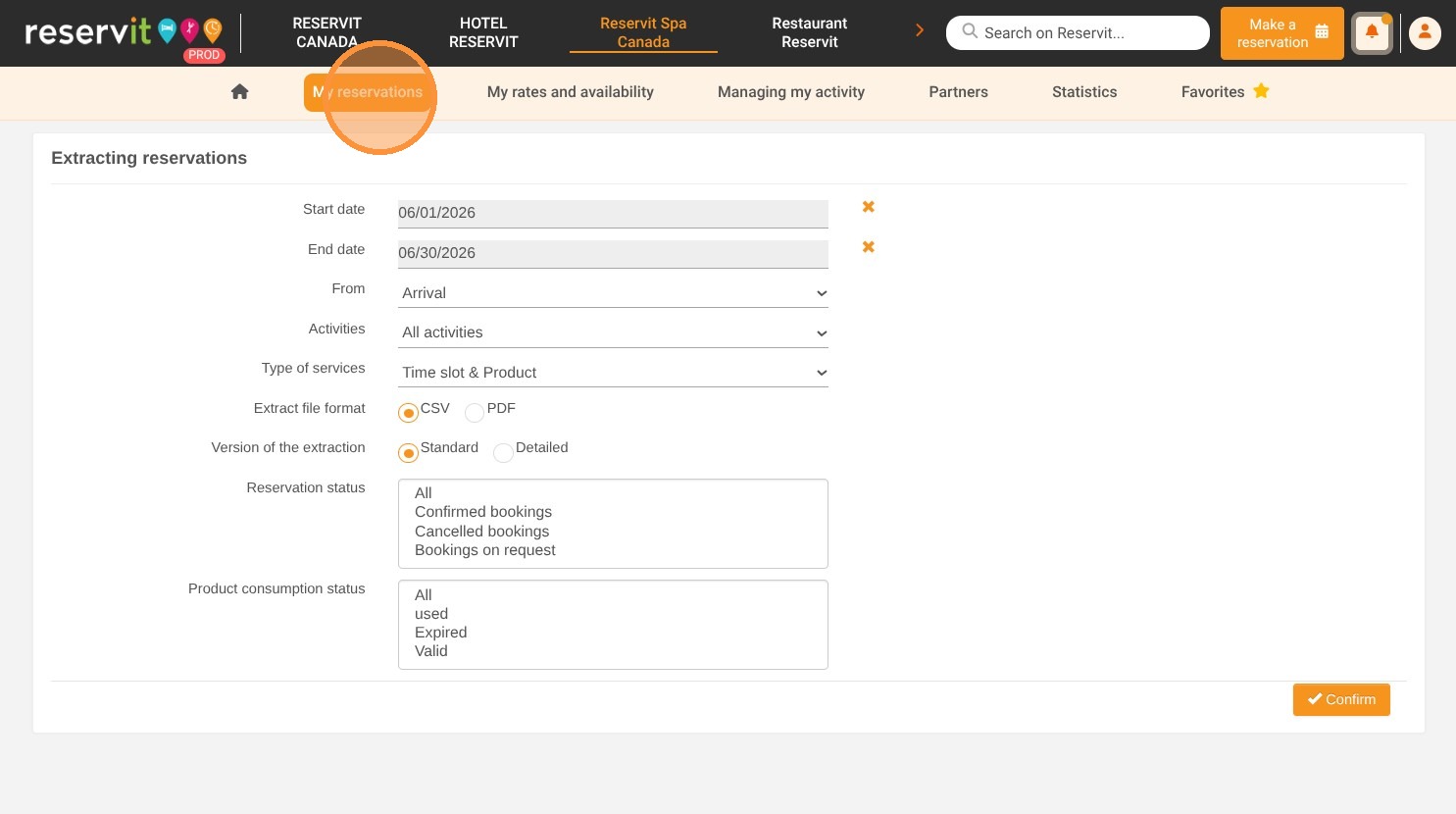
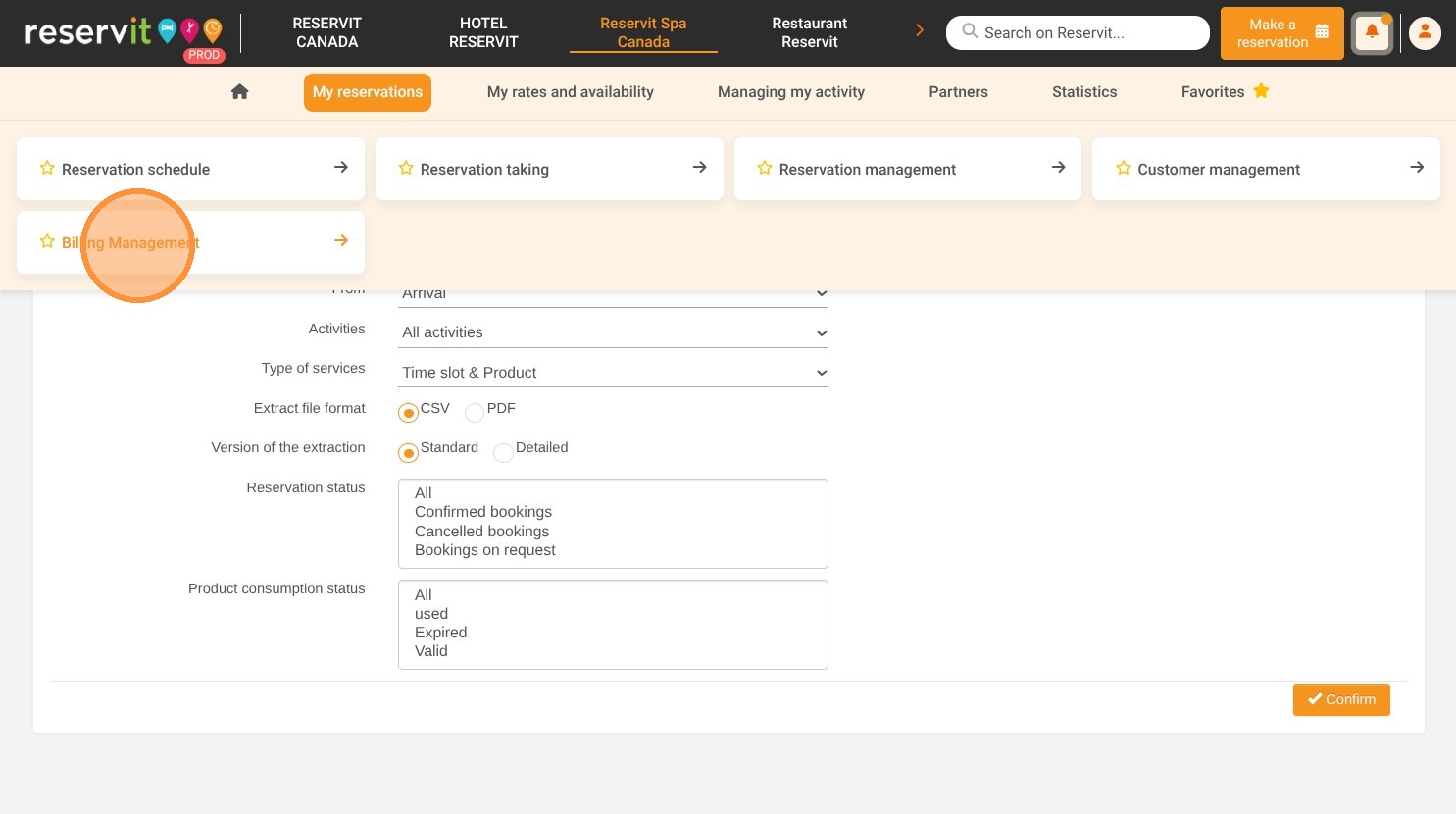
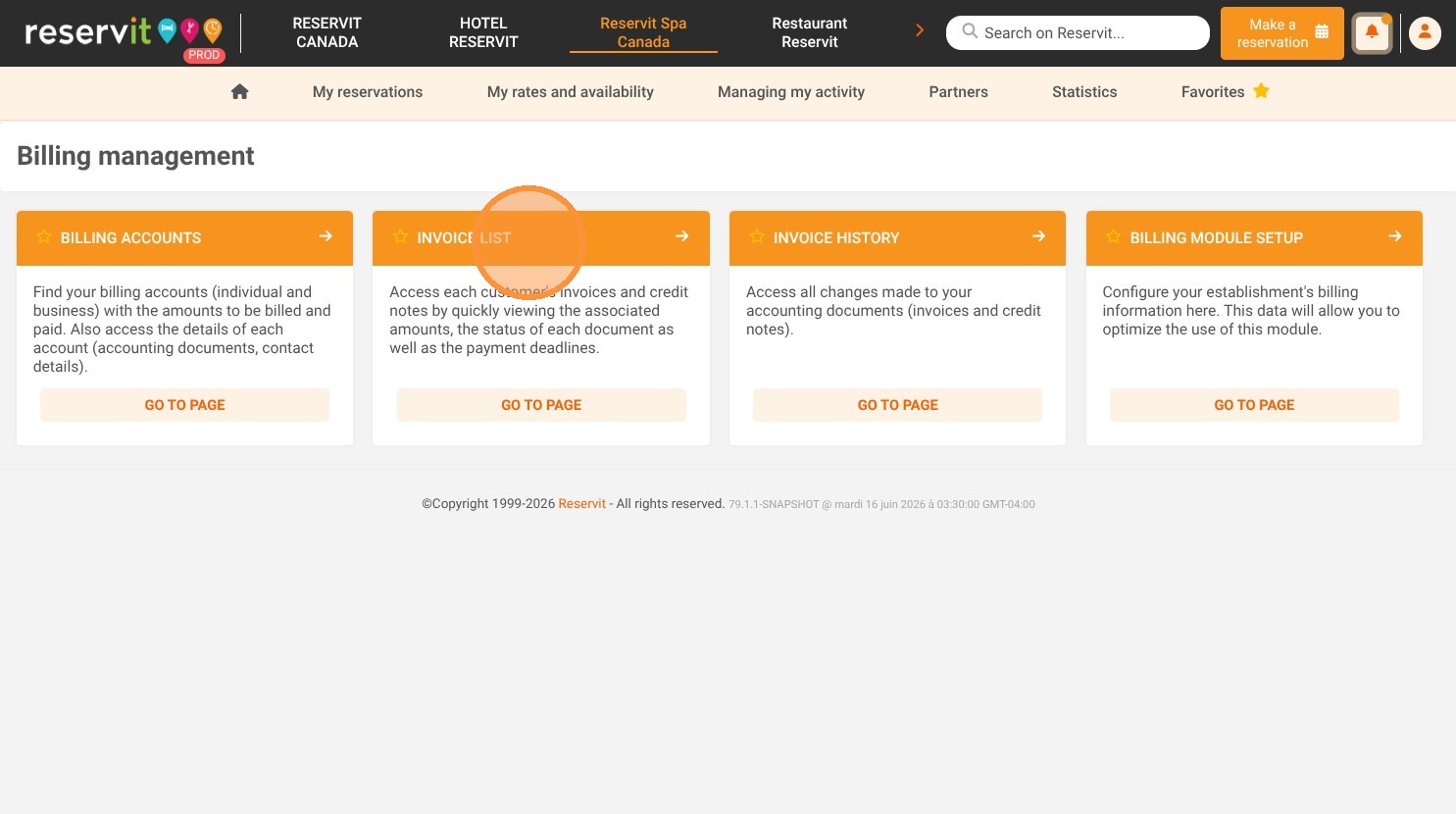
Access billing management: Navigate to the "My reservations" menu, click on "Billing Management," and select "Invoice List."
-
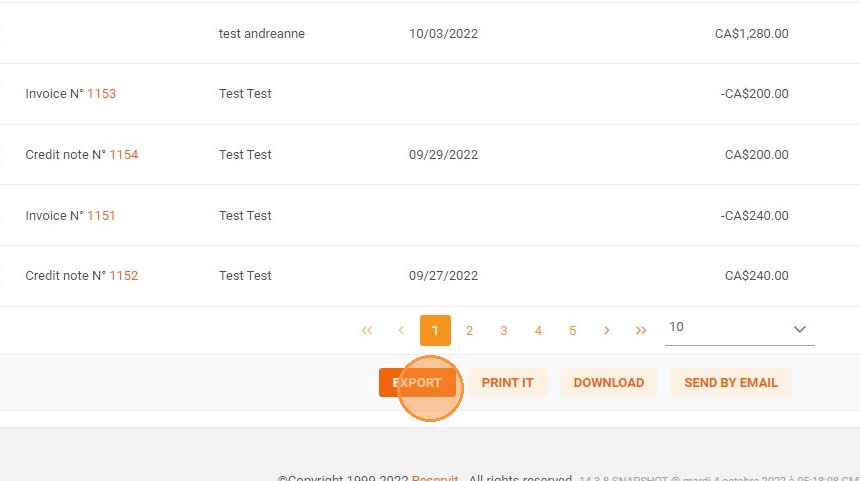
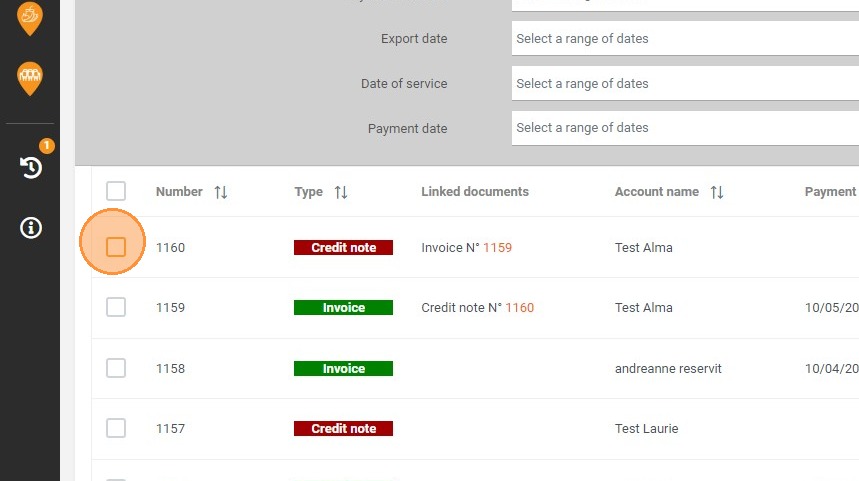
Select specific invoices: Review your billing dashboard and check the boxes next to the individual invoices you need to include in your export.
-
Export your data: Click the "EXPORT" button to instantly download your selected financial records for use in your accounting software.
Why follow this guide? Regularly exporting your invoices saves valuable administrative time and eliminates the need for manual data entry when updating your financial software. Standardizing your accounting exports prevents tracking errors, ensuring your business books remain perfectly organized and ready for tax season.
1. Click "My reservations" then "Billing Management" and "Invoice List"
2. Select the invoices to be exported
3. Click "EXPORT"