

Article Summary: This practical tutorial explains how to easily extract your customer database from the Reservit Accommodation platform. You will learn the exact process to securely export your guest data and have it delivered directly to your email address. By mastering this feature, you can efficiently access valuable contact information to enhance your targeted marketing efforts and streamline your customer relationship management (CRM).
The 4 key steps to extract your customer data:
-
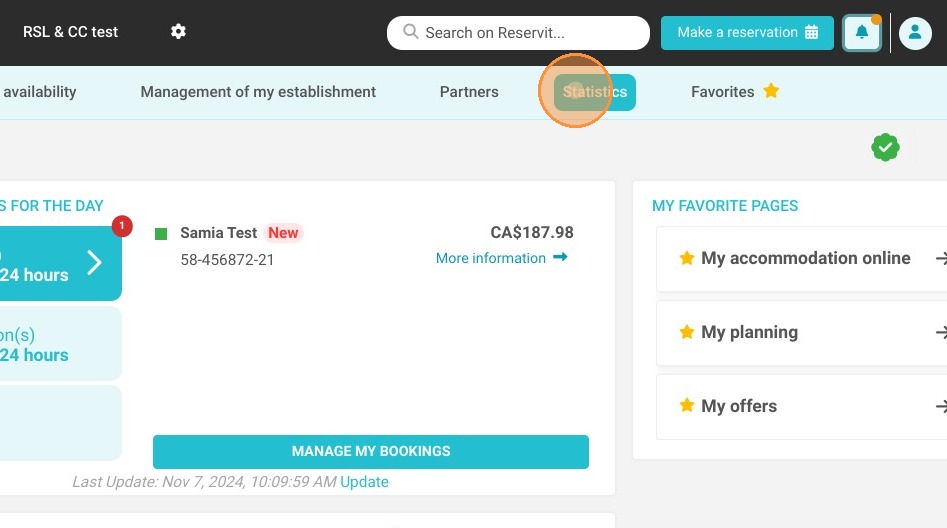
Access the statistics: Navigate to your main dashboard and click on the "Statistics" tab.
-
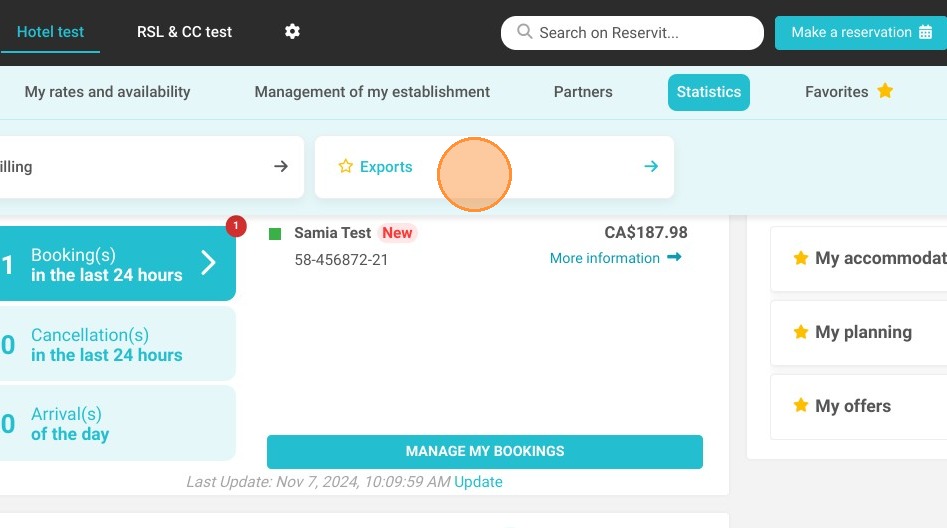
Open the exports menu: Click on "Exports" to view the available data reporting options.
-
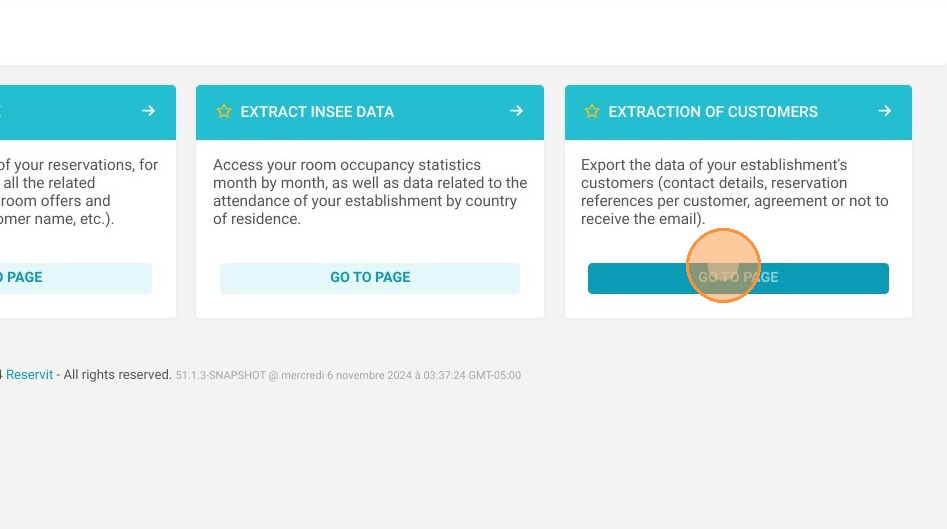
Select the customer report: Click on "Extraction of customers", then "Go to page", and enter the security code sent to you by email.
-
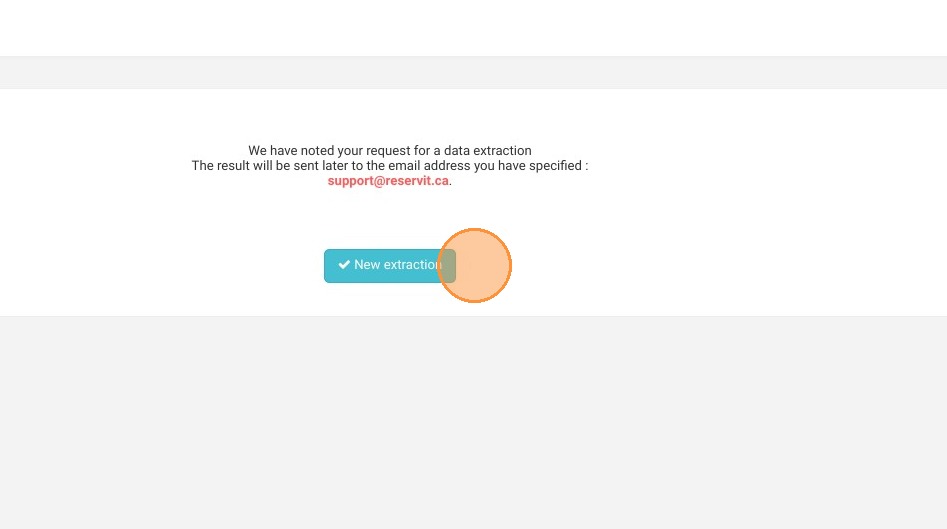
Launch the extraction: Click on "New extraction" to initiate the process and trigger the data export directly to your inbox.
Why follow this guide? This step-by-step guide saves you valuable time by automating the retrieval of your guest information, completely eliminating the need for manual data entry. It ensures a secure, error-free data transfer, empowering you to quickly optimize your marketing campaigns and operational workflows.
1. Click on "Statistics"
2. Click on "Exports"
3. Click on "Extraction of customers", then "Go to page".
For security reasons, a code is sent by email to the address linked to your login. On the security code page, enter this code in the "Security code" field, then click "Confirm". If needed, click "Resend code" to get a new code.
The email address used for this retrieval is the one associated with your account. For security reasons, it cannot be changed.
4. Click on "New extraction" to start a new one
Tip: if the file is larger than 1.7 MB, you receive by email a download link valid for 2 hours: after that, run the extraction again. The booking number shown for each customer is the number of their latest booking, whatever its status (confirmed, cancelled...).
Customers from the last 3 years: the file contains the customers who booked during the last 3 years. After that, customers' personal data is anonymized and no longer appears in the extraction.
Warning: the column that shows whether a customer refuses mailings only exists with Reservit PMS. Before any campaign, check that your customers have agreed to receive your communications.
Learn more: to get the list of your future bookings, use the Extraction of bookings: see How to Extract and Export Your Bookings (All Channels or Distributor OTAs) in Reservit Accommodation.