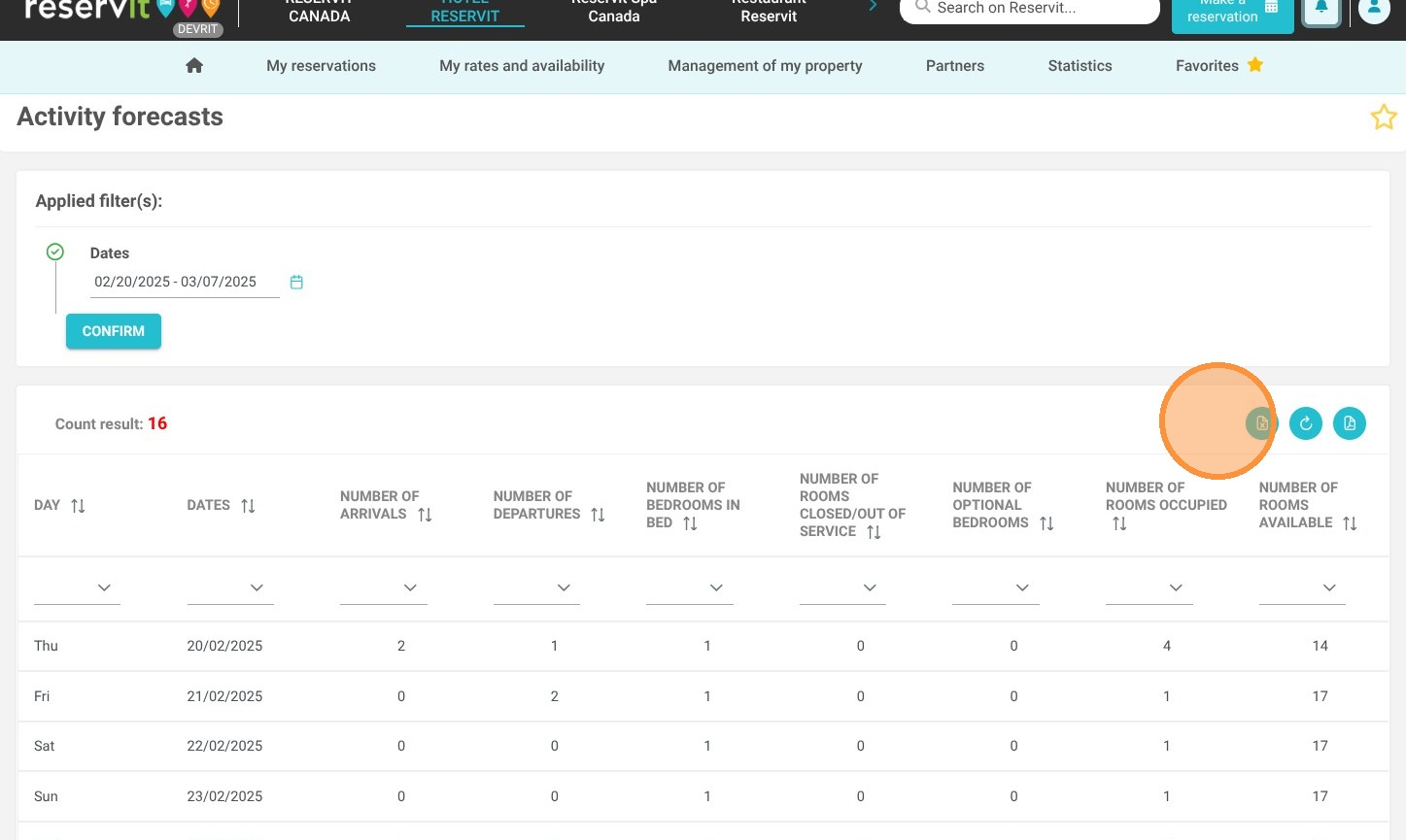
Article Summary: This tutorial explains how to access and generate the Forecast Activity Report within Reservit Accommodation. You will learn how to extract essential daily occupancy metrics, including upcoming arrivals, departures, stayovers, and out-of-service units for any specified date range. By utilizing these detailed occupancy projections, you can efficiently coordinate your team's schedule and streamline your daily property operations.
The 3 key steps to generate your forecast activity report:
-
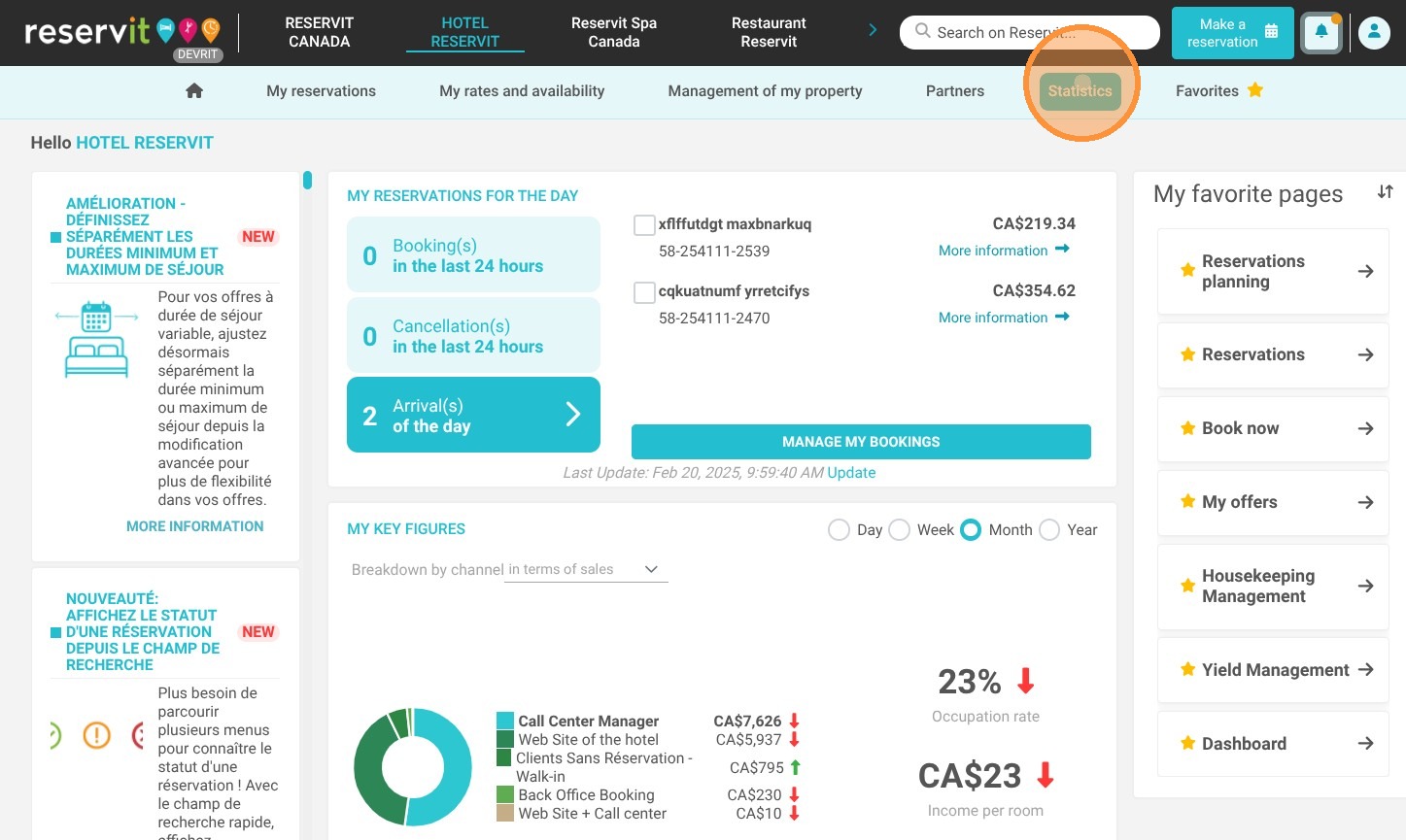
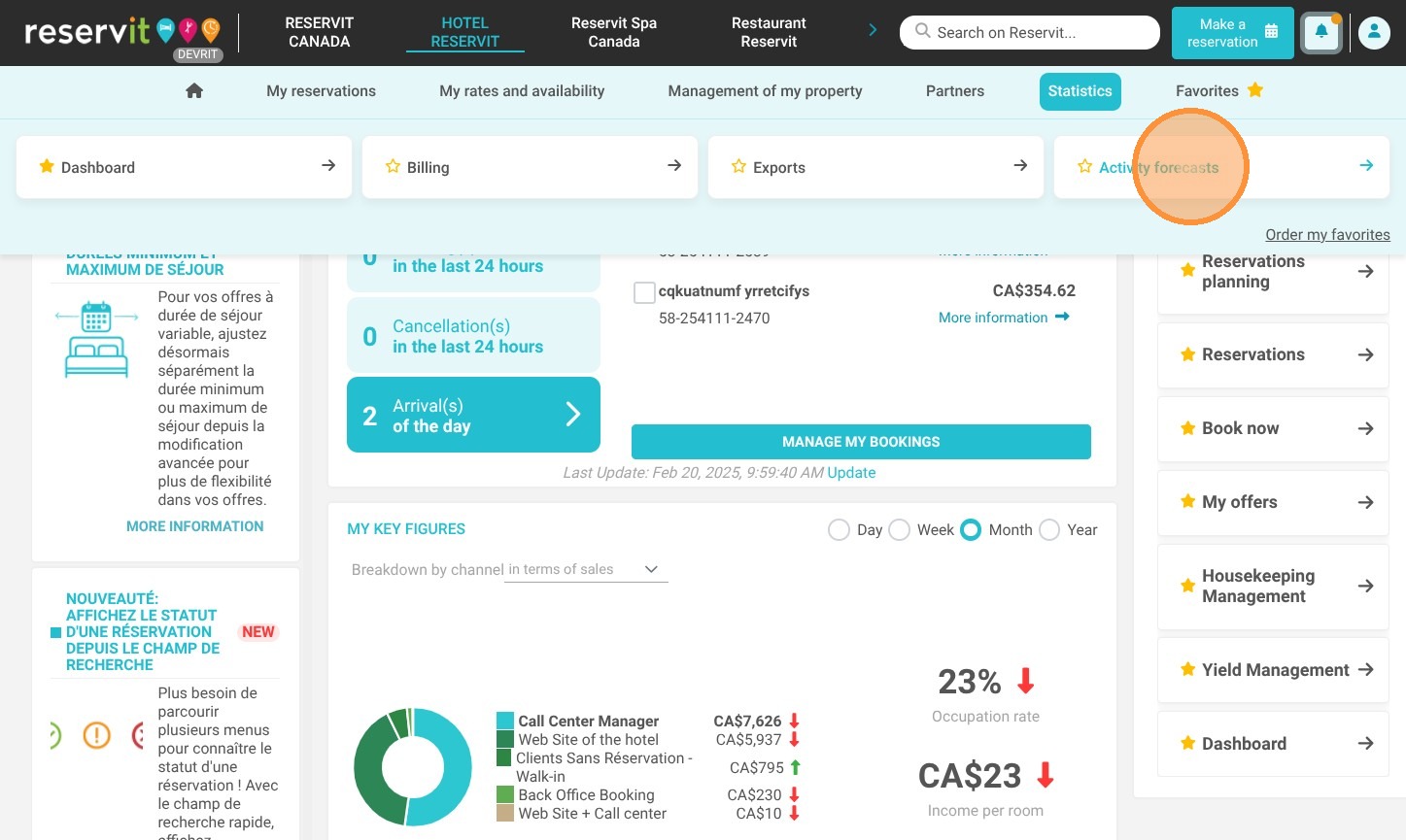
Access the Forecast Menu: Navigate to the "Statistics" section, click on "Forecast activity," and select "Activity forecasts" to open the reporting tool.
-
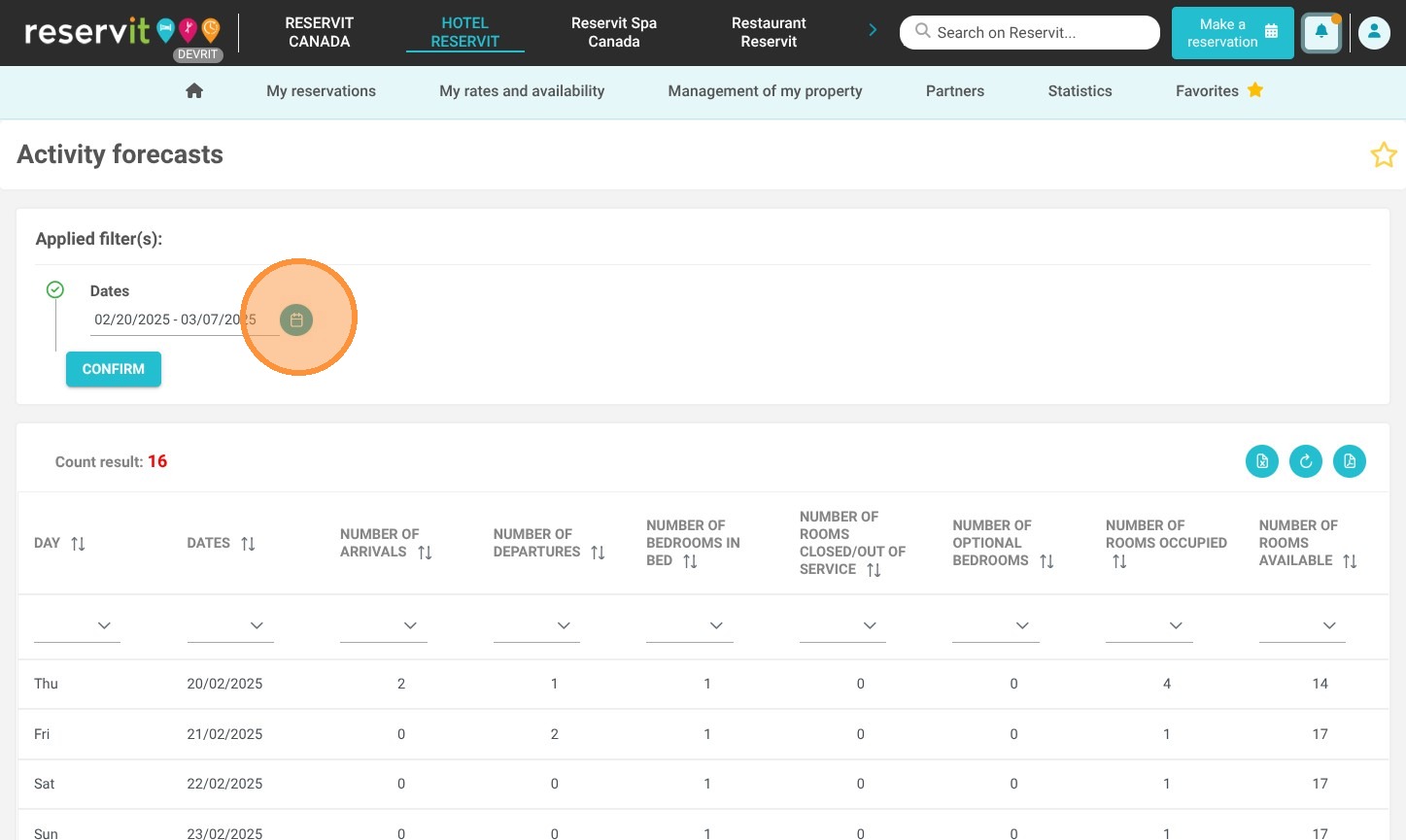
Define the Date Range: Use the calendar interface to select the exact start and end dates you wish to analyze for your upcoming operations.
-
Review and Export Data: Analyze your daily occupancy metrics directly on the screen, and download the final report as an Excel or PDF file for simplified team sharing and schedule management.
Why follow this guide? Utilizing the forecast activity report provides immediate, clear visibility into your upcoming operational volume, allowing you to optimize staff scheduling and avoid logistical bottlenecks. This guide saves you valuable time by demonstrating how to automatically compile and export these crucial daily metrics, eliminating the need for manual counting and minimizing costly scheduling errors.
1. Click "Statistics" then ''Forecast activity'' then "Activity forecasts"
2. Select your desired dates.
3. The report is then displayed. You also have the option to export it in Excel or PDF format for easy sharing with your team.