Article Summary: This tutorial explains how to access and export your daily accommodation revenue report within Reservit. You will learn how to navigate the reports section to review your consolidated daily lodging income, analyze past performance, and forecast upcoming financial trends. By leveraging these automated financial insights, you can effectively adjust your pricing strategies and optimize your property's overall occupancy rate.
The 4 key steps to generate your daily revenue report:
-
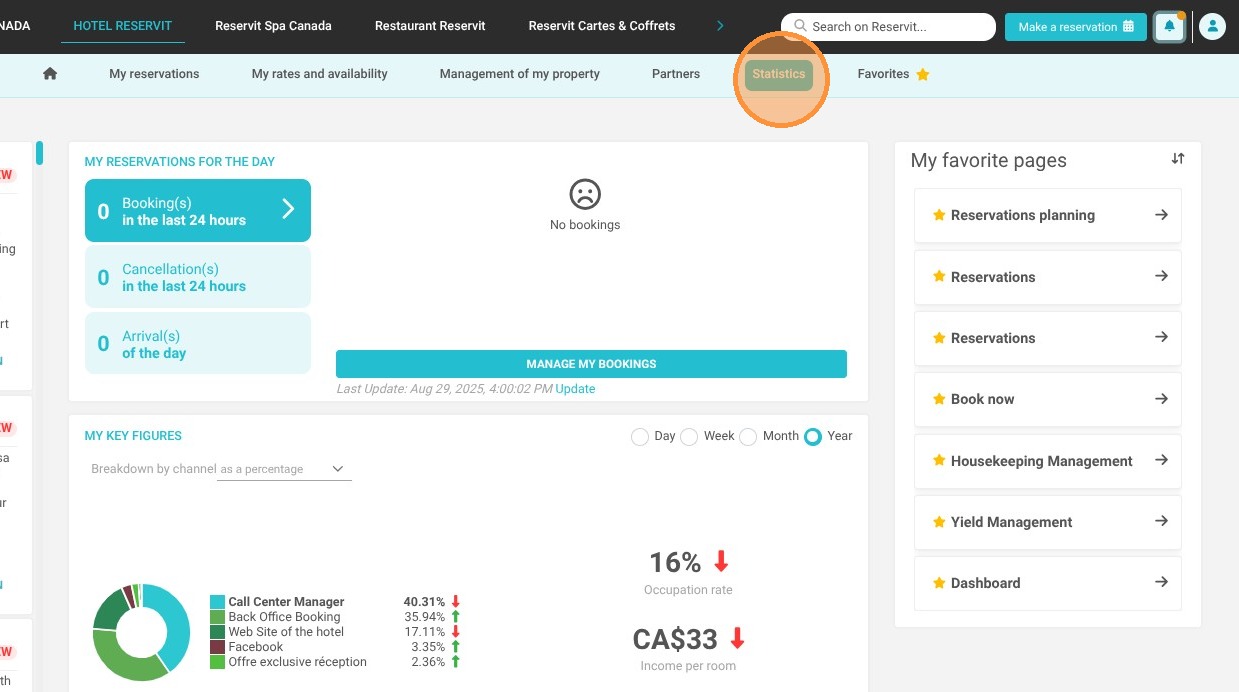
Access Statistics: Click on the "Statistics" section in your main navigation menu.
-
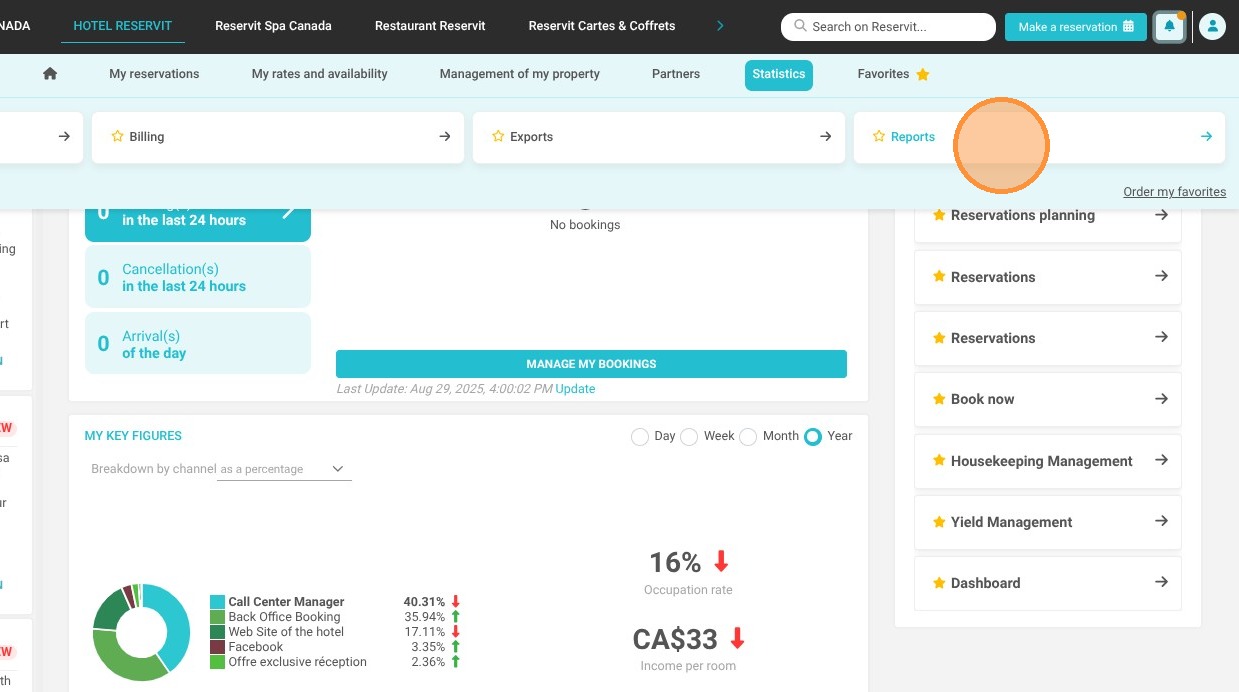
Open the Reports Menu: Select "Reports" to access your detailed financial documents and analytics.
-
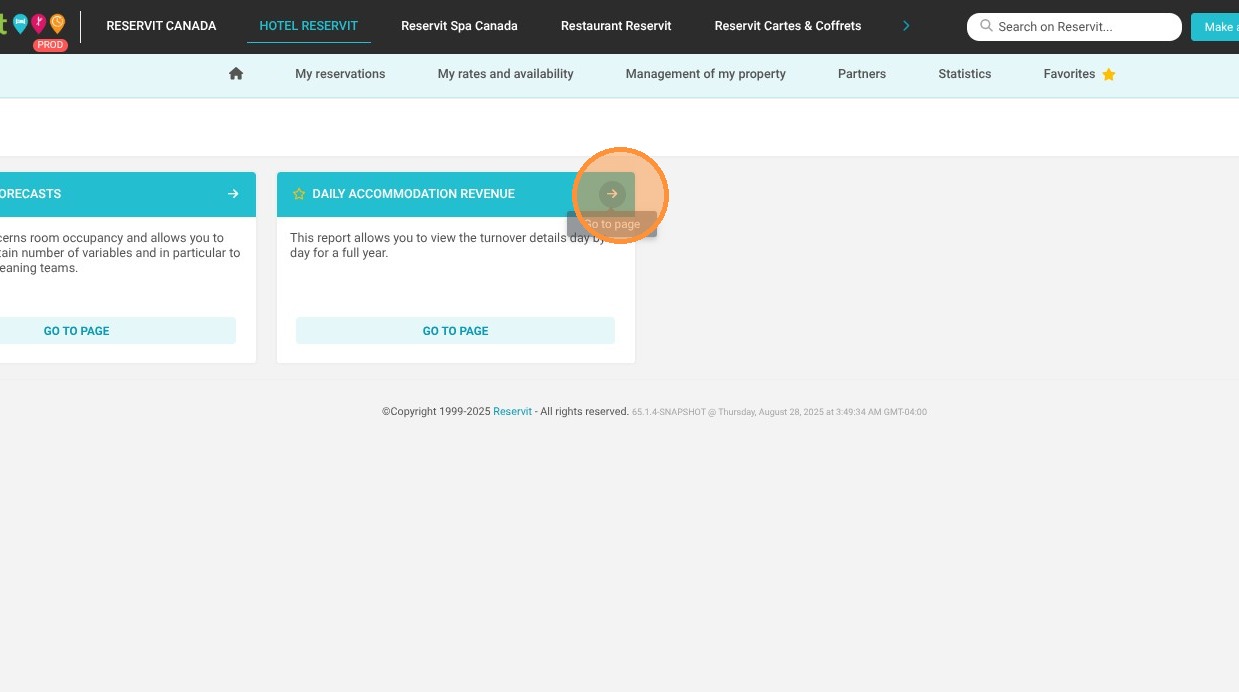
Generate the Daily Revenue Report: Click on "Daily Accommodation Revenue" to load your consolidated lodging income data for the year.
-
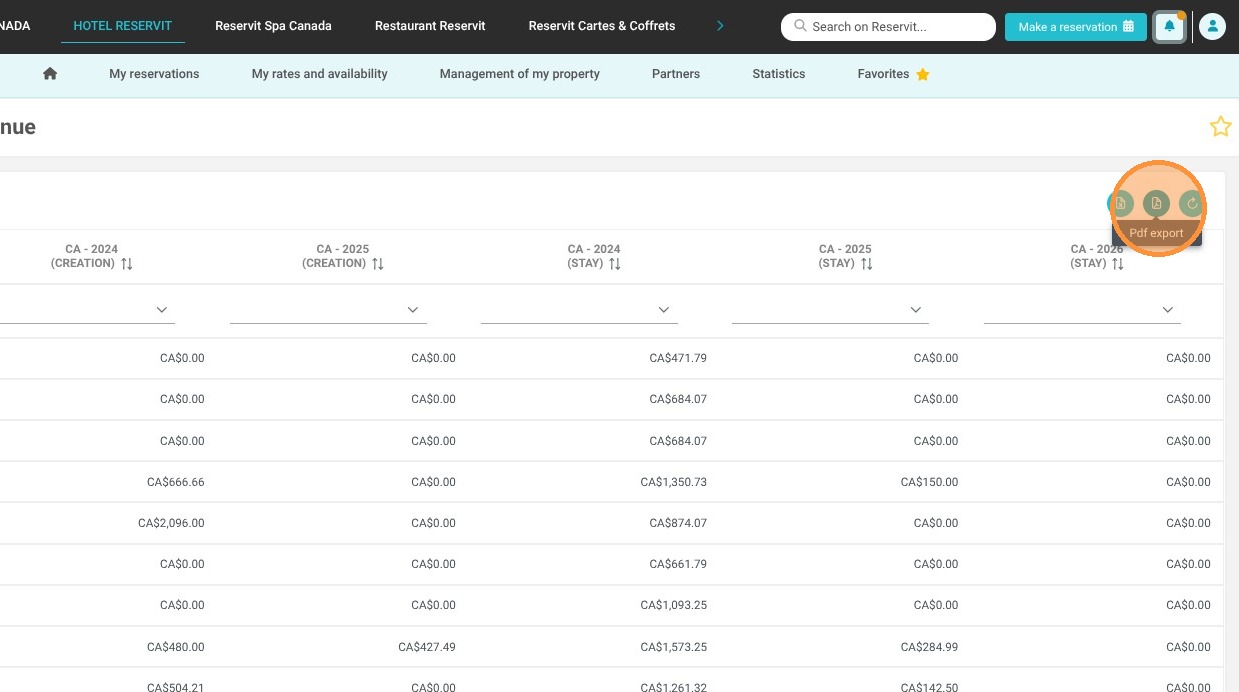
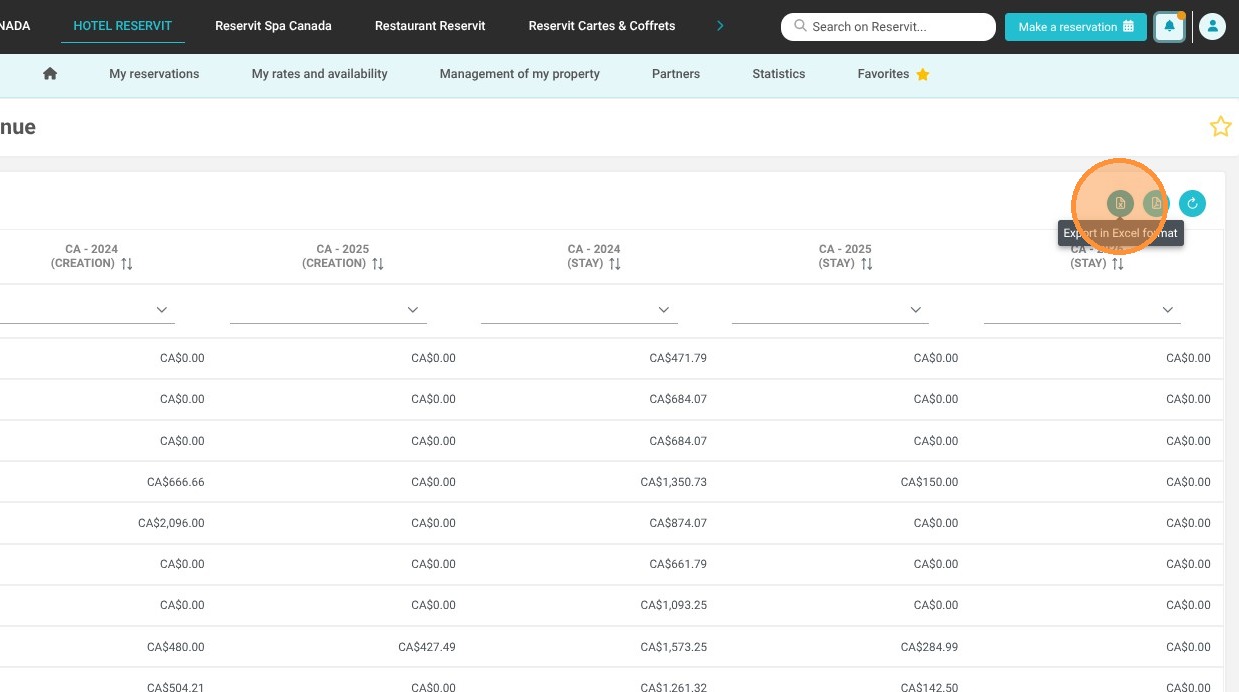
Export Your Data: Download your comprehensive report directly as an Excel or PDF file for secure offline forecasting and budgeting.
Why follow this guide? Regularly reviewing your daily accommodation revenue allows you to effortlessly track your financial performance and make proactive, data-driven pricing adjustments. This guide saves you valuable time by showing you exactly how to locate and export these crucial financial metrics, completely eliminating the need for manual daily income tracking.
Tip: You can also access your Daily Accommodation Revenue Report directly from your dashboard.
Alert: The Daily Accommodation Revenue Report is updated once per day, overnight. It will not reflect reservations that were created or canceled on the same day.
1. Click "Statistics"
2. Click "Reports"
3. Select “Daily Accommodation Revenue”.
4. The Excel button lets you export the report in XLS format.
Note: If the export includes multiple years of data, it may take several seconds to generate.
5. The PDF button lets you export the report in this format.
Note: If the export includes multiple years of data, it may take several seconds to generate.