Article Summary: This streamlined guide explains how to customize your financial data transfers by excluding the bank ledger from your Reservit PMS accounting exports. You will learn how to navigate your system setup and toggle ledger tracking off if your property manages payments through an external financial platform. Mastering this configuration ensures clean data files and prevents redundant transaction recording in your back-office software.
The 4 key steps to exclude the bank ledger from exports:
-
Access PMS Setup: Navigate directly to your primary "Reservit PMS Setup" configuration dashboard.
-
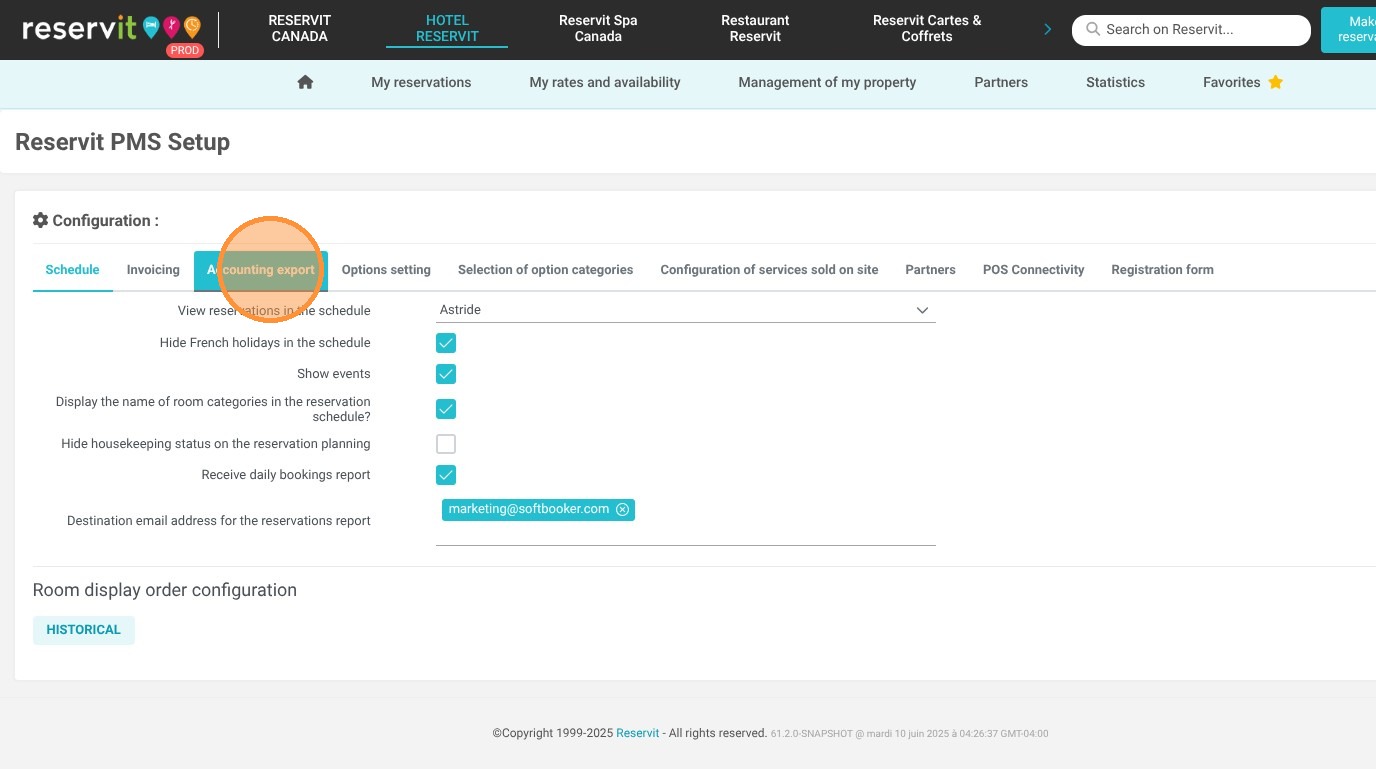
Open Export Preferences: Click on the "Accounting export" menu to load your system's data-sharing parameters.
-
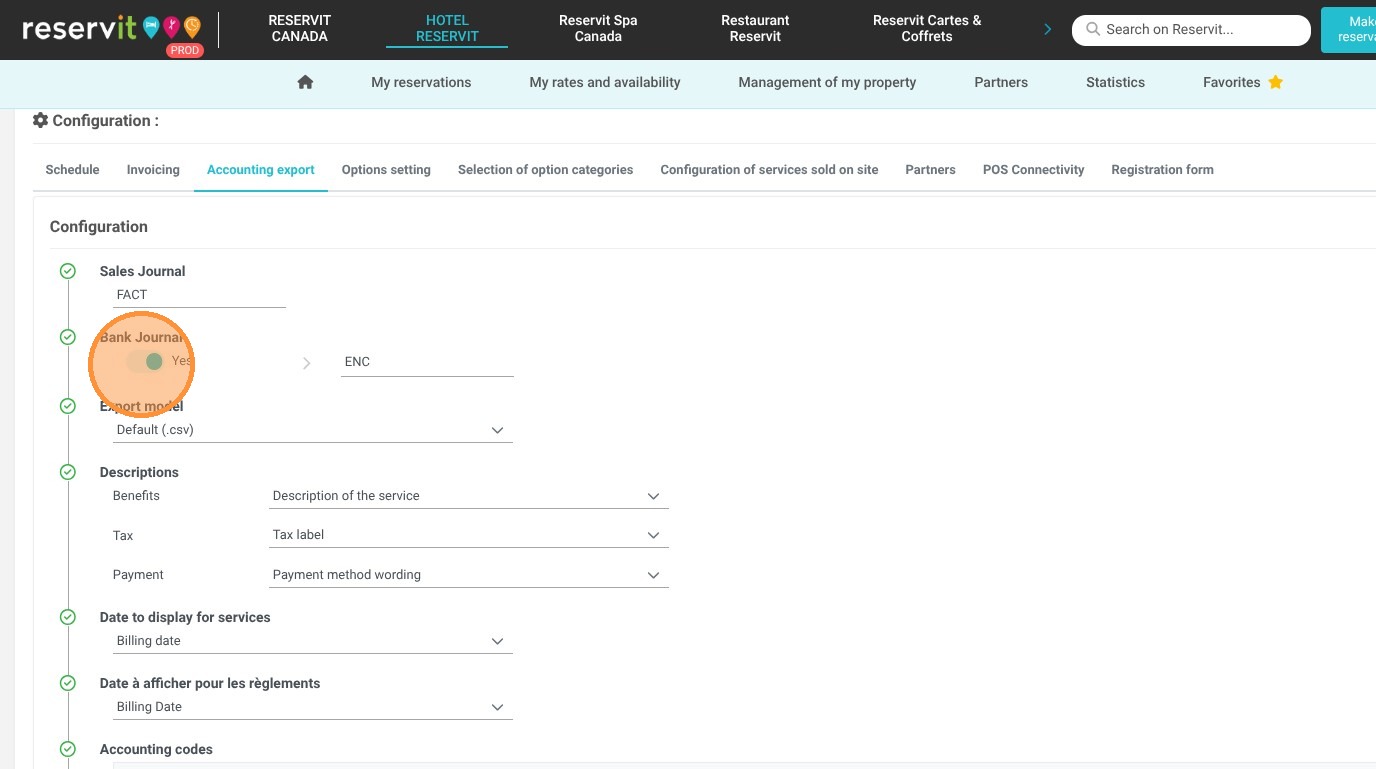
Toggle the Bank Ledger: Locate the designated radio button option and click it to enable or disable the Bank Ledger records in your files.
-
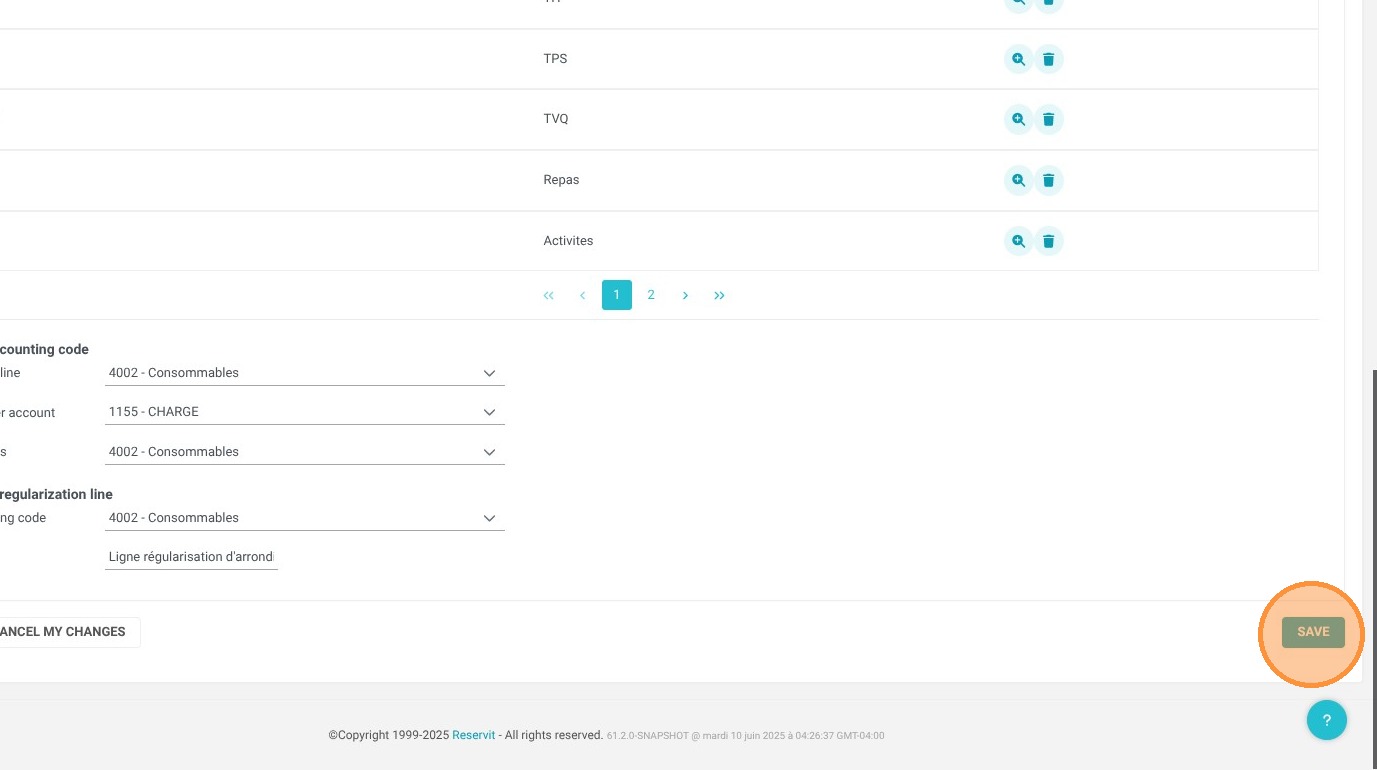
Save Changes: Click the "Save" button to securely commit your adjustments and update your automated export template.
Why follow this guide? Following this tutorial prevents redundant or conflicting financial records from cluttering your external bookkeeping platform if you already manage guest payments via a separate system. It optimizes your back-office data management, ensuring your accounting team only receives clean, relevant ledger details during daily or monthly closeouts.
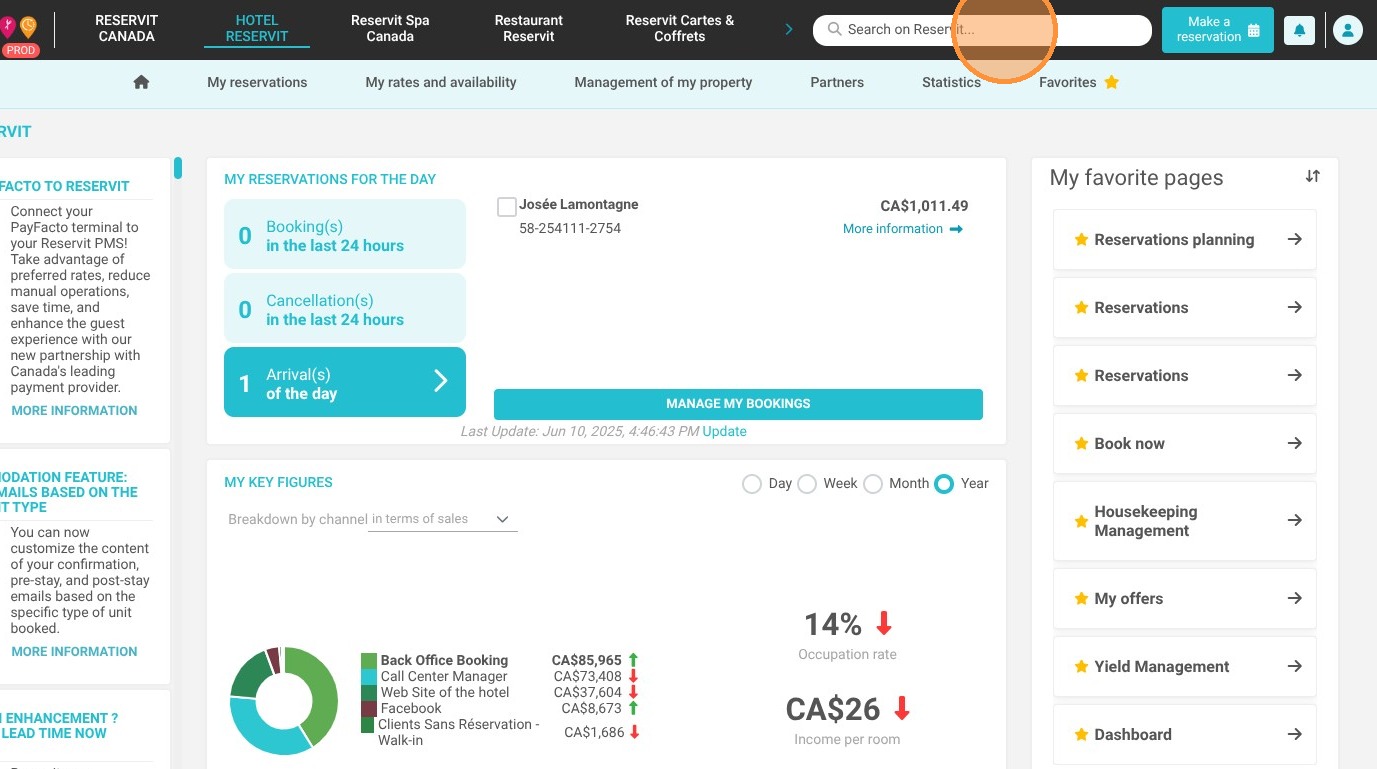
1. Go to your "Reservit PMS Setup" screen.
2. Click "Accounting export"
3. Click the radio button to enable or disable the Bank Ledger in your accounting exports.
4. Click "Save"