Article Summary: This step-by-step tutorial explains exactly how to reset your forgotten password on the Reservit Accommodation platform. You will learn how to safely generate a secure recovery link to quickly regain access to your management dashboard. By following this simple process, you can independently unlock your account and get back to managing your reservations without delay.
The 4 key steps to reset your password:
-
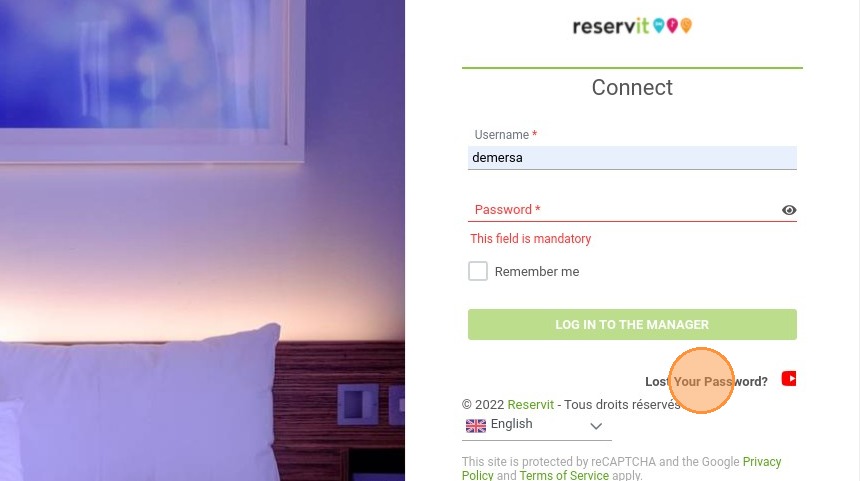
Initiate the reset request: Click on the "Lost Your Password?" link located on the main login page.
-
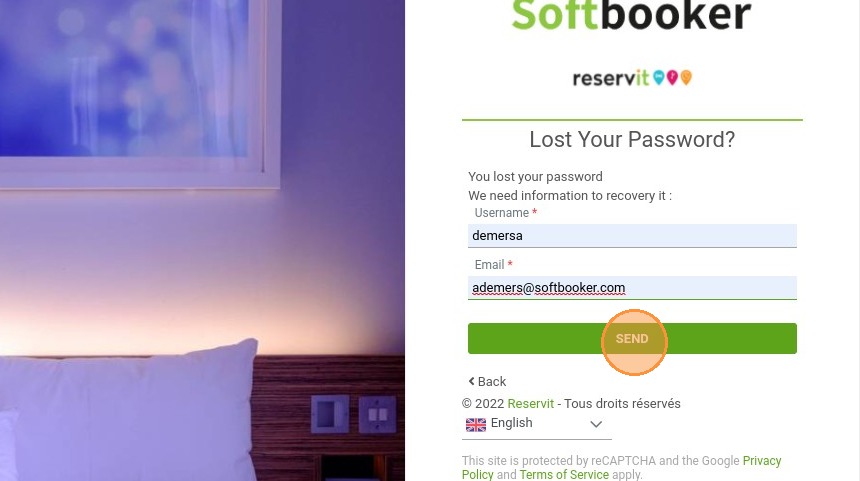
Identify your account: Enter your username and the email address associated with your Reservit account, then click "SEND".
-
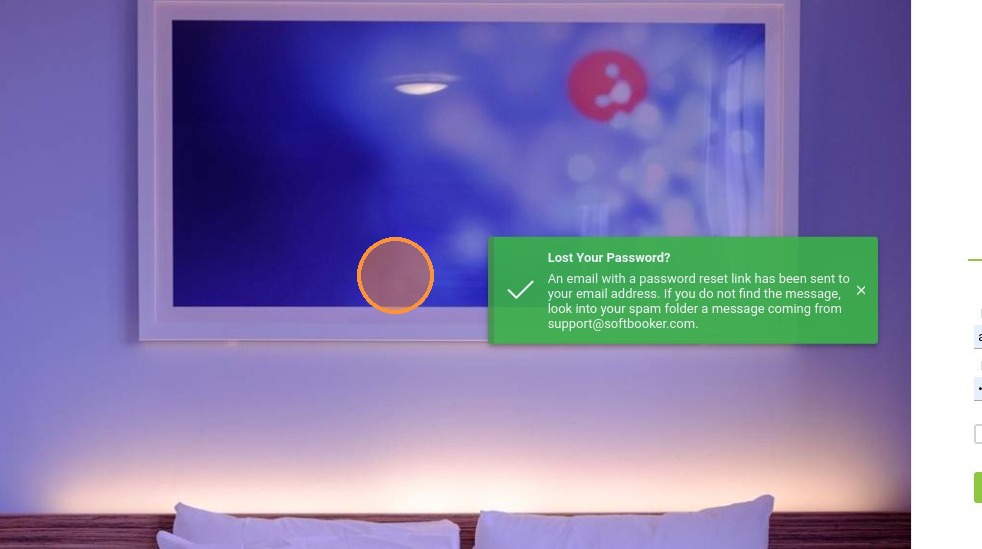
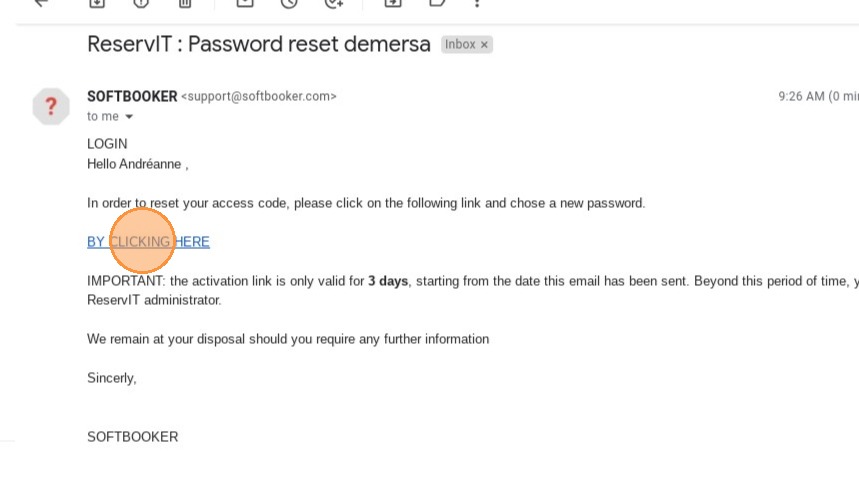
Validate via email: Check your inbox for the confirmation message, open the email, and click on the secure "BY CLICKING HERE" recovery link.
-
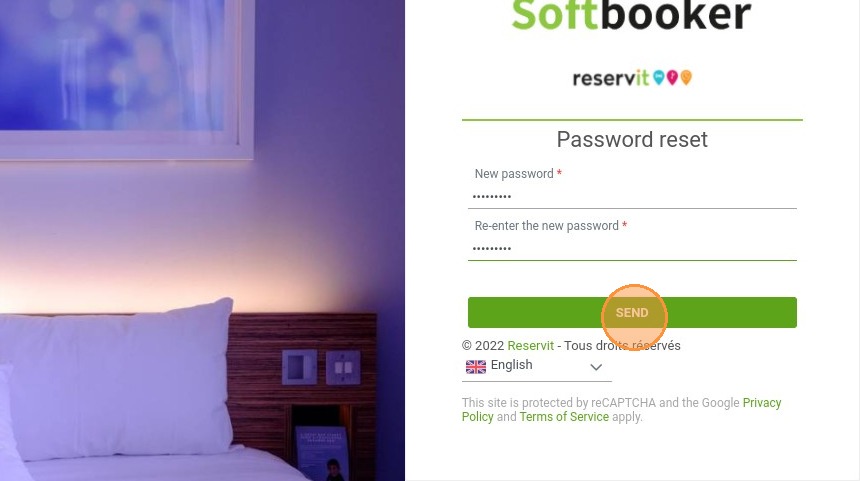
Create a new password: Choose a new secure password and submit it to instantly log back into your active session.
Why follow this guide? Following this official procedure guarantees a quick and fully secure account recovery, preventing any risk of getting permanently locked out of your system. You will save valuable time and avoid any disruptive interruptions to the daily management of your property's bookings.
1. To reset your password, click on "Lost Your Password?"
2. Fill in your username and your email, then click on "SEND"
3. A message will be displayed to confirm the email sent to your email address
4. On the received email, click on the link "BY CLICKING HERE"
5. Choose a new password and click on "SEND"