Help for use

How to Resend a Booking Confirmation or Cancellation Email in Reservit Accommodation

Article Summary: This quick tutorial explains how to easily resend a reservation confirmation or cancellation document to your guests using Reservit Accommodation. You will learn how to quickly navigate your booking dashboard and trigger the automated email delivery in just a few clicks. Mastering this simple process ensures you can efficiently handle guest inquiries regarding missing reservation details, instantly improving your customer service.

The 3 Key Steps to Resend a Booking Document:

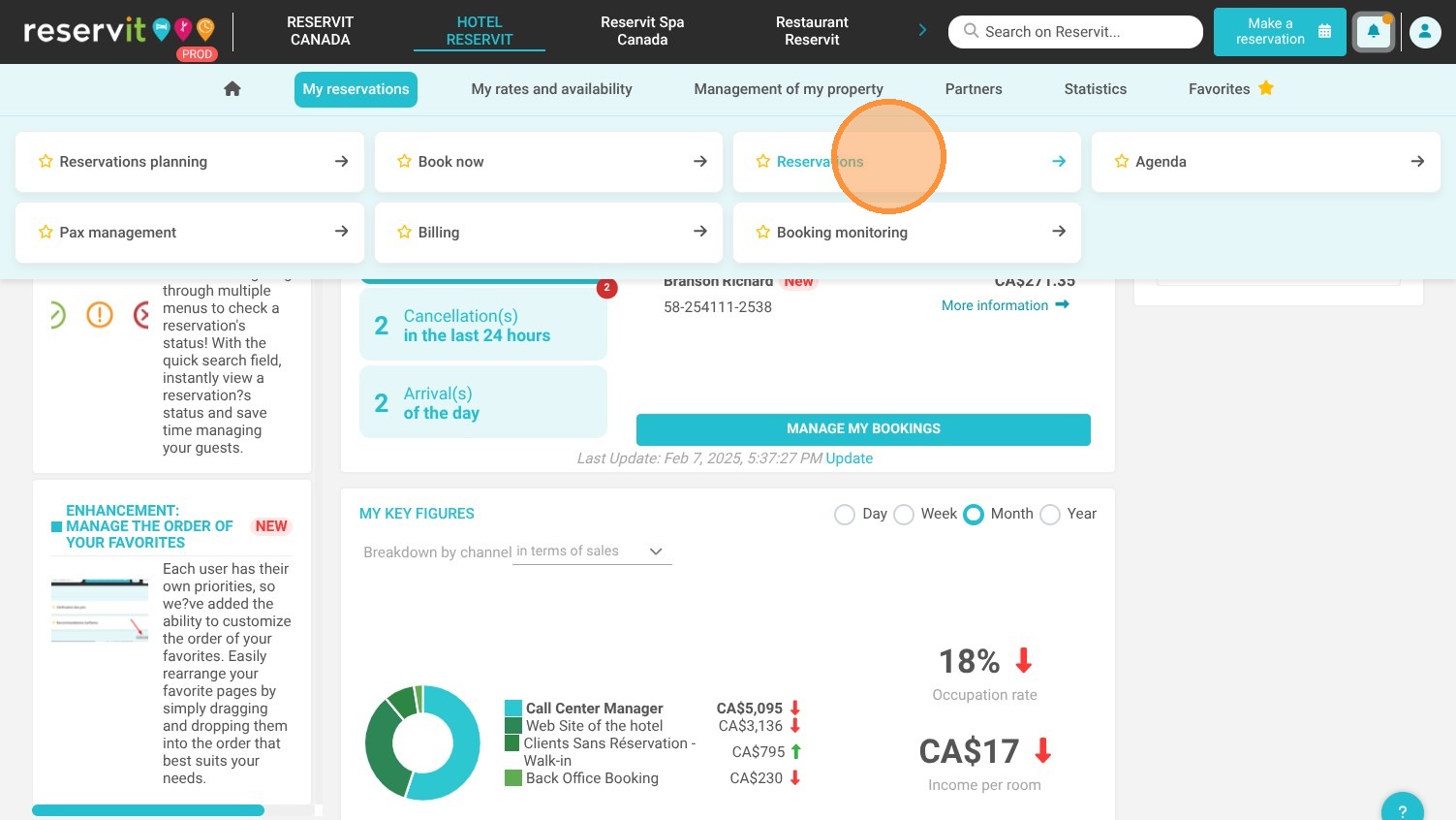
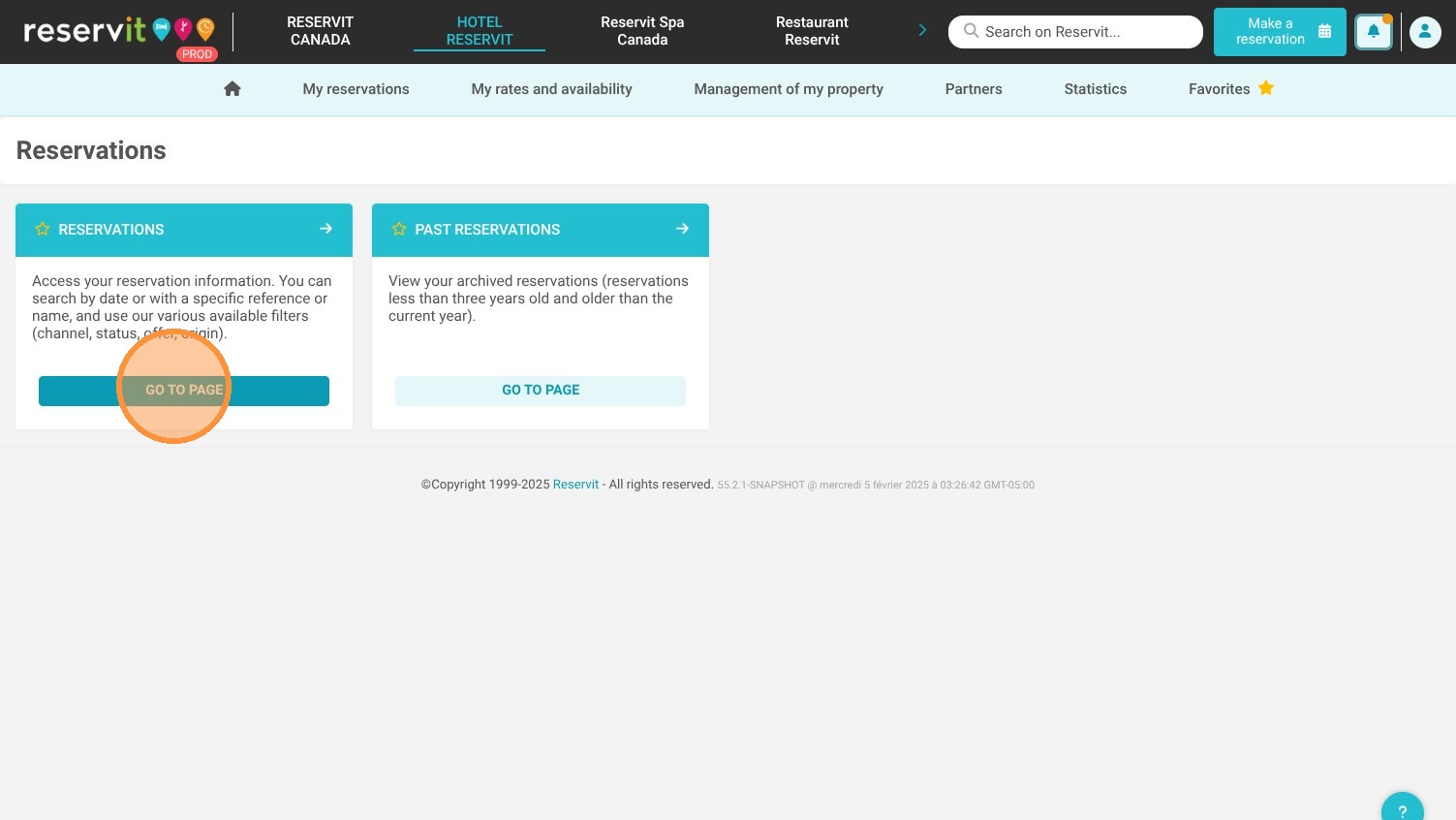
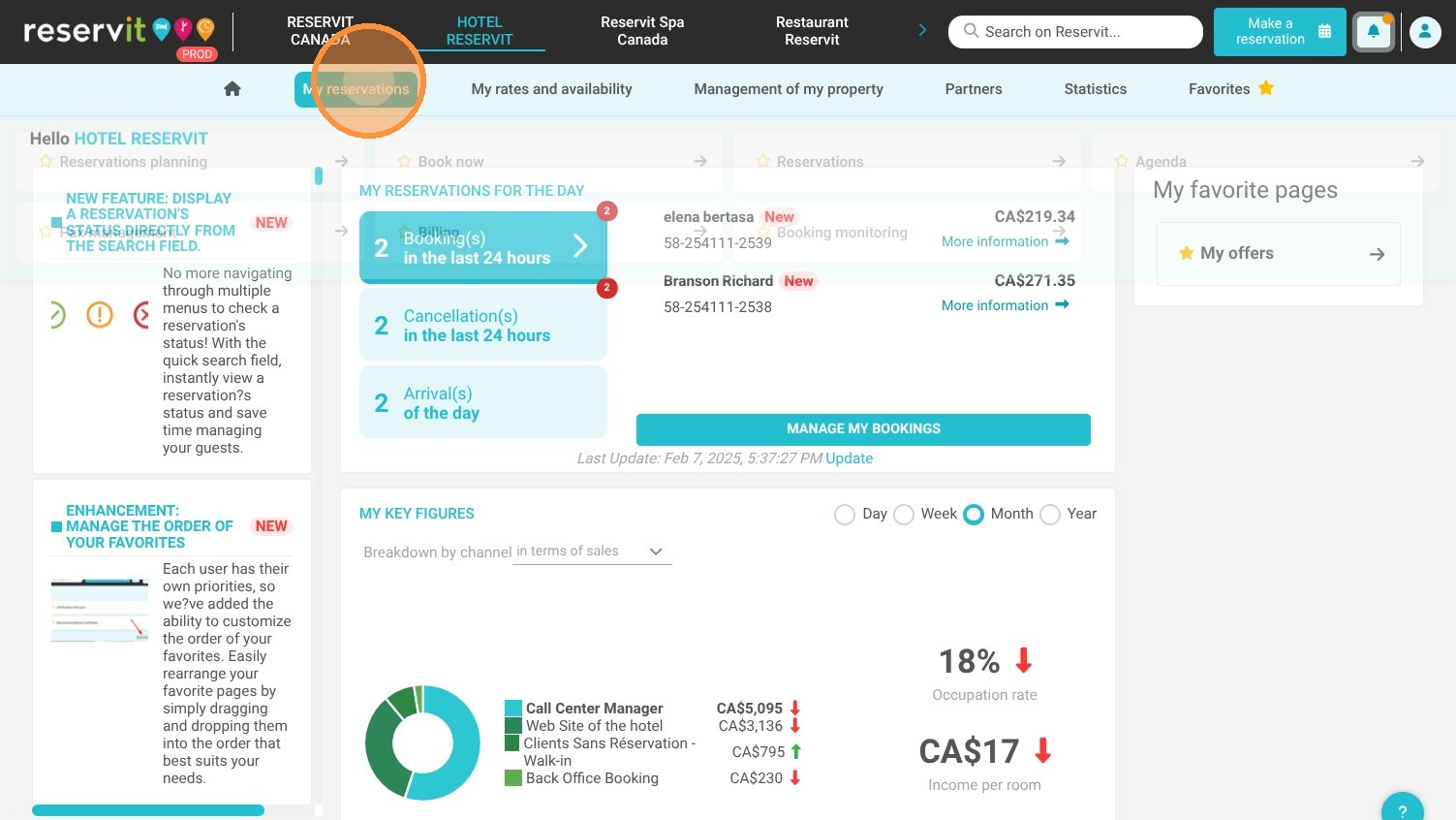
  • Access Your Reservations: Navigate to the "My reservations" menu from your dashboard to view your list of active and canceled bookings.

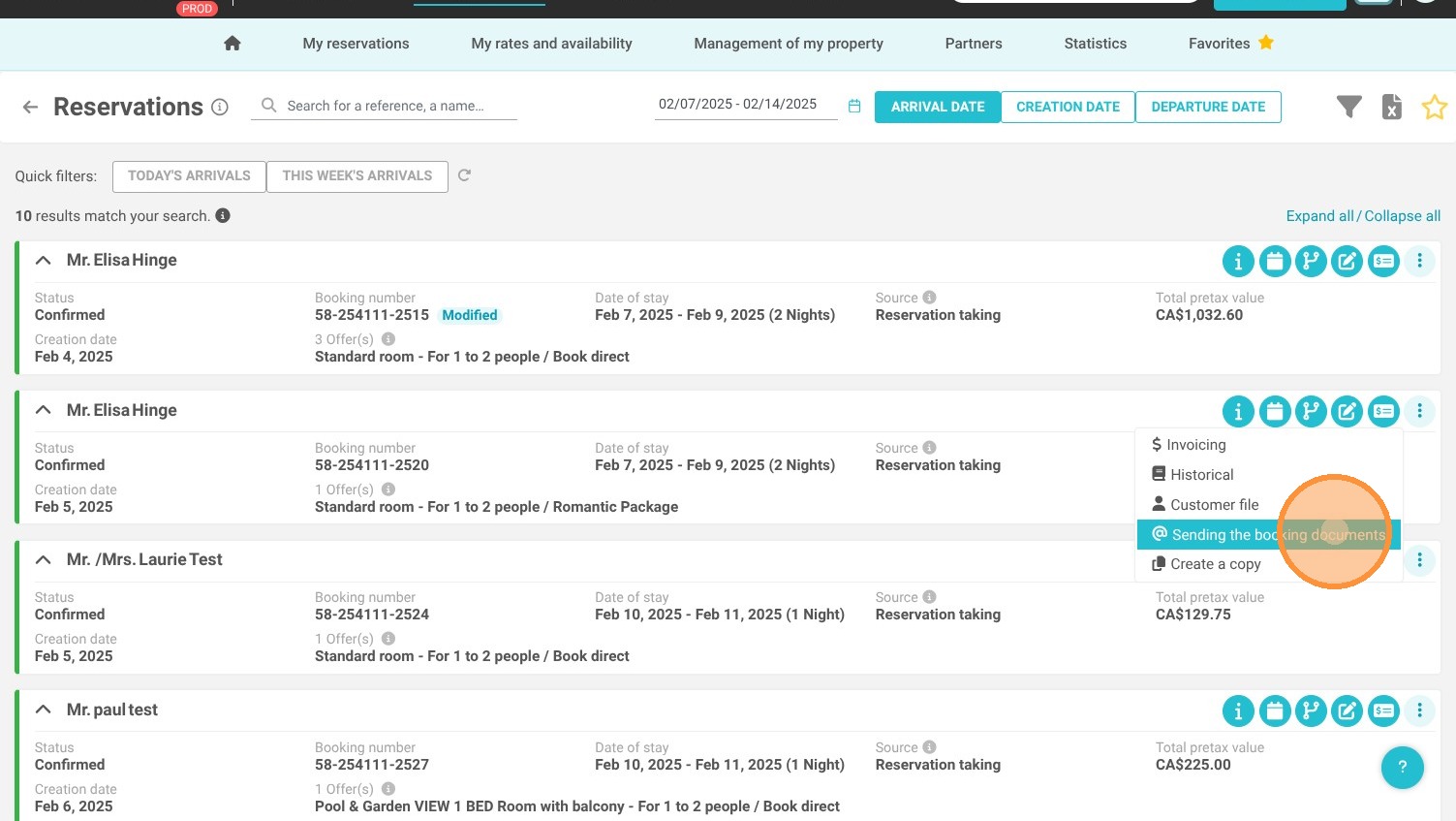
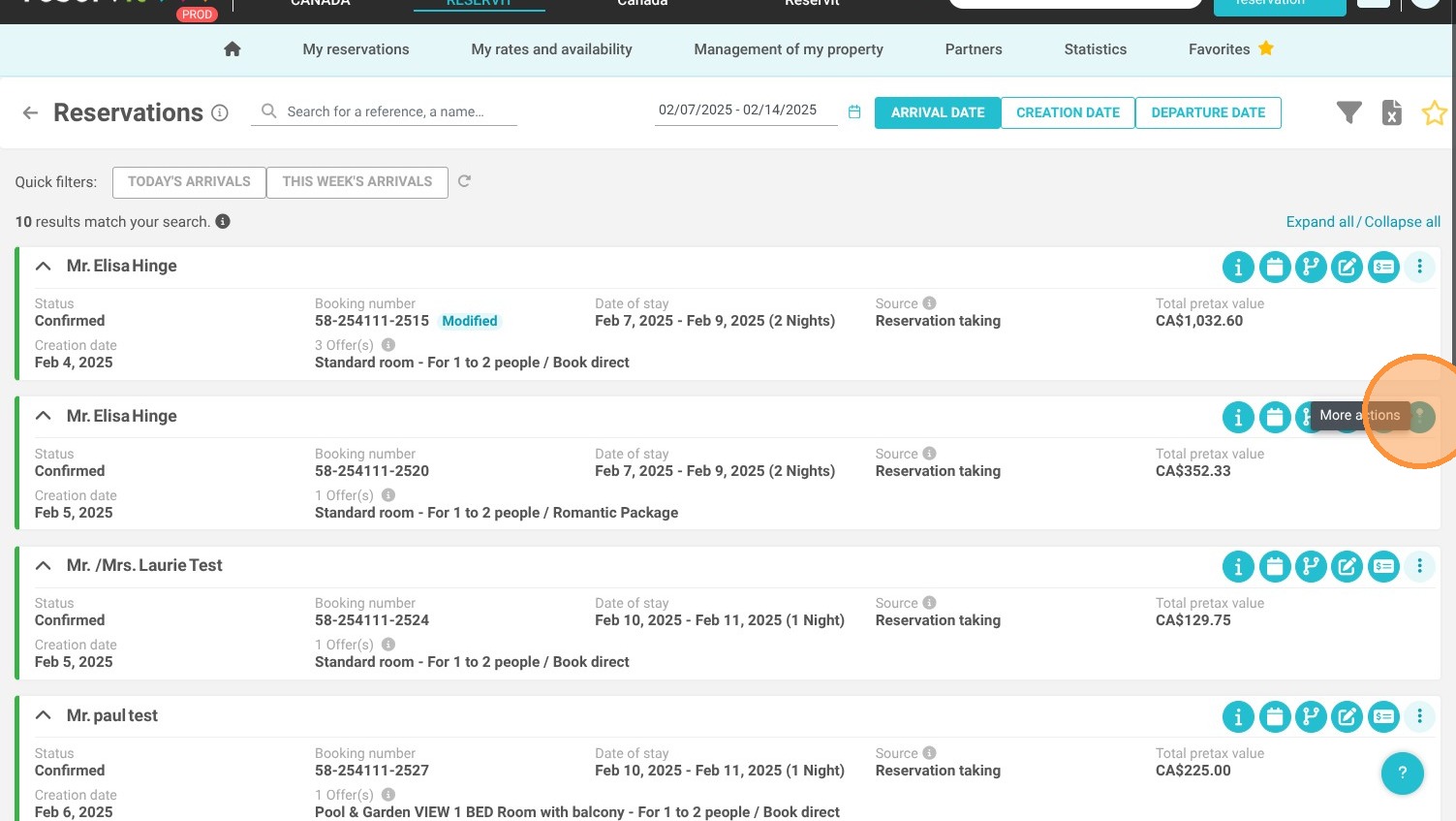
  • Select Additional Actions: Locate the specific guest's reservation, open it, and click on "More actions" to reveal the communication options.

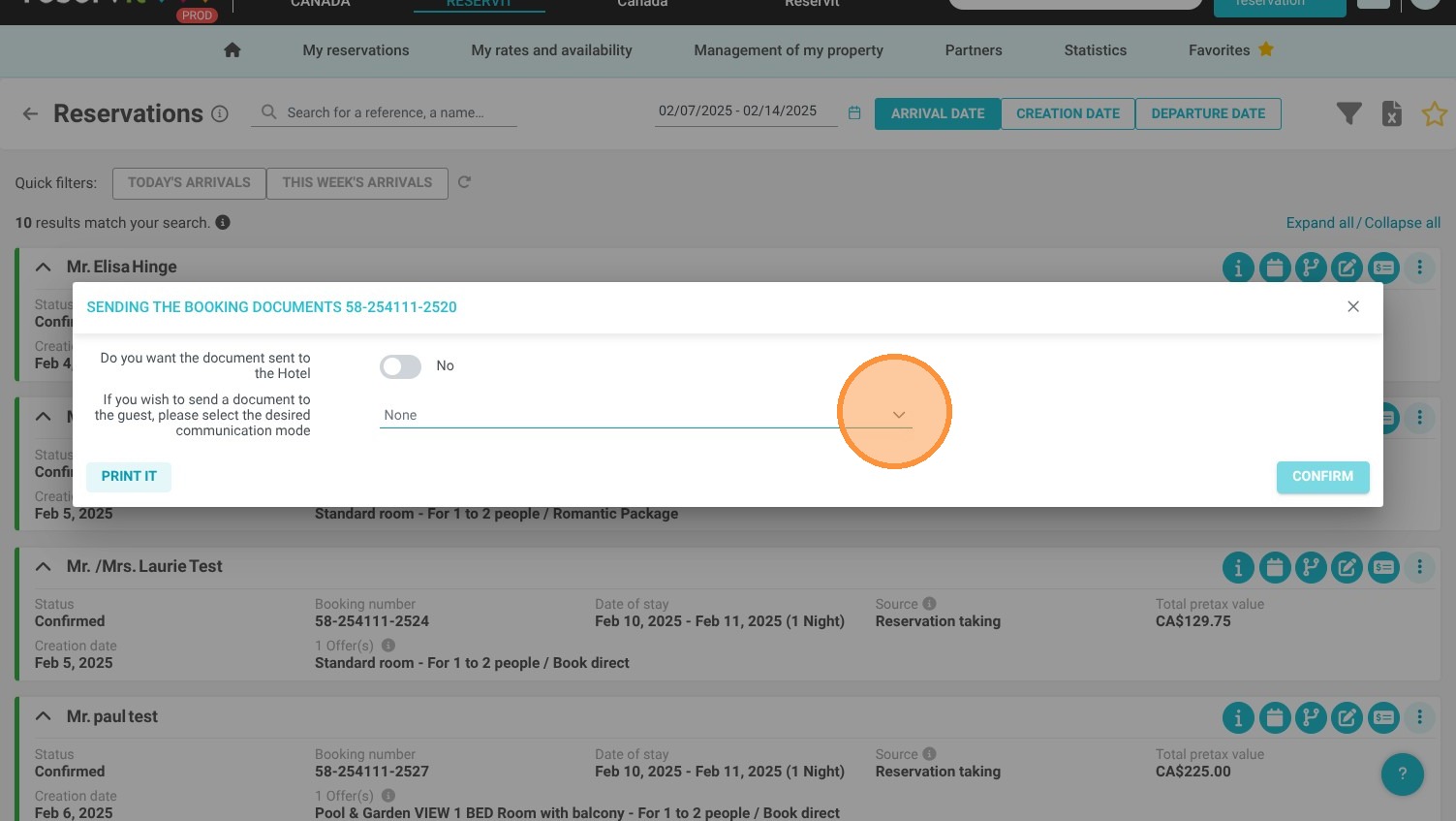
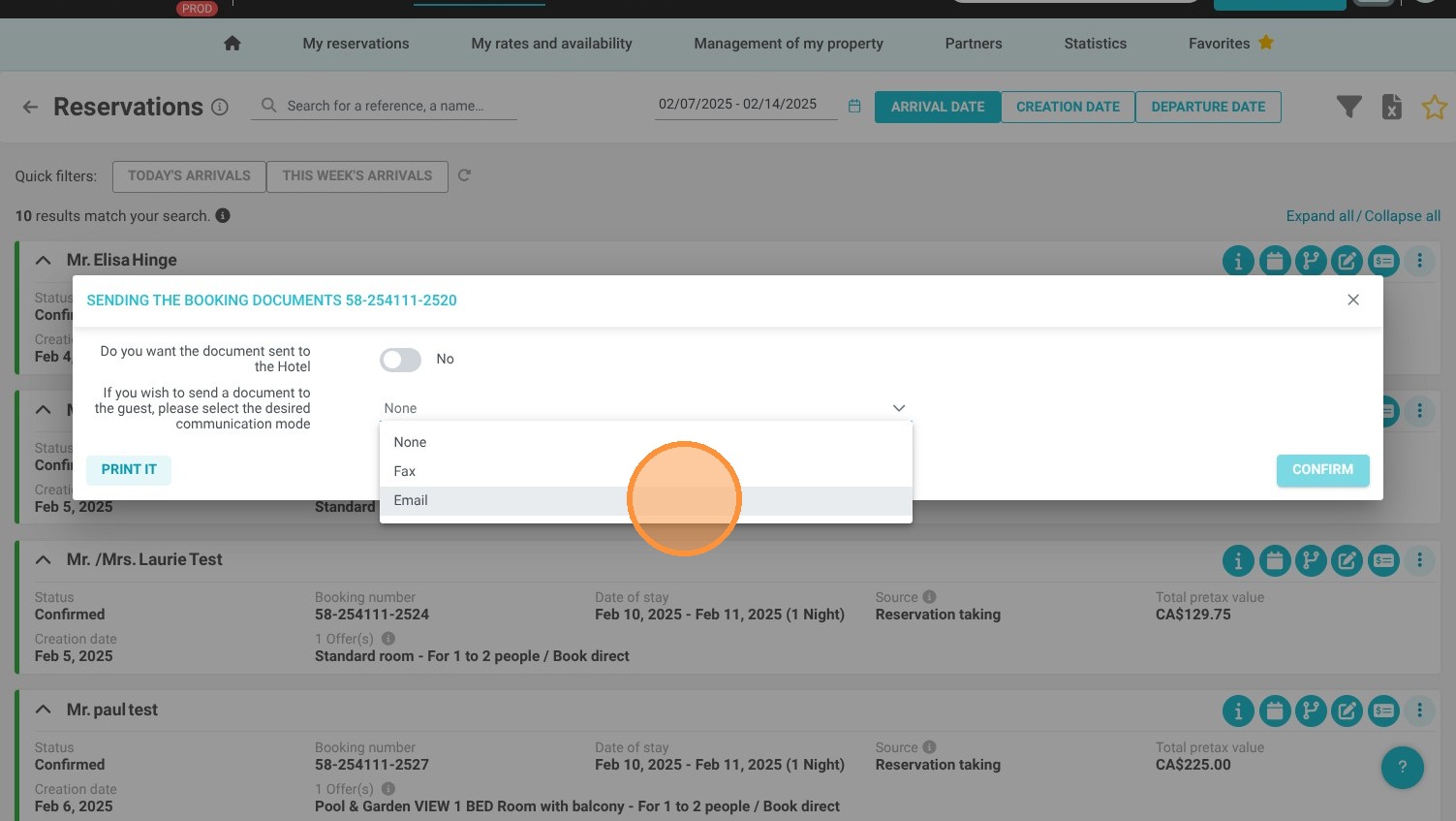
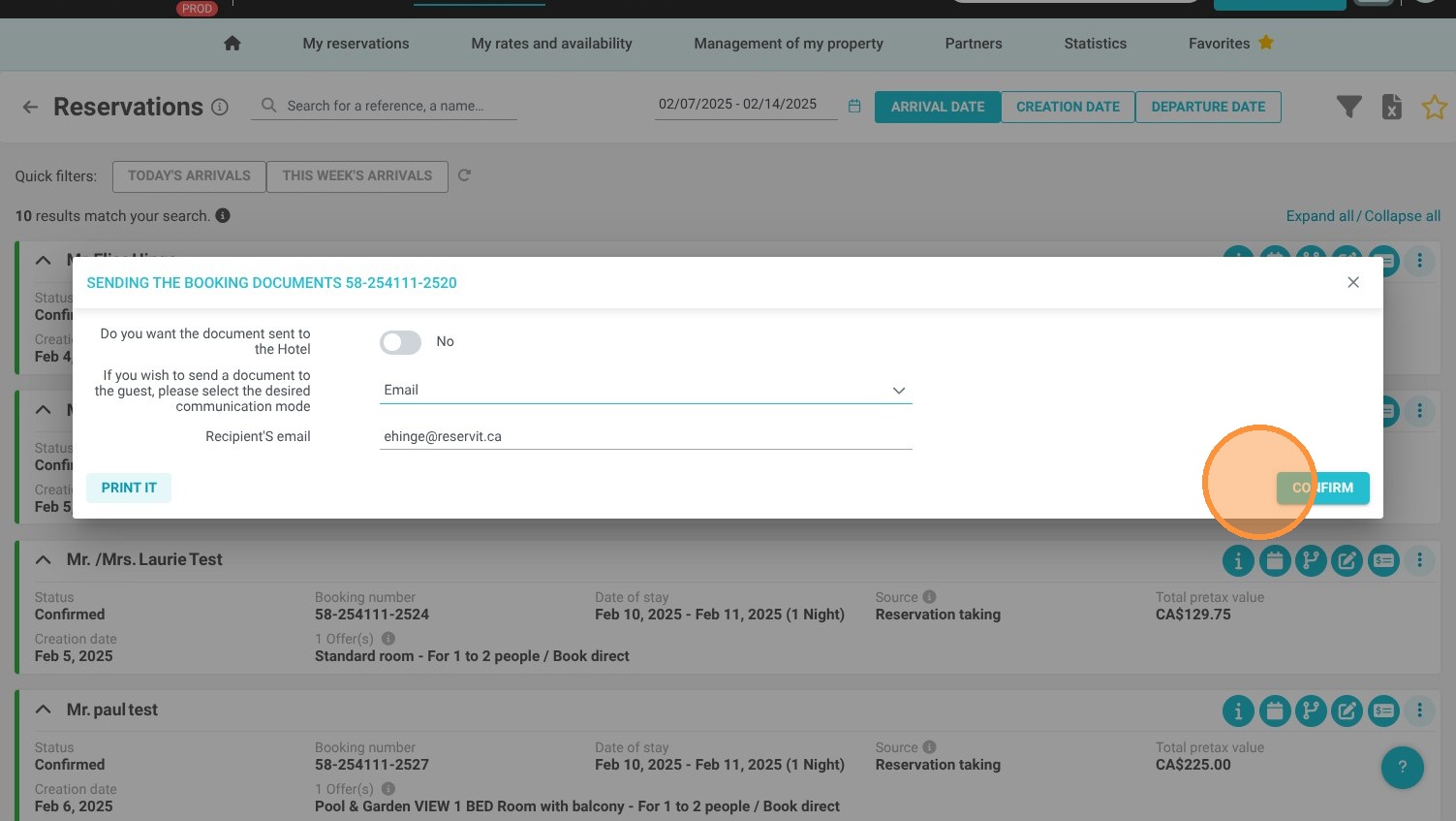
  • Send and Confirm: Choose "Sending the booking documents" from the drop-down menu and click "Confirm" to instantly resend the email to the guest.

Why follow this guide? Following these straightforward steps allows you to securely resend vital booking information in seconds, saving valuable front-desk time and ensuring your guests always have the correct documentation for a smooth stay.

1. Click "My reservations" then ''Reservations''
https://colony-recorder.s3.amazonaws.com/files/2025-02-07/482a6ac7-6a4a-4fa4-b541-050c5f853510/ascreenshot_65559d7276004b6f83e28a95a497572f_text_export.jpeg
https://colony-recorder.s3.amazonaws.com/files/2025-02-07/e5a3268b-6b52-432f-bb12-5e658a8217c9/ascreenshot_b6bb14e8784445369f66bf8cf25ea7ec_text_export.jpeg
https://colony-recorder.s3.amazonaws.com/files/2025-02-07/7b1d1368-897c-4944-a674-86b18191c252/ascreenshot_b9b486ef4ee14416a1597ccf351e3c00_text_export.jpeg

2. Click ''More actions'' then "Sending the booking documents"
https://colony-recorder.s3.amazonaws.com/files/2025-02-07/5cc74a7f-a10b-4f89-b58e-1c0cc85ab592/ascreenshot_bff5c9dea2264c119f0bb88afb9f8c4f_text_export.jpeg
https://colony-recorder.s3.amazonaws.com/files/2025-02-07/1aa7f98f-349f-469b-abef-4e4e1a0eda5b/ascreenshot_d648bccc2f0e4901a301d77db44de58d_text_export.jpeg
https://colony-recorder.s3.amazonaws.com/files/2025-02-07/54f0cb9f-1f17-4f2a-a2fa-a3ddc8664acb/ascreenshot_3b095c6a09a4412db9a9f9cd5e408986_text_export.jpeg
https://colony-recorder.s3.amazonaws.com/files/2025-02-07/22de2c47-c1f4-4906-9376-67f6908a3f88/ascreenshot_3d7528b7f01748a097040547413a74c2_text_export.jpeg

3. Click ''Confirm''

https://colony-recorder.s3.amazonaws.com/files/2025-02-07/a2cd78bd-9b21-4939-b566-e8f177b2cfb7/ascreenshot_fd275d9f7f4a404aa829bf12c8c45079_text_export.jpeg