Article Summary: This quick tutorial will teach you how to customize the default offer displayed in your Reservit Accommodation booking module. By configuring these settings, you will learn how to instantly highlight your most relevant rates or packages for your front desk staff. Mastering this feature improves the daily user experience and significantly streamlines your internal reservation process.
The 3 Key Steps to Change the Default Displayed Offer:
-
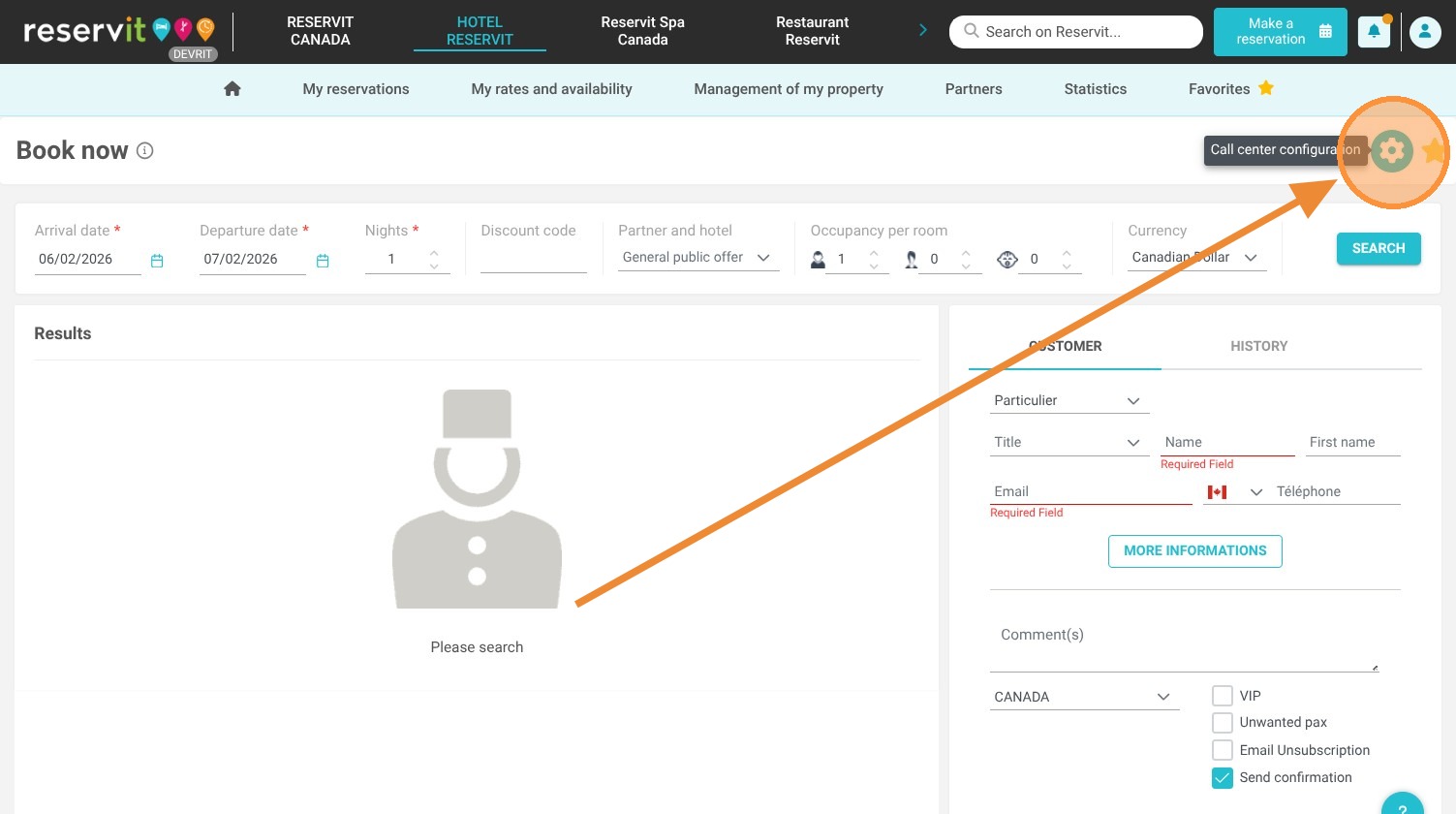
Access Configuration Settings: Navigate to the "Make a reservation" section and click on the gear icon located at the top right of the screen.
-
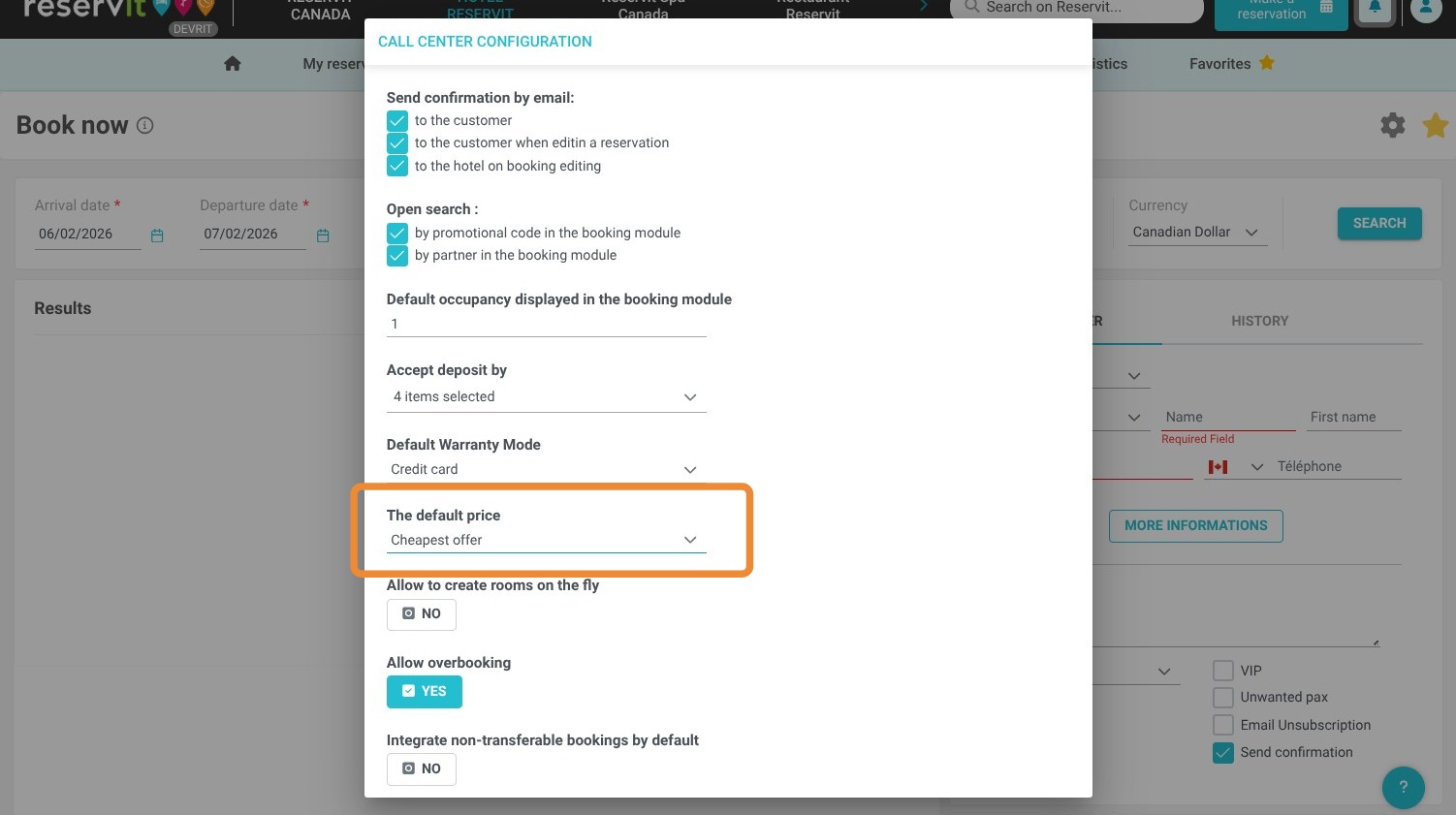
Select the Default Offer: Choose the specific rate, package, or promotional offer you want to be displayed automatically when opening the booking module.
-
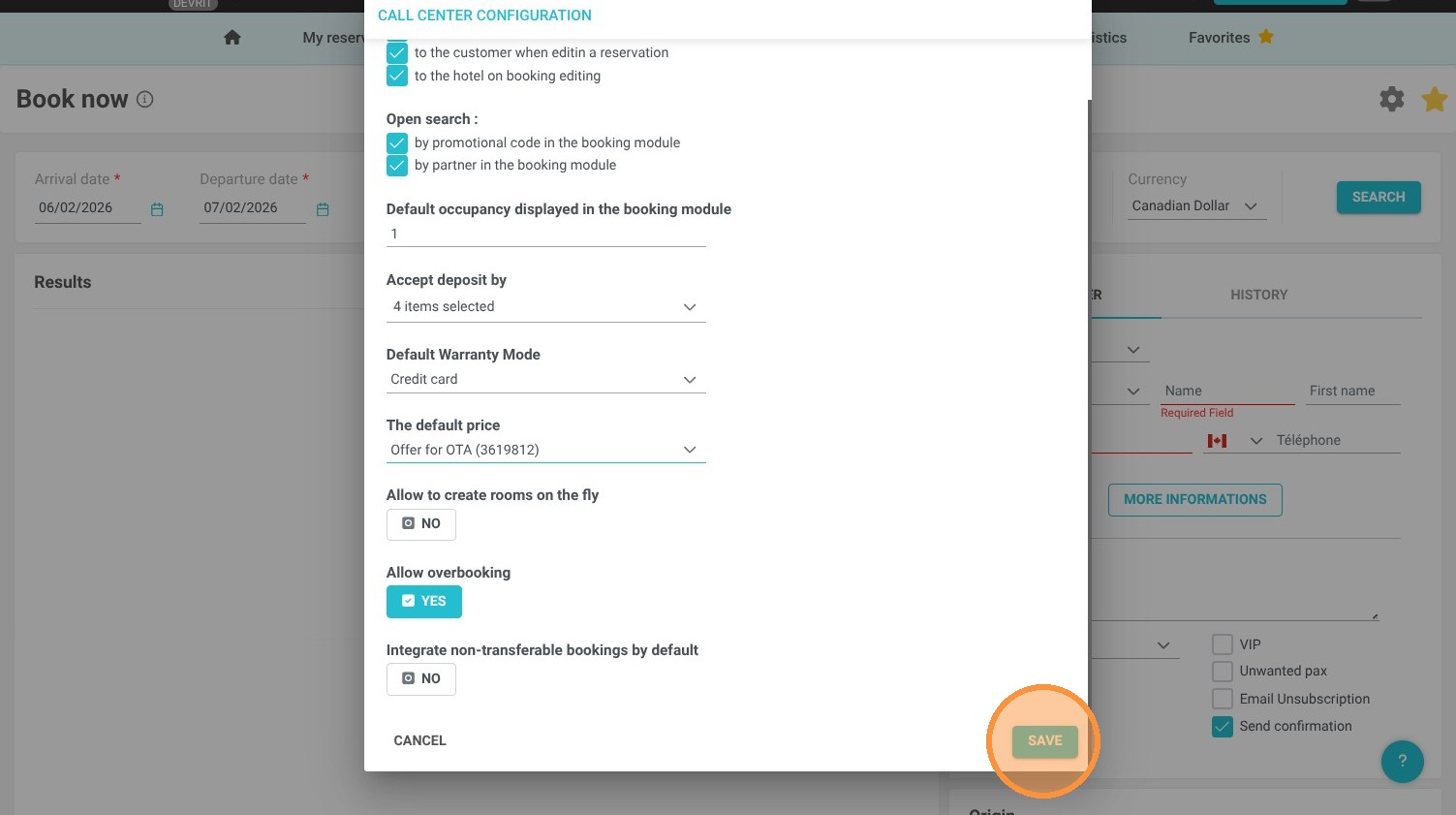
Save Your Changes: Click the "Save" button to apply the new default display, instantly updating the interface for your entire team.
Why follow this guide? Following this guide will save your front desk staff valuable administrative time by eliminating repetitive manual searches for your most popular rates. It optimizes your Reservit Accommodation workflow, ensuring your team can process phone or walk-in reservations faster and with fewer errors.
1. Click on "Make a reservation" and click on the configuration gear icon at the top right
2. Select the offer to display by default in your booking module
3. Click on "Save"