Article Summary: This tutorial guides you step by step through setting up an informative message on your Reservit Booking Engine (RBE). You will learn how to welcome your guests with an alert or important instructions as soon as they arrive on your booking pages, improving your direct communication and the guest experience from the start of the booking process.
The 5 Key Steps to Customize Your Booking Pages:
-
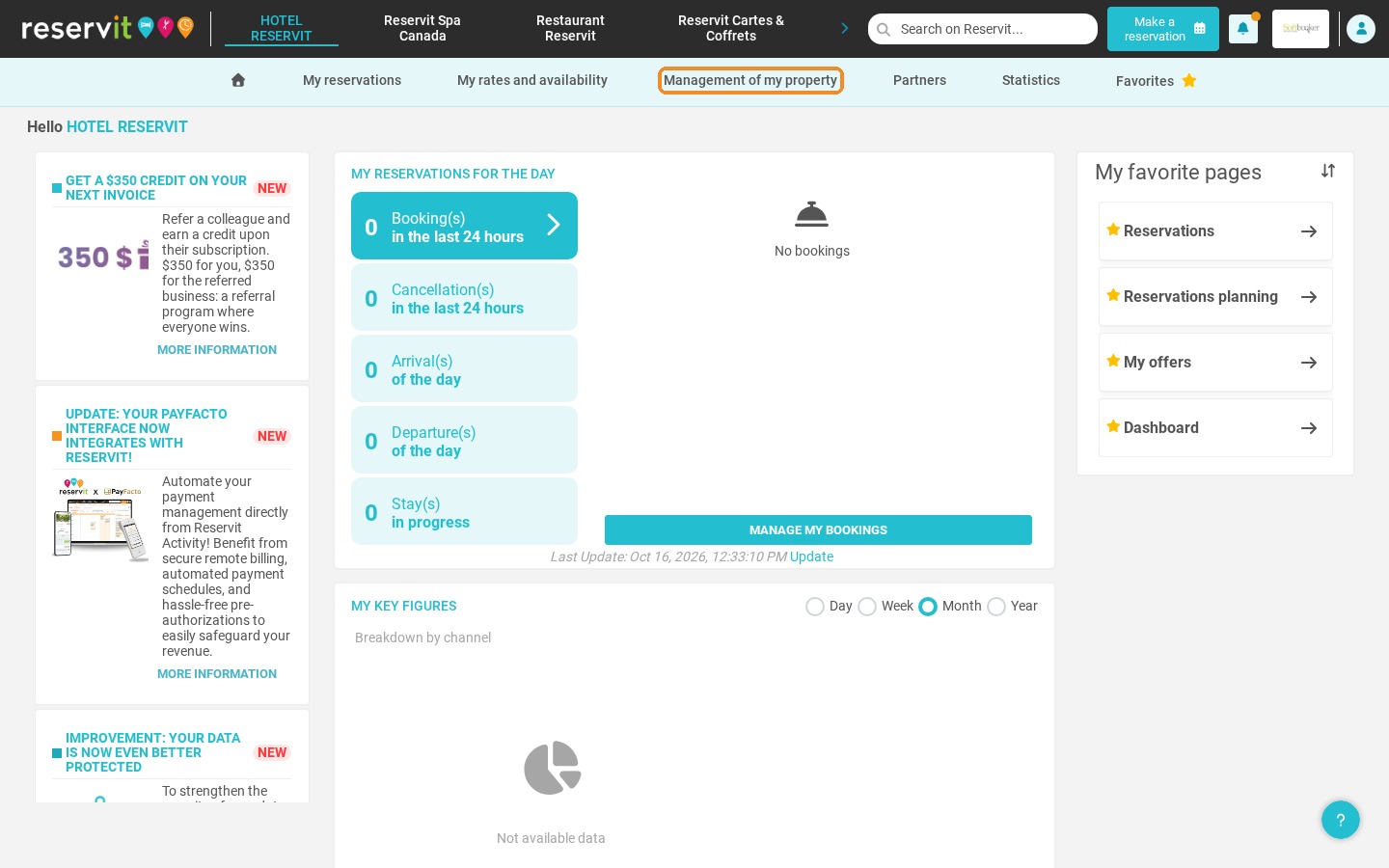
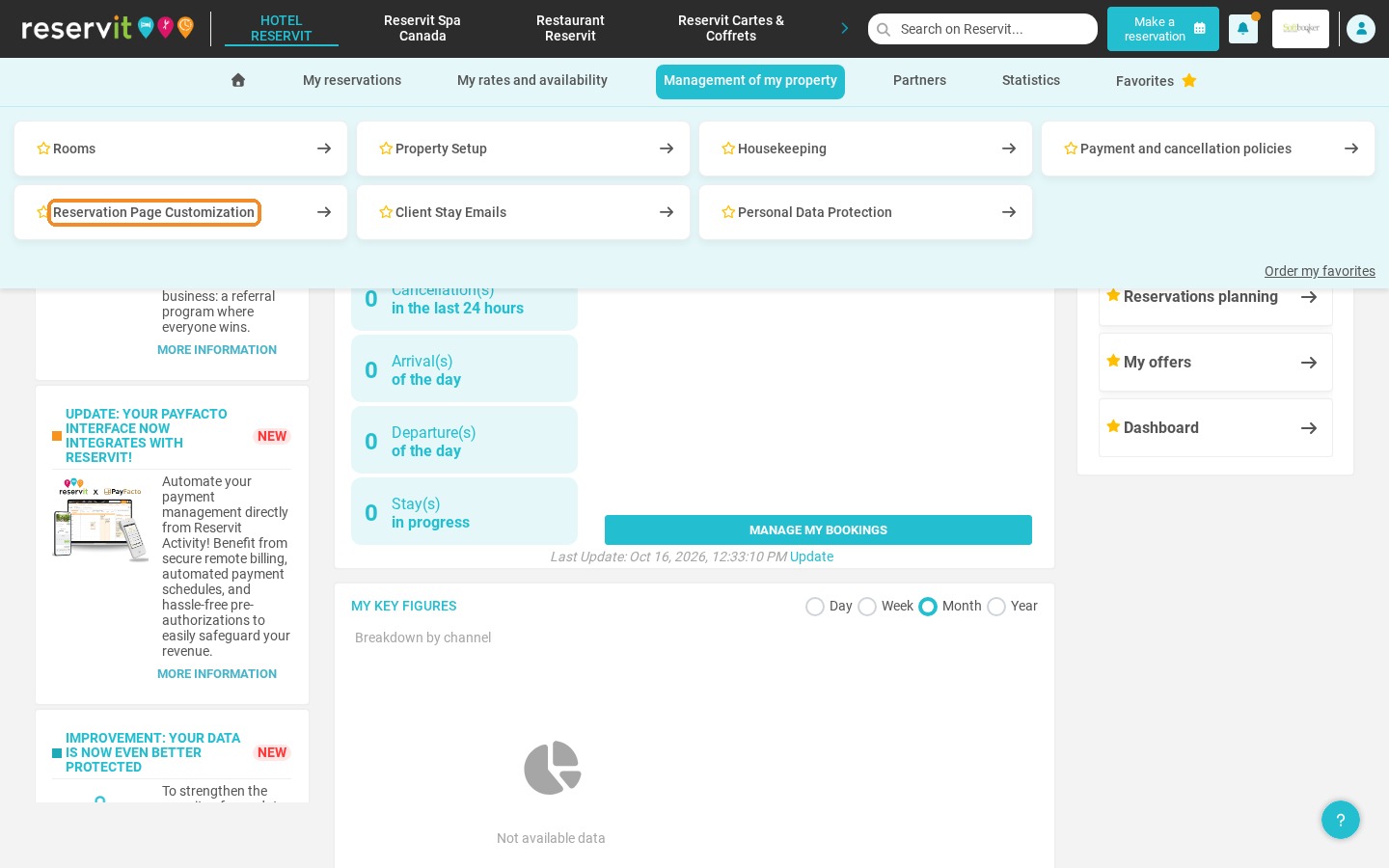
Open the settings: Go to "Management of my property", then "Reservation Page Customization".
-
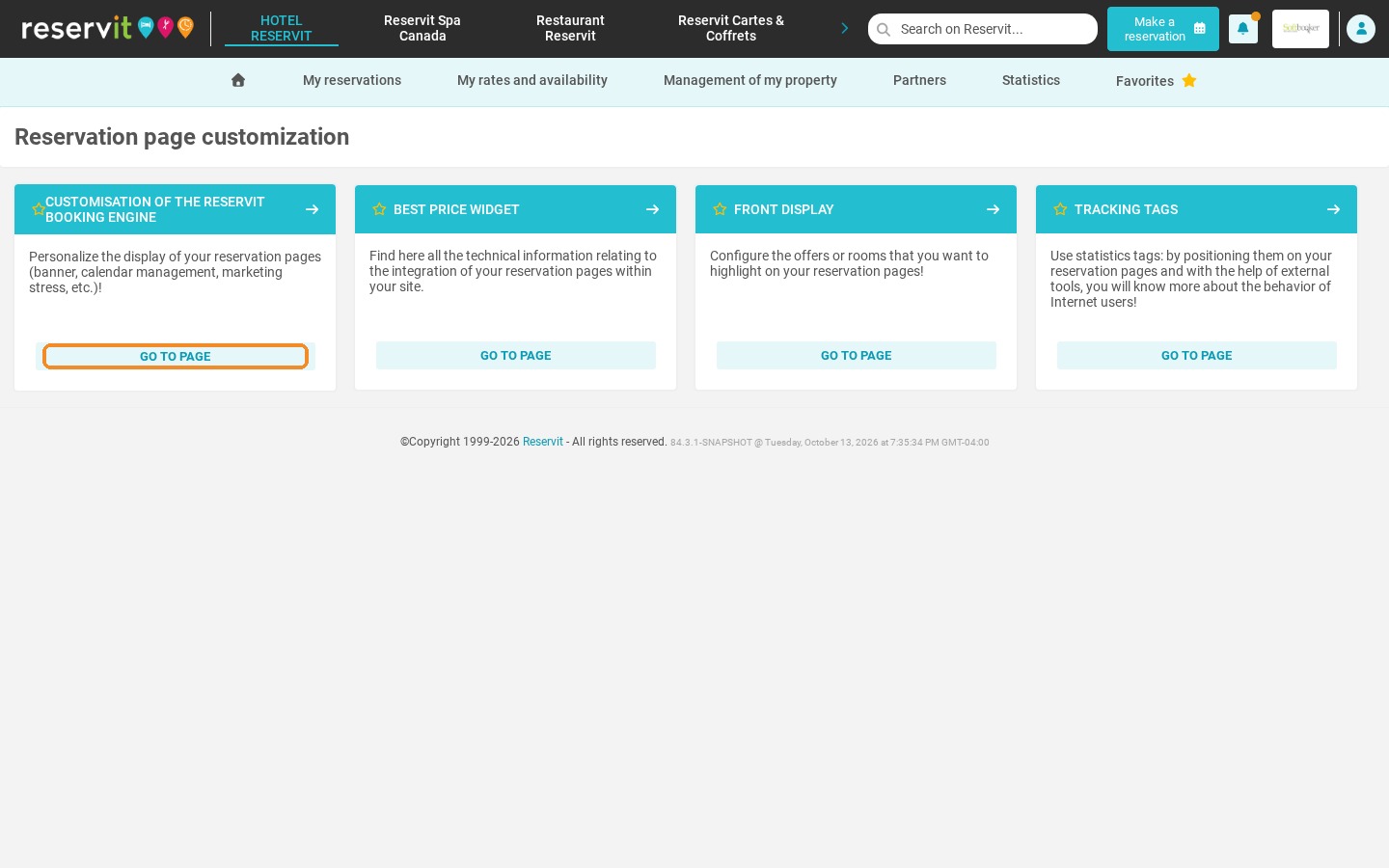
Open the booking engine customization: On the "Customisation of the Reservit Booking Engine" tile, click "Go to page".
-
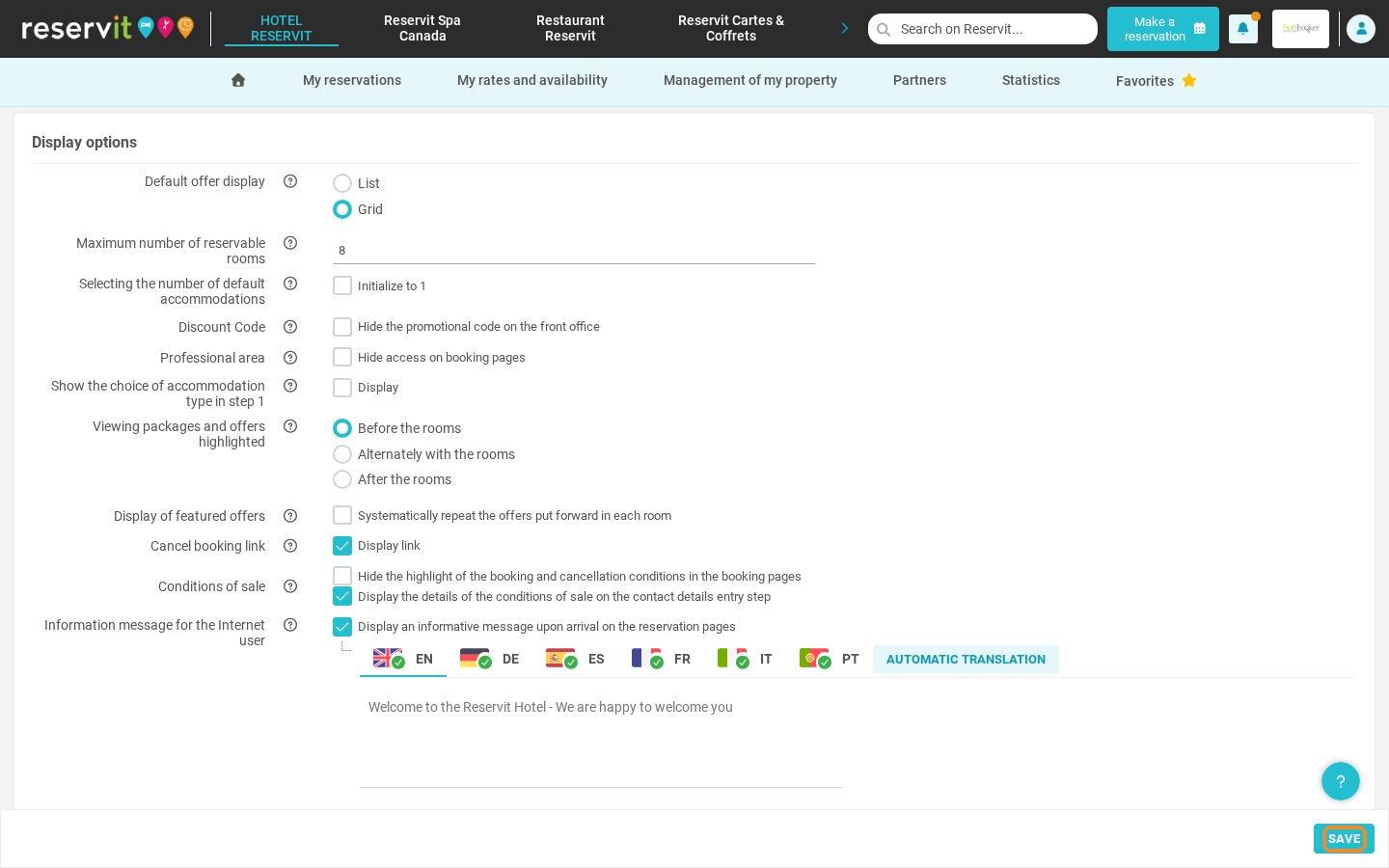
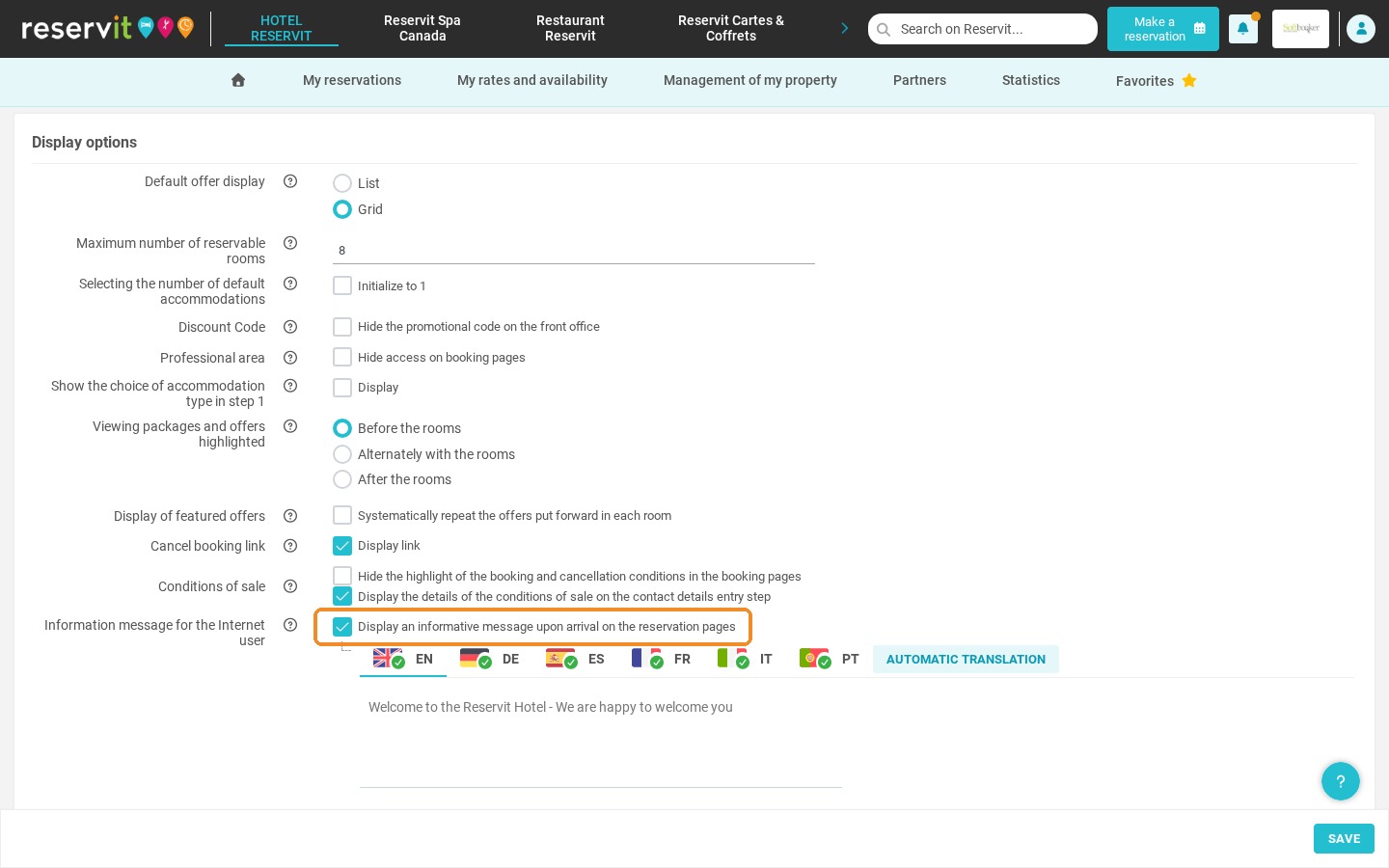
Enable the option: Tick "Display an informative message upon arrival on the reservation pages".
-
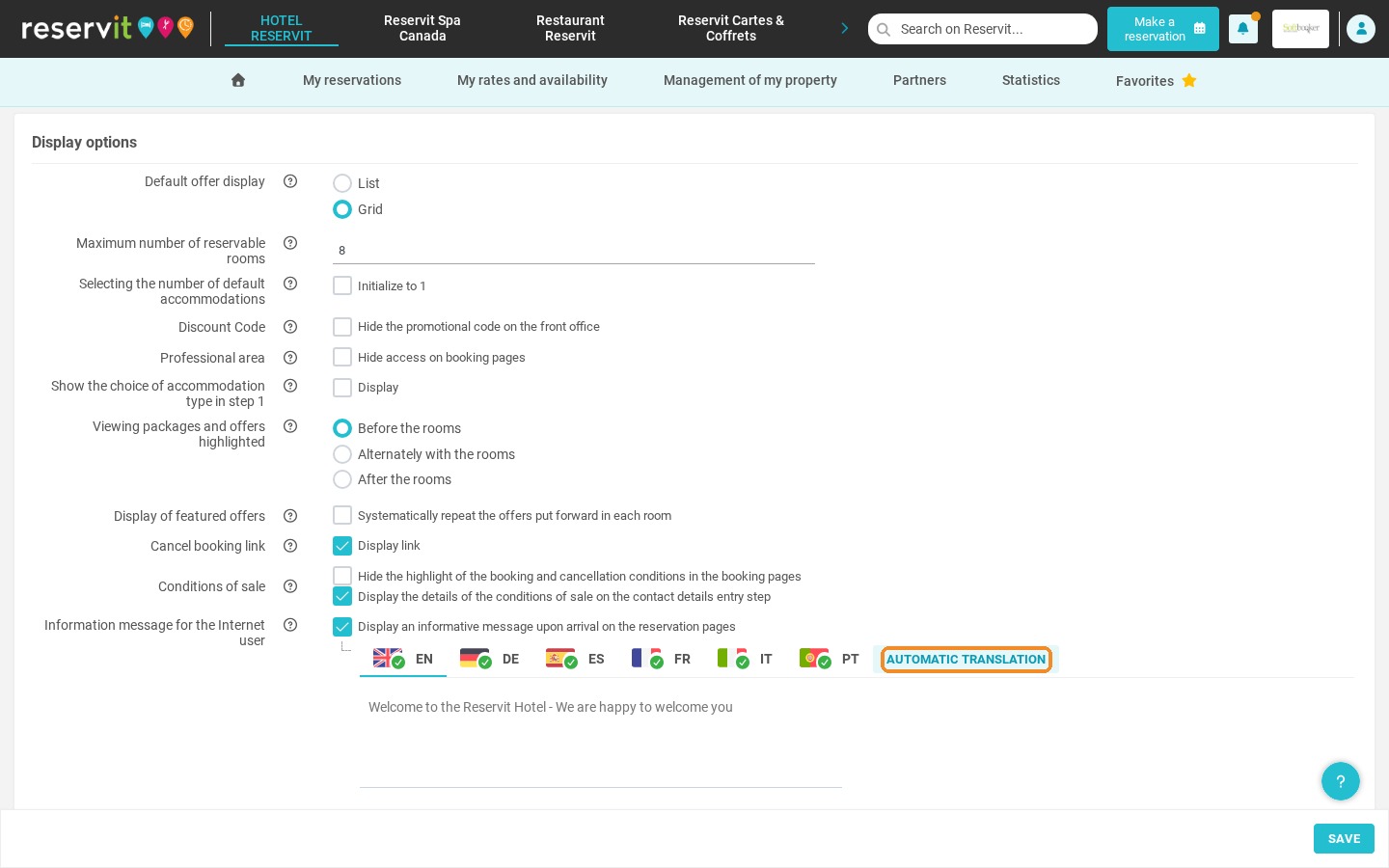
Write and translate: Enter your message, then use "Automatic translation" for your international guests.
-
Save: Click "Save" to display the message on your booking pages.
Why Follow This Guide? A custom message lets you inform your guests in real time (promotions, works, special conditions) and reduces unnecessary support requests, while building trust from the very beginning of the booking process.
1. Click "Management of my property", then "Reservation Page Customization".
2. On the "Customisation of the Reservit Booking Engine" tile, click "Go to page".
3. Under "Information message for the Internet user", tick "Display an informative message upon arrival on the reservation pages".
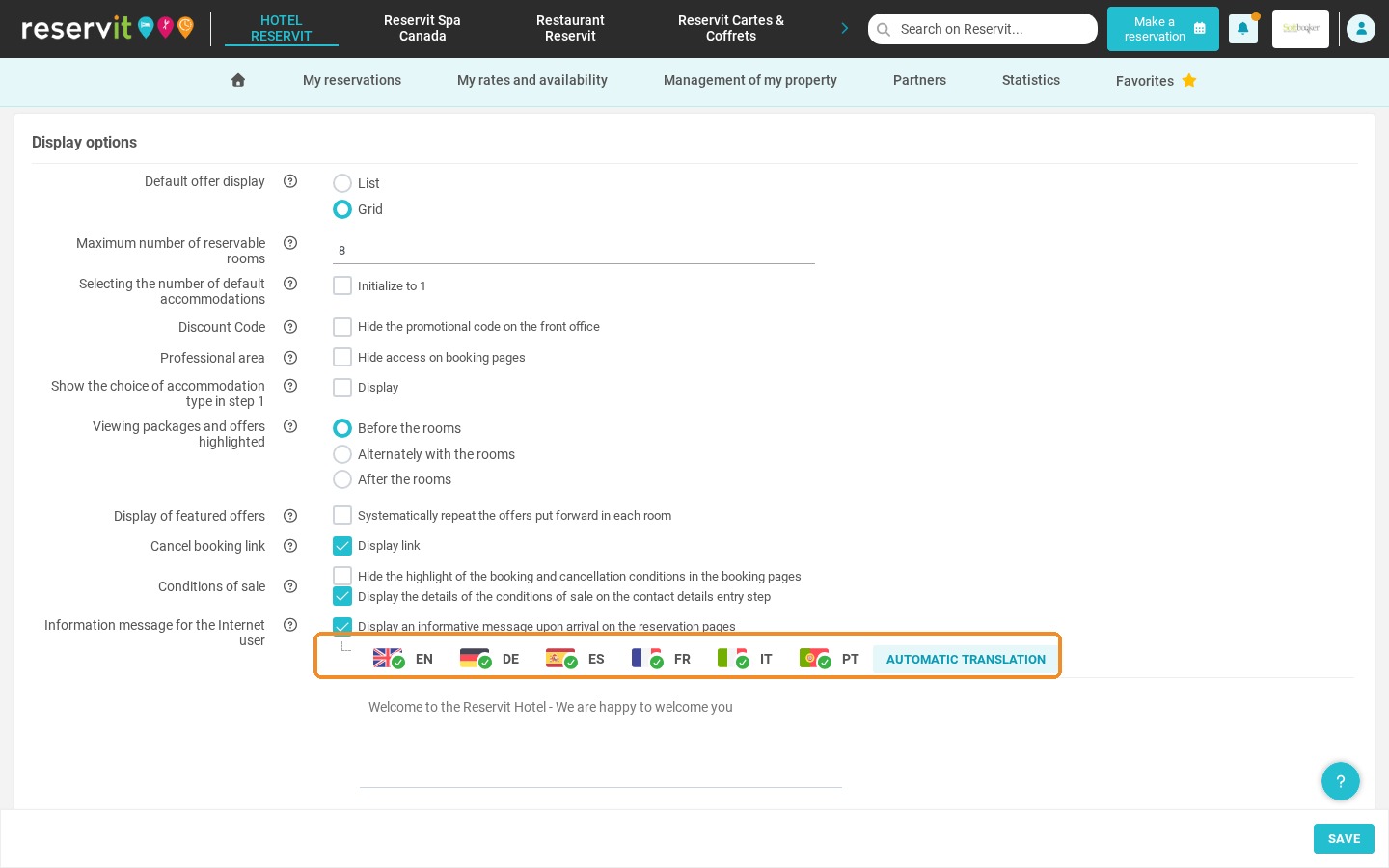
4. Write your message. The flags let you switch between languages.
5. Click "Automatic translation" to translate your message into the other languages.
6. Don't forget to click "Save". Your message is then displayed to your guests when they arrive on your booking pages.