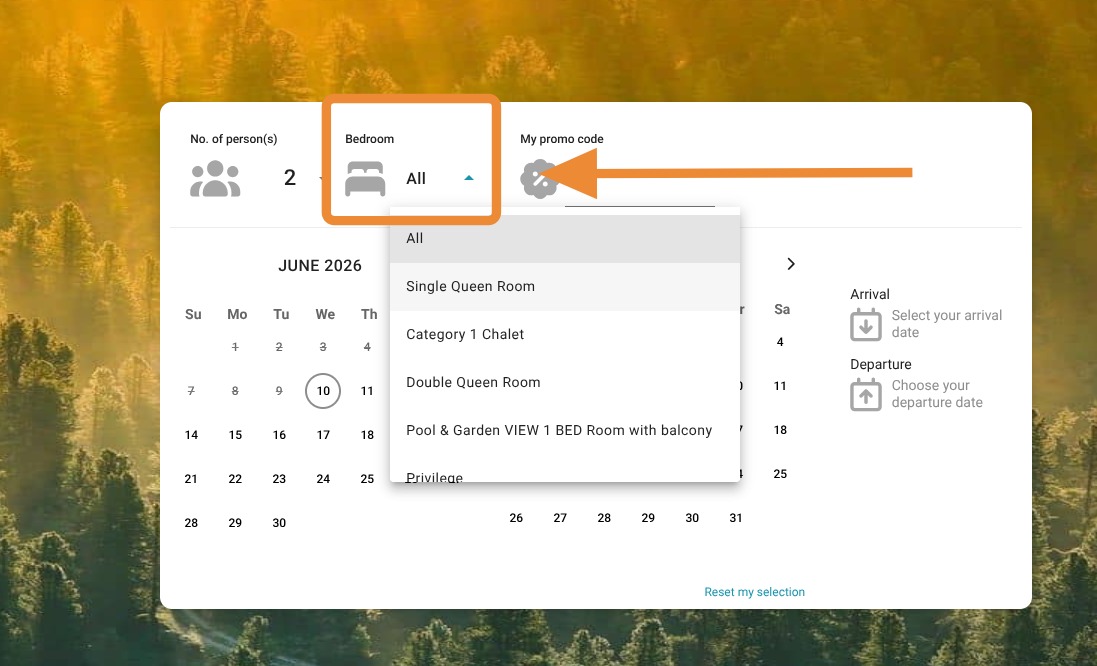
Article Summary: This step-by-step tutorial explains how to configure your Reservit Accommodation booking engine to display a specific availability calendar for each unit or room type. You will learn how to adjust your reservation page settings so guests can view open dates right at the offer selection stage. Implementing this feature enhances the user experience by allowing customers to easily find available dates for their preferred accommodation, ultimately boosting your direct booking conversion rates.
The 4 Key Steps to Display a Calendar by Unit or Category:
-
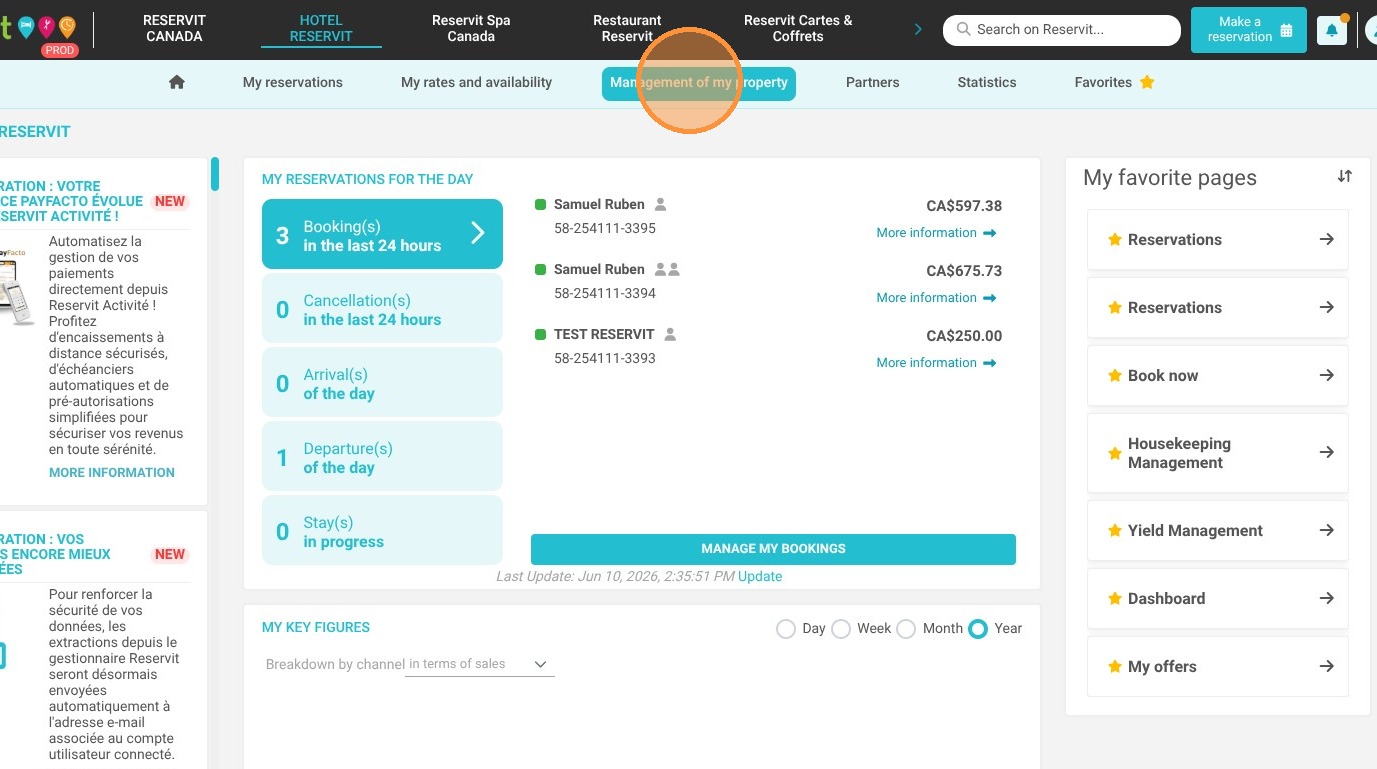
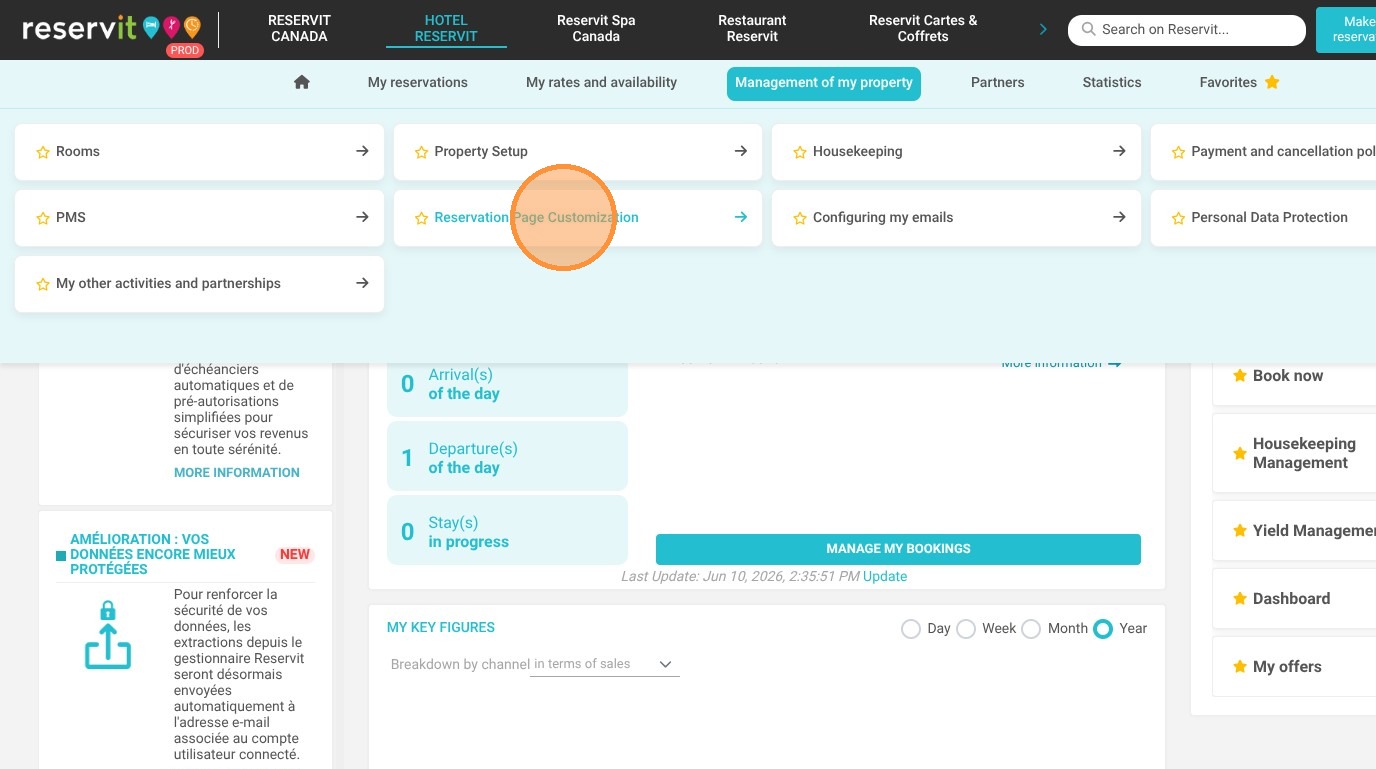
Access Property Settings: Log into your Reservit account, click on "Management of my property," and select "Reservation Page Customization."
-
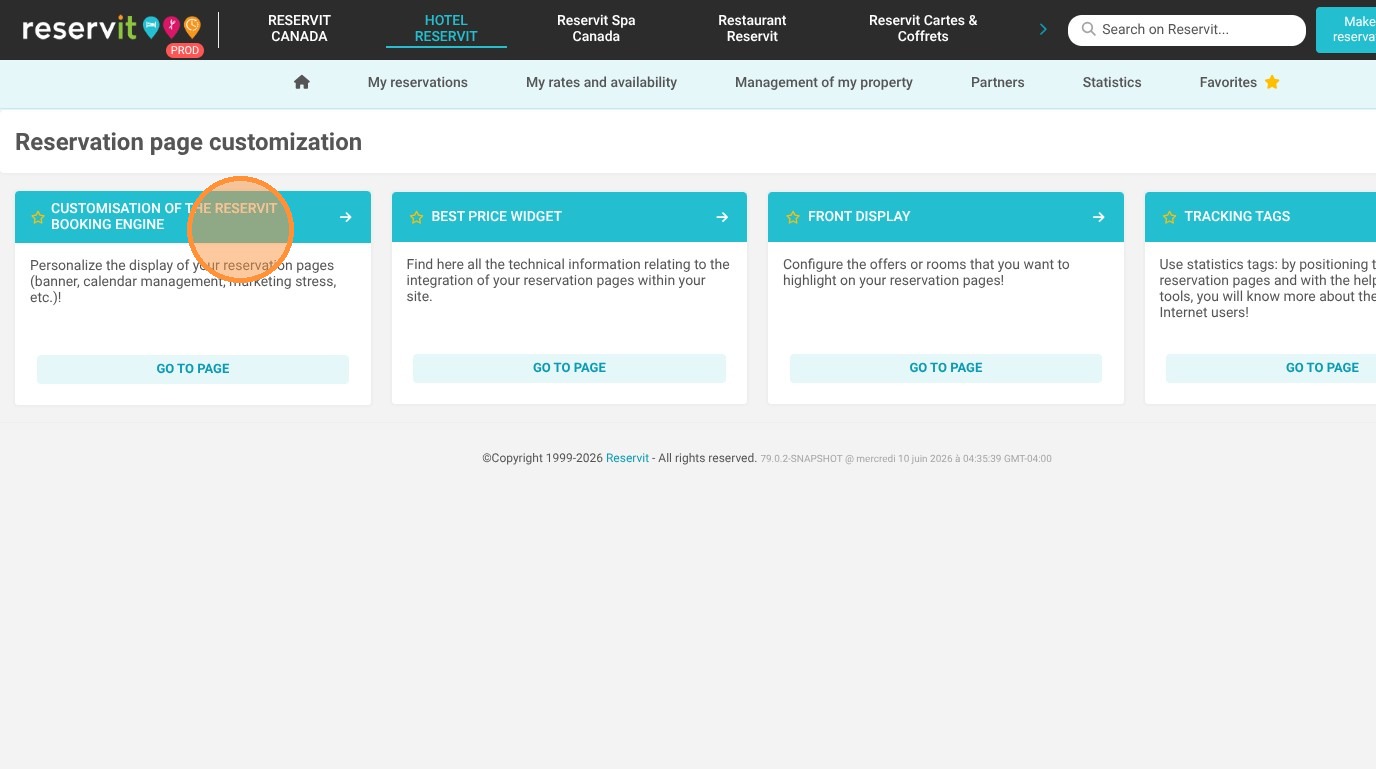
Open Booking Engine Customization: Click on "Customisation of the Reservit Booking Engine" to access your display preferences.
-
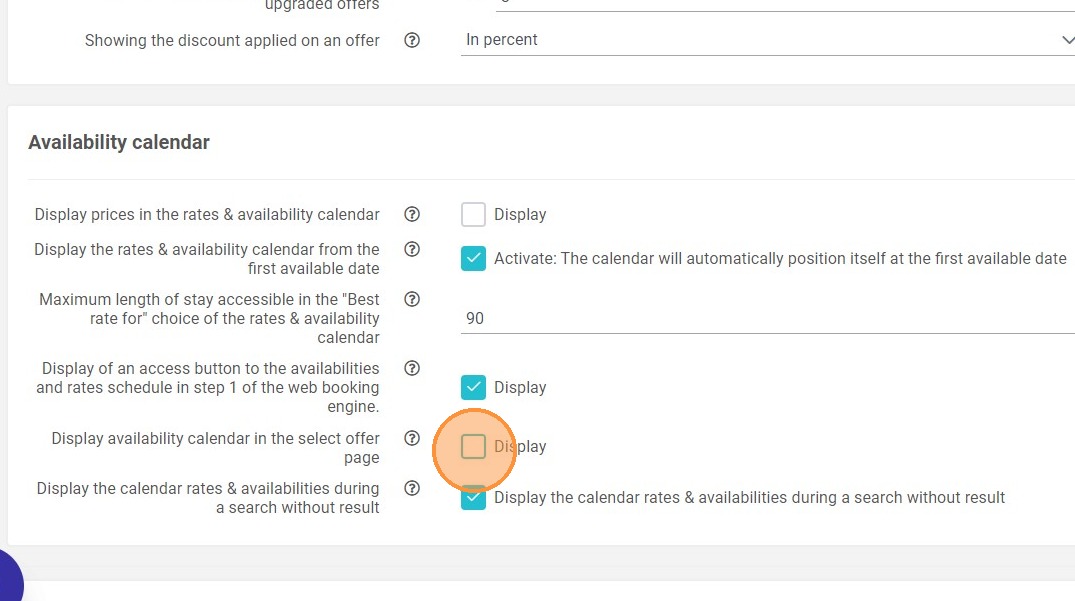
Enable the Calendar Display: Scroll to the second "Availability calendar" heading and check the box labeled "Display the availability calendar in the selection page of the offers."
-
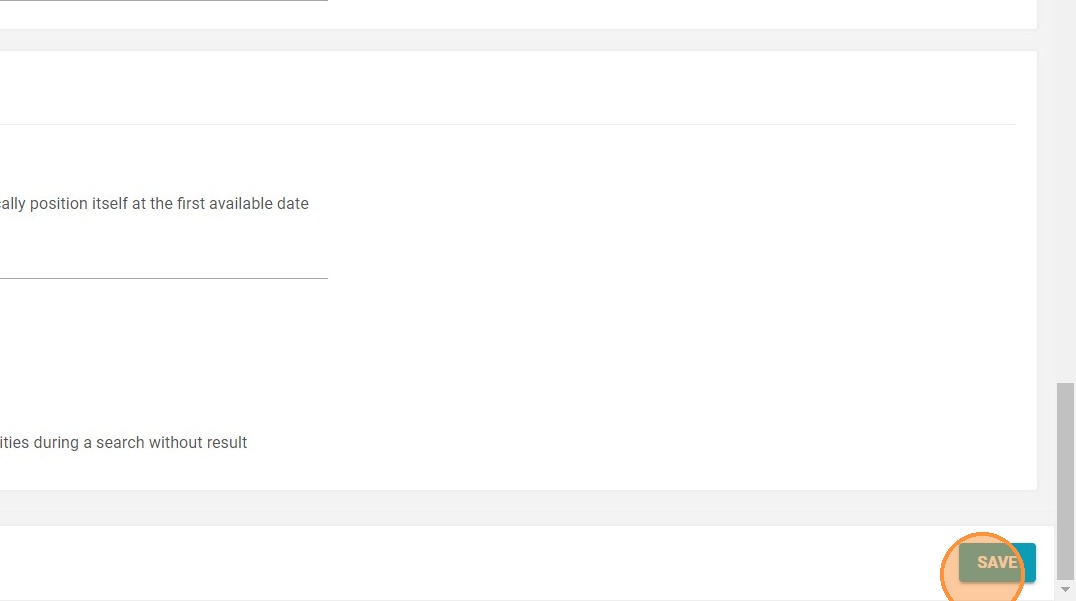
Save and Verify: Click "SAVE" to apply your changes; the unit-specific availability calendar will now successfully appear as the initial step in your customers' booking process.
Why follow this guide? Following this guide allows you to optimize your booking workflow, reducing guest frustration by showing accurate availability for specific rooms upfront. This straightforward configuration minimizes cart abandonment and provides a smoother, more transparent reservation experience that drives revenue.
1. Select "Management of my property," then "Reservation Page Customization," and finally "Customisation of the Reservit Booking Engine."
2. Go to the heading ''Availability calendar'' (the second one) and check the box ''Display the availability calendar in the selection page of the offers
3. Click "SAVE"
4. The unit selection will appear as the initial step in the booking process.