Article Summary: This tutorial explains how to automatically display the first open availability on your Reservit Accommodation booking calendar. You will learn how to quickly configure your reservation page settings so that guests are immediately directed to bookable dates. This simple optimization significantly reduces booking friction, making it easier for customers to finalize their stays and helping you increase direct conversions.
The 4 Key Steps to Automatically Show the First Available Date:
-
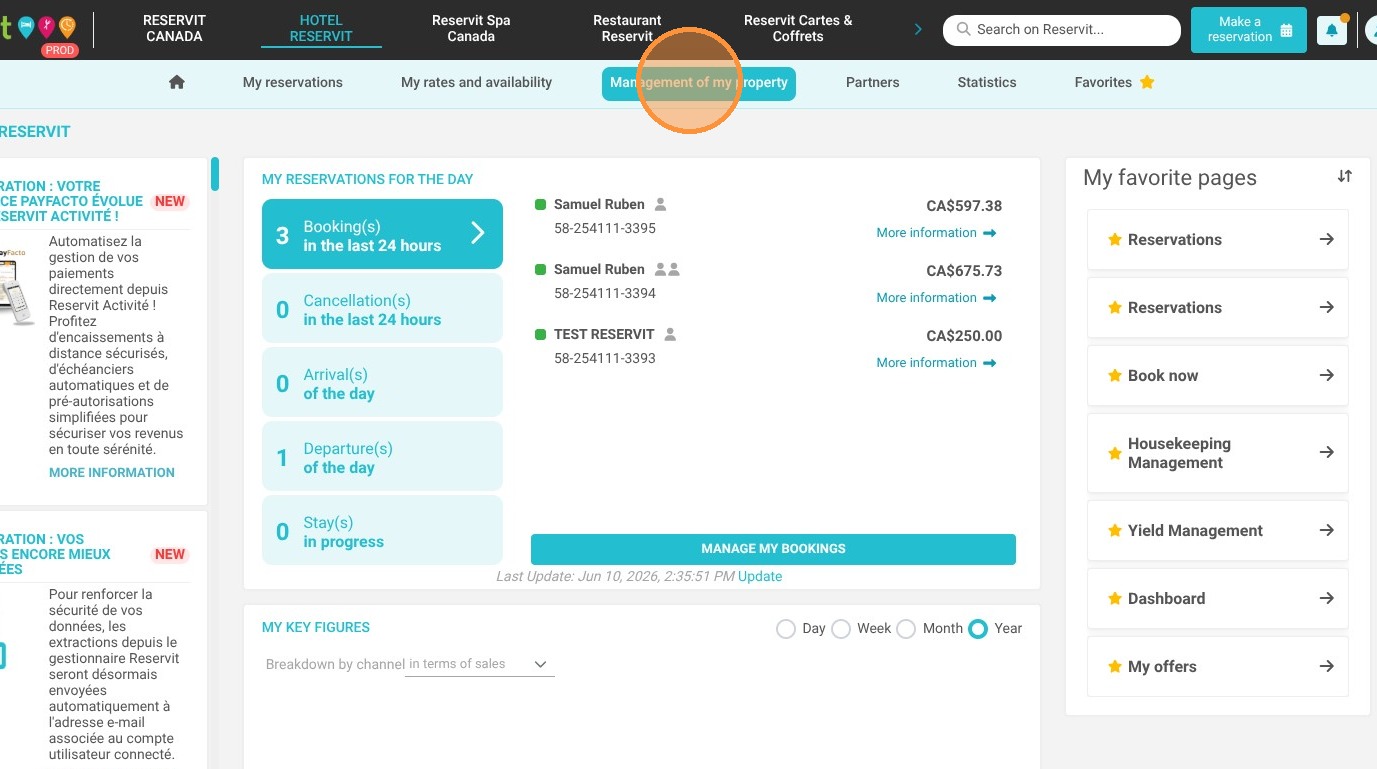
Access Property Management: Log into your Reservit dashboard and navigate to the "Management of my property" section.
-
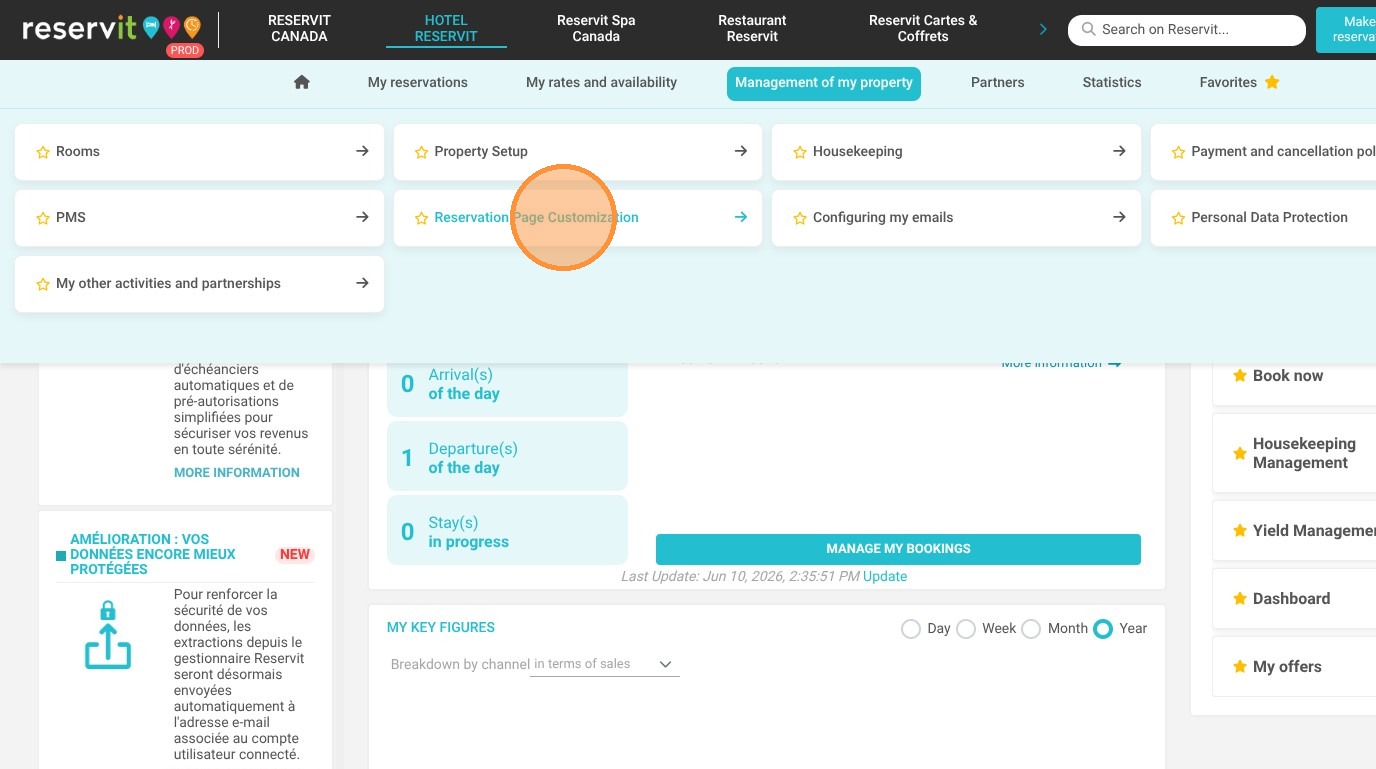
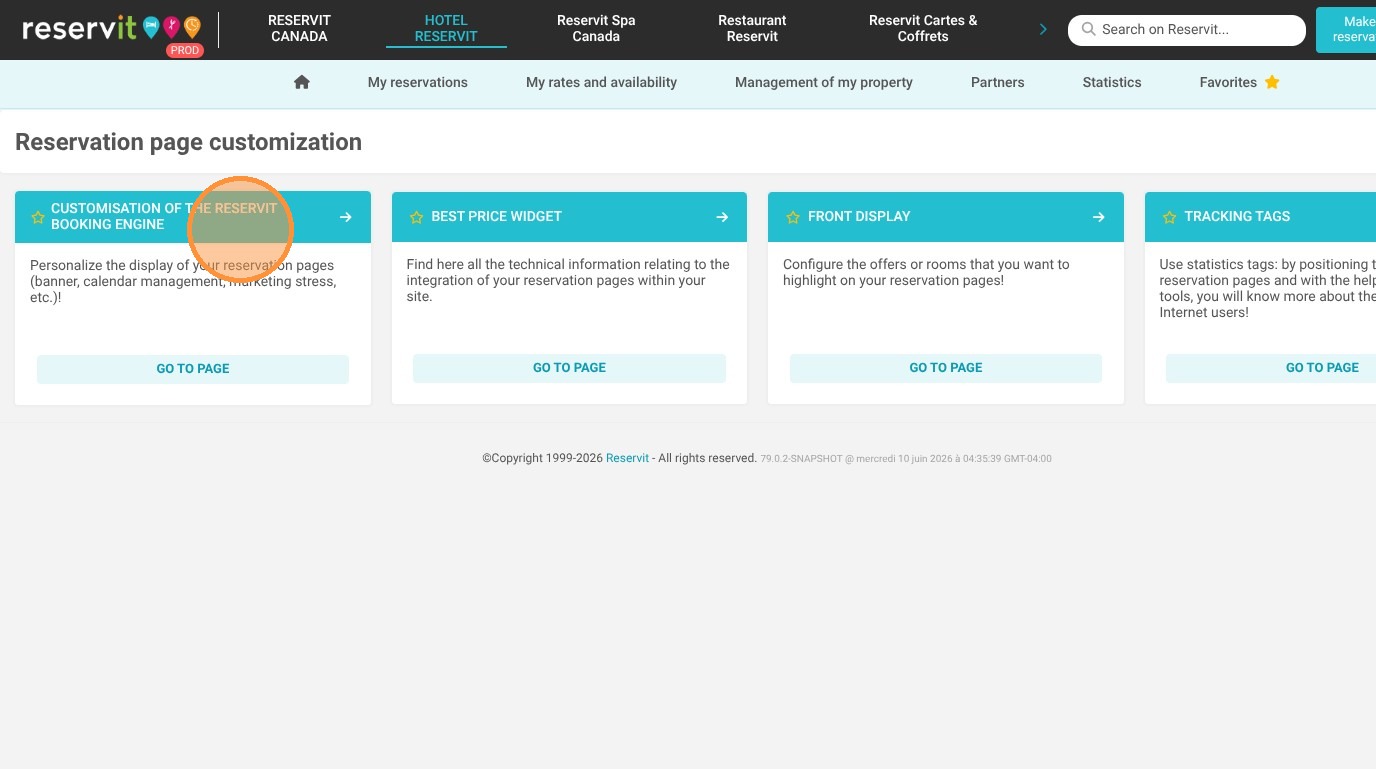
Open Customization Settings: Click on "Reservation Page Customization," followed by "Customisation of the Reservit Booking Engine."
-
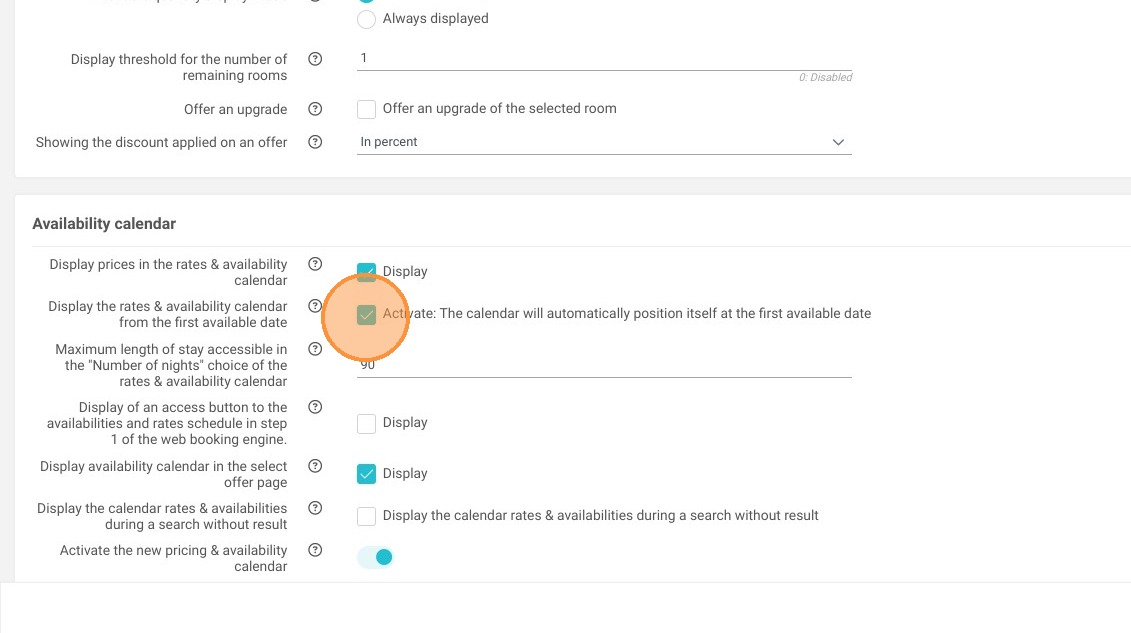
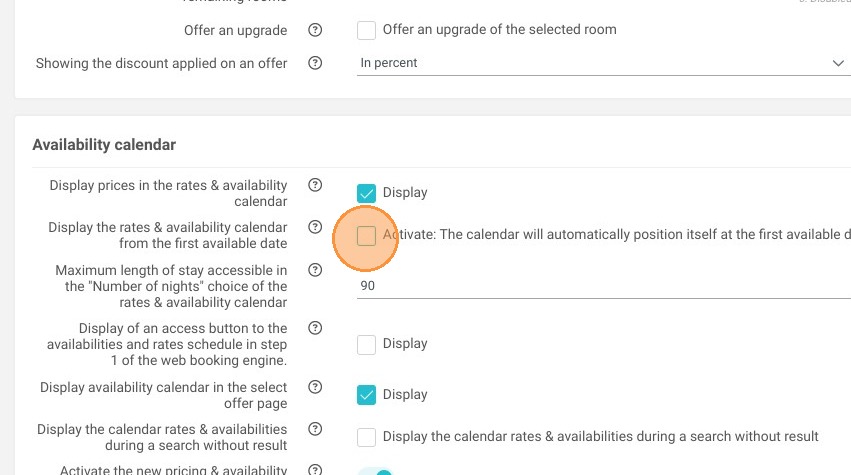
Enable the Feature: Locate and click the option that says "Activate: The calendar will automatically position itself at the first available date."
-
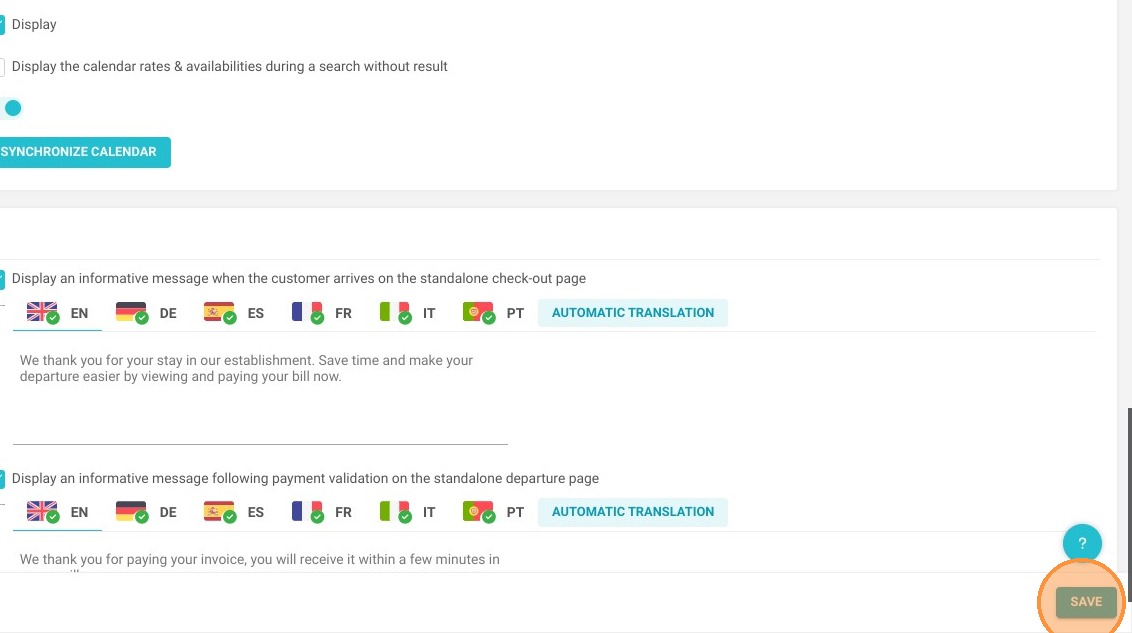
Save Your Changes: Click the "Save" button to instantly apply this new configuration to your live booking engine.
Why follow this guide? Activating this feature streamlines the user journey, saving your customers valuable time by preventing them from scrolling through fully booked months. Optimizing your booking engine in this way eliminates a common source of frustration, reducing cart abandonment and directly improving your overall occupancy rate.
1. Select "Management of my property," then "Reservation Page Customization," and finally "Customisation of the Reservit Booking Engine."
2. Click "Activate: The calendar will automatically position itself at the first available date"
3. Click "Save"