Article Summary: This comprehensive guide explains how to seamlessly process a payment or secure a deposit at the exact time of booking within the Reservit PMS. You will learn how to create a new reservation, input credit card guarantees, and use the integrated terminal to either charge the guest immediately or send a secure payment link. Mastering this upfront billing workflow ensures guaranteed revenue and significantly reduces the risk of no-shows for your property.
The 4 key steps to process a payment at booking:
-
Create the Reservation: Enter the requested stay dates, select the desired room, and accurately fill in the customer's personal profile information.
-
Secure the Guarantee: Select the credit card guarantee mode, securely input the guest's billing details, and click confirm to lock in the reservation.
-
Access the Terminal: Click on the "Payment Terminal" icon directly from the confirmed reservation screen to launch the integrated billing module.
-
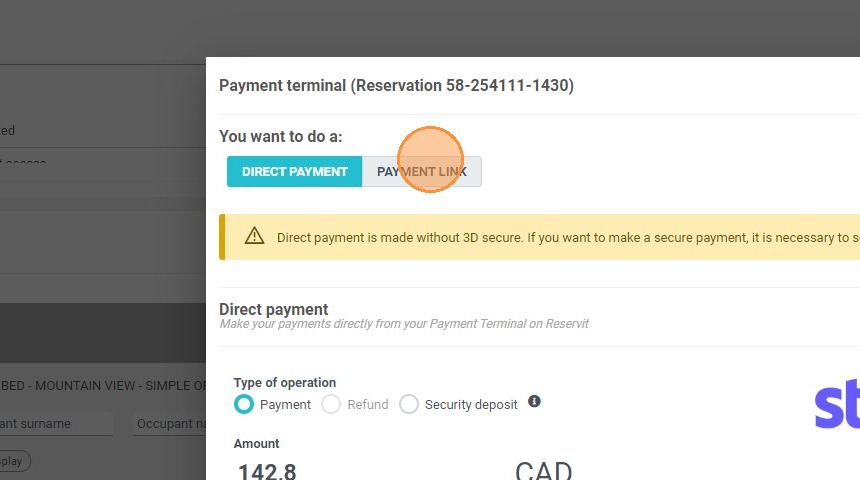
Process the Transaction: Choose "Direct Payment" to charge the card immediately, or select "Payment Link" to email a secure online checkout request to the customer.
Why follow this guide? Following this tutorial helps you secure guaranteed revenue upfront, protecting your property from the financial impact of last-minute cancellations and no-shows. It streamlines your daily front-desk operations by combining the reservation creation and payment collection into one highly efficient, PCI-compliant workflow.
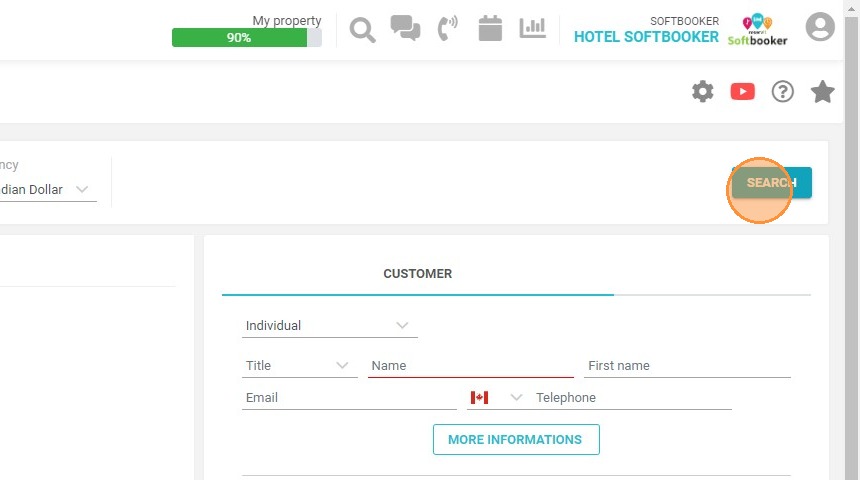
1. On the reservation page, click on search, after having entered the dates and the number of persons
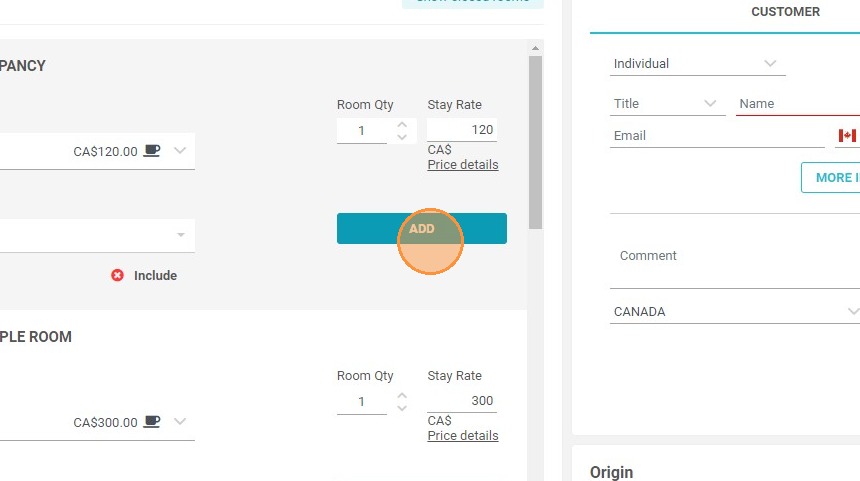
2. Click on add on the chosen room
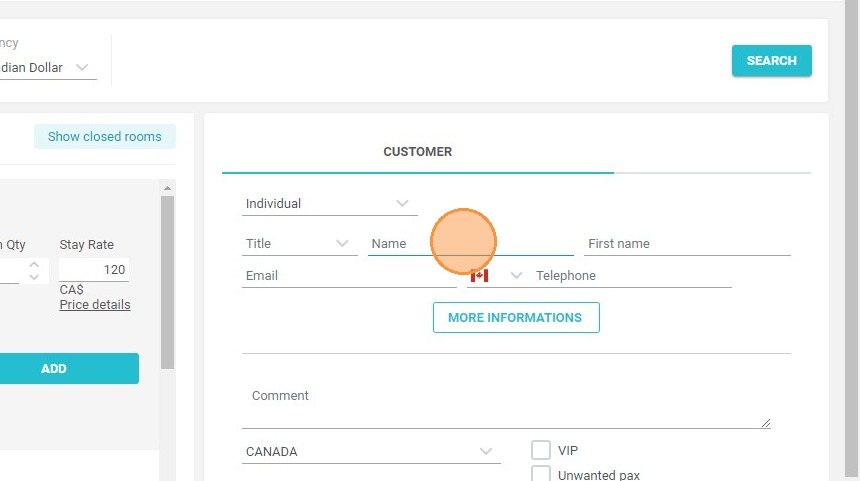
3. Enter customer information
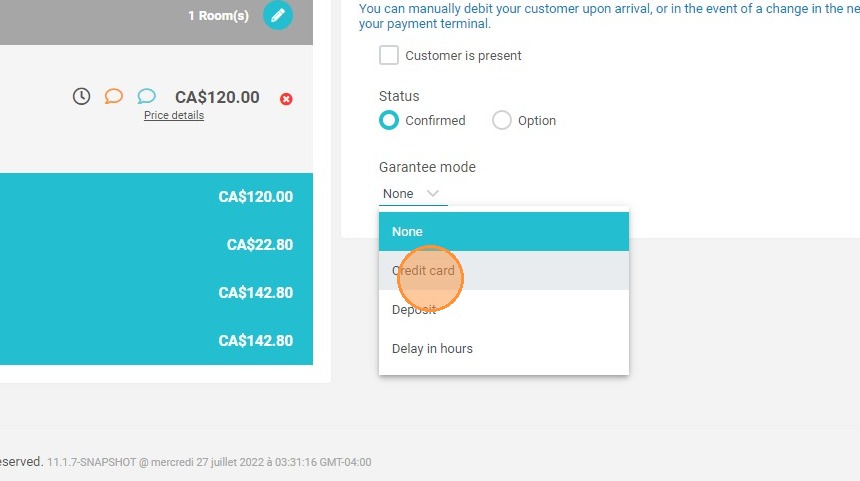
4. Choose guarantee mode : credit card
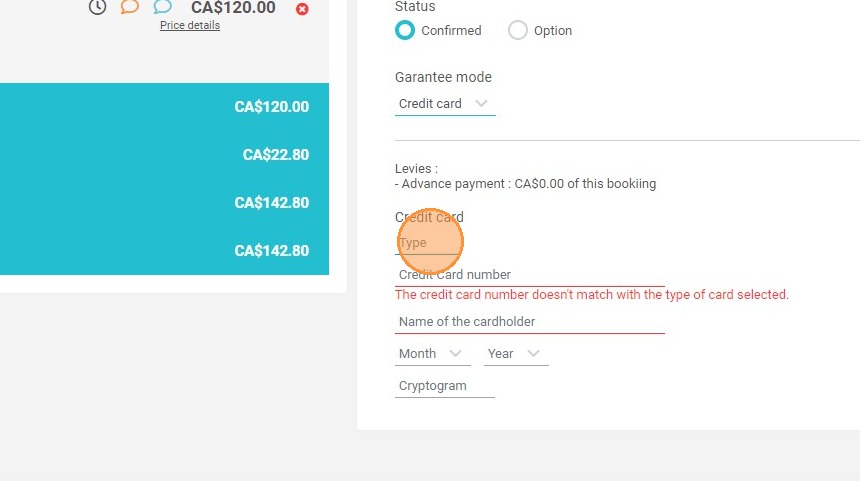
5. Fill in the customer's credit card information
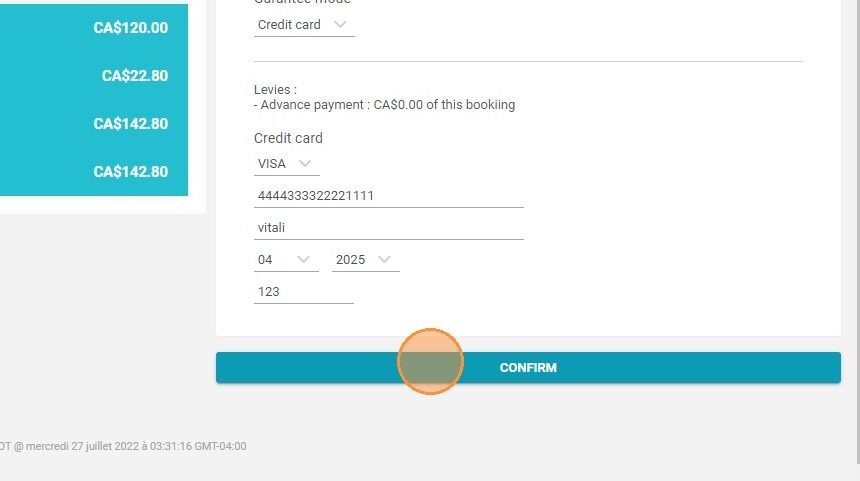
6. Click "CONFIRM"
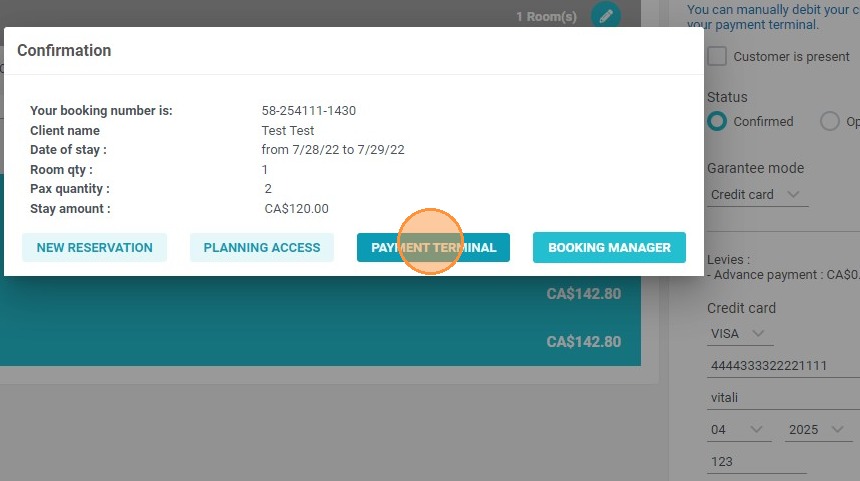
7. Click "PAYMENT TERMINAL"
8. Click on "DIRECT PAYMENT" then on save to take payment directly
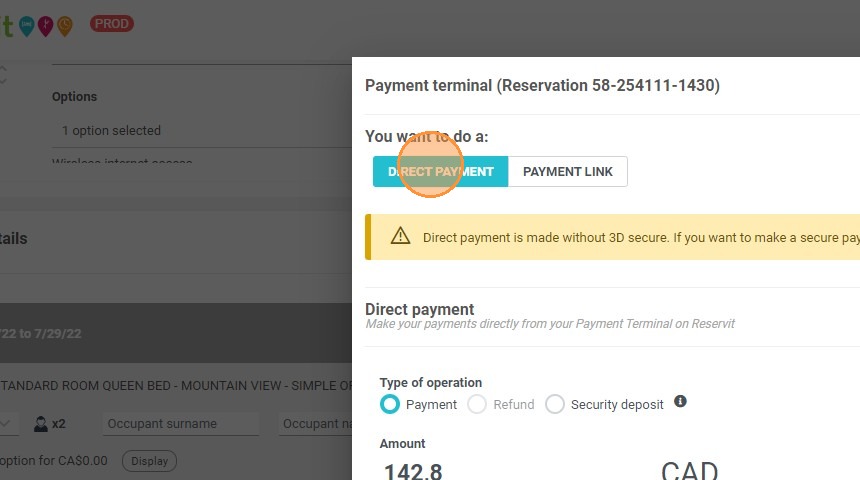
9. Or click on "PAYMENT LINK" to send the payment link to the customer