

Article Summary: This step-by-step tutorial explains how to create a new unit category to better organize your property's room offerings within Reservit Accommodation. You will learn how to easily add a new category, utilize automatic translations for international guests, and link it to specific room types. Structuring your accommodation categories effectively makes your booking engine easier to navigate, helping potential guests quickly find and book their ideal stay.
The 4 Key Steps to Create a Unit Category:
-
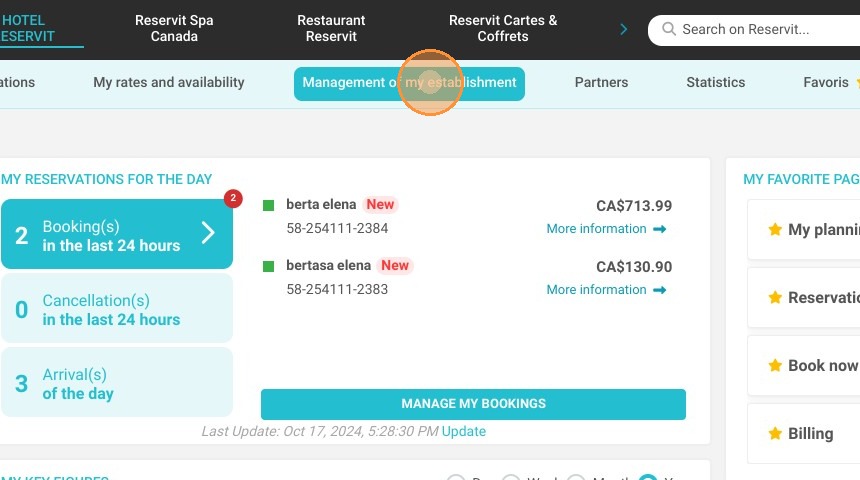
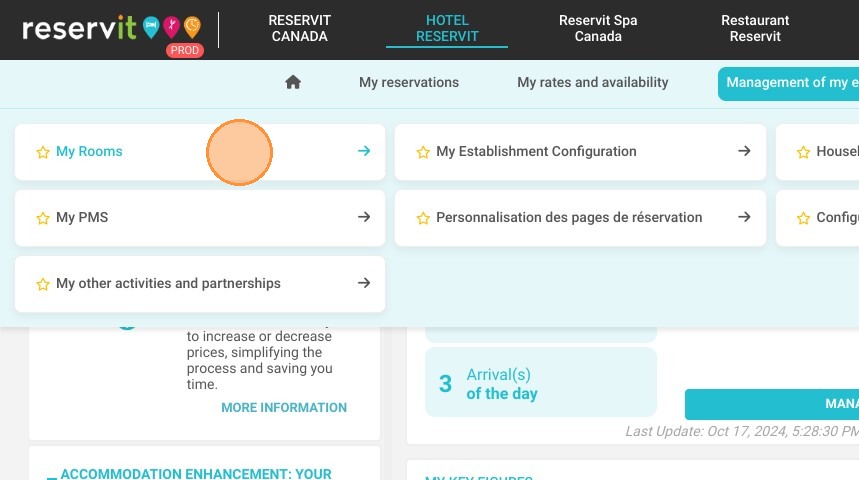
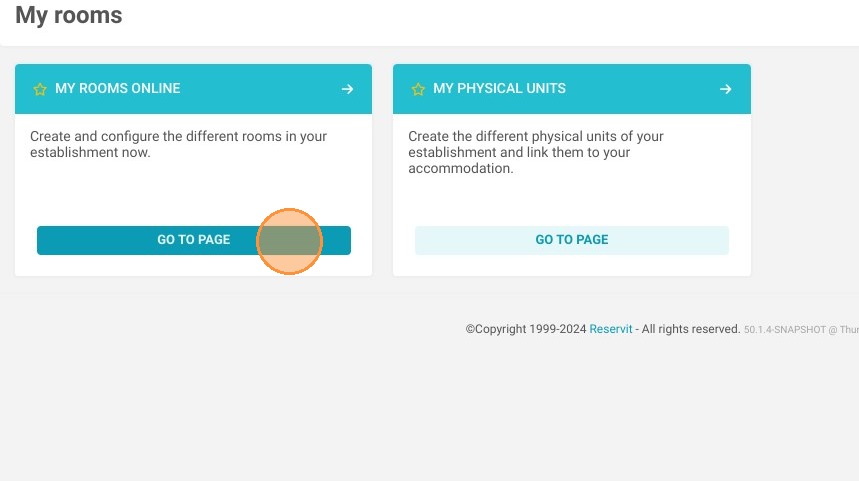
Access Room Management: Log into your Reservit dashboard, click "Management of my establishment," navigate to "My rooms," and select "My rooms online."
-
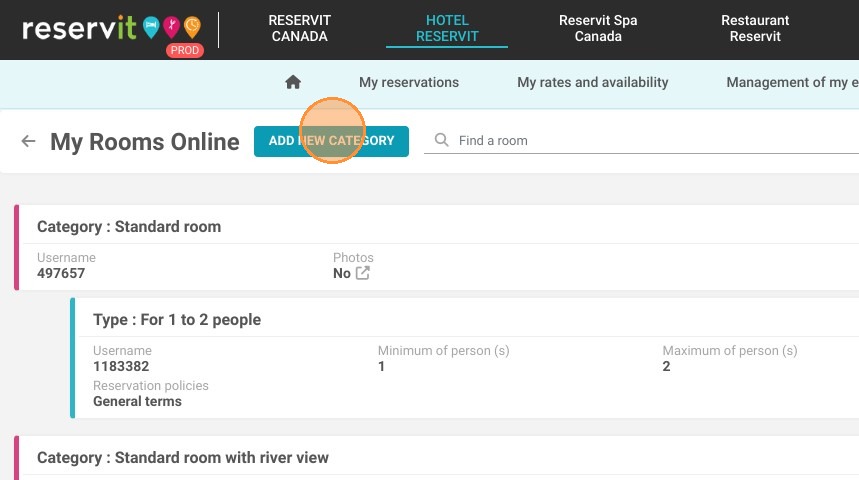
Initiate Category Creation: Click the "ADD NEW CATEGORY" button to begin defining your new accommodation group.
-
Name, Translate, and Describe: Enter a clear name for your category, use the automatic translation tool to cater to a global audience, and add an optional description to highlight key features.
-
Save and Link Room Types: Click "Save" to finalize the category, then immediately select a specific room type to link to this newly organized classification.
Why follow this guide? Following this guide ensures your property's inventory is logically organized, preventing booking errors and saving your staff time when managing reservations. A well-structured room categorization directly optimizes your online sales strategy by presenting clear, professional accommodation options to your customers.
1. Click "Management of my establishment"
2. My rooms
3. My rooms online
4. Click "ADD NEW CATEGORY"
5. Choose the name of the category.
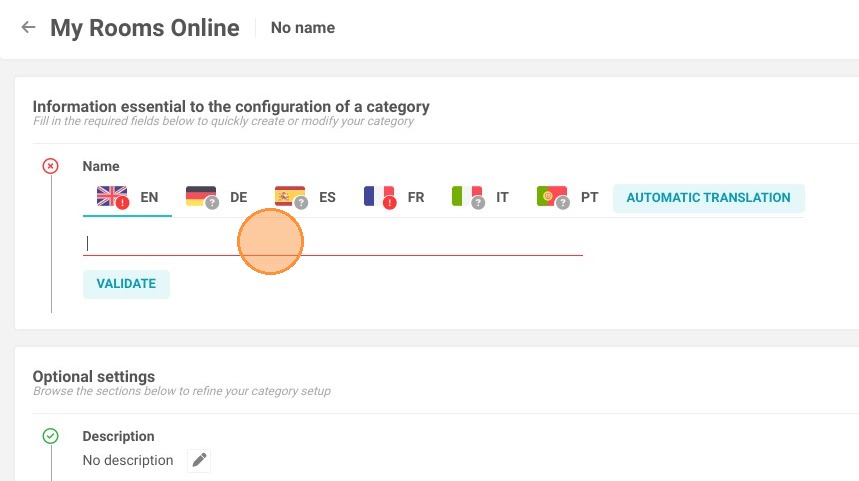
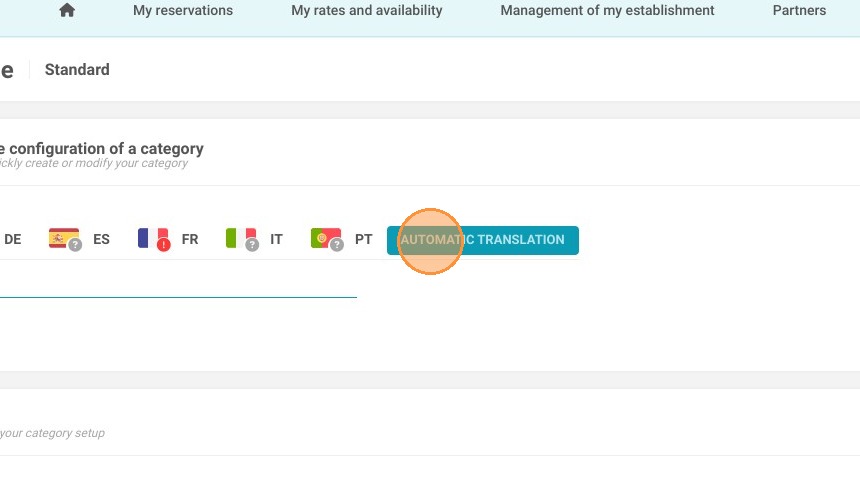
6. You can use the automatic translation.
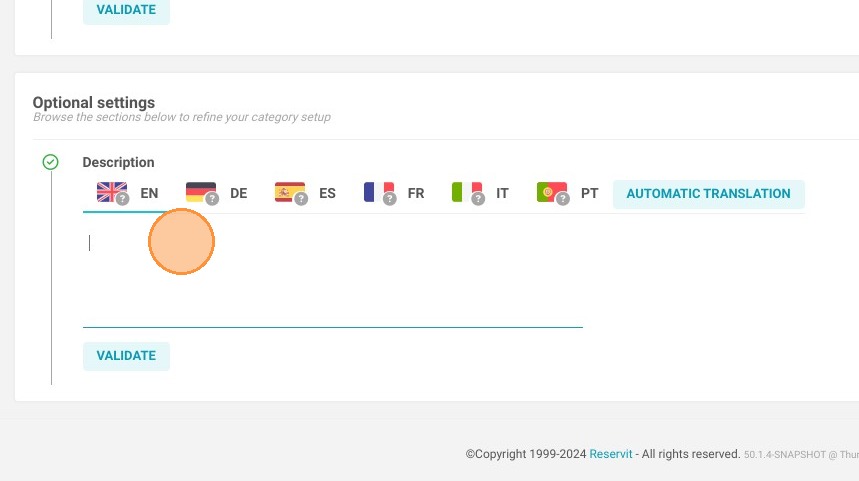
7. Add a description (not mandatory)
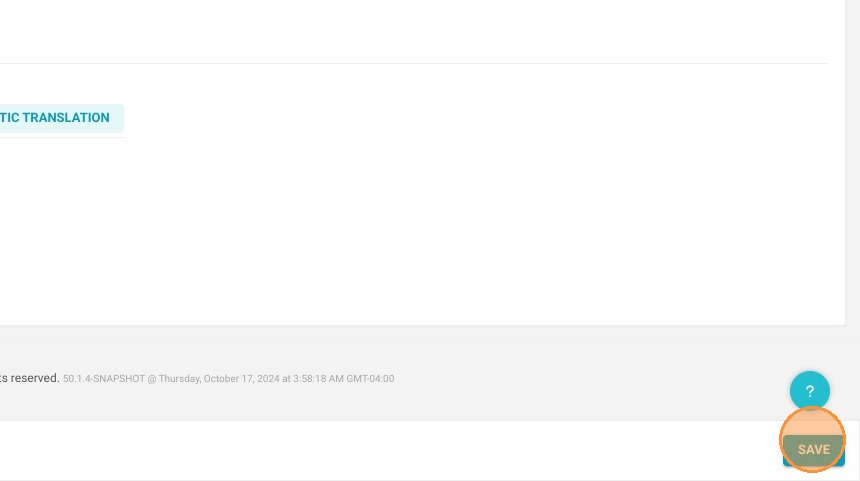
8. Save to create the category.
9. Choose a type you will link to this category.
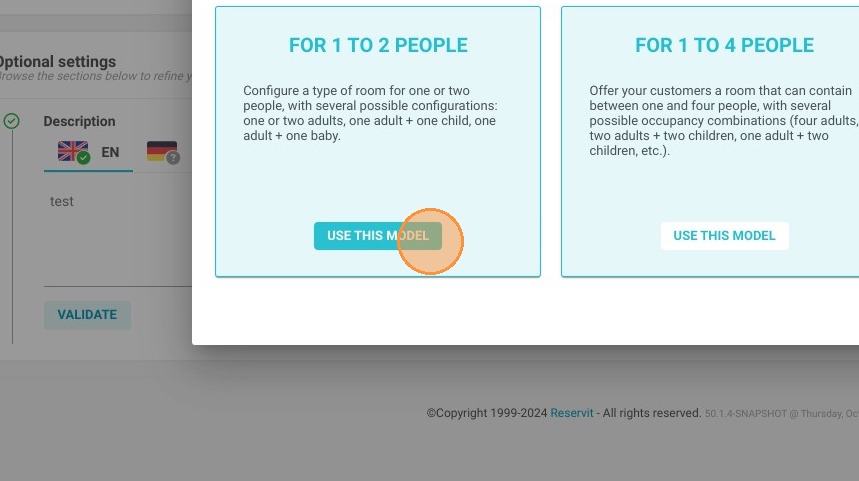
10. Follow the next steps to set up the room type.