

Article Summary: This tutorial explains how to generate and analyze your Global Report by applying an invoice date filter in Reservit PMS. You will learn how to set the period of your Global Report and understand how this filter affects the way credit notes are counted. Mastering this view gives you an accurate reading of your invoiced revenue and makes reconciliation with your accounting system much easier.
The 4 key steps to filter your Global Report by invoice date:
-
Open the report: In the main menu, go to "Statistics", select "Billing", then open the "Global Report" page.
-
Apply the invoice date filter: On the "Global Report" page, click "INVOICE DATE" (the reference date is the one printed on the invoice).
-
Choose the period: Select the time range you want (for example, last month) to display your financial indicators.
-
Read credit notes correctly: With this filter, credit notes are counted on their issue date and grouped in a single "Credit note" category, instead of being deducted from the original service categories (accommodation, food and beverage, etc.).
Why follow this guide? Following these steps aligns your PMS statistics with your accounting requirements, based on actual invoicing rather than on stay dates. By understanding how credit notes behave under this filter, you avoid misinterpretations and keep your financial analysis reliable.
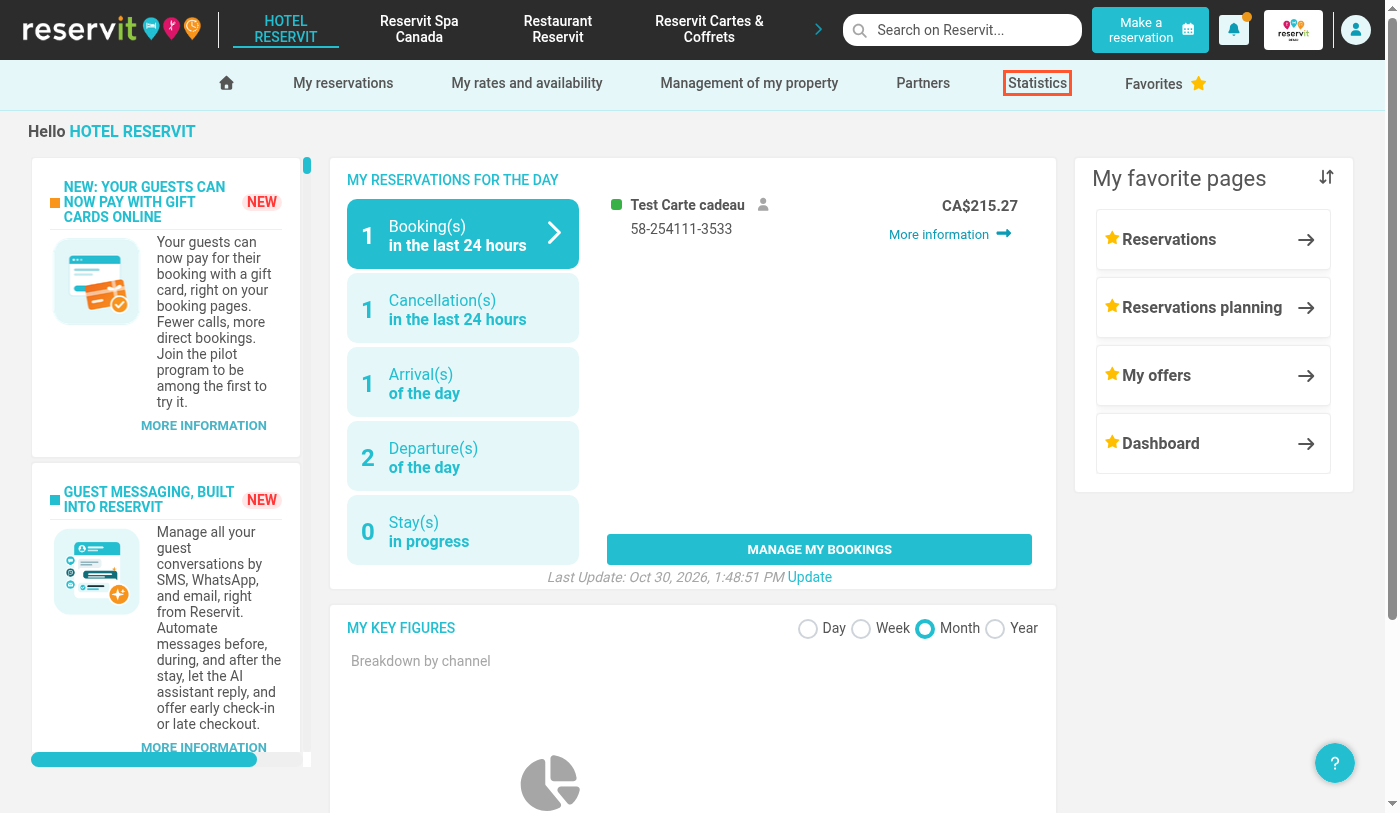
1. Click "Statistics".
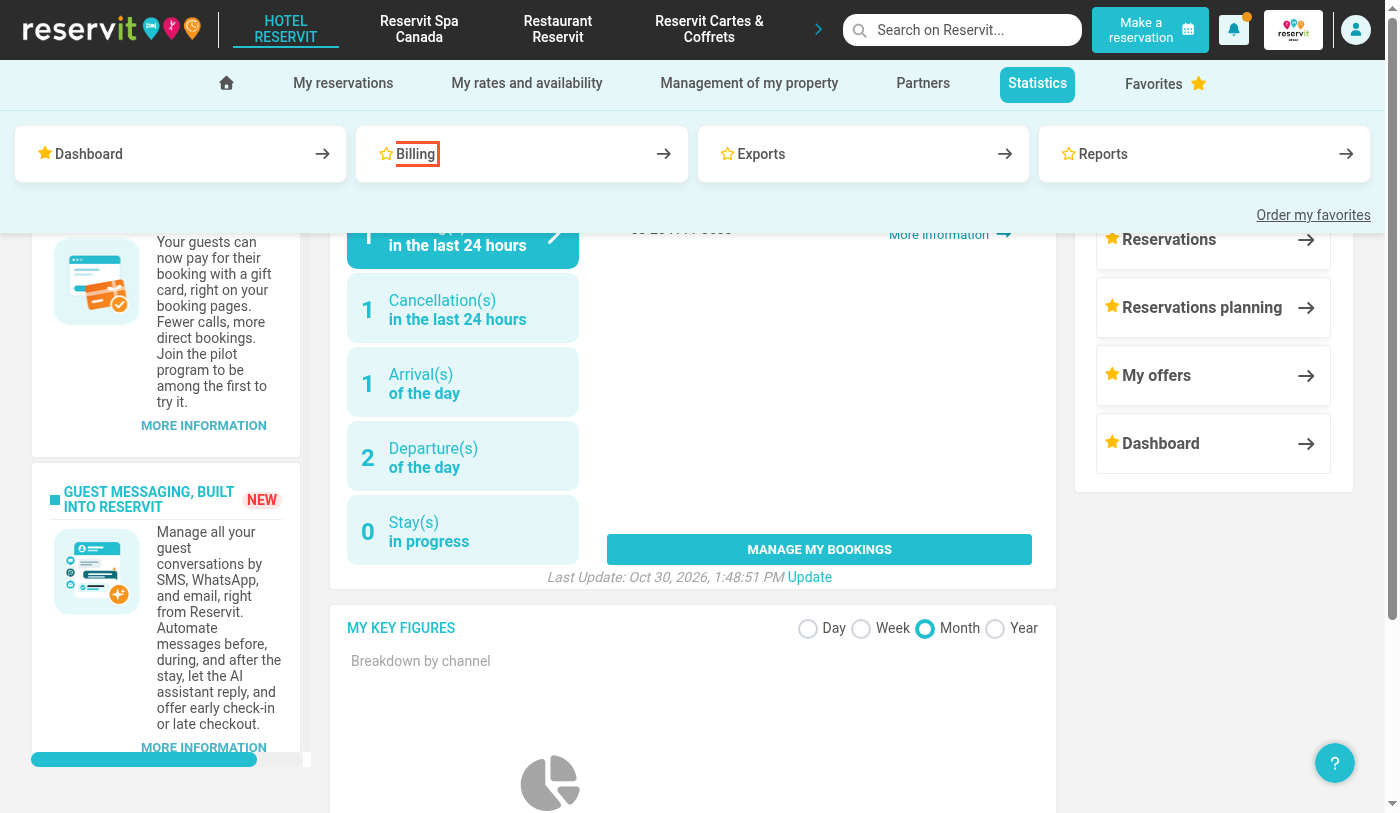
2. Click "Billing".
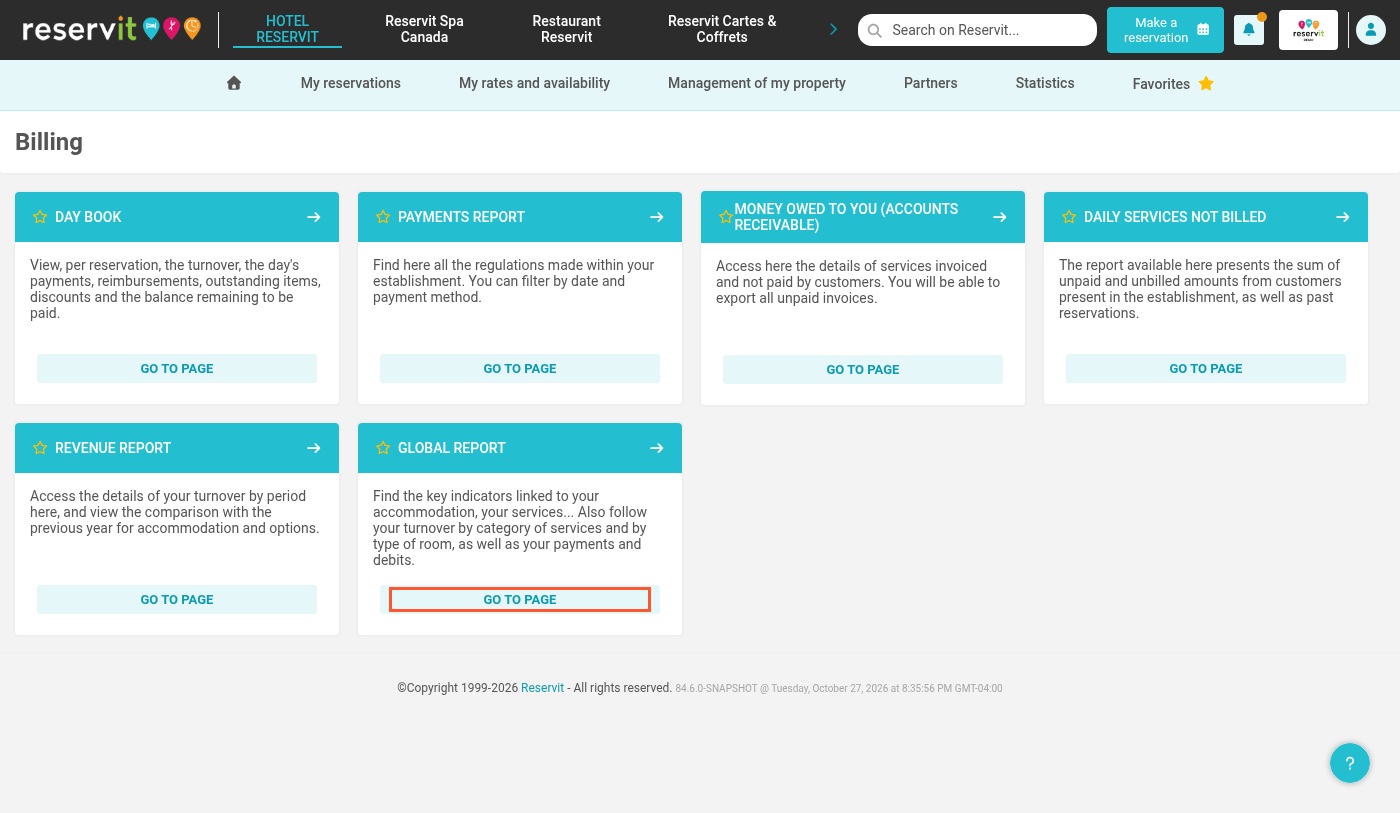
3. Under "GLOBAL REPORT", click "GO TO PAGE".
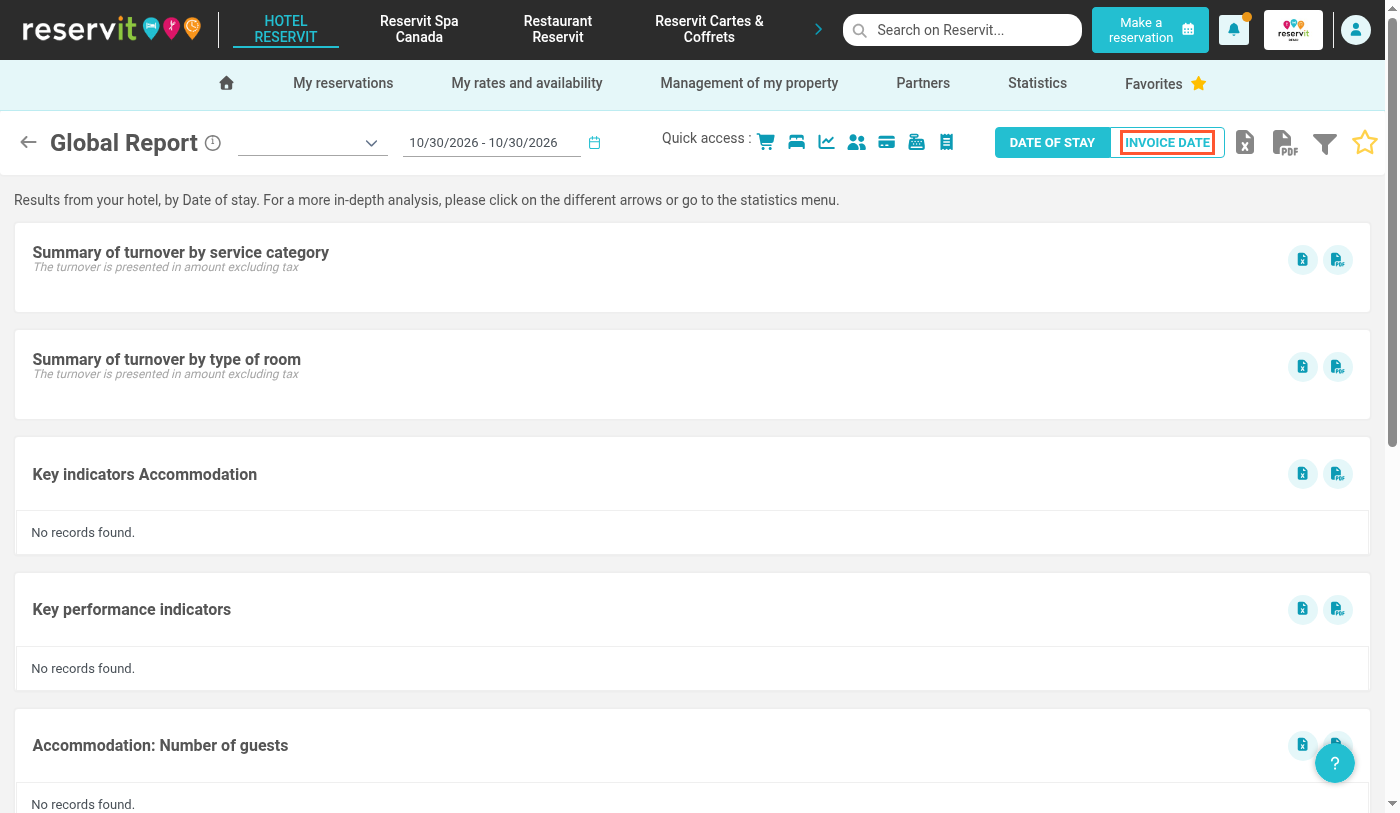
4. The Global Report lets you display your data by invoice date: click "INVOICE DATE". The reference date is the one printed on the invoice.
5. Then choose the period you want: open the period list…
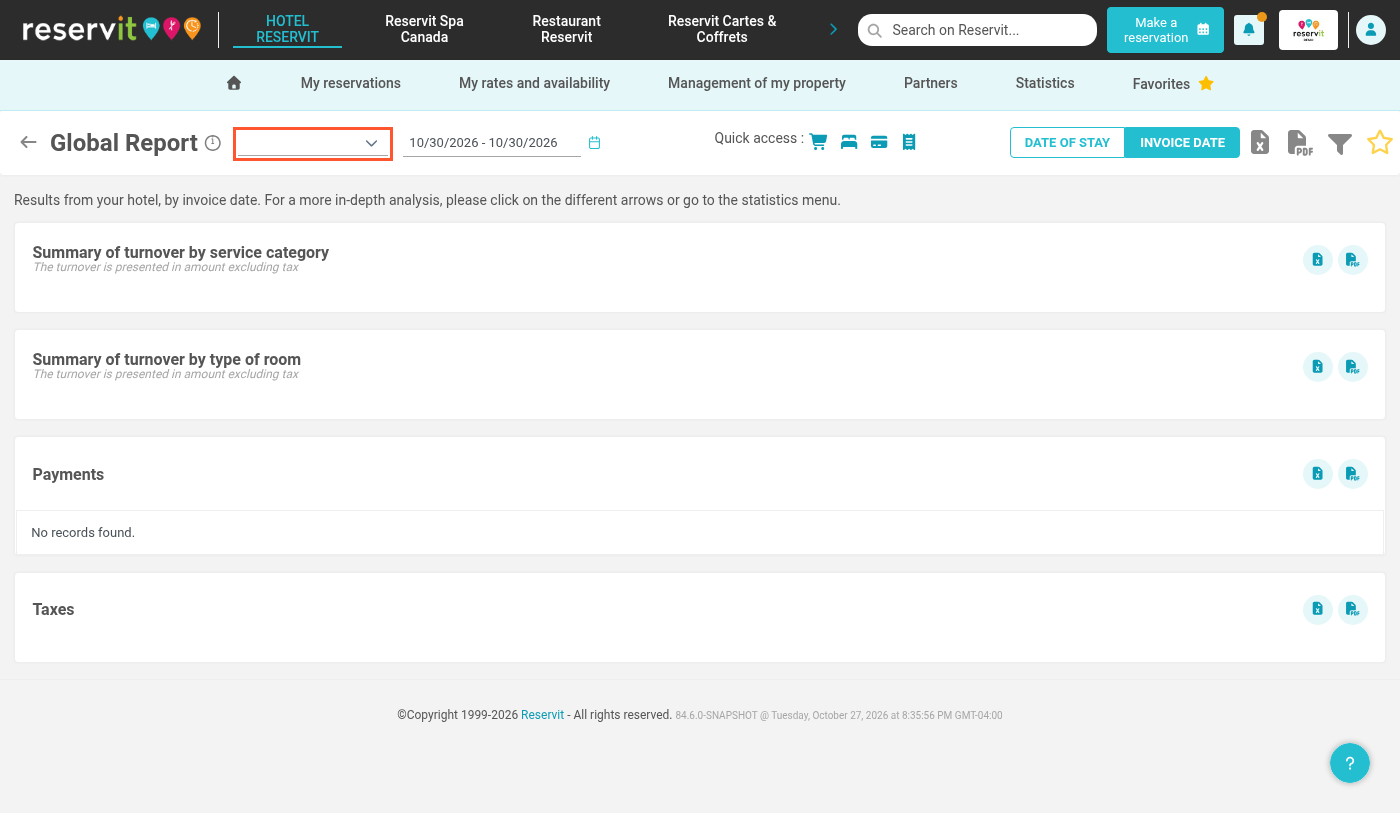
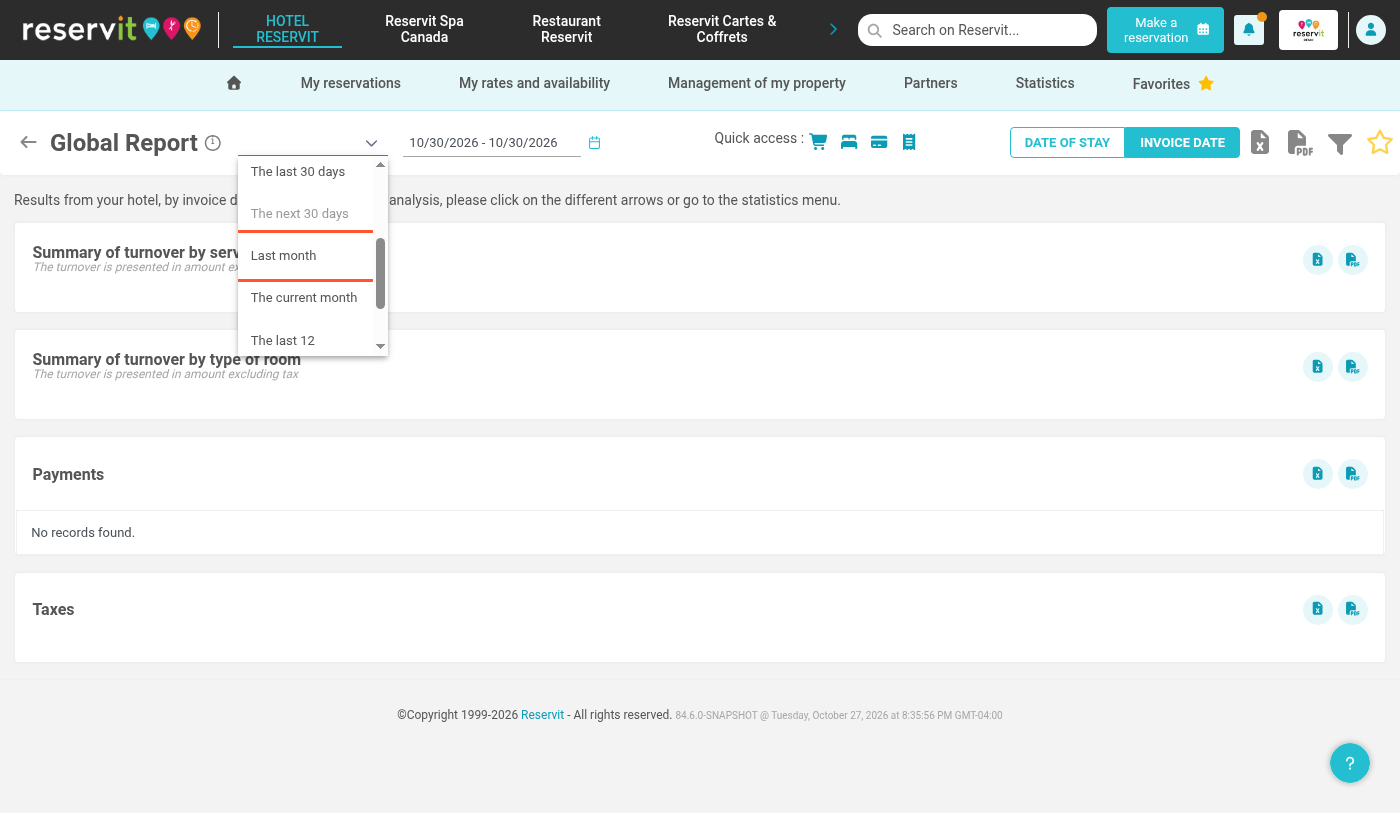
6. …and select a period, for example "Last month". You can also set custom dates with the calendar.
7. The Global Report now shows your results by invoice date for the selected period.
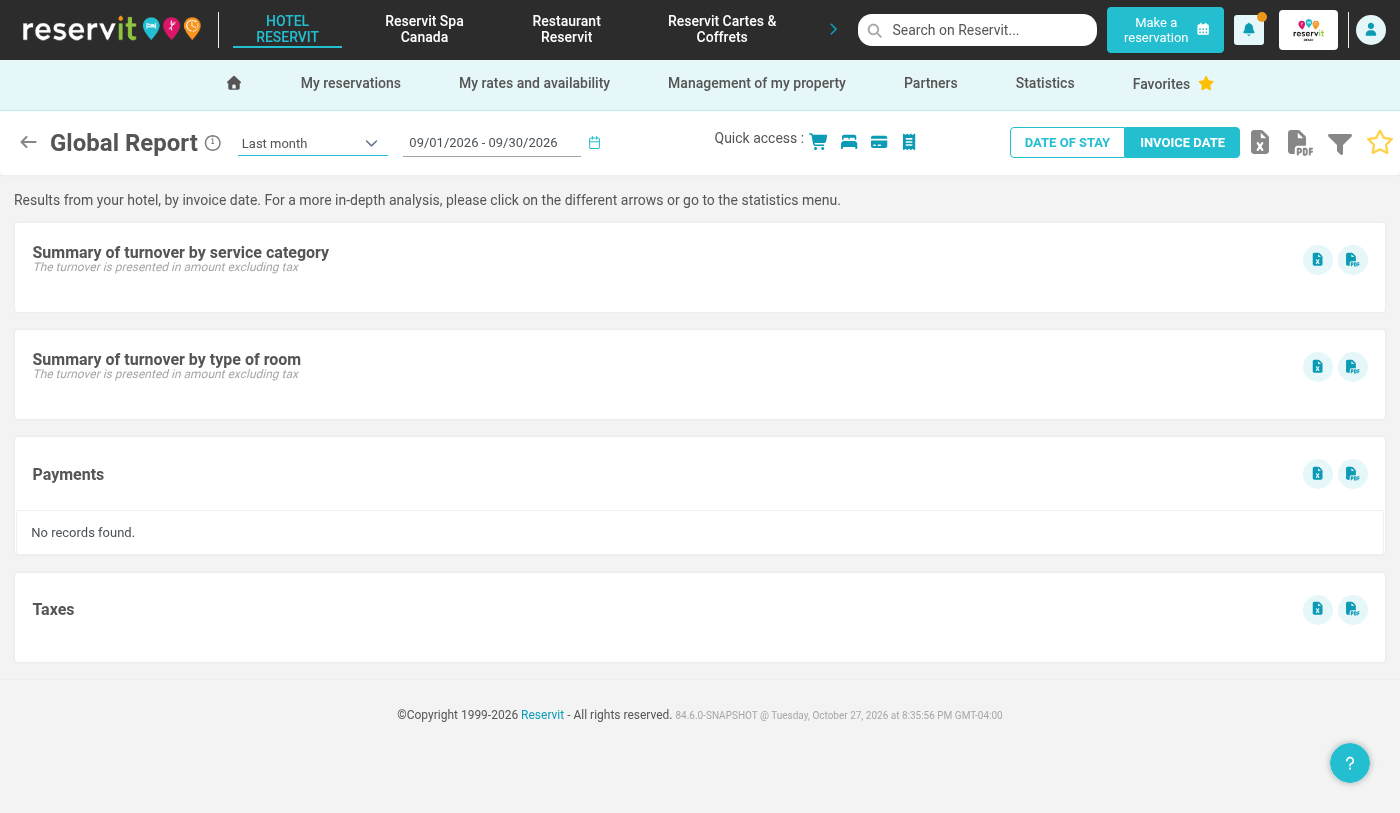
Alert! When data is filtered by invoice date, a credit note is only counted in the period in which it was issued (regardless of the date of the invoice it relates to).
With the invoice date filter, invoices and credit notes no longer offset each other within the related service categories (accommodation, food and beverage, etc.).
All credit notes are listed in the "Credit note" category, which groups credit notes of every type (food and beverage, accommodation, etc.).
Warning: By invoice date, only issued invoices are counted, whether paid or not. Some sections of the Global Report are then no longer displayed.
Learn more: Understanding the dates in your statistics - Why are my figures different from one screen to another?