

Article Summary: This practical guide assists you in customizing your booking engine by showing you how to reorganize your additional services. You will learn how to visually prioritize your offers to enhance the guest experience and boost upselling opportunities. In just a few clicks, optimize your interface layout to align perfectly with your sales strategy.
The 4 Key Steps to Reorder Your Booking Options:
-

Access Management: Navigate to the "My rates and availability" menu and select "Manage extras."
-
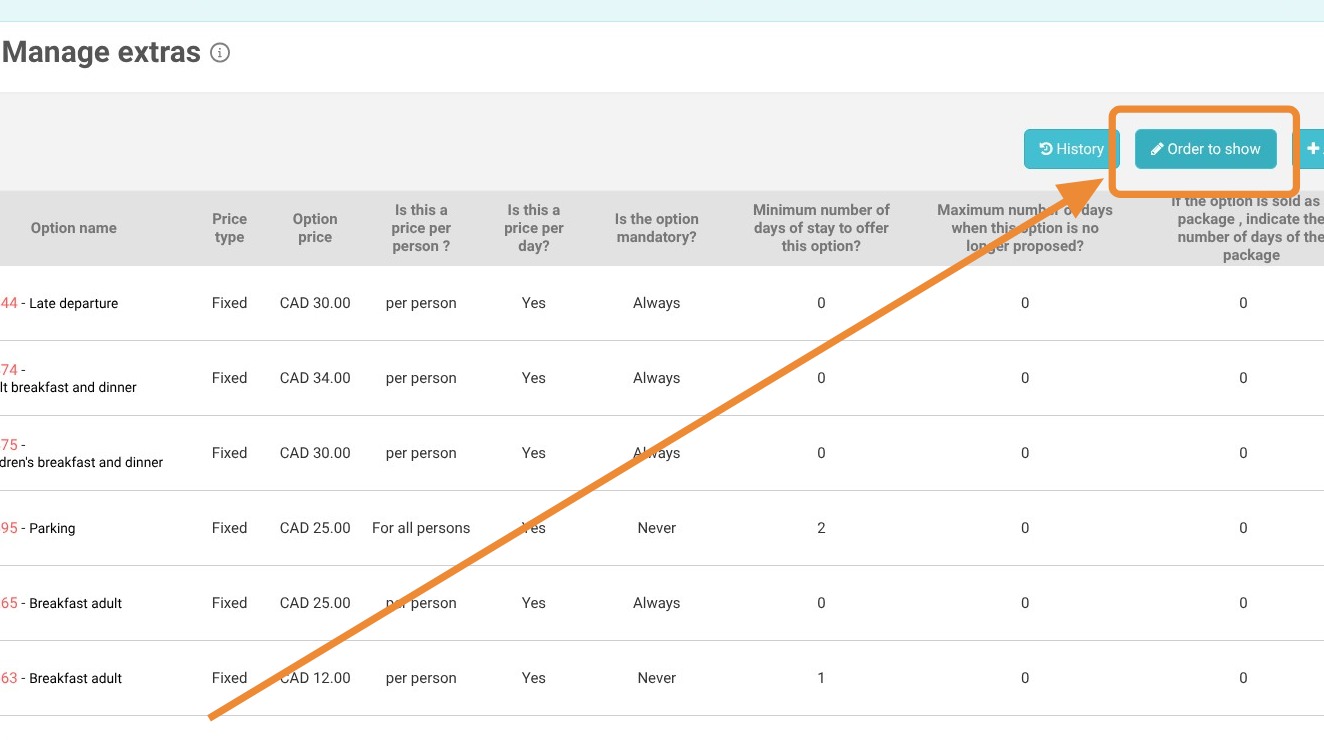
Enable Sorting: Click on the "Order to show" button to access the editing interface.
-

Adjust Positioning: Select the desired option and use the "Monter" (up) or "Descendre" (down) buttons to set its place in the list.
-
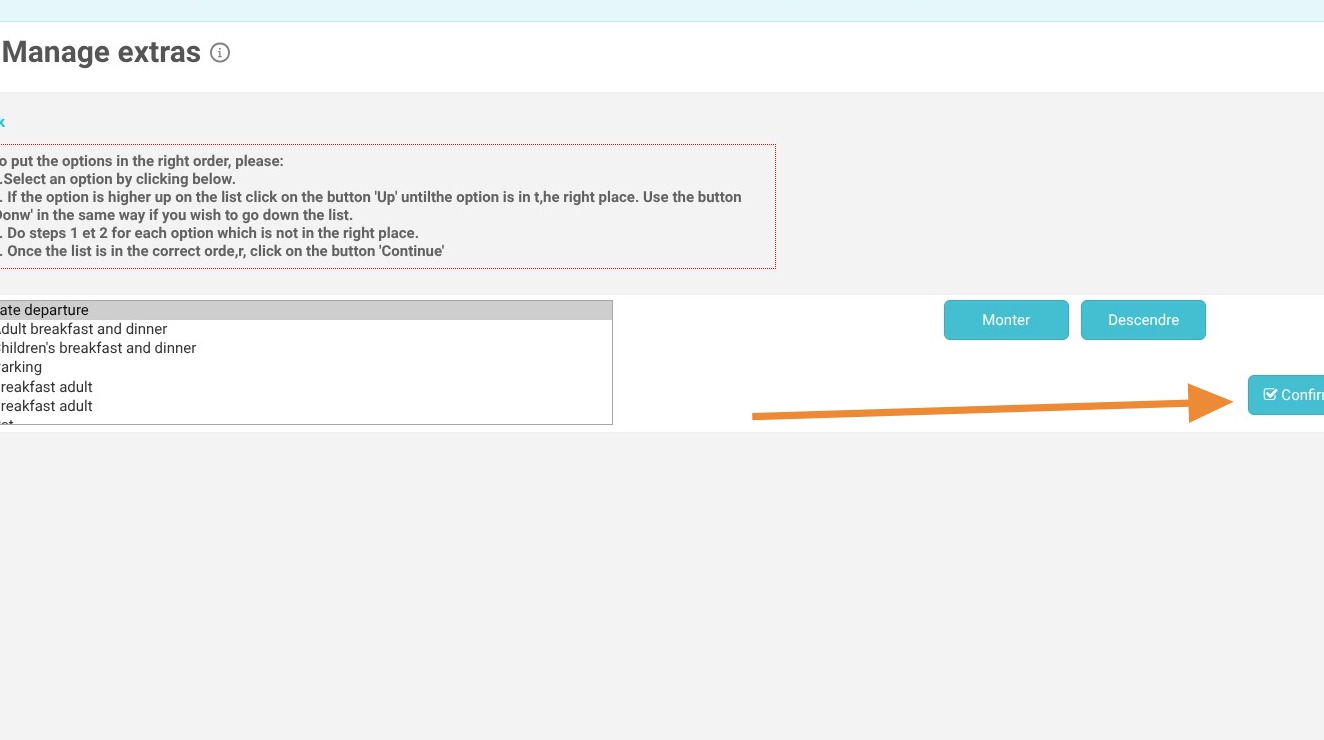
Save Changes: Don't forget to validate your changes to instantly update your booking interface.
Why Follow This Guide? A well-organized and hierarchical presentation of your options highlights your most popular services, making the purchase process easier for your guests while increasing your average booking value.
1. Click "My rates and availability" then Click "Manage extras"
2. Click "Order to show"
3. Choose your option, then click “Monter” (up) or “Descendre” (down) to change its display order.
4. Don’t forget to save.
Tip: Tip! If you have a large number of options, you can use the option categorization page to group them and organize their display order.
https://help.reservit.com/EN/group-your-options-into-categories-reservit-accomm