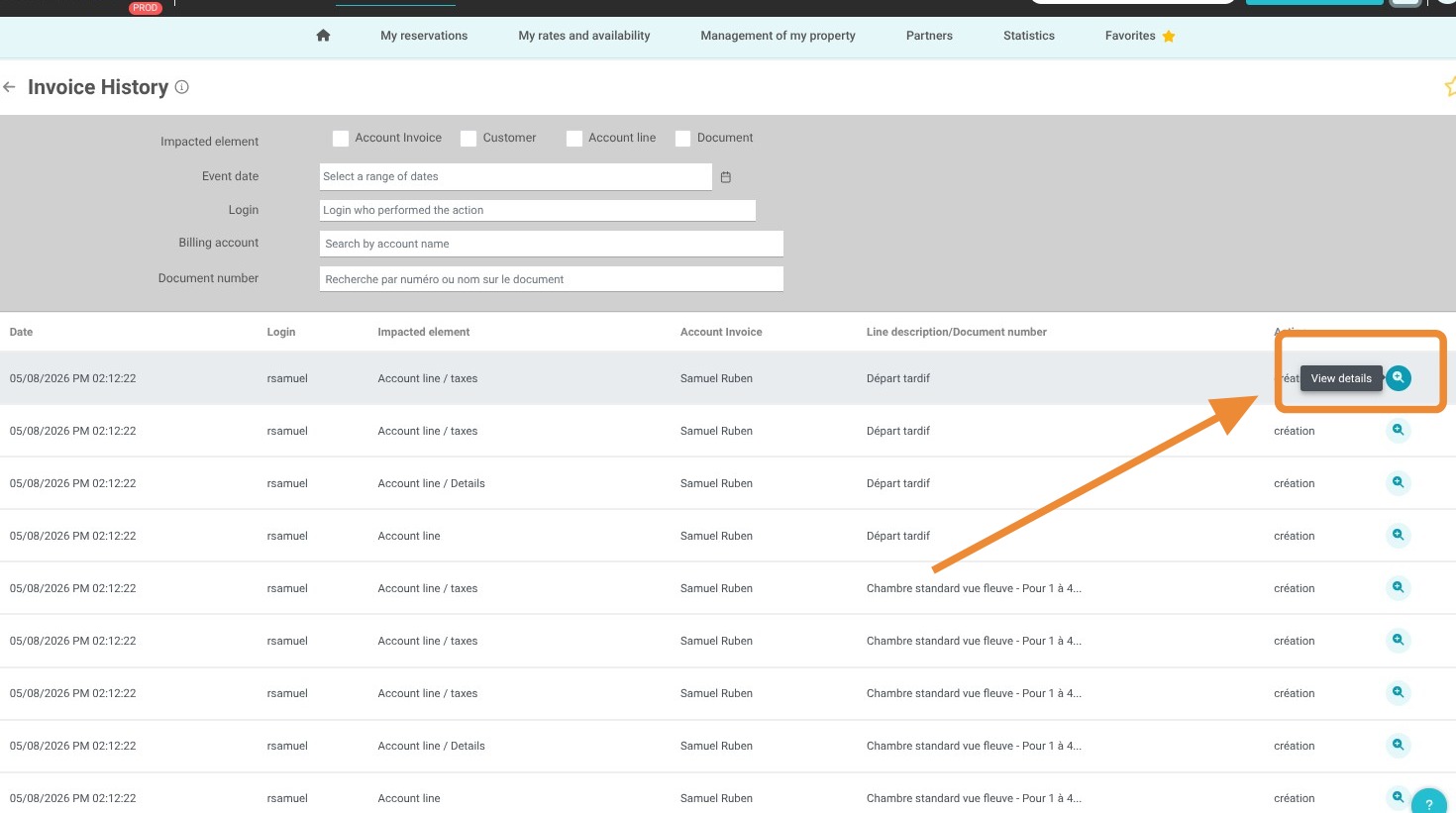
Article Summary: This tutorial explains how to navigate the Reservit back office to easily retrieve the modification history of your invoices. You will learn how to use advanced search filters (by date, user, or billing account) to isolate the exact modification action you need. With this comprehensive guide, you can optimize your property's administrative management and save valuable time during your billing follow-ups.
The 4 Key Steps to View Your Billing History:
-
Access the billing module: From your main menu, go to the "My reservations" tab, then click on "Billing".
-
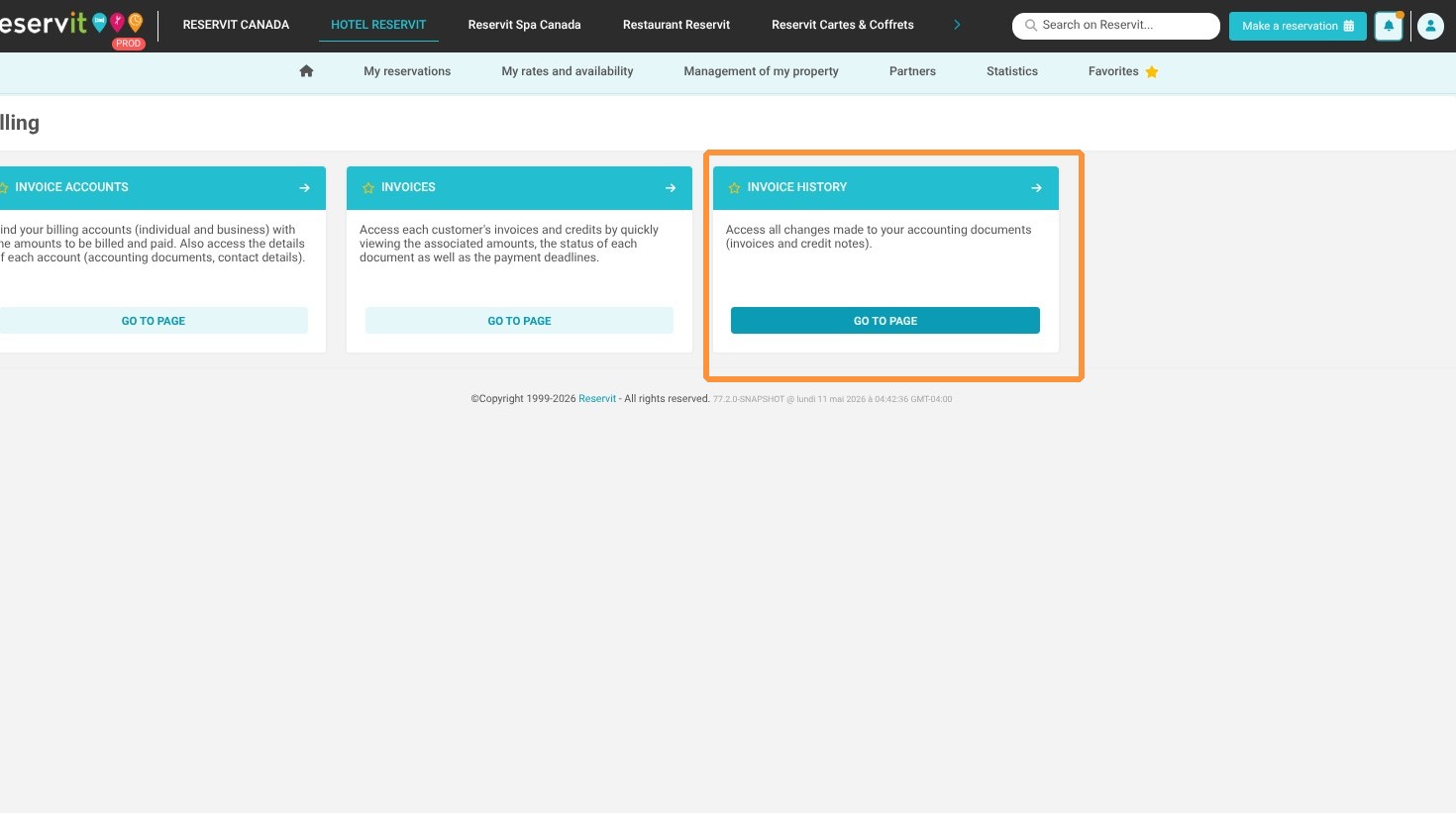
Open the history: In the "INVOICE HISTORY" section, simply click on "Access the page" to display the action log.
-
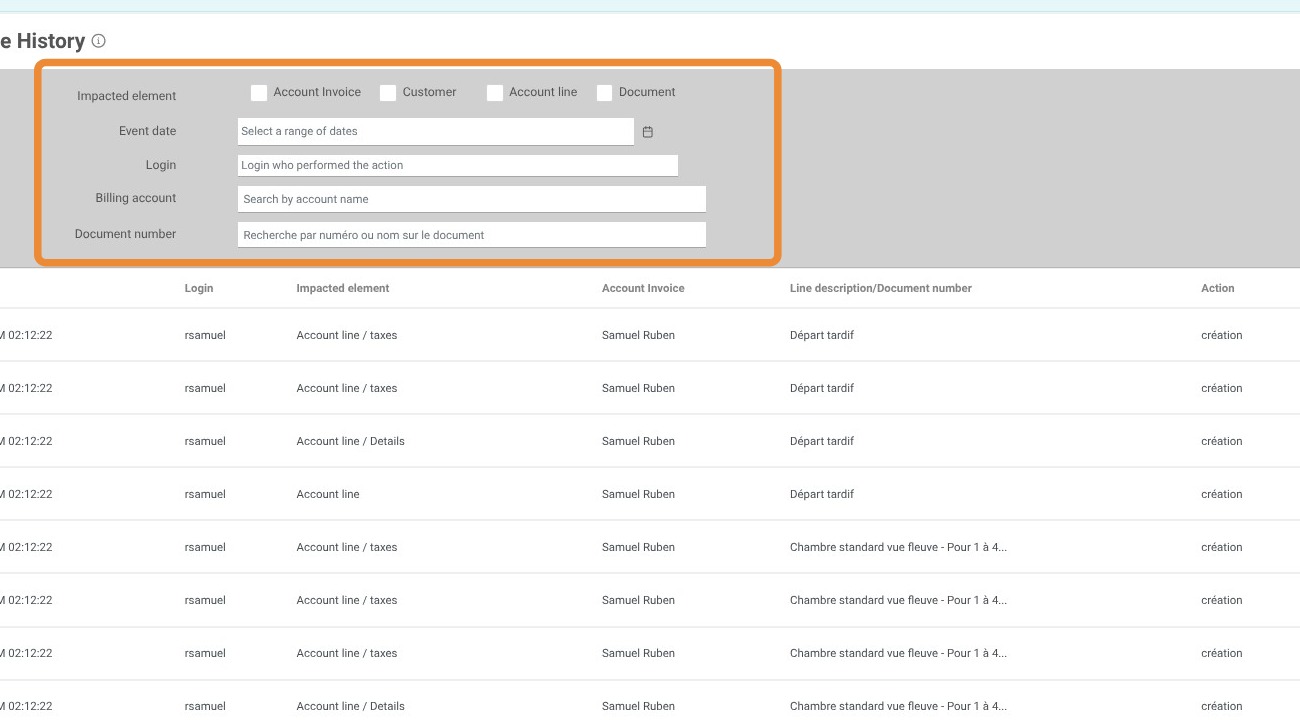
Apply search filters: Target your search by filtering by client, document type (invoice, credit note), and refine your results using specific criteria (modification date, user ID, or document number).
-
Review modification details: Click the magnifying glass icon next to an action to view a clear comparison (before/after) of the changes made.
Why follow this guide? Following this tutorial ensures perfect traceability of all actions related to your invoicing, thereby enhancing the security of your financial data. It helps you prevent management errors and significantly speeds up your verification processes during accounting closings.

1. From your main menu, go to the "My reservations" tab, then click on "Billing".
2. In the "INVOICE HISTORY" section, simply click on "Access the page" to display the action log.
3. Target your search by filtering by client, document type (invoice, credit note), and refine your results using specific criteria (modification date, user ID, or document number). Reservit will display the information of the last 6 months.
4. Click the magnifying glass icon next to an action to view a clear comparison (before/after) of the changes made.