Help for use
Auto Light Dark
Auto Light Dark

How to Set and Change the Delivery Time for the Reservit Reservation Report

Article Summary: This practical guide explains how to customize the delivery schedule for your daily reservation report within Reservit Accommodation. By configuring your PMS reporting preferences, you can ensure your booking data arrives automatically at the most convenient time for your staff. Implementing this setting optimizes daily operations and keeps your team informed without manual effort.

The 4 Key Steps to Schedule Your Report Delivery Time:

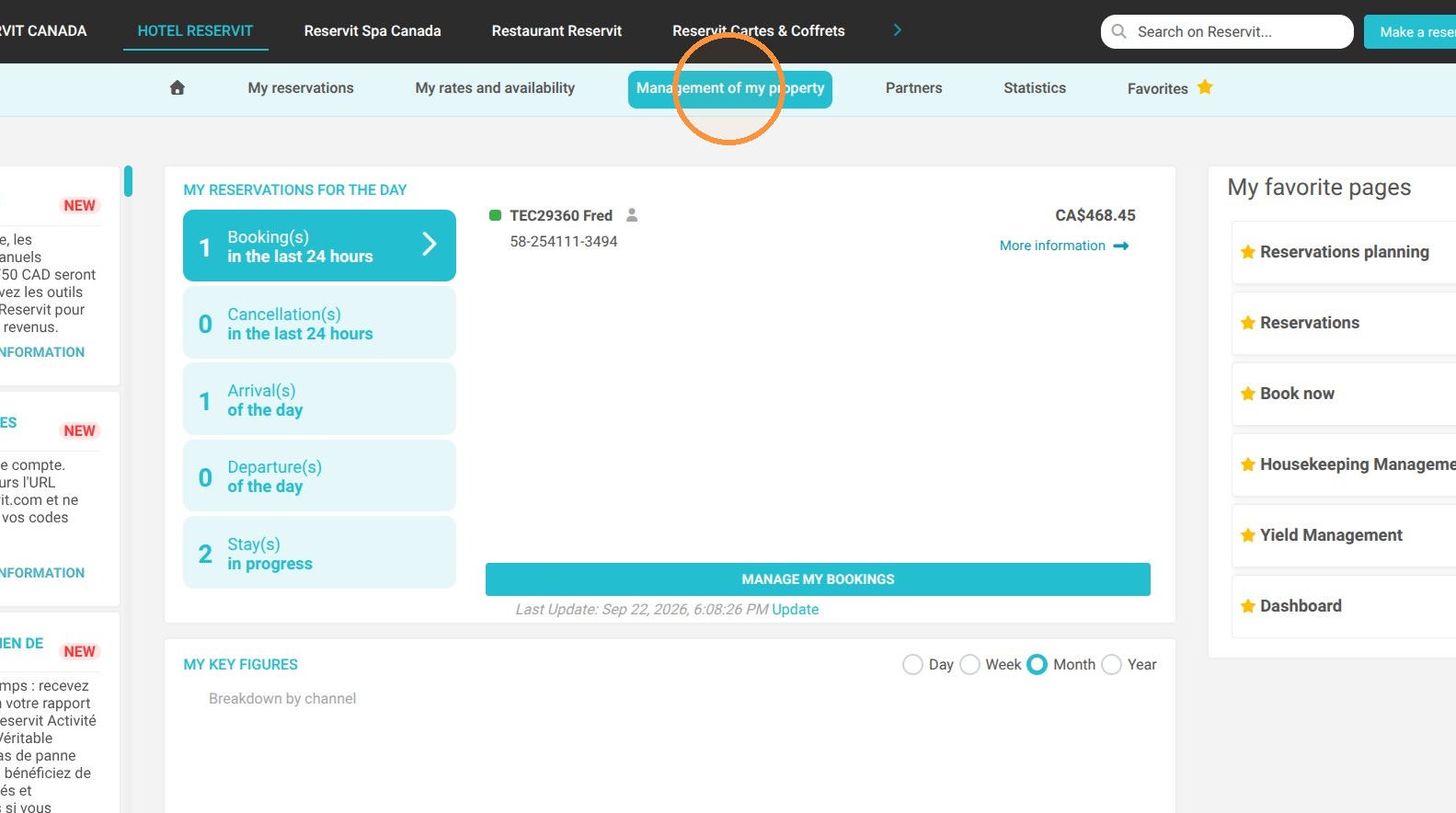
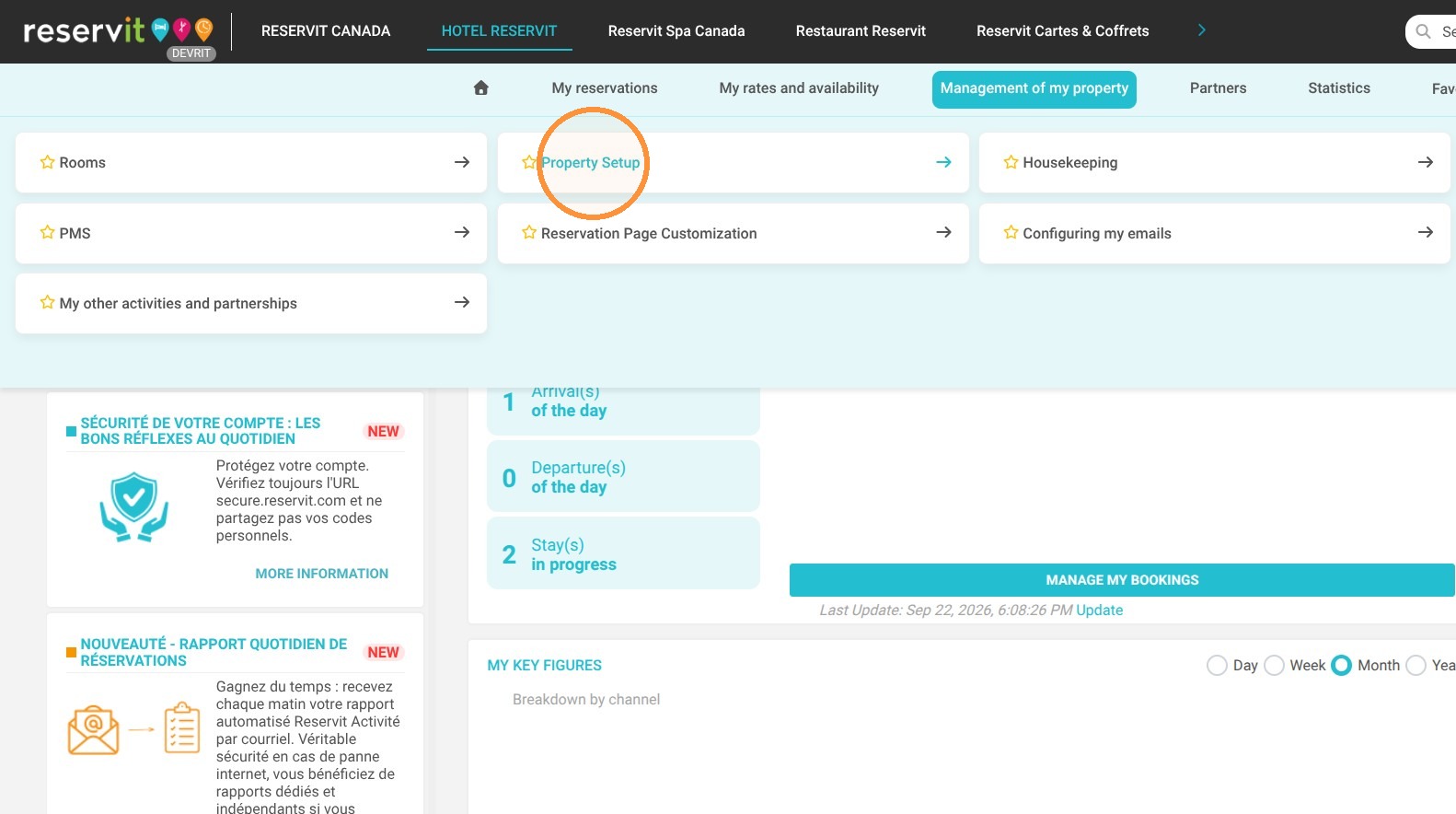
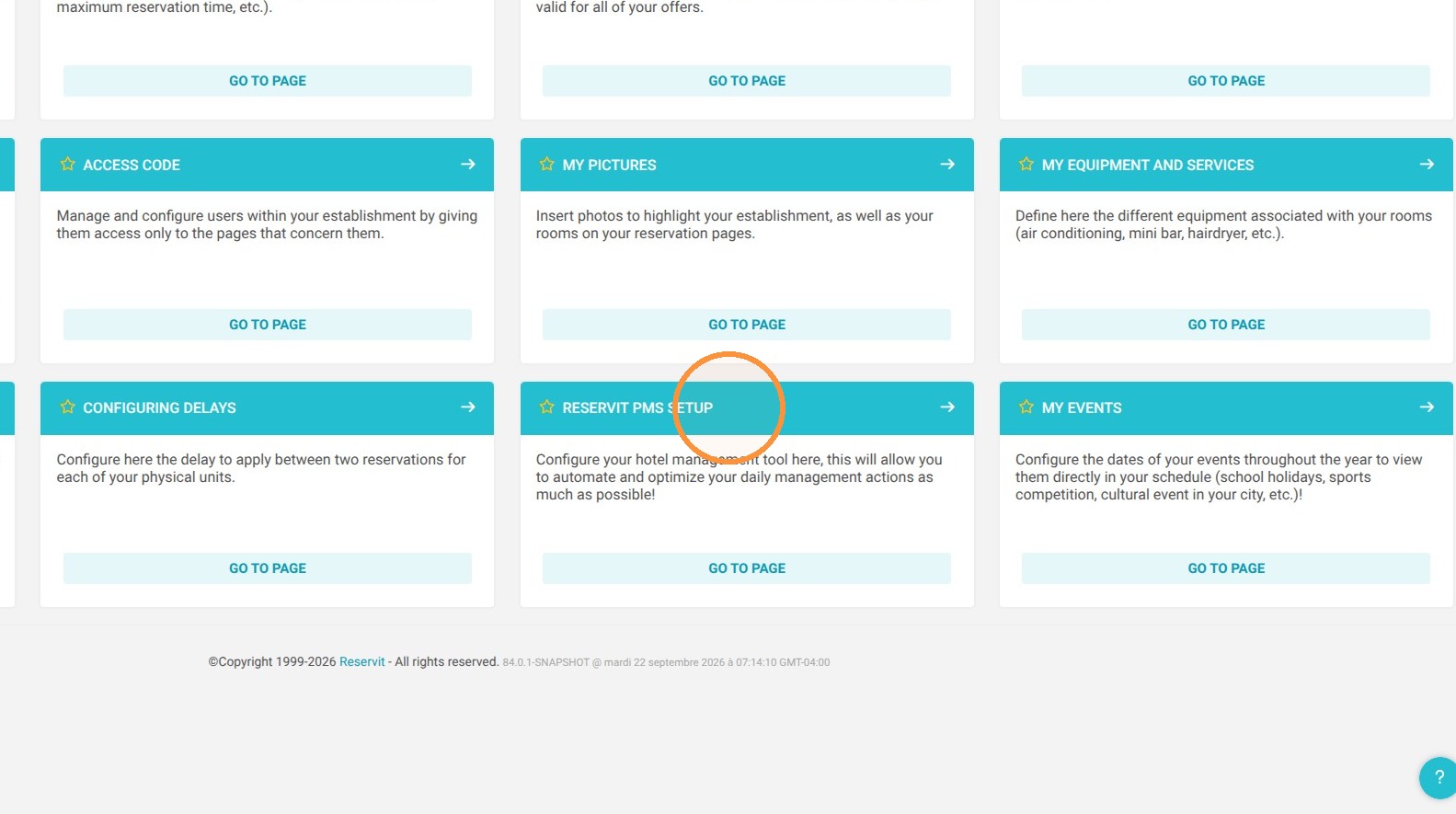
  • Access PMS Settings: Go to "Property Management," select "Property Settings," and click "Reservit PMS Settings."

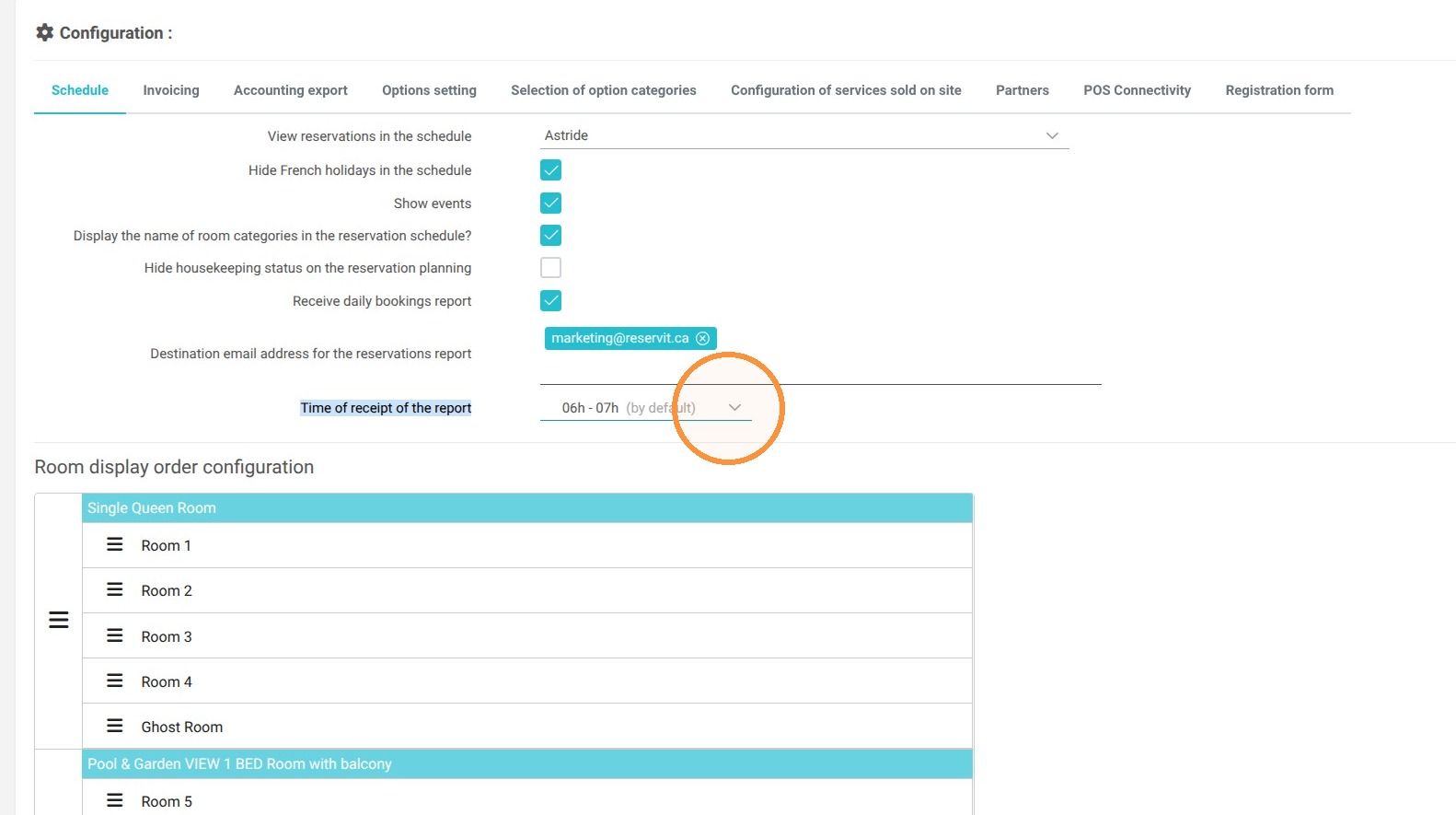
  • Locate Report Options: Scroll down the page to the "Report Delivery Time" section.
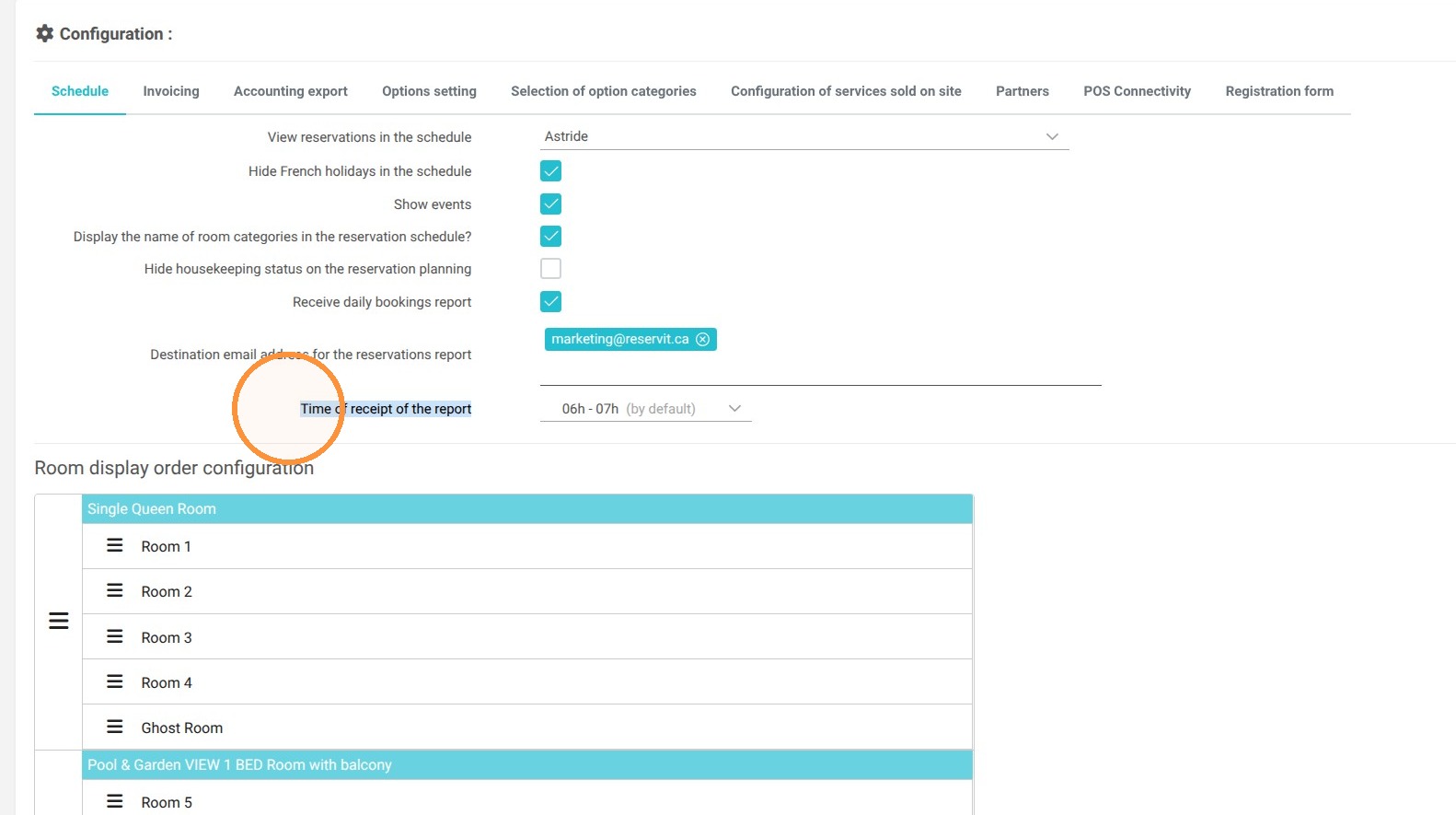
  • Select Delivery Window: Choose your preferred time frame for receiving the automated report.

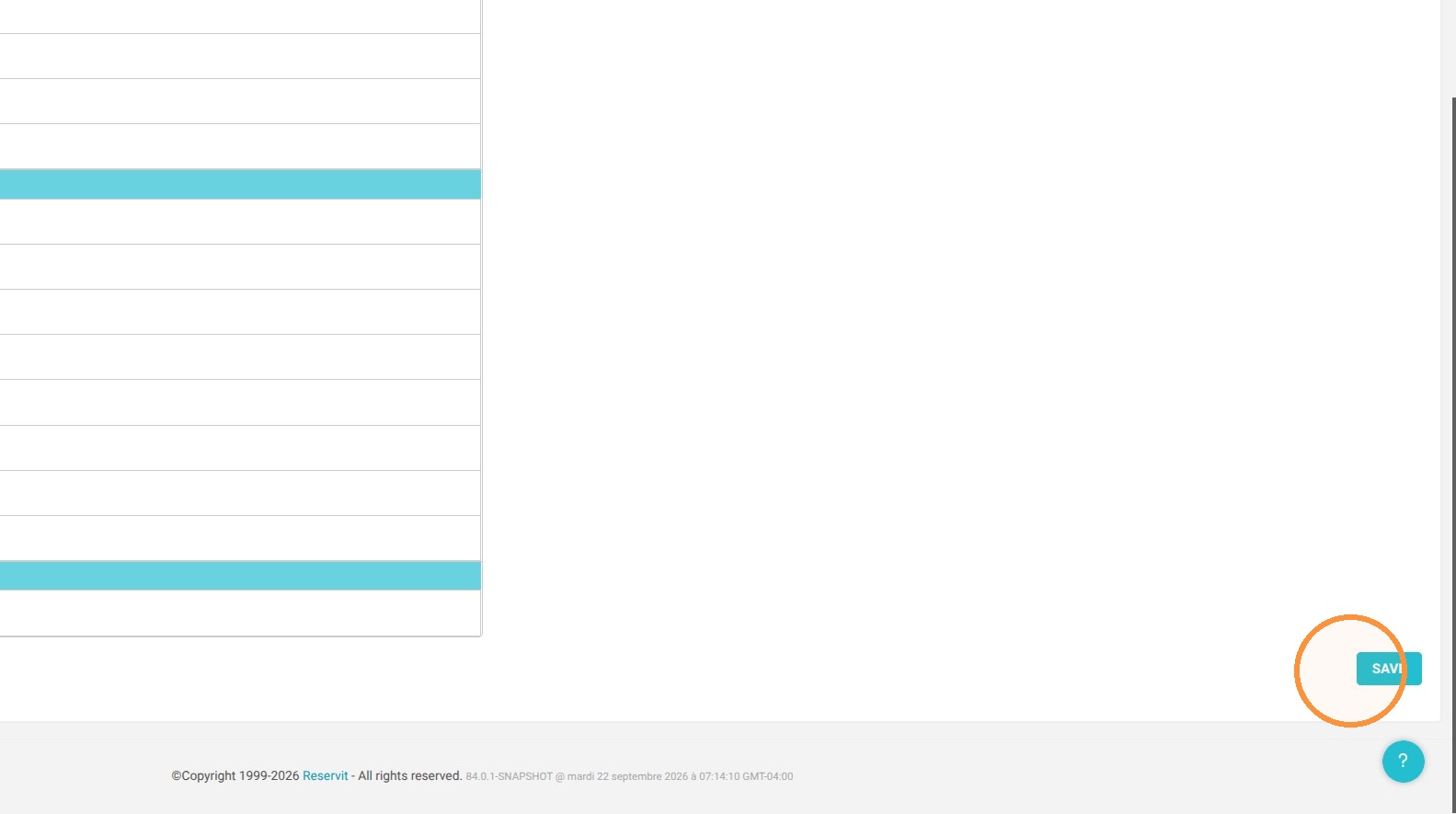
  • Save Configuration: Click "Save" to update and store your preferences.

Why Follow This Guide? Aligning report delivery with your front-desk shifts and daily management workflows eliminates manual exports and guarantees seamless, timely access to your property's booking metrics.


1. Go to "Property Management," then "Property Settings," and select "Reservit PMS Settings."

https://colony-recorder.s3.us-west-1.amazonaws.com/files/2026-09-22/69838a85-cb01-4f74-ad15-8b1c98ed087c/action-38826507031346a39f1747f2d1115231_17f50dd97755413987a57e598a7ae4ad_text_export.jpeg
https://colony-recorder.s3.us-west-1.amazonaws.com/files/2026-09-22/a13e17c3-7840-43ef-8253-5779699702c6/action-eedecb28d3034025b4d837855dea84b4_5bbefaad841641bfbe3c55159910faca_text_export.jpeg
https://colony-recorder.s3.us-west-1.amazonaws.com/files/2026-09-22/e9876543-8902-46d5-a39f-ce63658f8b32/action-dd7f4d8582ac4533a720055f247198ef_a8252cc358bf4d74962ad2862f3b9e19_text_export.jpeg

2. Scroll to the "Report Delivery Time" section.

https://colony-recorder.s3.us-west-1.amazonaws.com/files/2026-09-22/8bd32d41-f2c7-4419-bd2f-acaa9a84a4d4/action-9121120749e7495d9a2cab8ea9c9452f_3d55e006f5244a989036990bf1e27856_text_export.jpeg

3. Select your preferred time frame.

https://colony-recorder.s3.us-west-1.amazonaws.com/files/2026-09-22/c6800ea2-bc63-4636-955e-6834898cb8c1/action-5155ac016e374a7a92dc0d9118be122b_0ed724a32ccc4ae6838cb0f66c834237_text_export.jpeg

4. Click "Save" to update your settings.
https://colony-recorder.s3.us-west-1.amazonaws.com/files/2026-09-22/0fc86bfa-6415-4a70-810f-783ea8c2dc1f/action-c1768041a51f4caaa9ef2d6f019a6d5f_6697663f0f094bb287ec917dfbc96e10_text_export.jpeg