

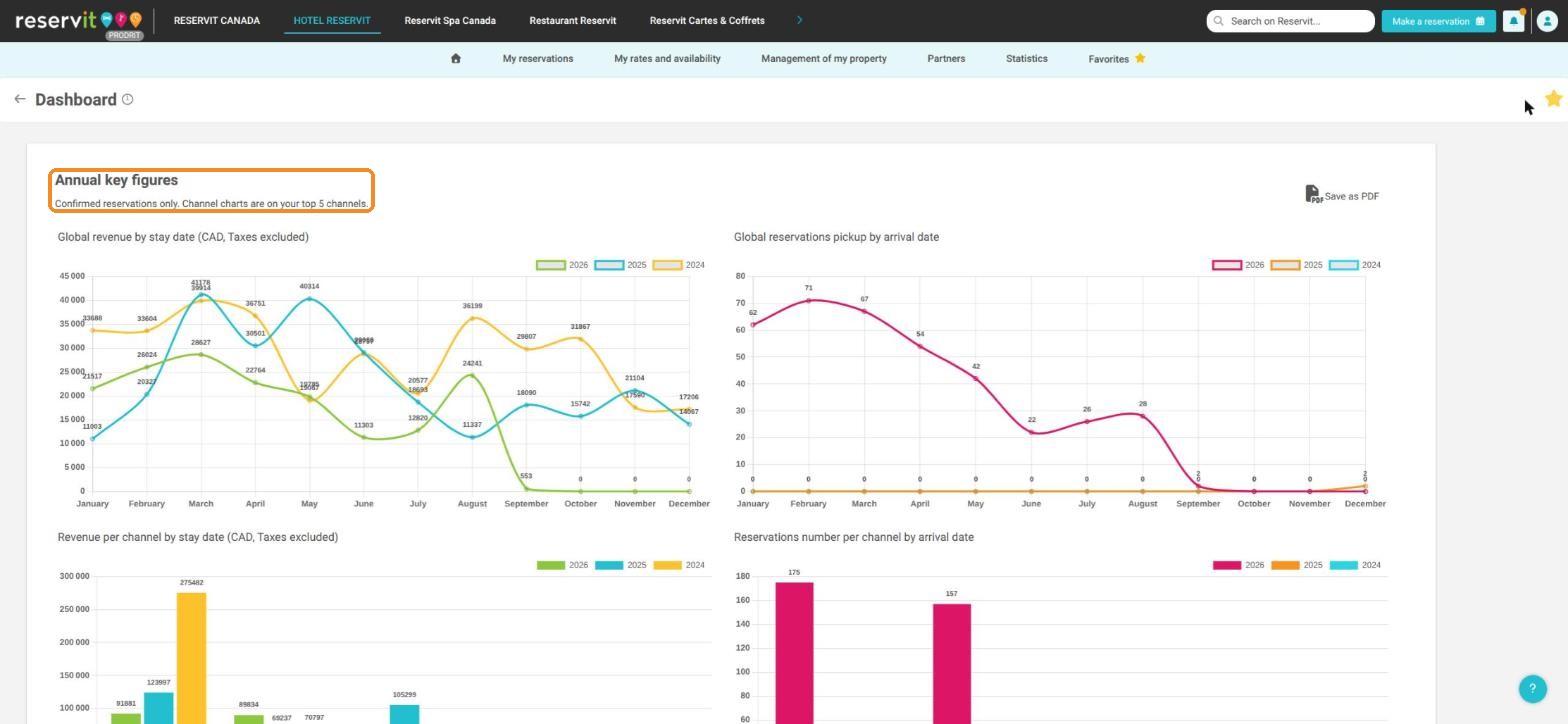
Article Summary: This tutorial explains how to open and export the Annual key figures of your property in Reservit. This screen shows, month by month, your revenue and your reservations for the current year compared with the two previous years, globally and for your top 5 channels. You can save it as a PDF for your reporting.
The 4 key steps to view and export your annual figures:
-
Open Statistics: Click on the "Statistics" section in your main navigation menu.
-
Access the Dashboard: Select "Dashboard".
-
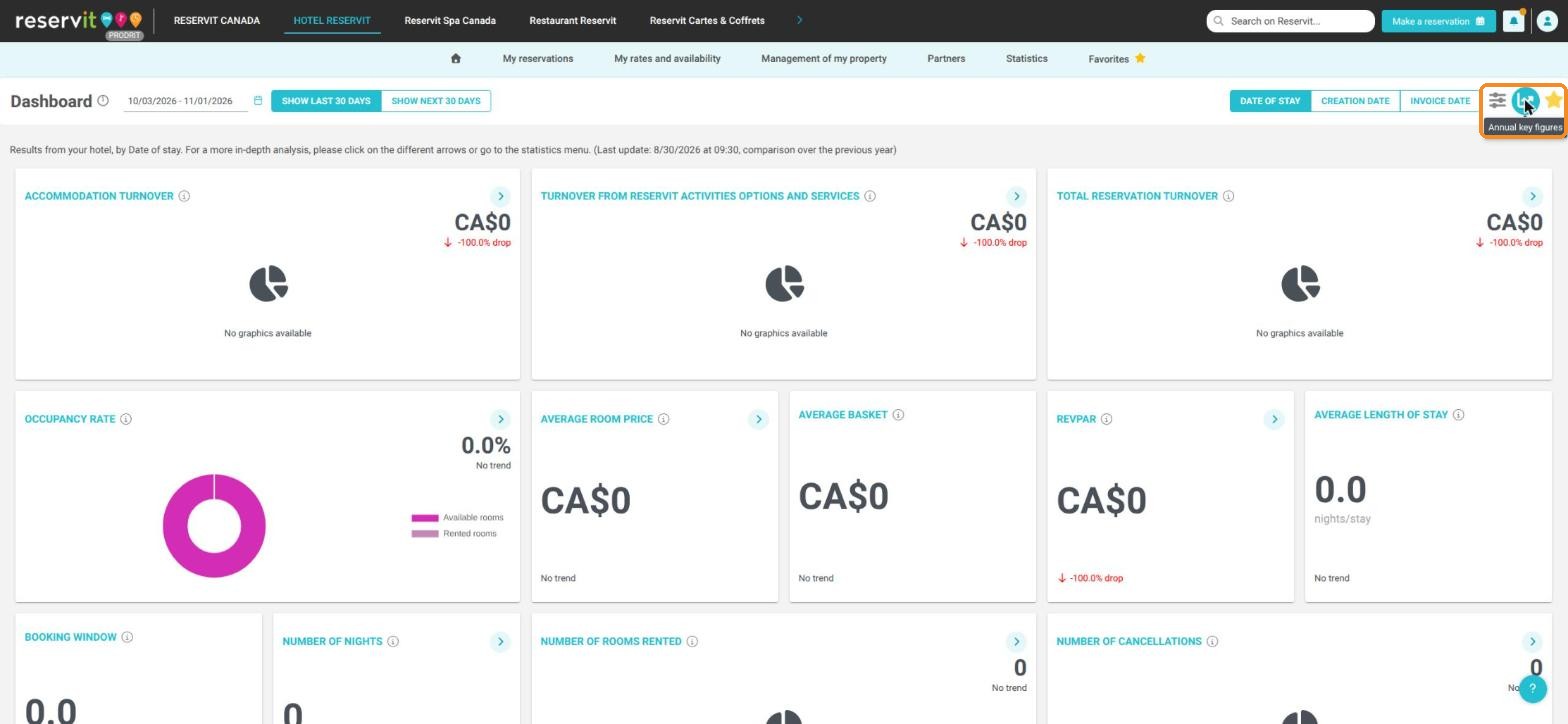
Open the Annual key figures: Click on the chart icon at the top right of the dashboard, to the right of the date buttons.
-
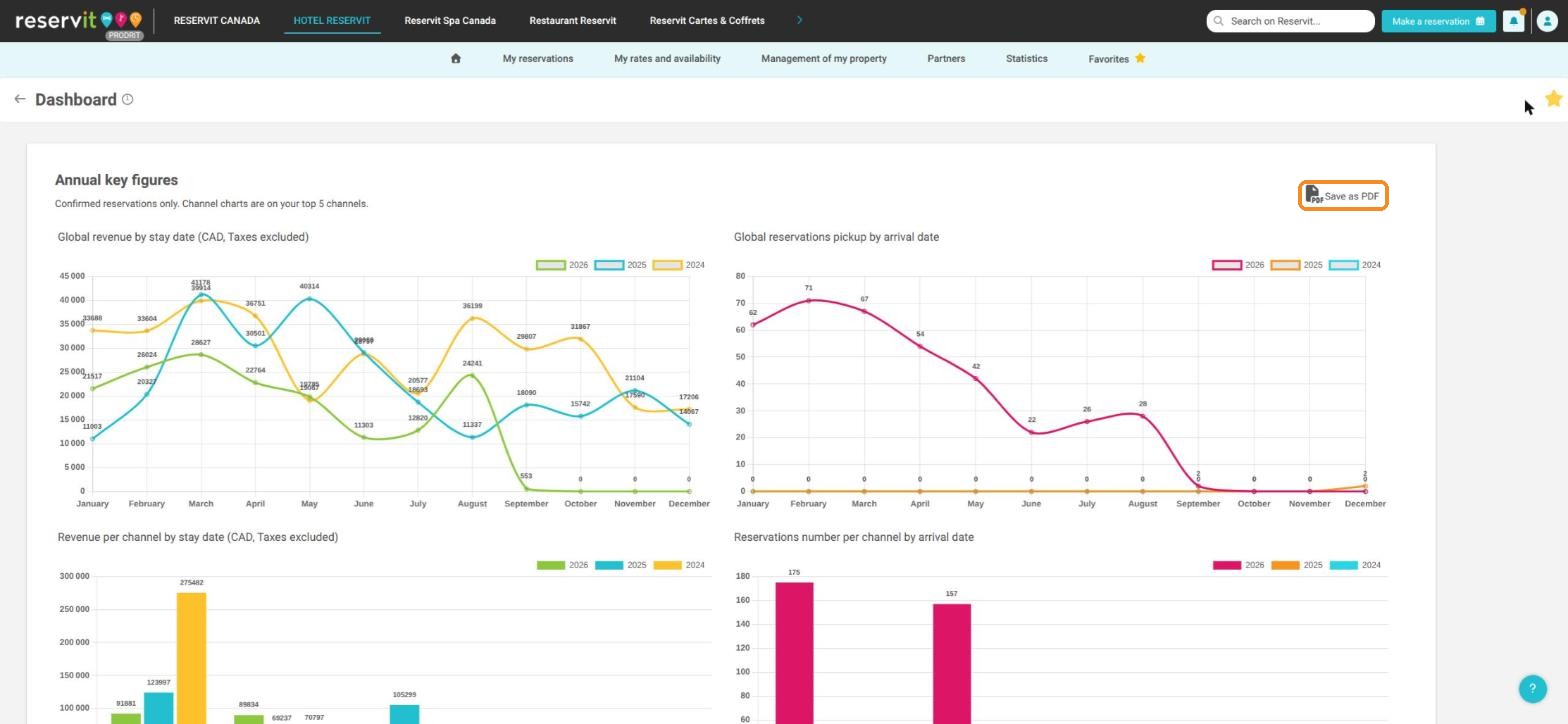
Review and Export: Read the four charts and click "Save as PDF" to keep a copy.
Why follow this guide? The Annual key figures give you a year-on-year view of your activity in a single screen, without choosing any dates. It is the quickest way to see whether a month is ahead of or behind the previous years.
1. Click on "Statistics"

2. Click on "Dashboard"

3. Click on the chart icon at the top right, to the right of the date buttons. When you hover over it, "Annual key figures" is displayed.
4. The Annual key figures screen shows four charts, month by month, for the current year and the two previous years:
-
Global revenue by stay date (taxes excluded);
-
Global reservations pickup by arrival date;
-
Revenue per channel by stay date (taxes excluded), for your top 5 channels;
-
Reservations number per channel by arrival date, for your top 5 channels.
5. Click "Save as PDF" to save these charts as a PDF file.
Warning: Only confirmed reservations are counted. Revenue is shown excluding taxes and by date of stay, whereas the reservation charts use the arrival date. These figures can therefore differ from the dashboard tiles, which use the period and the reference date you choose.
Tip: The channel charts only show your top 5 channels. For all your channels, use the Statistics by channel table of the dashboard.
Learn more: Understanding the dates in your statistics - Why are my figures different from one screen to another?