Article Summary: This comprehensive tutorial explains how to evaluate your property's sales, average price, number of reservations, and cancellation rates broken down by distributor within the Reservit dashboard. You will learn how to filter this essential financial data by specific date ranges and directly compare the performance of your top booking channels. By mastering these metrics, you can easily identify your most profitable distribution channels and optimize your overall revenue strategy.
The 5 key steps to analyze your distributor performance:
-
Access the Dashboard: Navigate to the "Statistics" menu and click on "Dashboard" to open your primary reporting interface.
-
Define the Date Range: Use the calendar tools to select the specific beginning and ending dates for your performance analysis.
-
Select the Processing Method: Choose whether to calculate your channel statistics based on the booking creation date or the actual date of stay.
-
Analyze Channel Metrics: Review your top 5 best-performing distribution channels and click the arrow to expand detailed metrics, including average pricing and cancellations.
-
Compare and Export: Check the criteria boxes to compare different booking channels side-by-side, then download your finalized report as an Excel or PDF file.
Why follow this guide? Consistently monitoring your distributor metrics helps you instantly identify which booking channels bring in the most revenue versus those with costly cancellation rates. This guide saves you valuable time by demonstrating how to automatically extract, compare, and export this critical performance data, completely eliminating the need for manual, error-prone spreadsheet calculations.
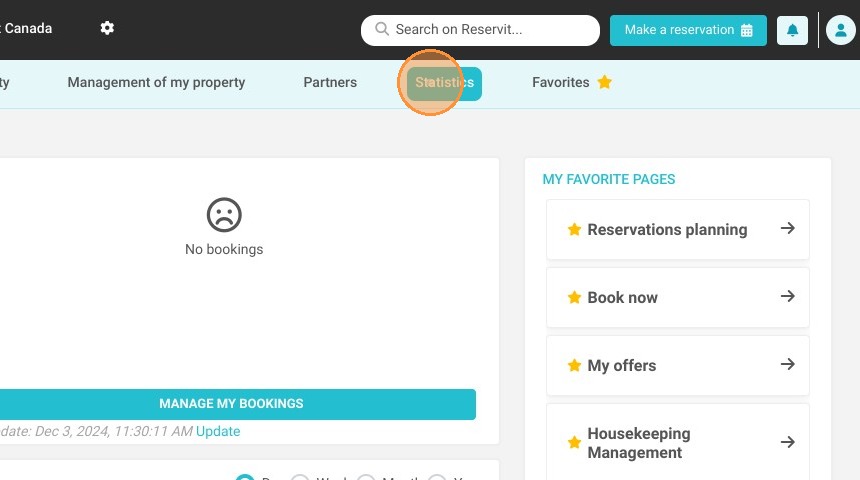
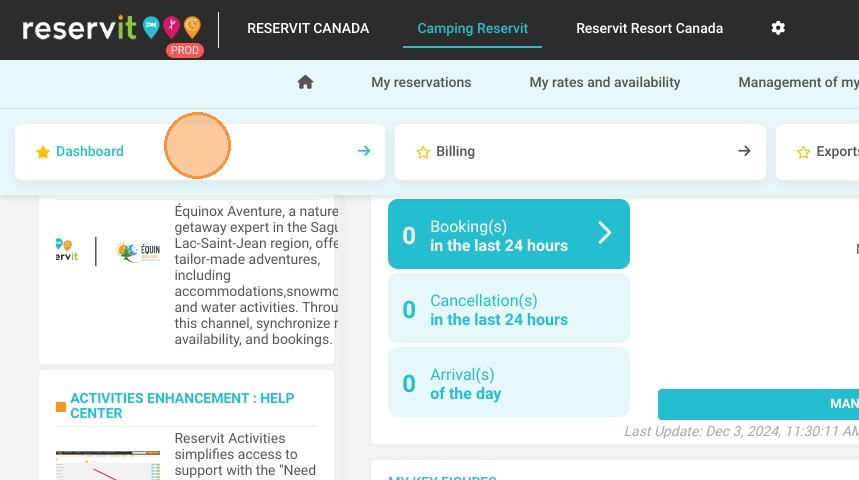
1. Click "Statistics" then ''Dashboard''
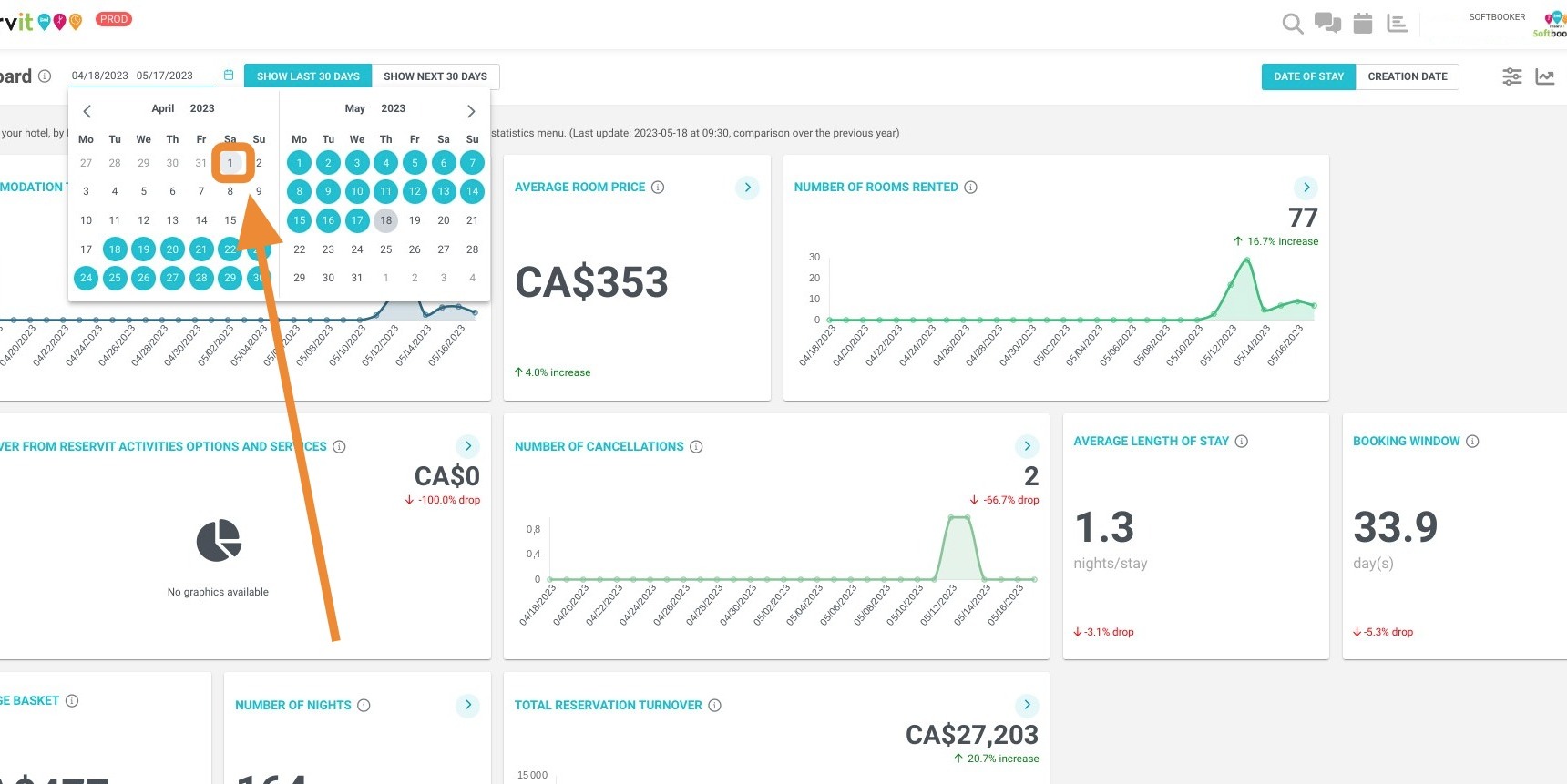
2. Then, select the relevant dates here:
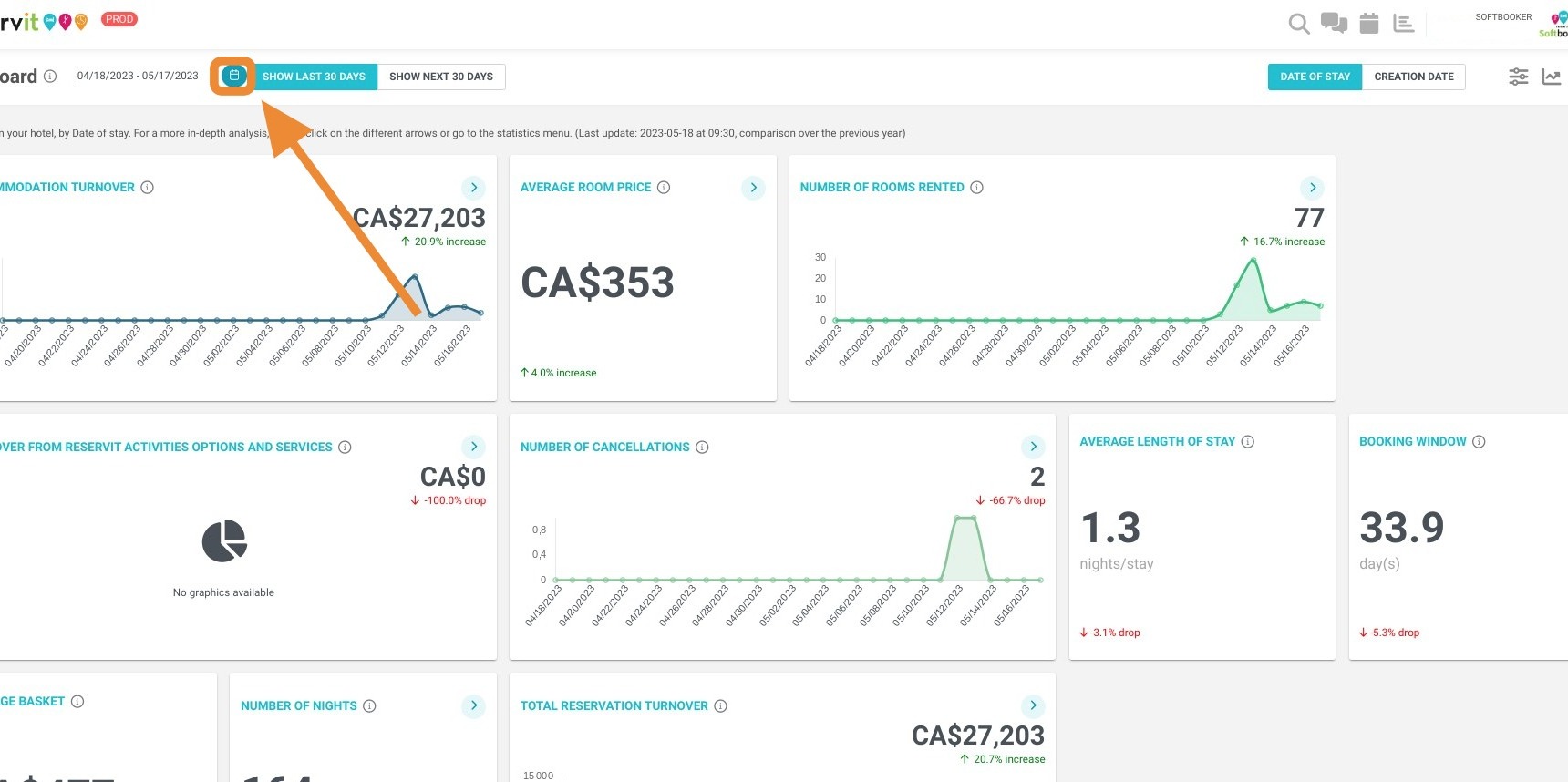
3. Beginning Date
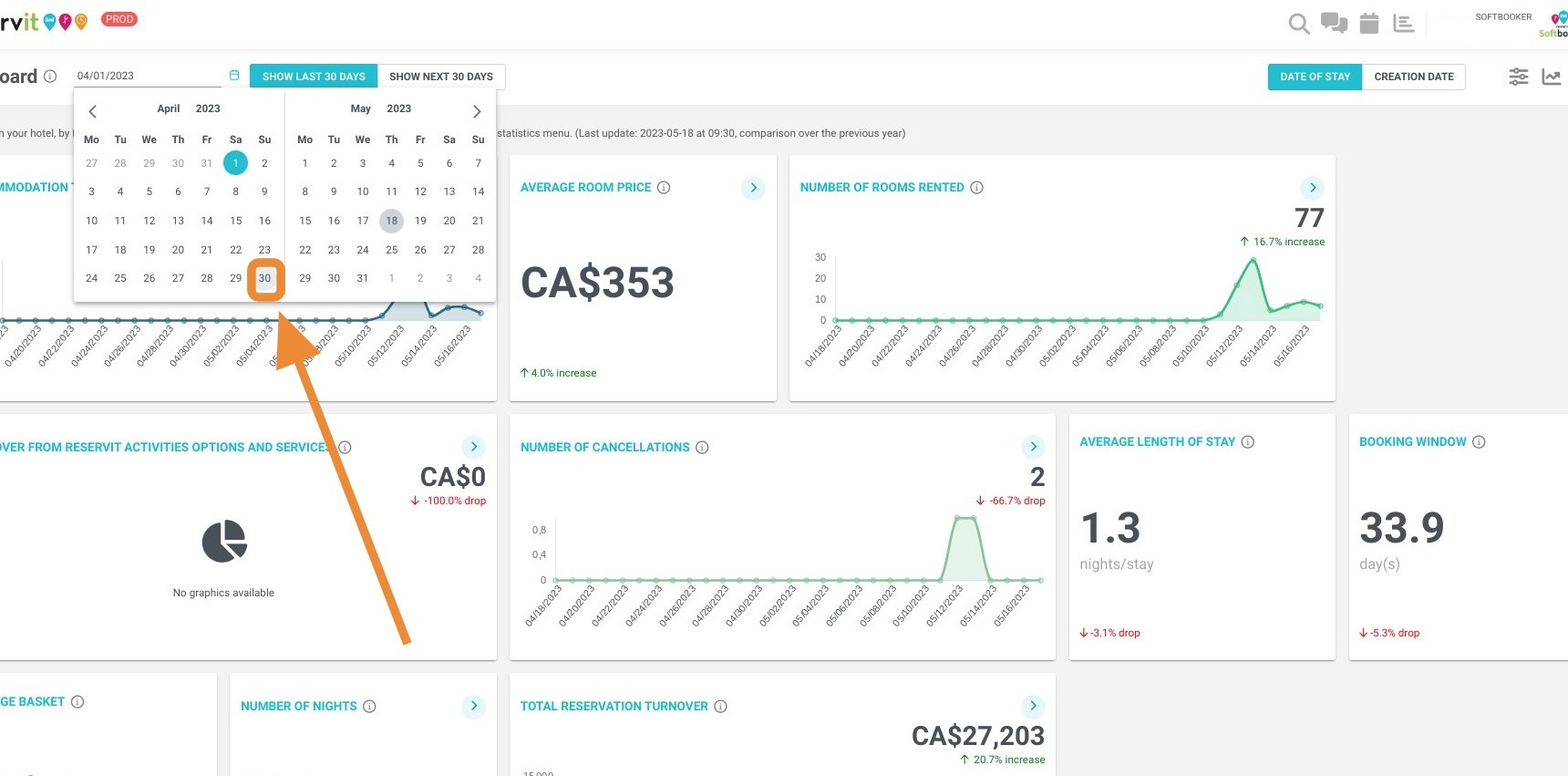
4. Ending Date
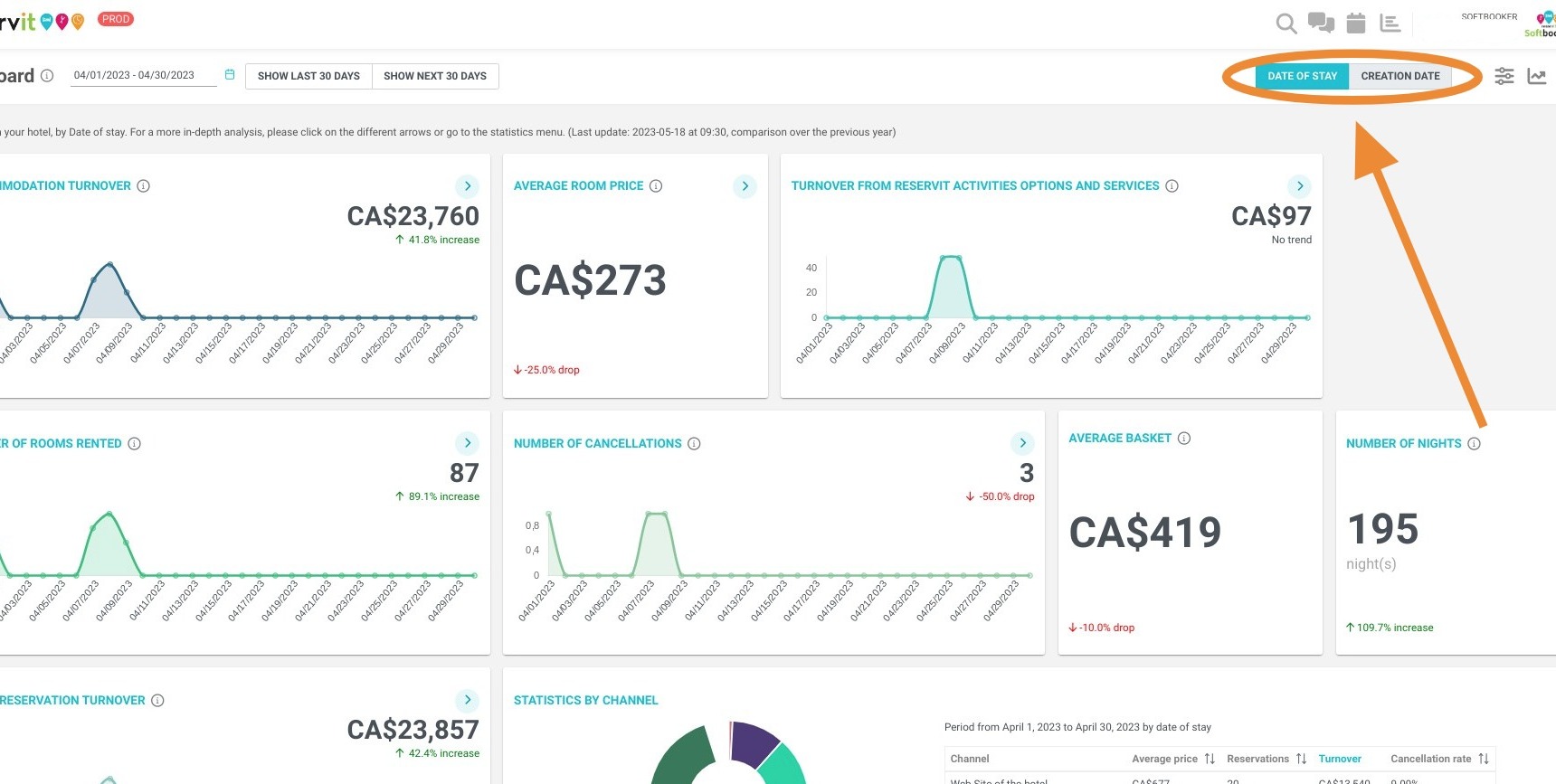
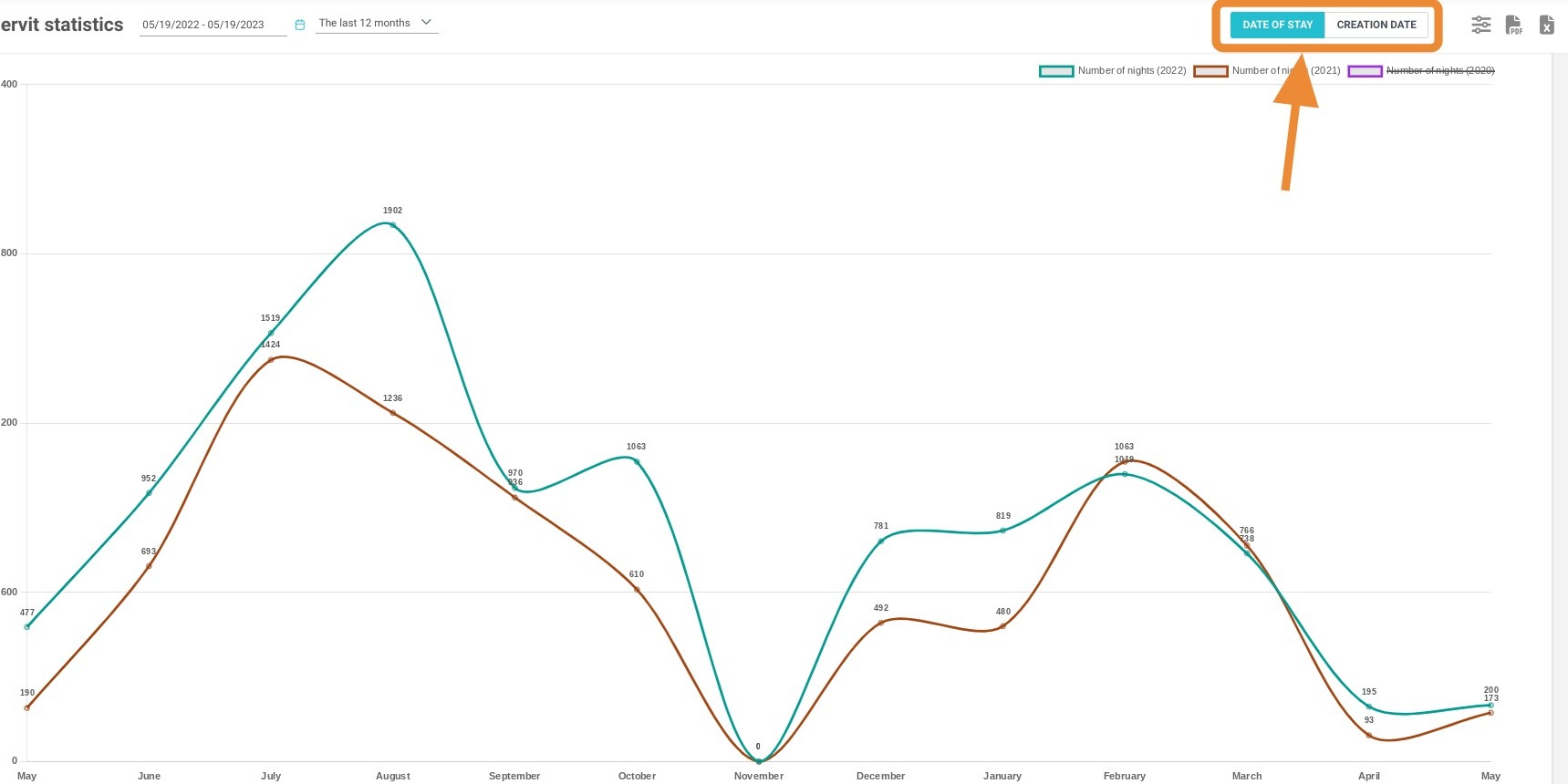
5. You can select with these two buttons ("DATE OF STAY" / "CREATION DATE"), how you want to process your stats, by date of creation or date of stay of your bookings.
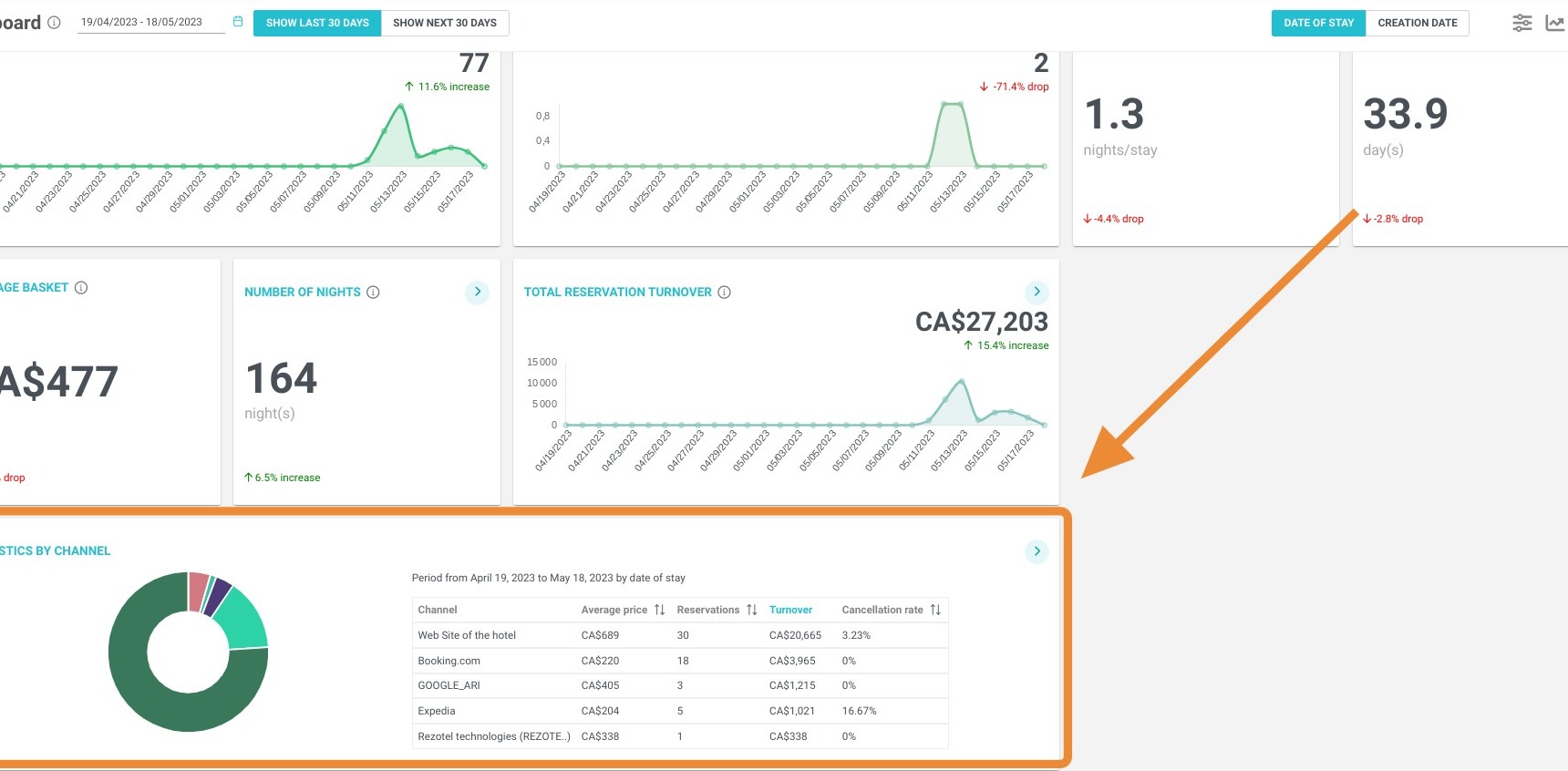
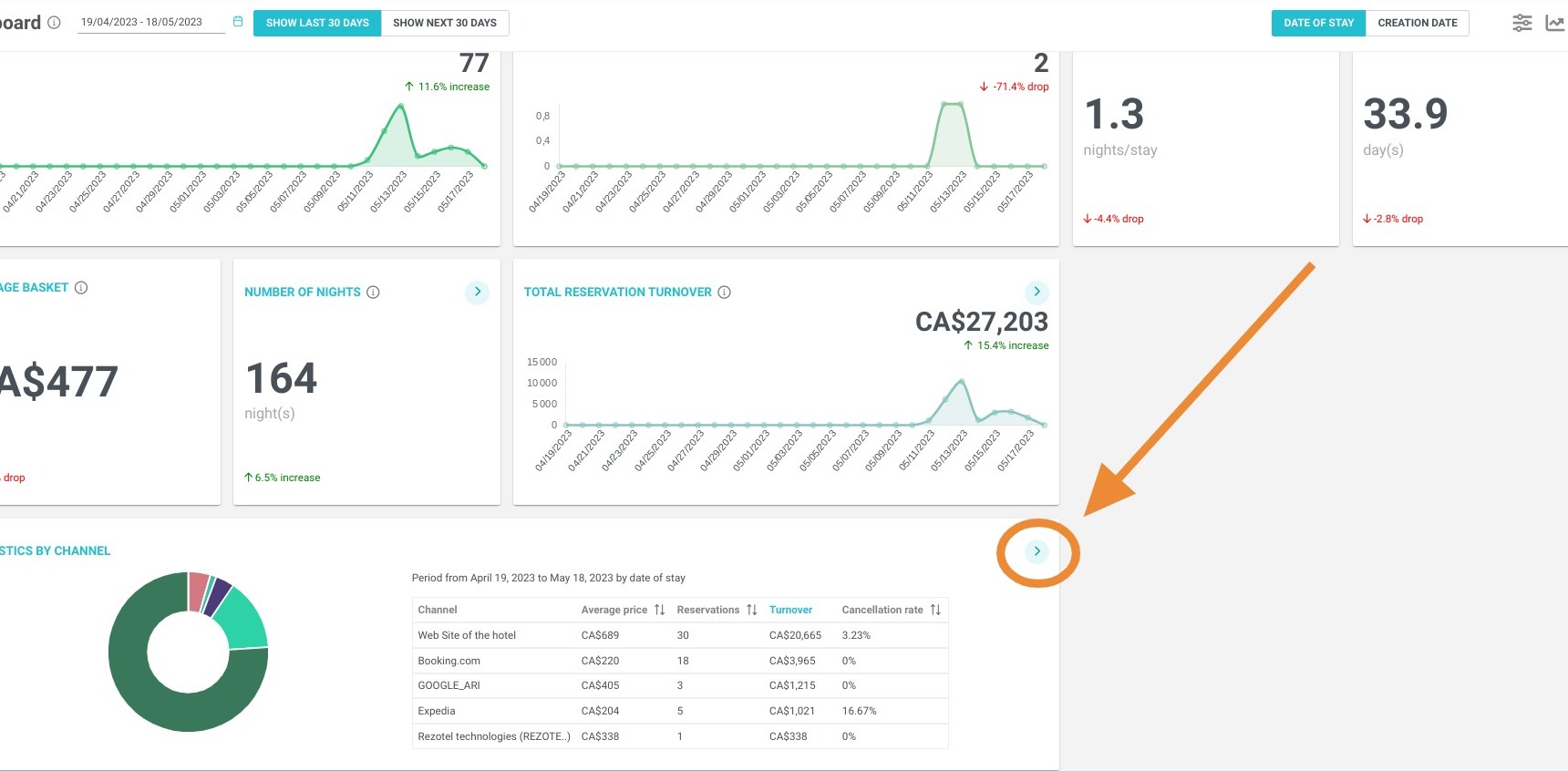
6. Your dashboard with the 5 best-performing distribution channels will be presented to you.
Tip: You can find these statistics for a particular distributor by selecting the filters.
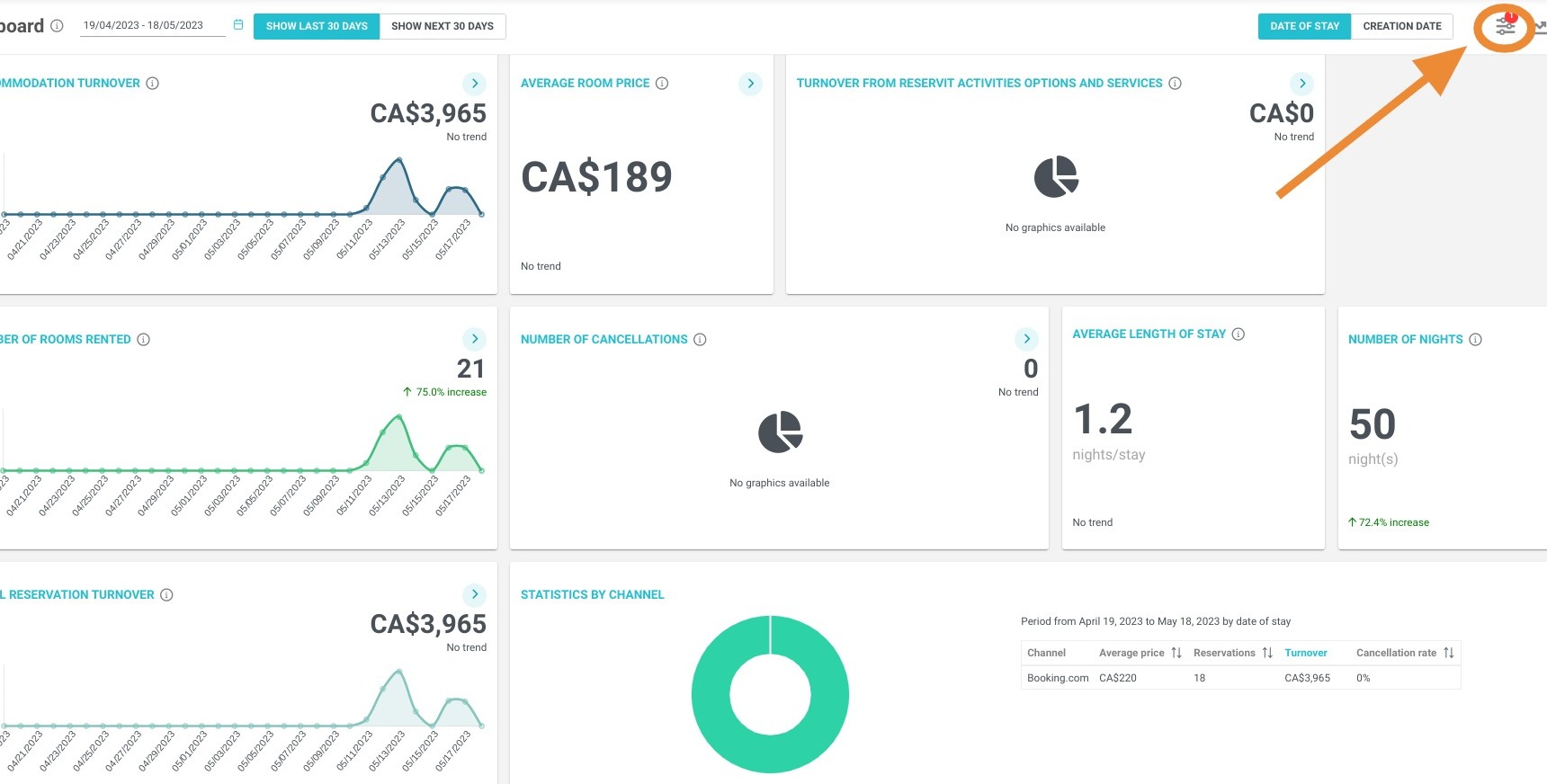
7. If you want more detail click on the arrow
8. On this detailed statistics screen, the same two buttons ("DATE OF STAY" / "CREATION DATE") let you choose how to calculate the results of your distributors: by the date of reservation creation or by the date of stay
Tip: You can compare your distributors by selecting criteria.
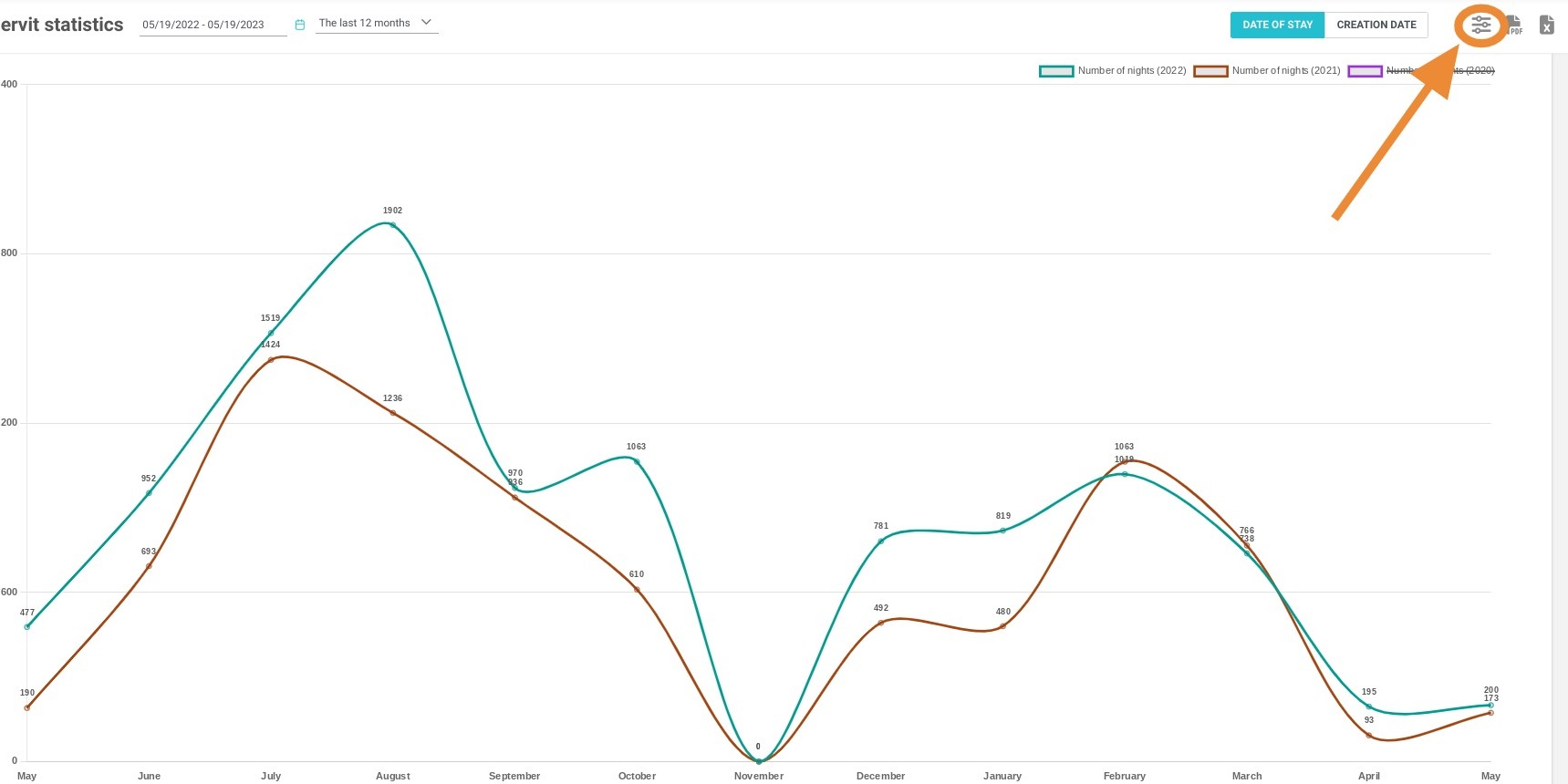
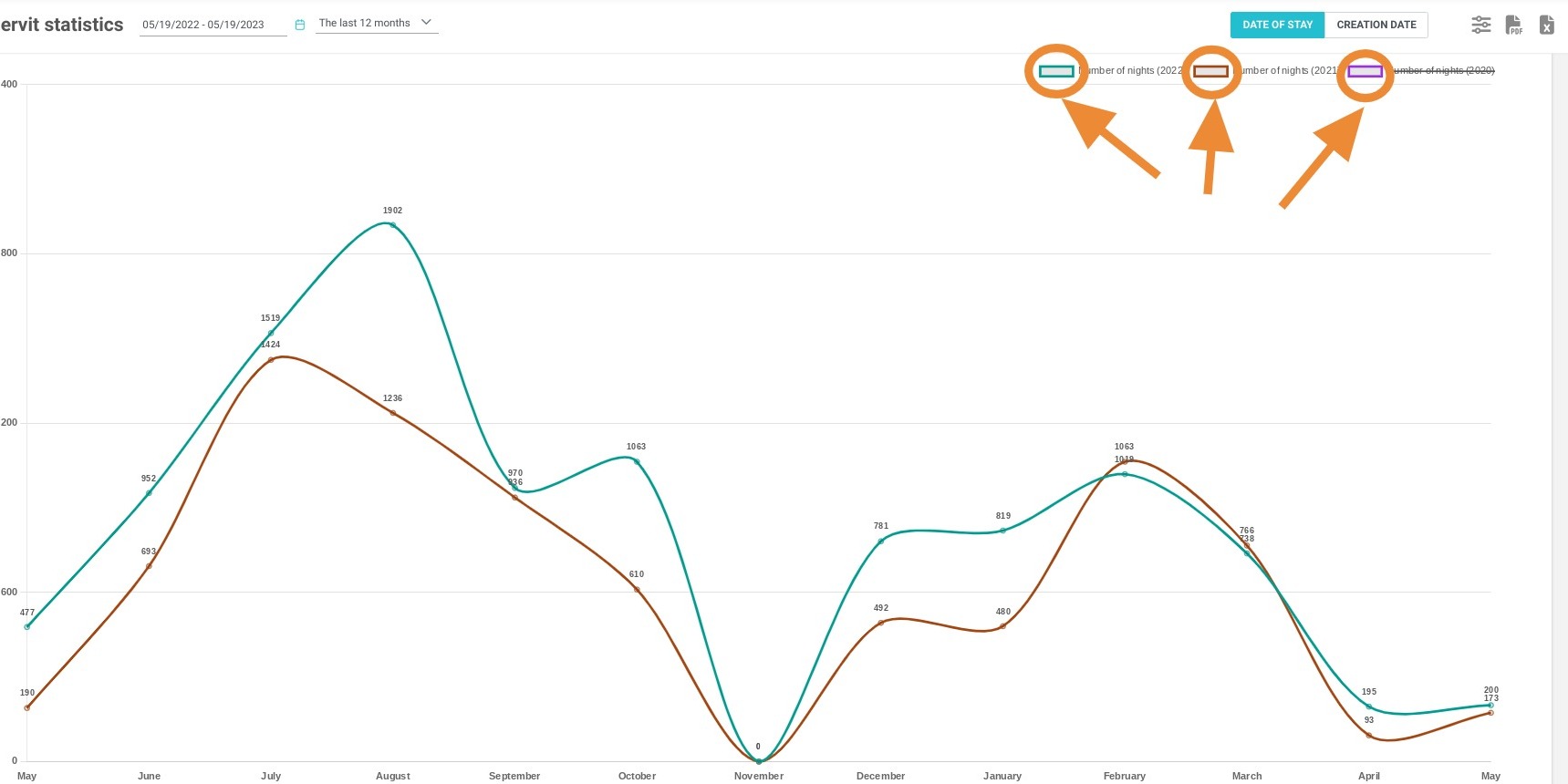
9. To compare the different data presented, check or uncheck the boxes on the screen.
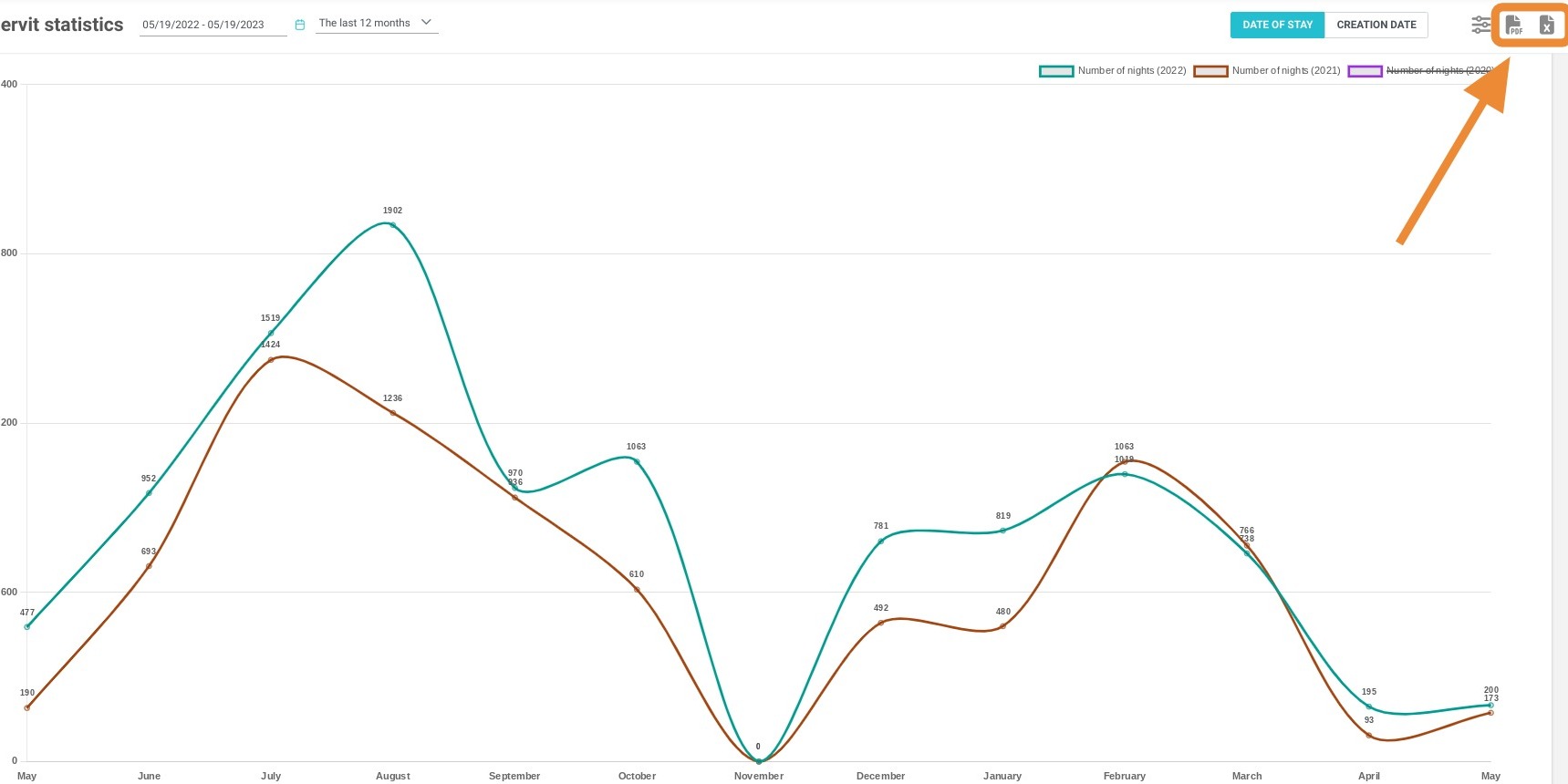
Tip: You can export the presented data in Excel or PDF format.