Article Summary: This practical guide provides step-by-step instructions on how to seamlessly duplicate an existing booking within Reservit Accommodation. You will learn how to configure recurring stays, set repetition frequencies, and manage calendar occurrences effectively. Mastering this replication feature simplifies booking management for regular corporate clients and long-term guests.
The 4 Key Steps to Duplicate a Reservation
-
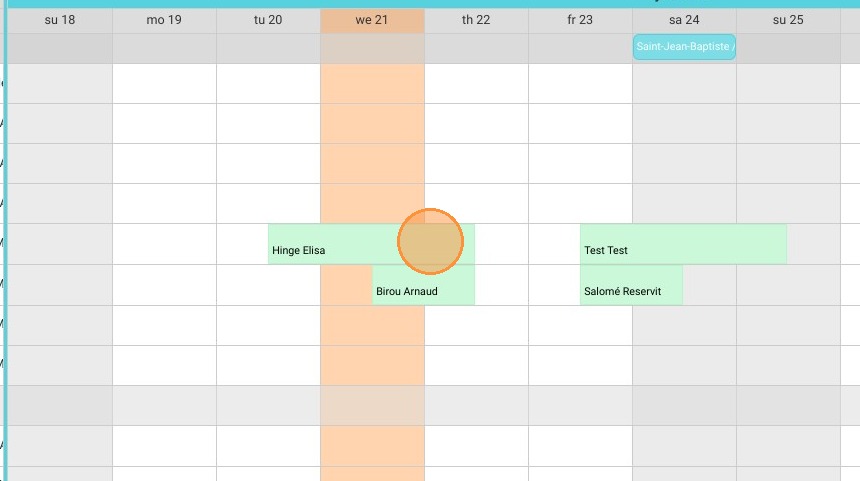
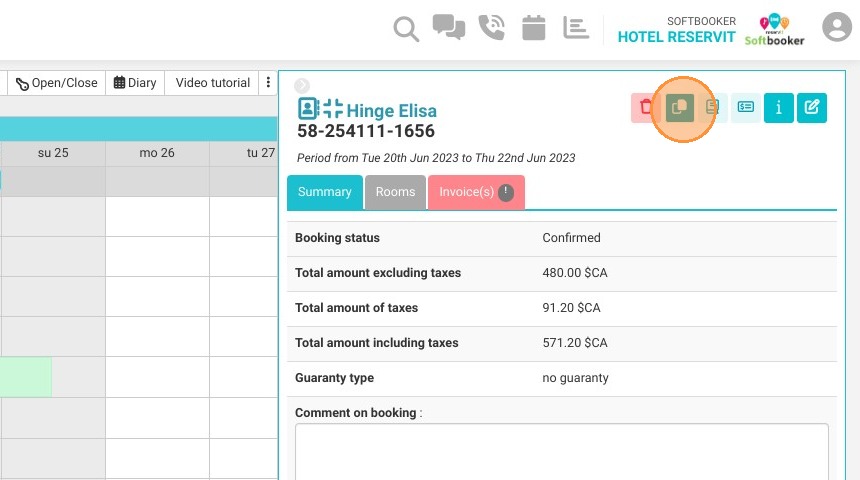
Select and Initiate: Click on the specific booking you wish to copy from the reservation planning grid and select the "Duplicate" tool option.
-
Configure Frequency and Days: Choose your desired stay intervals from the dropdown options (such as weekly, bi-weekly, or monthly) and select the exact calendar day the repetition should land on.
-
Define Recurring Limits: Establish the parameters for the duplicated timeframe by either inputting a set number of fixed occurrences or choosing a specific future end date.
-
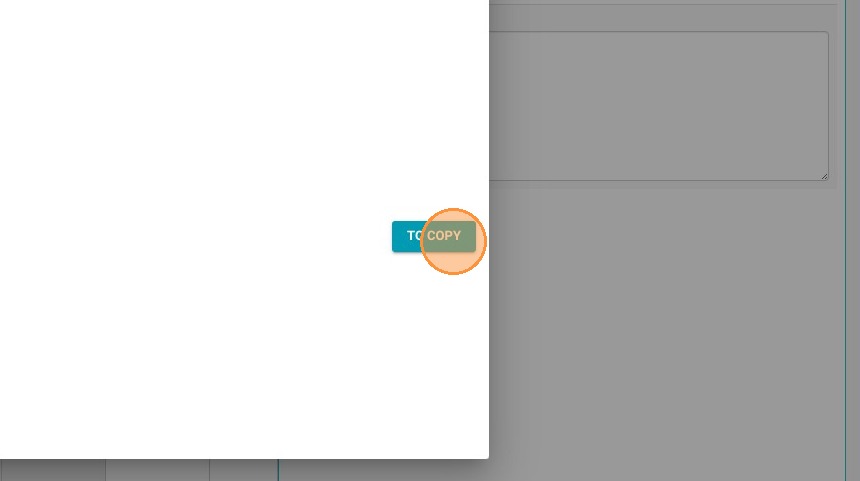
Execute the Duplication: Click the final "TO COPY" action button to process the parameters and instantly generate the synchronized reservation blocks on your schedule.
Why Follow This Guide?
Following this tutorial saves your team the tedious hassle of manually building individual folios for recurring corporate accounts, split-week commuters, or seasonal returning guests. It dramatically optimizes your inventory management, ensuring your future room blocks are perfectly locked in without the risk of manual typos or scheduling oversights.
1. Click on the booking you want to duplicate
2. Click on duplicate
3. Choose the frequency: for example every week, every two weeks or every month
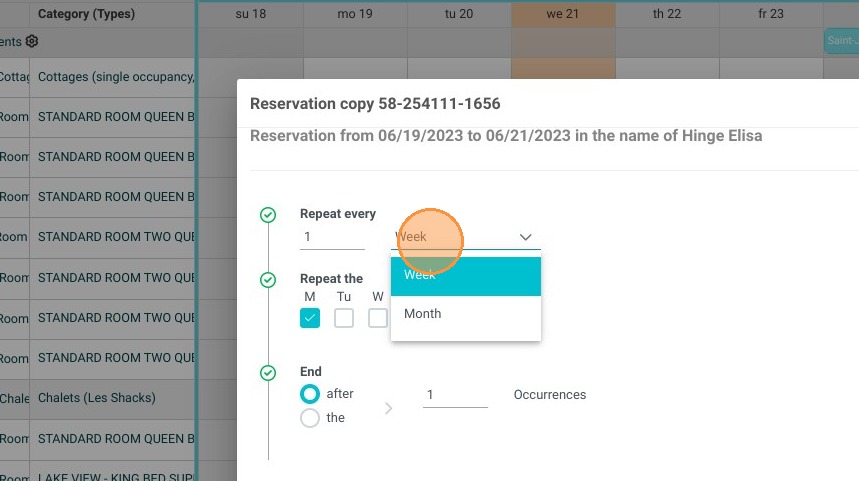
4. Choose the day when the repetition will occur
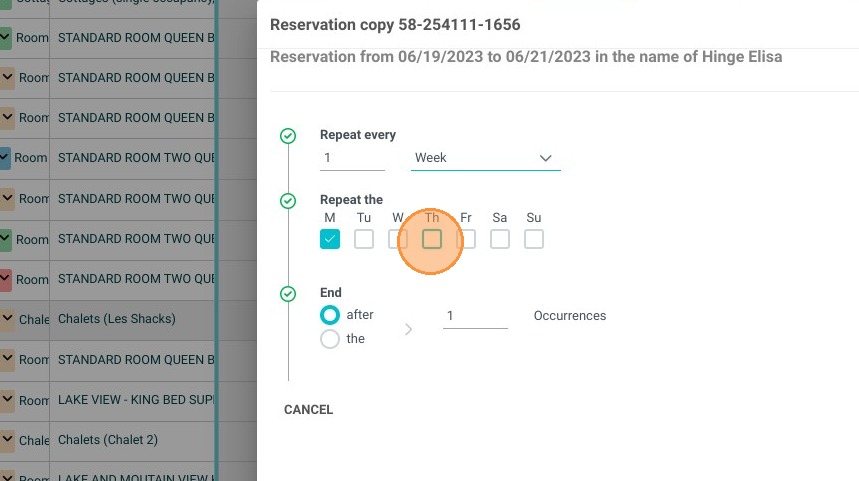
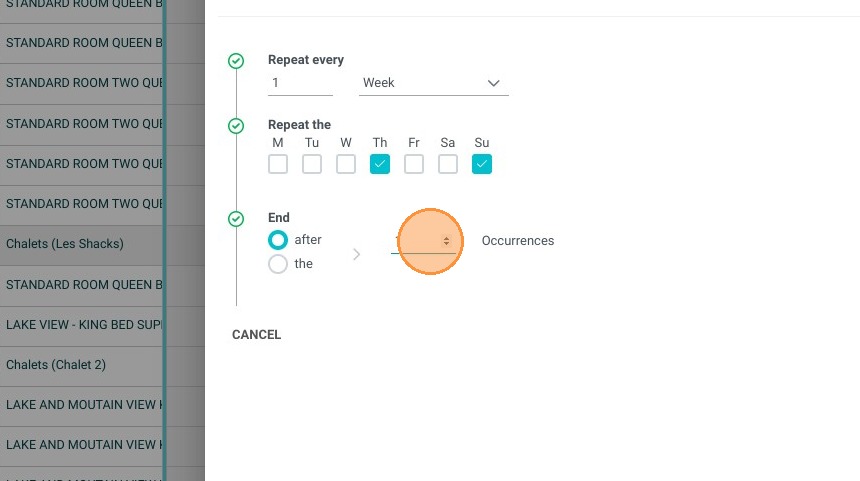
5. You can choose to end the repetition after a certain number of occurrences
6. OR you can select an end date
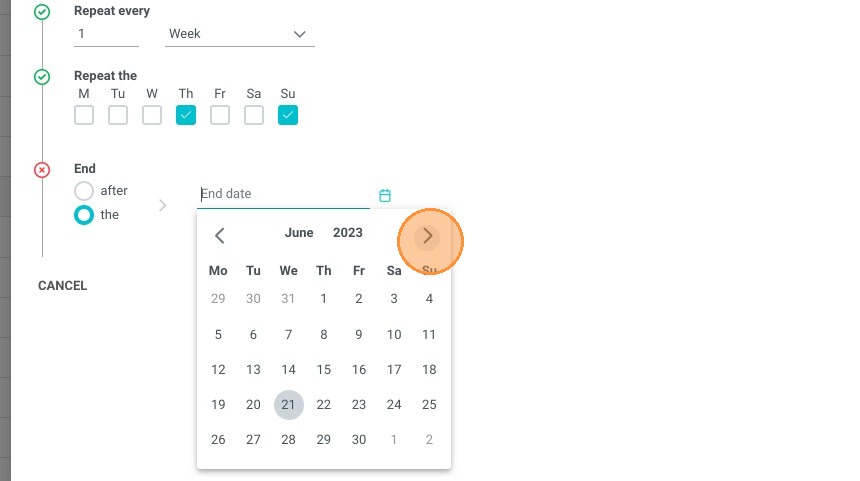
7. Finally click on "TO COPY"