Article Summary: This practical guide explains how to configure your call center settings inside Reservit PMS to block unauthorized overbookings. You will learn how to navigate to the system configuration menu, prohibit the creation of rooms "on the fly," and lock down your real-time calendar inventory. Mastering this safety feature protects your property from accidental double-bookings and enforces a strict inventory rule across all user logins.
The 3 Key Steps to Prevent Overbooked Reservations
-
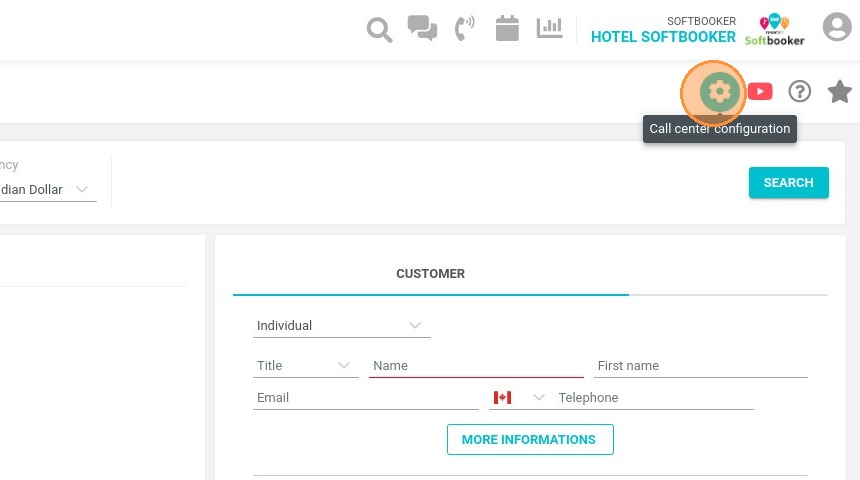
Access Call Center Settings: Open your primary configuration dashboard and navigate to the settings module dedicated to call center and manager rules.
-
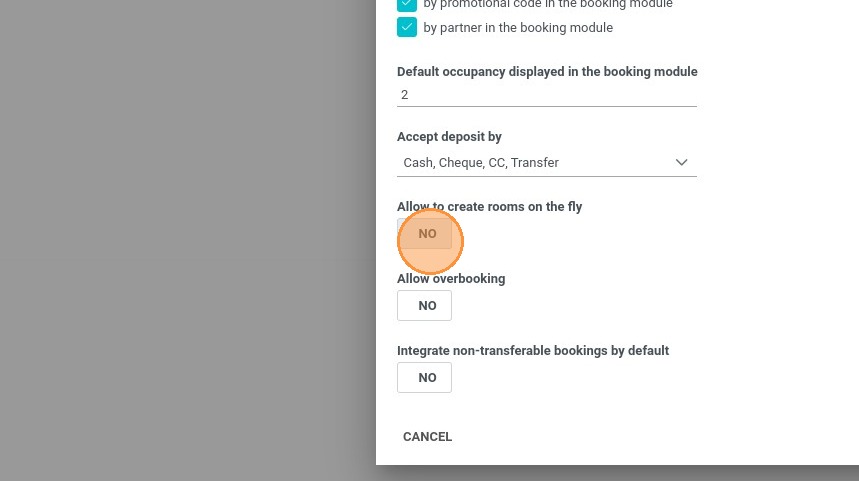
Restrict Overbooking Toggles: Locate the inventory restriction settings and select the options to explicitly prohibit both overbooking reservations and creating rooms on the fly.
-
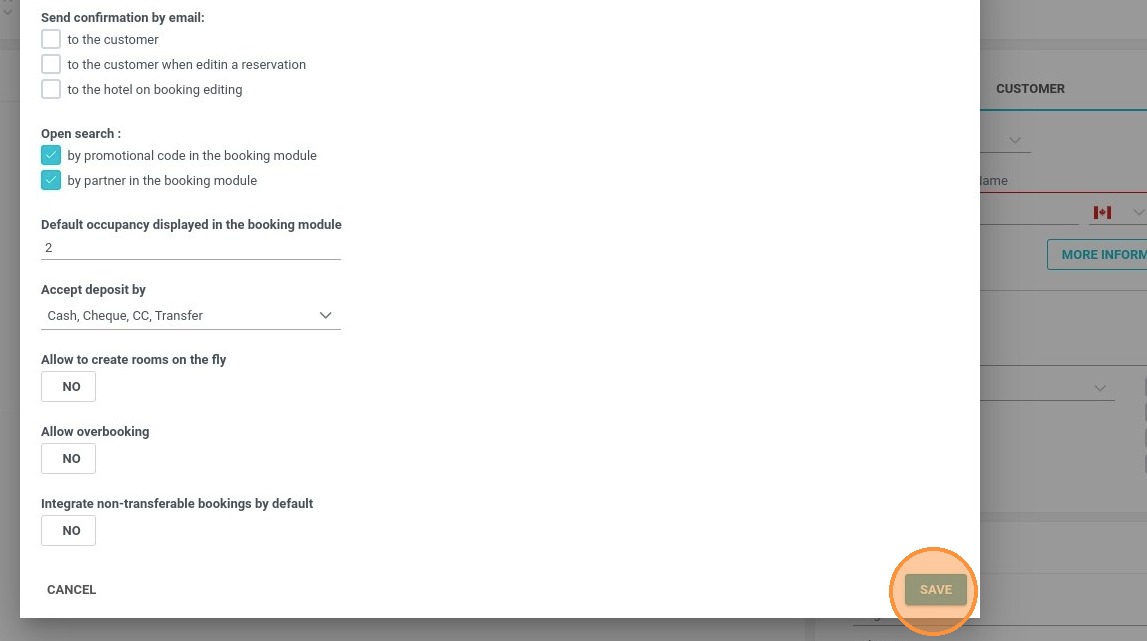
Save System-Wide Changes: Click the save button to finalize and commit your edits, instantly enforcing these safety rules across the system.
System-Wide Enforcement: Once these parameters are saved, the restrictions immediately apply to every single user account and manager login across your property. This ensures no agent or front-desk staff member can accidentally bypass your live inventory limits.
Why Follow This Guide?
Following this tutorial acts as a vital safeguard for your property's revenue management by completely eliminating manual or accidental double-bookings. It optimizes your inventory control, protects your guest relationships from the operational friction of overbooking, and ensures consistent system restrictions across all staff shifts.
1. Click the gear icon "Call center configuration" at the top right of the page
2. Here, set "Allow to create rooms on the fly" and "Allow overbooking" to "NO" to prohibit the creation of rooms on the fly as well as the overbooking of reservations
3. Don't forget to save your changes. They will be valid for anyone using the manager, even with a different login.