

Article Summary: This tutorial explains why a cancelled booking, for example a Booking.com booking cancelled on the channel and in Reservit, can still appear in the Reservit PMS closure, and how to remove it. The cause is almost always a service line left "to invoice" in the guest's billing account.
The 3 Key Steps to Remove a Cancelled Booking from the Closure:
-
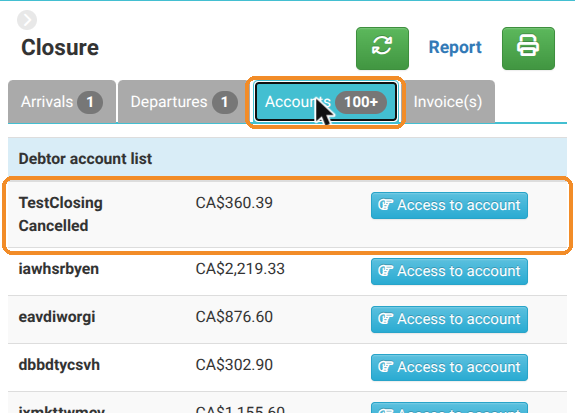
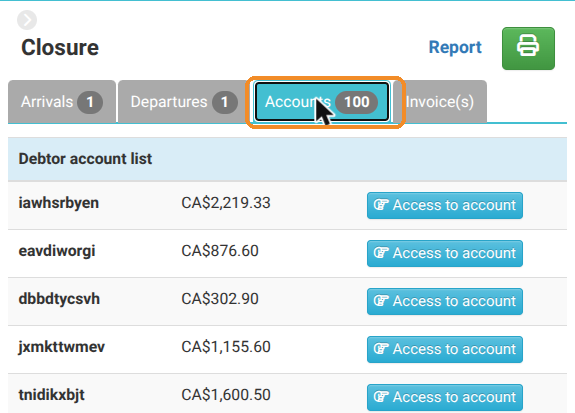
Find the account: in "Close", "Accounts" tab, find the guest of the cancelled booking and click "Access to account".
-
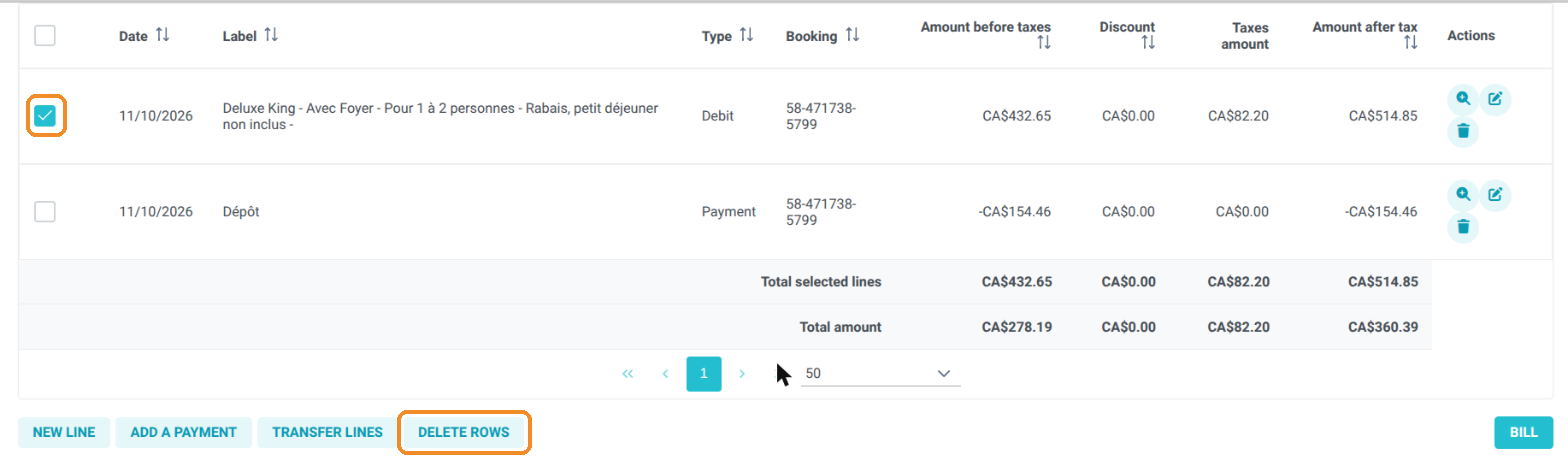
Delete the line of the cancelled service: in the account lines, tick the room line, click "DELETE ROWS", then "YES".
-
Check the closure: the account no longer appears in the "Accounts" tab.
Why follow this guide? Cancelling a booking frees up the room, but does not empty the billing account if the booking had already been sent to billing (prepayment, deposit, virtual credit card from a channel, etc.). This guide helps you keep an up-to-date closure and accurate accounts.
Good to know: the "Accounts" tab of the closure lists debtor accounts, i.e. accounts containing lines sent to billing with no invoice issued. A cancelled booking stays there as long as its room line is in the account, even if the booking is cancelled in Reservit and on the channel.
Find the account of the cancelled booking
1. In "My reservations" > "Reservations calendar", click the "Close" button in the toolbar, then the "Accounts" tab. Find the name of the guest of the cancelled booking and click "Access to account".
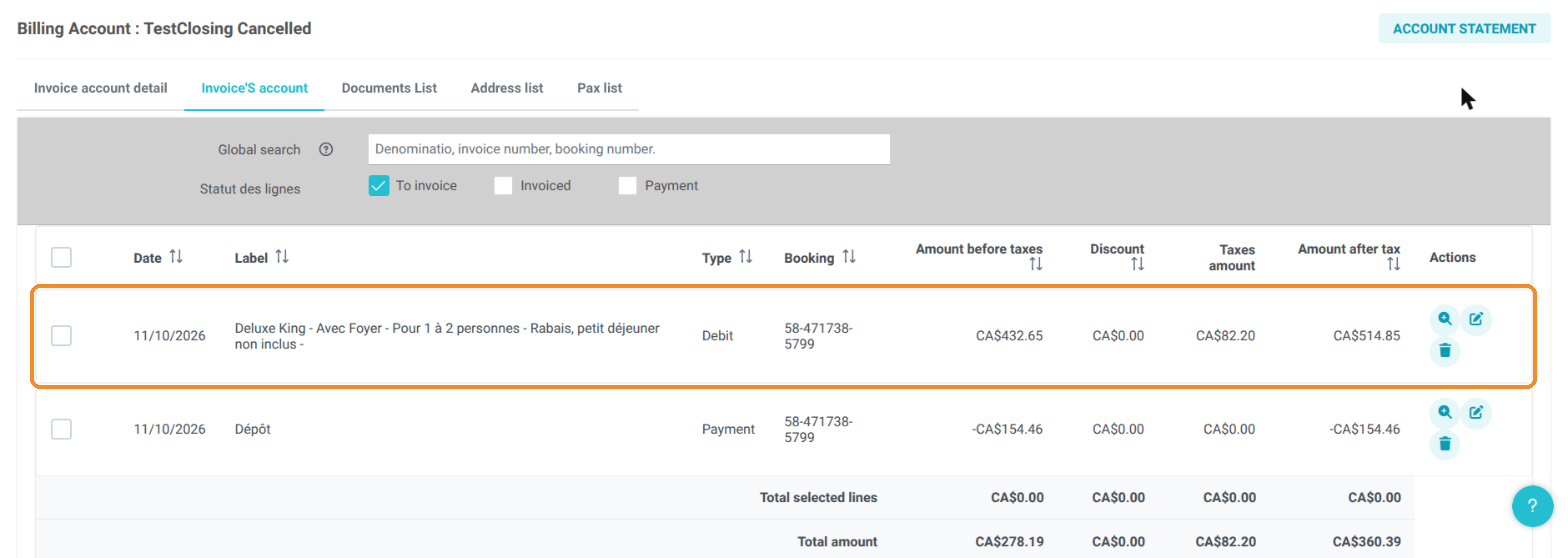
2. The account lines tab opens. The room line is still there, with the "to invoice" status, although the booking is cancelled. This is what keeps the account in the closure.
Delete the line of the cancelled service
3. Tick the room line (and, if applicable, the lines of the extras of the cancelled booking), then click "DELETE ROWS".
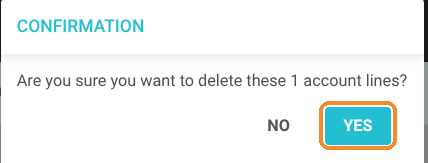
4. Confirm by clicking "YES".
Warning: only delete the service lines (room, extras) of the cancelled booking. If cancellation fees are due, invoice them rather than deleting the line. Payment lines (deposit, prepayment) must not be deleted: a payment received must be refunded or kept according to your cancellation policy.
Check the closure
5. Go back to "Close", "Accounts" tab: the guest's account no longer appears and the counter has decreased.
What about the deposit? If a payment had been received (deposit, prepayment, virtual card), it stays in the account, which becomes a credit account: it no longer appears in the closure, but this amount still has to be refunded to the guest or kept according to your cancellation policy. See How to Refund a Payment via Terminal in Reservit PMS. For a booking collected directly by the channel, there is usually no payment in the account.