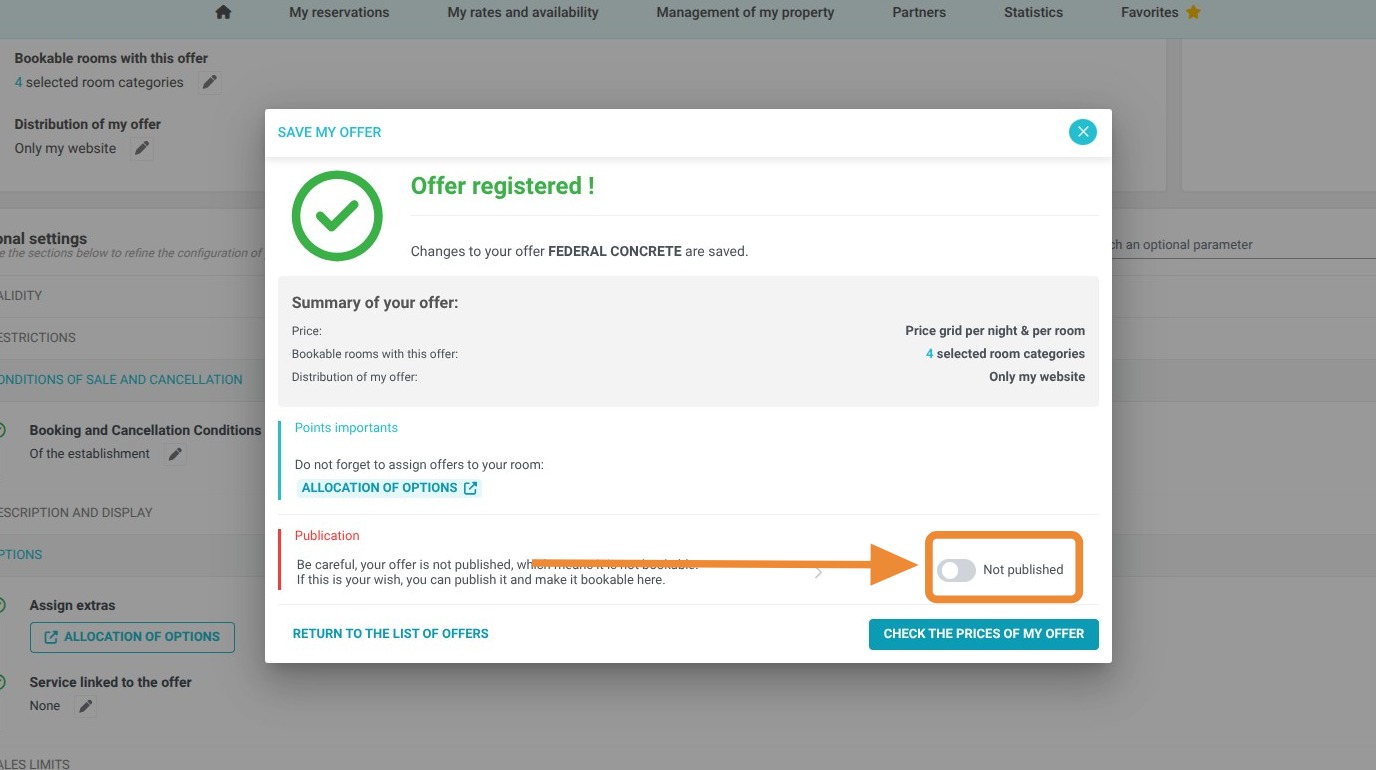
Article Summary: This tutorial provides a step-by-step guide to duplicating an existing offer or rate plan within the Reservit Accommodation interface. You will learn how to quickly replicate your successful configurations while customizing essential settings for your new sales strategies. This is the ideal method to increase operational efficiency and multiply your booking opportunities without starting from scratch.
The 6 Key Steps to Copy an Offer in Reservit:
-
Access the Menu: Go to the "My rates and availability" tab and select "My offers."
-
Select the Source: Choose the reference rate plan (e.g., Regular rates) and click the "Copy" option.
-
Configure the Copy: Define the specific settings you wish to duplicate and confirm the action.
-
Personalization: Rename the new offer and complete the setup of the sales parameters.
-
Validation: Review the different tabs to ensure the consistency of settings and price calculations.
-
Publication: Click "Publish" to launch your new offer and make it available for booking.
Why Follow This Guide? Mastering offer duplication saves valuable time when creating seasonal promotions and significantly reduces the risk of manual data entry errors. It serves as a strategic lever to quickly test new pricing while ensuring the security and accuracy of your rate data.

1. Click on "My rates and availability" and "My offers"
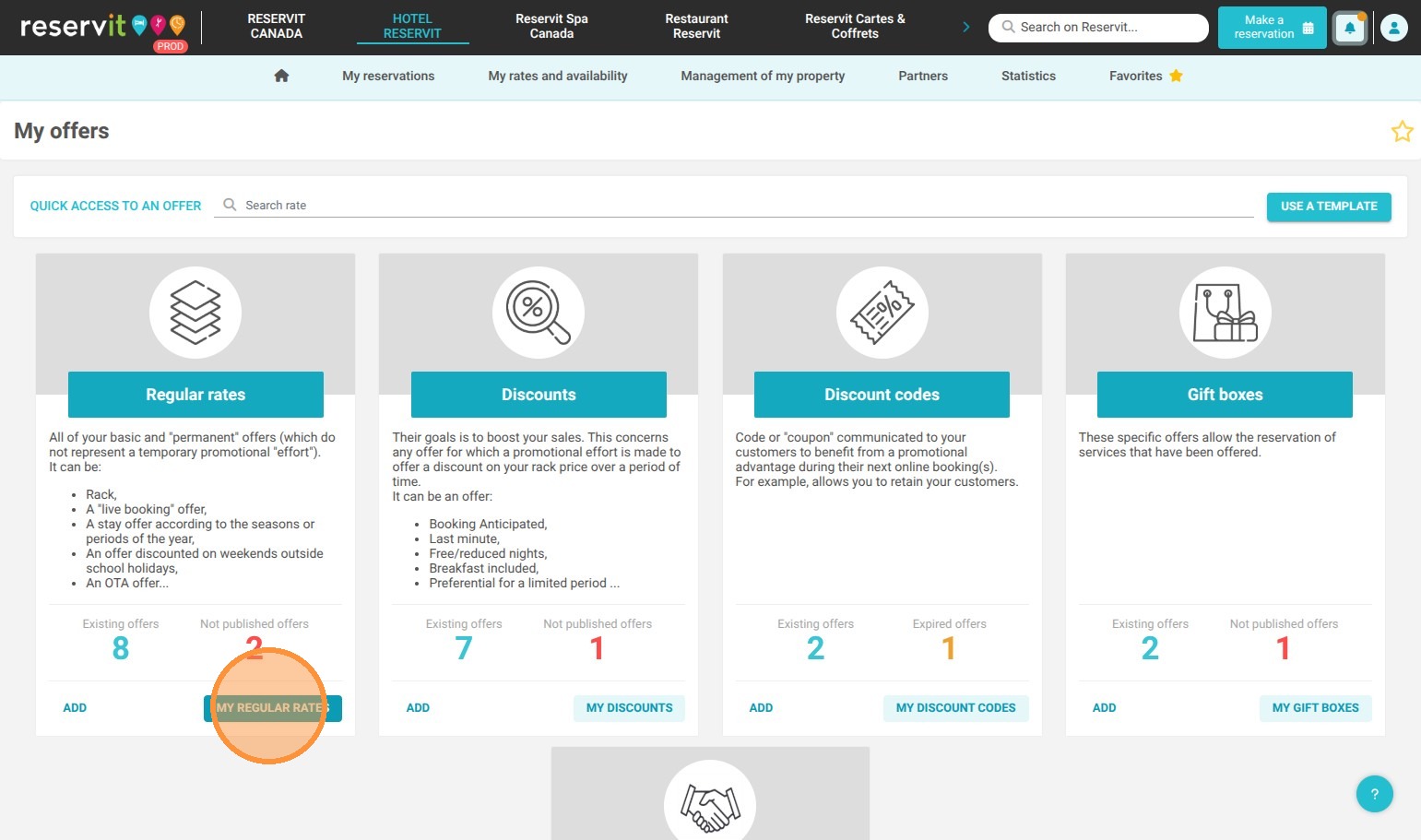
2. Choose a rate plan, for example "Regular rates"
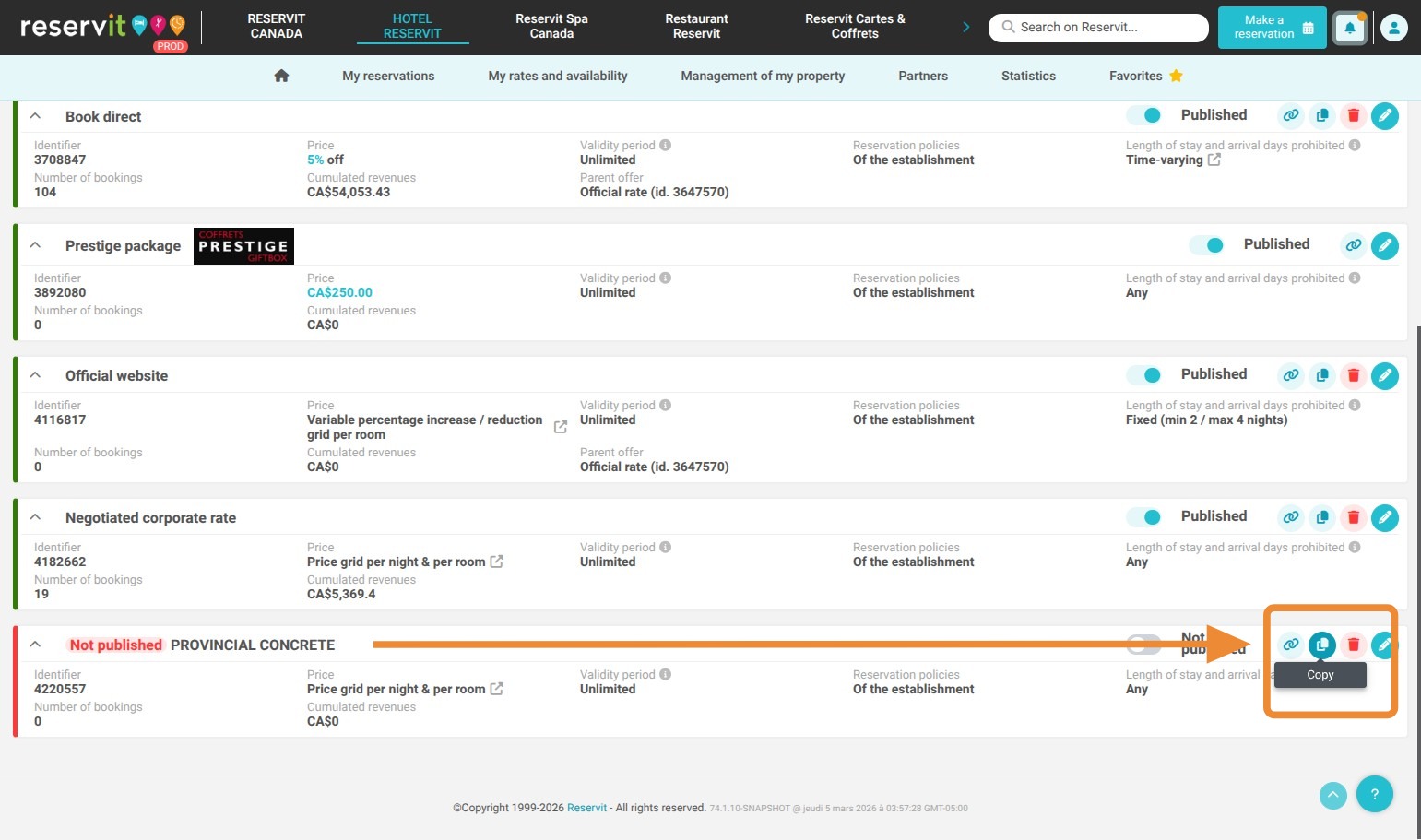
3. Choose the one you want to copy, then click "Copy"
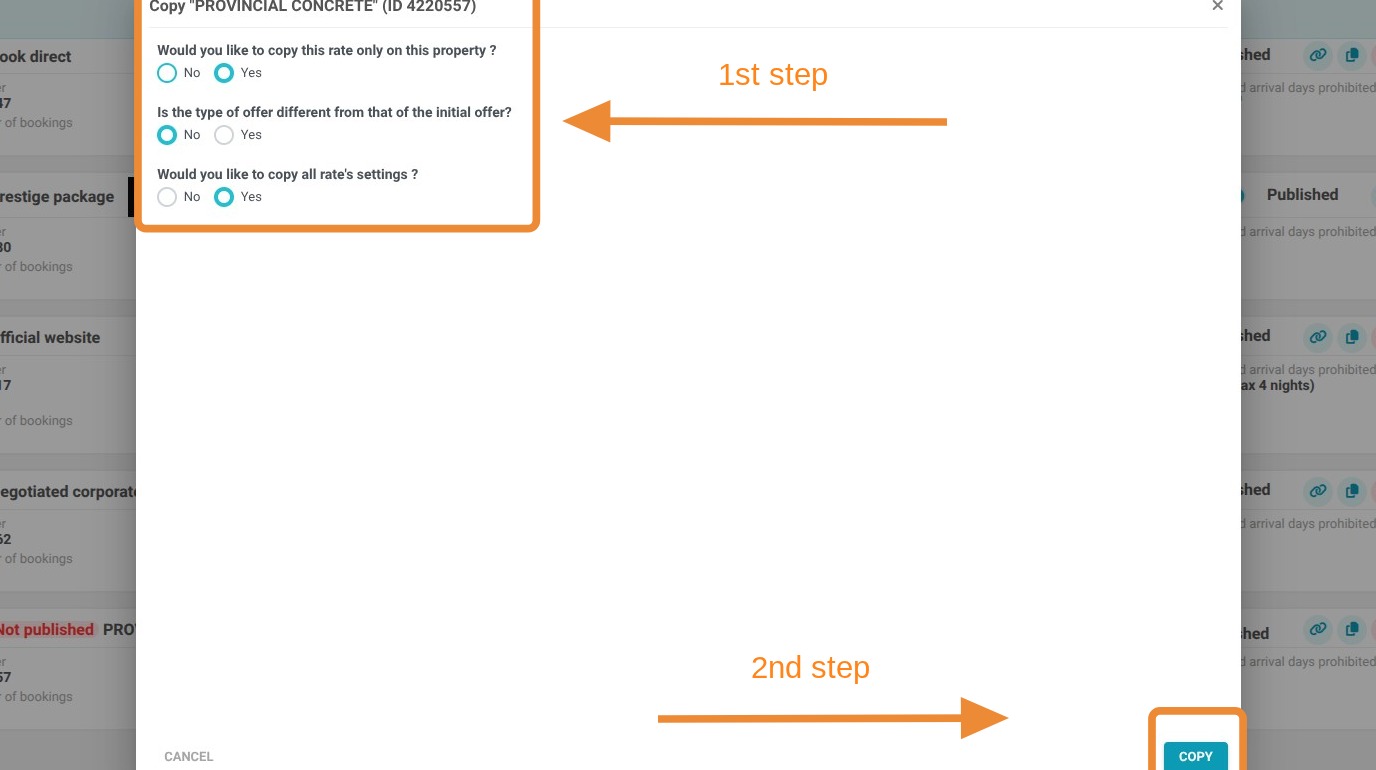
4. Choose the settings you want to copy, then Click "Copy"
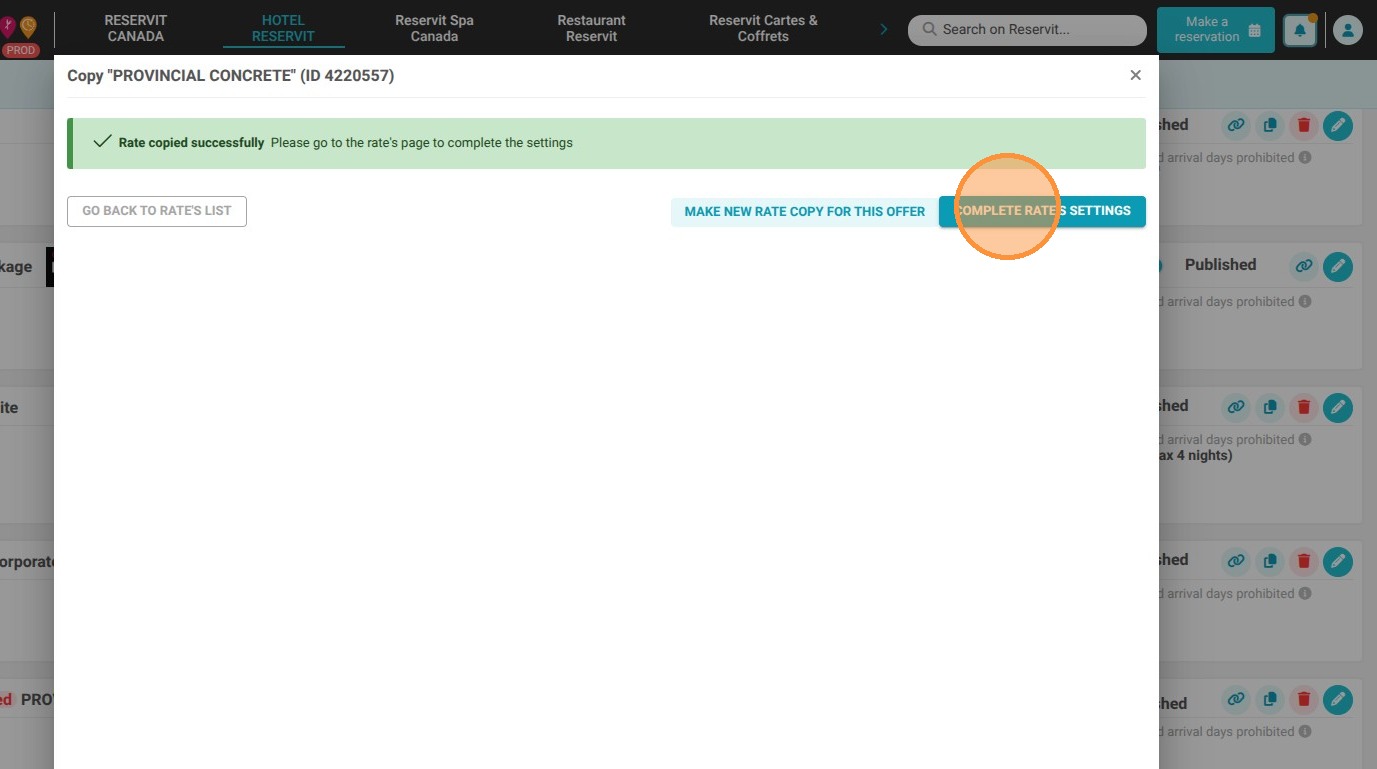
5. Click "Complete rate's settings"

Tip: Remember to rename your offer clearly so you can easily identify it.
6. Remember to go through the different settings of your offer to validate them
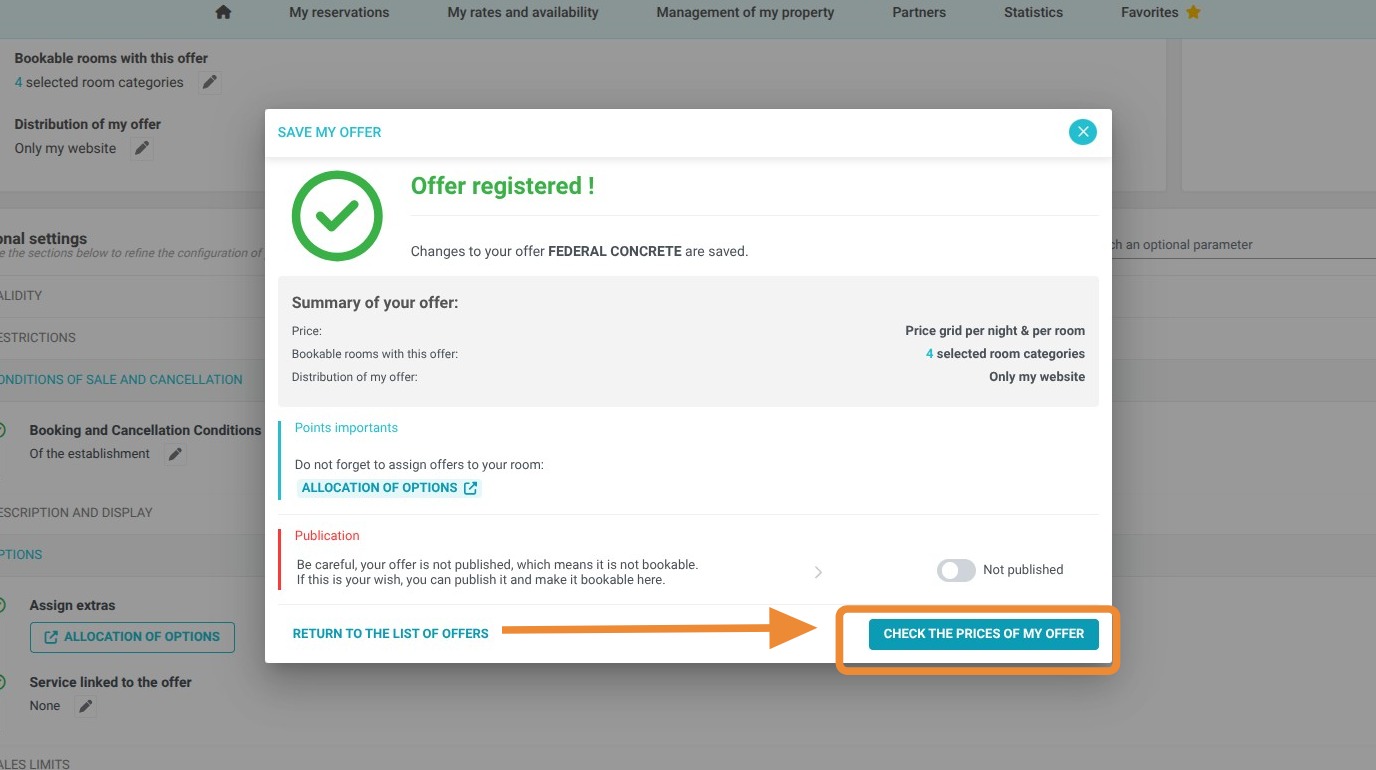
7. Once you are done check the prices of your new offer
8. Lastly, Click "Publish" to launch it