Help for use

How to Create an Exclusive Front Desk Offer and Set Up Offline Reception Rates

Article Summary: This step-by-step tutorial explains how to create a front-desk-exclusive deal in Reservit Accommodation that cannot be booked online by the general public. You will learn how to configure a specialized offline rate and assign it specifically to your reception team for internal use. Implementing this feature empowers your staff to offer personalized walk-in discounts or phone-only promotions, enhancing customer satisfaction while keeping your public web pricing consistent and secure.

The 5 Key Steps to Create an Exclusive Front Desk Offer:

  • Access Offer Settings: Navigate to "My rates and availability" and click on "My offers" to either create a brand-new promotion or select an existing one to edit.

  • Configure Offer Details: If building a new deal, enter a clear name, set your exclusive offline price, and select the specific rooms eligible for this promotion.

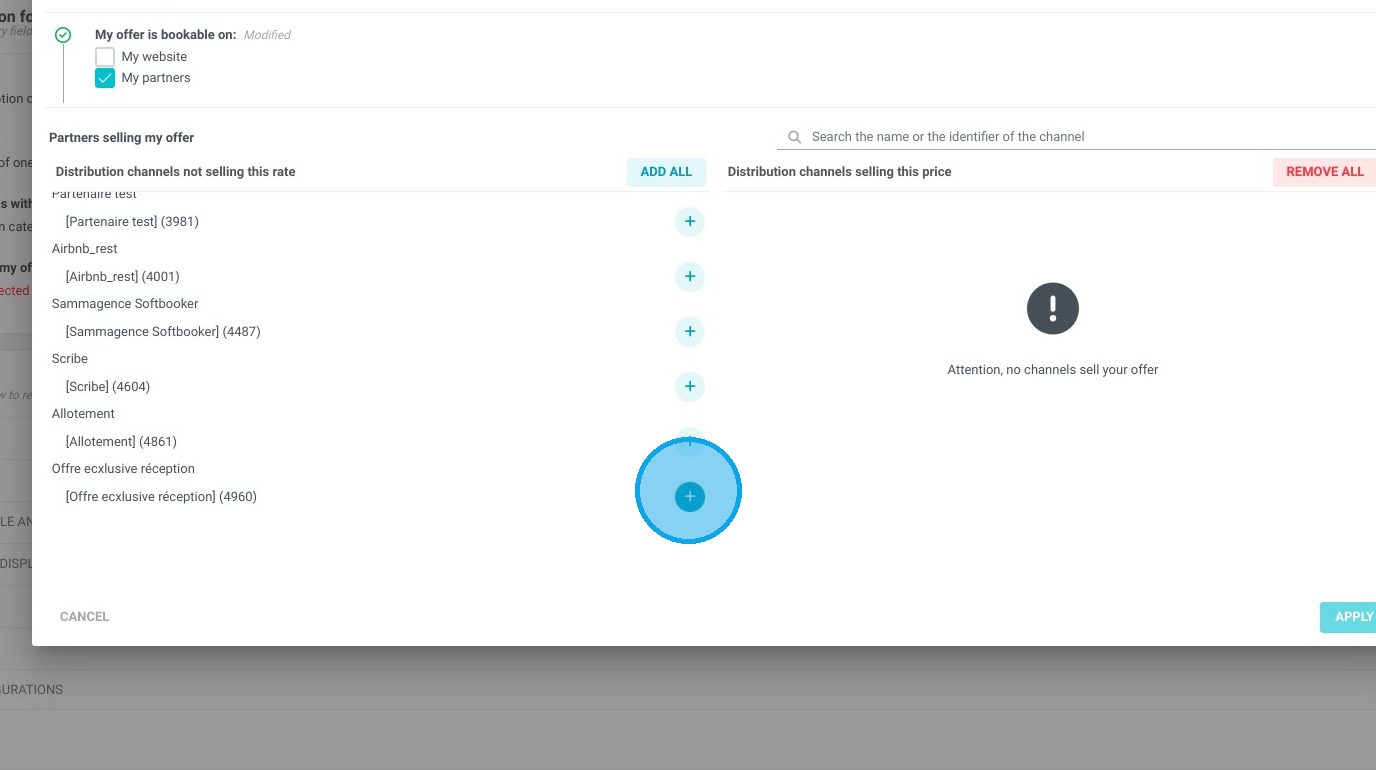
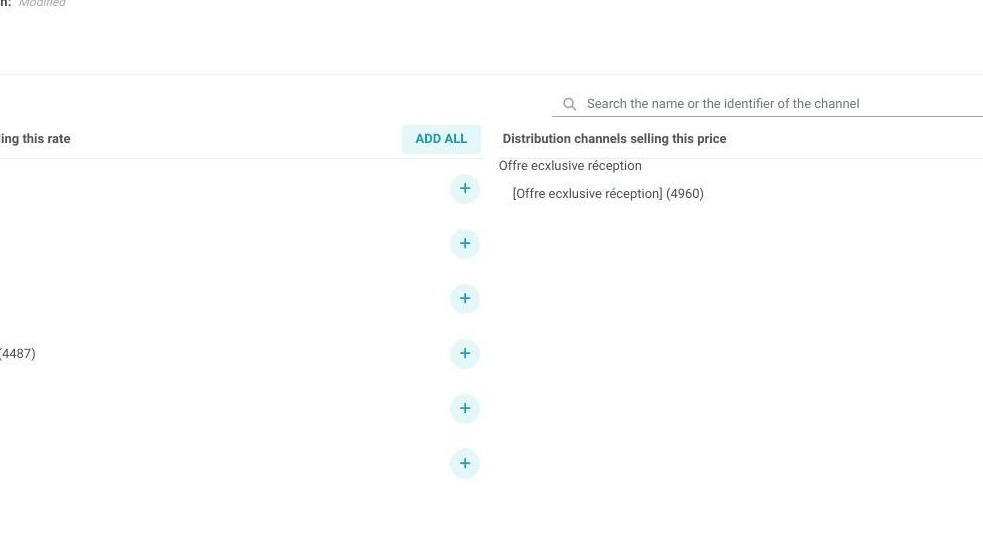
  • Assign to Reception Partner: Scroll to the "Distribution of my offer" section, open "My Partners," and explicitly select the "Offre exclusive réception" (Exclusive reception offer) to hide it from your public website.

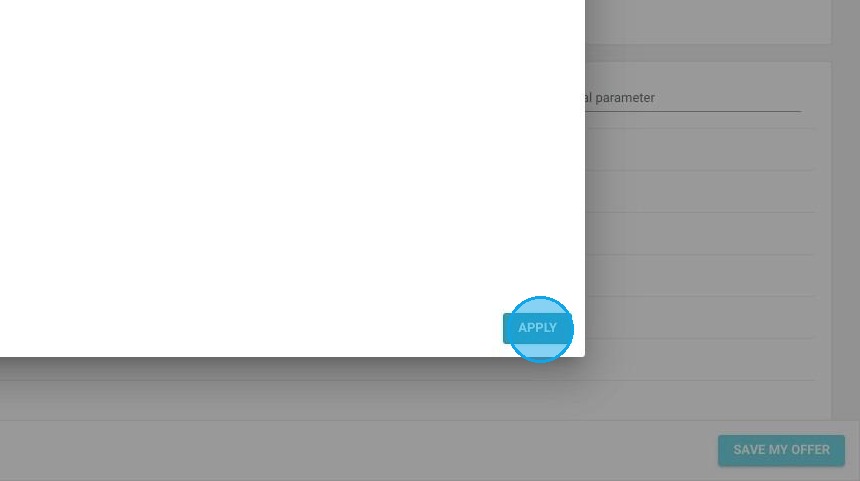
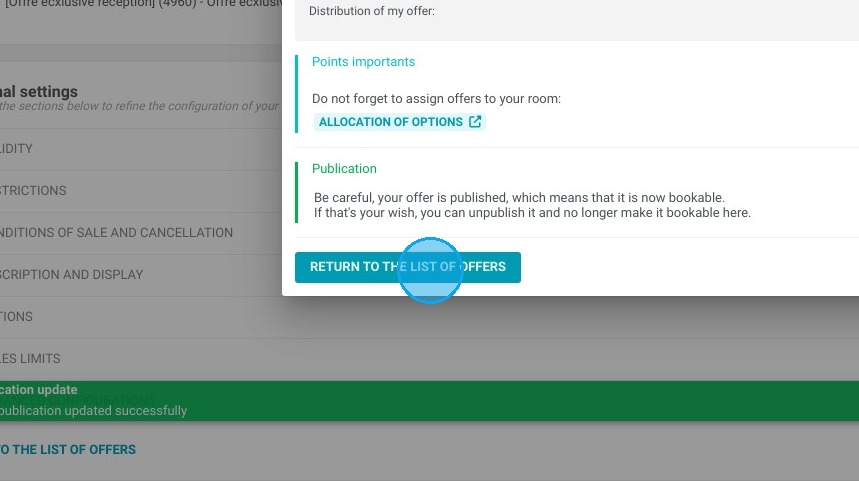
  • Save and Publish: Adjust any remaining optional settings, click "Save my offer," and publish the configuration so it becomes active in your backend system.

  • Book the Exclusive Rate: To utilize the new deal, access your internal phone booking tool, select the "Offre exclusive réception" partner during your search, and finalize the guest's reservation with the applied discount.

Why follow this guide? Setting up a dedicated reception-only offer gives your front desk staff the flexibility to close sales over the phone or reward walk-in guests without exposing discounted pricing to your online distribution channels. This optimized setup prevents online rate parity issues with OTAs while securely equipping your team with powerful, controlled offline sales tools.

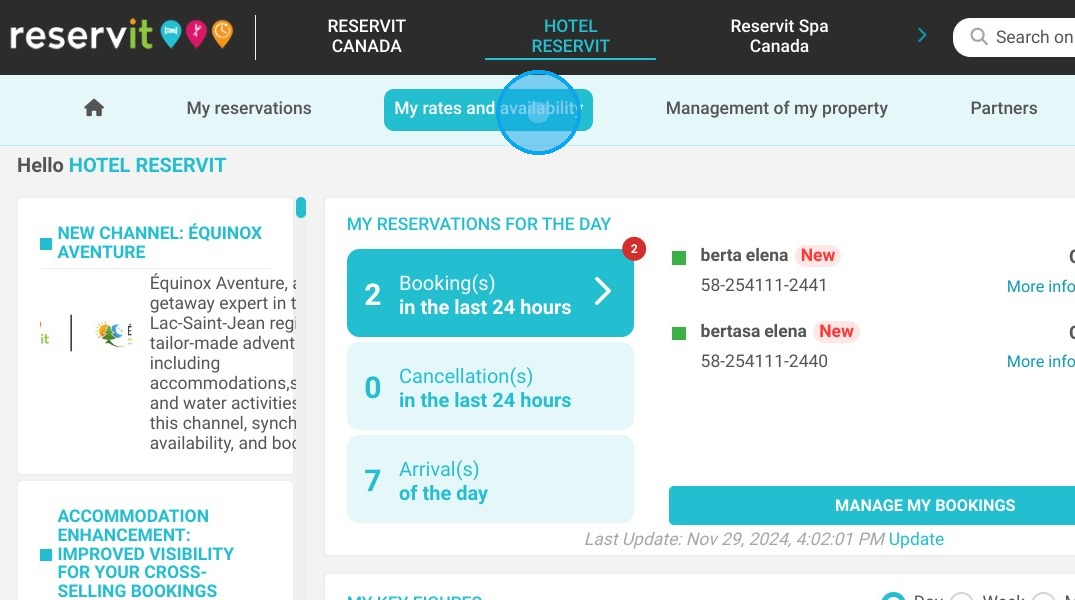
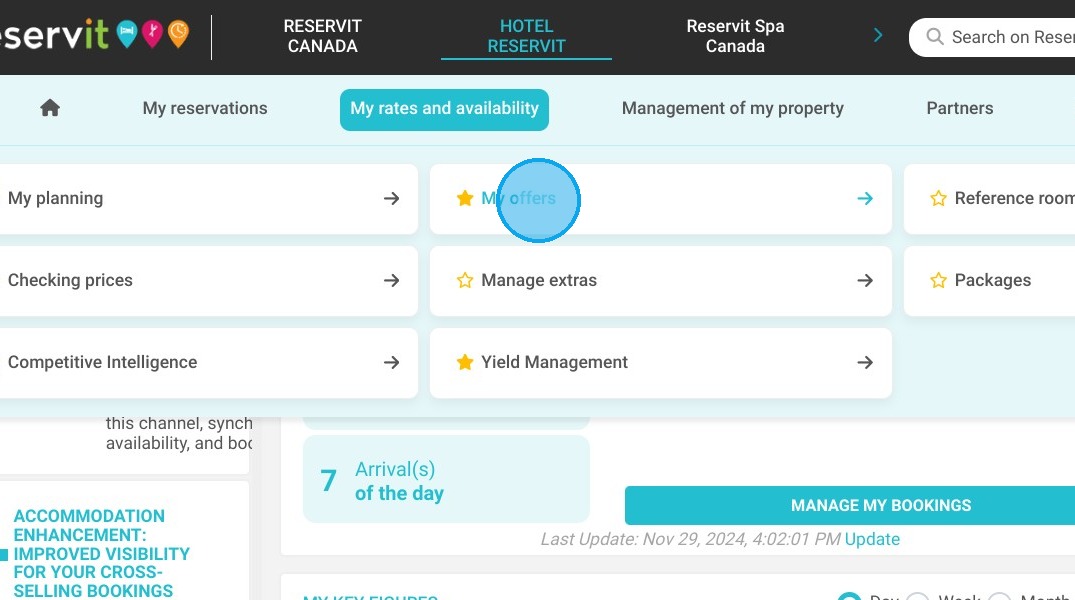
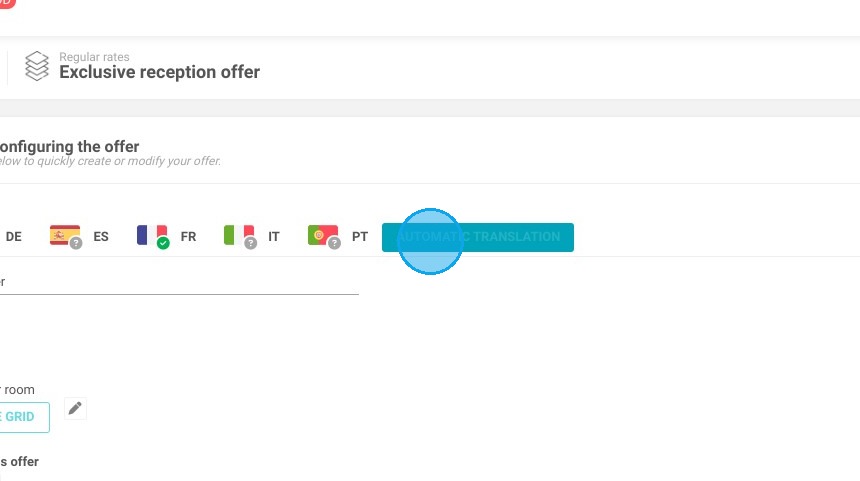
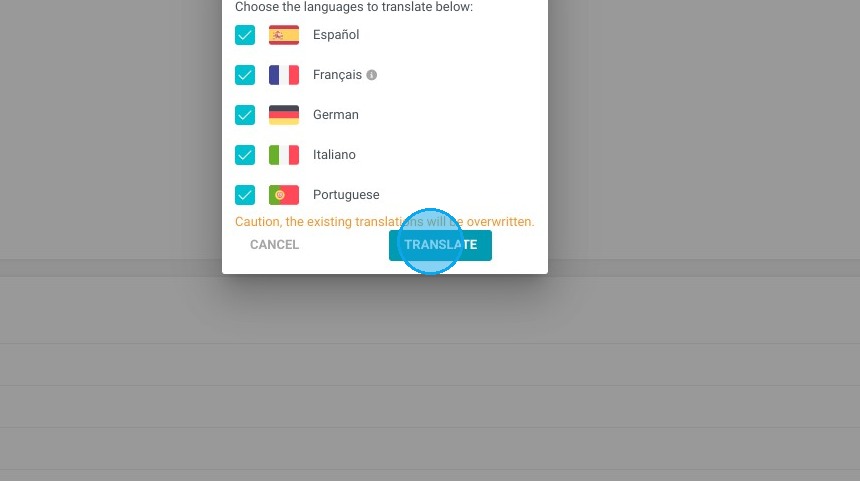
1. If you wish to create an offer for the reception with a price different from the price offered on your website, Click "My rates and availability" then "My offers" and select the one that you wish to edit. Select the type of offer you wish to create and you can take an example on a model.

https://colony-recorder.s3.amazonaws.com/files/2024-11-29/8550c240-00f8-47e9-b821-0b144c40f00c/File_4ab95971e43c4119b40a6c716225c85c_text_export.jpeg
https://colony-recorder.s3.amazonaws.com/files/2024-11-29/c0336c02-8fd5-4729-a3cd-df70a8924479/File_d86bba45738848aaa68bd3695ce2a39e_text_export.jpeg

Tip: If you do not want to create a new offer but use an existing offer, simply go to the latter and in the "Distribution of my Offer" section, select My partners and choose the "Offre ecxlusive réception" partner.

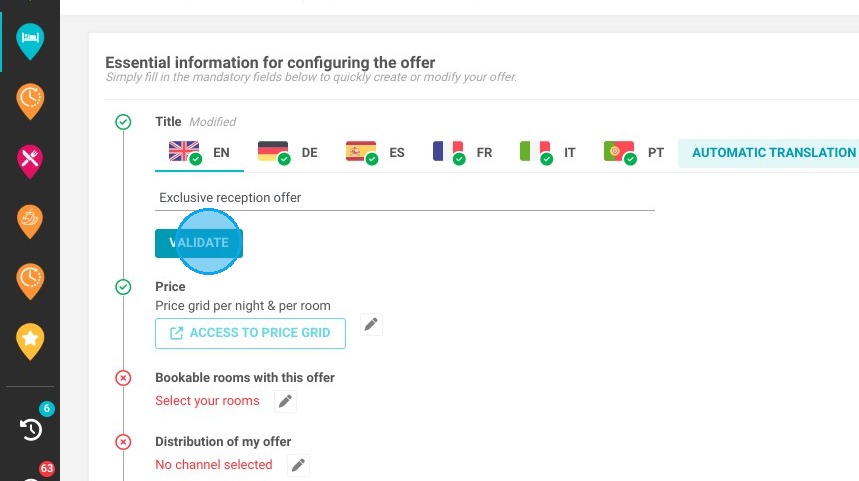
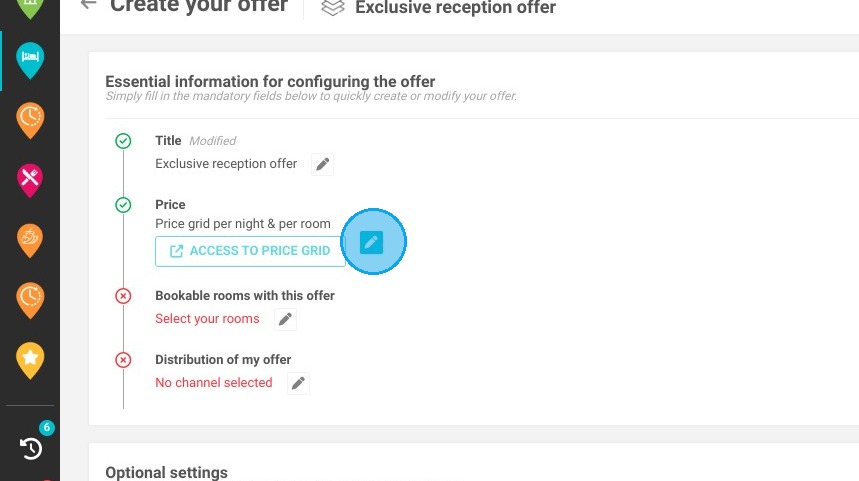
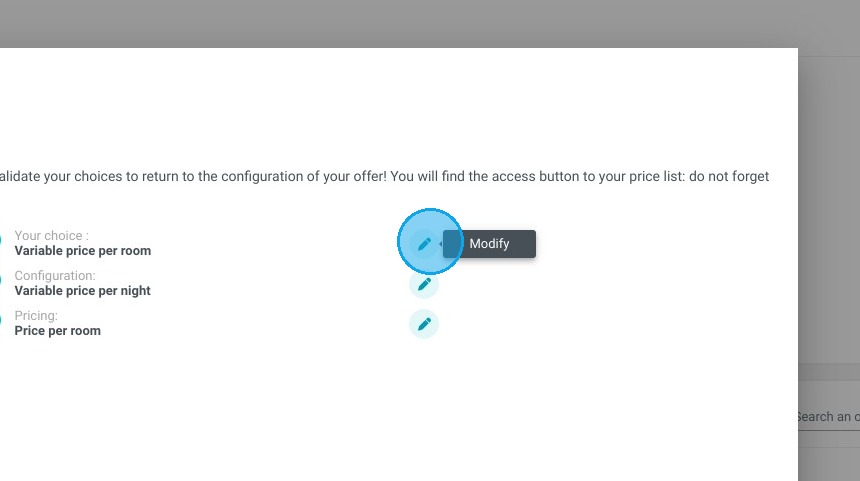
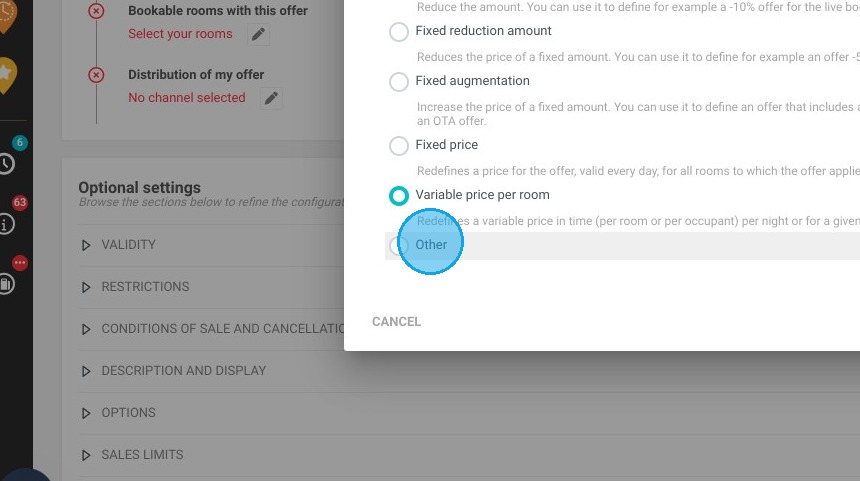
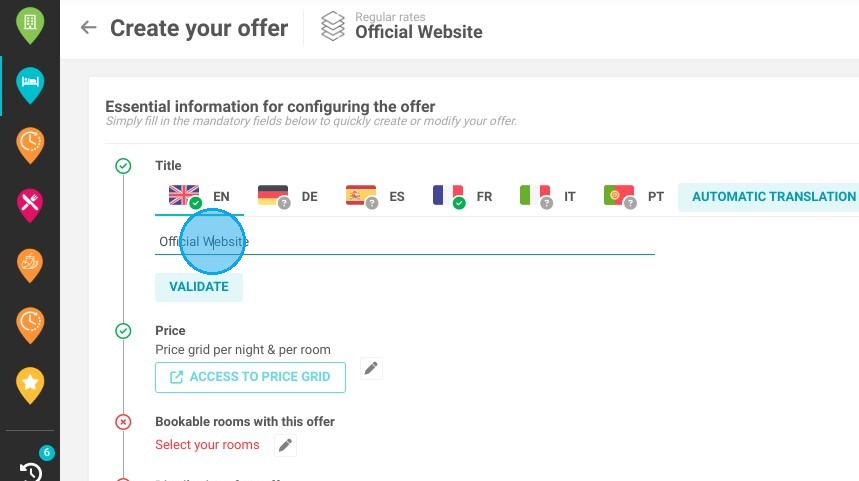
2. If you want to create a new offer:

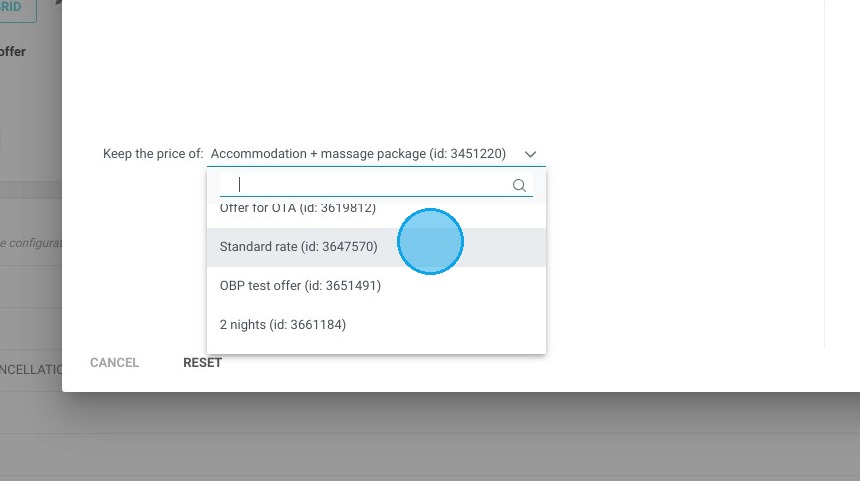
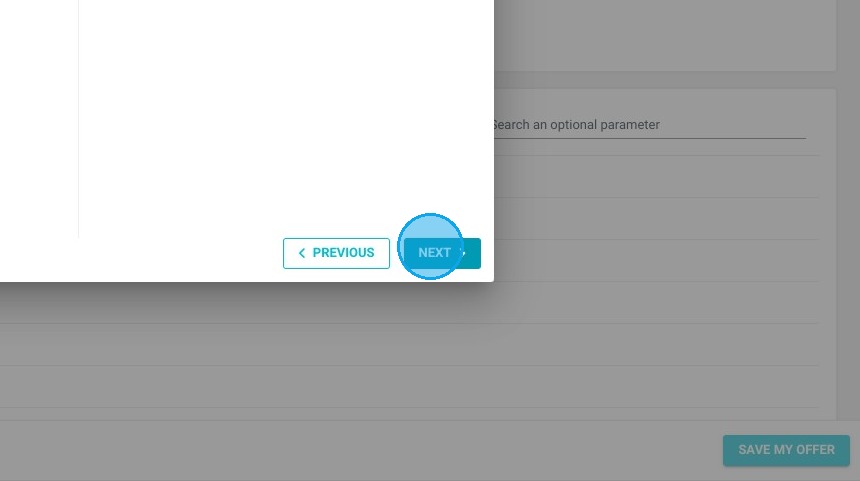
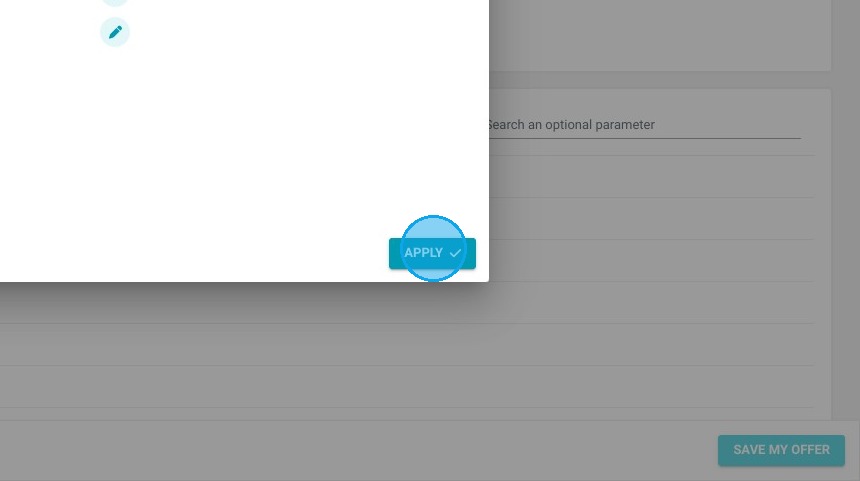
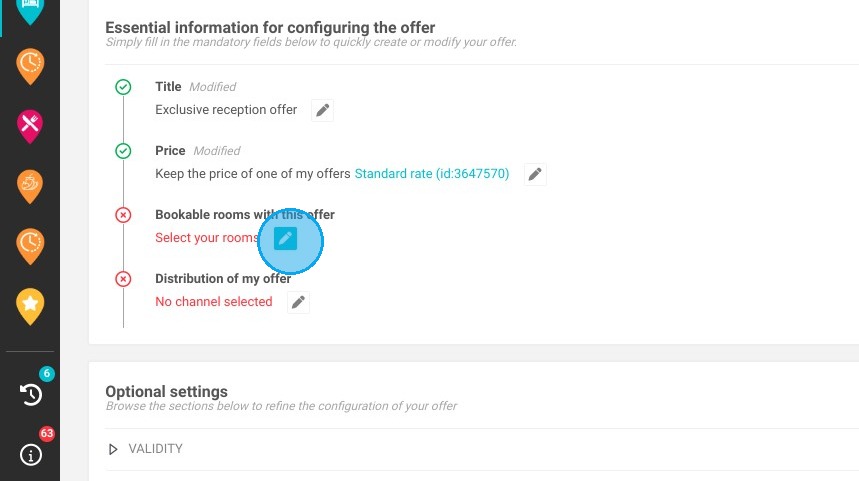
  1. Give your offer a name

  2. Configure the desired price

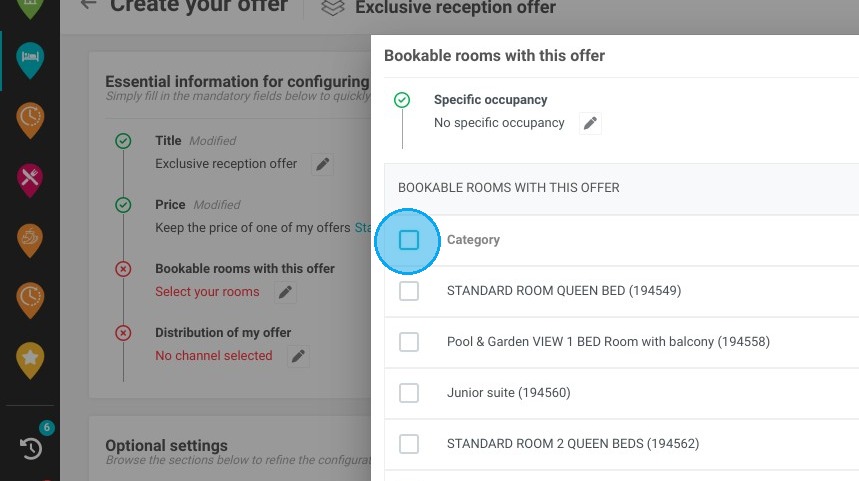
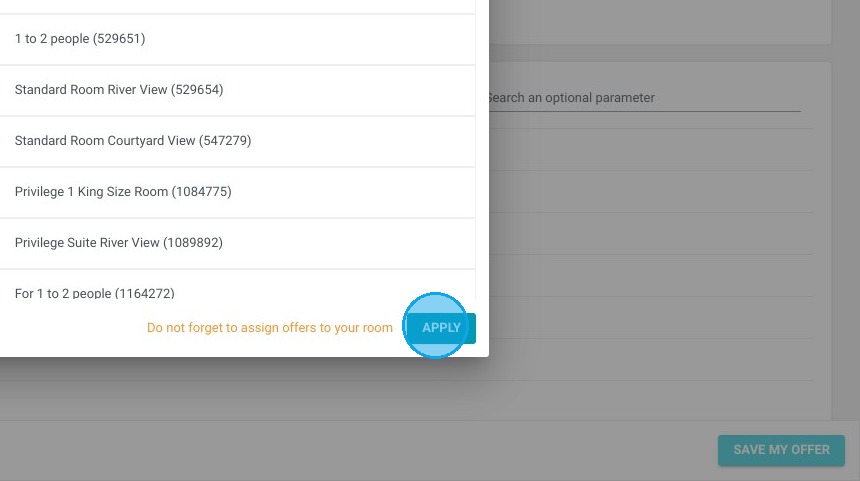
  3. Select the rooms bookable for this offer
https://colony-recorder.s3.amazonaws.com/files/2024-04-19/361af62f-b84b-4a99-8130-94a42482ca52/ascreenshot_82db656ee99644ee9371ded9dcb4d97a_text_export.jpeg
https://colony-recorder.s3.amazonaws.com/files/2024-04-19/b99b5644-6f90-45ed-9f48-24a27d8baada/ascreenshot_8c07f2ef32034a86b3866163b5b478e2_text_export.jpeg
https://colony-recorder.s3.amazonaws.com/files/2024-04-19/a248f2c4-8238-4f10-ad1a-d8b3eaa1438a/ascreenshot_b7f2d1d3c1014a69b8c6c118276847f9_text_export.jpeg
https://colony-recorder.s3.amazonaws.com/files/2024-04-19/0de736d2-25c4-41d1-825b-ed816282086d/ascreenshot_b9ac709bed504373abd0075c692952bf_text_export.jpeg
https://colony-recorder.s3.amazonaws.com/files/2024-04-19/86aa455b-f104-4908-8499-03f4ba5d3e1b/ascreenshot_82d2345c4f7c43da955b1ef994b46ee3_text_export.jpeg
https://colony-recorder.s3.amazonaws.com/files/2024-04-19/73a17715-50c1-40c8-b313-87703a7dbda8/ascreenshot_f2464a58a9064d2eabcfbd0822f26d6e_text_export.jpeg
https://colony-recorder.s3.amazonaws.com/files/2024-04-19/9b02e992-df25-4329-b2ea-b0297388875d/ascreenshot_e32ecd6edc494f6eb7b43f0a5f6f8e09_text_export.jpeg
https://colony-recorder.s3.amazonaws.com/files/2024-04-19/46169dbd-0d99-420b-b6c4-313683619b0f/ascreenshot_bf359d186b7a4a878b78f0a54fccc11d_text_export.jpeg
https://colony-recorder.s3.amazonaws.com/files/2024-04-19/630adae4-54b6-4184-8fca-736b903479ca/ascreenshot_3776f539f54d429ba0b99da1aabada97_text_export.jpeg
https://colony-recorder.s3.amazonaws.com/files/2024-04-19/3831e38b-2f23-4bd2-a3ae-6f2bf5cc77dd/ascreenshot_3e5e90f6826c4816a4e3f4979454d3bc_text_export.jpeg
https://colony-recorder.s3.amazonaws.com/files/2024-04-19/5941cf9c-509f-4483-bb12-454634d965b8/ascreenshot_d3ad5ae1e28c42b3b677d297f765d68e_text_export.jpeg
https://colony-recorder.s3.amazonaws.com/files/2024-04-19/1e44261f-933e-47f9-bc6b-eb2db1e0c021/ascreenshot_fe99364f2583487a9729e06d1a5a7750_text_export.jpeg
https://colony-recorder.s3.amazonaws.com/files/2024-04-19/ef64bb87-a873-4a09-a64e-8b844df1facc/ascreenshot_0241dcc23f69457489be6dbe38d93e84_text_export.jpeg

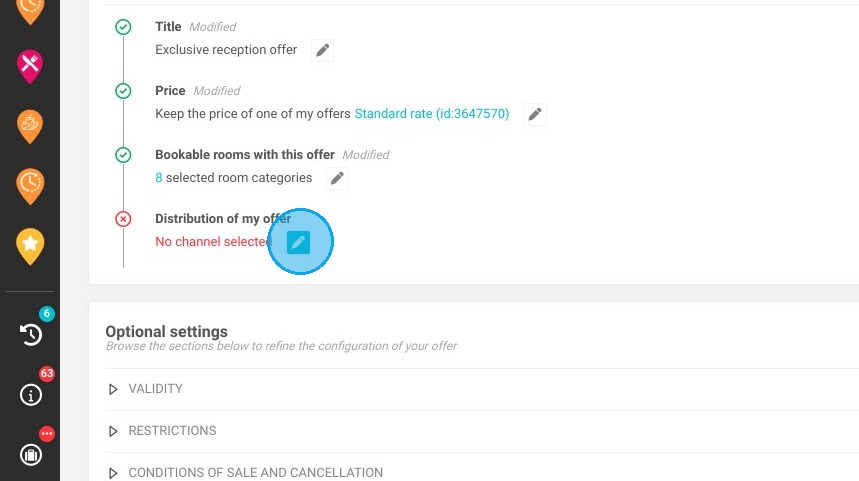
3. In the “Distribution of my offer” field, follow this path:

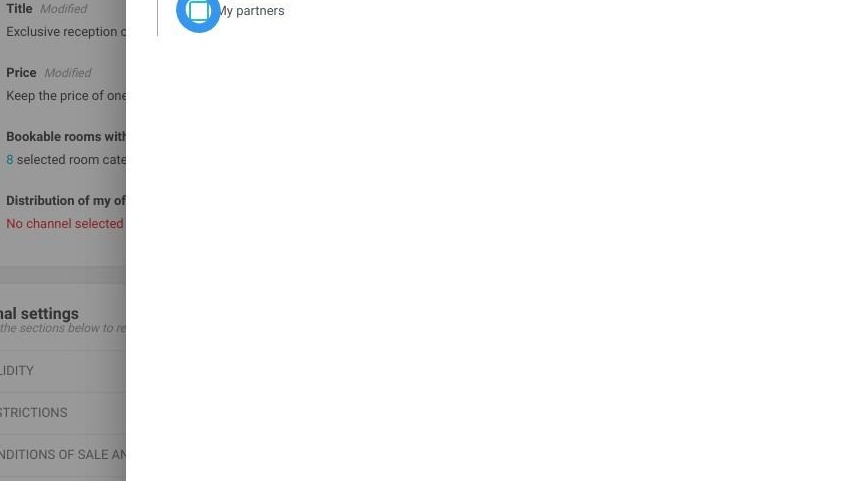
  1. Select My Partners

  2. Scroll down the drop-down menu until you find “Offre exclusive réception” and click on the +

  3. Exclusive reception offer must then appear in the “selected partners” column

https://colony-recorder.s3.amazonaws.com/files/2024-04-19/e0cb3d7f-c39f-4fdd-bb8c-d9e29259ab58/ascreenshot_cac30dfe78034c75a6daca0119a3fcd3_text_export.jpeg
https://colony-recorder.s3.amazonaws.com/files/2024-04-19/454db723-b3fa-4675-9826-92ebf464bcad/user_cropped_screenshot_80586f108e904822afed21595f9ca4d8_text_export.jpeg
https://colony-recorder.s3.amazonaws.com/files/2024-04-19/d8716a9f-9a4b-4f89-86a8-5bcb7872e698/ascreenshot_fa93bf589d9e4dc0a284b16a8a400aaa_text_export.jpeg
https://colony-recorder.s3.amazonaws.com/files/2024-04-19/dcdf29fb-5175-4483-989e-94806981f91b/user_cropped_screenshot_f66ae2ea210e475596d0577ad6939e29_text_export.jpeg
https://colony-recorder.s3.amazonaws.com/files/2024-04-19/965f555c-451b-4321-a934-140ba1dc67da/user_cropped_screenshot_e35c7ff0c9a3404d853281abad5993a3_text_export.jpeg

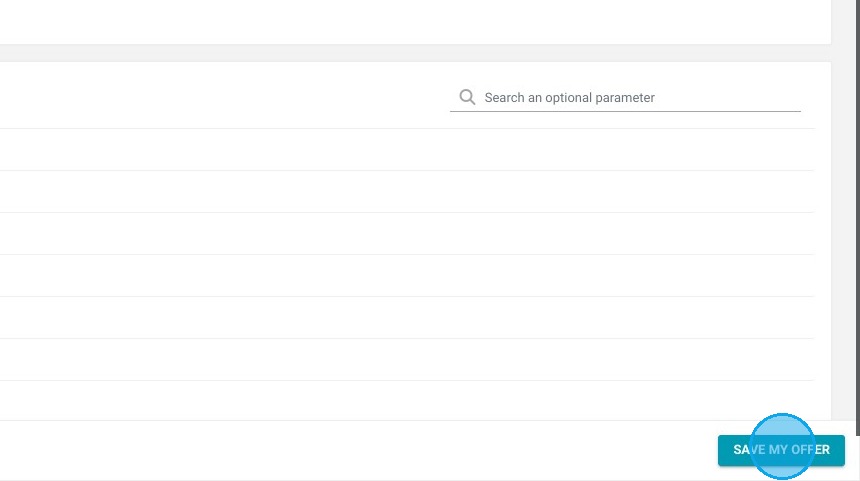
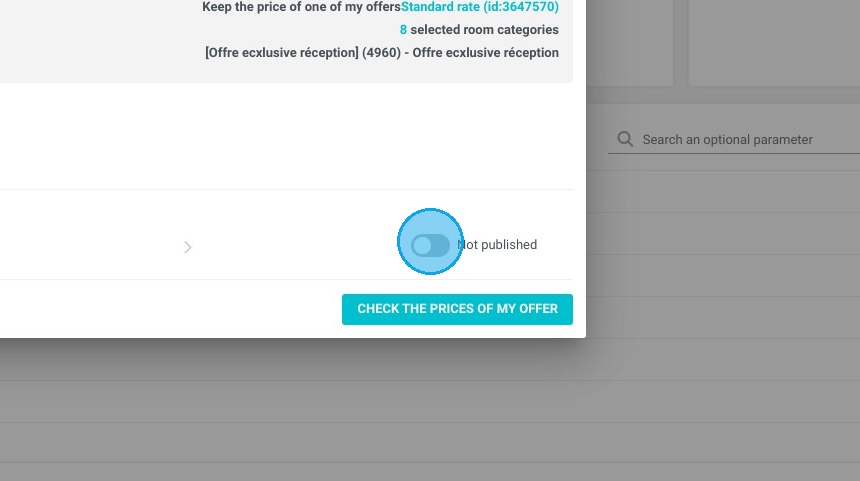
4. You can then continue configuring your offer using the optional settings or if you have finished click on "Save my offer" at the bottom of your page on the right and don't forget to publish your offer!
https://colony-recorder.s3.amazonaws.com/files/2024-04-19/00514c76-9e3f-470d-86f6-52342b0e6914/ascreenshot_bddc2cf9d8974400beabfef296bf01cf_text_export.jpeg
https://colony-recorder.s3.amazonaws.com/files/2024-04-19/48055e1d-75de-473e-8675-0f9a36a9f200/ascreenshot_cab39df3ff6046aca9651946eb10aa44_text_export.jpeg
https://colony-recorder.s3.amazonaws.com/files/2024-04-19/e426b065-671f-41fa-8fd2-86765e09ed95/ascreenshot_146bbaa78aeb4a7aa7c8d3f2f0f9bd53_text_export.jpeg

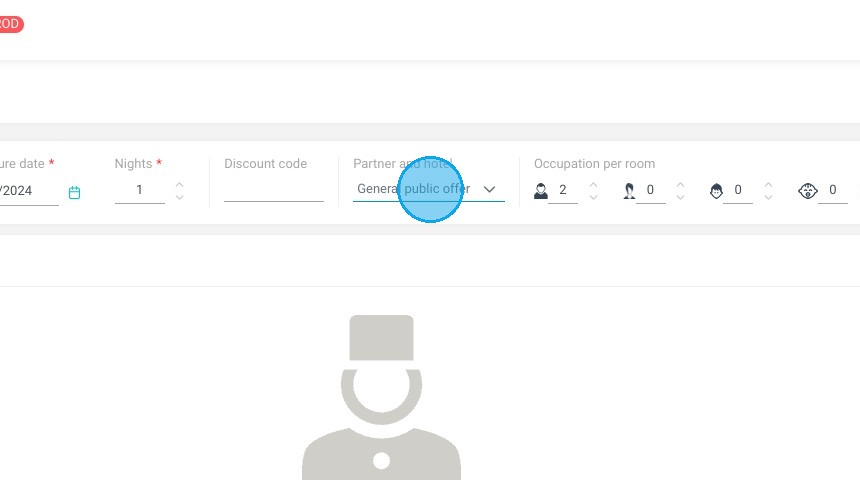
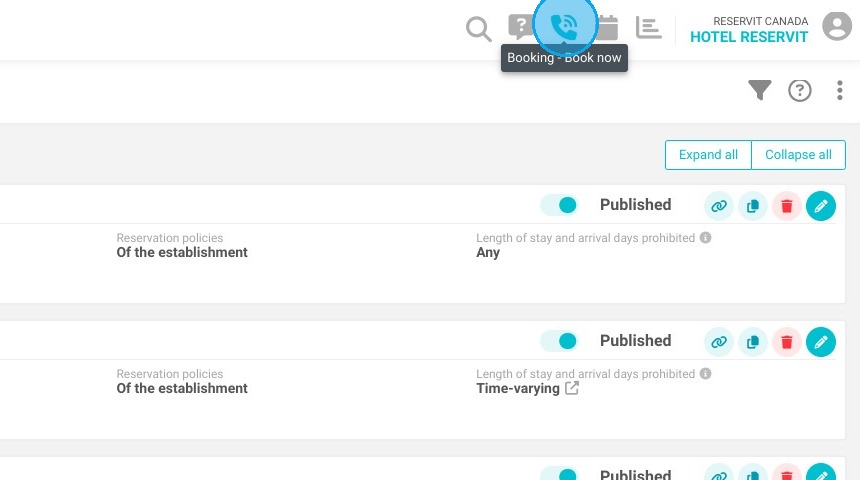
5. To make a reservation, go to the phone, then:

  1. Select your dates

  2. Select the “Offre exclusive réception” partner

  3. Select the number of people in the unit and click Search
https://colony-recorder.s3.amazonaws.com/files/2024-04-19/4566235e-6b41-4463-b60d-79b32fc0e4d7/ascreenshot_ffaea28c11dc49a6933a8978ba1151ea_text_export.jpeg
https://colony-recorder.s3.amazonaws.com/files/2024-04-19/63d33c34-551e-4f14-ab45-633da82c6218/ascreenshot_b5cebfb4c2334f61aab297ceb6ea1e0b_text_export.jpeg

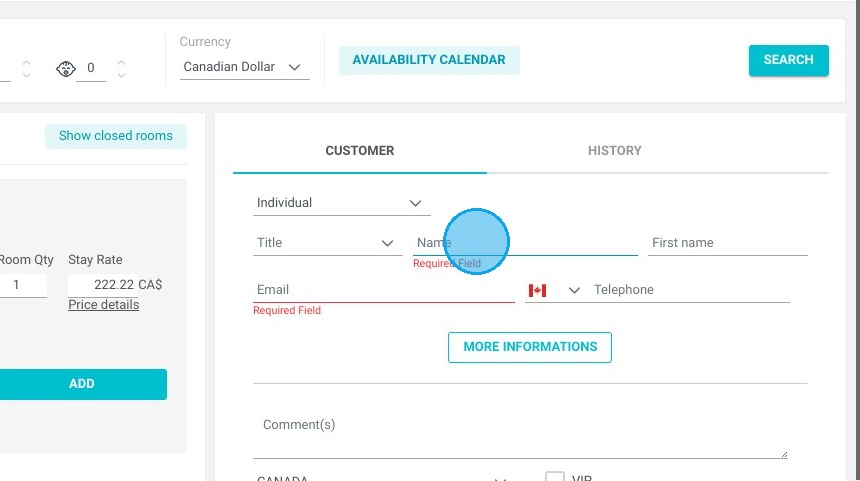
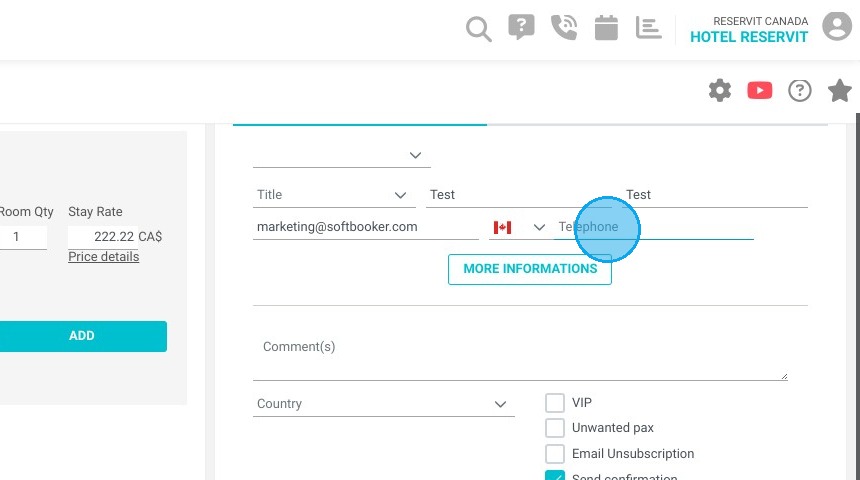
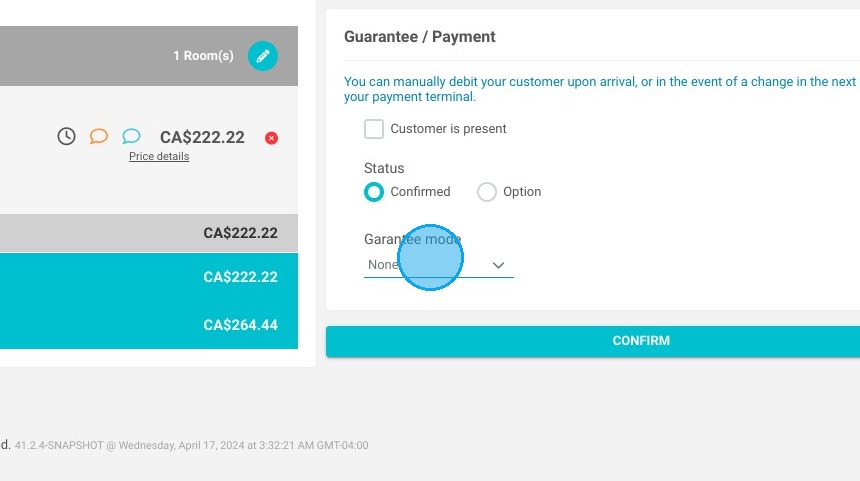
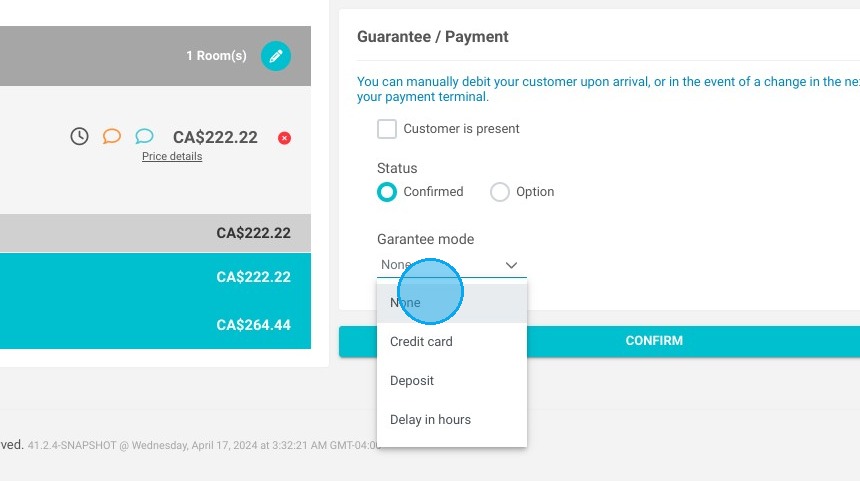
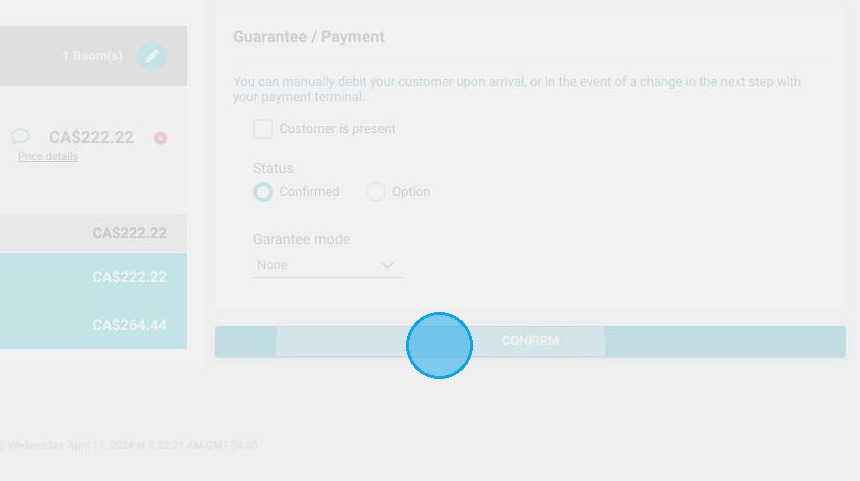
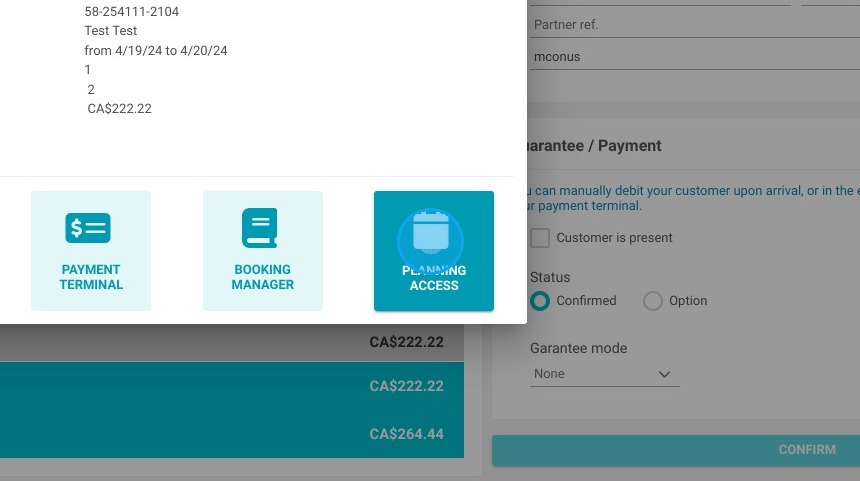
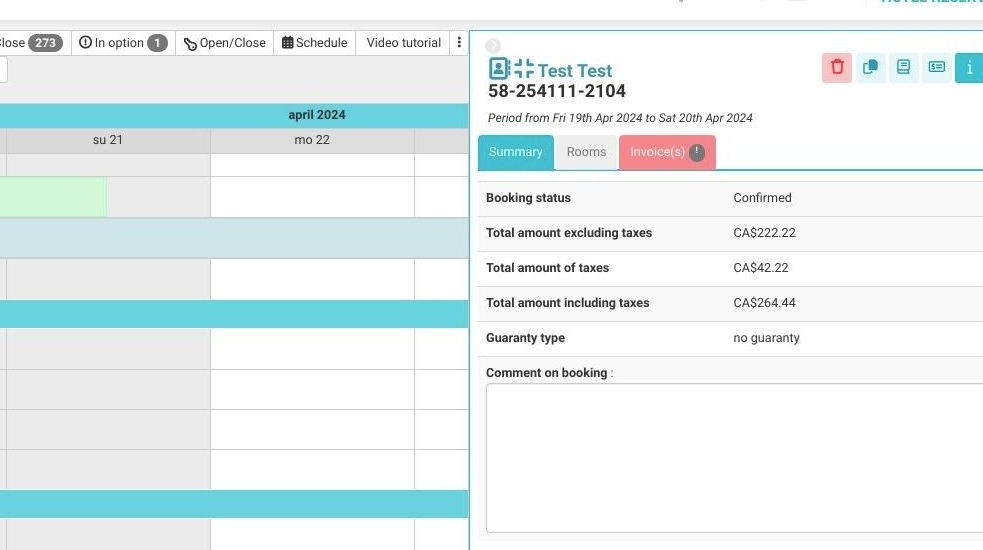
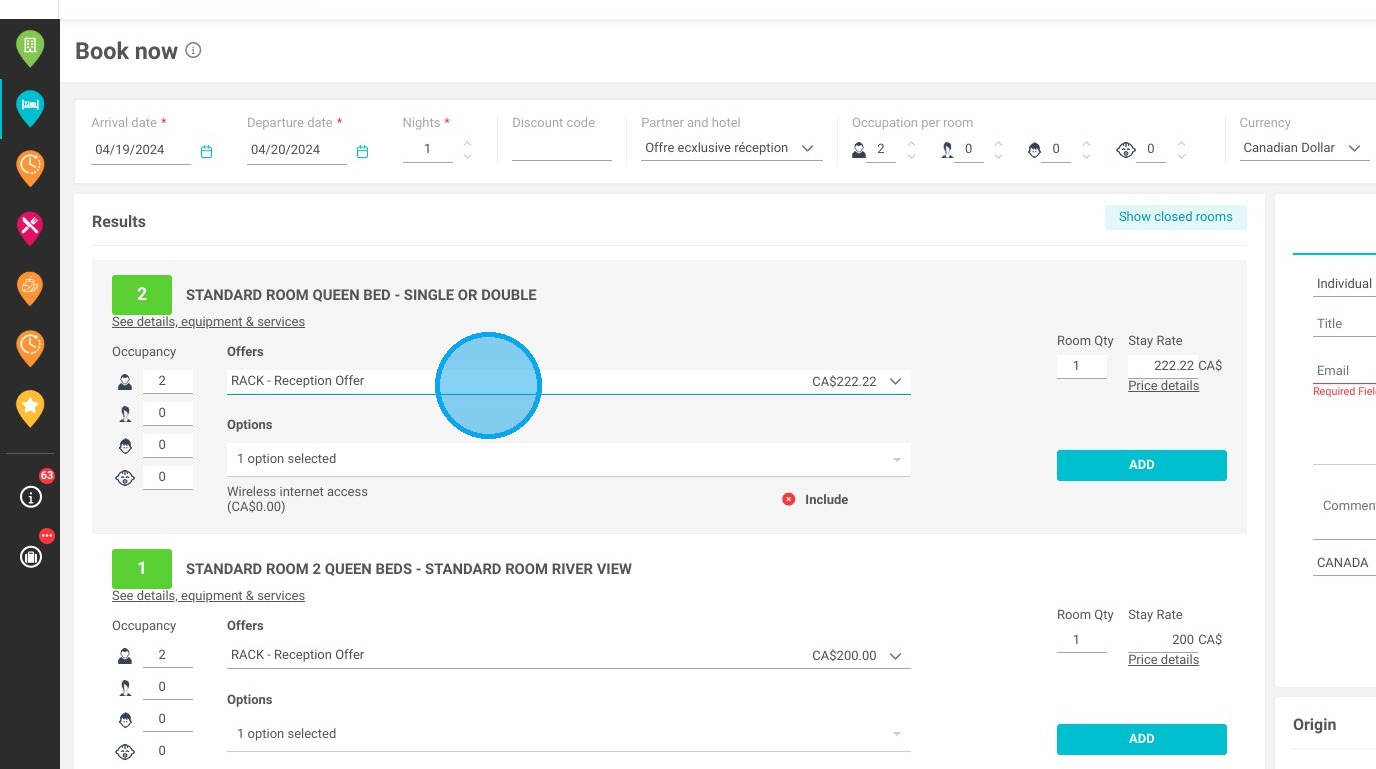
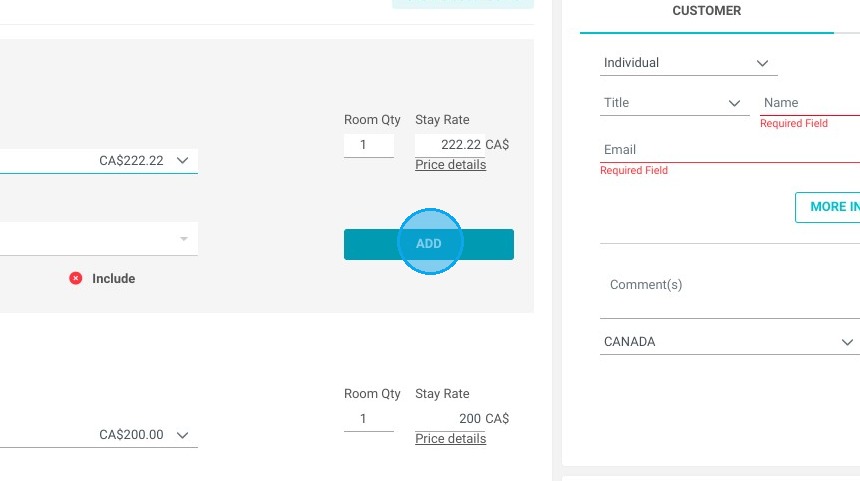
6. In the search results, the basic offer will then be selected and you can finalize your reservation.
https://colony-recorder.s3.amazonaws.com/files/2024-04-19/ec9899e9-91ac-4c06-8949-01e15f39df23/ascreenshot_b7ccbb0345a04c08916af3c909a385df_text_export.jpeg
https://colony-recorder.s3.amazonaws.com/files/2024-04-19/9a19dba2-5bb4-418b-bdfc-d07c2c0fadd8/ascreenshot_46e6ad7619c7426698a6cad9c3aaa90e_text_export.jpeg
https://colony-recorder.s3.amazonaws.com/files/2024-04-19/24d1fce9-c62d-4a90-89a3-7fe1e4278a9b/ascreenshot_f106097b616349d0b034b05b801d61dd_text_export.jpeg
https://colony-recorder.s3.amazonaws.com/files/2024-04-19/b8dd08e5-524d-4579-992d-a4ba9c5ee619/ascreenshot_26127bdbce1e431f96199ebea17cbbe8_text_export.jpeg
https://colony-recorder.s3.amazonaws.com/files/2024-04-19/1ef90833-b8cb-497a-aa03-af6e9740aa10/ascreenshot_c4ef46ec3e1d4036b4e9f92a9208c049_text_export.jpeg
https://colony-recorder.s3.amazonaws.com/files/2024-04-19/b660506e-4a6a-43c2-a7c8-869a6a7ae434/ascreenshot_f41222ae92504bf58e779409aa61ec2b_text_export.jpeg
https://colony-recorder.s3.amazonaws.com/files/2024-04-19/17088f21-f286-4369-9d9d-c9884759fca3/user_cropped_screenshot_29f297e3b5ec4abd96ff7b8b55bf200f_text_export.jpeg
https://colony-recorder.s3.amazonaws.com/files/2024-04-19/bc78039a-52ec-4da2-93c6-f2e34880178a/ascreenshot_d94df81adda24170849d02e04a5155e9_text_export.jpeg
https://colony-recorder.s3.amazonaws.com/files/2024-04-19/d040ae0f-a662-4f86-b8db-83e16b29b260/user_cropped_screenshot_e7ea5f6531fe4570bac732498e2b754a_text_export.jpeg