Article Summary: This step-by-step tutorial explains how to easily configure a free or reduced night promotion within your Reservit Accommodation platform. You will learn how to navigate your discount settings to set up enticing extended-stay offers, such as "stay 3 nights, get 1 free," directly on your booking engine. Implementing these targeted pricing strategies helps you increase average stay lengths, boost occupancy during off-peak seasons, and drive highly profitable direct reservations.
The 3 Key Steps to Create a Free or Reduced Night Offer:
-
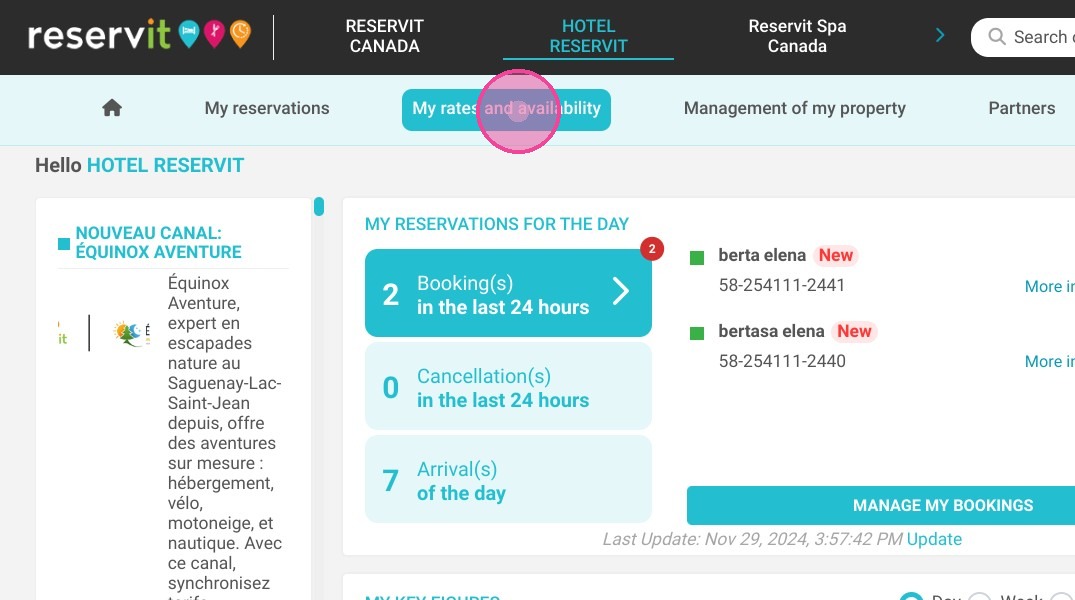
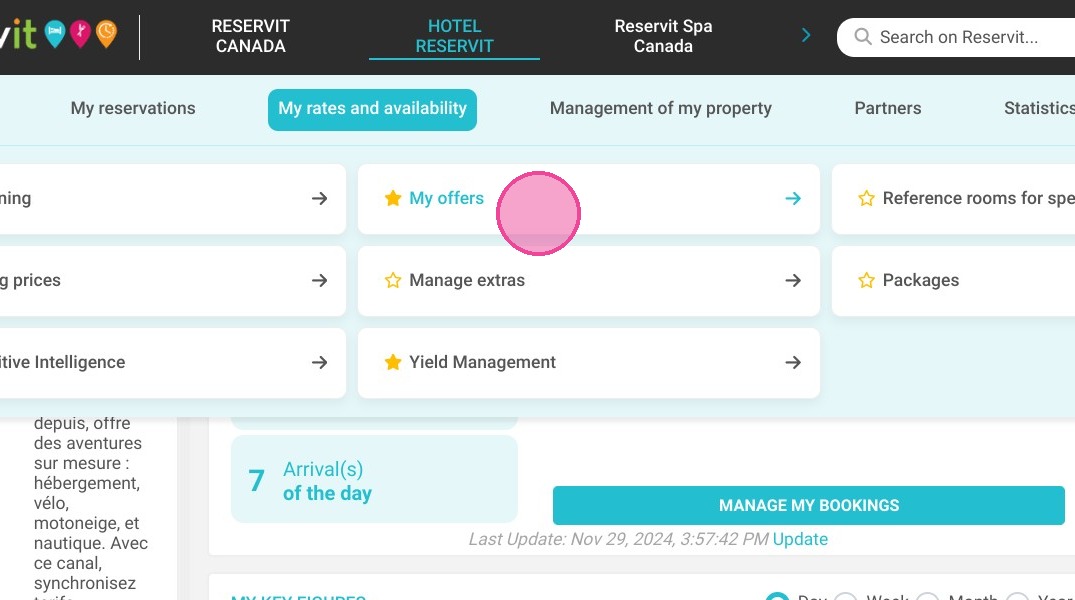
Access Your Offers: Navigate to the "My rates and availability" tab on your main management dashboard and select "My Offers" to view your current pricing configurations.
-
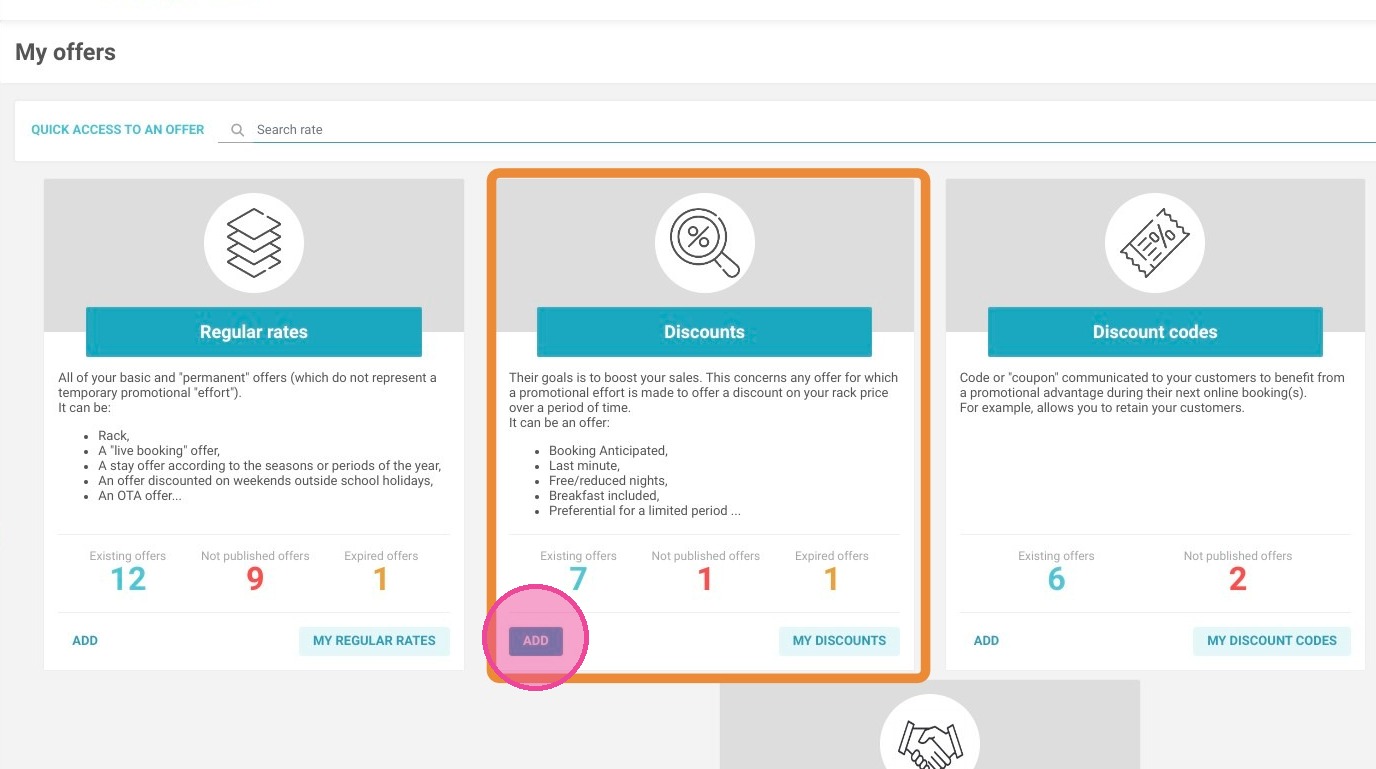
Add a New Discount: Scroll down to locate the specific "Discounts" section and click the "ADD" button to begin building your new promotional campaign.
-
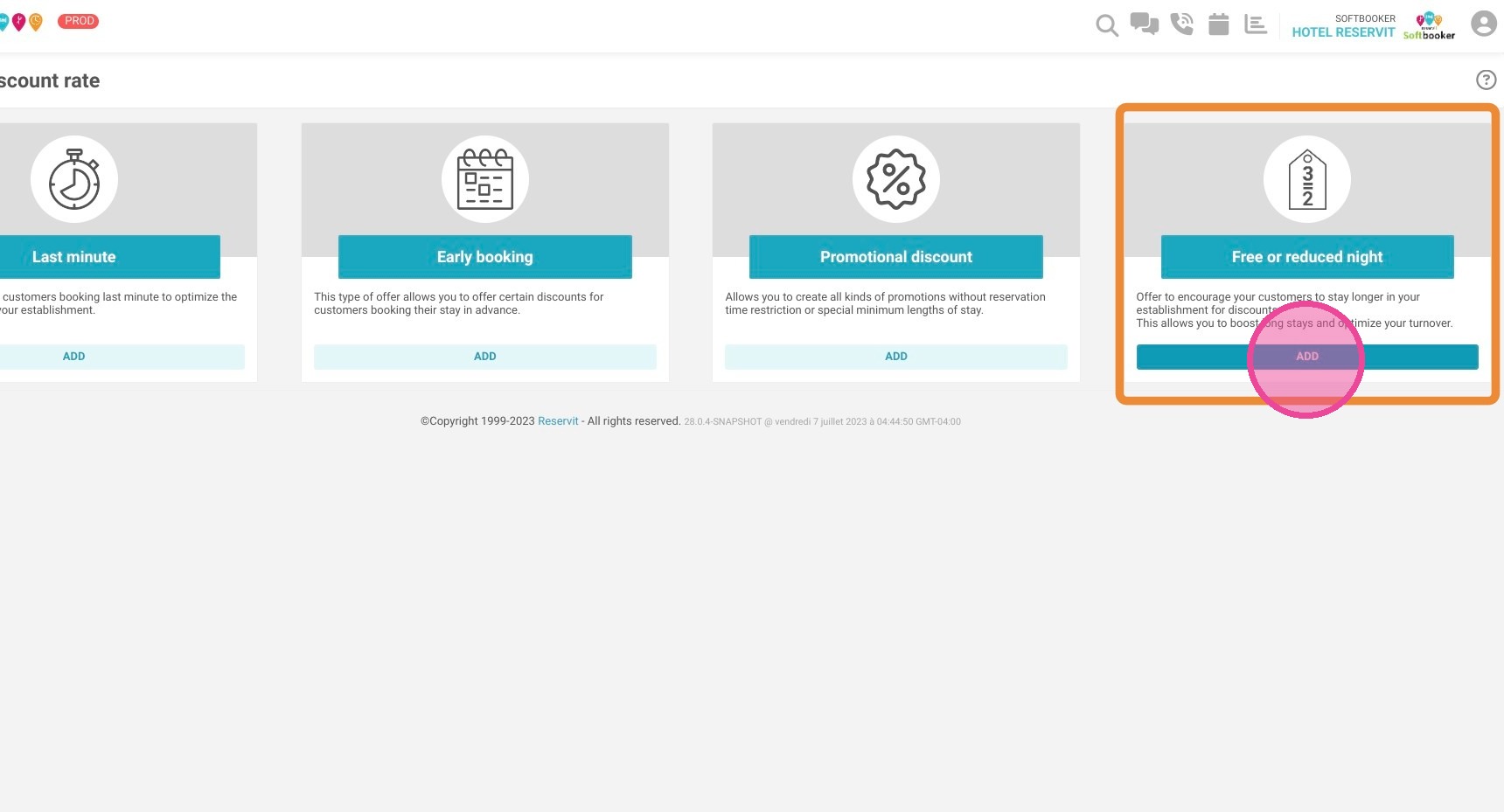
Configure the Free Night Promotion: Click "ADD" under the "Free or reduced night" category, then simply follow the standard on-screen configuration steps to finalize the offer's validity dates and booking conditions.
Why follow this guide? Launching automated free night promotions directly in your system saves your reservation team valuable time and eliminates the risk of manual billing errors at the front desk. Following these simple steps allows you to rapidly adapt your digital marketing strategy and provide irresistible incentives that encourage guests to book longer stays directly through your website.
1. Click "My rates and availability" then ''My Offers''
2. Click "ADD" on the "Discounts" section.
3. Then, click "ADD" on the "Free or reduced night" section and follow the usual configuration steps.