Help for use

How to Create Packages and Build Custom Accommodation Bundles

Article Summary: This comprehensive tutorial explains how to create and configure attractive accommodation packages within your Reservit booking engine. You will learn how to set up a new base offer, define specific validity periods, and seamlessly link custom extras—like spa access or dining options—to build complete stay bundles. Publishing enticing packages allows you to automate upselling, increase your average booking value, and provide a richer, more tailored experience for your guests.

The 5 Key Steps to Create Accommodation Packages:

  • Access Offers & Initiate Package: Navigate to "My rates and availability," select "My offers," and click "ADD" under your regular rates to establish and name your new package.

  • Define Pricing & Eligible Units: Set your baseline room rate (such as your standard RACK rate), select which specific units are included, and choose your distribution channels (e.g., exclusive to your website).

  • Configure Validity & Restrictions: Specify the valid date ranges, active days of the week, and any length-of-stay restrictions, then save the core offer settings.

  • Create Package Extras: Access the "Manage Extra" menu to build the specific add-on services that complete your package, carefully defining their individual prices, taxes, and billing frequency.

  • Link Extras & Publish: Assign these newly created extras exclusively to your new package offer, save the final configuration, and publish the bundle to make it live for your customers.

Why follow this guide? Building integrated packages directly in your system automates the upselling process, saving your staff from manually adding and calculating extras during check-in. This strategic configuration ensures perfectly accurate billing and taxes for complex stays while effortlessly boosting your property's overall revenue per available room.

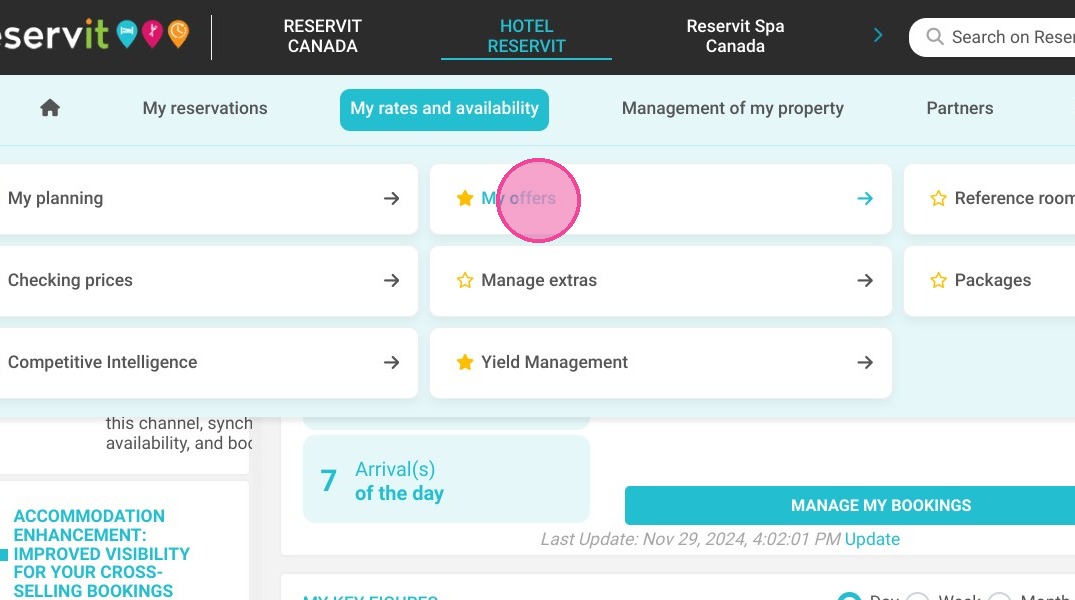
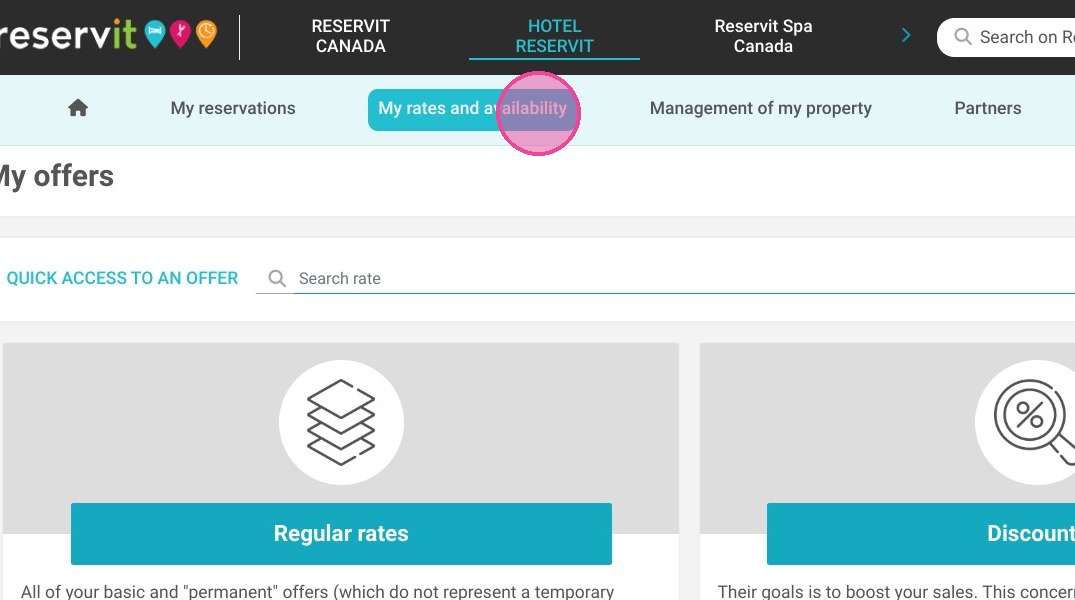
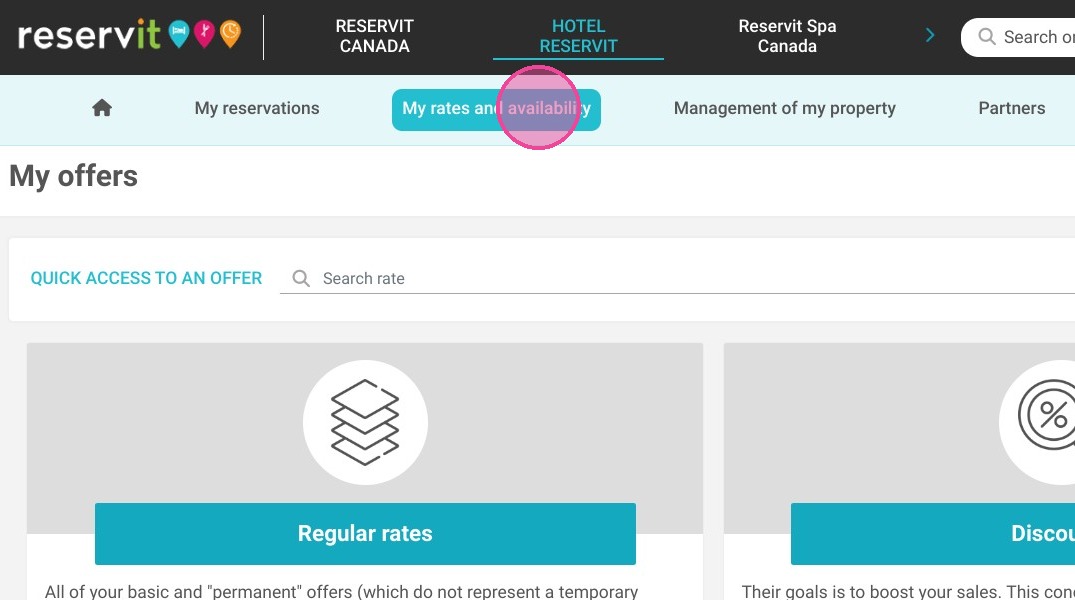
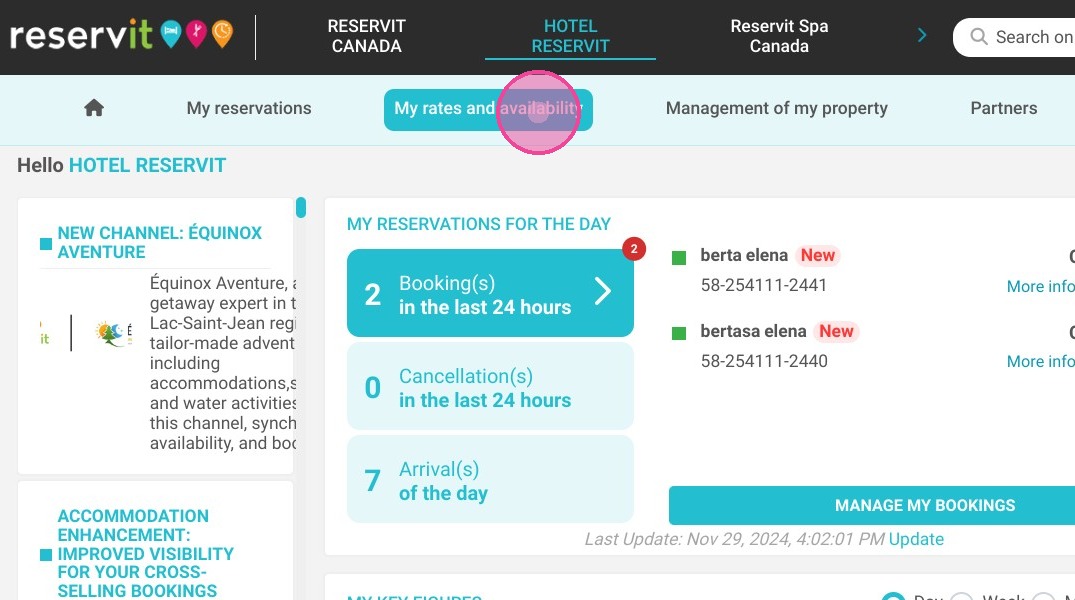
1. Click "My rates and availability" then "My offers"
https://colony-recorder.s3.amazonaws.com/files/2024-11-29/0ba42e4c-a3f0-44c7-bcd7-c1977cefd45e/File_3cdde4a8d8244db489c4bbaaf73af471_text_export.jpeg
https://colony-recorder.s3.amazonaws.com/files/2024-11-29/d12c6db4-a339-4141-8190-daf66672af12/File_94eaf72290f24627a980b968b9548ce4_text_export.jpeg

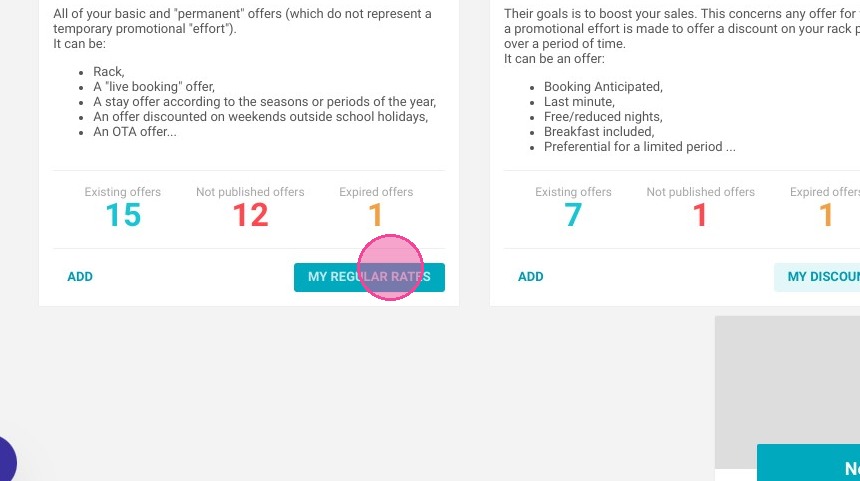
2. Click "MY REGULAR RATES"

https://colony-recorder.s3.amazonaws.com/files/2023-07-17/e9e71448-2e2b-4374-a890-6dd1c0da5ead/ascreenshot_e11b086302d343a29e00980a44fe4b3f_text_export.jpeg

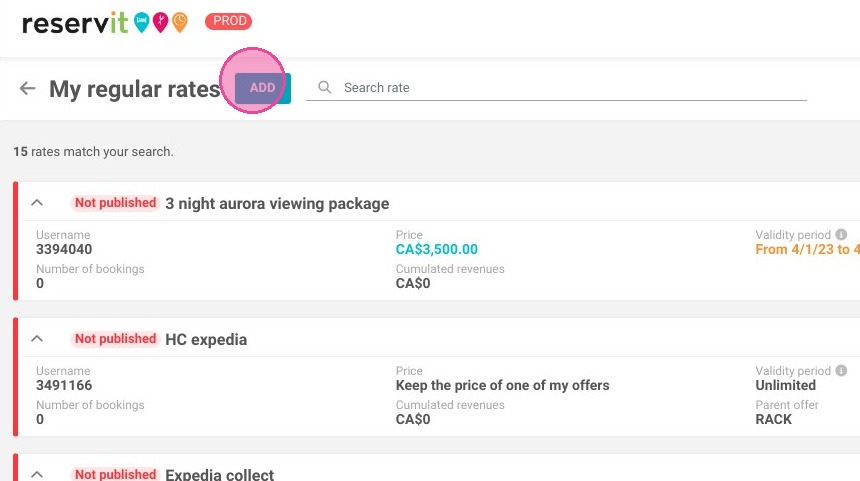
3. Click "ADD"

https://colony-recorder.s3.amazonaws.com/files/2023-07-17/ab0ba473-56cb-4aad-ad11-0b4d58a9a864/ascreenshot_16d41df5923f4678a9795d37f2d7eb20_text_export.jpeg

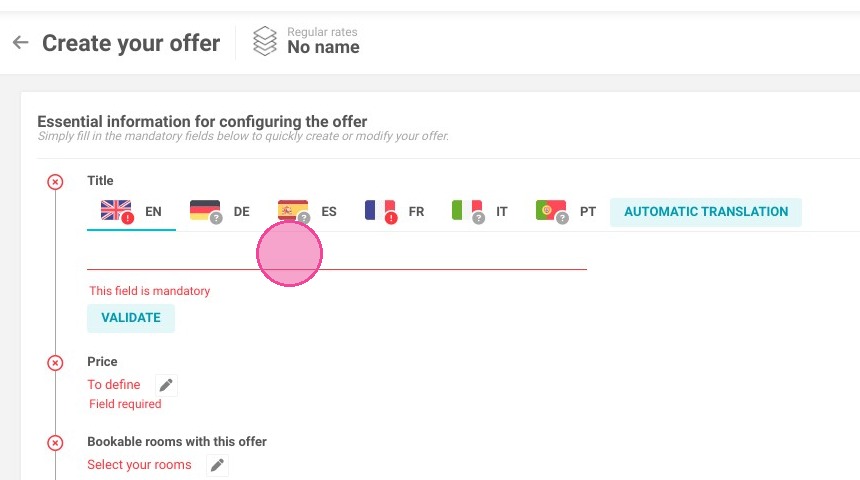
4. Enter your package name. Don't forget to translate it at least in French.
https://colony-recorder.s3.amazonaws.com/files/2023-07-17/a3f92df3-4348-4c4e-9dfe-c42b05eea7ce/ascreenshot_a5e0fc35bc844c5a95f3f0125cb9cd09_text_export.jpeg

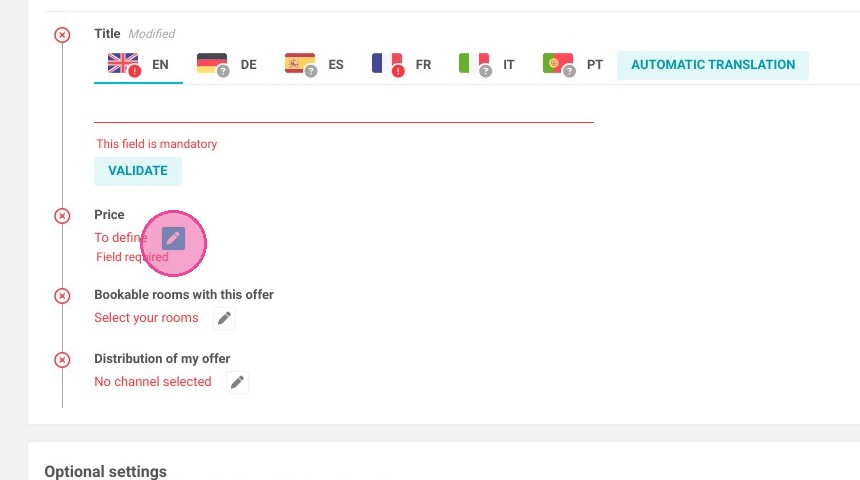
5. Click on ''Price''

https://colony-recorder.s3.amazonaws.com/files/2023-07-17/c738f007-3f70-45cd-9edd-fc56b2da0ced/ascreenshot_7627a01856f34b90bc30212a17905227_text_export.jpeg

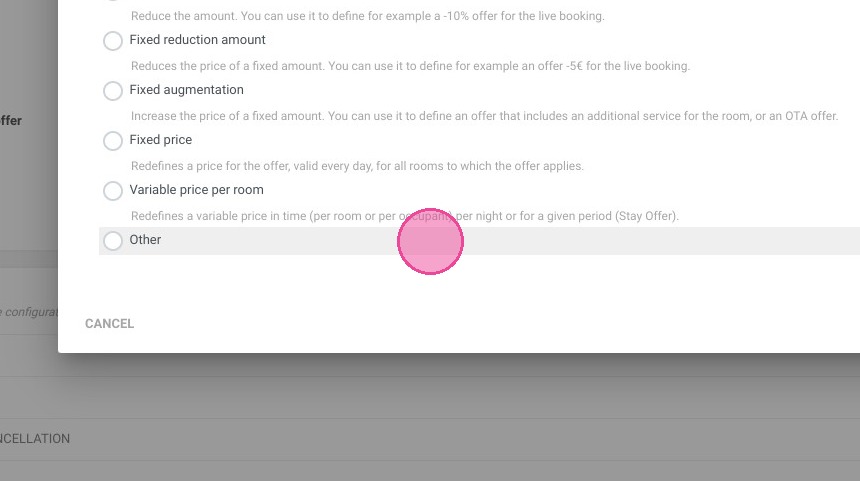
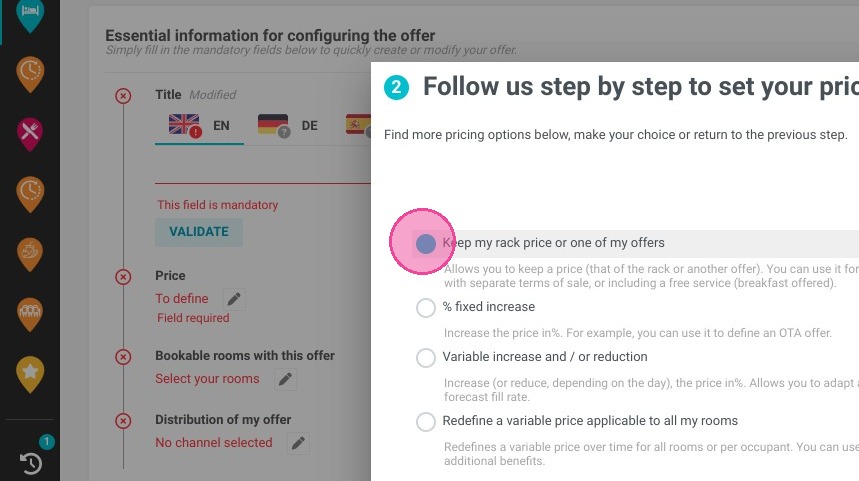
6. For this example, we are keeping the RACK rate of our units. To do this, click on ''Others''.
https://colony-recorder.s3.amazonaws.com/files/2023-07-17/3dcf2779-6047-4ce7-a750-6feca174a9f9/ascreenshot_0dd989235e804ad3901017d127f75580_text_export.jpeg
https://colony-recorder.s3.amazonaws.com/files/2023-07-17/bb4d23db-0a98-40b1-abcd-86b74dc6c5d4/ascreenshot_924b83031f444a3cba6b56fb55fd40fd_text_export.jpeg

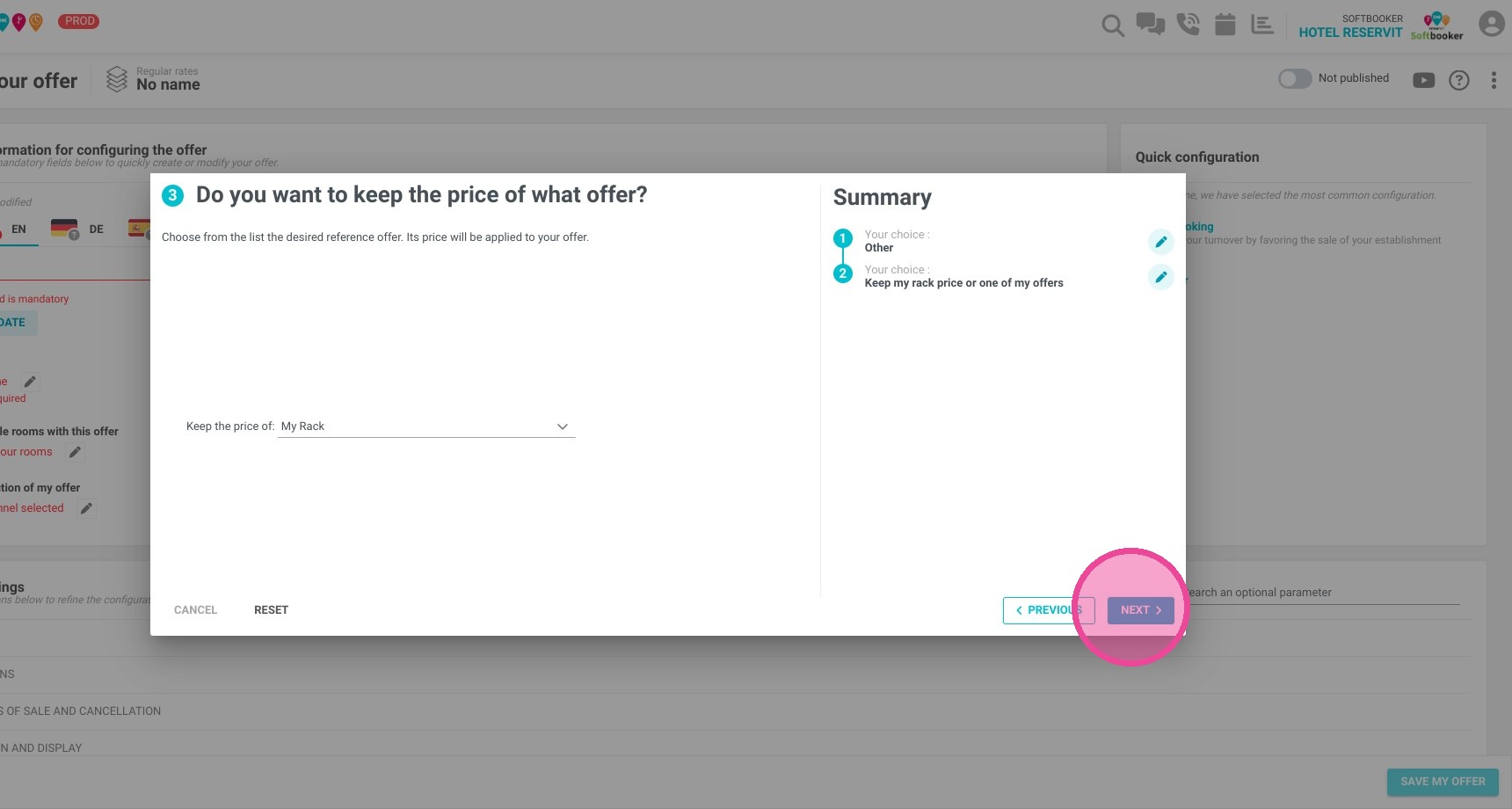
7. Click "NEXT"

https://colony-recorder.s3.amazonaws.com/files/2023-07-17/c2a0625f-7b4c-4dd8-9b82-b9834ecc8fe9/ascreenshot_ed1a4040664d4d01b820e665b23121f5_text_export.jpeg

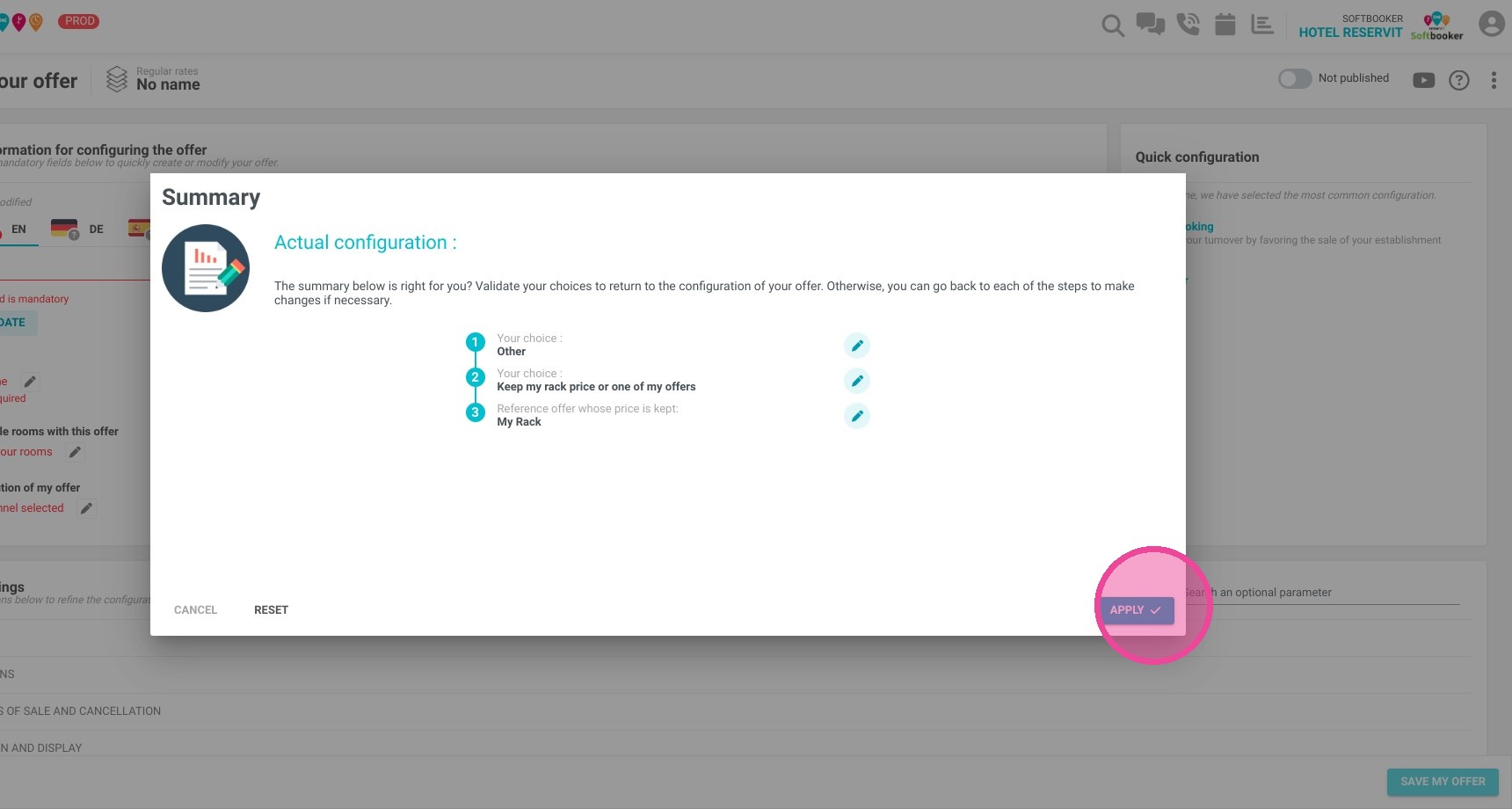
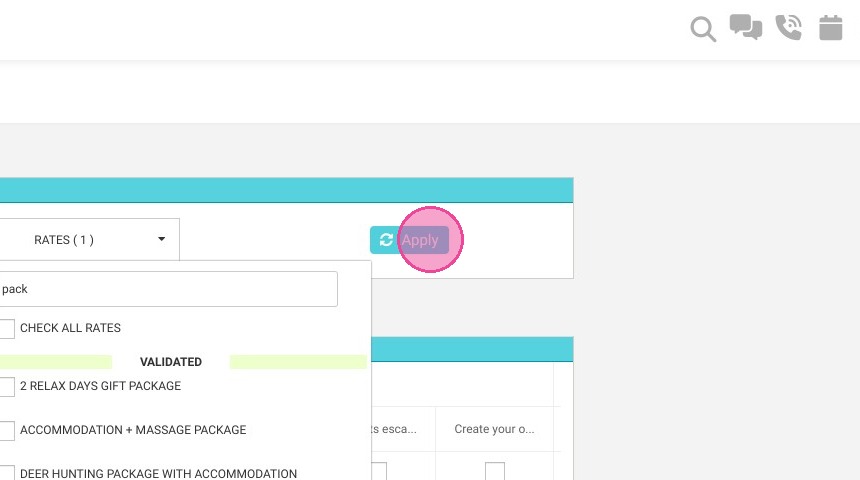
8. Click ''Apply''

https://colony-recorder.s3.amazonaws.com/files/2023-07-17/e9615c4f-9ee4-460c-92e3-1053fc72042e/ascreenshot_7ea73c4df84c4e6e9dde3e0e5799ff17_text_export.jpeg

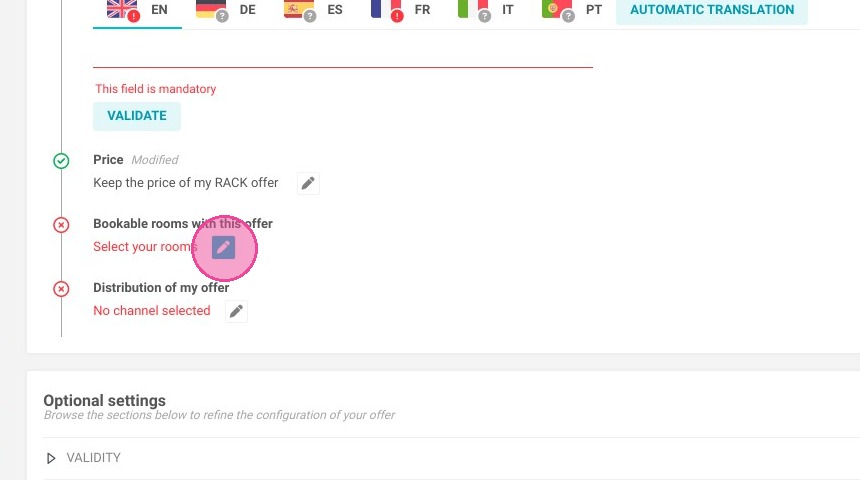
9. Here you can select which units are bookable with your offer.
https://colony-recorder.s3.amazonaws.com/files/2023-07-17/e81e03ad-1773-4ab0-bd06-5a3fca4bcdc0/ascreenshot_f5b0718df7774c3fa2b0a89797a5cd62_text_export.jpeg

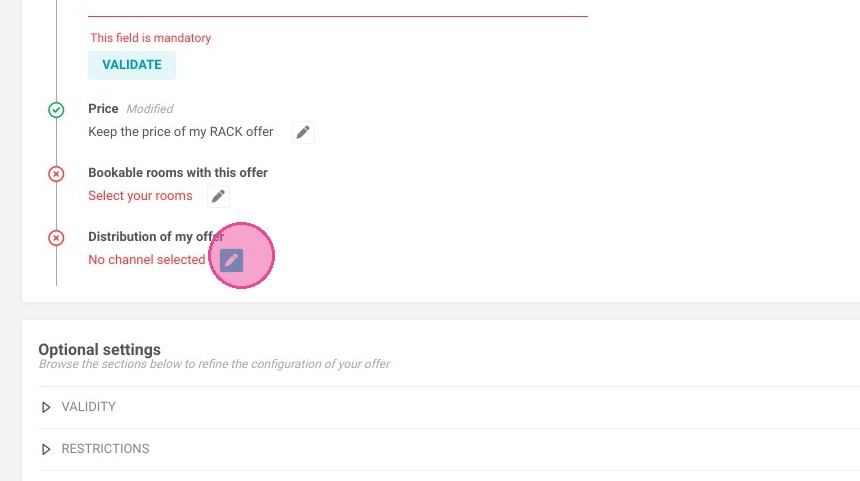
10. Finally, you can choose whether or not to distribute this package to partners.
https://colony-recorder.s3.amazonaws.com/files/2023-07-17/4709495b-94e5-4d8a-854c-74622882b7d7/ascreenshot_3bc6e52fa61047f0bc1f5c1ee030072a_text_export.jpeg

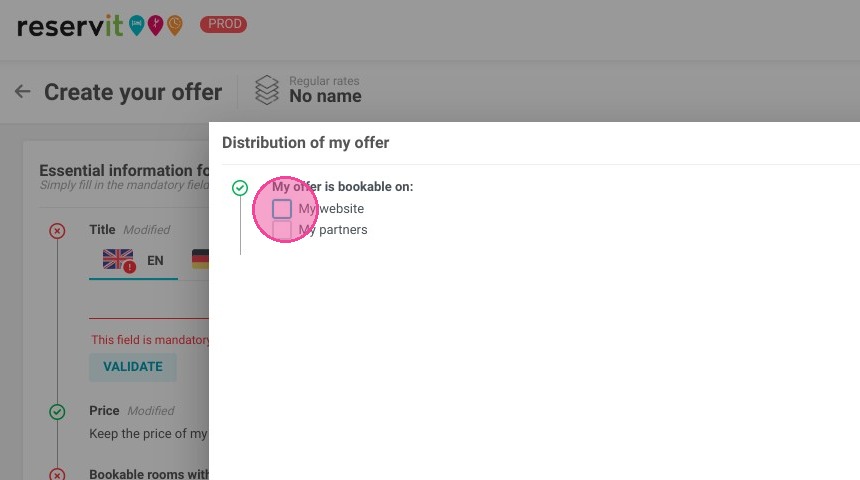
11. Here we choose to offer the package only on our website
https://colony-recorder.s3.amazonaws.com/files/2023-07-17/112e5c5e-3cdb-47e7-9dd0-c1335f4770cc/ascreenshot_8101991aaa4b4388ac8bfa61a63f8b81_text_export.jpeg

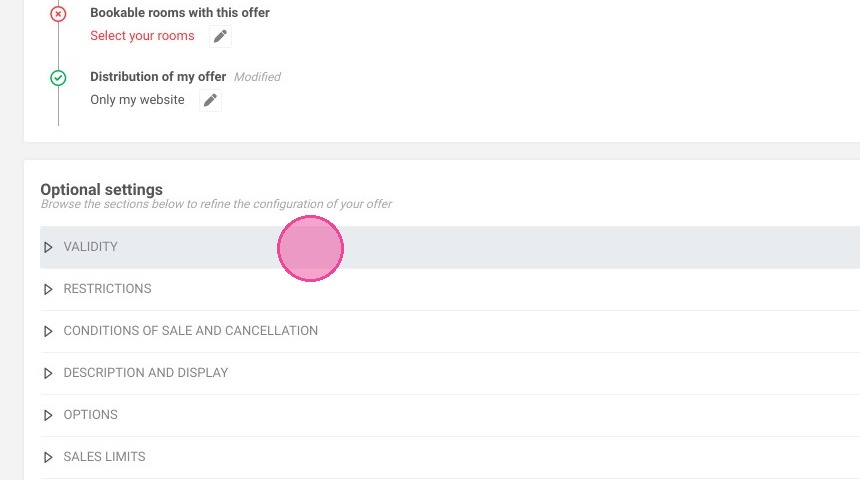
12. Click "VALIDITY"

https://colony-recorder.s3.amazonaws.com/files/2023-07-17/45b8f4ec-d6b6-45fb-8480-7ba6cbb12fc5/ascreenshot_a59f701a731742ffba197b66fb098907_text_export.jpeg

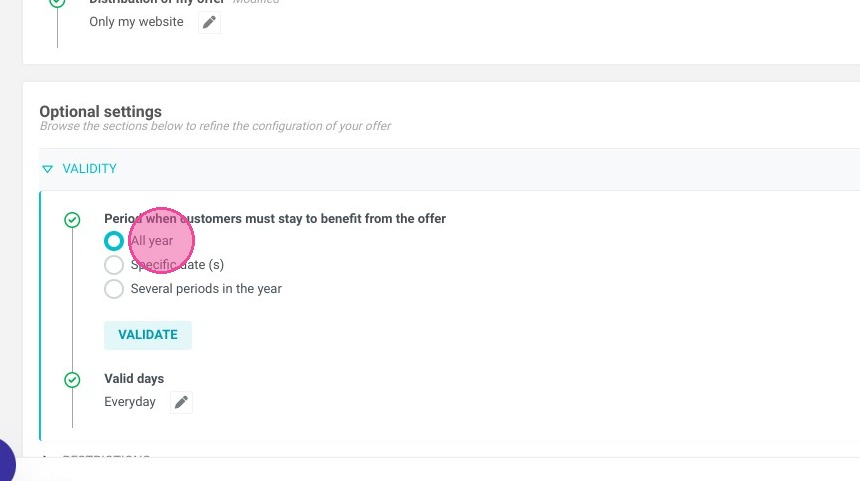
13. You can choose the period over which the offer will be applied.
https://colony-recorder.s3.amazonaws.com/files/2023-07-17/af924a9c-3c62-4948-a388-c68d252c9cd9/ascreenshot_4e206e18b5dc4304ade74e176d43bcbf_text_export.jpeg

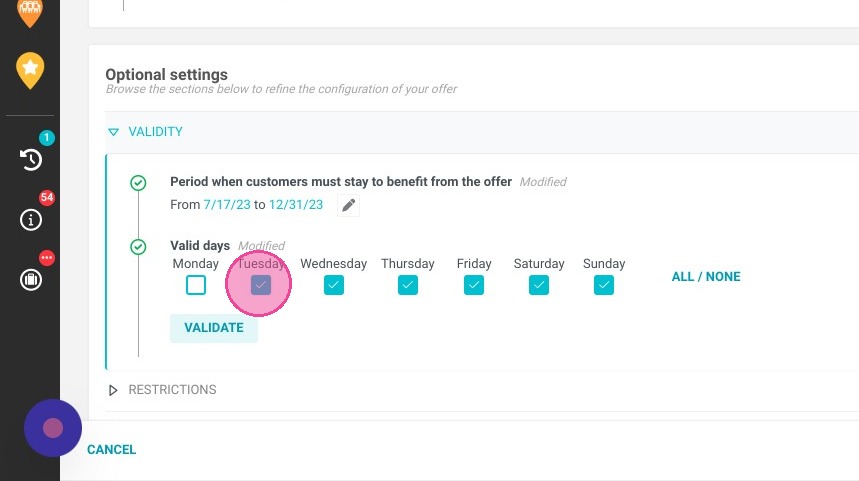
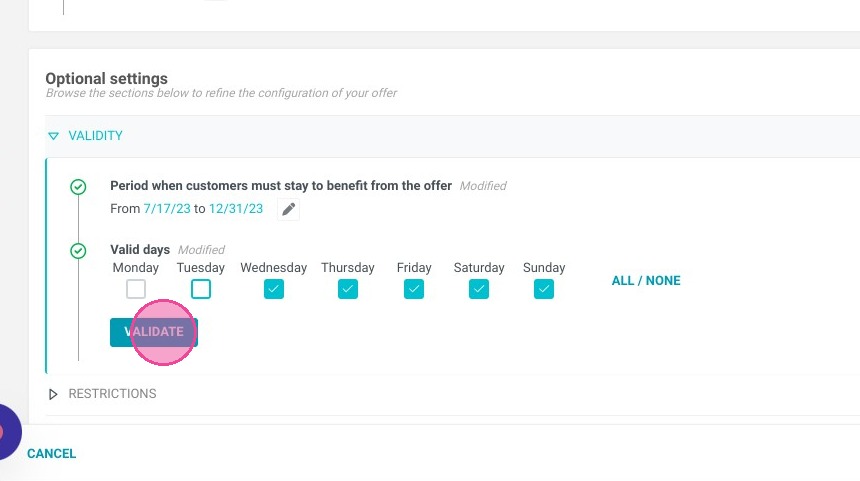
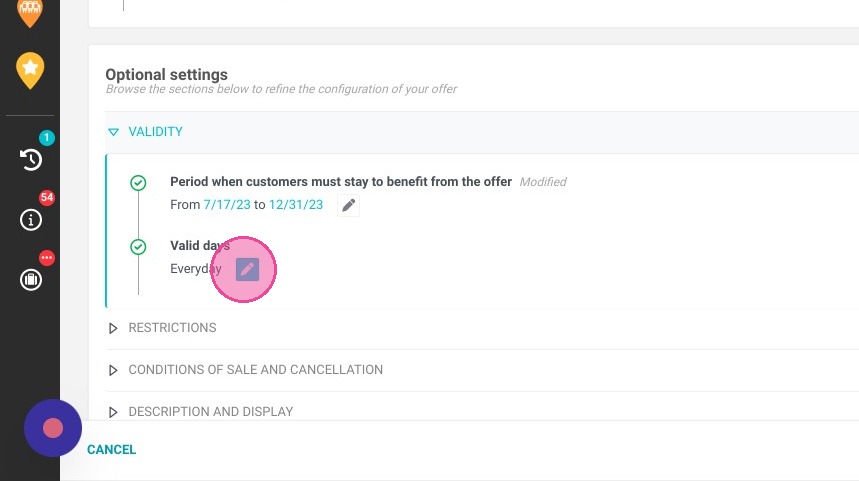
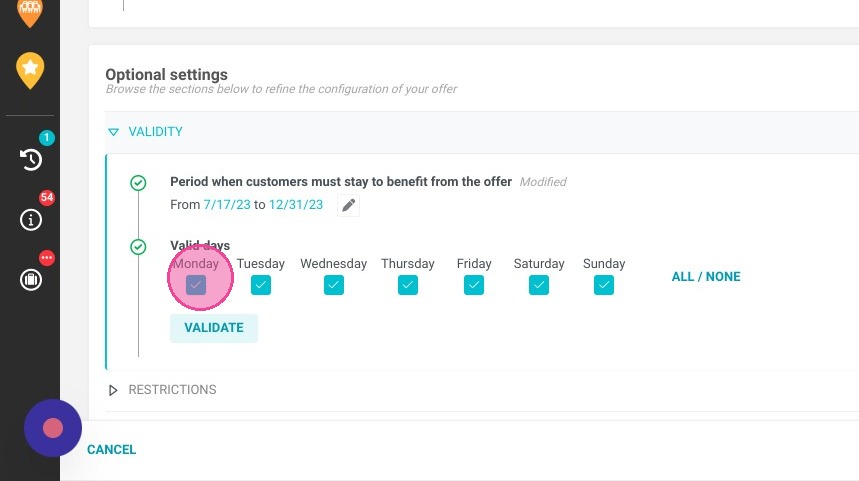
14. Here you can choose the days on which the offer will be available. For example, our spa is only open from Wednesday to Sunday.
https://colony-recorder.s3.amazonaws.com/files/2023-07-17/aaf9a33c-1464-4cc4-8336-c9f8c4979ae1/ascreenshot_5e06024db0c94351985afa72c872e19f_text_export.jpeg
https://colony-recorder.s3.amazonaws.com/files/2023-07-17/3080f1fd-c9d2-4e59-9db9-835cc81c0894/ascreenshot_3bd3ae29d2ab412481e0489e95c04a3f_text_export.jpeg
https://colony-recorder.s3.amazonaws.com/files/2023-07-17/f2243188-c48e-437c-a4a4-a699d84ca1a9/ascreenshot_2828c0cfbfc14dd6b3427e6fc27caa5e_text_export.jpeg

15. Click "VALIDATE"

https://colony-recorder.s3.amazonaws.com/files/2023-07-17/c57eca5a-bea0-4fa0-91fc-586229a2192a/ascreenshot_96177458ddec49be8a76639ed6ed31c6_text_export.jpeg

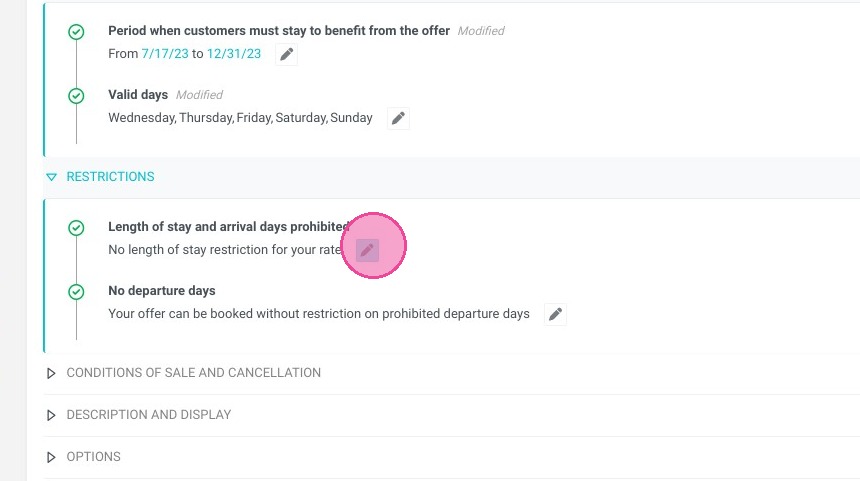
16. In the restrictions section, you can specify a length of stay and departure days that are not allowed with the offer.
https://colony-recorder.s3.amazonaws.com/files/2023-07-17/ec9f6daf-e1d2-4c73-af89-0c835f56e935/ascreenshot_90c3bea840964701bbef4f5b772fe627_text_export.jpeg

Alert: Alert! Do not forget to save your offer.

17. Now we will create and link an extra with this offer.

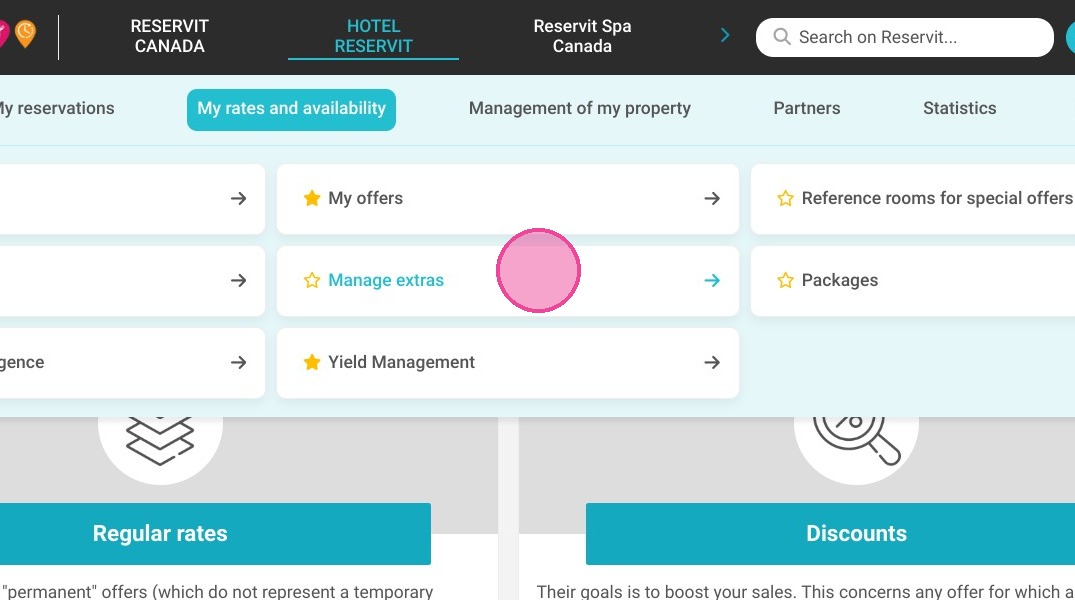
18. Click "My rates and availability" then ''Manage Extra''

https://colony-recorder.s3.amazonaws.com/files/2024-11-29/dd27d916-7bf6-4856-a5c9-dc0a4d553fee/ascreenshot_1e13d7f44d724b4389e22a9a5aedfaa4_text_export.jpeg
https://colony-recorder.s3.amazonaws.com/files/2024-11-29/8f84cdfe-c6ff-4518-9101-fb4050588f94/ascreenshot_6aa769a50fc9446d89edde7113d0b6d6_text_export.jpeg
https://colony-recorder.s3.amazonaws.com/files/2024-11-29/94aa6259-0bcf-4635-b984-94a033cc884f/ascreenshot_7336e04fd0e74d06a762feee784eae32_text_export.jpeg

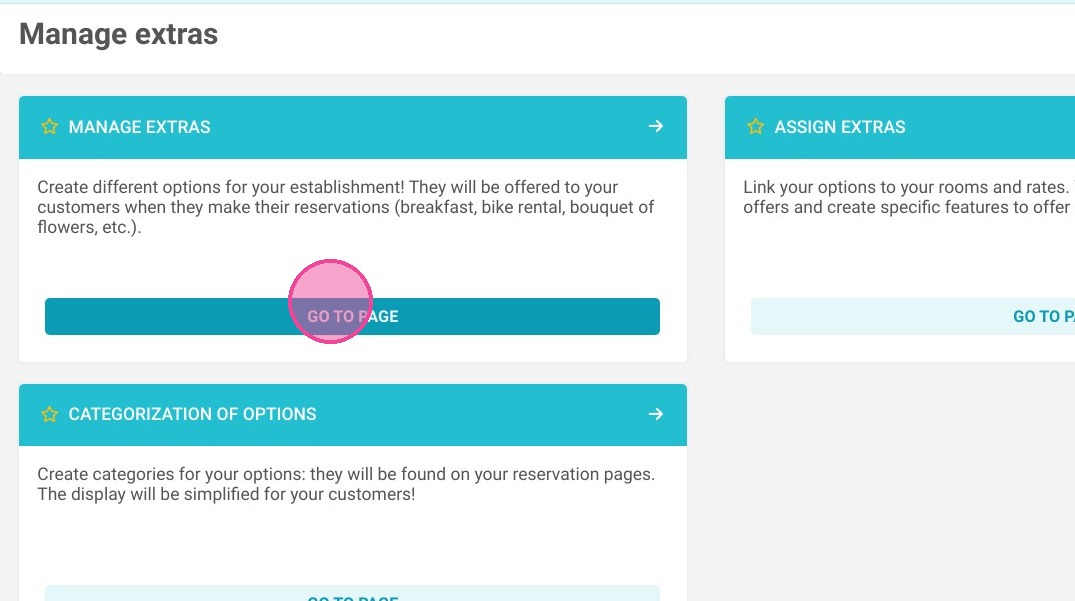
19. Click on ''Manage Extras ''

https://colony-recorder.s3.amazonaws.com/files/2024-11-29/a64003a3-646a-4ef5-b1ed-5d1c8a73f828/ascreenshot_68953d31ba924da08ca7719da7386137_text_export.jpeg

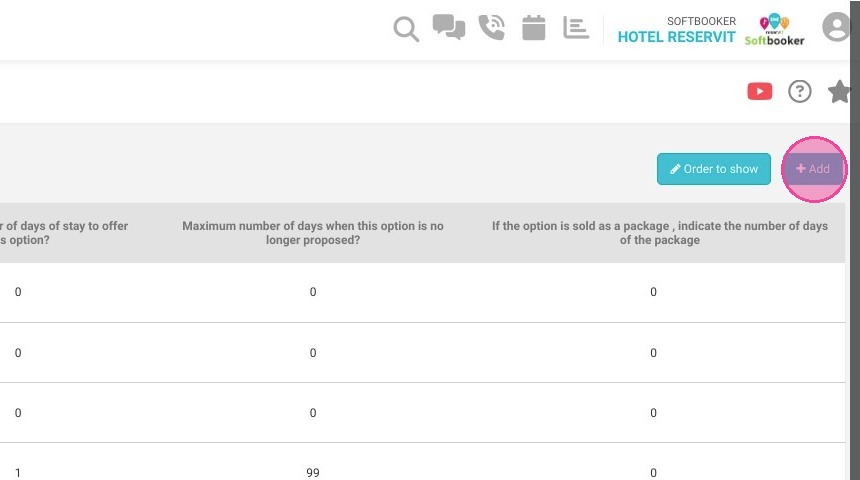
20. Click "Add". We're going to create an option so that the option amount is added to the hosting amount, and thus create our package.

https://colony-recorder.s3.amazonaws.com/files/2023-07-17/ee27a9d4-99b5-44f2-aec2-7c8b151ce32d/user_cropped_screenshot_272a6ff2d89441589ffb38a9a604b488_text_export.jpeg

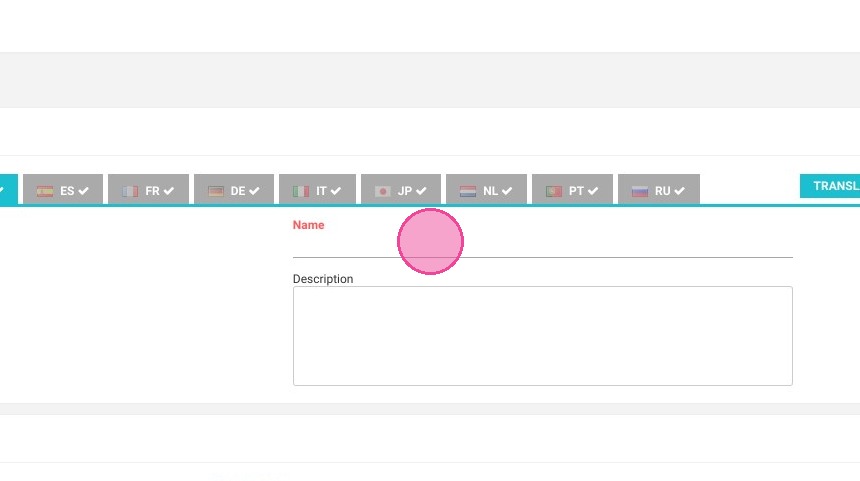
21. Enter the option name. Don't forget to translate it in French.
https://colony-recorder.s3.amazonaws.com/files/2023-07-17/4a4ebe2a-9845-450e-bcfd-64a33960fc8d/ascreenshot_8f1cb0d680f74288a425c3c530cabdb2_text_export.jpeg

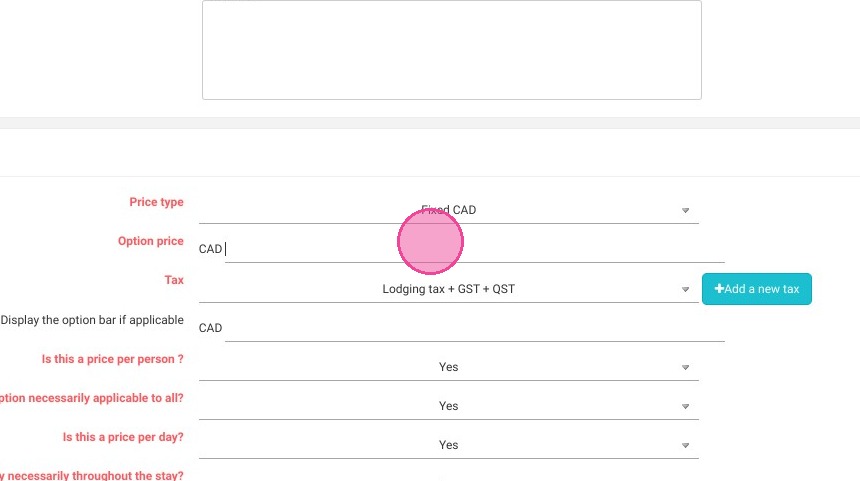
22. Enter the extra price.

https://colony-recorder.s3.amazonaws.com/files/2023-07-17/75360842-4589-42f3-90bf-e2158f8c944e/ascreenshot_da2c69f468974c35a303c0daf1df3ec0_text_export.jpeg

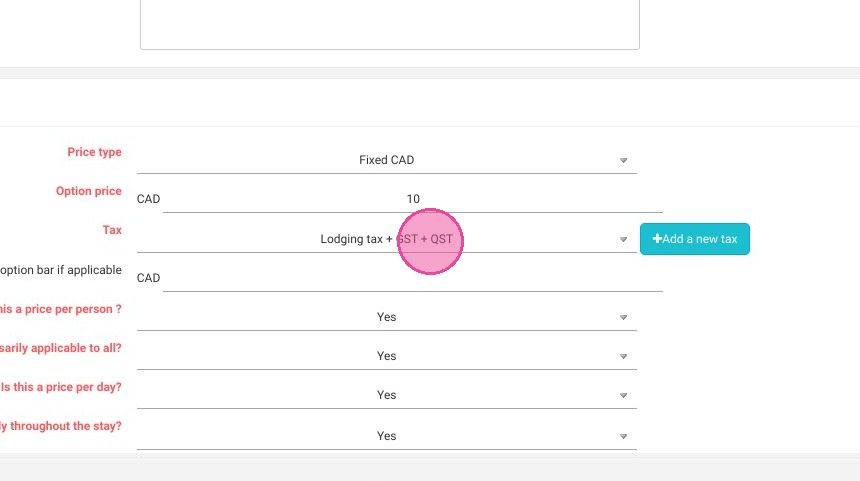
23. Select the appropriate taxes for this option.
https://colony-recorder.s3.amazonaws.com/files/2023-07-17/f91dd272-2c4d-47e7-84c7-2d1345a2cdb9/ascreenshot_9f7fd4cdb51040f3b331b273c81d0e0f_text_export.jpeg

24. Here you can choose whether this is a price per person or a price per day (whether the option applies per day or to the entire stay once).
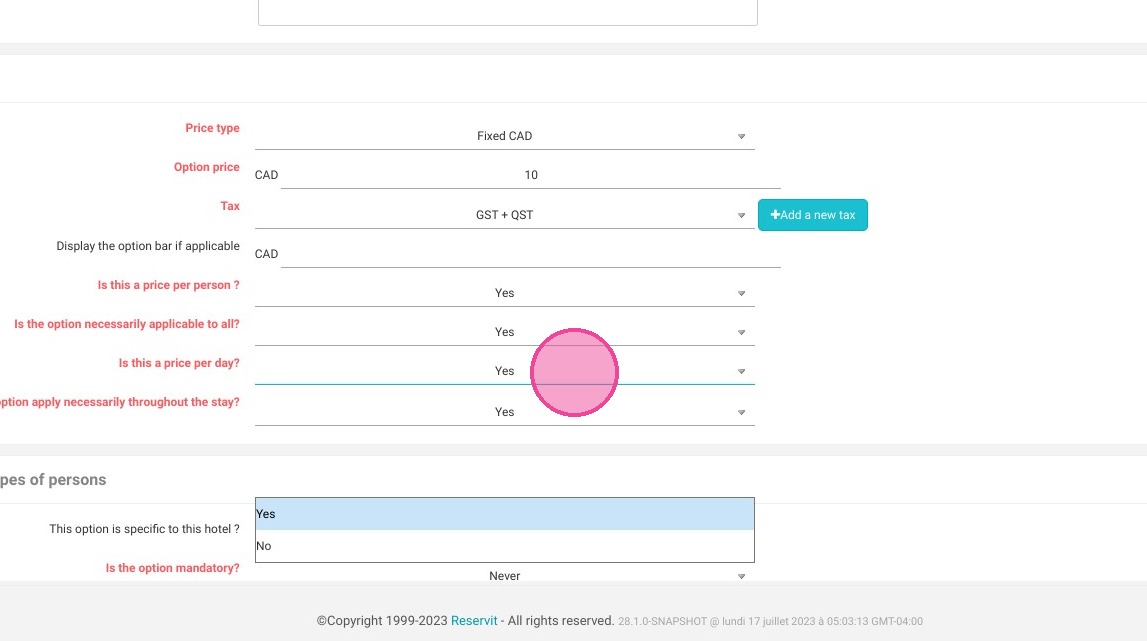
https://colony-recorder.s3.amazonaws.com/files/2023-07-17/635c52b2-97d0-4d83-a9c1-ebeeaaab4f5b/ascreenshot_20aea6ac35c14ba18677aa6ad6e24c09_text_export.jpeg

25. Put "Always" if your option applies to your package at all times.
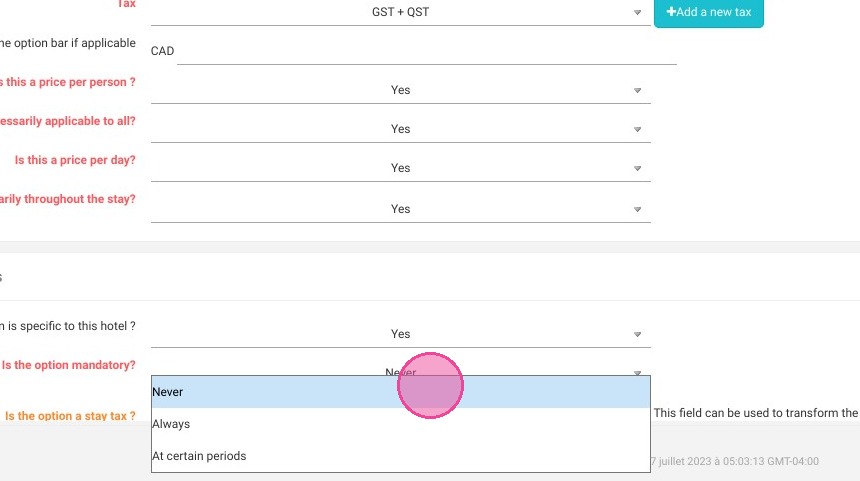
https://colony-recorder.s3.amazonaws.com/files/2023-07-17/08254169-ce8e-4e51-8322-50dd571ffe69/ascreenshot_01f05ea039124f4398770ef0df825e2c_text_export.jpeg

26. Uncheck the box ''Assign the option to all offers'' to assign the option only to the offer you have just created. Click "Access to the assignment"
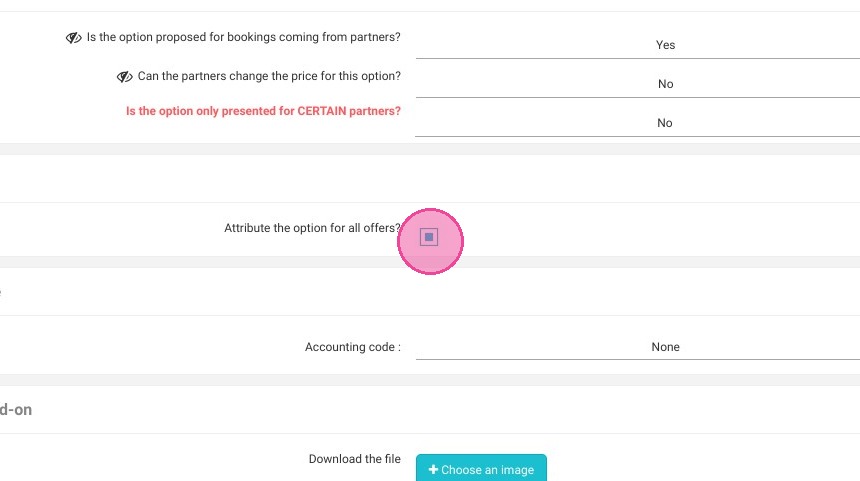
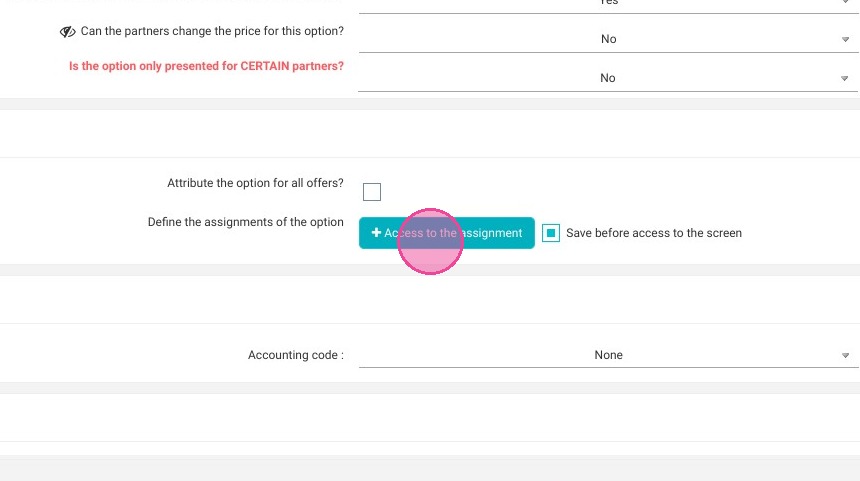
https://colony-recorder.s3.amazonaws.com/files/2023-07-17/964224e9-a87d-4b0b-b076-527ddf029ccb/ascreenshot_b810526830d54f32afe705649e13fa09_text_export.jpeg
https://colony-recorder.s3.amazonaws.com/files/2023-07-17/300f40c9-8079-49ef-9870-33b4fde89c68/ascreenshot_2f1127bb0a894ecd923c4d2935abd39e_text_export.jpeg

27. You can do a quick search with the filters to find your offer faster.
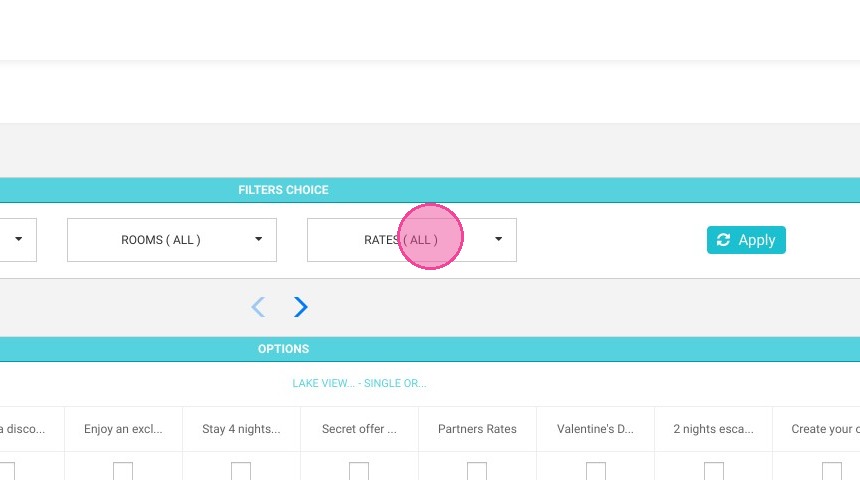
https://colony-recorder.s3.amazonaws.com/files/2023-07-17/922a2adf-379a-4412-8a1f-35dbbc715a02/ascreenshot_27f25c588a704da18c9389bdbe836900_text_export.jpeg

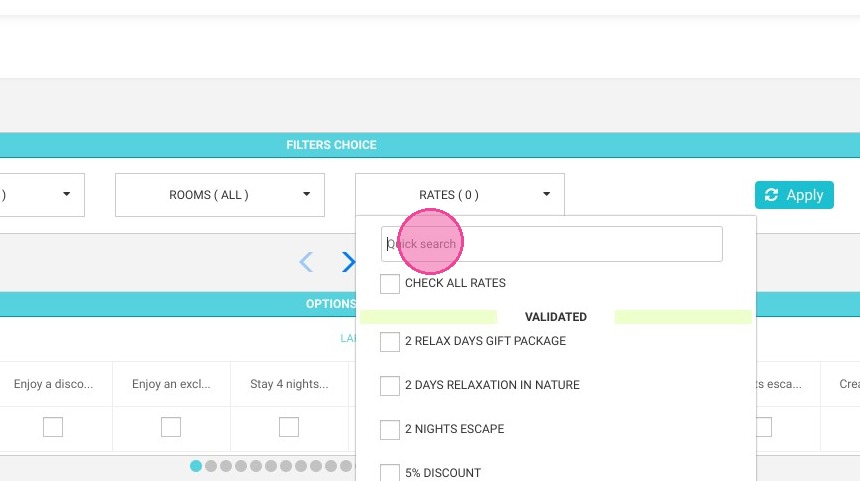
28. Click the "Quick search" field.

https://colony-recorder.s3.amazonaws.com/files/2023-07-17/8c2c1cf0-35f4-41df-81fa-6993b140e0ce/ascreenshot_63c80ba32677478989486ccc1c55f07e_text_export.jpeg

29. Tick only the offer you have just created.
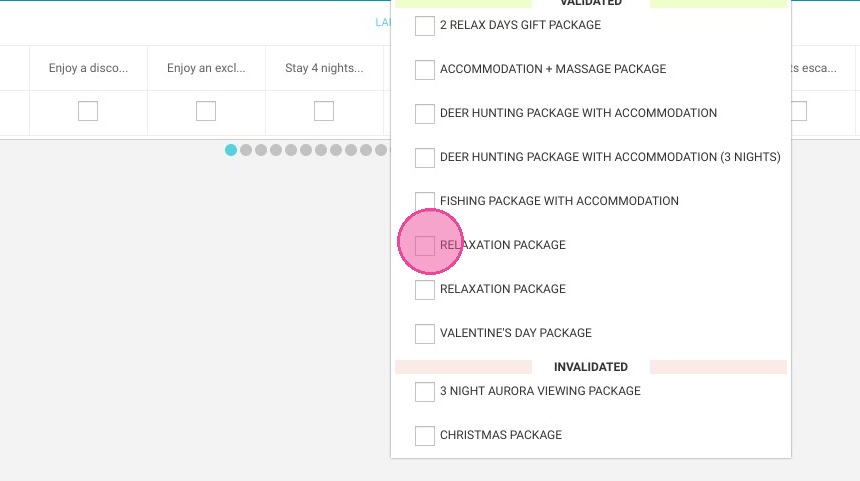
https://colony-recorder.s3.amazonaws.com/files/2023-07-17/81fec85b-16ee-4855-bbf6-6a360af0385b/ascreenshot_cd717ccd914f44bd9e688b64fbf696d5_text_export.jpeg

30. Click "Apply"

https://colony-recorder.s3.amazonaws.com/files/2023-07-17/67ecc54c-7eee-4025-8769-d1c4353a46bf/ascreenshot_23e54061a72f484c8ddcd44e8ddf8de5_text_export.jpeg

31. Click on the offer name to check all the boxes.
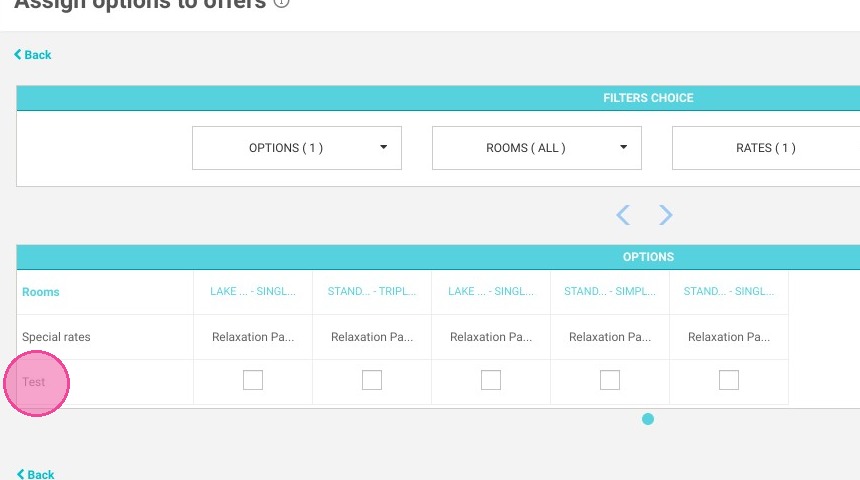
https://colony-recorder.s3.amazonaws.com/files/2023-07-17/5ce87c55-e528-4602-8e7e-ec0dcd0a12dd/ascreenshot_ea0dc41ca04242d6bc2414ca65a3a4f2_text_export.jpeg

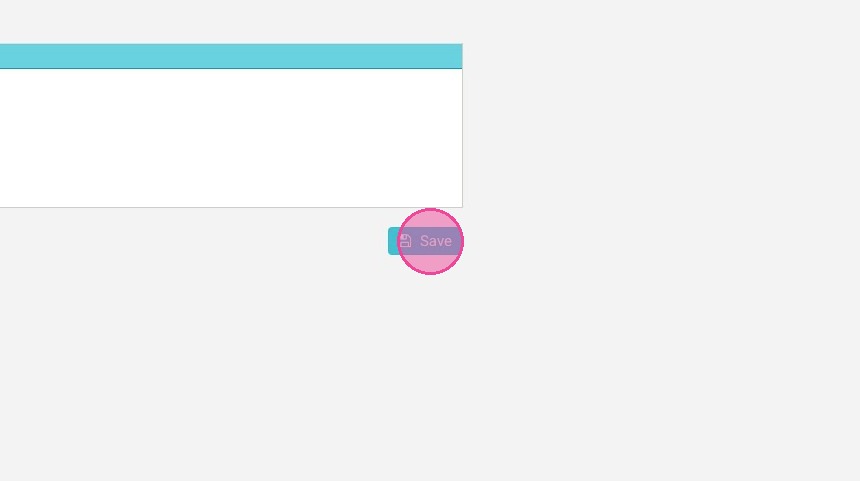
32. Click ''Save''

https://colony-recorder.s3.amazonaws.com/files/2023-07-17/62d00361-1a2a-4a1c-8b7f-f5a619cccf39/user_cropped_screenshot_5ef5c2e42fe641ecb5105d28fe4e594f_text_export.jpeg

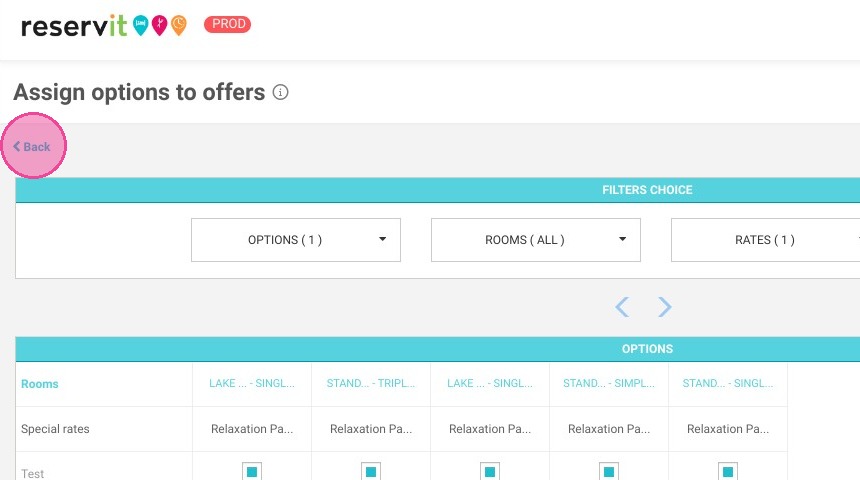
33. Click "Back"

https://colony-recorder.s3.amazonaws.com/files/2023-07-17/049270b6-f344-4c8d-93cb-f8212ef29912/ascreenshot_4c4d261ccf074f7789eea12826e2daa4_text_export.jpeg

34. Click "Modify". Now everything is setup! Don't forget to publish your offer for your customers to see!
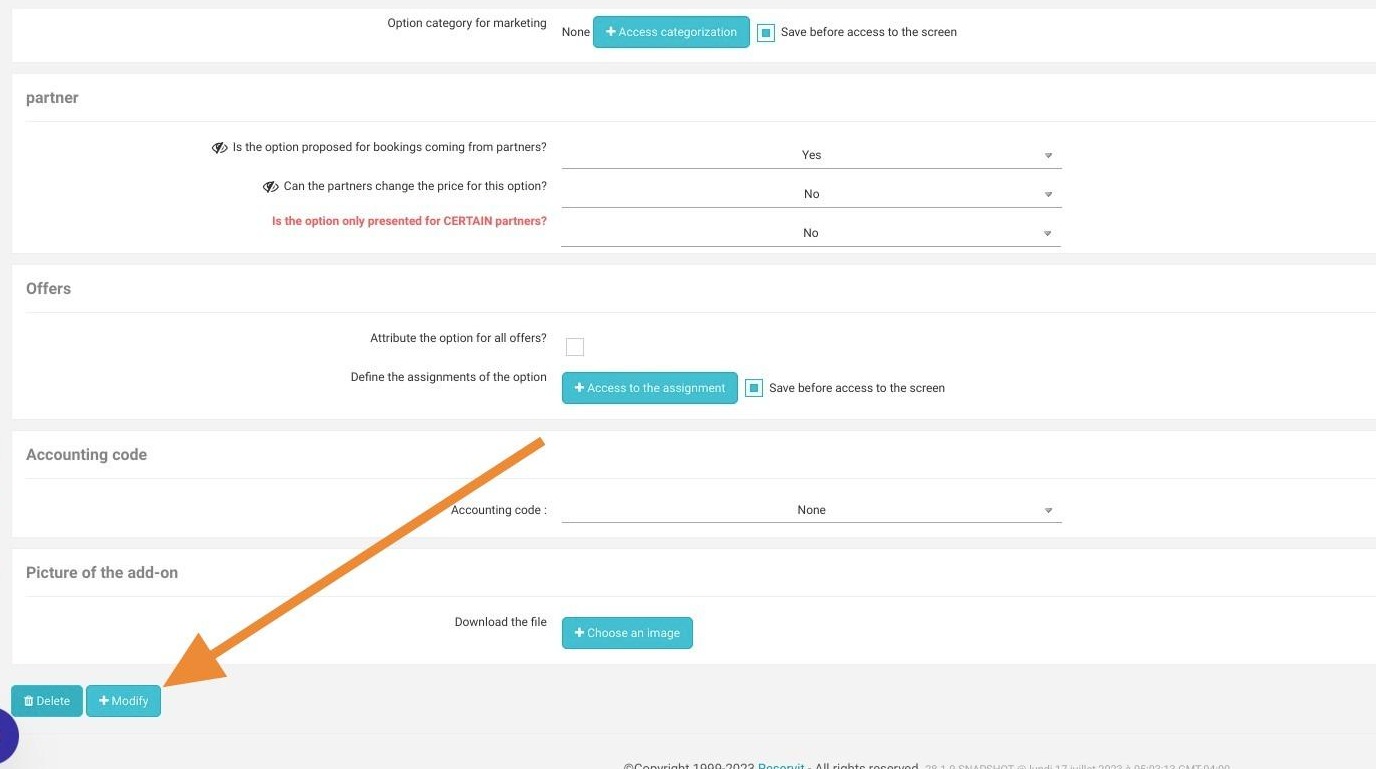
https://colony-recorder.s3.amazonaws.com/files/2024-11-29/b6ff781e-9998-4338-88ac-299f3e17edbe/user_cropped_screenshot_fd34fa929d474226ad5a97b22438c745_text_export.jpeg