

Article Summary: This step-by-step tutorial explains how to seamlessly transfer an existing offer into a different offer type within Reservit Accommodation. You will learn how to quickly convert a standard rate plan into a promotional discount with just a few clicks, bypassing the need to rebuild the entire configuration from scratch. Mastering this fast conversion process allows you to agilely adapt your pricing strategy to shifting market demands while keeping your inventory categories perfectly organized.
The 4 key steps to transfer an offer type:
-
Access your current offer: Navigate to the specific category housing your existing rate (such as "My regular rates") and click the pencil icon to edit the configuration.
-
Initiate the transfer: Locate and click the transfer button—represented by two arrows—situated at the top right of your offer's configuration screen.
-
Select the new category: Use the pop-up dropdown menu to choose your target offer type (for example, "Promotional discount") and confirm your selection.
-
Review settings and save: Verify that the existing parameters still align with your newly converted offer, then securely click "Save my offer" at the bottom of the page to finalize the migration.
Why follow this guide? Following this precise workflow saves you valuable administrative time by completely eliminating the need to manually recreate complex pricing structures from scratch. It ensures a fast, error-free transition of your existing setup into a new marketing category, allowing you to deploy fresh promotions instantly and securely.
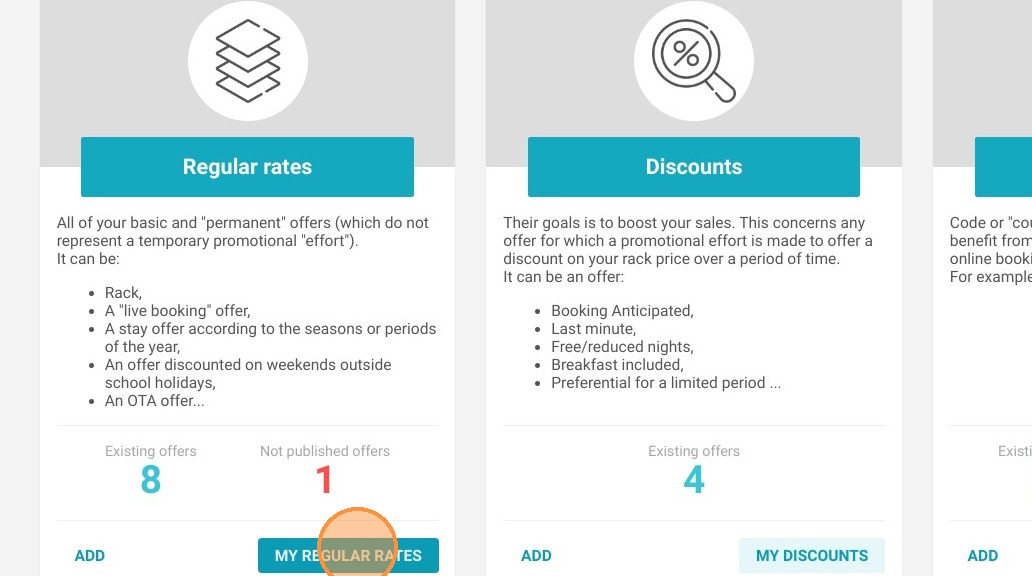
1. Go to the screen for your offers.
For example, if I want to transform a promotion into a pricing plan, I first need to go to "MY REGULAR RATES"
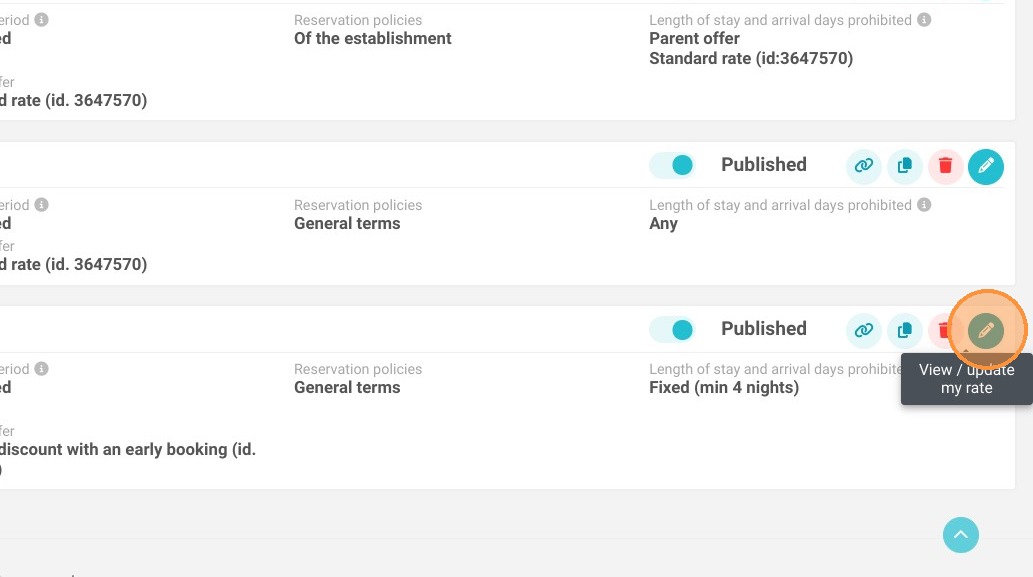
2. For the rate plan I want to transform into a promotional offer, I click on the pencil icon to enter the configuration of my offer.
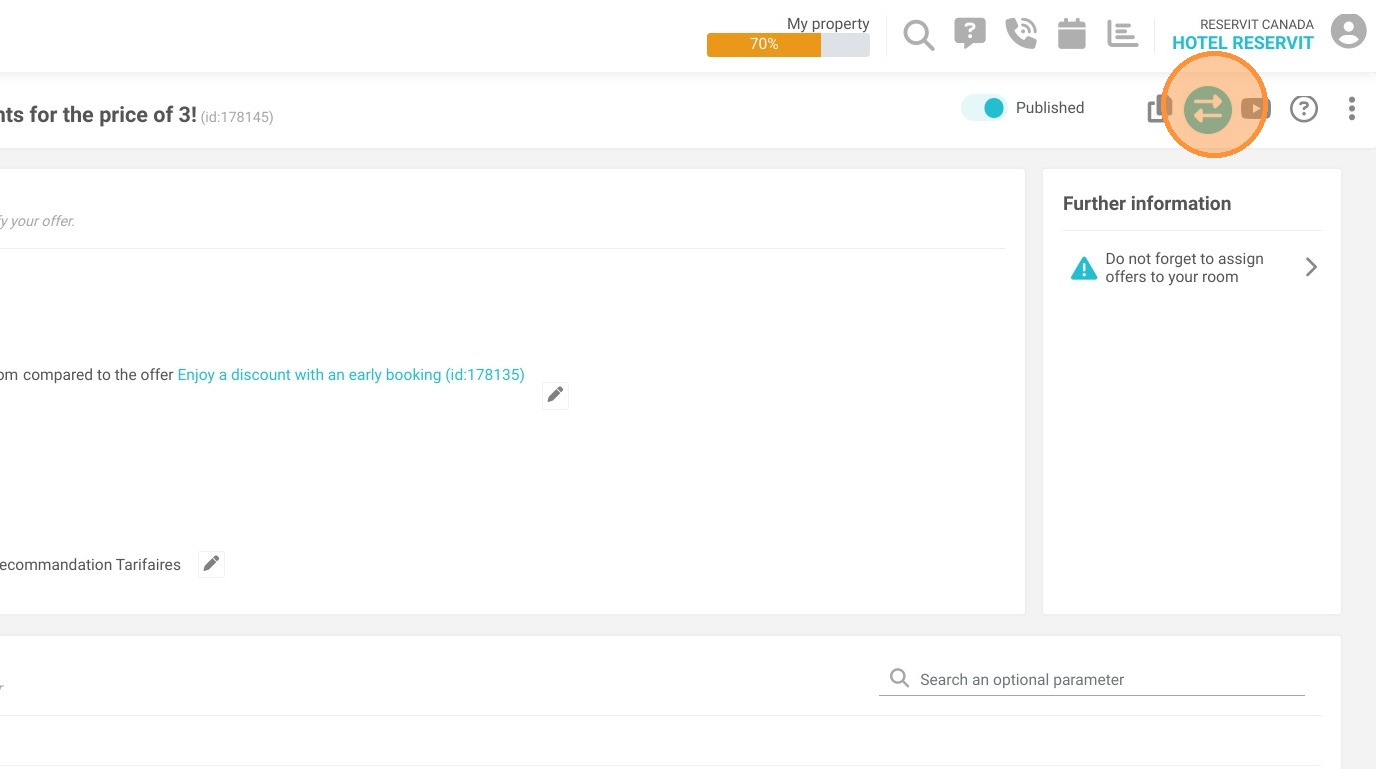
3. Once in my offer, I click on the button with the two arrows at the top right of my screen.
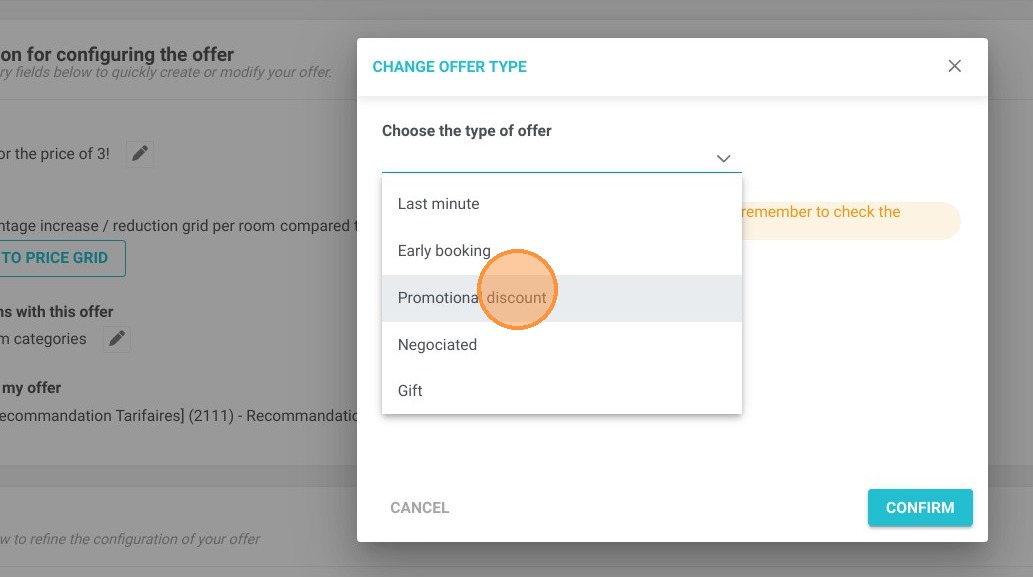
4. A window then appears with a dropdown menu asking me to select the type of offer to which I want to move this one.
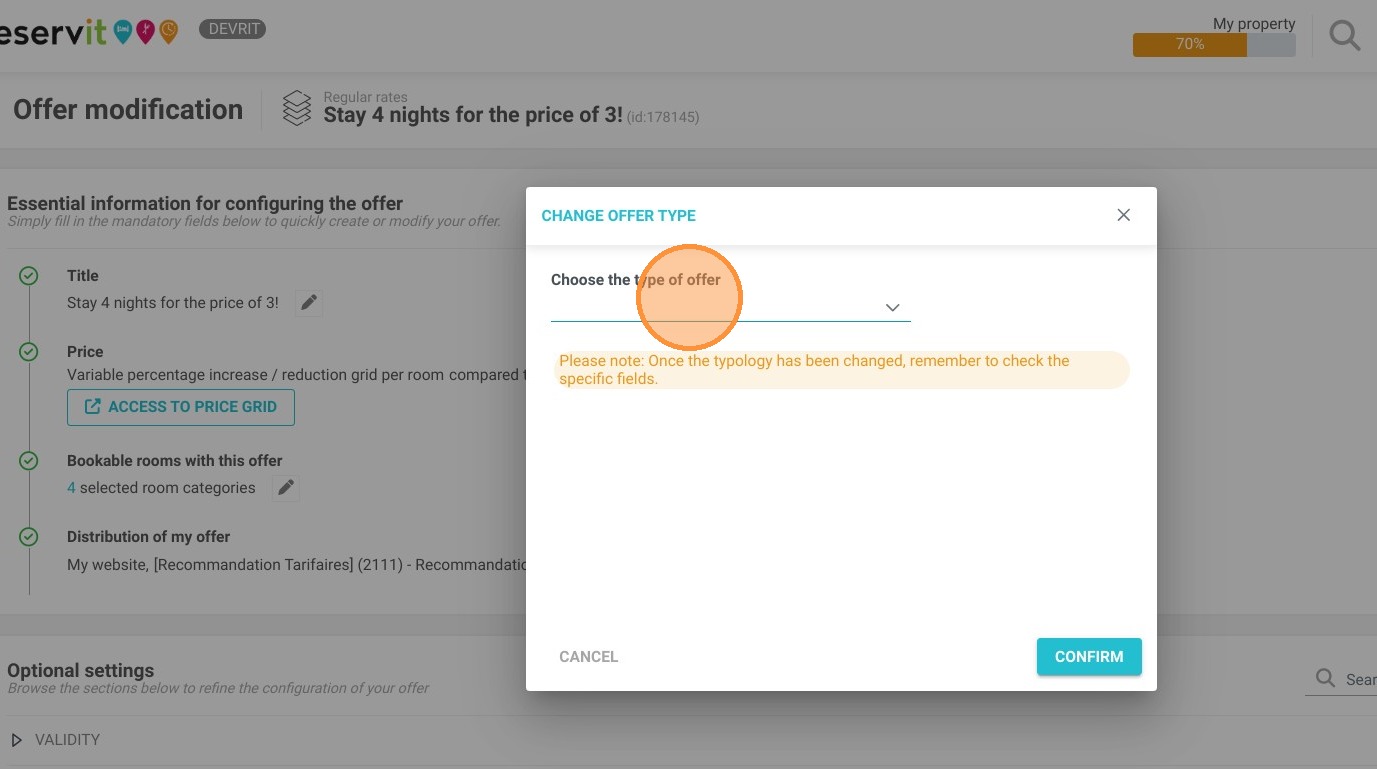
5. I select "Promotional discount"
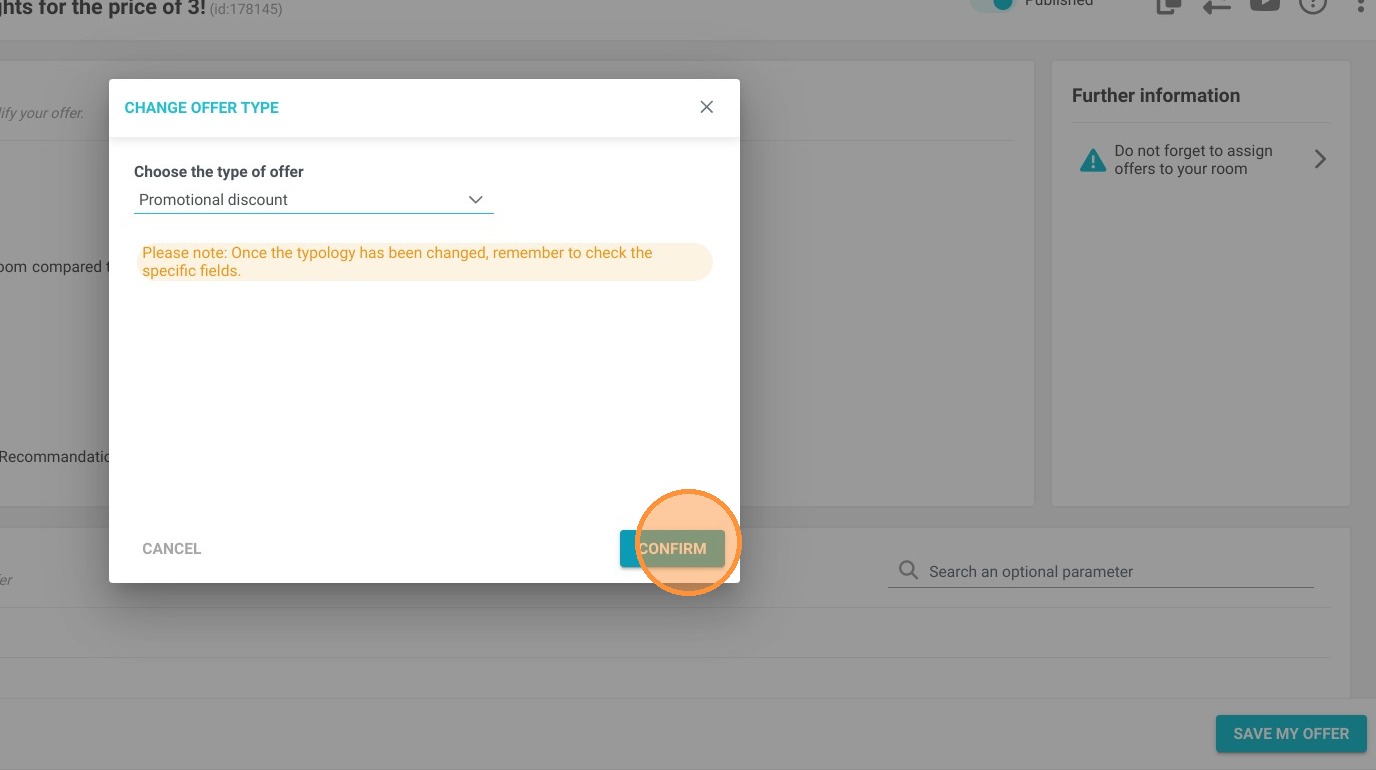
6. Then I click on "CONFIRM"
7. I now see that my offer is a promotional discount, but to complete my configuration, I need to check that the settings are the ones that I want, as it previously corresponded to a rate plan.
To save the changes and record this offer transfer, I need to click "SAVE MY OFFER" at the bottom of the page; otherwise, the transfer will not be completed.
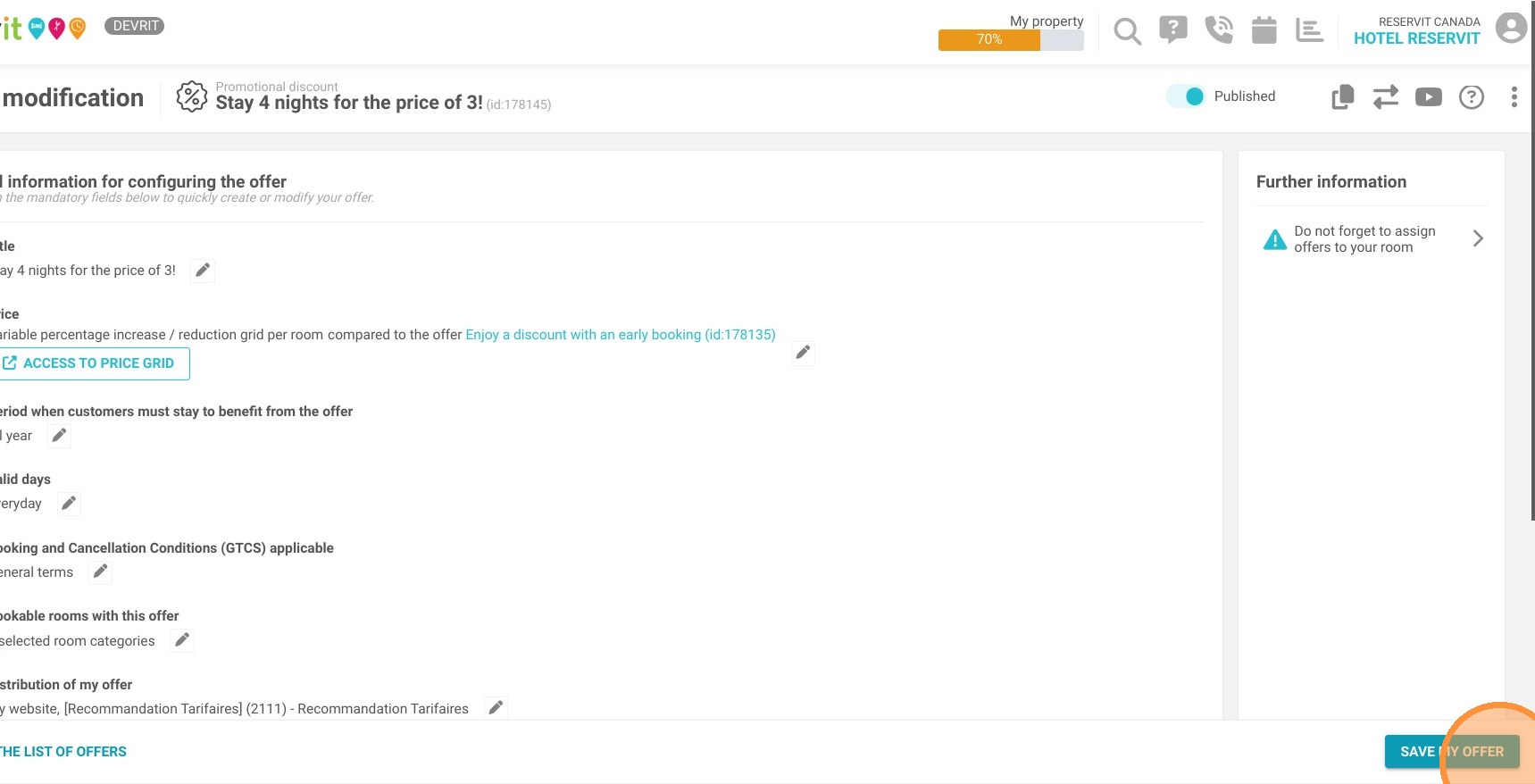
Alert: My offer is now a promotional discount and has disappeared from the rate plans category!