

Article Summary: This tutorial explains how to strategically create specific pricing offers for Online Travel Agencies (OTAs) using the Reservit platform. You will learn how to utilize the quick setup shortcut to establish marked-up rates for external distributors, assign specific partners to the promotion, and finalize the required mapping steps. Implementing these targeted OTA rates helps protect your profit margins from third-party commission fees while ensuring your direct website reservations remain the most cost-effective and attractive option for guests.
The 5 Key Steps to Create Specific Offers for OTAs:
-
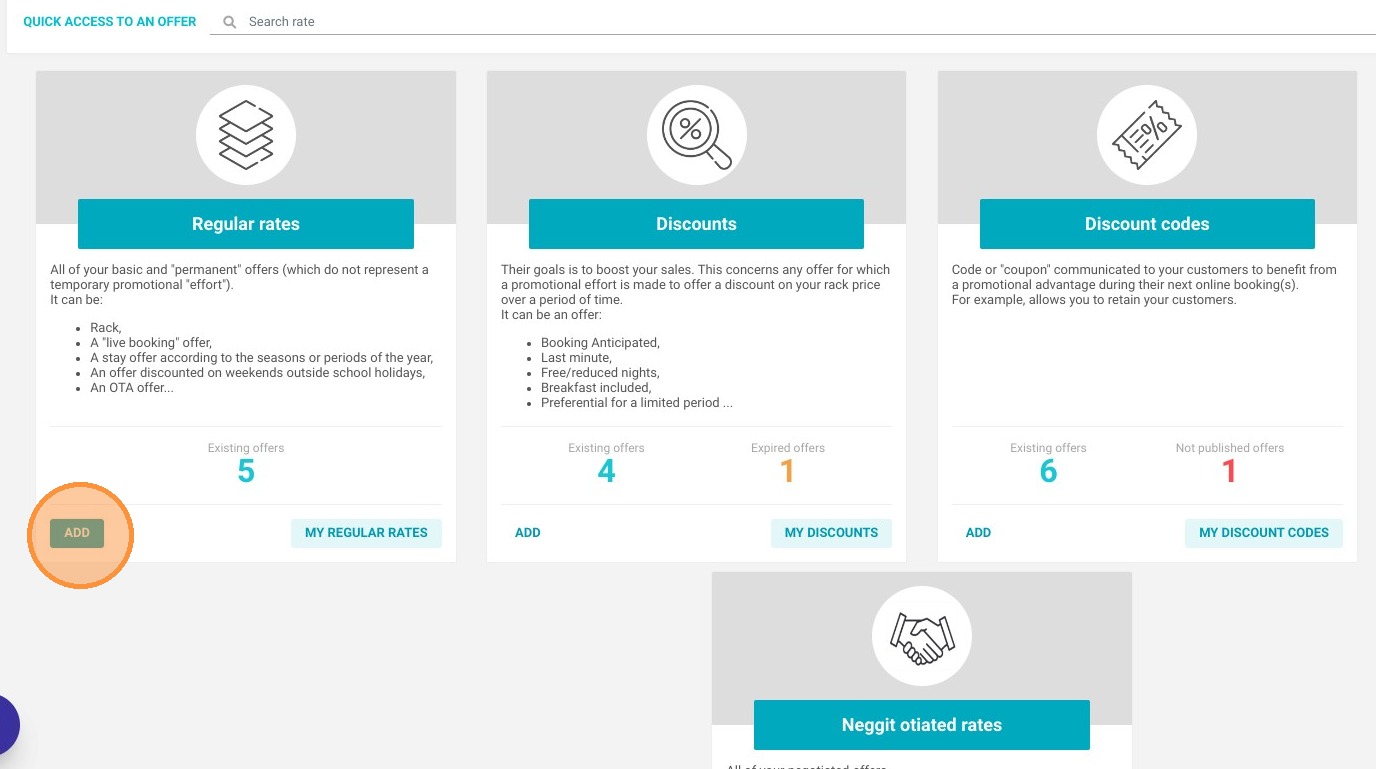
Access Offer Settings: Navigate to "My rates and availability," click on "My Offers," and select "ADD" under your Regular Rates to initiate the process.
-
Apply the OTA Markup: Select the OTA quick setup shortcut and define your price increase (which defaults to a 10% markup over your standard rate) to offset distributor commissions.
-
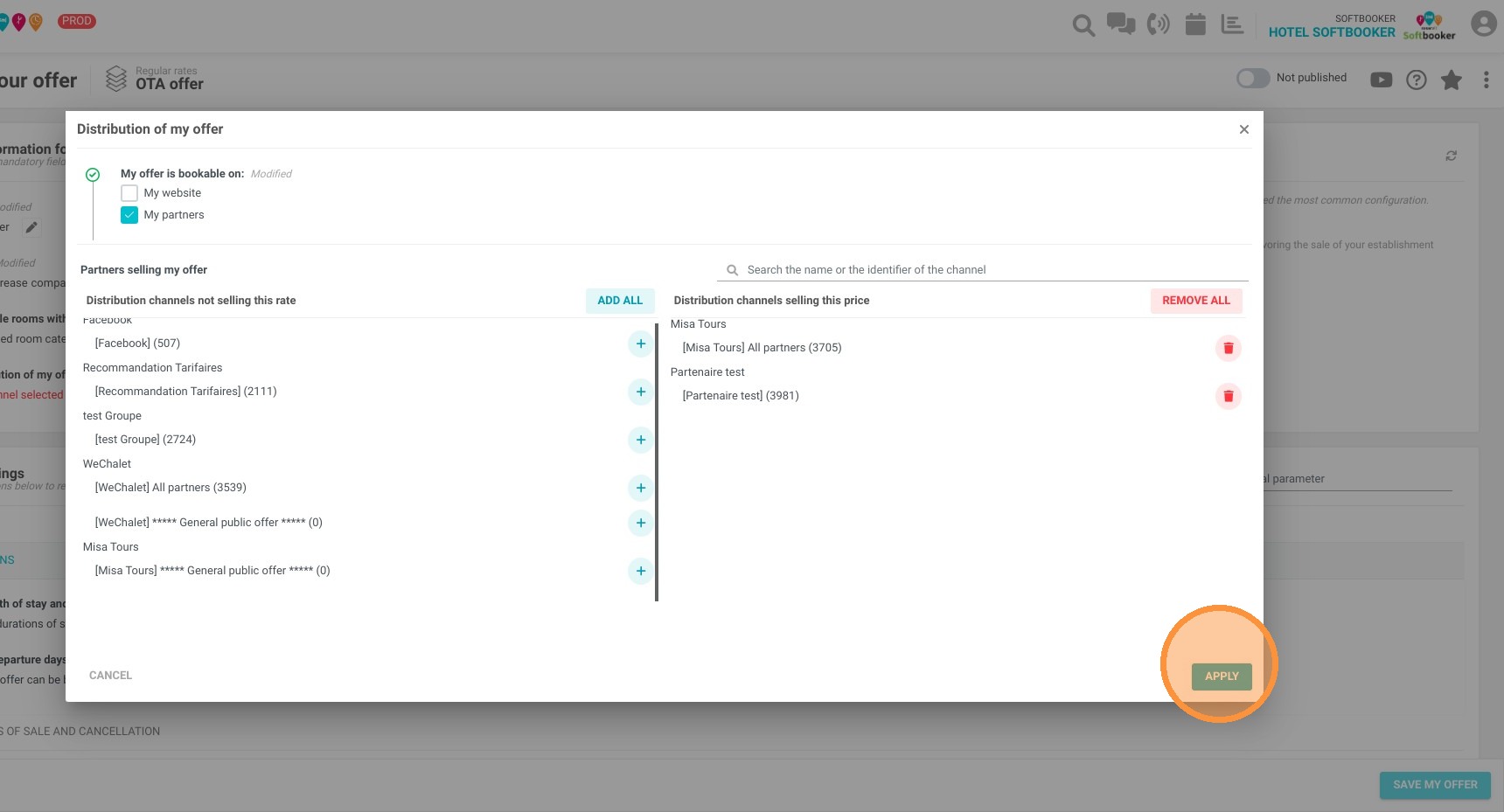
Assign Your Distributors: Open the "My partners" section, select the specific external channels you wish to associate with this higher rate, and click "APPLY."
-
Configure Booking Parameters: Fill in any optional restrictions, such as specific validity dates or minimum length of stay requirements, and save your offer.
-
Notify Support for Mapping: For major distributors like Booking.com, Expedia, Airbnb, or VRBO, you must email technical support so they can correctly synchronize and map the new offer.
Why follow this guide? Setting up dedicated OTA pricing automatically protects your bottom line by absorbing third-party commission costs without unnecessarily inflating your direct website prices. This strategic configuration optimizes your digital distribution, prevents costly rate parity issues, and actively drives more profitable direct bookings to your own booking engine.
1. Click "My rates and availability" then ''My Offers''
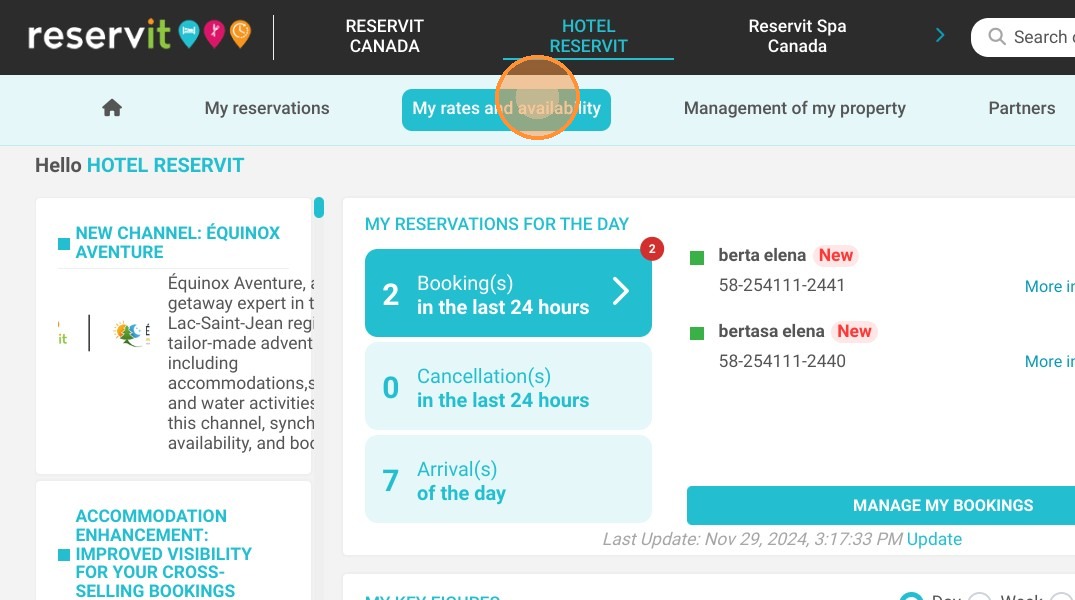
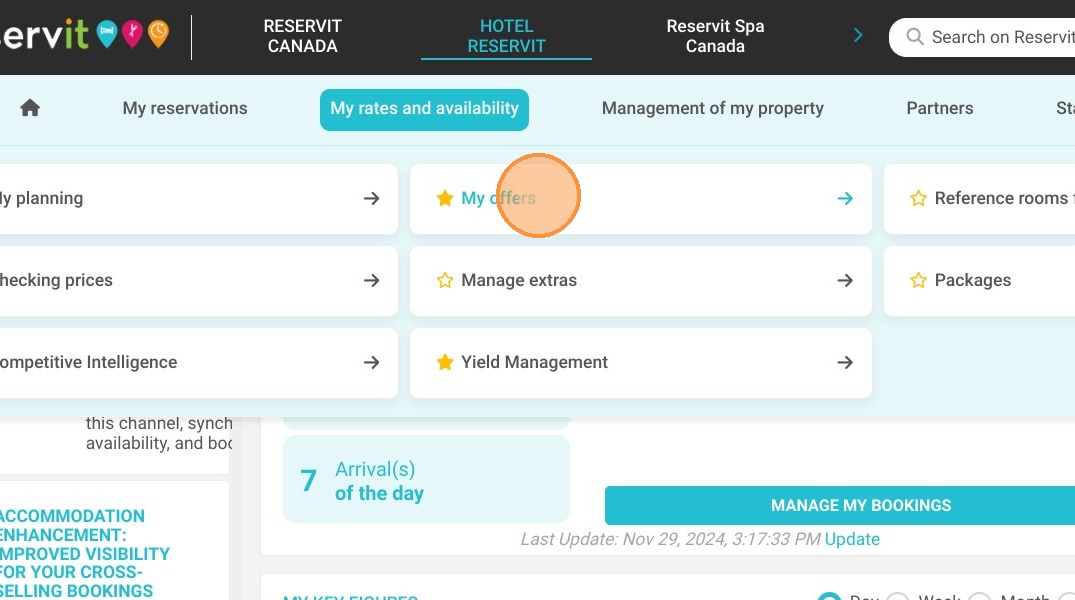
2. Click on "ADD" on Regular Rates.
3. A quick setup shortcut allows you to easily create an offer for distributors (OTA).
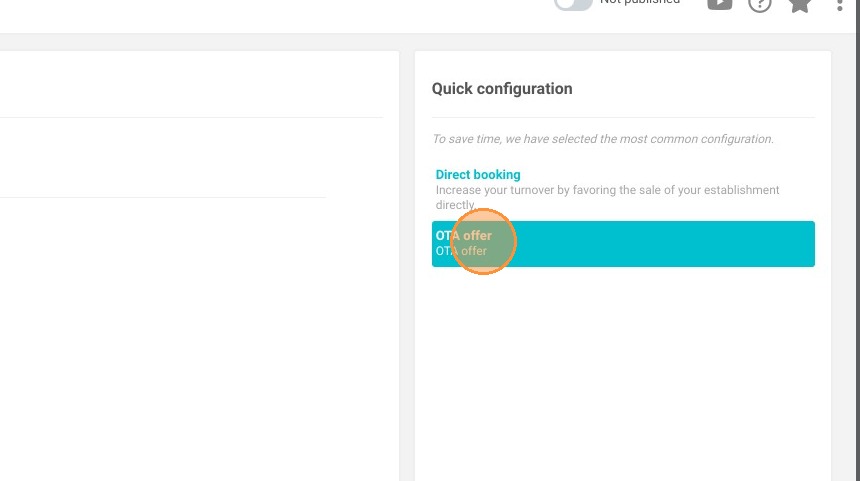
4. By default, a 10% increase over your standard rate is set. You can change it if you wish.
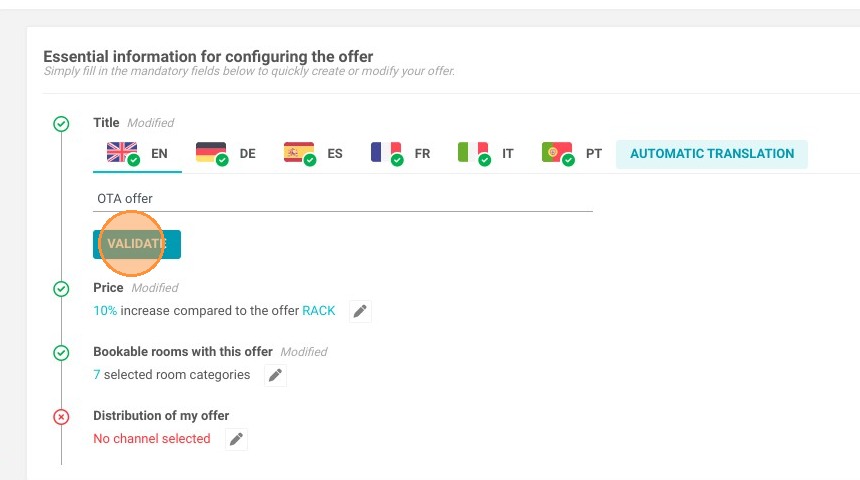
Tip: We advise you to always have a cheaper rate directly (on your website) than through distributors.
5. Select the distributors you wish to associate with the offer.
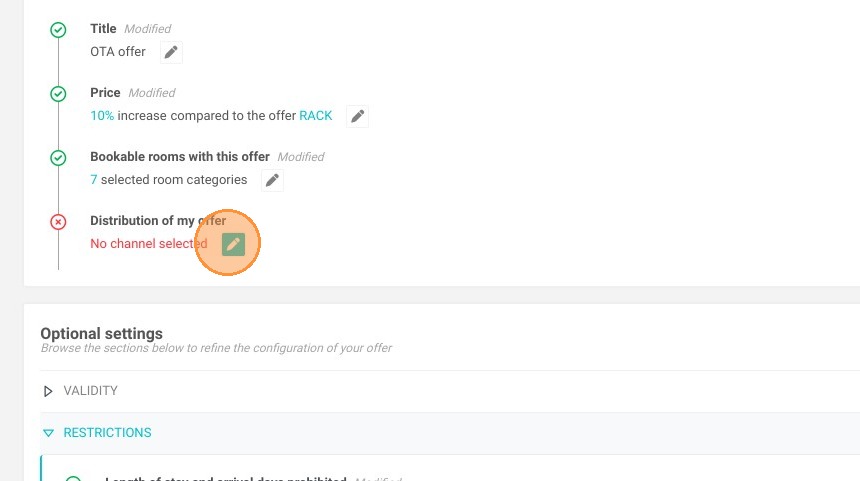
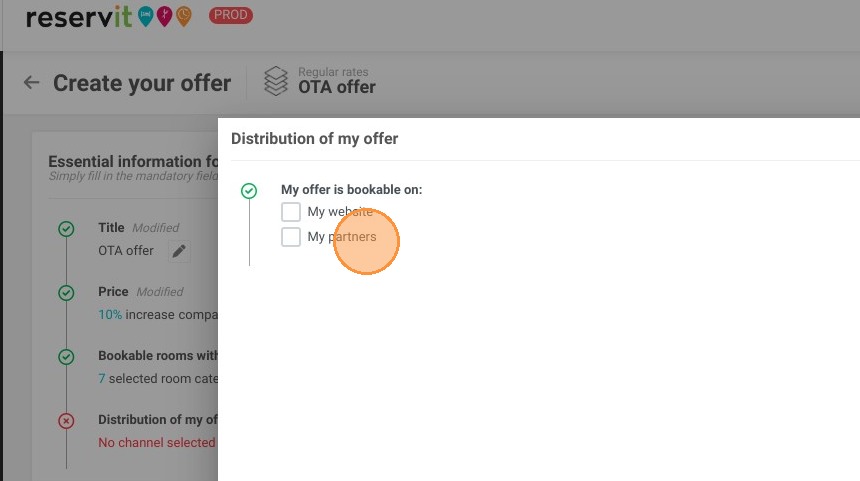
6. Click "My partners"
7. Add the partners
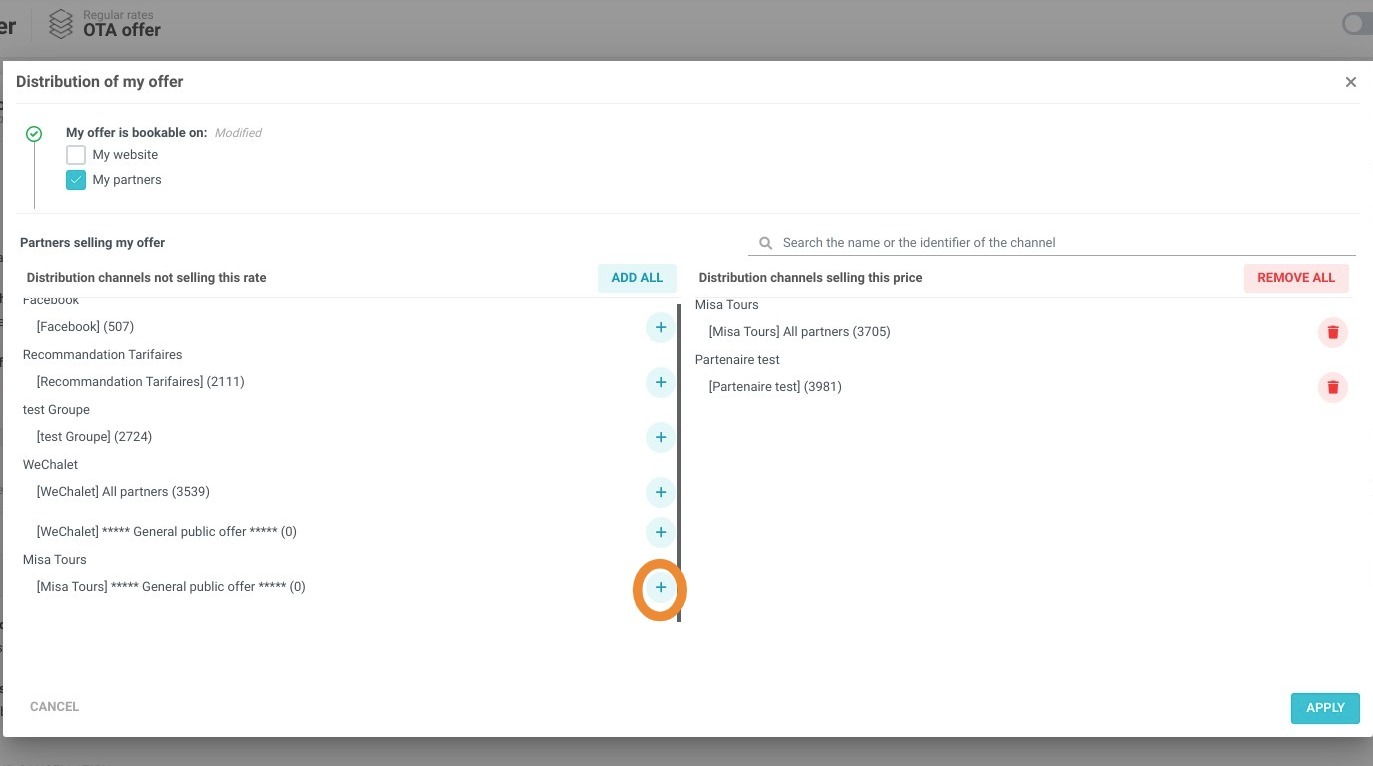
8. Click "APPLY"
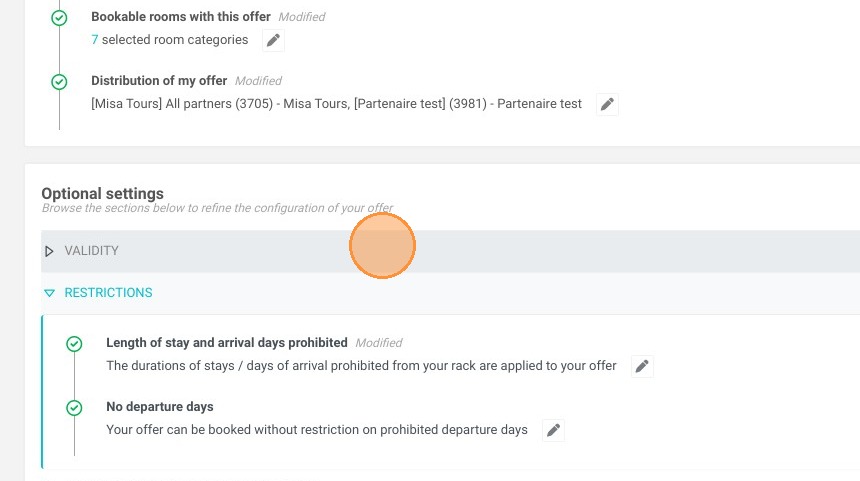
9. Fill in the optional parameters (validity dates, length of stay, etc.) and save your offer.
Alert: For most major distributors (Booking, Expedia, Airbnb, VRBO), you must notify the technical team when you add a new offer. We will then update the distributor matches.