Article Summary: This quick tutorial explains how to easily edit an existing promotional offer within your Reservit Accommodation booking engine. You will learn how to navigate to your active promotions, locate specific deals, and access the editing tools to update pricing, validity dates, or booking conditions. Keeping your special offers and discount rates up-to-date helps you maintain a competitive edge and continuously attract direct bookings without needing to build a brand-new promotion from scratch.
The 3 Key Steps to Edit a Promotional Offer:
-
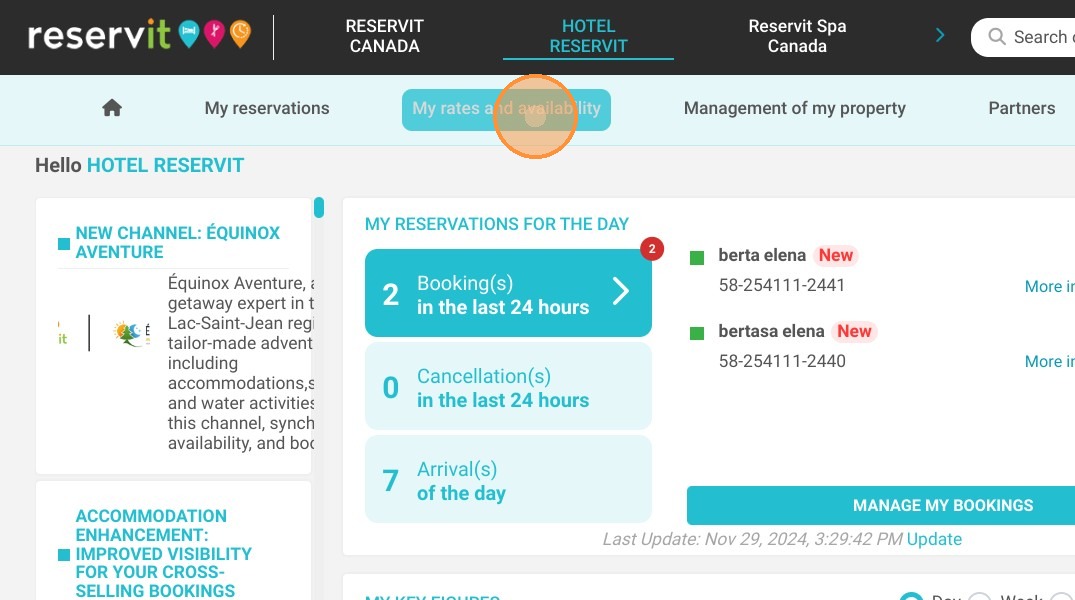
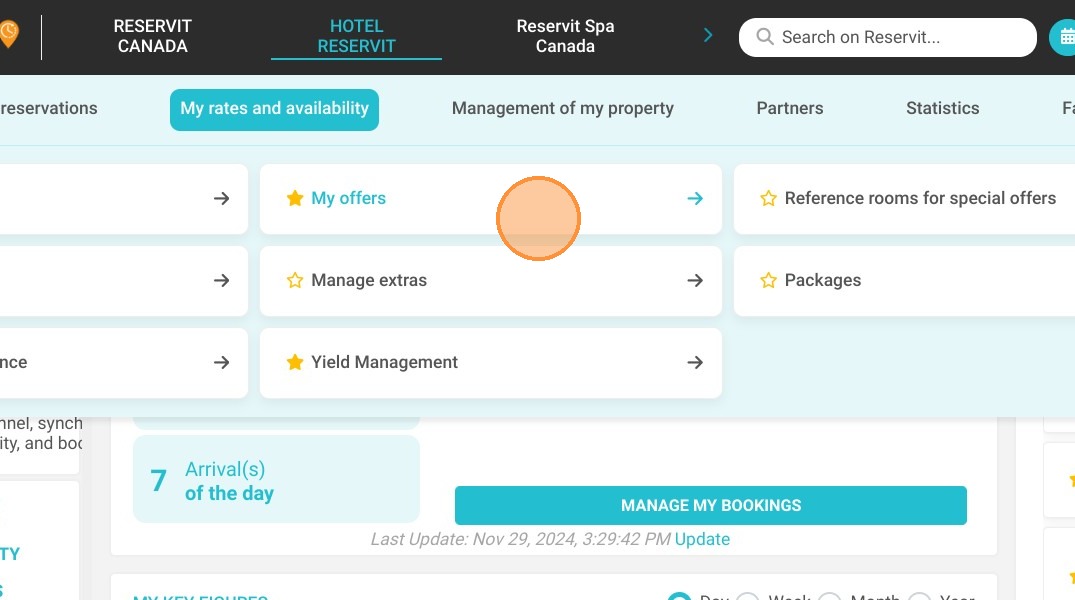
Access Your Offers: Navigate to the "My rates and availability" tab on your main dashboard and select "My offers" to view your current list of promotions.
-
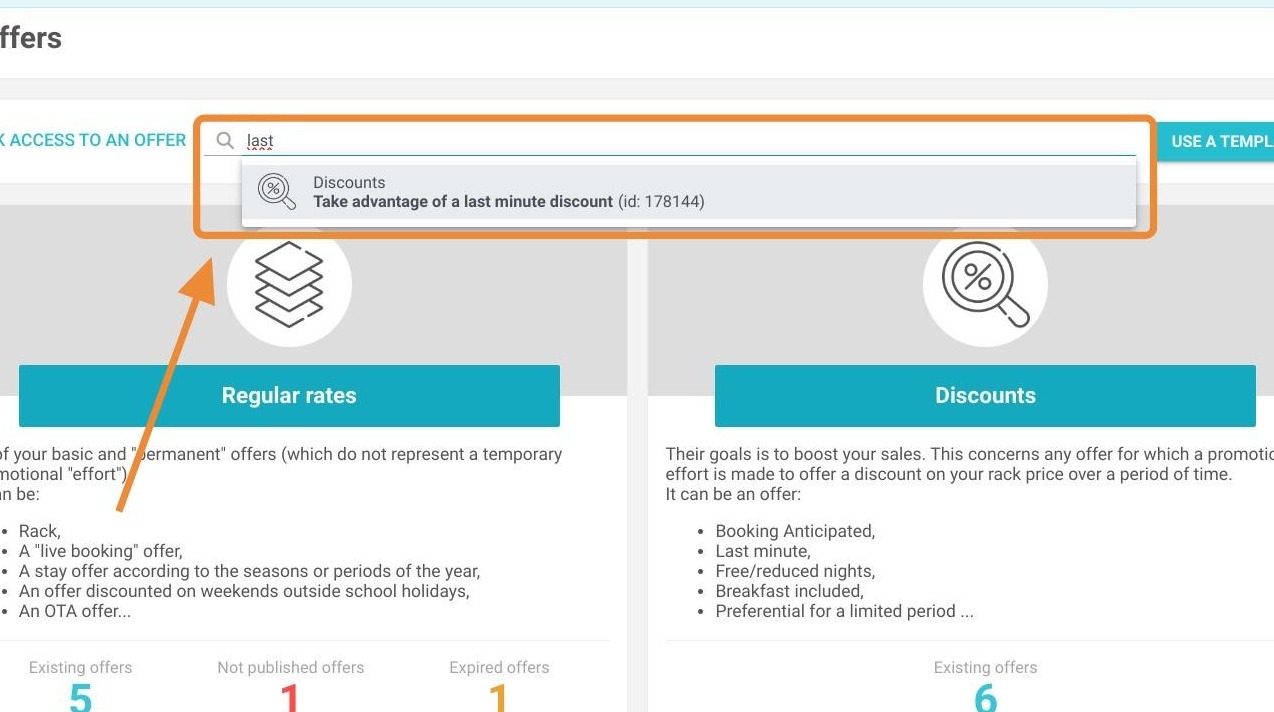
Locate the Promotion: Use the built-in search bar to quickly find the specific special offer or targeted discount you wish to modify.
-
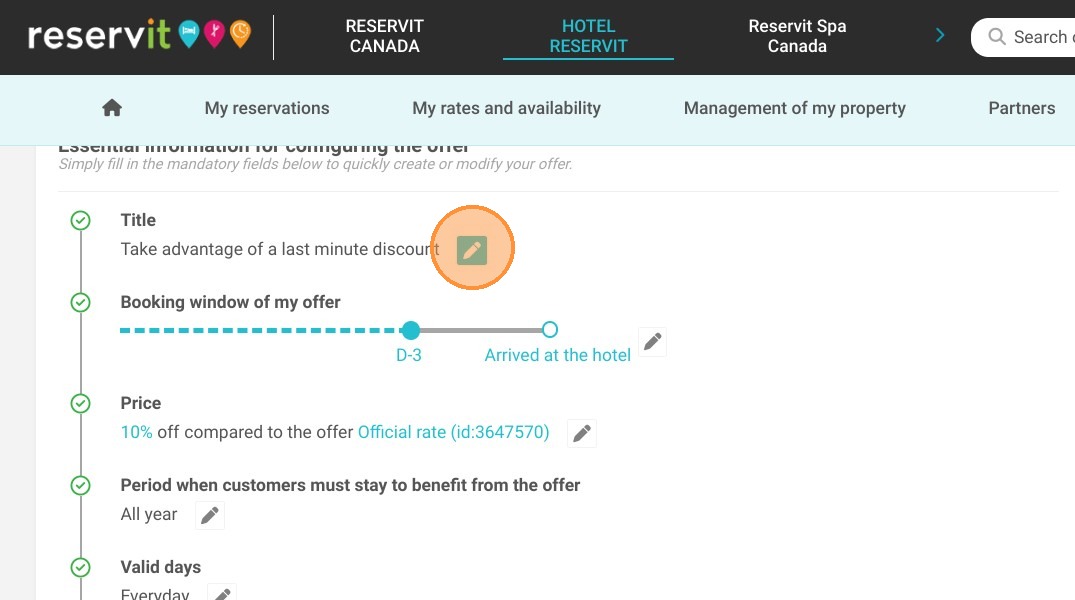
Open the Editing Tool: Click on the pen icon next to the offer to open its configuration settings and immediately apply your desired updates.
Why follow this guide? Modifying an existing offer instead of creating a new one saves your staff valuable time and prevents your booking system from becoming cluttered with outdated promotions. This streamlined management process ensures your pricing strategy remains agile and error-free, optimizing your online sales strategy and maintaining a seamless guest experience.
1. Click "My rates and availability" then ''My offers''
2. Use the search bar to find your offer
3. Click on the pen to edit your offer