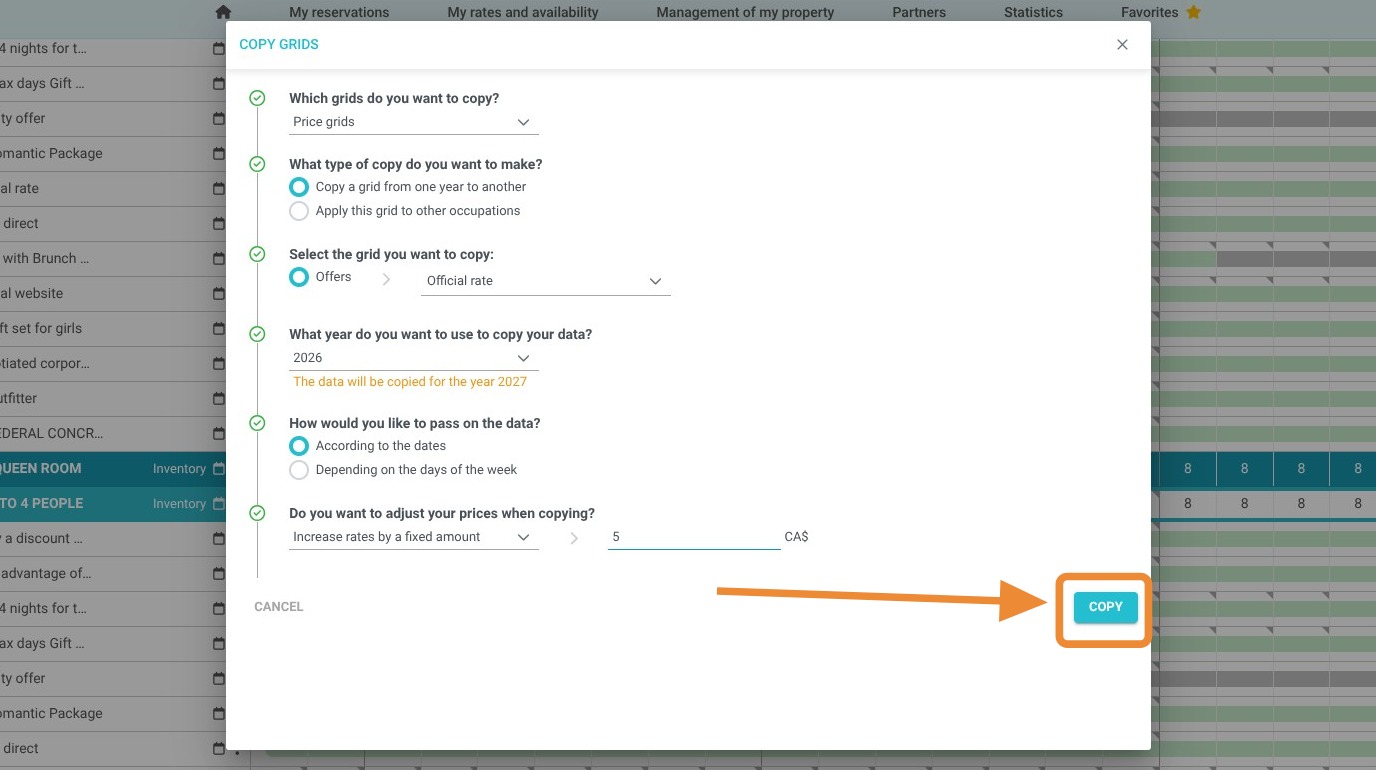
Article Summary: This step-by-step guide teaches you how to efficiently duplicate your existing pricing structures to prepare for upcoming seasons. You will learn how to clone rate grids and automatically apply price adjustments (increases or decreases), ensuring your inventory remains competitive and available well in advance. This process is the key to maintaining consistent pricing across your property while saving hours of manual data entry.
The 5 Key Steps to Duplicate and Update Your Rates:
-

Access the Planning Tool: Navigate to the "My rates and availability" section and open your planning dashboard.
-
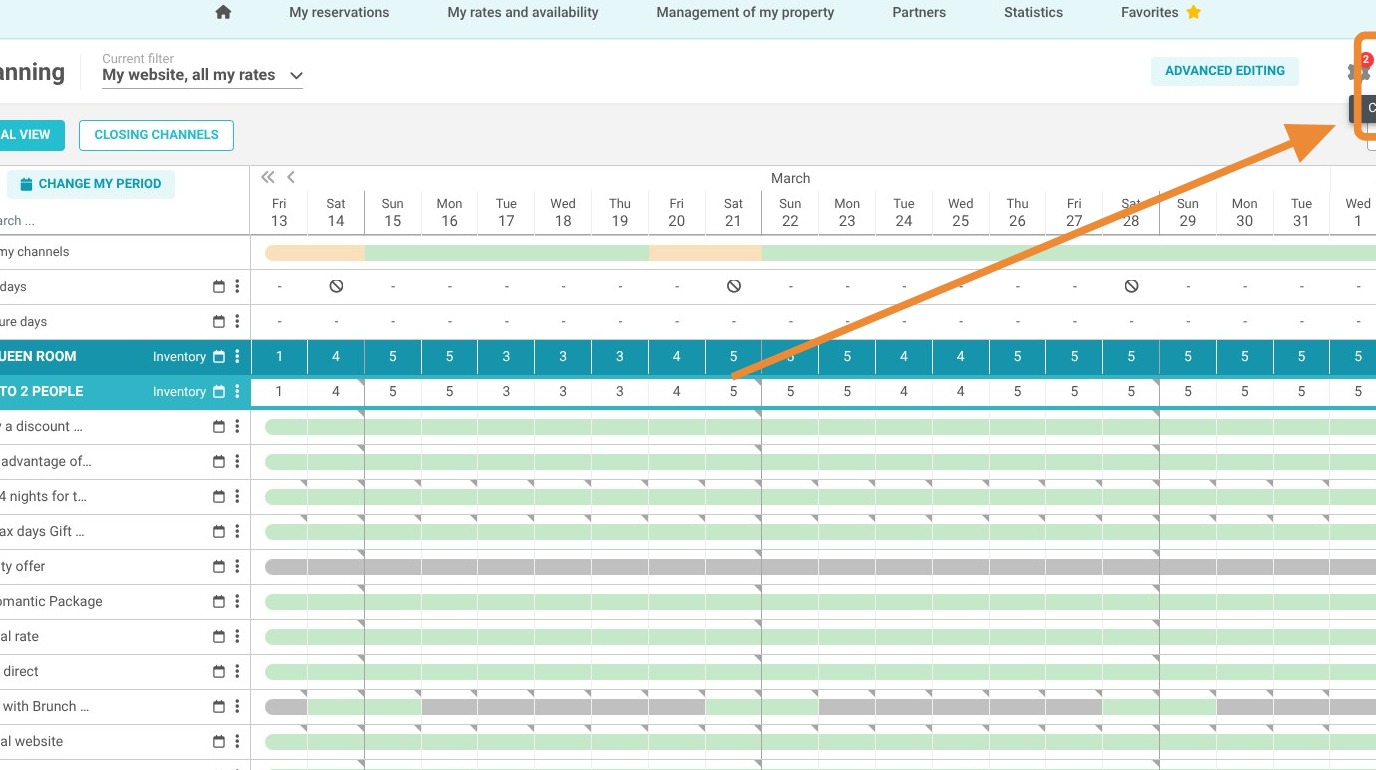
Initiate the Copy Tool: Select the "Copy grids" function to begin transferring your existing pricing data to a new period.
-
Configure Source Data: Choose the specific grid type, the offer you wish to duplicate, and the reference year you are copying from.
-
Define Transfer Logic: Select how data should be mapped to the new year—either by specific calendar dates or by matching days of the week.
-
Adjust and Save: Apply a fixed percentage change to your rates if needed, then click "Copy" to finalize the update.
Why follow this guide? Mastering the rate copy tool allows you to launch future booking seasons in minutes rather than hours, eliminating the risk of manual entry errors. It provides the agility needed to implement your revenue management strategy quickly, ensuring your property is always ready for early-bird reservations.
1. Click "My rates and availability" then "My planning"
2. Click "Copy grids"
3. Choose the type of grid you want to copy. Select the "Price Grids":
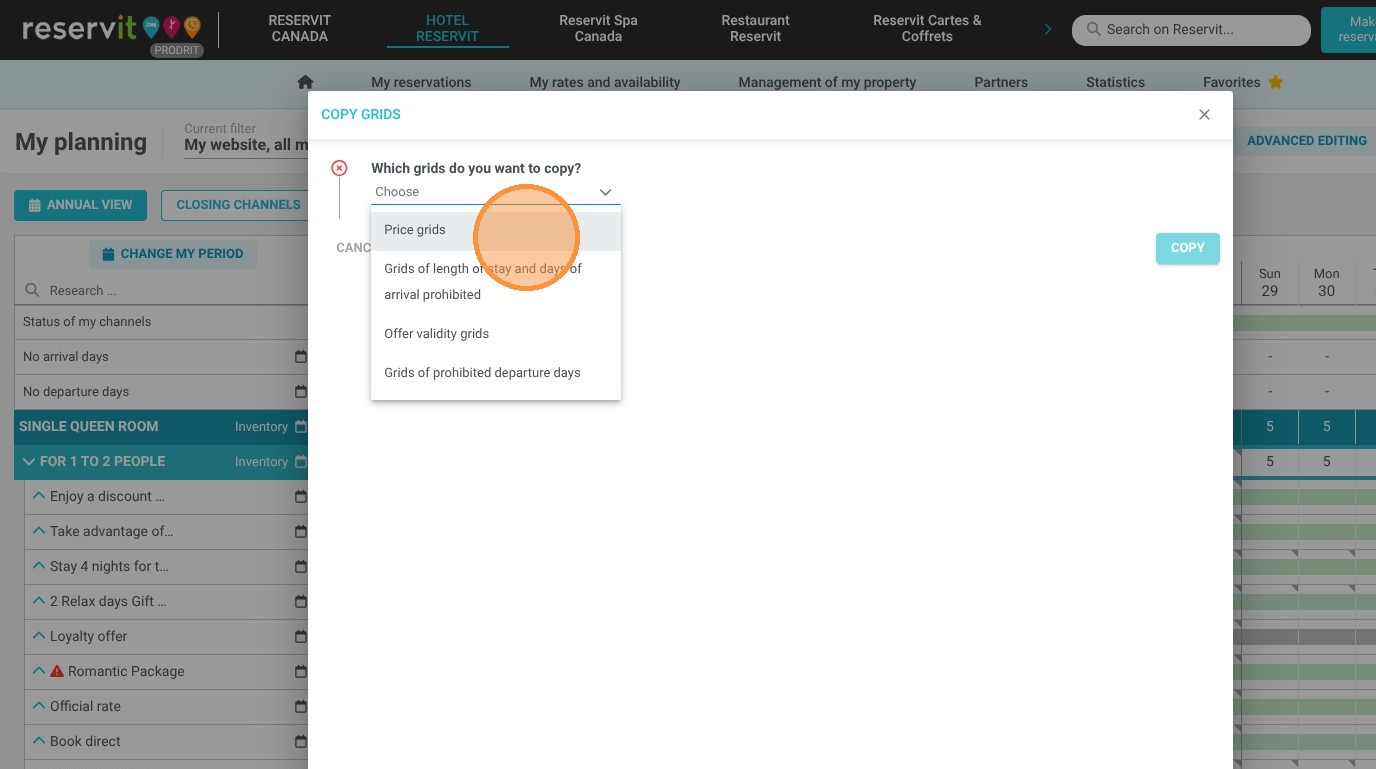
4. Select what you want to copy.
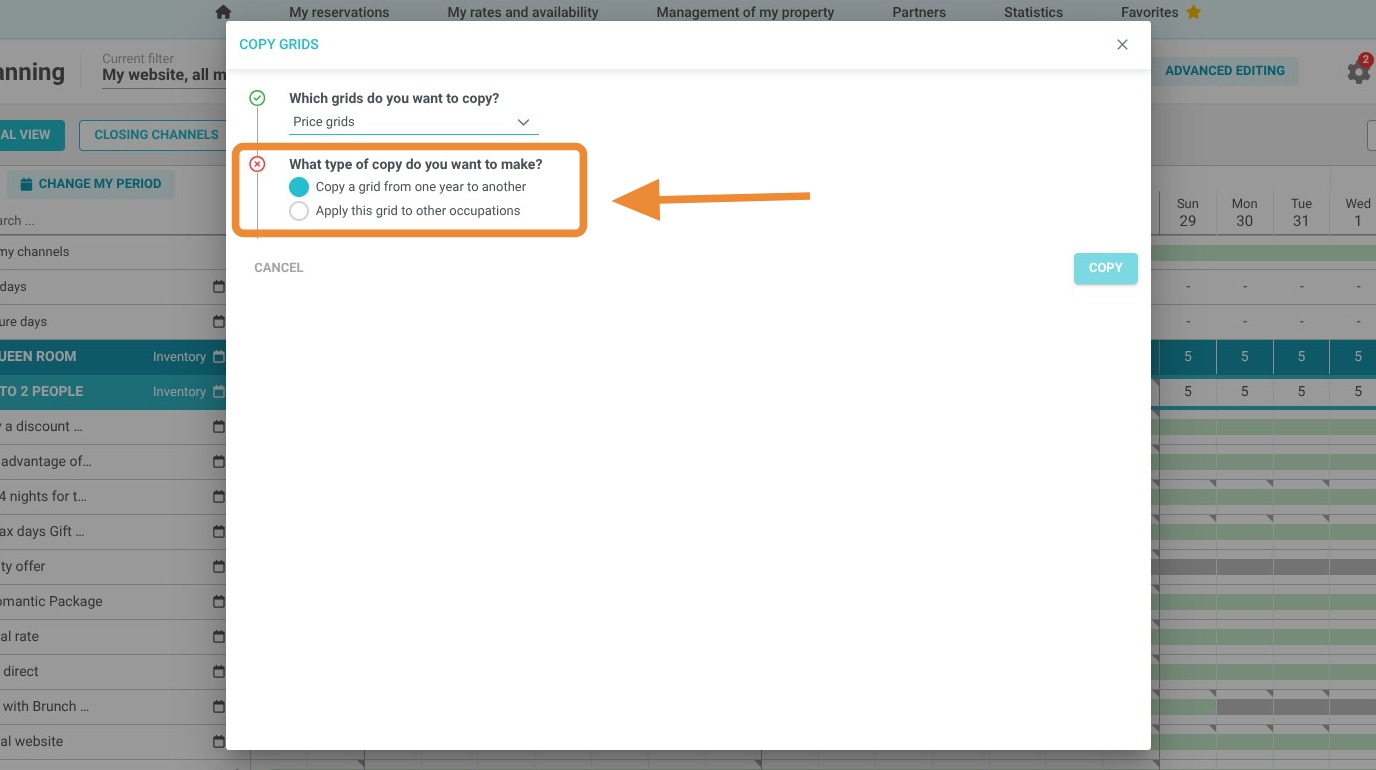
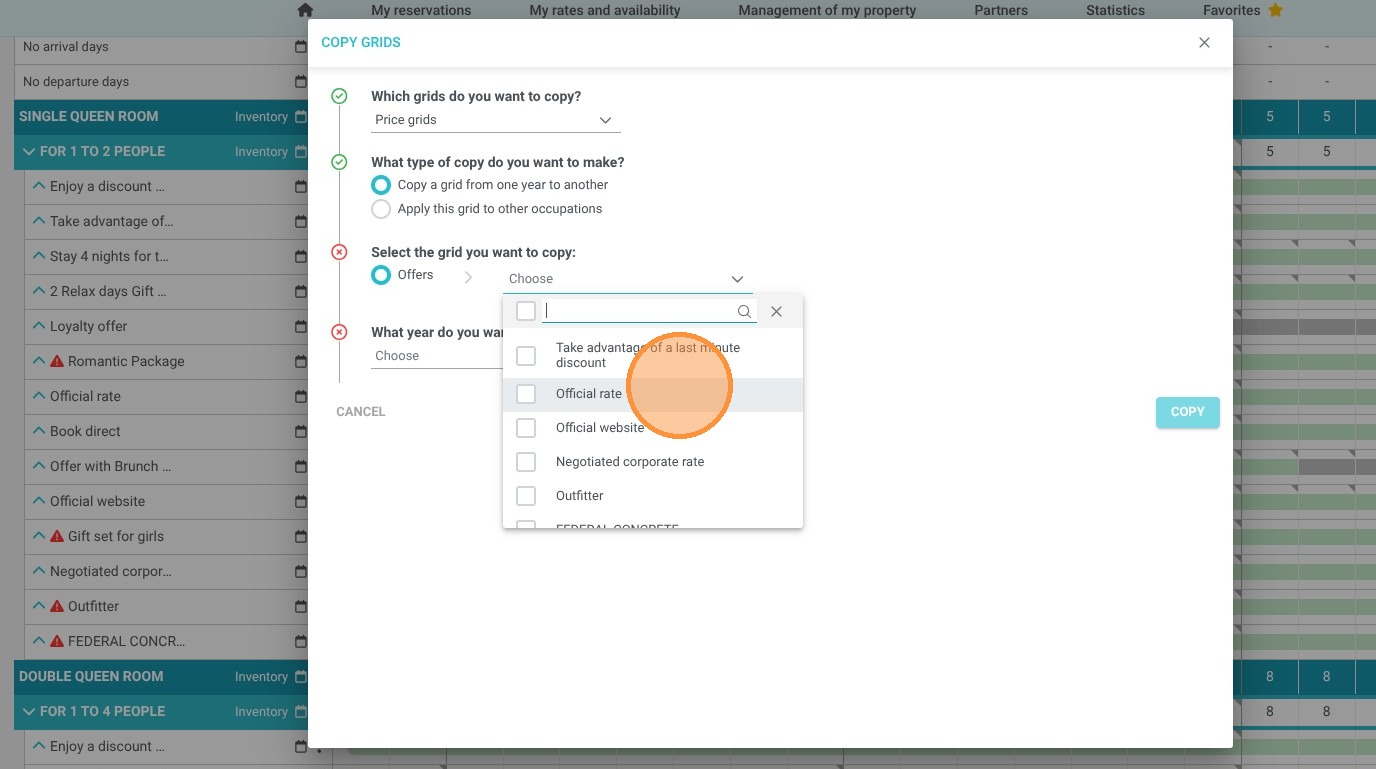
5. Select the offer to copy from one year to the next.

6. Select the data from the year you want to duplicate.
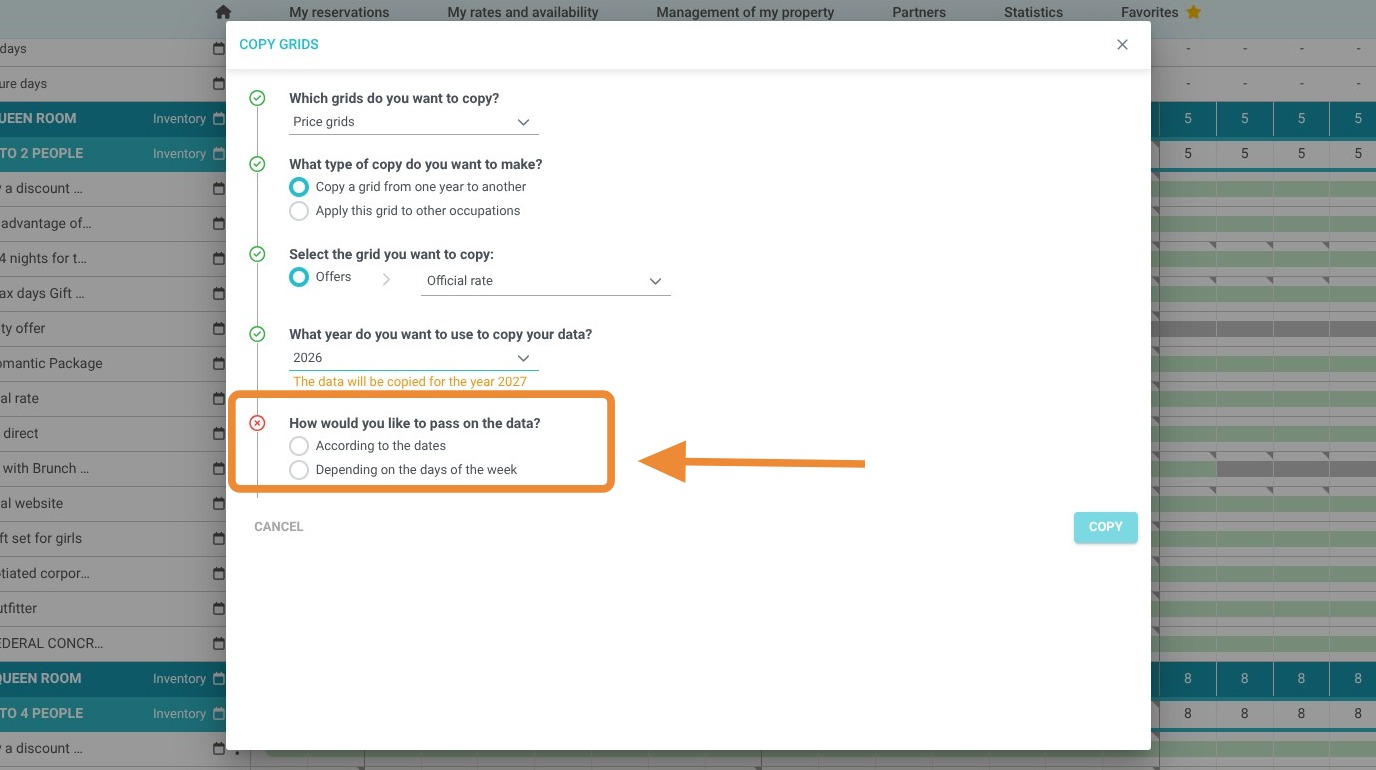
7. Next, select how the data should be transferred, based on dates or days of the week.
8. You can adjust your rates when copying. You can increase or decrease them compared to the previous year.

9. Click "Copy" to save.