Article Summary: Learn how to quickly duplicate your booking rules and "Closed to Arrival" constraints within the Reservit platform. This tutorial guides you through the process of carrying over complex stay requirements and minimum stay policies from one period to another, ensuring seamless inventory management. By mastering this tool, you will maintain consistent booking flows and optimize your revenue management strategy with minimal effort.
The 5 Key Steps to Copy LOS and Arrival Restrictions:
-
Access the Planning Tool: Navigate to the "My planning" section under the "My rates and availability" menu.
-
Initialize the Copy Process: Select the "Copy grids" function and choose the specific option for LOS and prohibited arrival days.
-
Define the Source Scope: Choose whether you want to copy restrictions for the entire hotel or for a specific offer/rate.
-
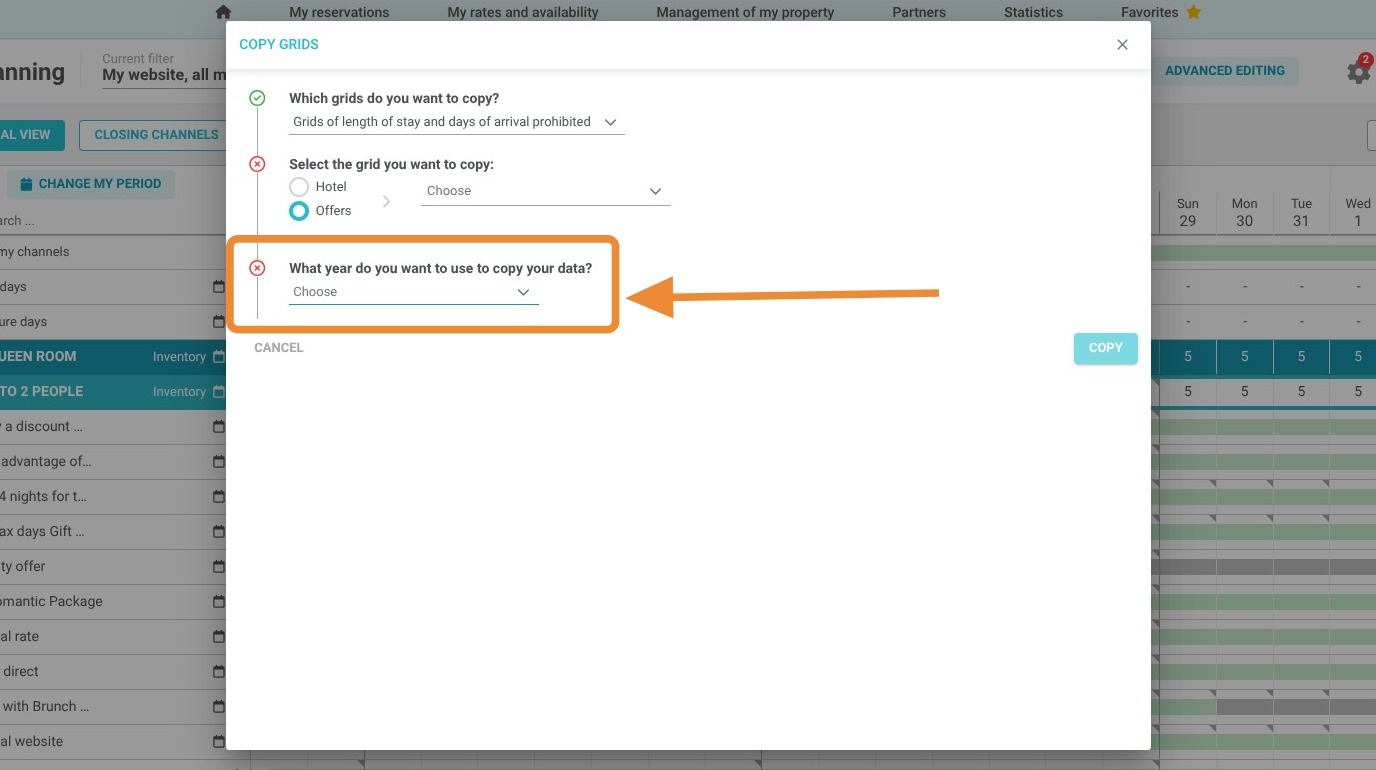
Select Source Data: Identify the specific year and date range containing the data you wish to duplicate.
-
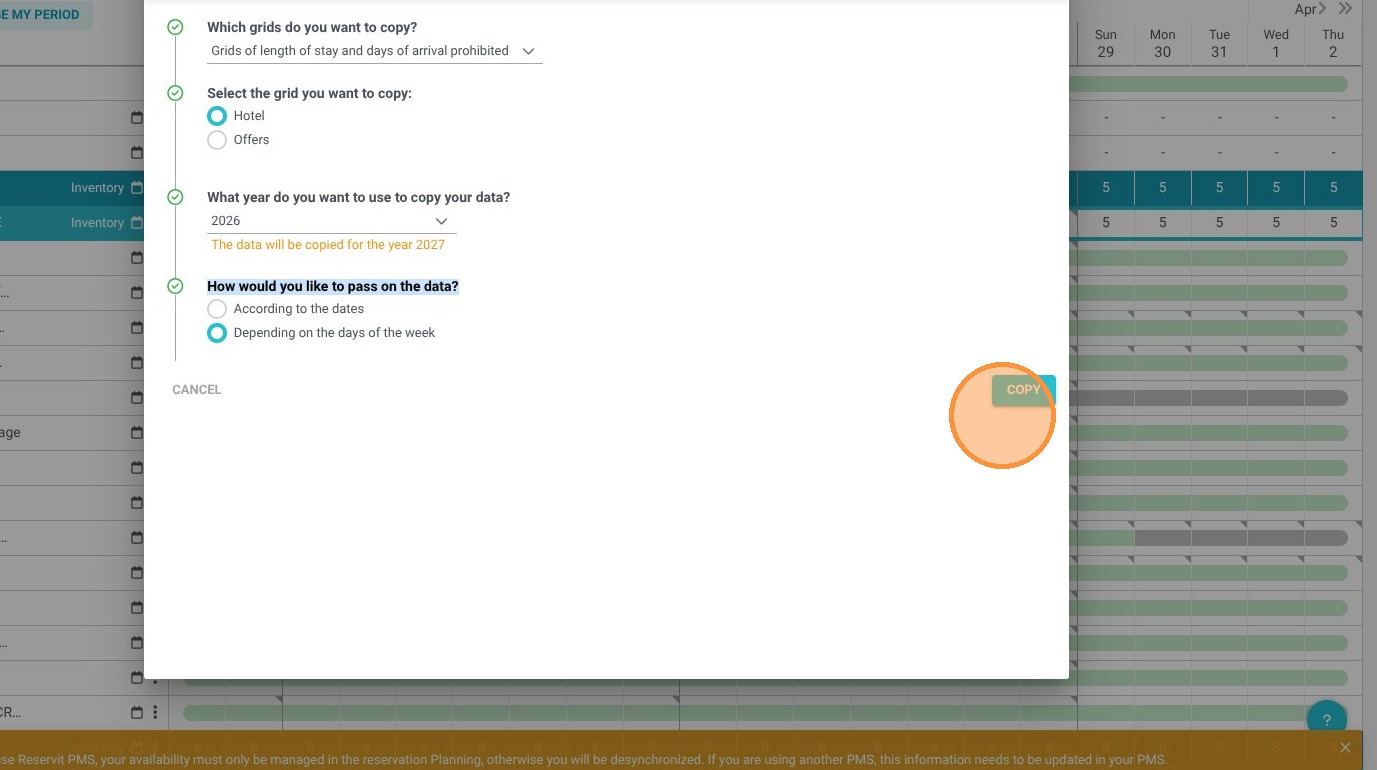
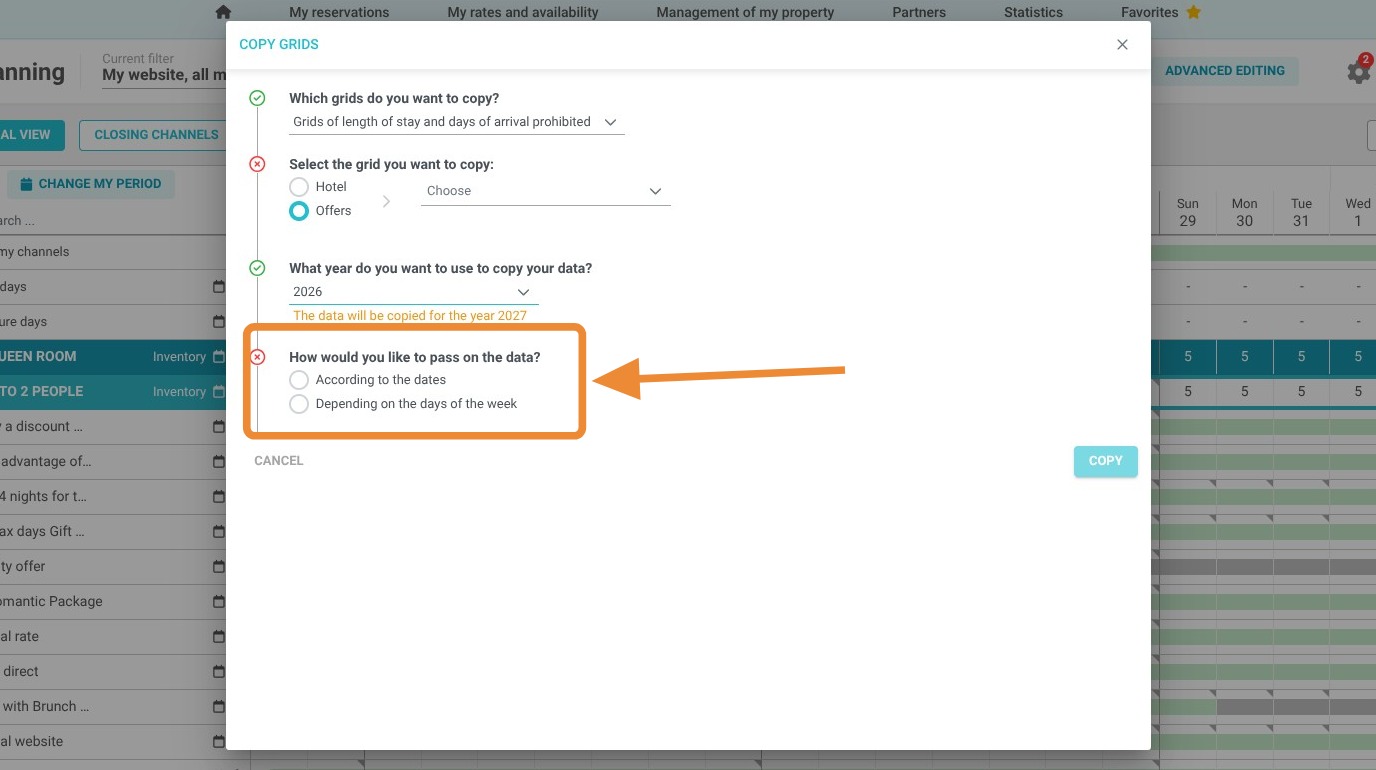
Configure and Save: Choose your transfer method (by date or by day of the week) and click "Copy" to apply the changes to your new schedule.
Why follow this guide? Using the copy grid feature eliminates the risk of manual entry errors and saves significant administrative time during seasonal transitions. It ensures your distribution strategy remains robust and your booking constraints are perfectly synchronized across different periods.

1. Click "My rates and availability" then "My planning"
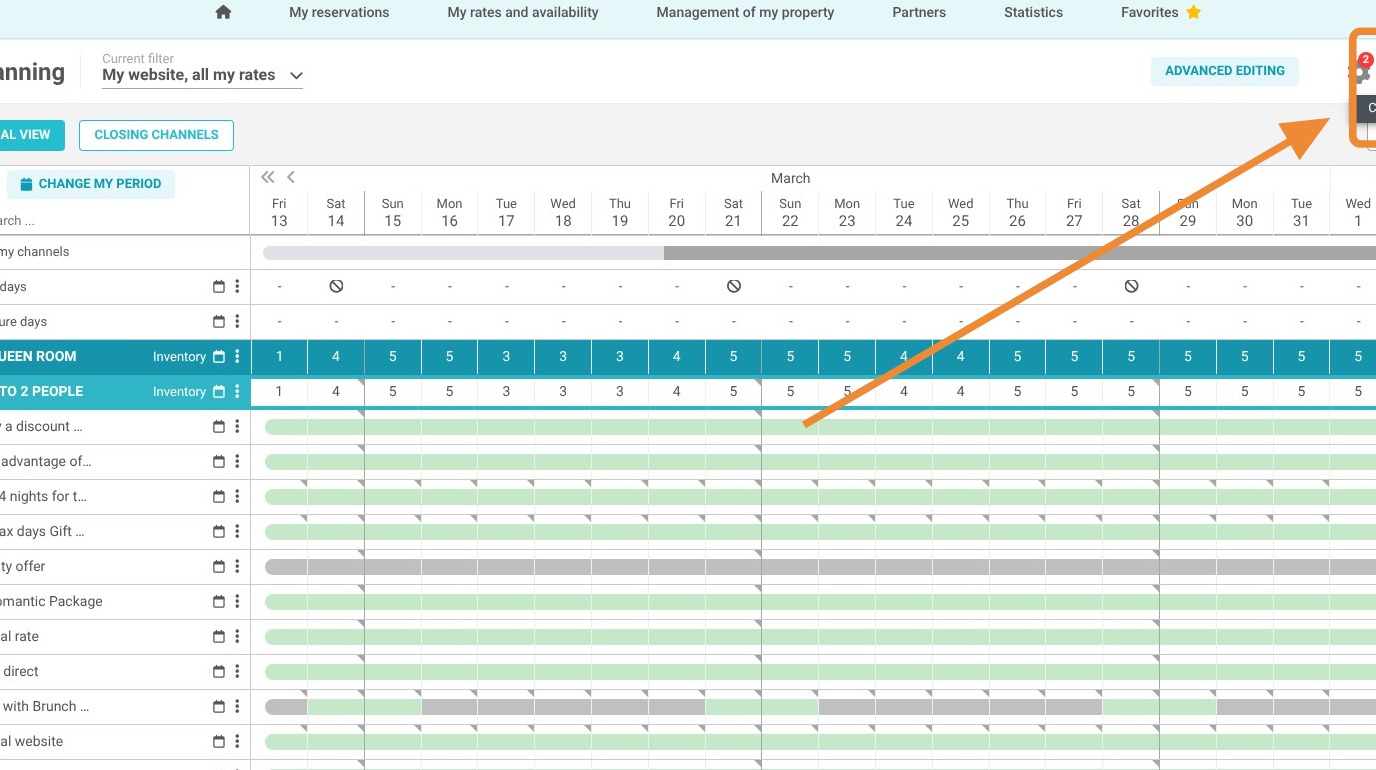
2. Click "Copy grids"

3. Choose "Grids of length of stay and days of arrival prohibited"
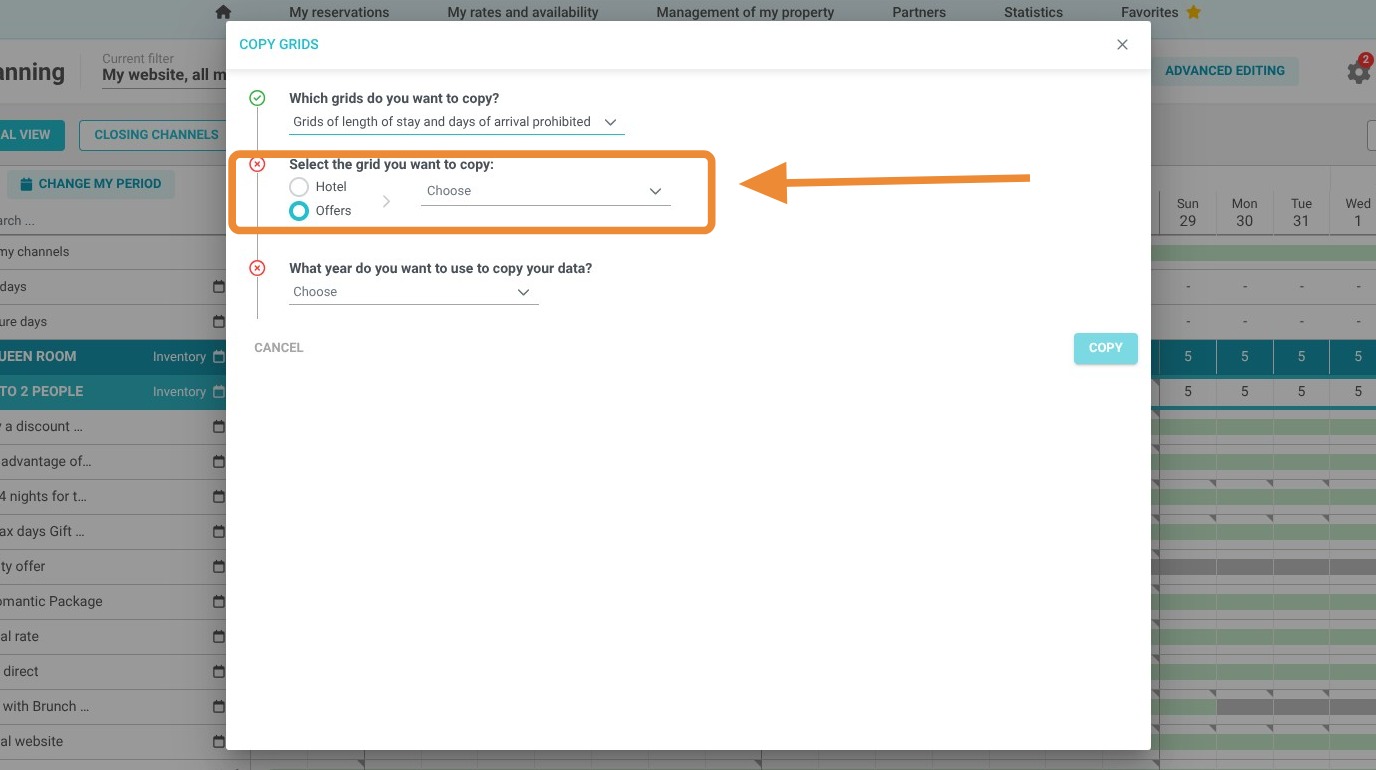
4. Select the grid you want to copy: entire hotel or a single offer.
5. Select the data for the year you want to copy.
6. Then select how to transfer the data: by date or by day of the week.
7. Click "Copy" to save